display Hyundai Genesis 2015 Owner's Manual
[x] Cancel search | Manufacturer: HYUNDAI, Model Year: 2015, Model line: Genesis, Model: Hyundai Genesis 2015Pages: 501, PDF Size: 38.76 MB
Page 13 of 501
F13
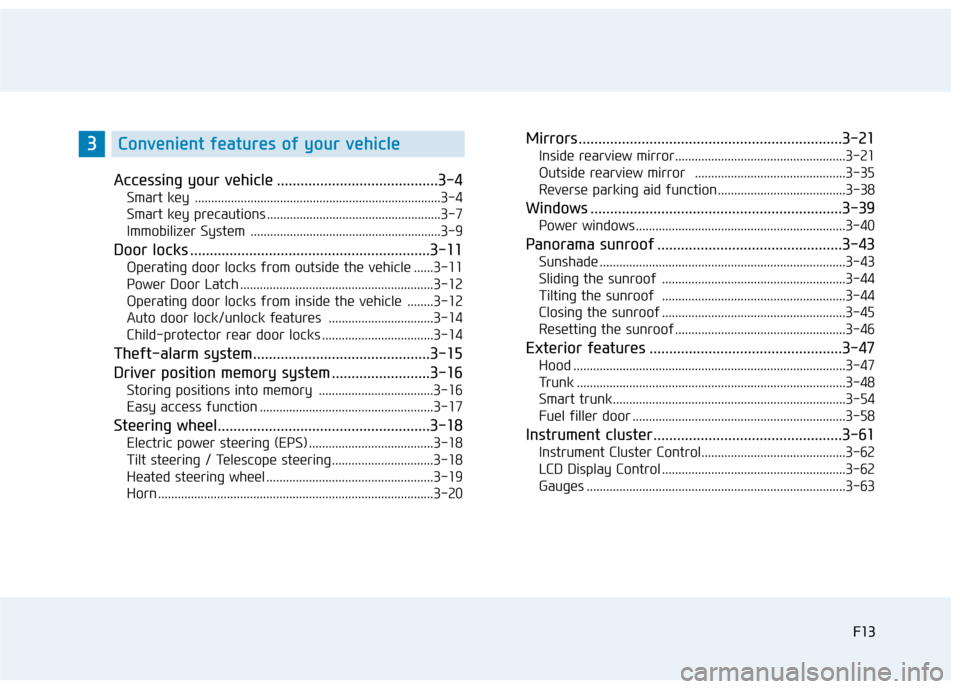
Accessing your vehicle .........................................3-4
Smart key ...........................................................................3-4
Smart key precautions .....................................................3-7
Immobilizer System ..........................................................3-9
Door locks .............................................................3-11
Operating door locks from outside the vehicle ......3-11
Power Door Latch ...........................................................3-12
Operating door locks from inside the vehicle ........3-12
Auto door lock/unlock features ................................3-14
Child-protector rear door locks ..................................3-14
Theft-alarm system.............................................3-15
Driver position memory system .........................3-16
Storing positions into memory ...................................3-16
Easy access function .....................................................3-17
Steering wheel......................................................3-18
Electric power steering (EPS) ......................................3-18
Tilt steering / Telescope steering...............................3-18
Heated steering wheel ...................................................3-19
Horn ....................................................................................3-20
Mirrors ...................................................................3-21
Inside rearview mirror....................................................3-21
Outside rearview mirror ..............................................3-35
Reverse parking aid function.......................................3-38
Windows ................................................................3-39
Power windows................................................................3-40
Panorama sunroof ...............................................3-43
Sunshade ...........................................................................3-43
Sliding the sunroof ........................................................3-44
Tilting the sunroof ........................................................3-44
Closing the sunroof ........................................................3-45
Resetting the sunroof ....................................................3-46
Exterior features .................................................3-47
Hood ...................................................................................3-47
Trunk ..................................................................................3-48
Smart trunk.......................................................................3-54
Fuel filler door .................................................................3-58
Instrument cluster................................................3-61
Instrument Cluster Control............................................3-62
LCD Display Control ........................................................3-62
Gauges ...............................................................................3-63
F13
3Convenient features of your vehicle
Page 14 of 501
F14
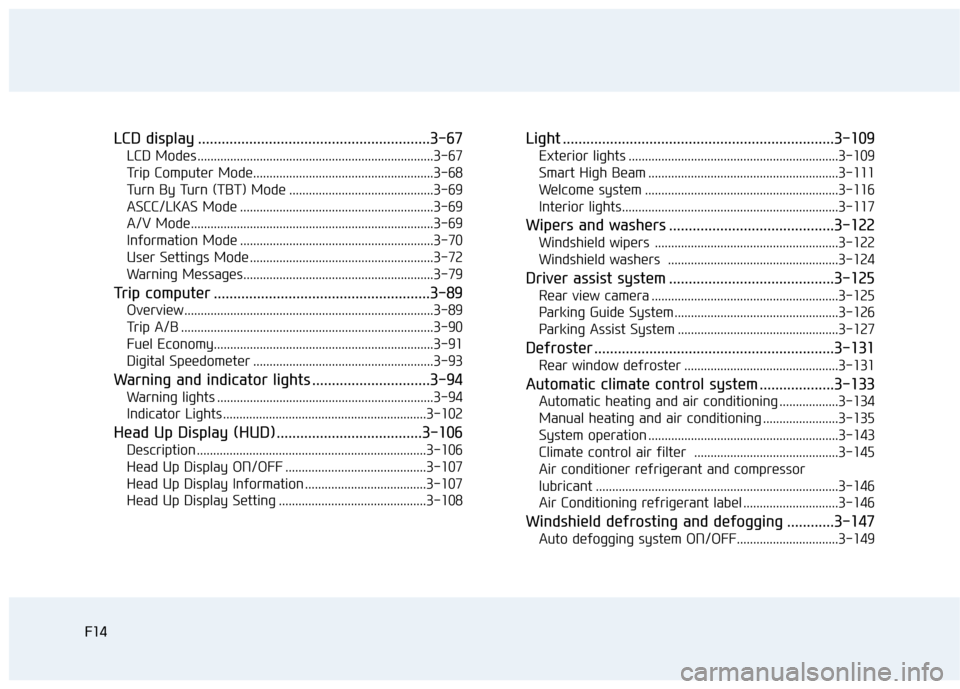
LCD display ...........................................................3-67
LCD Modes ........................................................................3-67
Trip Computer Mode.......................................................3-68
Turn By Turn (TBT) Mode ............................................3-69
ASCC/LKAS Mode ...........................................................3-69
A/V Mode..........................................................................3-69
Information Mode ...........................................................3-70
User Settings Mode ........................................................3-72
Warning Messages..........................................................3-79
Trip computer .......................................................3-89
Overview............................................................................3-89
Trip A/B .............................................................................3-90
Fuel Economy...................................................................3-91
Digital Speedometer .......................................................3-93
Warning and indicator lights ..............................3-94
Warning lights ..................................................................3-94
Indicator Lights ..............................................................3-102
Head Up Display (HUD).....................................3-106
Description ......................................................................3-106
Head Up Display ON/OFF ...........................................3-107
Head Up Display Information .....................................3-107
Head Up Display Setting .............................................3-108
Light .....................................................................3-109
Exterior lights ................................................................3-109
Smart High Beam ..........................................................3-111
Welcome system ...........................................................3-116
Interior lights..................................................................3-117
Wipers and washers ..........................................3-122
Windshield wipers ........................................................3-122
Windshield washers ....................................................3-124
Driver assist system ..........................................3-125
Rear view camera .........................................................3-125
Parking Guide System ..................................................3-126
Parking Assist System .................................................3-127
Defroster .............................................................3-131
Rear window defroster ...............................................3-131
Automatic climate control system ...................3-133
Automatic heating and air conditioning ..................3-134
Manual heating and air conditioning .......................3-135
System operation ..........................................................3-143
Climate control air filter ............................................3-145
Air conditioner refrigerant and compressor
lubricant ..........................................................................3-146
Air Conditioning refrigerant label .............................3-146
Windshield defrosting and defogging ............3-147
Auto defogging system ON/OFF...............................3-149
F14
Page 25 of 501
1-6
I IN
NS
ST
TR
RU
UM
ME
EN
NT
T
P
PA
AN
NE
EL
L
O
OV
VE
ER
RV
VI
IE
EW
W
(
(I
II
I)
)
Your vehicle at a glance
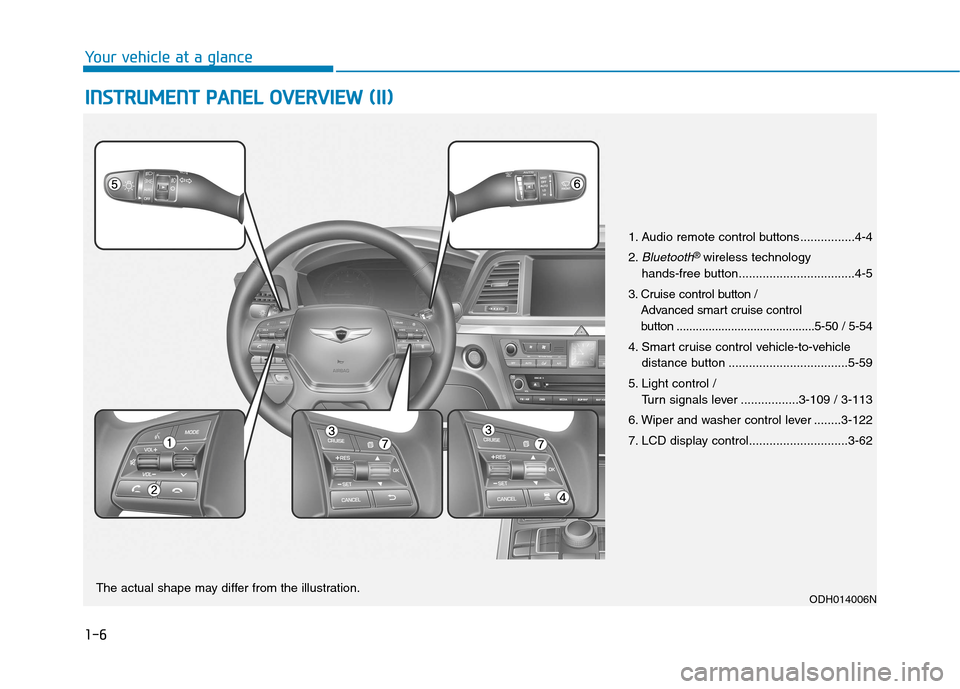
1. Audio remote control buttons ................4-4
2.
Bluetooth® wireless technology
hands-free button..................................4-5
3. Cruise control button /
Advanced smart cruise control
button ...........................................5-50 / 5-54
4. Smart cruise control vehicle-to-vehicle
distance button ...................................5-59
5. Light control /
Turn signals lever .................3-109 / 3-113
6. Wiper and washer control lever ........3-122
7. LCD display control.............................3-62
ODH014006NThe actual shape may differ from the illustration.
Page 78 of 501
2-52
Safety system of your vehicle
10. Driver’s knee air bag module
11. Driver’s and front passenger’s
seat belt buckle sensors
12. Emergency fastening device
13. Occupant classification system
The SRSCM continually monitors all
SRS components while the Engine
Start/Stop button is in the ON posi-
tion to determine if a crash impact is
severe enough to require air bag
deployment or pre-tensioner seat
belt deployment.
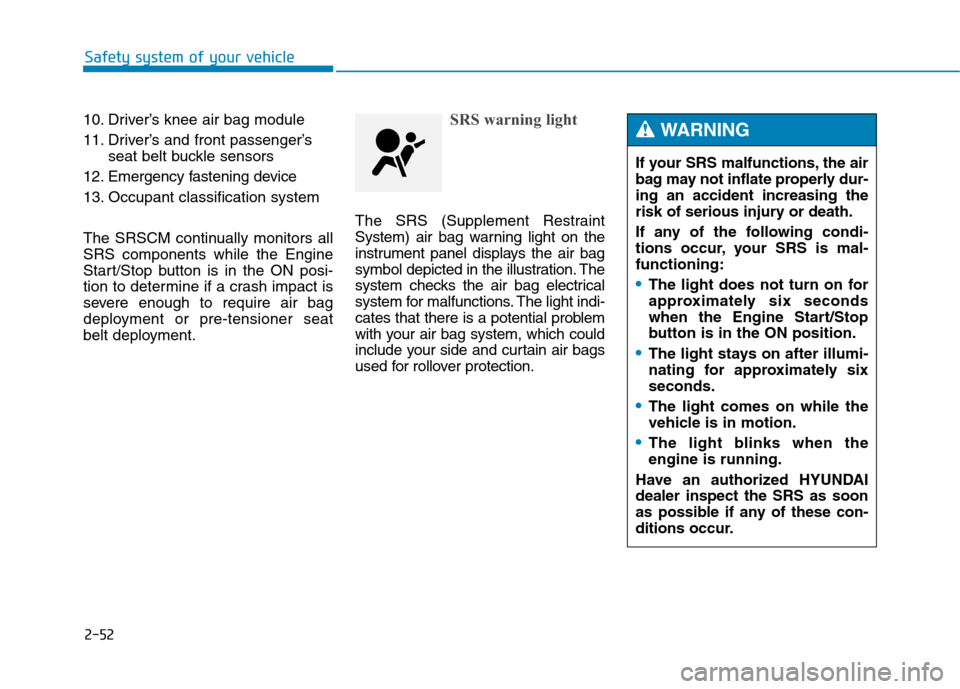
SRS warning light
The SRS (Supplement Restraint
System) air bag warning light on the
instrument panel displays the air bag
symbol depicted in the illustration. The
system checks the air bag electrical
system for malfunctions. The light indi-
cates that there is a potential problem
with your air bag system, which could
include your side and curtain air bags
used for rollover protection.
If your SRS malfunctions, the air
bag may not inflate properly dur-
ing an accident increasing the
risk of serious injury or death.
If any of the following condi-
tions occur, your SRS is mal-
functioning:
The light does not turn on for
approximately six seconds
when the Engine Start/Stop
button is in the ON position.
The light stays on after illumi-
nating for approximately six
seconds.
The light comes on while the
vehicle is in motion.
The light blinks when the
engine is running.
Have an authorized HYUNDAI
dealer inspect the SRS as soon
as possible if any of these con-
ditions occur.
WARNING
Page 95 of 501
Convenient features of your vehicle
Accessing your vehicle .........................................3-4
Smart key ...........................................................................3-4
Smart key precautions .....................................................3-7
Immobilizer System ..........................................................3-9
Door locks .............................................................3-11
Operating door locks from outside the vehicle ......3-11
Power Door Latch ...........................................................3-12
Operating door locks from inside the vehicle ........3-12
Auto door lock/unlock features ................................3-14
Child-protector rear door locks ..................................3-14
Theft-alarm system.............................................3-15
Driver position memory system .........................3-16
Storing positions into memory ...................................3-16
Easy access function .....................................................3-17
Steering wheel......................................................3-18
Electric power steering (EPS) ......................................3-18
Tilt steering / Telescope steering...............................3-18
Heated steering wheel ...................................................3-19
Horn ....................................................................................3-20
Mirrors ...................................................................3-21
Inside rearview mirror....................................................3-21
Outside rearview mirror ................................................3-35
Reverse parking aid function.......................................3-38
Windows ................................................................3-39
Power windows ................................................................3-40
Panorama sunroof ...............................................3-43
Sunshade ...........................................................................3-43
Sliding the sunroof ........................................................3-44
Tilting the sunroof ........................................................3-44
Closing the sunroof ........................................................3-45
Resetting the sunroof ....................................................3-46
Exterior features .................................................3-47
Hood ...................................................................................3-47
Trunk ..................................................................................3-48
Smart trunk.......................................................................3-54
Fuel filler door .................................................................3-58
Instrument cluster................................................3-61
Instrument Cluster Control............................................3-62
LCD Display Control ........................................................3-62
Gauges ...............................................................................3-63
LCD display ...........................................................3-67
LCD Modes ........................................................................3-67
Trip Computer Mode.......................................................3-68
Turn By Turn (TBT) Mode ............................................3-69
ASCC/LKAS Mode ...........................................................3-69
A/V Mode..........................................................................3-69
Information Mode ...........................................................3-70
User Settings Mode ........................................................3-72
Warning Messages..........................................................3-79
3
Page 96 of 501
Trip computer .......................................................3-89
Overview............................................................................3-89
Trip A/B .............................................................................3-90
Fuel Economy...................................................................3-91
Digital Speedometer .......................................................3-93
Warning and indicator lights ..............................3-94
Warning lights ..................................................................3-94
Indicator Lights ..............................................................3-102
Head Up Display (HUD).....................................3-106
Description ......................................................................3-106
Head Up Display ON/OFF ...........................................3-107
Head Up Display Information .....................................3-107
Head Up Display Setting .............................................3-108
Light .....................................................................3-109
Exterior lights ................................................................3-109
Smart High Beam ..........................................................3-111
Welcome system ...........................................................3-116
Interior lights..................................................................3-117
Wipers and washers ..........................................3-122
Windshield wipers ........................................................3-122
Windshield washers ....................................................3-124
Driver assist system ..........................................3-125
Rear view camera .........................................................3-125
Parking Guide System ..................................................3-126
Parking Assist System .................................................3-127
Defroster .............................................................3-131
Rear window defroster ...............................................3-131
Automatic climate control system ...................3-133
Automatic heating and air conditioning ..................3-134
Manual heating and air conditioning .......................3-135
System operation ..........................................................3-143
Climate control air filter ............................................3-145
Air conditioner refrigerant and compressor
lubricant ..........................................................................3-146
Air Conditioning refrigerant label .............................3-146
Windshield defrosting and defogging ............3-147
Auto defogging system ON/OFF...............................3-149
Climate control additional features.................3-150
Cluster ionizer ................................................................3-150
Smart ventilation ...........................................................3-150
Rear climate system ON/OFF ....................................3-151
CO2 control auto air conditioner ..............................3-151
Storage compartment ........................................3-152
Center console storage ...............................................3-152
Glove box ........................................................................3-153
Sunglass holder .............................................................3-153
3
Page 108 of 501
3-14
Auto door lock/unlock features
Impact sensing door unlock
system
All doors will be automatically
unlocked when an impact causes the
air bags to deploy.
Speed sensing door lock system
All doors will be automatically locked
when vehicle speed exceeds 9 mph
(15 km/h).
All of the doors will be automatically
unlocked after the engine is turned
off.
Shift lever auto door lock
All doors will be automatically locked
when shifting the shift lever out of P
(Park) with the engine running.
You can activate or deactivate the
Auto Door Lock/Unlock features from
the User Settings Mode on the LCD
display.
For more details, refer to "LCD
Display" in this chapter.
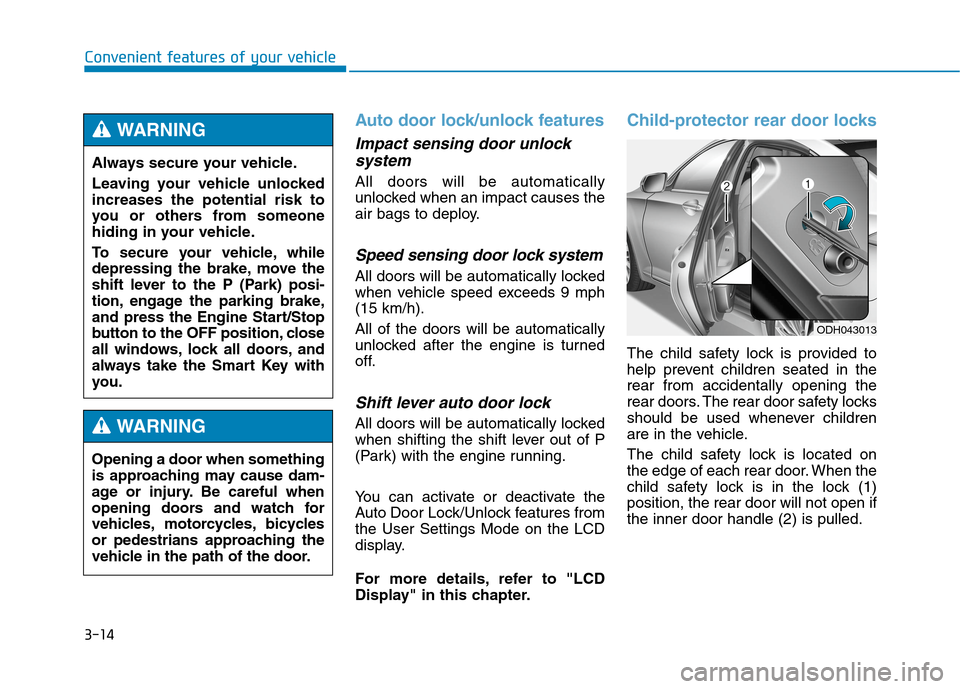
Child-protector rear door locks
The child safety lock is provided to
help prevent children seated in the
rear from accidentally opening the
rear doors. The rear door safety locks
should be used whenever children
are in the vehicle.
The child safety lock is located on
the edge of each rear door. When the
child safety lock is in the lock (1)
position, the rear door will not open if
the inner door handle (2) is pulled.
Convenient features of your vehicle
ODH043013
Always secure your vehicle.
Leaving your vehicle unlocked
increases the potential risk to
you or others from someone
hiding in your vehicle.
To secure your vehicle, while
depressing the brake, move the
shift lever to the P (Park) posi-
tion, engage the parking brake,
and press the Engine Start/Stop
button to the OFF position, close
all windows, lock all doors, and
always take the Smart Key with
you.
WARNING
Opening a door when something
is approaching may cause dam-
age or injury. Be careful when
opening doors and watch for
vehicles, motorcycles, bicycles
or pedestrians approaching the
vehicle in the path of the door.
WARNING
Page 110 of 501
3-16
Convenient features of your vehicle
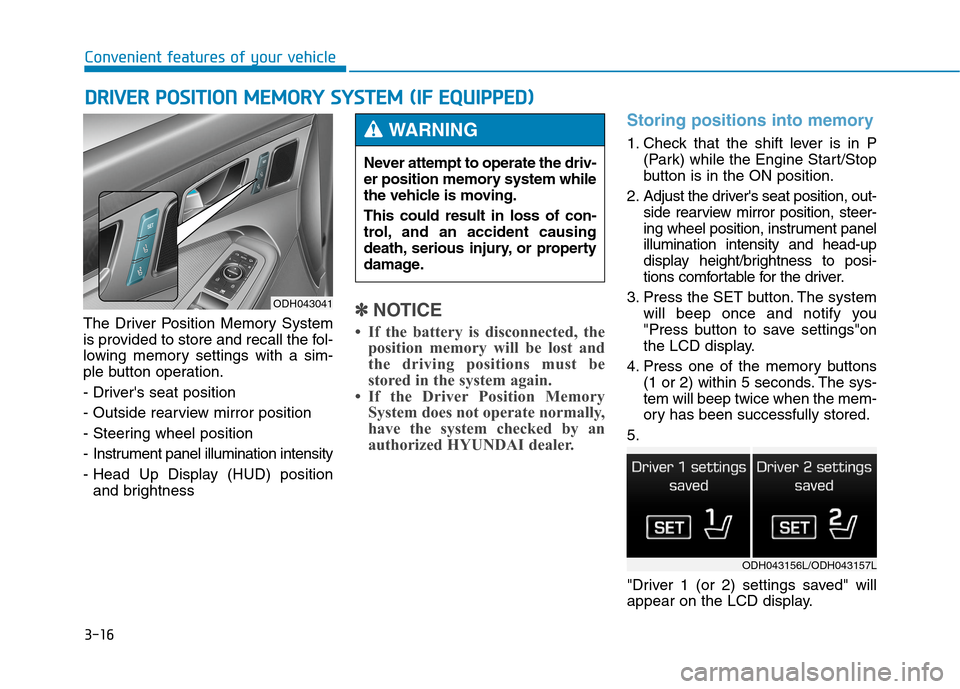
The Driver Position Memory System
is provided to store and recall the fol-
lowing memory settings with a sim-
ple button operation.
- Driver's seat position
- Outside rearview mirror position
- Steering wheel position
- Instrument panel illumination intensity
- Head Up Display (HUD) position
and brightness
✽ ✽
NOTICE
• If the battery is disconnected, the
position memory will be lost and
the driving positions must be
stored in the system again.
• If the Driver Position Memory
System does not operate normally,
have the system checked by an
authorized HYUNDAI dealer.
Storing positions into memory
1. Check that the shift lever is in P
(Park) while the Engine Start/Stop
button is in the ON position.
2. Adjust the driver's seat position, out-
side rearview mirror position, steer-
ing wheel position, instrument panel
illumination intensity and head-up
display height/brightness to posi-
tions comfortable for the driver.
3. Press the SET button. The system
will beep once and notify you
"Press button to save settings"on
the LCD display.
4. Press one of the memory buttons
(1 or 2) within 5 seconds. The sys-
tem will beep twice when the mem-
ory has been successfully stored.
5.
"Driver 1 (or 2) settings saved" will
appear on the LCD display.
D DR
RI
IV
VE
ER
R
P
PO
OS
SI
IT
TI
IO
ON
N
M
ME
EM
MO
OR
RY
Y
S
SY
YS
ST
TE
EM
M
(
(I
IF
F
E
EQ
QU
UI
IP
PP
PE
ED
D)
)
ODH043041
Never attempt to operate the driv-
er position memory system while
the vehicle is moving.
This could result in loss of con-
trol, and an accident causing
death, serious injury, or property
damage.
WARNING
ODH043156L/ODH043157L
Page 111 of 501
3-17
Convenient features of your vehicle
3
Recalling positions from memory
1. Check that the shift lever is in P
(Park) while the Engine Start/Stop
button is in the ON position.
2. Press the desired memory button
(1 or 2). The system will beep
once, and then the driver's seat
position, outside rearview mirror
position, steering wheel position,
instrument panel illumination
intensity and head-up display
height/brightness will automatical-
ly adjust to the stored positions.
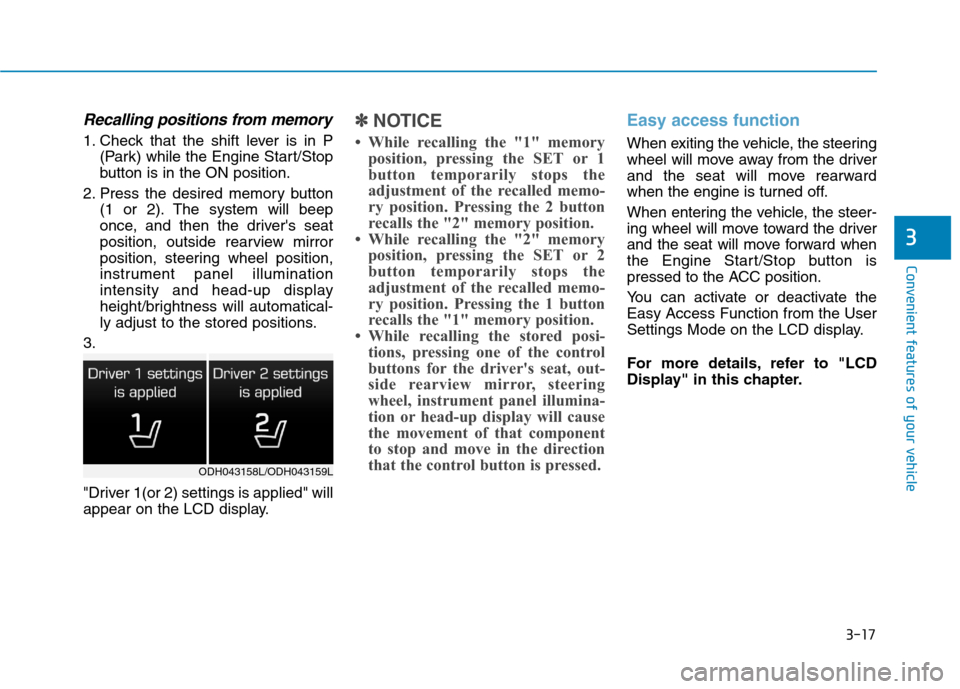
3.
"Driver 1(or 2) settings is applied" will
appear on the LCD display.
✽ ✽
NOTICE
• While recalling the "1" memory
position, pressing the SET or 1
button temporarily stops the
adjustment of the recalled memo-
ry position. Pressing the 2 button
recalls the "2" memory position.
• While recalling the "2" memory
position, pressing the SET or 2
button temporarily stops the
adjustment of the recalled memo-
ry position. Pressing the 1 button
recalls the "1" memory position.
• While recalling the stored posi-
tions, pressing one of the control
buttons for the driver's seat, out-
side rearview mirror, steering
wheel, instrument panel illumina-
tion or head-up display will cause
the movement of that component
to stop and move in the direction
that the control button is pressed.
Easy access function
When exiting the vehicle, the steering
wheel will move away from the driver
and the seat will move rearward
when the engine is turned off.
When entering the vehicle, the steer-
ing wheel will move toward the driver
and the seat will move forward when
the Engine Start/Stop button is
pressed to the ACC position.
You can activate or deactivate the
Easy Access Function from the User
Settings Mode on the LCD display.
For more details, refer to "LCD
Display" in this chapter.
ODH043158L/ODH043159L
Page 114 of 501
3-20
Convenient features of your vehicle
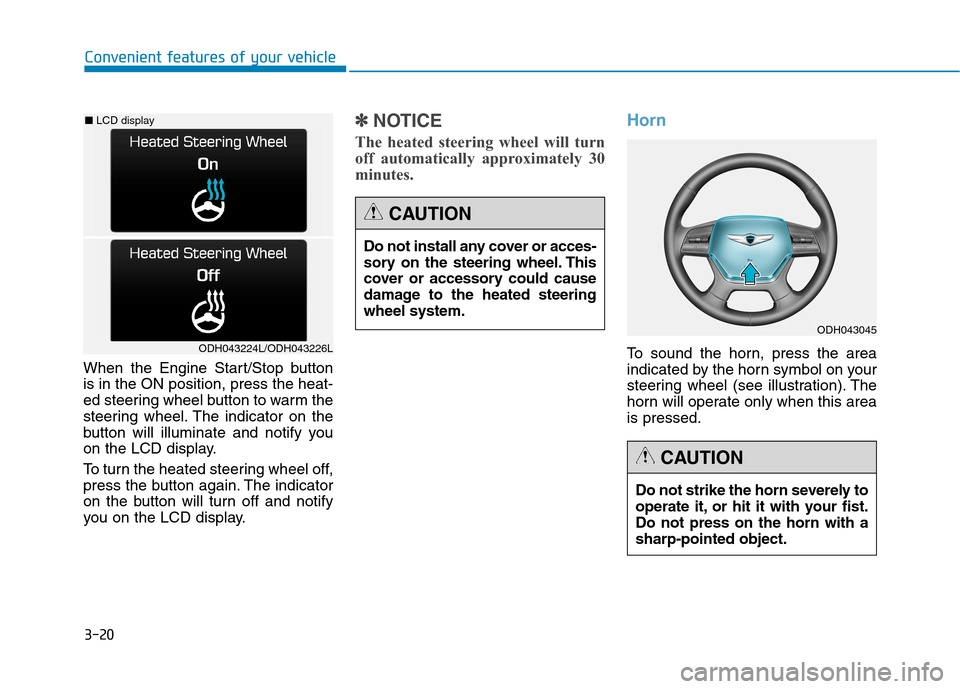
When the Engine Start/Stop button
is in the ON position, press the heat-
ed steering wheel button to warm the
steering wheel. The indicator on the
button will illuminate and notify you
on the LCD display.
To turn the heated steering wheel off,
press the button again. The indicator
on the button will turn off and notify
you on the LCD display.
✽ ✽
NOTICE
The heated steering wheel will turn
off automatically approximately 30
minutes.
Horn
To sound the horn, press the area
indicated by the horn symbol on your
steering wheel (see illustration). The
horn will operate only when this area
is pressed.ODH043224L/ODH043226L
■LCD display
Do not install any cover or acces-
sory on the steering wheel. This
cover or accessory could cause
damage to the heated steering
wheel system.
CAUTION
Do not strike the horn severely to
operate it, or hit it with your fist.
Do not press on the horn with a
sharp-pointed object.
CAUTION
ODH043045