chapter Hyundai Genesis 2016 User Guide
[x] Cancel search | Manufacturer: HYUNDAI, Model Year: 2016, Model line: Genesis, Model: Hyundai Genesis 2016Pages: 503, PDF Size: 12.94 MB
Page 155 of 503
3-61
Convenient features of your vehicle
3
✽
✽NOTICE
• Make sure to refuel your
vehicle according to the "Fuel
Requirements" suggested in the
Introduction chapter.
• Do not spill fuel on the exterior surfaces of the vehicle. Any type of
fuel spilled on painted surfaces
may damage the paint.
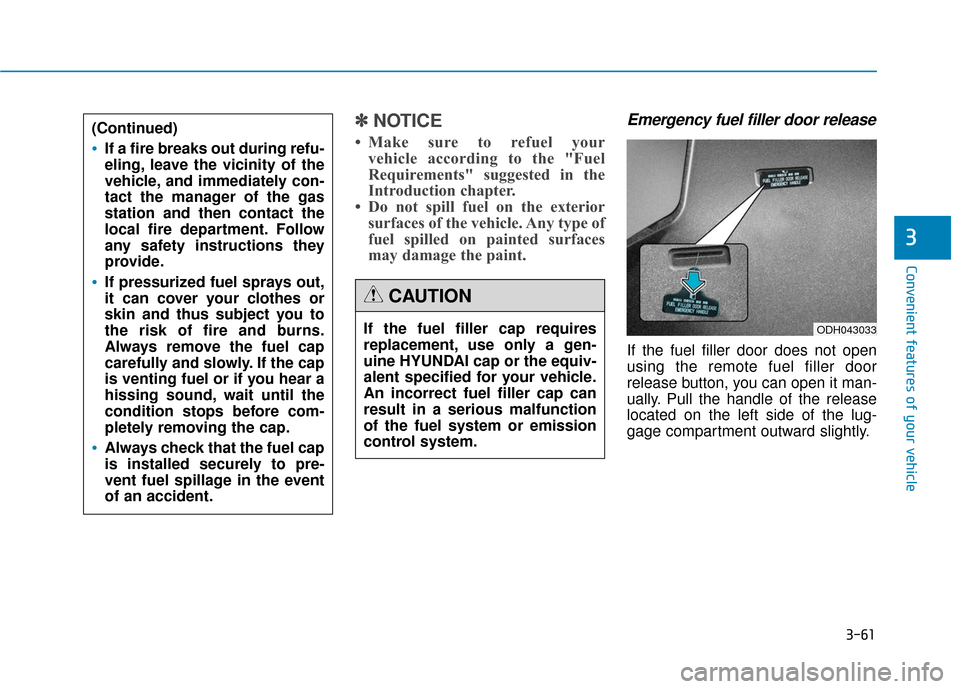
Emergency fuel filler door release
If the fuel filler door does not open
using the remote fuel filler door
release button, you can open it man-
ually. Pull the handle of the release
located on the left side of the lug-
gage compartment outward slightly.
If the fuel filler cap requires
replacement, use only a gen-
uine HYUNDAI cap or the equiv-
alent specified for your vehicle.
An incorrect fuel filler cap can
result in a serious malfunction
of the fuel system or emission
control system.
CAUTION
(Continued)
If a fire breaks out during refu-
eling, leave the vicinity of the
vehicle, and immediately con-
tact the manager of the gas
station and then contact the
local fire department. Follow
any safety instructions they
provide.
If pressurized fuel sprays out,
it can cover your clothes or
skin and thus subject you to
the risk of fire and burns.
Always remove the fuel cap
carefully and slowly. If the cap
is venting fuel or if you hear a
hissing sound, wait until the
condition stops before com-
pletely removing the cap.
Always check that the fuel cap
is installed securely to pre-
vent fuel spillage in the event
of an accident.
ODH043033
Page 156 of 503
3-62
Convenient features of your vehicle
I
IN
N S
ST
T R
R U
U M
M E
EN
N T
T
C
C L
LU
U S
ST
T E
ER
R
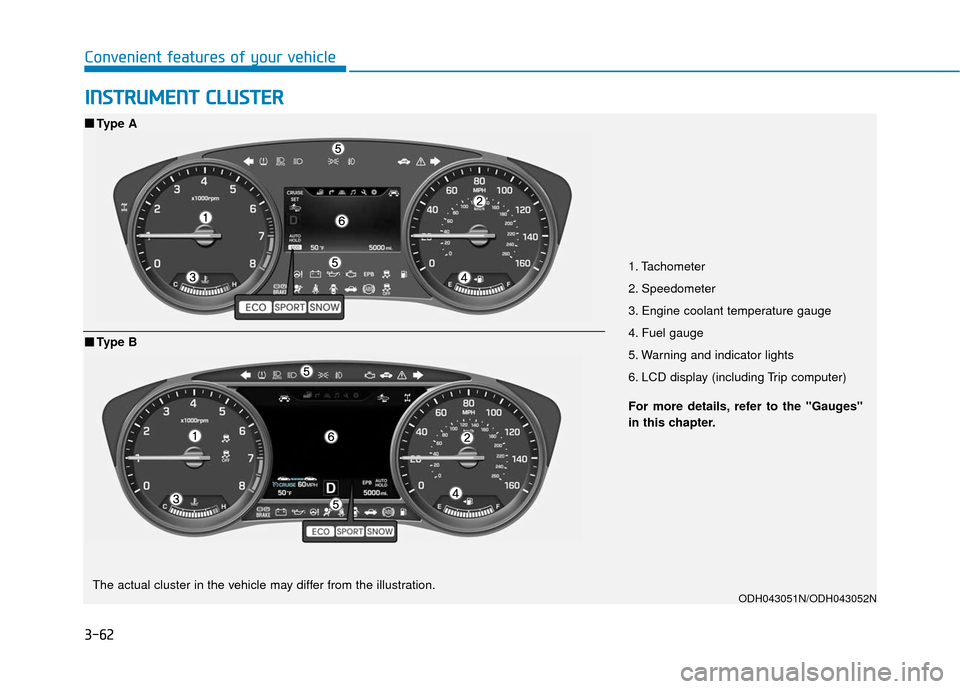
1. Tachometer
2. Speedometer
3. Engine coolant temperature gauge
4. Fuel gauge
5. Warning and indicator lights
6. LCD display (including Trip computer)
ODH043051N/ODH043052N
■ ■
Type A
For more details, refer to the "Gauges"
in this chapter.
■ ■Type B
The actual cluster in the vehicle may differ from the illustration.
Page 158 of 503
3-64
Convenient features of your vehicle
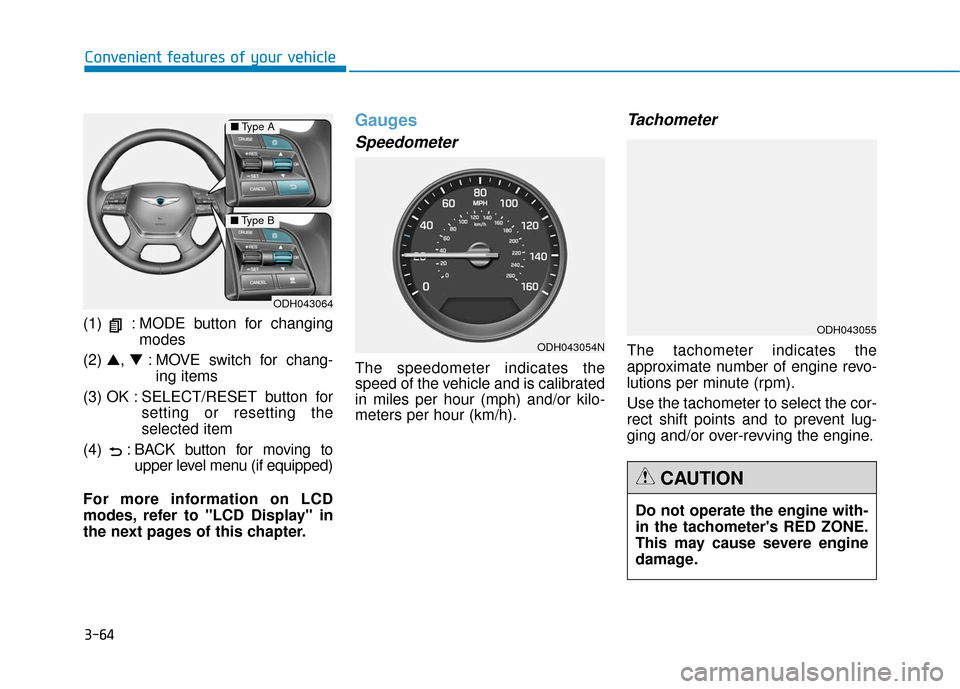
(1) : MODE button for changing modes
(2) ▲, ▼: MOVE switch for chang-
ing items
(3) OK : SELECT/RESET button for setting or resetting the
selected item
(4) : BACK b utton for moving to
upper level menu (if equipped)
For more information on LCD
modes, refer to "LCD Display" in
the next pages of this chapter.
Gauges
Speedometer
The speedometer indicates the
speed of the vehicle and is calibrated
in miles per hour (mph) and/or kilo-
meters per hour (km/h).
Tachometer
The tachometer indicates the
approximate number of engine revo-
lutions per minute (rpm).
Use the tachometer to select the cor-
rect shift points and to prevent lug-
ging and/or over-revving the engine.
ODH043064
■ Type A
■Type B
ODH043054N
Do not operate the engine with-
in the tachometer's RED ZONE.
This may cause severe engine
damage.
CAUTION
ODH043055
Page 159 of 503
3-65
Convenient features of your vehicle
3
Engine Coolant TemperatureGauge
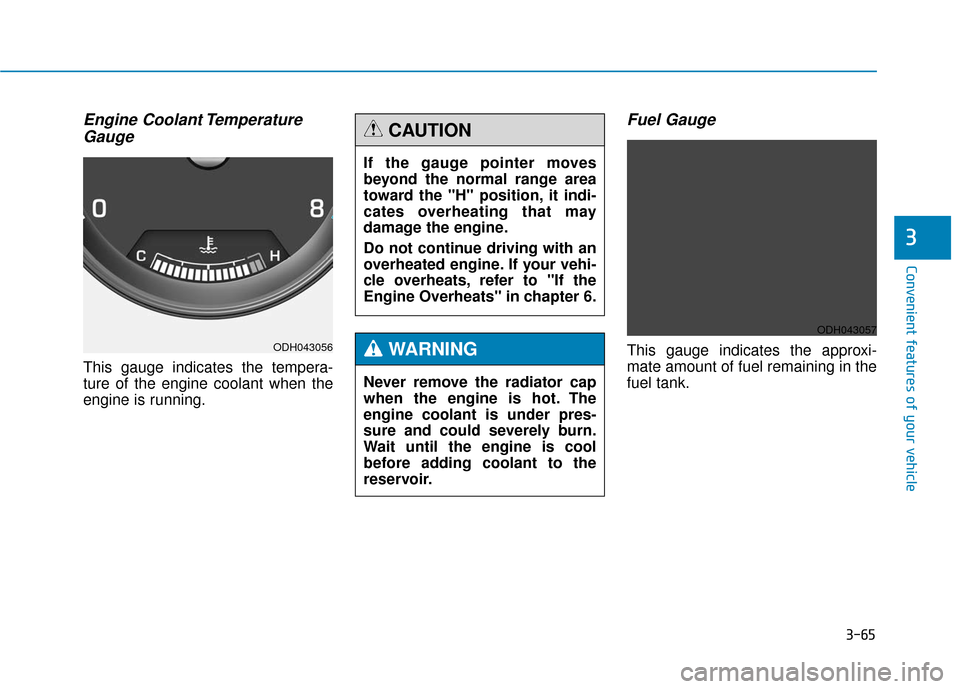
This gauge indicates the tempera-
ture of the engine coolant when the
engine is running.
Fuel Gauge
This gauge indicates the approxi-
mate amount of fuel remaining in the
fuel tank.ODH043056
If the gauge pointer moves
beyond the normal range area
toward the "H" position, it indi-
cates overheating that may
damage the engine.
Do not continue driving with an
overheated engine. If your vehi-
cle overheats, refer to "If the
Engine Overheats" in chapter 6.
CAUTION
Never remove the radiator cap
when the engine is hot. The
engine coolant is under pres-
sure and could severely burn.
Wait until the engine is cool
before adding coolant to the
reservoir.
WARNING
ODH043057
Page 160 of 503
3-66
Convenient features of your vehicle
✽
✽NOTICE
• The fuel tank capacity is given in
chapter 8.
• The fuel gauge is supplemented by a low fuel warning light, which
will illuminate when the fuel tank
is nearly empty.
• On inclines or curves, the fuel gauge pointer may fluctuate or the
low fuel warning light may come
on earlier than usual due to the
movement of fuel in the tank.
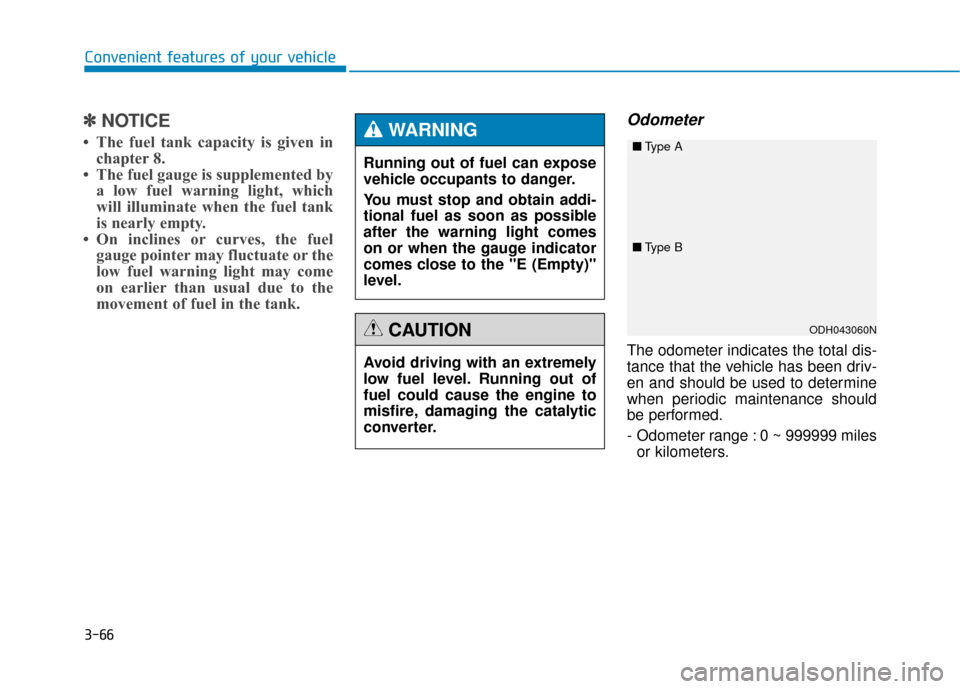
Odometer
The odometer indicates the total dis-
tance that the vehicle has been driv-
en and should be used to determine
when periodic maintenance should
be performed.
- Odometer range : 0 ~ 999999 miles
or kilometers.
Avoid driving with an extremely
low fuel level. Running out of
fuel could cause the engine to
misfire, damaging the catalytic
converter.
CAUTION
Running out of fuel can expose
vehicle occupants to danger.
You must stop and obtain addi-
tional fuel as soon as possible
after the warning light comes
on or when the gauge indicator
comes close to the "E (Empty)"
level.
WARNING
ODH043060N
■
Type A
■Type B
Page 162 of 503
3-68
Convenient features of your vehicle
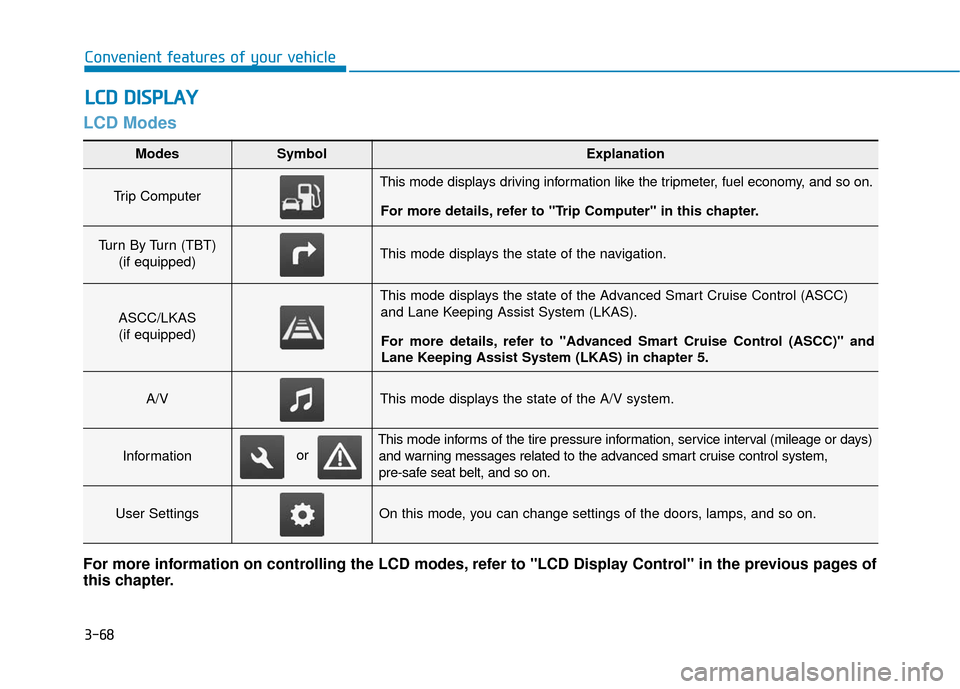
LCD Modes
L
LC
C D
D
D
D I
IS
S P
P L
LA
A Y
Y
Modes SymbolExplanation
Trip Computer This mode displays driving information like the tripmeter, fuel economy, and so on.
For more details, refer to "Trip Computer" in this chapter.
Turn By Turn (TBT) (if equipped)This mode displays the state of the navigation.
ASCC/LKAS(if equipped)
This mode displays the state of the Advanced Smart Cruise Control (ASCC) and Lane Keeping Assist System (LKAS).
For more details, refer to "Advanced Smart Cruise Control (ASCC)" and
Lane Keeping Assist System (LKAS) in chapter 5.
A/VThis mode displays the state of the A/V system.
Information
This mode informs of the tire pressure information, service interval (mileage or days) and warning messages related to the advanced smart cruise control system,
pre-safe seat belt, and so on.
User SettingsOn this mode, you can change settings of the doors, lamps, and so on.
For more information on controlling the LCD modes, refer to "LCD Display Control" in the previous pages of
this chapter.
or
Page 163 of 503
3-69
Convenient features of your vehicle
3
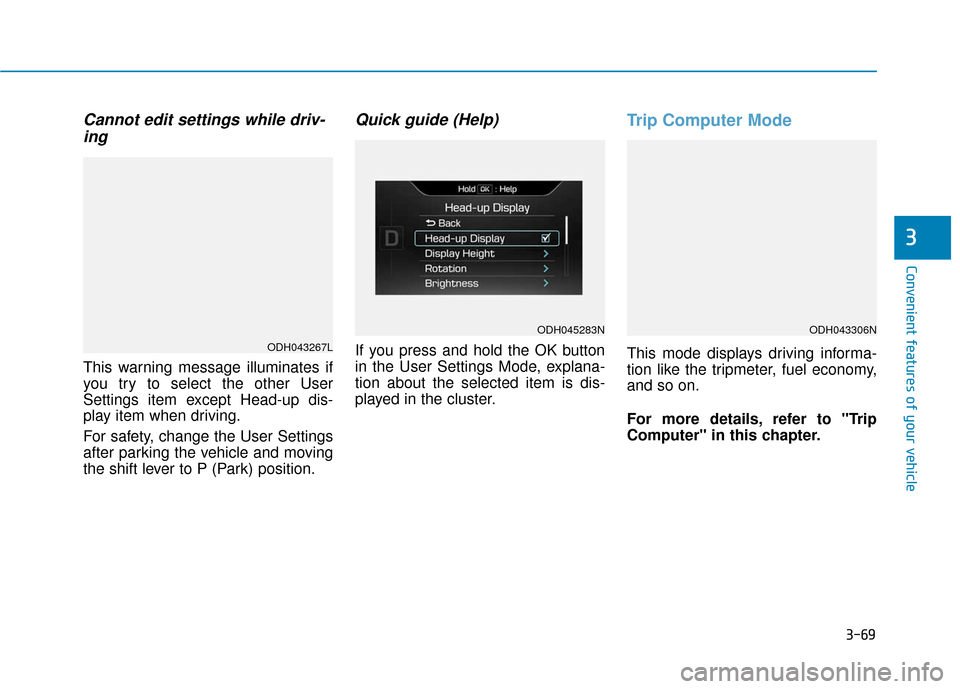
Cannot edit settings while driv-ing
This warning message illuminates if
you try to select the other User
Settings item except Head-up dis-
play item when driving.
For safety, change the User Settings
after parking the vehicle and moving
the shift lever to P (Park) position.
Quick guide (Help)
If you press and hold the OK button
in the User Settings Mode, explana-
tion about the selected item is dis-
played in the cluster.
Trip Computer Mode
This mode displays driving informa-
tion like the tripmeter, fuel economy,
and so on.
For more details, refer to "Trip
Computer" in this chapter.ODH043267L
ODH045283NODH043306N
Page 164 of 503
3-70
Convenient features of your vehicle
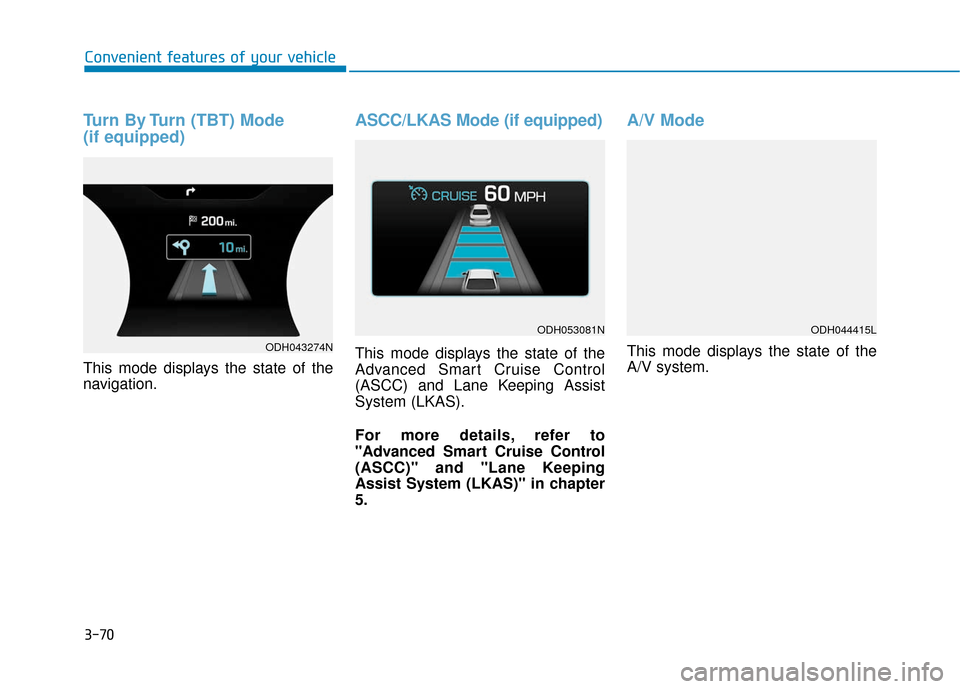
Turn By Turn (TBT) Mode
(if equipped)
This mode displays the state of the
navigation.
ASCC/LKAS Mode (if equipped)
This mode displays the state of the
Advanced Smart Cruise Control
(ASCC) and Lane Keeping Assist
System (LKAS).
For more details, refer to
"Advanced Smart Cruise Control
(ASCC)" and "Lane Keeping
Assist System (LKAS)" in chapter
5.
A/V Mode
This mode displays the state of the
A/V system.ODH043274N
ODH053081NODH044415L
Page 168 of 503
3-74
Convenient features of your vehicle
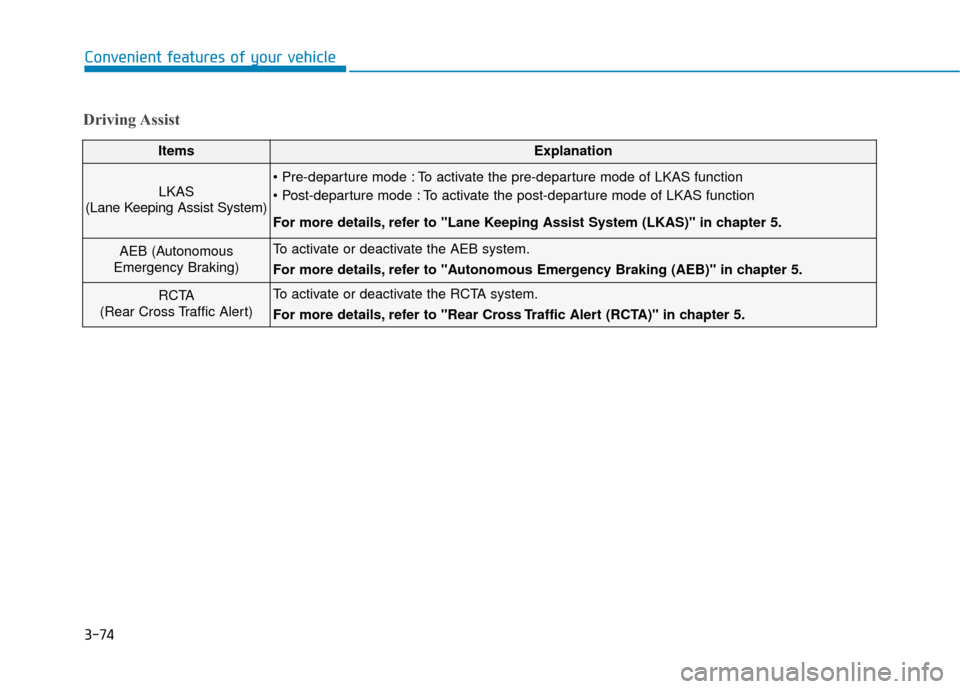
Driving Assist
ItemsExplanation
LKAS
(Lane Keeping Assist System) To activate the pre-departure mode of LKAS function
To activate the post-departure mode of LKAS function
For more details, refer to "Lane Keeping Assist System (LKAS)" in chapter 5.
AEB (Autonomous
Emergency Braking)To activate or deactivate the AEB system.
For more details, refer to "Autonomous Emergency Braking (AEB)" in chapter 5.
RCTA
(Rear Cross Traffic Alert)To activate or deactivate the RCTA system.
For more details, refer to "Rear Cross Traffic Alert (RCTA)" in chapter 5.
Page 169 of 503
3-75
Convenient features of your vehicle
3
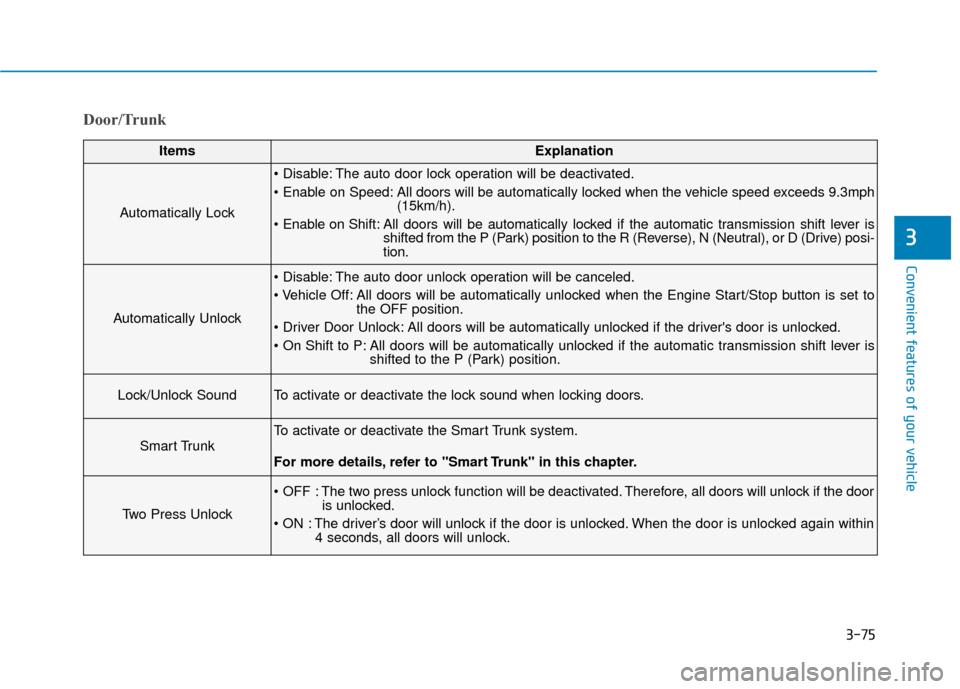
Door/Trunk
ItemsExplanation
Automatically Lock
The auto door lock operation will be deactivated.
All doors will be automatically locked when the vehicle speed exceeds 9.3mph(15km/h).
All doors will be automatically locked if the automatic transmission shift lever is shifted from the P (Park) position to the R (Reverse), N (Neutral), or D (Drive) posi-
tion.
Automatically Unlock
The auto door unlock operation will be canceled.
All doors will be automatically unlocked when the Engine Start/Stop button is set tothe OFF position.
All doors will be automatically unlocked if the driver's door is unlocked.
All doors will be automatically unlocked if the automatic transmission shift lever is shifted to the P (Park) position.
Lock/Unlock SoundTo activate or deactivate the lock sound when locking doors.
Smart Trunk
To activate or deactivate the Smart Trunk system.
For more details, refer to "Smart Trunk" in this chapter.
Two Press Unlock
The two press unlock function will be deactivated. Therefore, all doors will unlock if the dooris unlocked.
The driver’s door will unlock if the door is unlocked. When the door is unlocked again within 4 seconds, all doors will unlock.