ECO mode Hyundai Genesis Coupe 2011 User Guide
[x] Cancel search | Manufacturer: HYUNDAI, Model Year: 2011, Model line: Genesis Coupe, Model: Hyundai Genesis Coupe 2011Pages: 343, PDF Size: 34.28 MB
Page 157 of 343
489
Features of your vehicle
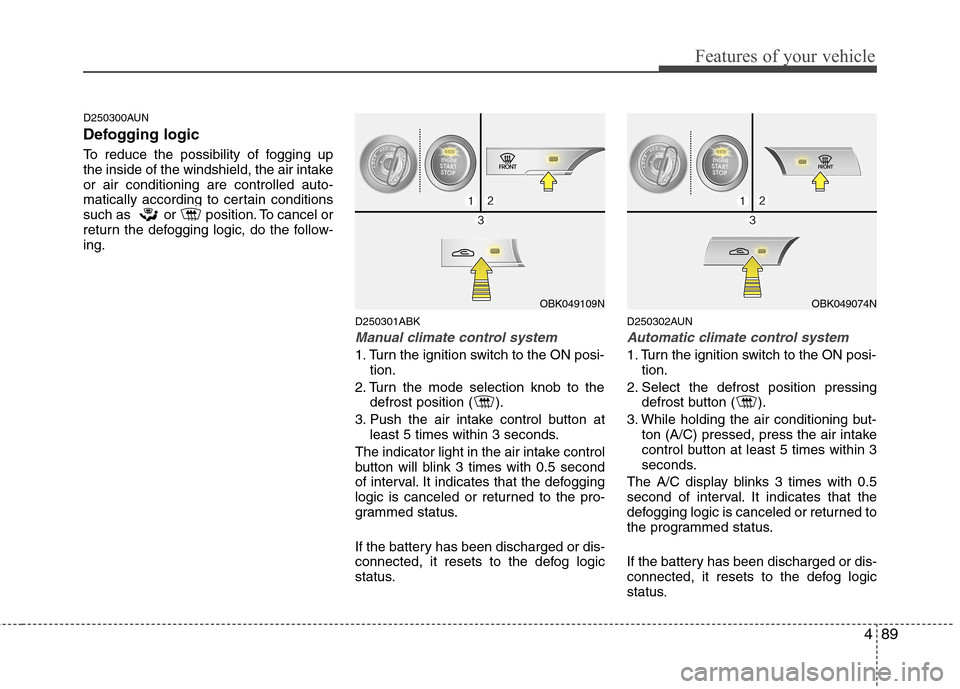
D250300AUN
Defogging logic
To reduce the possibility of fogging up
the inside of the windshield, the air intakeor air conditioning are controlled auto-
matically according to certain conditions
such as or position. To cancel or
return the defogging logic, do the follow-ing.D250301ABK
Manual climate control system
1. Turn the ignition switch to the ON posi-tion.
2. Turn the mode selection knob to the defrost position ( ).
3. Push the air intake control button at least 5 times within 3 seconds.
The indicator light in the air intake control
button will blink 3 times with 0.5 second
of interval. It indicates that the defogging
logic is canceled or returned to the pro-
grammed status.
If the battery has been discharged or dis-
connected, it resets to the defog logic
status. D250302AUN
Automatic climate control system
1. Turn the ignition switch to the ON posi-
tion.
2. Select the defrost position pressing defrost button ( ).
3. While holding the air conditioning but- ton (A/C) pressed, press the air intake
control button at least 5 times within 3
seconds.
The A/C display blinks 3 times with 0.5
second of interval. It indicates that the
defogging logic is canceled or returned to
the programmed status.
If the battery has been discharged or dis-
connected, it resets to the defog logic
status.
OBK049109NOBK049074N
Page 166 of 343
Features of your vehicle
98
4
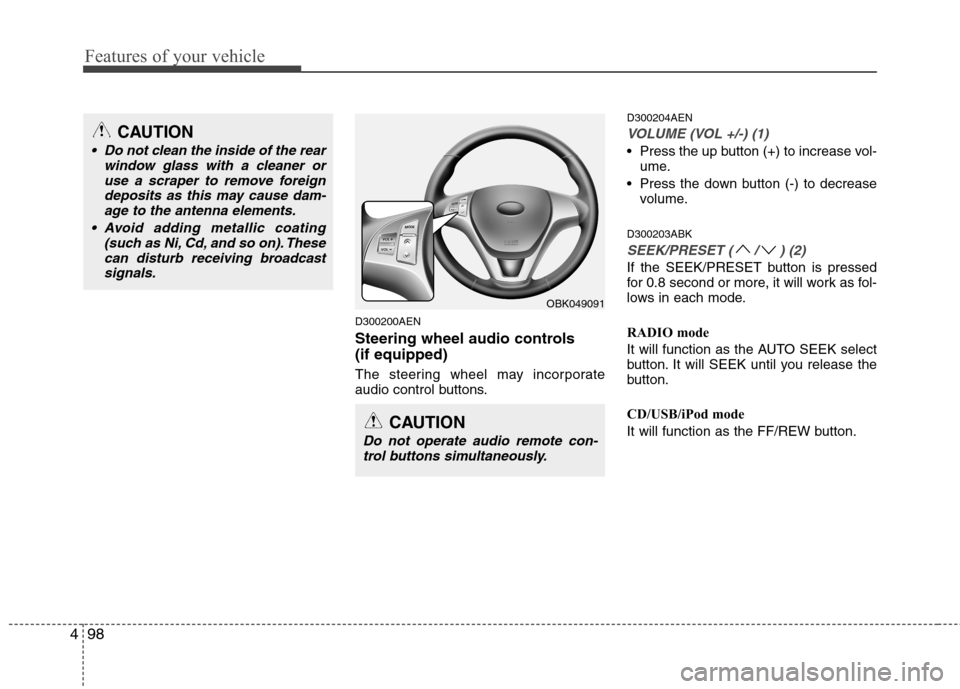
D300200AEN
Steering wheel audio controls (if equipped)
The steering wheel may incorporate
audio control buttons. D300204AEN
VOLUME (VOL +/-) (1)
Press the up button (+) to increase vol-
ume.
Press the down button (-) to decrease volume.
D300203ABK
SEEK/PRESET ( / ) (2)
If the SEEK/PRESET button is pressed
for 0.8 second or more, it will work as fol-
lows in each mode.
RADIO mode
It will function as the AUTO SEEK select
button. It will SEEK until you release the
button.
CD/USB/iPod mode
It will function as the FF/REW button.
OBK049091
CAUTION
Do not operate audio remote con- trol buttons simultaneously.
CAUTION
• Do not clean the inside of the rear window glass with a cleaner or
use a scraper to remove foreigndeposits as this may cause dam-age to the antenna elements.
Avoid adding metallic coating (such as Ni, Cd, and so on). Thesecan disturb receiving broadcastsignals.
Page 167 of 343
499
Features of your vehicle
If the SEEK/PRESET button is pressed
for less than 0.8 second, it will work as
follows in each mode.
RADIO mode
It will function as the PRESET STATION
select buttons.
CD/USB/iPod mode
It will function as the TRACK UP/DOWN
button.
Detailed information for audio control
buttons is included in the following pagesin this section.
MODE (3)
Press the MODE button to select Fadio, CD (Compact Disc).D300800AEN
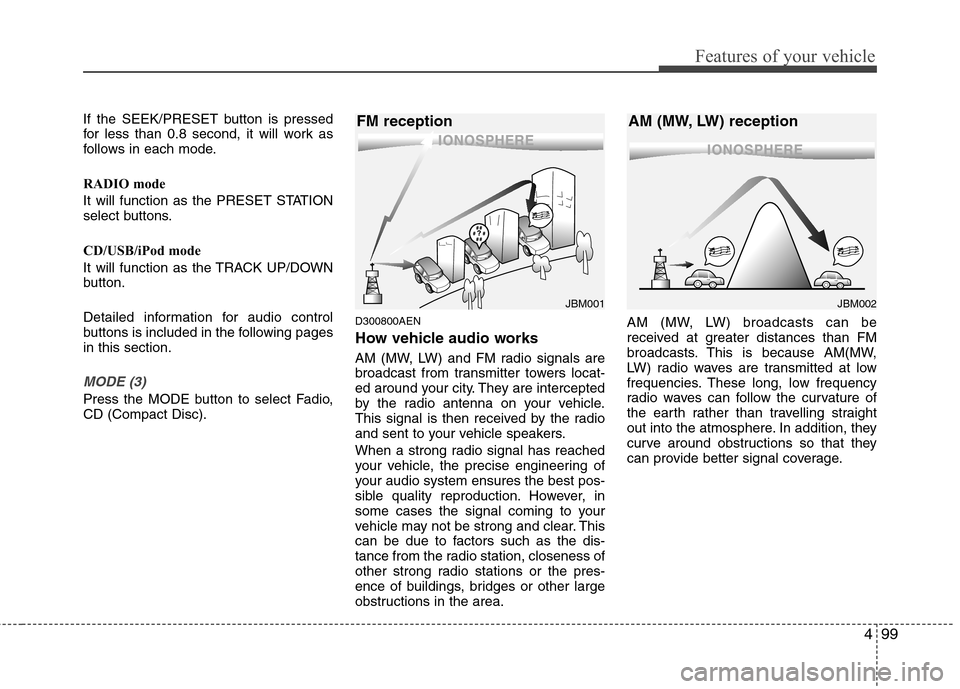
How vehicle audio works
AM (MW, LW) and FM radio signals are
broadcast from transmitter towers locat-
ed around your city. They are intercepted
by the radio antenna on your vehicle.
This signal is then received by the radio
and sent to your vehicle speakers.
When a strong radio signal has reached
your vehicle, the precise engineering of
your audio system ensures the best pos-
sible quality reproduction. However, in
some cases the signal coming to your
vehicle may not be strong and clear. This
can be due to factors such as the dis-
tance from the radio station, closeness of
other strong radio stations or the pres-
ence of buildings, bridges or other large
obstructions in the area.AM (MW, LW) broadcasts can be
received at greater distances than FM
broadcasts. This is because AM(MW,
LW) radio waves are transmitted at low
frequencies. These long, low frequency
radio waves can follow the curvature of
the earth rather than travelling straight
out into the atmosphere. In addition, they
curve around obstructions so that they
can provide better signal coverage.
JBM002
AM (MW, LW) receptionJBM001
FM reception
Page 171 of 343
4103
Features of your vehicle
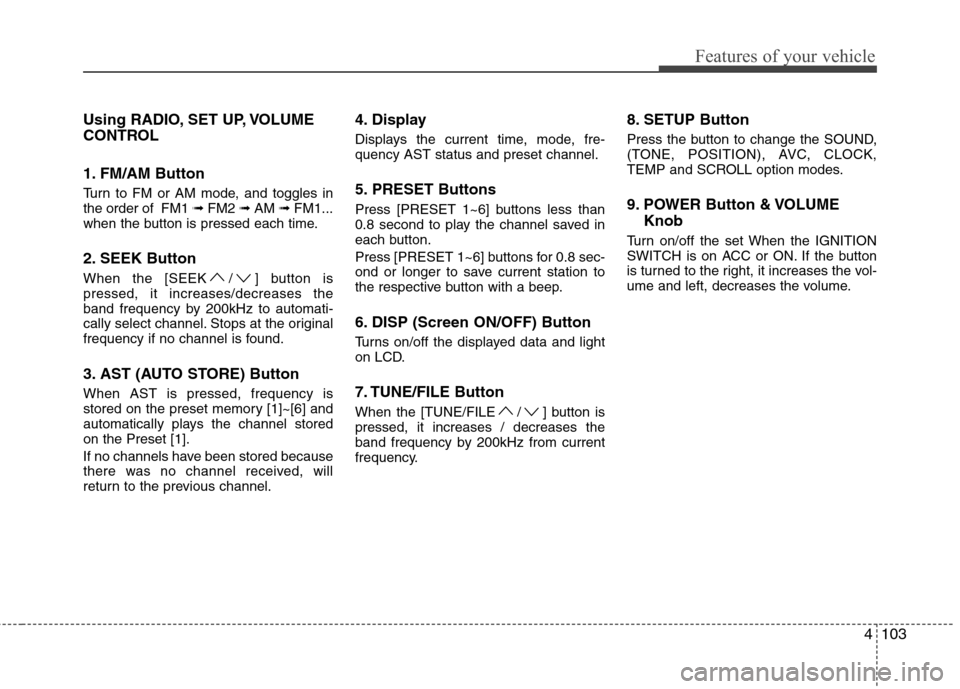
Using RADIO, SET UP, VOLUME
CONTROL
1. FM/AM Button
Turn to FM or AM mode, and toggles in the order of FM1 ➟FM2 ➟AM ➟FM1...
when the button is pressed each time.
2. SEEK Button
When the [SEEK / ] button is pressed, it increases/decreases the
band frequency by 200kHz to automati-
cally select channel. Stops at the original
frequency if no channel is found.
3. AST (AUTO STORE) Button When AST is pressed, frequency is
stored on the preset memory [1]~[6] and
automatically plays the channel storedon the Preset [1].
If no channels have been stored because
there was no channel received, will
return to the previous channel. 4. Display
Displays the current time, mode, fre- quency AST status and preset channel.
5. PRESET Buttons
Press [PRESET 1~6] buttons less than
0.8 second to play the channel saved in
each button.
Press [PRESET 1~6] buttons for 0.8 sec-
ond or longer to save current station to
the respective button with a beep.
6. DISP (Screen ON/OFF) Button
Turns on/off the displayed data and light
on LCD.
7. TUNE/FILE Button
When the [TUNE/FILE / ] button is pressed, it increases / decreases the
band frequency by 200kHz from current
frequency.
8. SETUP Button
Press the button to change the SOUND,
(TONE, POSITION), AVC, CLOCK,
TEMP and SCROLL option modes.
9. POWER Button & VOLUME
Knob
Turn on/off the set When the IGNITION
SWITCH is on ACC or ON. If the button
is turned to the right, it increases the vol-
ume and left, decreases the volume.
Page 173 of 343
4105
Features of your vehicle
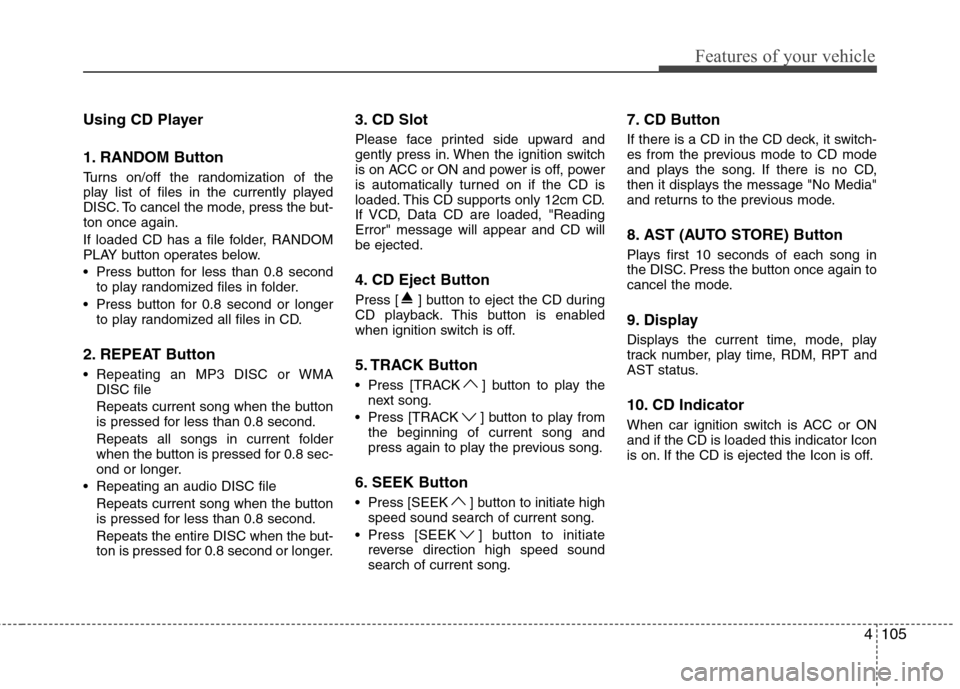
Using CD Player
1. RANDOM Button
Turns on/off the randomization of the
play list of files in the currently played
DISC. To cancel the mode, press the but-ton once again.
If loaded CD has a file folder, RANDOM
PLAY button operates below.
Press button for less than 0.8 secondto play randomized files in folder.
Press button for 0.8 second or longer to play randomized all files in CD.
2. REPEAT Button
Repeating an MP3 DISC or WMA DISC file
Repeats current song when the button
is pressed for less than 0.8 second.
Repeats all songs in current folder
when the button is pressed for 0.8 sec-
ond or longer.
Repeating an audio DISC file Repeats current song when the button
is pressed for less than 0.8 second.
Repeats the entire DISC when the but-
ton is pressed for 0.8 second or longer. 3. CD Slot
Please face printed side upward and
gently press in. When the ignition switch
is on ACC or ON and power is off, power
is automatically turned on if the CD is
loaded. This CD supports only 12cm CD.
If VCD, Data CD are loaded, "ReadingError" message will appear and CD willbe ejected.
4. CD Eject Button
Press [ ] button to eject the CD during
CD playback. This button is enabled
when ignition switch is off.
5. TRACK Button
Press [TRACK ] button to play the
next song.
Press [TRACK ] button to play from the beginning of current song and
press again to play the previous song.
6. SEEK Button
Press [SEEK ] button to initiate high speed sound search of current song.
Press [SEEK ] button to initiate reverse direction high speed sound search of current song. 7. CD Button
If there is a CD in the CD deck, it switch-
es from the previous mode to CD mode
and plays the song. If there is no CD,
then it displays the message "No Media"
and returns to the previous mode.
8. AST (AUTO STORE) Button
Plays first 10 seconds of each song in
the DISC. Press the button once again to
cancel the mode.
9. Display
Displays the current time, mode, play
track number, play time, RDM, RPT and
AST status.
10. CD Indicator
When car ignition switch is ACC or ON and if the CD is loaded this indicator Icon
is on. If the CD is ejected the Icon is off.
Page 176 of 343
Features of your vehicle
108
4
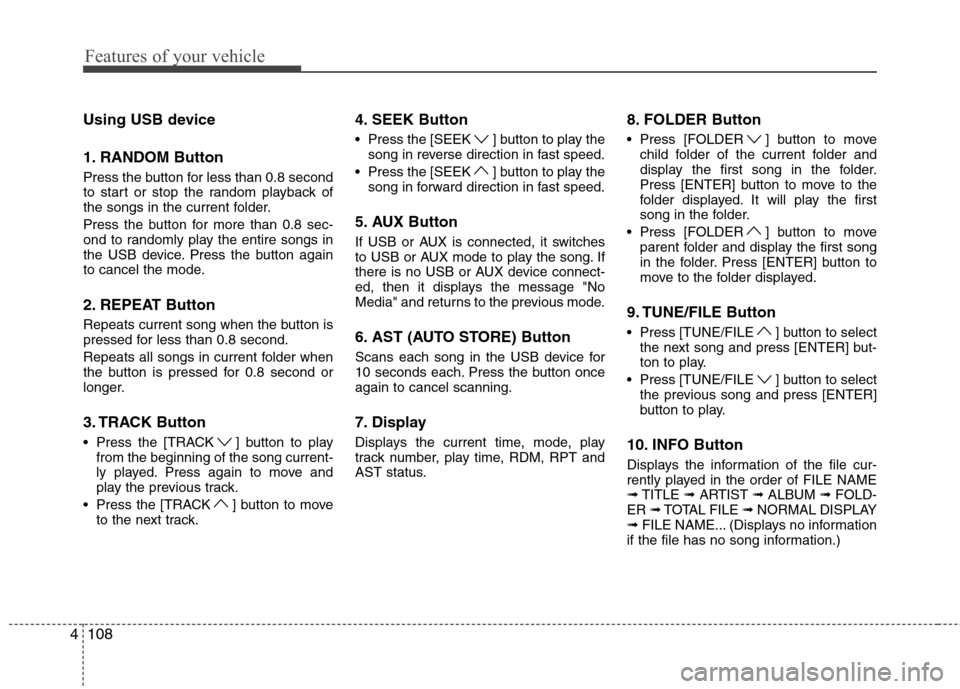
Using USB device
1. RANDOM Button
Press the button for less than 0.8 second
to start or stop the random playback of
the songs in the current folder.
Press the button for more than 0.8 sec-
ond to randomly play the entire songs in
the USB device. Press the button again
to cancel the mode.
2. REPEAT Button
Repeats current song when the button is
pressed for less than 0.8 second.
Repeats all songs in current folder when
the button is pressed for 0.8 second or
longer.
3. TRACK Button
Press the [TRACK ] button to play
from the beginning of the song current-
ly played. Press again to move and
play the previous track.
Press the [TRACK ] button to move to the next track. 4. SEEK Button
Press the [SEEK ] button to play the
song in reverse direction in fast speed.
Press the [SEEK ] button to play the song in forward direction in fast speed.
5. AUX Button
If USB or AUX is connected, it switches
to USB or AUX mode to play the song. If
there is no USB or AUX device connect-
ed, then it displays the message "No
Media" and returns to the previous mode.
6. AST (AUTO STORE) Button
Scans each song in the USB device for
10 seconds each. Press the button onceagain to cancel scanning.
7. Display
Displays the current time, mode, play
track number, play time, RDM, RPT and
AST status. 8. FOLDER Button
Press [FOLDER ] button to move
child folder of the current folder and
display the first song in the folder.
Press [ENTER] button to move to the
folder displayed. It will play the first
song in the folder.
Press [FOLDER ] button to move parent folder and display the first song
in the folder. Press [ENTER] button to
move to the folder displayed.
9. TUNE/FILE Button
Press [TUNE/FILE ] button to select the next song and press [ENTER] but-
ton to play.
Press [TUNE/FILE ] button to select the previous song and press [ENTER]
button to play.
10. INFO Button
Displays the information of the file cur-
rently played in the order of FILE NAME➟ TITLE ➟ARTIST ➟ALBUM ➟FOLD-
ER ➟TOTAL FILE ➟NORMAL DISPLAY
➟ FILE NAME... (Displays no information
if the file has no song information.)
Page 177 of 343
4109
Features of your vehicle
CAUTION IN USING USB DEVICE
To use an external USB device,make sure the device is not con-
nected when starting up the vehi-cle. Connect the device afterstarting up.
If you start the engine when the USB device is connected, it maydamage the USB device. (USBflashdrives are very sensitive to electric shock.)
If the engine is started up or turned off while the external USBdevice is connected, the externalUSB device may not work.
It may not play inauthentic MP3 or WMA files.
1) It can only play MP3 files with the compression rate between8Kbps~320Kbps.
2) It can only play WMA music files with the compression rate
between 8Kbps~320Kbps.
Take precautions for static elec- tricity when connecting or dis-connecting the external USBdevice.
(Continued)
(Continued) An encrypted MP3 PLAYER is not recognizable.
Depending on the condition of the external USB device, the con-
nected external USB device can be unrecognizable.
When the formatted byte/sector setting of External USB device isnot either 512BYTE or 2048BYTE,
then the device will not be recog- nized.
Use only a USB device formatted to FAT 12/16/32.
USB devices without USB I/F authentication may not be recog-nizable.
Make sure the USB connection terminal does not come in con-tact with the human body or other
objects.
If you repeatedly connect or dis- connect the USB device in a shortperiod of time, it may break thedevice.
You may hear a strange noise when connecting or disconnect-ing a USB device.
(Continued)(Continued) If you disconnect the external USB device during playback inUSB mode, the external USBdevice can be damaged or may
malfunction. Therefore, discon-nect the external USB device when the audio is turned off or in
another mode. (e.g, Radio or CD)
Depending on the type and capacity of the external USBdevice or the type of the filesstored in the device, there is a dif-
ference in the time taken forrecognition of the device.
Do not use the USB device for purposes other than playingmusic files.
Use of USB accessories such as rechargers or heaters using USBI/F may lower performance orcause trouble.
If you use devices such as a USB hub purchased separately, thevehicle’s audio system may not recognize the USB device. In thatcase, connect the USB device
directly to the multimedia termi- nal of the vehicle.
(Continued)
Page 180 of 343
Features of your vehicle
112
4
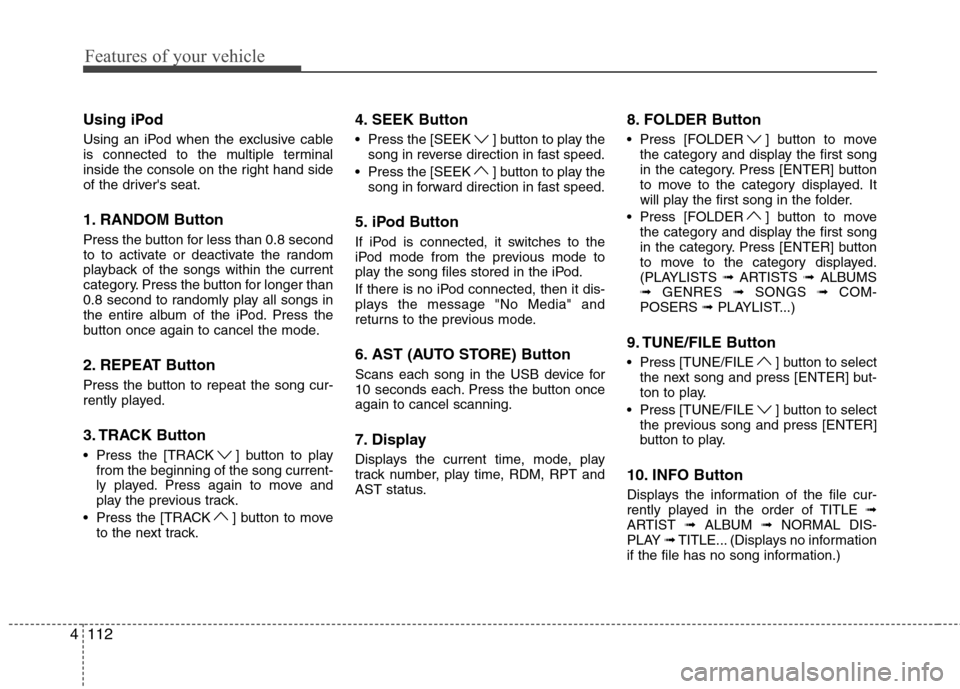
Using iPod
Using an iPod when the exclusive cable
is connected to the multiple terminal
inside the console on the right hand side
of the driver's seat.
1. RANDOM Button
Press the button for less than 0.8 second
to to activate or deactivate the random
playback of the songs within the current
category. Press the button for longer than
0.8 second to randomly play all songs in
the entire album of the iPod. Press the
button once again to cancel the mode.
2. REPEAT Button
Press the button to repeat the song cur-
rently played.
3. TRACK Button
Press the [TRACK ] button to play
from the beginning of the song current-
ly played. Press again to move and
play the previous track.
Press the [TRACK ] button to move to the next track. 4. SEEK Button
Press the [SEEK ] button to play the
song in reverse direction in fast speed.
Press the [SEEK ] button to play the song in forward direction in fast speed.
5. iPod Button
If iPod is connected, it switches to the
iPod mode from the previous mode to
play the song files stored in the iPod.
If there is no iPod connected, then it dis-
plays the message "No Media" and
returns to the previous mode.
6. AST (AUTO STORE) Button
Scans each song in the USB device for
10 seconds each. Press the button onceagain to cancel scanning.
7. Display
Displays the current time, mode, play
track number, play time, RDM, RPT and
AST status. 8. FOLDER Button
Press [FOLDER ] button to move
the category and display the first song
in the category. Press [ENTER] button
to move to the category displayed. It
will play the first song in the folder.
Press [FOLDER ] button to move the category and display the first song
in the category. Press [ENTER] button
to move to the category displayed.
(PLAYLISTS ➟ARTISTS ➟ALBUMS
➟ GENRES ➟SONGS ➟COM-
POSERS ➟PLAYLIST...)
9. TUNE/FILE Button
Press [TUNE/FILE ] button to select the next song and press [ENTER] but-
ton to play.
Press [TUNE/FILE ] button to select the previous song and press [ENTER]
button to play.
10. INFO Button
Displays the information of the file cur-
rently played in the order of TITLE ➟
ARTIST ➟ALBUM ➟NORMAL DIS-
PLAY ➟TITLE... (Displays no information
if the file has no song information.)
Page 183 of 343
4115
Features of your vehicle
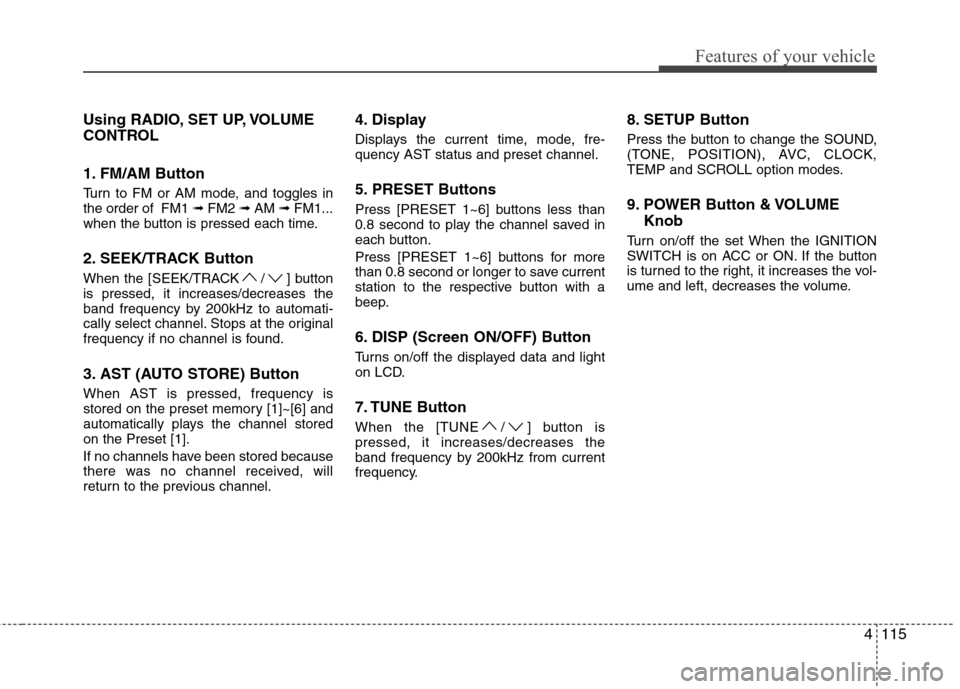
Using RADIO, SET UP, VOLUME
CONTROL
1. FM/AM Button
Turn to FM or AM mode, and toggles in the order of FM1 ➟FM2 ➟AM ➟FM1...
when the button is pressed each time.
2. SEEK/TRACK Button
When the [SEEK/TRACK / ] button is pressed, it increases/decreases the
band frequency by 200kHz to automati-
cally select channel. Stops at the original
frequency if no channel is found.
3. AST (AUTO STORE) Button When AST is pressed, frequency is
stored on the preset memory [1]~[6] and
automatically plays the channel storedon the Preset [1].
If no channels have been stored because
there was no channel received, will
return to the previous channel. 4. Display
Displays the current time, mode, fre- quency AST status and preset channel.
5. PRESET Buttons
Press [PRESET 1~6] buttons less than
0.8 second to play the channel saved in
each button.
Press [PRESET 1~6] buttons for more
than 0.8 second or longer to save current
station to the respective button with a
beep.
6. DISP (Screen ON/OFF) Button
Turns on/off the displayed data and light
on LCD.
7. TUNE Button
When the [TUNE / ] button is pressed, it increases/decreases the
band frequency by 200kHz from current
frequency.
8. SETUP Button
Press the button to change the SOUND,
(TONE, POSITION), AVC, CLOCK,
TEMP and SCROLL option modes.
9. POWER Button & VOLUME
Knob
Turn on/off the set When the IGNITION
SWITCH is on ACC or ON. If the button
is turned to the right, it increases the vol-
ume and left, decreases the volume.
Page 185 of 343
4117
Features of your vehicle
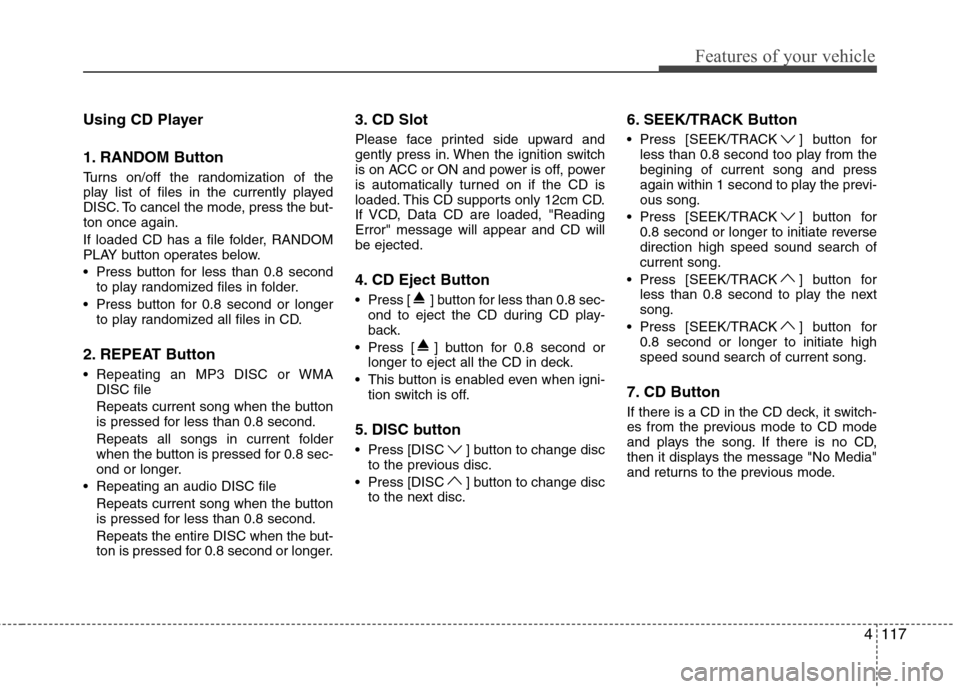
Using CD Player
1. RANDOM Button
Turns on/off the randomization of the
play list of files in the currently played
DISC. To cancel the mode, press the but-ton once again.
If loaded CD has a file folder, RANDOM
PLAY button operates below.
Press button for less than 0.8 secondto play randomized files in folder.
Press button for 0.8 second or longer to play randomized all files in CD.
2. REPEAT Button
Repeating an MP3 DISC or WMA DISC file
Repeats current song when the button
is pressed for less than 0.8 second.
Repeats all songs in current folder
when the button is pressed for 0.8 sec-
ond or longer.
Repeating an audio DISC file Repeats current song when the button
is pressed for less than 0.8 second.
Repeats the entire DISC when the but-
ton is pressed for 0.8 second or longer. 3. CD Slot
Please face printed side upward and
gently press in. When the ignition switch
is on ACC or ON and power is off, power
is automatically turned on if the CD is
loaded. This CD supports only 12cm CD.
If VCD, Data CD are loaded, "ReadingError" message will appear and CD willbe ejected.
4. CD Eject Button
Press [ ] button for less than 0.8 sec-
ond to eject the CD during CD play-
back.
Press [ ] button for 0.8 second or longer to eject all the CD in deck.
This button is enabled even when igni- tion switch is off.
5. DISC button
Press [DISC ] button to change disc to the previous disc.
Press [DISC ] button to change disc to the next disc. 6. SEEK/TRACK Button
Press [SEEK/TRACK ] button for
less than 0.8 second too play from the begining of current song and press
again within 1 second to play the previ-ous song.
Press [SEEK/TRACK ] button for 0.8 second or longer to initiate reversedirection high speed sound search ofcurrent song.
Press [SEEK/TRACK ] button for less than 0.8 second to play the nextsong.
Press [SEEK/TRACK ] button for 0.8 second or longer to initiate highspeed sound search of current song.
7. CD Button
If there is a CD in the CD deck, it switch-
es from the previous mode to CD mode
and plays the song. If there is no CD,
then it displays the message "No Media"
and returns to the previous mode.