audio Hyundai Genesis Coupe 2013 User Guide
[x] Cancel search | Manufacturer: HYUNDAI, Model Year: 2013, Model line: Genesis Coupe, Model: Hyundai Genesis Coupe 2013Pages: 414, PDF Size: 38.89 MB
Page 207 of 414
4141
Features of your vehicle
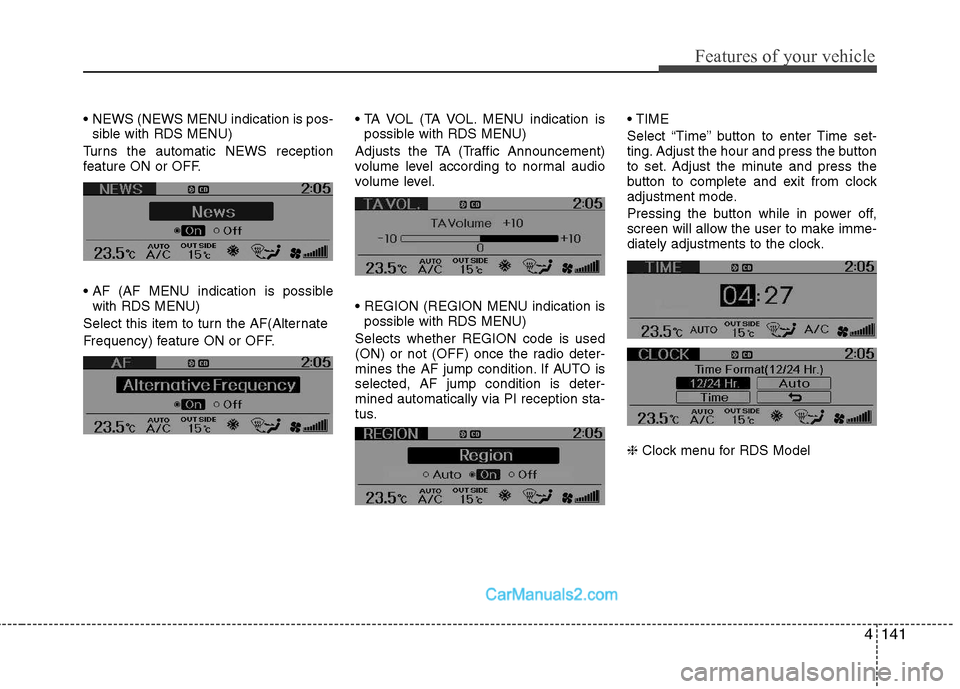
NEWS (NEWS MENU indication is pos-sible with RDS MENU)
Turns the automatic NEWS reception
feature ON or OFF.
with RDS MENU)
Select this item to turn the AF(Alternate
Frequency) feature ON or OFF. MENU indication is
possible with RDS MENU)
Adjusts the TA (Traffic Announcement)
volume level according to normal audio
volume level.
possible with RDS MENU)
Selects whether REGION code is used
(ON) or not (OFF) once the radio deter-
mines the AF jump condition. If AUTO isselected, AF jump condition is deter-mined automatically via PI reception sta-
tus.
Select “Time” button to enter Time set-
ting. Adjust the hour and press the button
to set. Adjust the minute and press the
button to complete and exit from clock
adjustment mode.
Pressing the button while in power off,
screen will allow the user to make imme-
diately adjustments to the clock. ❈
Clock menu for RDS Model
Page 208 of 414
Features of your vehicle
142
4
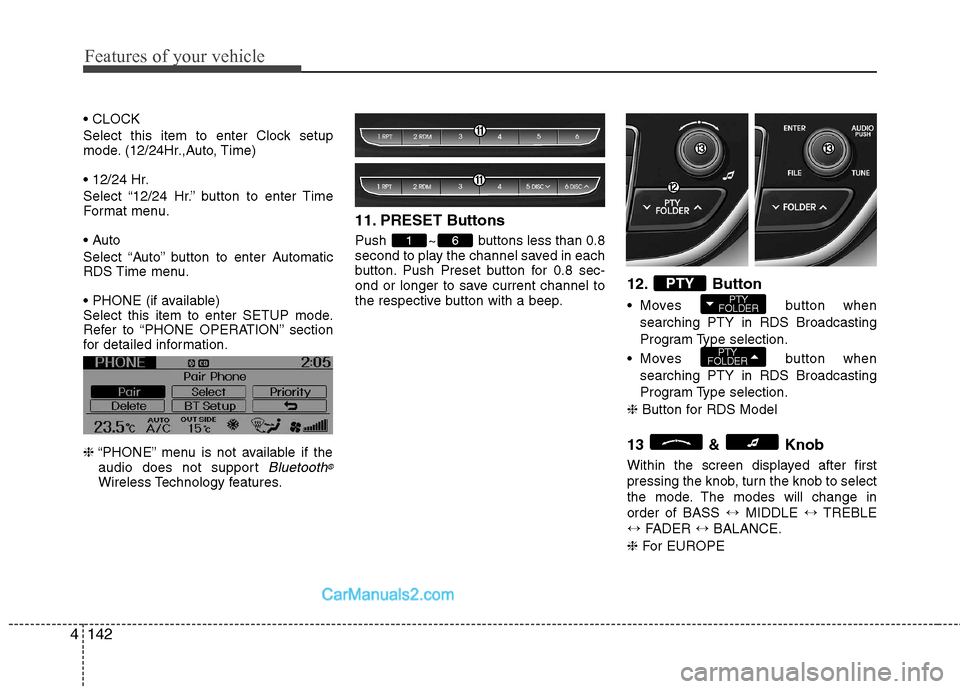
Select this item to enter Clock setup
mode. (12/24Hr.,Auto, Time)
Select “12/24 Hr.” button to enter Time
Format menu.
Select “Auto” button to enter Automatic
RDS Time menu.
Select this item to enter SETUP mode.
Refer to “PHONE OPERATION” section
for detailed information. ❈ “PHONE” menu is not available if the
audio does not support
Bluetooth®
Wireless Technology features. 11. PRESET Buttons
Push ~ buttons less than 0.8
second to play the channel saved in each
button. Push Preset button for 0.8 sec-
ond or longer to save current channel to
the respective button with a beep.
12. Button
Moves button
when
searching PTY in RDS Broadcasting
Program Type selection.
Moves button when
searching PTY in RDS Broadcasting
Program Type selection.
❈ Button for RDS Model
13 & Knob
Within the screen displayed after first
pressing the knob, turn the knob to select
the mode. The modes will change inorder of BASS ↔MIDDLE ↔TREBLE
↔ FADER ↔BALANCE.
❈ For EUROPE
PTY
FOLDER
PTY
FOLDERPTY
61
Page 209 of 414
4143
Features of your vehicle
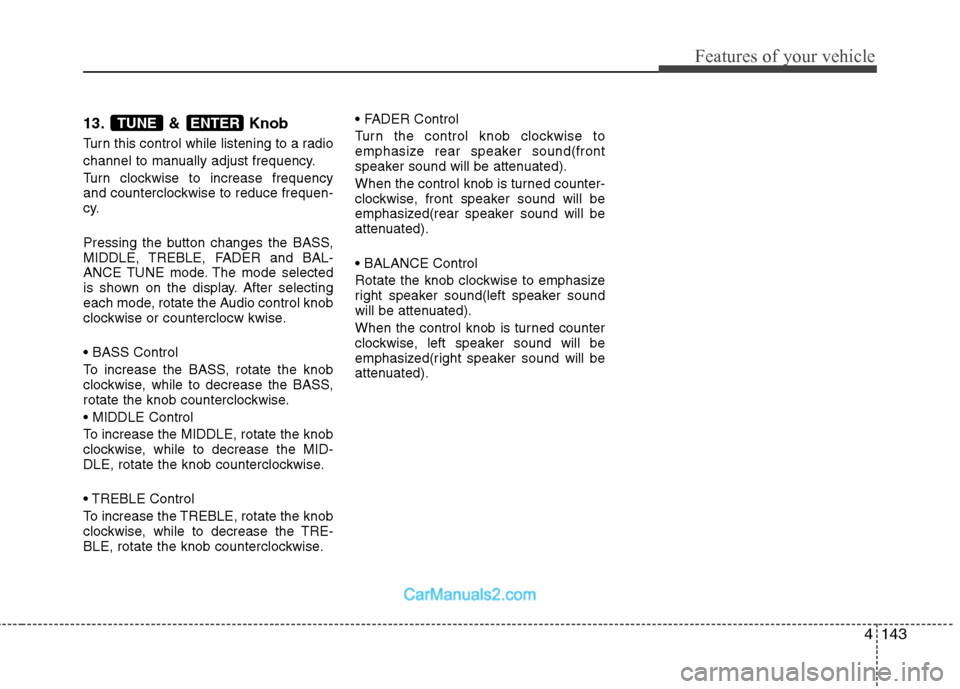
13. & Knob
Turn this control while listening to a radio
channel to manually adjust frequency.
Turn clockwise to increase frequency
and counterclockwise to reduce frequen-
cy.
Pressing the button changes the BASS,
MIDDLE, TREBLE, FADER and BAL-
ANCE TUNE mode. The mode selected
is shown on the display. After selecting
each mode, rotate the Audio control knob
clockwise or counterclocw kwise.
To increase the BASS, rotate the knob
clockwise, while to decrease the BASS,
rotate the knob counterclockwise.
To increase the MIDDLE, rotate the knob
clockwise, while to decrease the MID-
DLE, rotate the knob counterclockwise.
Control
To increase the TREBLE, rotate the knob
clockwise, while to decrease the TRE-
BLE, rotate the knob counterclockwise.
Turn the control knob clockwise to
emphasize rear speaker sound(front
speaker sound will be attenuated).
When the control knob is turned counter-
clockwise, front speaker sound will be
emphasized(rear speaker sound will be
attenuated).
Rotate the knob clockwise to emphasize
right speaker sound(left speaker sound
will be attenuated).
When the control knob is turned counter
clockwise, left speaker sound will be
emphasized(right speaker sound will be
attenuated).ENTERTUNE
Page 213 of 414
4147
Features of your vehicle
13. & Knob
Turn this knob clockwise to browsesongs after current song, or counter-
clockwise to browse songs before cur-
rent song. To play the displayed song,
press the knob.
Pressing this knob without turning enters to AUDIO CONTROL mode.
❈ For EUROPE
13. & Knob
Turn this knob clockwise to browse songs after current song, or counter-
clockwise to browse songs before cur-
rent song. To play the displayed song,
press the knob.
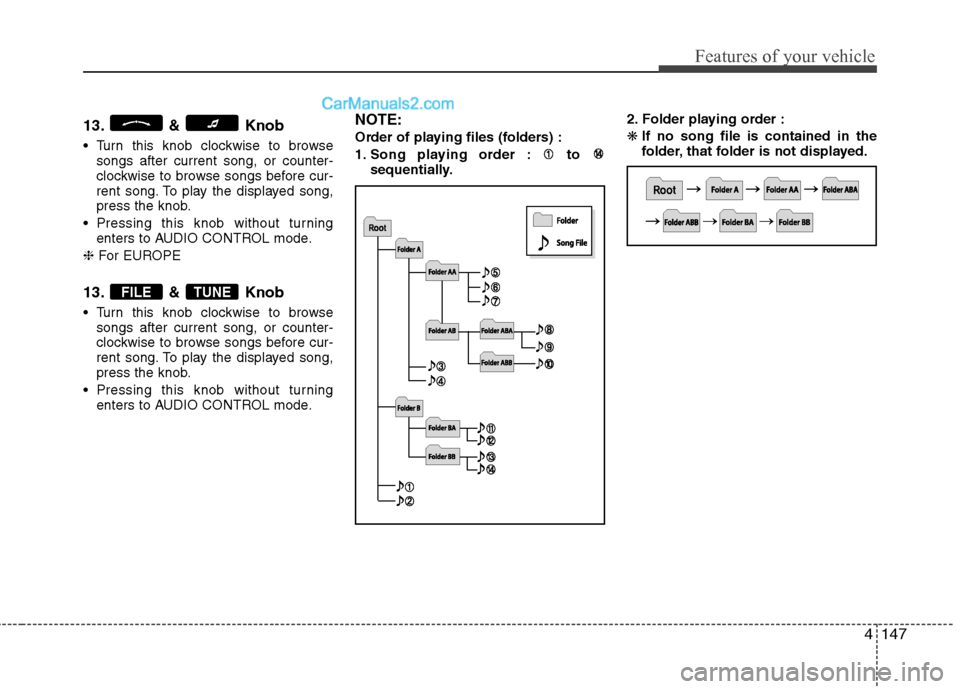
Pressing this knob without turning enters to AUDIO CONTROL mode. NOTE:
Order of playing files (folders) :
1. Song playing order : to
sequentially. 2. Folder playing order :❋
If no song file is contained in the
folder, that folder is not displayed.
TUNEFILE
Page 215 of 414
4149
Features of your vehicle
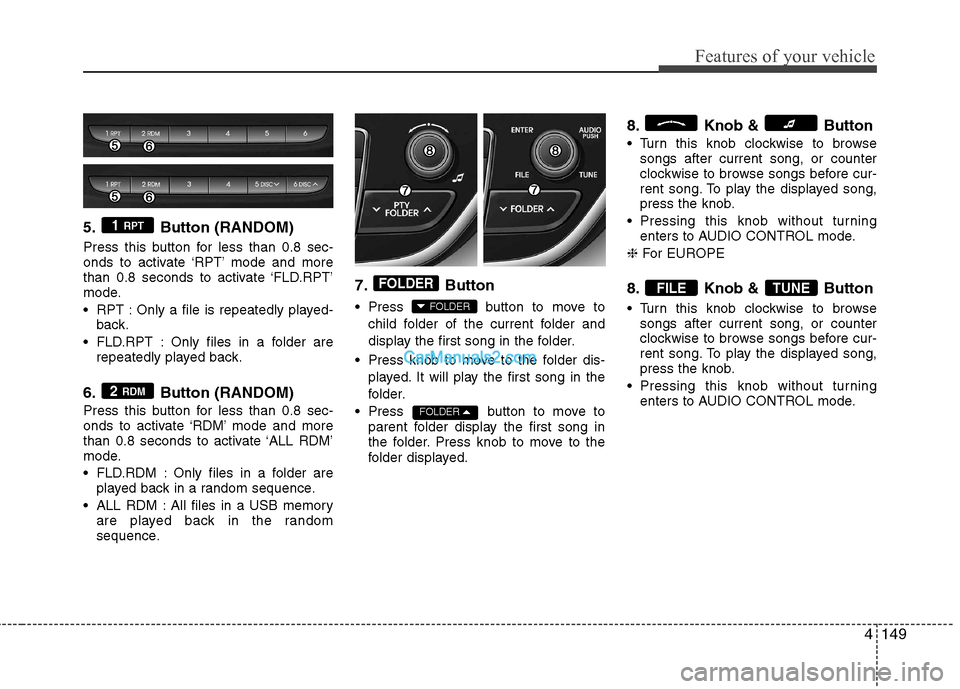
5. Button (RANDOM)
Press this button for less than 0.8 sec-
onds to activate ‘RPT’ mode and more
than 0.8 seconds to activate ‘FLD.RPT’
mode.
RPT : Only a file is repeatedly played-back.
FLD.RPT : Only files in a folder are repeatedly played back.
6. Button (RANDOM)
Press this button for less than 0.8 sec-
onds to activate ‘RDM’ mode and more
than 0.8 seconds to activate ‘ALL RDM’
mode.
FLD.RDM : Only files in a folder are played back in a random sequence.
ALL RDM : All files in a USB memory are played back in the random
sequence. 7. Button
Press button to move to
child folder of the current folder and
display the first song in the folder.
Press knob to move to the folder dis- played. It will play the first song in the
folder.
Press button to move to parent folder display the first song in
the folder. Press knob to move to the
folder displayed. 8. Knob & Button
Turn this knob clockwise to browse
songs after current song, or counter
clockwise to browse songs before cur-
rent song. To play the displayed song,
press the knob.
Pressing this knob without turning enters to AUDIO CONTROL mode.
❈ For EUROPE
8. Knob & Button
Turn this knob clockwise to browse songs after current song, or counter
clockwise to browse songs before cur-
rent song. To play the displayed song,
press the knob.
Pressing this knob without turning enters to AUDIO CONTROL mode.
TUNEFILE
FOLDER
FOLDER
FOLDER
2 RDM
1 RPT
Page 216 of 414
Features of your vehicle
150
4
CAUTION IN USING USB DEVICE
To use an external USB device,
make sure the device is not con-
nected when starting up the vehi-cle. Connect the device afterstarting up.
If you start the engine when the USB device is connected, it maydamage the USB device. (USBflashdrives are very sensitive to electric shock.)
If the engine is started up or turned off while the external USBdevice is connected, the externalUSB device may not work.
It may not play inauthentic MP3 or WMA files.
1) It can only play MP3 files with the compression rate between8Kbps~320Kbps.
2) It can only play WMA music files with the compression rate
between 8Kbps~320Kbps.
Take precautions for static elec- tricity when connecting or dis-connecting the external USBdevice.
(Continued)
(Continued) An encrypted MP3 PLAYER is not recognizable.
Depending on the condition of the external USB device, the con-
nected external USB device can be unrecognizable.
When the formatted byte/sector setting of External USB device isnot either 512BYTE or 2048BYTE,
then the device will not be recog- nized.
Use only a USB device formatted to FAT 12/16/32.
USB devices without USB I/F authentication may not be recog-nizable.
Make sure the USB connection terminal does not come in con-tact with the human body or other
objects.
If you repeatedly connect or dis- connect the USB device in a shortperiod of time, it may break thedevice.
You may hear a strange noise when connecting or disconnect-ing a USB device.
(Continued)(Continued) If you disconnect the external USB device during playback inUSB mode, the external USBdevice can be damaged or may
malfunction. Therefore, discon-nect the external USB device when the audio is turned off or in
another mode. (e.g, Radio or CD)
Depending on the type and capacity of the external USBdevice or the type of the filesstored in the device, there is a dif-
ference in the time taken forrecognition of the device.
Do not use the USB device for purposes other than playingmusic files.
Playing videos through the USB is not supported.
Use of USB accessories such as rechargers or heaters using USBI/F may lower performance or
cause trouble.
(Continued)
Page 217 of 414
4151
Features of your vehicle
(Continued) If you use devices such as a USB hub purchased separately, thevehicle’s audio system may notrecognize the USB device. In that
case, connect the USB devicedirectly to the multimedia termi-nal of the vehicle.
If the USB device is divided by logical drives, only the music fileson the highest-priority drive arerecognized by car audio.
Devices such as MP3 Player/ Cellular phone/Digital camera can
be unrecognizable by standardUSB I/F can be unrecognizable.
Charging through the USB may not be supported in some mobile
devices.
❋
❋ A car exclusive cable (Provided
or sold separately) is requiredto use the iPod.
Some non-standard USB devices (METAL COVER TYPE USB) can
be unrecognizable.
Some USB flash memory readers (such as CF, SD, microSD, etc.) orexternal-HDD type devices can beunrecognizable.
(Continued)
(Continued) Music files protected by DRM (DIGITAL RIGHTS MANAGE-MENT) are not recognizable.
The data in the USB memory may be lost while using this audio.Always back up important data ona personal storage device.
A SD-to-USB adapter may not work with the car audio system.
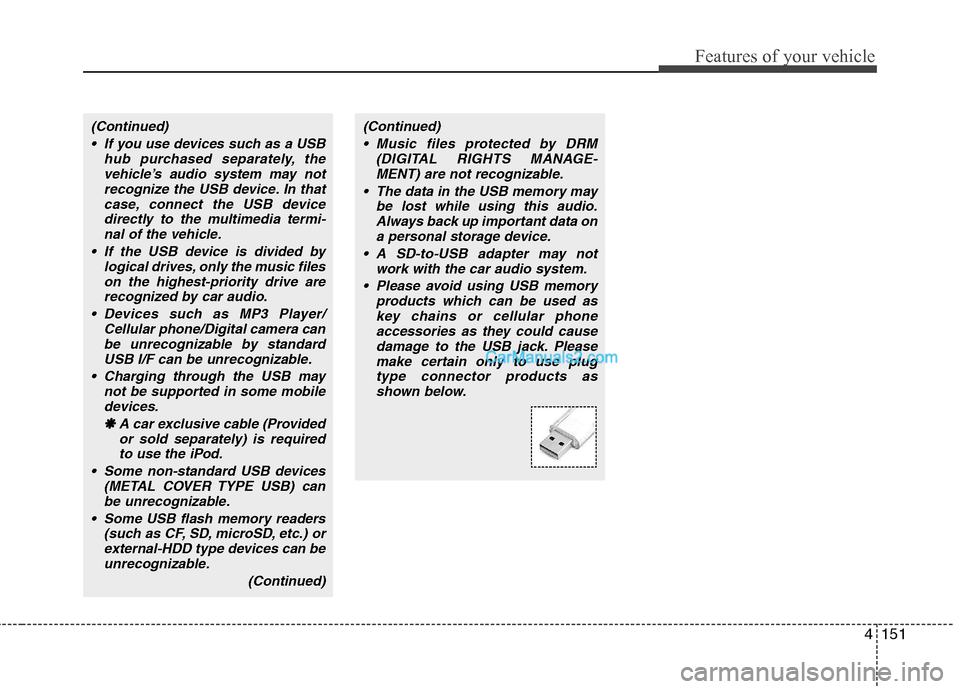
Please avoid using USB memory products which can be used askey chains or cellular phone accessories as they could cause
damage to the USB jack. Pleasemake certain only to use plugtype connector products asshown below.
Page 222 of 414
Features of your vehicle
156
4
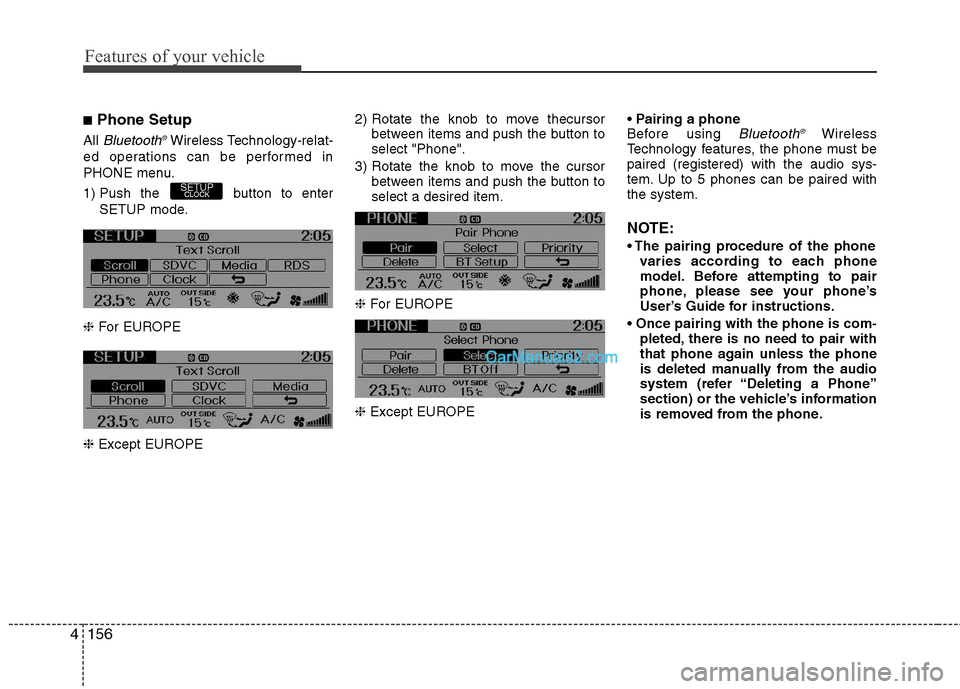
■ Phone Setup
All
Bluetooth ®Wireless Technology-relat-
ed operations can be performed in
PHONE menu.
1) Push the button to enter SETUP mode.
❈ For EUROPE
❈ Except EUROPE 2) Rotate the knob to move thecursor
between items and push the button to select "Phone".
3) Rotate the knob to move the cursor between items and push the button toselect a desired item.
❈ For EUROPE
❈ Except EUROPE
Before using Bluetooth
®Wireless
Technology features, the phone must bepaired (registered) with the audio sys-
tem. Up to 5 phones can be paired withthe system.
NOTE:
varies according to each phone
model. Before attempting to pair
phone, please see your phone’s
User’s Guide for instructions.
pleted, there is no need to pair with
that phone again unless the phone
is deleted manually from the audio
system (refer “Deleting a Phone”
section) or the vehicle’s information
is removed from the phone.
SETUPCLOCK
Page 223 of 414
4157
Features of your vehicle
1. Press button to enter SETUPmode.
2. Select “Phone”, then “Pair” in PHONE menu.
3. The audio displays “searching ---- passkey: 0000”
4. Search the
Bluetooth ®Wireless
Technology system on your phone.
Your phone should display your [vehi-cle model name] on the
Bluetooth ®Wireless Technology device list. Then
attempt pairing on your phone.
NOTE:
If the phone is paired to two or more
vehicles of the same model, i.e. both
vehicles are HYUNDAI GENESIS
COUPE, some phones may not handle
Bluetooth ®Wireless Technology
devices of that name correctly. In this
case, you may need to change the
name displayed on your phone fromGENESIS COUPE to GENESISCOUPE1 and GENESIS COUPE2.
Refer to your phone’s User’s Guide, or
contact your cellular carrier or phone
manufacturer for instructions. When the
Bluetooth
®Wireless
Technology system is enabled, the
phone previously used is automatically
selected and re-connected. If you want to
select different phone previously paired,the phone can be selected through
“Select Phone” menu.Only a selected phone can be used with
the hands-free system at a time.
1. Press button to enter SETUP
mode.
2. Select “Phone”, then “Select” in PHONE menu.
3. Select desired phone name from the
list shown.
The paired phone can be deleted.
- When the phone is deleted, all the infor- mation associated with that phone isalso deleted (including phonebook).
- If you want to use the deleted phone with the audio system again, pairing
procedure must be completed once
more.
1. Press button to enter SETUP mode.
2. Select “Phone”, then “Delete” in PHONE menu.
3. Select desired phone name from the list shown.
If several phones are paired with theaudio system, the system attempts to
connect following order when the
Bluetooth
®Wireless Technology system
is enabled:
1) “Priority” checked phone.
2) Previously connected phone
3) Gives up auto connection.
1. Press button to enter SETUP
mode.
2. Select “Phone”, then “Priority” in PHONE menu.
3. Select desired phone name from the
list shown.
Bluetooth ®Wireless
Technology ON/OFF
Bluetooth ®Wireless Technology system
can be enabled (ON) or disabled (OFF)
by this menu. - If
Bluetooth ®Wireless Technology is
disabled, all the commands related to
Bluetooth ®Wireless Technology system
prompts whether you wish to turn
Bluetooth ®Wireless Technology ON or
not.
1. Press button to enter SETUP mode.
2. Select “Phone”, then “BT Off ” in
PHONE menu.
SETUPCLOCK
SETUPCLOCK
SETUPCLOCK
SETUPCLOCK
SETUP
CLOCK
Page 224 of 414
Features of your vehicle
158
4
■■
Receiving a Phone Call
When receiving a phone call, a ringtone
is audible from speakers and the audio
system changes into telephone mode.
When receiving a phone call, “Incoming”
message and incoming phone number (if
available) are displayed on the audio.
- Press button on the steering wheel.
- Press button on the steering wheel.
- Use VOLUME buttons on the steering wheel.
Call):
- Press and hold button on the steering wheel until the audio system
transfers a call to the phone. ■
Talking on the Phone
When talking on the phone, “Active Calls”
message and the other party’s phone
number (if available) are displayed on the
audio.
- Press button on the steering wheel.
- Press button on the steering wheel. ■■
Making a Phone Call
A Call Back can be made by pressing button on the steering wheel.
- This is the same function as using the
button solely on the cellular
phone.
NOTE: Some phone models require pressing button twice to make a call.
✽✽NOTICE
In the following situations, you or the
other party may have difficulty hearingeach other:
1. Speaking at the same time, your voice
may not reach each other parties.(This is not a malfunction.) Speak
alternately with the other party on thephone.
2. Keep the Bluetooth®
Wireless
Technology volume to a low level.
High-level volume may result in dis-tortion and echo.
3. When driving on a rough road.
4. When driving at high speeds.
5. When the window is open.
6. When the air conditioning vents are
facing the microphone.
7. When the sound of the air condition-
ing fan is loud.
MUTE