battery Hyundai Genesis Coupe 2013 User Guide
[x] Cancel search | Manufacturer: HYUNDAI, Model Year: 2013, Model line: Genesis Coupe, Model: Hyundai Genesis Coupe 2013Pages: 414, PDF Size: 38.89 MB
Page 130 of 414
Features of your vehicle
64
4
Immobilizer indicator
(if equipped)
Without smart key system This light illuminates when the immobiliz-
er key is inserted and turned to the ON
position to start the engine.
At this time, you can start the engine. The
light goes out after the engine is running.
If this light blinks when the ignition switch
is in the ON position before starting the
engine, we recommend that the system
be checked by an authorized HYUNDAI
dealer.
With smart key system (if equipped)
If any of the following occurs in a vehicle
equipped with the smart key, the immobi-
lizer indicator illuminates, blinks or the
light goes off.
When the smart key is in the vehicle, if the engine start/stop button is turned
to the ACC or ON position, the indica-tor will illuminate until the engine is
started. However, when the smart key
is not in the vehicle, if the engine
start/stop button is depressed, the indi-
cator will blink for a few minutes to indi-
cate that you will not be able to start
the engine.
. When the ignition switch is turned to
the ON position and the indicator turns
off after 2 seconds, the system may
have a problem. We recommend that
the system be checked by an author-
ized HYUNDAI dealer.
When the battery is weak, if the engine start/stop button is depressed, the indi-
cator will blink and you will not be able
to start the engine. However, you may
still be able to start the engine by
inserting the smart key in the smart
key holder. If smart key system related
parts have a problem, the indicator
blinks.
Low fuel level warning light
This warning light indicates the fuel tank
is nearly empty. When it comes on, you
should add fuel as soon as possible.
Driving with the fuel level warning light on
or with the fuel level below “E” can causethe engine to misfire and damage the
catalytic converter.
Page 146 of 414
Features of your vehicle
80
4
Battery saver function
The purpose of this feature is to pre-
vent the battery from being dis-
charged. The system automatically
turns off the position lights when the
driver removes the ignition key (or
turns off the engine) and opens the
driver-side door.
With this feature, the position lights will be turned off automatically if the driver
parks on the side of road at night.
If necessary, to keep the lights on
when the ignition key is removed, (or
turns off the engine) perform the fol-
lowing:
1) Open the driver-side door.
2) Turn the position lights OFF and ON again using the light switch on the
steering column. Headlight escort function (if equipped)
If you turn the ignition switch to the ACC or OFF position with the headlights ON,the headlights (and/or tail lights) remain
on for about 20 minutes. However, if the
driver’s door is opened and closed, the
headlights are turned off after 30 sec-
onds.
The headlights can be turned off by
pressing the lock button on the transmit-
ter (or smart key) twice or turning the
light switch to the OFF or Auto position.
However, if you turn the light switch to the
Auto position when it is dark outside, the
headlights will not be turned off.
Headlight welcome function (if equipped)
When the headlight is ON or AUTO posi-
tion and all doors (and trunk) are closed
and locked, if you press the door unlock
button on the transmitter (or the smart
key), the position light will come on for
about 15 seconds. At this time, if you
press the door lock or unlock button on
the transmitter (or smart key), the posi-
tion light will turn off immediately.
LIGHTING
CAUTION
If the driver gets out of the vehicle
through other doors (except dri-ver’s door), the battery saver func-
tion does not operate and the head-light escort function does not turnoff automatically. Therefore, it caus-es the battery to be discharged. In
this case, make sure to turn off the lamp before getting out of the vehi-cle.
Page 149 of 414
483
Features of your vehicle
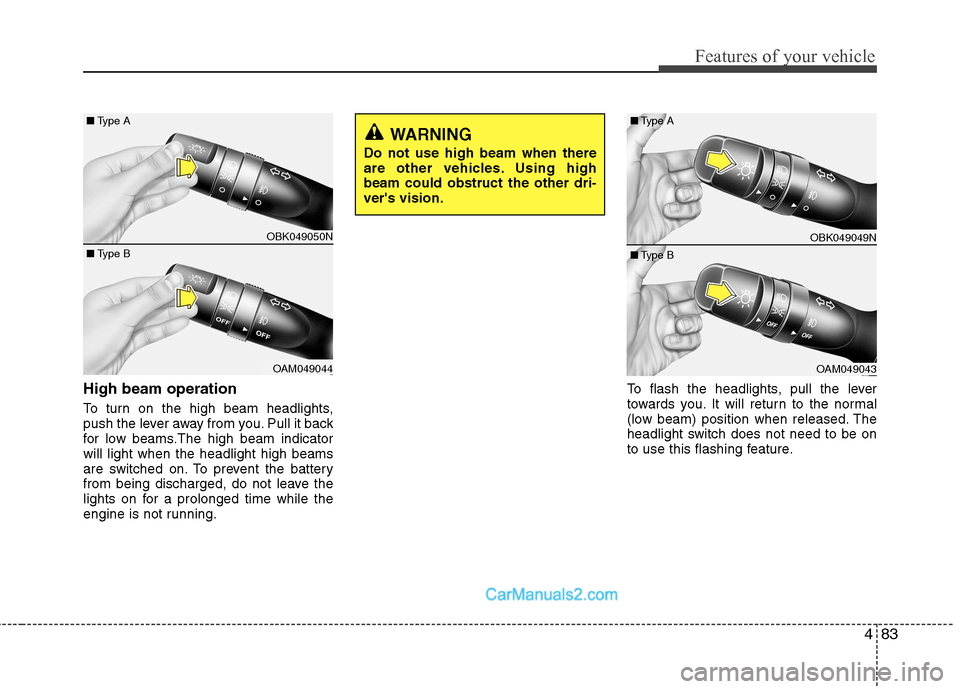
High beam operation
To turn on the high beam headlights,
push the lever away from you. Pull it back
for low beams.The high beam indicatorwill light when the headlight high beams
are switched on. To prevent the battery
from being discharged, do not leave the
lights on for a prolonged time while the
engine is not running.To flash the headlights, pull the lever
towards you. It will return to the normal
(low beam) position when released. The
headlight switch does not need to be on
to use this flashing feature.
WARNING
Do not use high beam when there
are other vehicles. Using highbeam could obstruct the other dri-ver's vision.
OBK049049N
OAM049043
■
Type B
■
Type A
OBK049050N
OAM049044
■
Type B
■
Type A
Page 157 of 414
491
Features of your vehicle
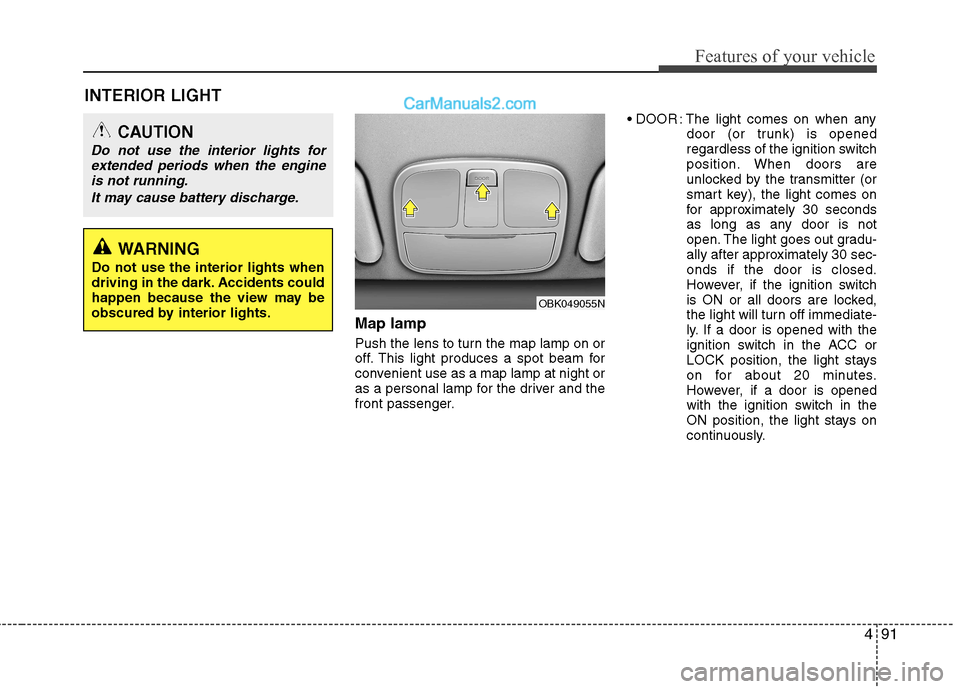
INTERIOR LIGHTMap lamp
Push the lens to turn the map lamp on or
off. This light produces a spot beam for
convenient use as a map lamp at night or
as a personal lamp for the driver and the
front passenger. : The light comes on when any
door (or trunk) is opened
regardless of the ignition switch
position. When doors are
unlocked by the transmitter (or
smart key), the light comes on
for approximately 30 seconds
as long as any door is not
open. The light goes out gradu-
ally after approximately 30 sec-onds if the door is closed.
However, if the ignition switch
is ON or all doors are locked,
the light will turn off immediate-
ly. If a door is opened with the
ignition switch in the ACC or
LOCK position, the light stays
on for about 20 minutes.
However, if a door is opened
with the ignition switch in the
ON position, the light stays on
continuously.
CAUTION
Do not use the interior lights for
extended periods when the engine
is not running.
It may cause battery discharge.
OBK049055N
WARNING
Do not use the interior lights when
driving in the dark. Accidents could
happen because the view may be
obscured by interior lights.
Page 164 of 414
Features of your vehicle
98
4
Temperature unit conversion
You can switch the temperature mode
between Centigrade to Fahrenheit as fol-
lows:
While pressing the OFF button, press the
MAX A/C button for 4 seconds or more.
The display will change from Centigrade
to Fahrenheit, or from Fahrenheit to
Centigrade.
If the battery has been discharged or dis-
connected, the temperature mode dis-
play will reset to Centigrade.
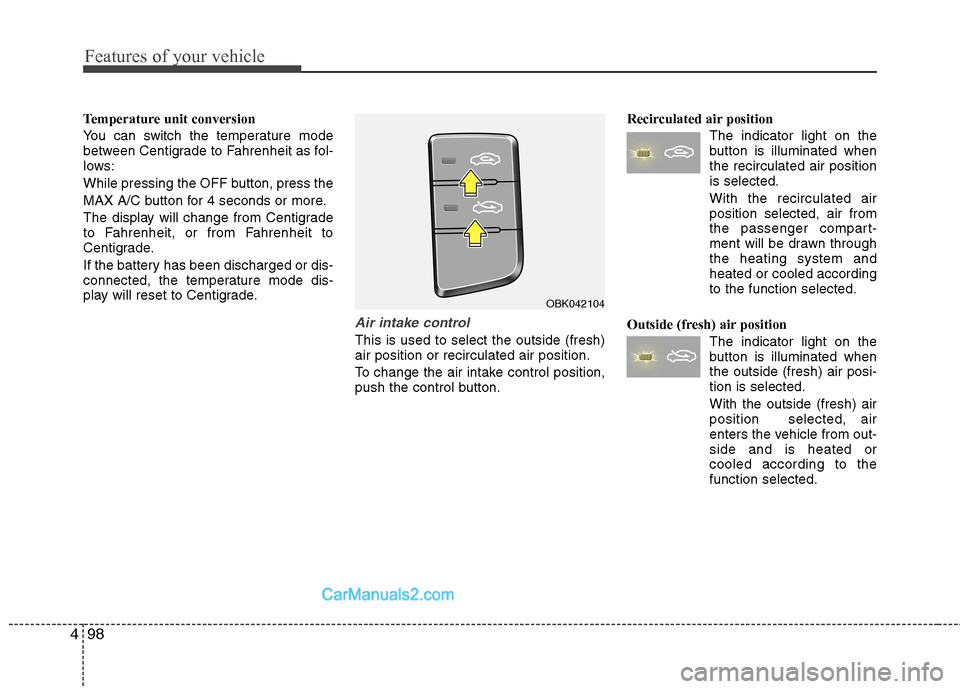
Air intake control
This is used to select the outside (fresh) air position or recirculated air position.
To change the air intake control position,
push the control button. Recirculated air position
The indicator light on the
button is illuminated whenthe recirculated air positionis selected.
With the recirculated air position selected, air from
the passenger compart-
ment will be drawn through
the heating system andheated or cooled accordingto the function selected.
Outside (fresh) air position The indicator light on the
button is illuminated whenthe outside (fresh) air posi-tion is selected. With the outside (fresh) air position selected, air
enters the vehicle from out-side and is heated orcooled according to thefunction selected.
OBK042104
Page 175 of 414
4109
Features of your vehicle
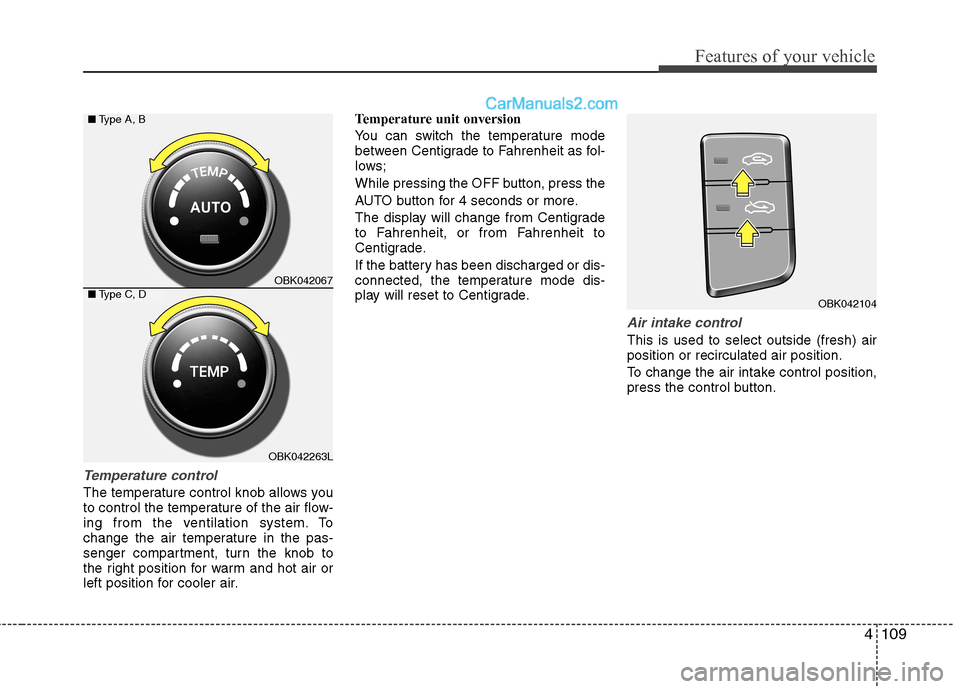
Temperature control
The temperature control knob allows you
to control the temperature of the air flow-
ing from the ventilation system. To
change the air temperature in the pas-
senger compartment, turn the knob to
the right position for warm and hot air or
left position for cooler air.Temperature unit onversion
You can switch the temperature mode
between Centigrade to Fahrenheit as fol-
lows;
While pressing the OFF button, press the
AUTO button for 4 seconds or more.
The display will change from Centigrade
to Fahrenheit, or from Fahrenheit to
Centigrade.
If the battery has been discharged or dis-
connected, the temperature mode dis-
play will reset to Centigrade.
Air intake control
This is used to select outside (fresh) air position or recirculated air position.
To change the air intake control position,
press the control button.
OBK042104
OBK042067
OBK042263L
■
Type A, B
■ Type C, D
Page 185 of 414
4119
Features of your vehicle
The indicator light in the air intake control
button will blink 3 times with 0.5 second
of interval. It indicates that the defogging
logic is canceled or returned to the pro-
grammed status.
If the battery has been discharged or dis-
connected, it resets to the defog logic
status.
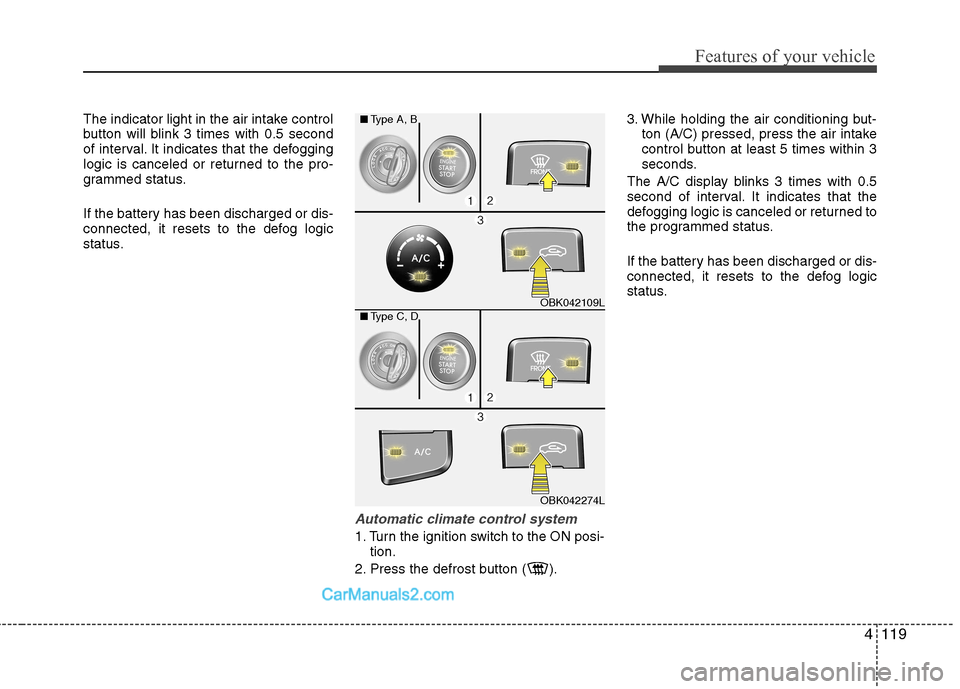
Automatic climate control system
1. Turn the ignition switch to the ON posi-tion.
2. Press the defrost button ( ). 3. While holding the air conditioning but-
ton (A/C) pressed, press the air intake
control button at least 5 times within 3
seconds.
The A/C display blinks 3 times with 0.5
second of interval. It indicates that the
defogging logic is canceled or returned to
the programmed status.
If the battery has been discharged or dis-
connected, it resets to the defog logic
status.
OBK042109L
OBK042274L
■
Type A, B
■ Type C, D
Page 186 of 414
Features of your vehicle
120
4
Auto defogging system
(Only for automatic climate controlsystem, if equipped)
Auto defogging reduces the possibility of
fogging up the inside of the windshield by automatically sensing the moisture of inside the windshield.
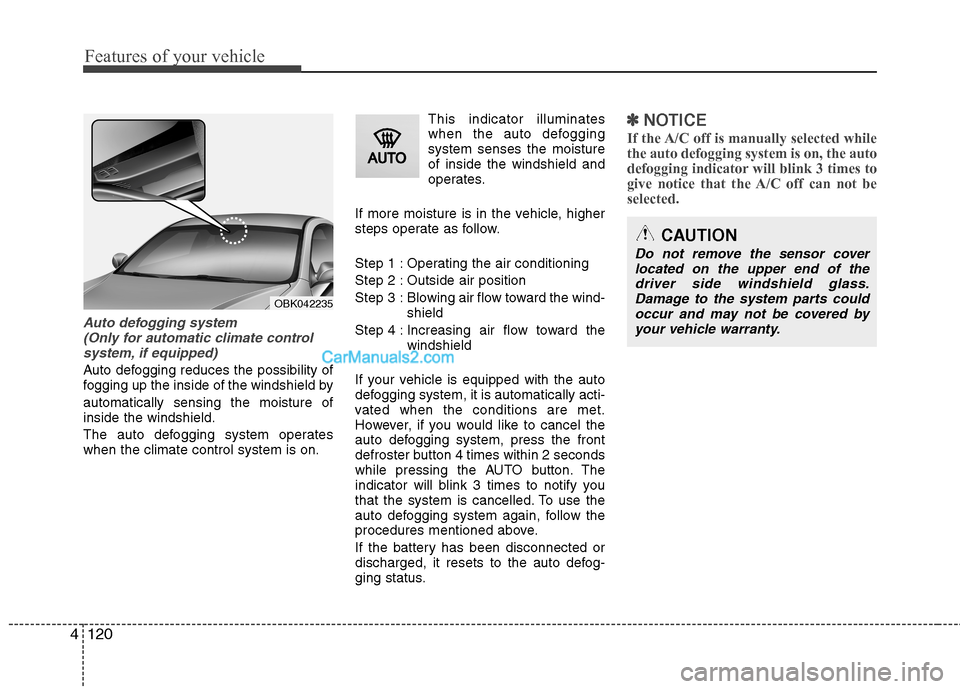
The auto defogging system operates when the climate control system is on. This indicator illuminates
when the auto defoggingsystem senses the moistureof inside the windshield and
operates.
If more moisture is in the vehicle, higher
steps operate as follow.
Step 1 : Operating the air conditioning
Step 2 : Outside air position
Step 3 : Blowing air flow toward the wind- shield
Step 4 : Increasing air flow toward the windshield
If your vehicle is equipped with the auto
defogging system, it is automatically acti-
vated when the conditions are met.
However, if you would like to cancel the
auto defogging system, press the front
defroster button 4 times within 2 seconds
while pressing the AUTO button. The
indicator will blink 3 times to notify you
that the system is cancelled. To use the
auto defogging system again, follow the
procedures mentioned above.
If the battery has been disconnected or
discharged, it resets to the auto defog-
ging status.
✽✽ NOTICE
If the A/C off is manually selected while the auto defogging system is on, the auto
defogging indicator will blink 3 times to
give notice that the A/C off can not beselected.
OBK042235
CAUTION
Do not remove the sensor cover located on the upper end of thedriver side windshield glass. Damage to the system parts couldoccur and may not be covered by
your vehicle warranty.
Page 192 of 414
![Hyundai Genesis Coupe 2013 User Guide Features of your vehicle
126
4
Digital clock
Whenever the battery terminals or relat-
ed fuses are disconnected, you must
reset the time.
Setup the clock
With audio off
1. Press the [SETUP] or [Clo](/img/35/14690/w960_14690-191.png "Hyundai Genesis Coupe 2013 User Guide Features of your vehicle
126
4
Digital clock
Whenever the battery terminals or relat-
ed fuses are disconnected, you must
reset the time.
Setup the clock
With audio off
1. Press the [SETUP] or [Clo")
Features of your vehicle
126
4
Digital clock
Whenever the battery terminals or relat-
ed fuses are disconnected, you must
reset the time.
Setup the clock
With audio off
1. Press the [SETUP] or [Clock] button(1)
until the clock of the display blinks.
2. Set the clock by turning the knob(2) and press it.
With audio on
1. Press the [SETUP] or [Clock] button (1).
2. Select the clock menu by turning the knob (2).
3. Set the clock by turning the knob(2) and press it.
WARNING
Do not adjust the clock while driv-
ing. You may lose your steering
control and cause an accident that
results in severe personal injury ordeath.
OBK042111
WARNING
Do not put a finger or a foreign ele-
ment (pin, etc.) into a power outlet
and do not touch with a wet hand.
You may get an electric shock.
Page 235 of 414
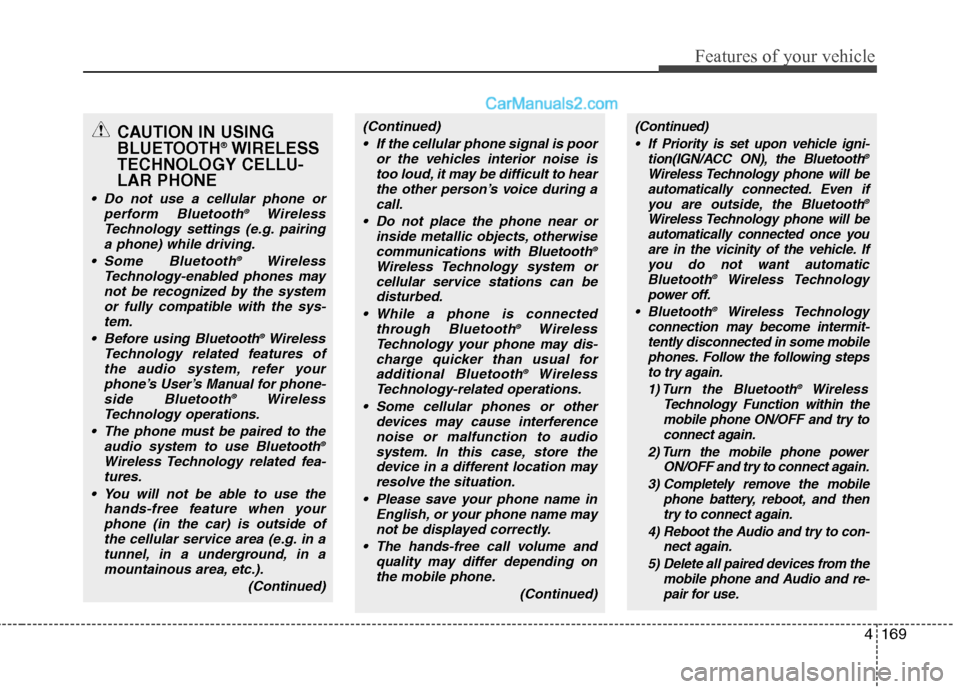
4169
Features of your vehicle
CAUTION IN USING
BLUETOOTH®
WIRELESS
TECHNOLOGY CELLU-LAR PHONE
Do not use a cellular phone or perform Bluetooth ®
Wireless
Technology settings (e.g. pairing
a phone) while driving.
Some Bluetooth ®
Wireless
Technology-enabled phones may not be recognized by the system or fully compatible with the sys-tem.
Before using Bluetooth ®
Wireless
Technology related features of the audio system, refer yourphone’s User’s Manual for phone-side Bluetooth ®
Wireless
Technology operations.
The phone must be paired to the audio system to use Bluetooth ®
Wireless Technology related fea- tures.
You will not be able to use the hands-free feature when yourphone (in the car) is outside of
the cellular service area (e.g. in atunnel, in a underground, in amountainous area, etc.).
(Continued)
(Continued) If the cellular phone signal is poor or the vehicles interior noise istoo loud, it may be difficult to hearthe other person’s voice during a
call.
Do not place the phone near or inside metallic objects, otherwisecommunications with Bluetooth ®
Wireless Technology system or cellular service stations can be
disturbed.
While a phone is connected through Bluetooth ®
Wireless
Technology your phone may dis-
charge quicker than usual foradditional Bluetooth ®
Wireless
Technology-related operations.
Some cellular phones or other devices may cause interferencenoise or malfunction to audio system. In this case, store the
device in a different location mayresolve the situation.
Please save your phone name in English, or your phone name maynot be displayed correctly.
The hands-free call volume and quality may differ depending onthe mobile phone.
(Continued)(Continued) If Priority is set upon vehicle igni- tion(IGN/ACC ON), the Bluetooth ®
Wireless Technology phone will be automatically connected. Even if you are outside, the Bluetooth ®
Wireless Technology phone will be automatically connected once you
are in the vicinity of the vehicle. If you do not want automatic Bluetooth ®
Wireless Technology
power off.
Bluetooth ®
Wireless Technology
connection may become intermit- tently disconnected in some mobile
phones. Follow the following stepsto try again.
1) Turn the Bluetooth ®
Wireless
Technology Function within the mobile phone ON/OFF and try toconnect again.
2) Turn the mobile phone power ON/OFF and try to connect again.
3) Completely remove the mobile phone battery, reboot, and thentry to connect again.
4) Reboot the Audio and try to con- nect again.
5) Delete all paired devices from the mobile phone and Audio and re-pair for use.