display Hyundai Genesis Coupe 2013 User Guide
[x] Cancel search | Manufacturer: HYUNDAI, Model Year: 2013, Model line: Genesis Coupe, Model: Hyundai Genesis Coupe 2013Pages: 414, PDF Size: 38.89 MB
Page 124 of 414
Features of your vehicle
58
4
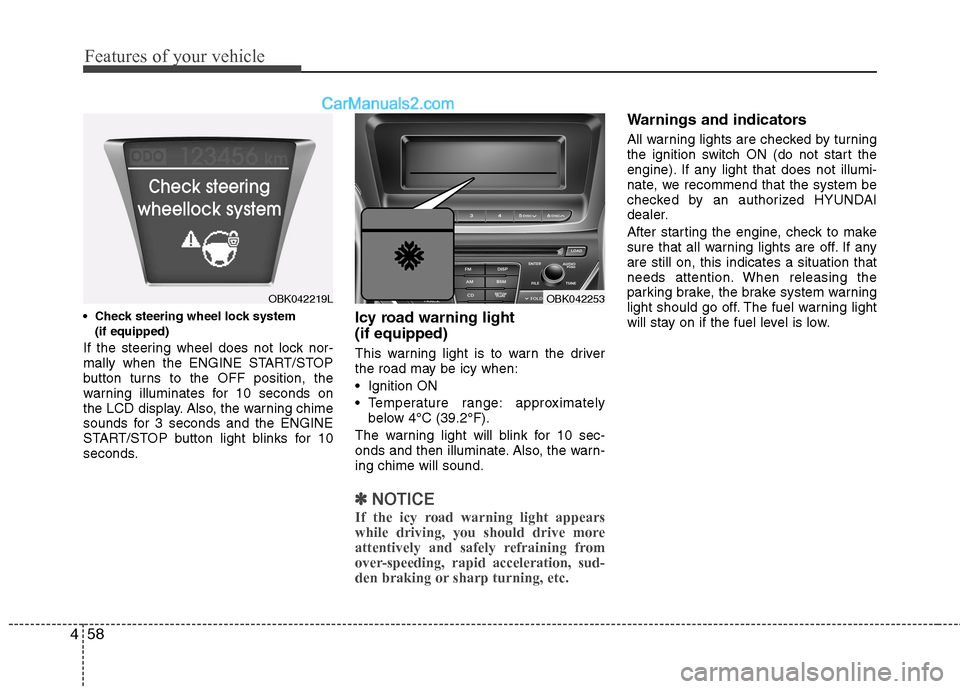
(if equipped)
If the steering wheel does not lock nor-
mally when the ENGINE START/STOP
button turns to the OFF position, the
warning illuminates for 10 seconds on
the LCD display. Also, the warning chime
sounds for 3 seconds and the ENGINE
START/STOP button light blinks for 10
seconds. Icy road warning light (if equipped)
This warning light is to warn the driver
the road may be icy when:
Ignition ON
Temperature range: approximately
below 4°C (39.2°F).
The warning light will blink for 10 sec-
onds and then illuminate. Also, the warn-ing chime will sound.
✽✽ NOTICE
If the icy road warning light appears
while driving, you should drive more
attentively and safely refraining from
over-speeding, rapid acceleration, sud-
den braking or sharp turning, etc.
Warnings and indicators
All warning lights are checked by turning
the ignition switch ON (do not start the
engine). If any light that does not illumi-
nate, we recommend that the system be
checked by an authorized HYUNDAI
dealer.
After starting the engine, check to make
sure that all warning lights are off. If anyare still on, this indicates a situation that
needs attention. When releasing the
parking brake, the brake system warning
light should go off. The fuel warning light
will stay on if the fuel level is low.
OBK042219LOBK042253
Page 128 of 414
Features of your vehicle
62
4
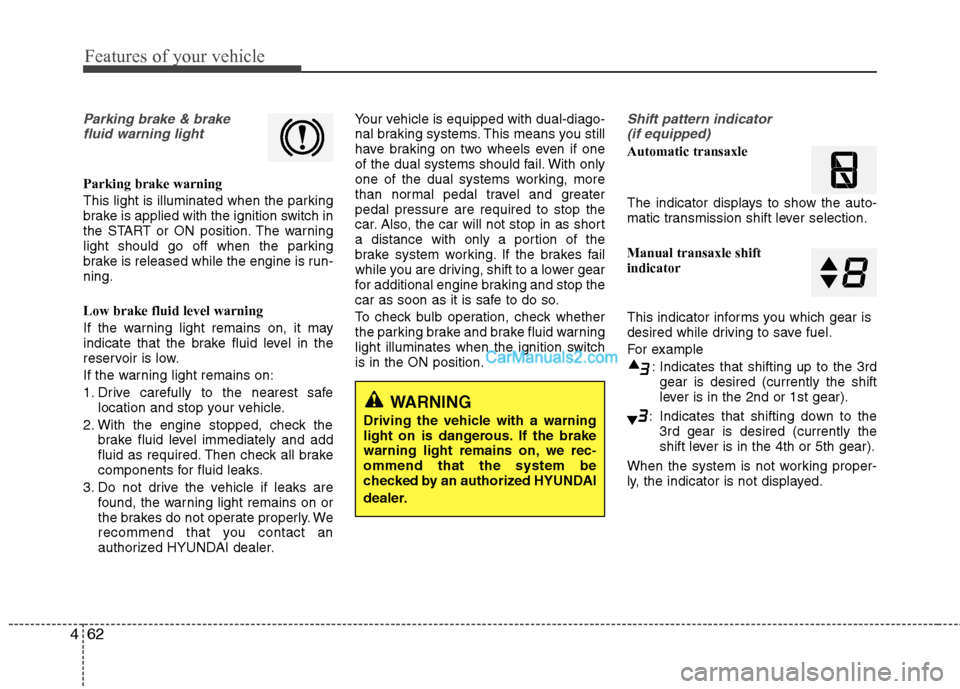
Parking brake & brake
fluid warning light
Parking brake warning
This light is illuminated when the parking
brake is applied with the ignition switch in
the START or ON position. The warning
light should go off when the parking
brake is released while the engine is run-ning. Low brake fluid level warning
If the warning light remains on, it may
indicate that the brake fluid level in the
reservoir is low.
If the warning light remains on:
1. Drive carefully to the nearest safe location and stop your vehicle.
2. With the engine stopped, check the brake fluid level immediately and add
fluid as required. Then check all brake
components for fluid leaks.
3. Do not drive the vehicle if leaks are found, the warning light remains on or
the brakes do not operate properly. We
recommend that you contact an
authorized HYUNDAI dealer. Your vehicle is equipped with dual-diago-
nal braking systems. This means you still
have braking on two wheels even if one
of the dual systems should fail. With only
one of the dual systems working, more
than normal pedal travel and greaterpedal pressure are required to stop the
car. Also, the car will not stop in as short
a distance with only a portion of the
brake system working. If the brakes fail
while you are driving, shift to a lower gear
for additional engine braking and stop the
car as soon as it is safe to do so.
To check bulb operation, check whether
the parking brake and brake fluid warning
light illuminates when the ignition switchis in the ON position.
Shift pattern indicator
(if equipped)
Automatic transaxle
The indicator displays to show the auto-
matic transmission shift lever selection. Manual transaxle shift indicator
This indicator informs you which gear is
desired while driving to save fuel.
For example
: Indicates that shifting up to the 3rdgear is desired (currently the shift
lever is in the 2nd or 1st gear).
: Indicates that shifting down to the 3rd gear is desired (currently the
shift lever is in the 4th or 5th gear).
When the system is not working proper-
ly, the indicator is not displayed.
WARNING
Driving the vehicle with a warning
light on is dangerous. If the brake
warning light remains on, we rec-ommend that the system be
checked by an authorized HYUNDAI
dealer.
Page 144 of 414
Features of your vehicle
78
4
✽✽
NOTICE
1. The warning may not sound sequen- tially depending on the speed and shapes of the objects detected.
2. The parking assist system may mal-
function if the vehicle bumper height
or sensor installation has been modi-
fied. Any non-factory installed equip-
ment or accessories may also interfere
with the sensor performance.
3. Sensor may not recognize objects less
than 30 cm from the sensor, or it may
sense an incorrect distance. Use withcaution.
4. When the sensor is frozen or stained
with snow or water, the sensor may be
inoperative until the stains are
removed using a soft cloth.
5. Do not push, scratch or strike the sen-
sor with any hard objects that could
damage the surface of the sensor.
Sensor damage could occur. ✽✽
NOTICE
This system can only sense objects with- in the range and location of the sensors,
it can not detect objects in other areas
where sensors are not installed. Also,
small or slim objects, or objects locatedbetween sensors may not be detected.
Always visually check in front andbehind the vehicle when driving.
Be sure to inform any drivers in the
vehicle that may be unfamiliar with the
system regarding the systems capabili-ties and limitations.Self-diagnosis
When you shift the gear to the R
(Reverse) position and if one or more of
the below occurs you may have a mal-
function in the rear parking assist sys-tem.
You don't hear an audible warning sound or if the buzzer sounds intermit-
tently.
If this occurs, we recommend that the
system be checked by an authorized
HYUNDAI dealer.
WARNING
Your new vehicle warranty does not
cover any accidents or damage to
the vehicle or injuries to its occu-pants related to a parking assist
system. Always drive safely and
cautiously.
WARNING
Pay close attention when the vehi-
cle is driven close to objects on the
road, particularly pedestrians, and
especially children. Be aware that
some objects may not be detected
by the sensors, due to the objects
distance, size or material, all of
which can limit the effectiveness of
the sensor. Always perform a visual
inspection to make sure the vehicle
is clear of all obstructions before
moving the vehicle in any direction.
(blinks)
is displayed. (if equipped)
Page 164 of 414
Features of your vehicle
98
4
Temperature unit conversion
You can switch the temperature mode
between Centigrade to Fahrenheit as fol-
lows:
While pressing the OFF button, press the
MAX A/C button for 4 seconds or more.
The display will change from Centigrade
to Fahrenheit, or from Fahrenheit to
Centigrade.
If the battery has been discharged or dis-
connected, the temperature mode dis-
play will reset to Centigrade.
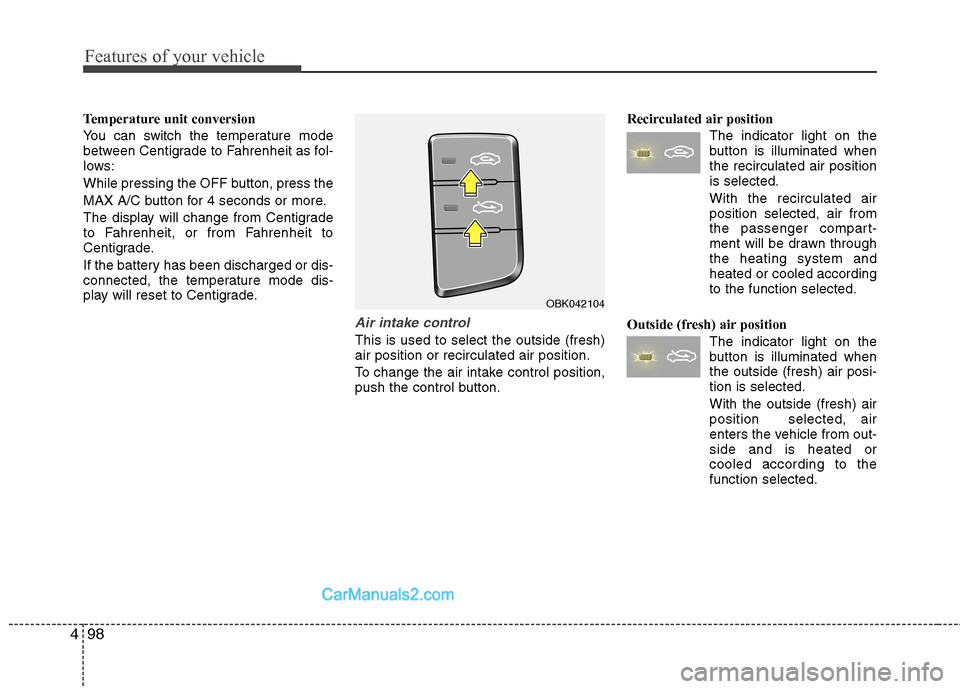
Air intake control
This is used to select the outside (fresh) air position or recirculated air position.
To change the air intake control position,
push the control button. Recirculated air position
The indicator light on the
button is illuminated whenthe recirculated air positionis selected.
With the recirculated air position selected, air from
the passenger compart-
ment will be drawn through
the heating system andheated or cooled accordingto the function selected.
Outside (fresh) air position The indicator light on the
button is illuminated whenthe outside (fresh) air posi-tion is selected. With the outside (fresh) air position selected, air
enters the vehicle from out-side and is heated orcooled according to thefunction selected.
OBK042104
Page 175 of 414
4109
Features of your vehicle
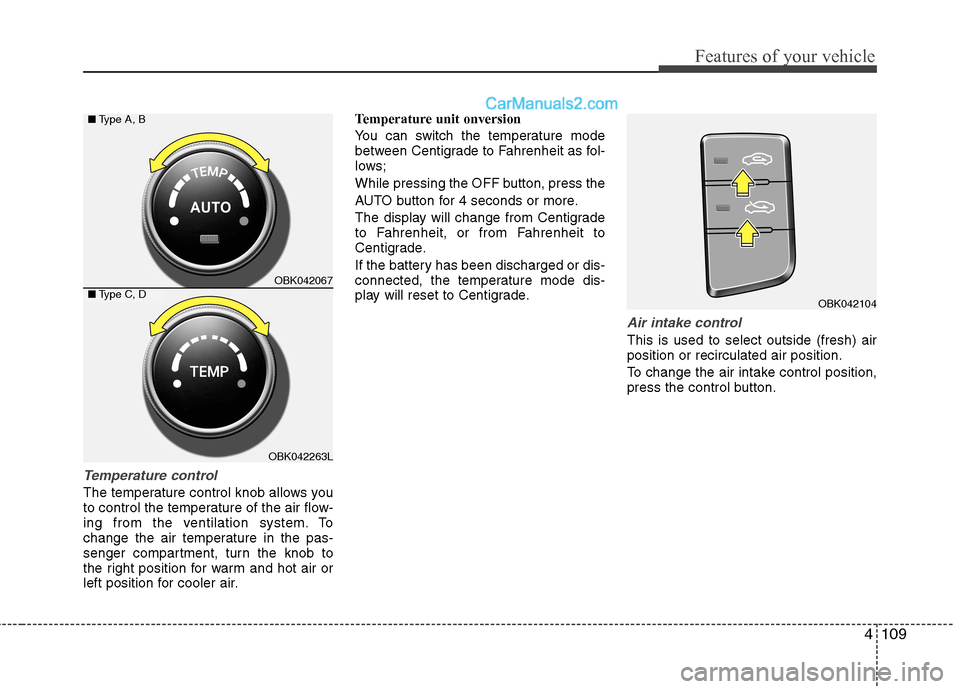
Temperature control
The temperature control knob allows you
to control the temperature of the air flow-
ing from the ventilation system. To
change the air temperature in the pas-
senger compartment, turn the knob to
the right position for warm and hot air or
left position for cooler air.Temperature unit onversion
You can switch the temperature mode
between Centigrade to Fahrenheit as fol-
lows;
While pressing the OFF button, press the
AUTO button for 4 seconds or more.
The display will change from Centigrade
to Fahrenheit, or from Fahrenheit to
Centigrade.
If the battery has been discharged or dis-
connected, the temperature mode dis-
play will reset to Centigrade.
Air intake control
This is used to select outside (fresh) air position or recirculated air position.
To change the air intake control position,
press the control button.
OBK042104
OBK042067
OBK042263L
■
Type A, B
■ Type C, D
Page 177 of 414
4111
Features of your vehicle
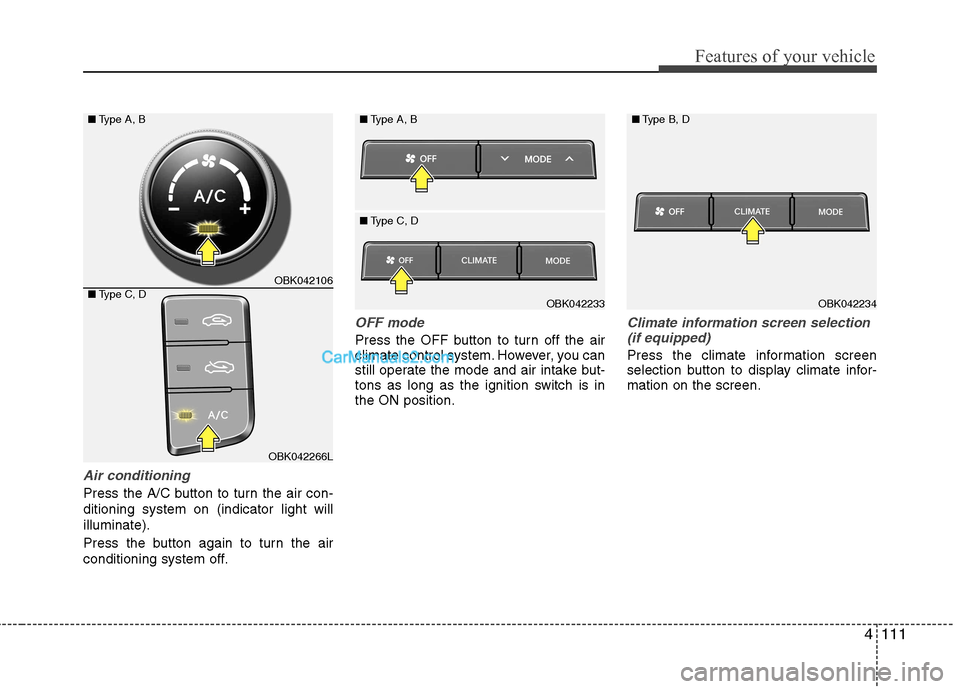
Air conditioning
Press the A/C button to turn the air con- ditioning system on (indicator light willilluminate).
Press the button again to turn the air
conditioning system off.
OFF mode
Press the OFF button to turn off the air
climate control system. However, you can
still operate the mode and air intake but-
tons as long as the ignition switch is inthe ON position.
Climate information screen selection(if equipped)
Press the climate information screen
selection button to display climate infor-mation on the screen.
OBK042106
OBK042266L
■
Type A, B
■ Type C, D
OBK042234
■
Type B, DOBK042233
■
Type A, B
■ Type C, D
Page 185 of 414
4119
Features of your vehicle
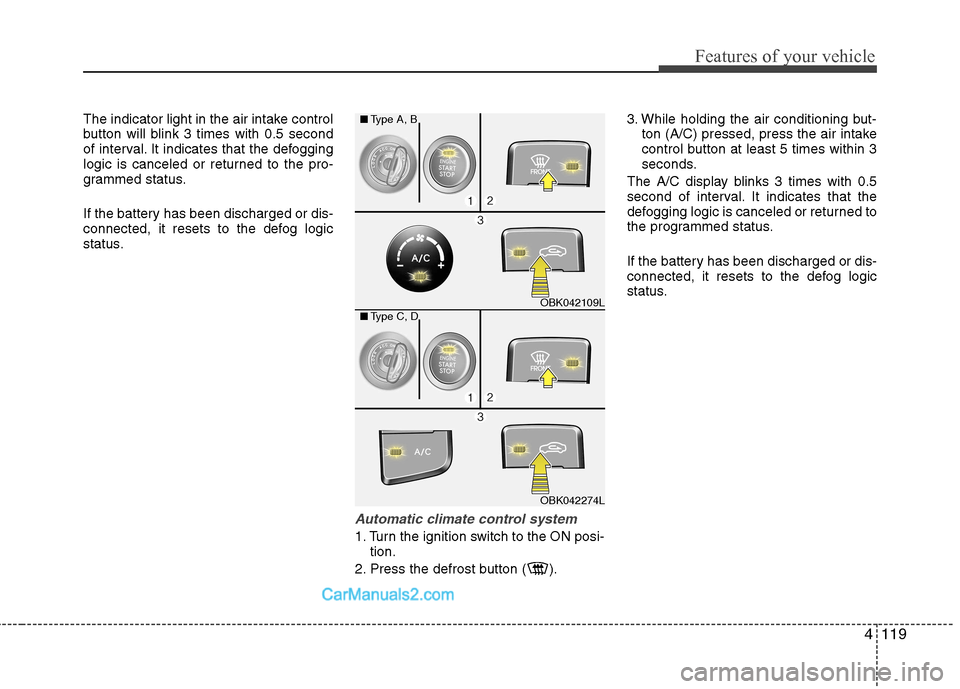
The indicator light in the air intake control
button will blink 3 times with 0.5 second
of interval. It indicates that the defogging
logic is canceled or returned to the pro-
grammed status.
If the battery has been discharged or dis-
connected, it resets to the defog logic
status.
Automatic climate control system
1. Turn the ignition switch to the ON posi-tion.
2. Press the defrost button ( ). 3. While holding the air conditioning but-
ton (A/C) pressed, press the air intake
control button at least 5 times within 3
seconds.
The A/C display blinks 3 times with 0.5
second of interval. It indicates that the
defogging logic is canceled or returned to
the programmed status.
If the battery has been discharged or dis-
connected, it resets to the defog logic
status.
OBK042109L
OBK042274L
■
Type A, B
■ Type C, D
Page 192 of 414
![Hyundai Genesis Coupe 2013 User Guide Features of your vehicle
126
4
Digital clock
Whenever the battery terminals or relat-
ed fuses are disconnected, you must
reset the time.
Setup the clock
With audio off
1. Press the [SETUP] or [Clo](/img/35/14690/w960_14690-191.png "Hyundai Genesis Coupe 2013 User Guide Features of your vehicle
126
4
Digital clock
Whenever the battery terminals or relat-
ed fuses are disconnected, you must
reset the time.
Setup the clock
With audio off
1. Press the [SETUP] or [Clo")
Features of your vehicle
126
4
Digital clock
Whenever the battery terminals or relat-
ed fuses are disconnected, you must
reset the time.
Setup the clock
With audio off
1. Press the [SETUP] or [Clock] button(1)
until the clock of the display blinks.
2. Set the clock by turning the knob(2) and press it.
With audio on
1. Press the [SETUP] or [Clock] button (1).
2. Select the clock menu by turning the knob (2).
3. Set the clock by turning the knob(2) and press it.
WARNING
Do not adjust the clock while driv-
ing. You may lose your steering
control and cause an accident that
results in severe personal injury ordeath.
OBK042111
WARNING
Do not put a finger or a foreign ele-
ment (pin, etc.) into a power outlet
and do not touch with a wet hand.
You may get an electric shock.
Page 193 of 414
4127
Features of your vehicle
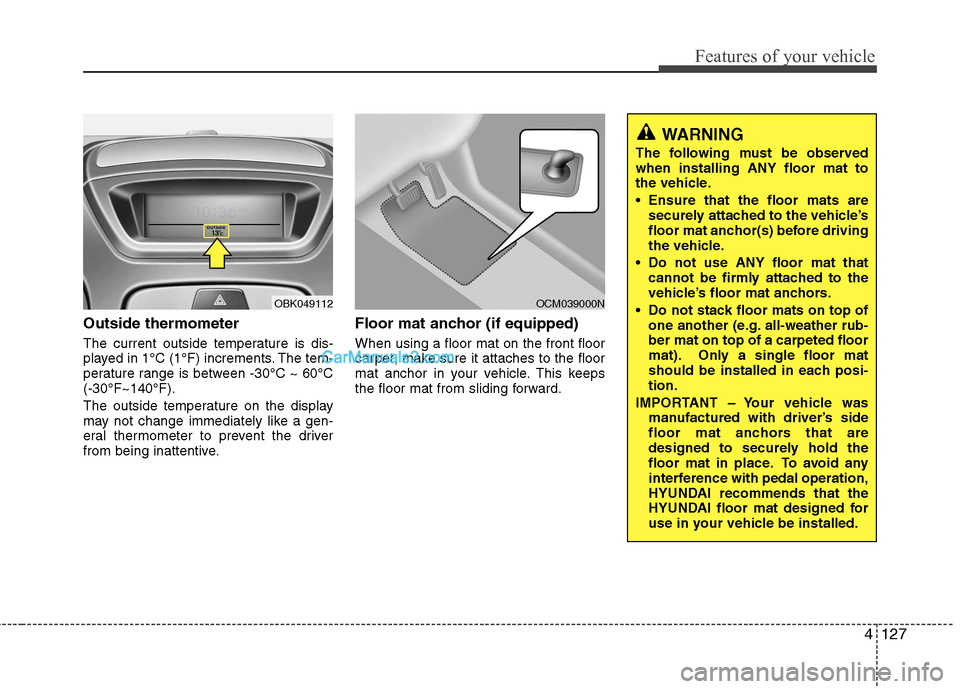
Outside thermometer
The current outside temperature is dis-
played in 1°C (1°F) increments. The tem-
perature range is between -30°C ~ 60°C(-30°F~140°F).
The outside temperature on the display
may not change immediately like a gen-
eral thermometer to prevent the driver
from being inattentive.Floor mat anchor (if equipped) When using a floor mat on the front floor
carpet, make sure it attaches to the floor
mat anchor in your vehicle. This keeps
the floor mat from sliding forward.
OBK049112OCM039000N
WARNING
The following must be observed when installing ANY floor mat to
the vehicle.
Ensure that the floor mats are securely attached to the vehicle’s
floor mat anchor(s) before driving
the vehicle.
Do not use ANY floor mat that cannot be firmly attached to the
vehicle’s floor mat anchors.
Do not stack floor mats on top of one another (e.g. all-weather rub-ber mat on top of a carpeted floor
mat). Only a single floor mat
should be installed in each posi-tion.
IMPORTANT – Your vehicle was manufactured with driver’s side
floor mat anchors that are
designed to securely hold the
floor mat in place. To avoid any
interference with pedal operation,
HYUNDAI recommends that the
HYUNDAI floor mat designed for
use in your vehicle be installed.
Page 204 of 414
Features of your vehicle
138
4
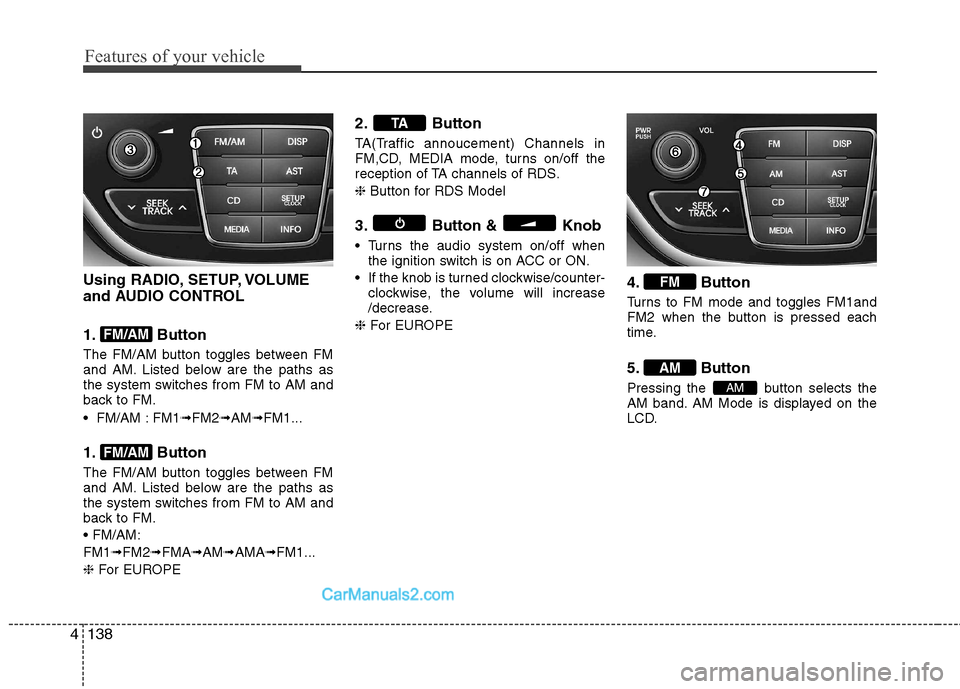
Using RADIO, SETUP, VOLUME
and AUDIO CONTROL
1. Button
The FM/AM button toggles between FM
and AM. Listed below are the paths as
the system switches from FM to AM and
back to FM.
FM/AM : FM1 ➟FM2 ➟AM ➟FM1...
1. Button
The FM/AM button toggles between FM
and AM. Listed below are the paths as
the system switches from FM to AM and
back to FM. FM1 ➟FM2 ➟FMA ➟AM ➟AMA ➟FM1...
❈ For EUROPE 2. Button
TA(Traffic annoucement) Channels in
FM,CD, MEDIA mode, turns on/off the
reception of TA channels of RDS. ❈
Button for RDS Model
3. Button & Knob
Turns the audio system on/off when the ignition switch is on ACC or ON.
If the knob is turned clockwise/counter- clockwise, the volume will increase
/decrease.
❈ For EUROPE 4. Button
Turns to FM mode and toggles FM1and
FM2 when the button is pressed each
time.
5. Button
Pressing the button selects the
AM band. AM Mode is displayed on the
LCD.
AM
AM
FM
TA
FM/AM
FM/AM