lock Hyundai Genesis Coupe 2013 User Guide
[x] Cancel search | Manufacturer: HYUNDAI, Model Year: 2013, Model line: Genesis Coupe, Model: Hyundai Genesis Coupe 2013Pages: 414, PDF Size: 38.89 MB
Page 27 of 414
313
Safety features of your vehicle
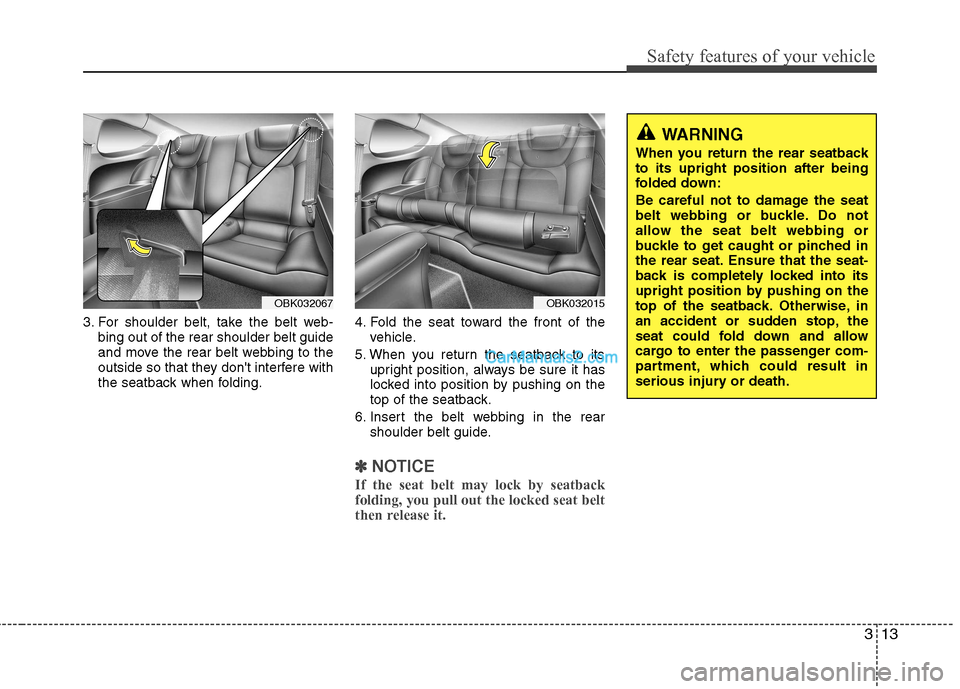
3. For shoulder belt, take the belt web-bing out of the rear shoulder belt guide
and move the rear belt webbing to the
outside so that they don't interfere with
the seatback when folding. 4. Fold the seat toward the front of the
vehicle.
5. When you return the seatback to its upright position, always be sure it has
locked into position by pushing on the
top of the seatback.
6. Insert the belt webbing in the rear shoulder belt guide.
✽✽ NOTICE
If the seat belt may lock by seatback folding, you pull out the locked seat belt
then release it.
OBK032015OBK032067
WARNING
When you return the rear seatback to its upright position after being
folded down:
Be careful not to damage the seat
belt webbing or buckle. Do not
allow the seat belt webbing or
buckle to get caught or pinched in
the rear seat. Ensure that the seat-
back is completely locked into its
upright position by pushing on the
top of the seatback. Otherwise, in
an accident or sudden stop, the
seat could fold down and allow
cargo to enter the passenger com-
partment, which could result in
serious injury or death.
Page 31 of 414
317
Safety features of your vehicle
Type B
As a reminder to the driver, the seat belt
warning lights will illuminate for approxi-
mately 6 seconds each time you turn the
ignition switch ON regardless of belt fas-tening.
If the driver’s seat belt is not fastened
when the ignition switch is turned ON orif it is disconnected after the ignition
switch is turned ON, the seat belt warn-
ing light will illuminate until the belt is fas-tened.
If you continue not to fasten the seat belt
and you drive over 9km/h, the illuminated
warning light will start to blink until you
drive under 6km/h.
If you continue not to fasten the seat belt
and you drive over 20km/h the seat belt
warning chime will sound for approxi-mately 100 seconds and the correspon-
ding warning light will blink.
Lap/shoulder belt
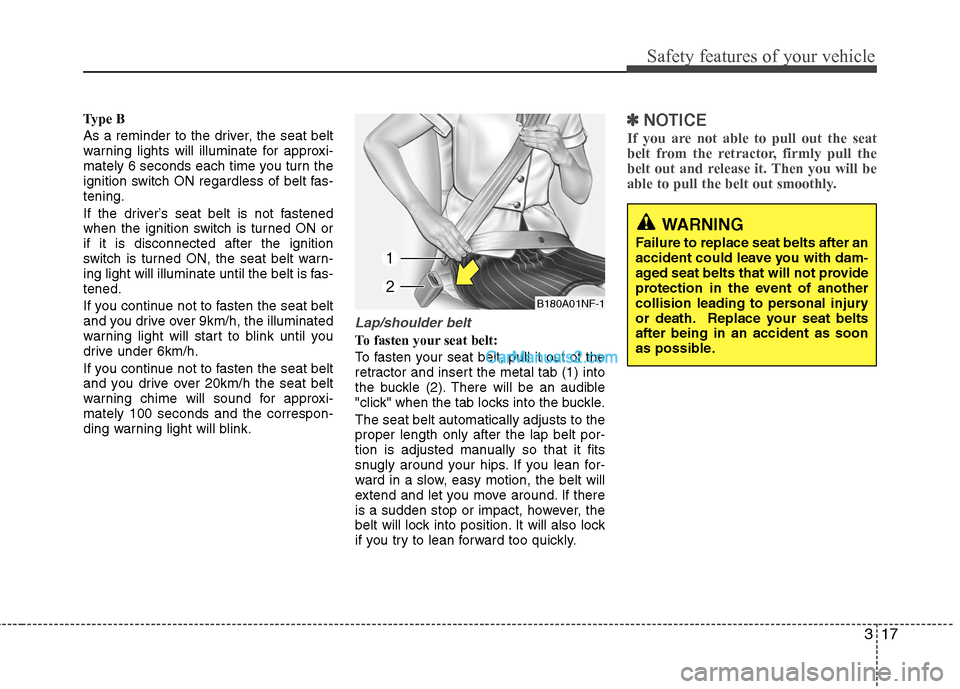
To fasten your seat belt:
To fasten your seat belt, pull it out of the
retractor and insert the metal tab (1) into
the buckle (2). There will be an audible
"click" when the tab locks into the buckle. The seat belt automatically adjusts to the proper length only after the lap belt por-
tion is adjusted manually so that it fits
snugly around your hips. If you lean for-
ward in a slow, easy motion, the belt will
extend and let you move around. If there
is a sudden stop or impact, however, the
belt will lock into position. It will also lock
if you try to lean forward too quickly.
✽✽NOTICE
If you are not able to pull out the seat
belt from the retractor, firmly pull the
belt out and release it. Then you will be
able to pull the belt out smoothly.
WARNING
Failure to replace seat belts after an
accident could leave you with dam-
aged seat belts that will not provide
protection in the event of another
collision leading to personal injury
or death. Replace your seat beltsafter being in an accident as soon
as possible.
B180A01NF-1
Page 32 of 414
Safety features of your vehicle
18
3
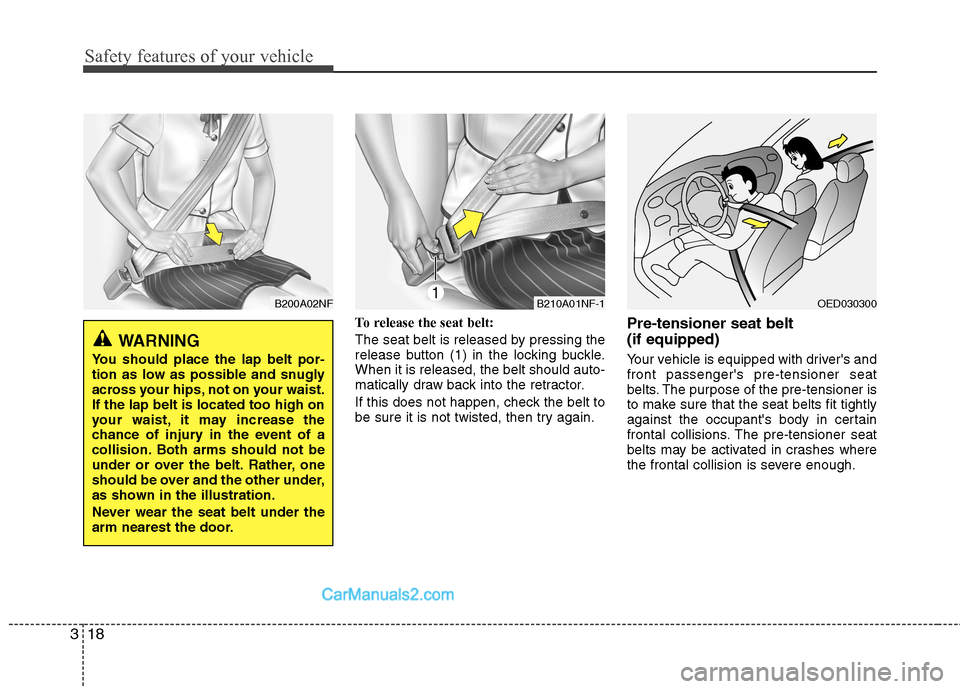
To release the seat belt:
The seat belt is released by pressing the
release button (1) in the locking buckle.When it is released, the belt should auto-
matically draw back into the retractor.
If this does not happen, check the belt to
be sure it is not twisted, then try again. Pre-tensioner seat belt (if equipped)
Your vehicle is equipped with driver's and front passenger's pre-tensioner seat
belts. The purpose of the pre-tensioner is
to make sure that the seat belts fit tightly
against the occupant's body in certain
frontal collisions. The pre-tensioner seat
belts may be activated in crashes where
the frontal collision is severe enough.
B210A01NF-1OED030300B200A02NF
WARNING
You should place the lap belt por-
tion as low as possible and snugly
across your hips, not on your waist.If the lap belt is located too high on
your waist, it may increase the
chance of injury in the event of a
collision. Both arms should not be
under or over the belt. Rather, one
should be over and the other under,
as shown in the illustration.
Never wear the seat belt under the
arm nearest the door.
Page 33 of 414
319
Safety features of your vehicle
When the vehicle stops suddenly, or if
the occupant tries to lean forward too
quickly, the seat belt retractor will lock
into position. In certain frontal collisions,
the pre-tensioner will activate and pullthe seat belt into tighter contact against
the occupant's body.
If the system senses excessive tension
on the driver or passenger's seat belt
when the pre-tensioner activates, theload limiter inside the pre-tensioner willrelease some of the pressure on the
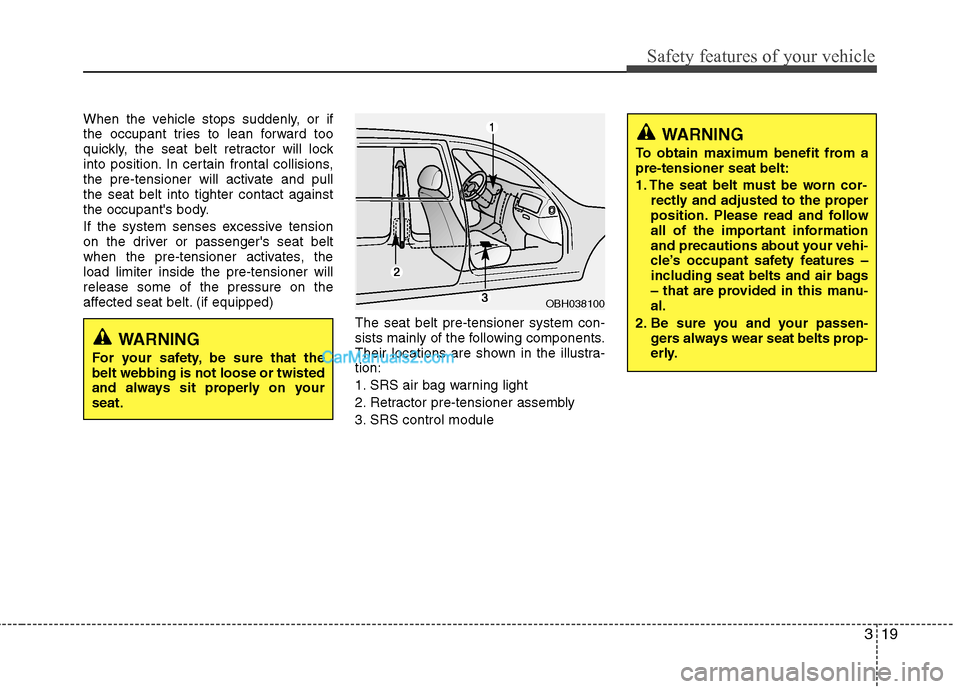
affected seat belt. (if equipped)The seat belt pre-tensioner system con-
sists mainly of the following components.
Their locations are shown in the illustra-tion:
1. SRS air bag warning light
2. Retractor pre-tensioner assembly
3. SRS control module
OBH038100
WARNING
To obtain maximum benefit from a pre-tensioner seat belt:
1. The seat belt must be worn cor- rectly and adjusted to the proper
position. Please read and follow
all of the important information
and precautions about your vehi-
cle’s occupant safety features –
including seat belts and air bags
– that are provided in this manu-al.
2. Be sure you and your passen- gers always wear seat belts prop-
erly.
WARNING
For your safety, be sure that the belt webbing is not loose or twisted
and always sit properly on yourseat.
Page 40 of 414
Safety features of your vehicle
26
3
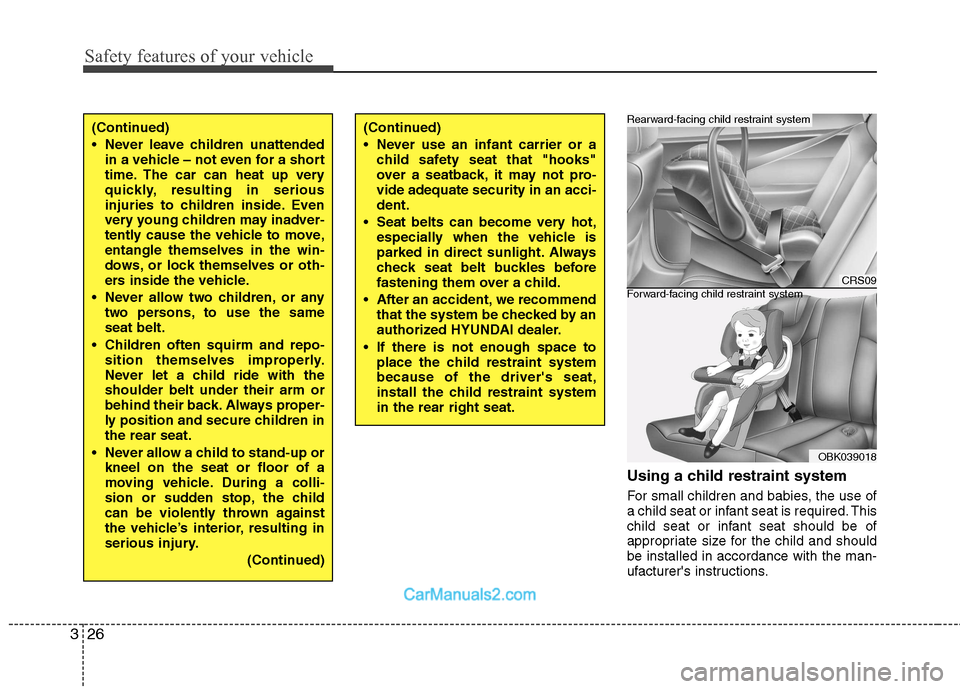
Using a child restraint system
For small children and babies, the use of
a child seat or infant seat is required. This
child seat or infant seat should be of
appropriate size for the child and shouldbe installed in accordance with the man-
ufacturer's instructions.
(Continued)
Never leave children unattended
in a vehicle – not even for a short
time. The car can heat up very
quickly, resulting in serious
injuries to children inside. Even
very young children may inadver-
tently cause the vehicle to move,entangle themselves in the win-
dows, or lock themselves or oth-
ers inside the vehicle.
Never allow two children, or any two persons, to use the sameseat belt.
Children often squirm and repo- sition themselves improperly.
Never let a child ride with theshoulder belt under their arm or
behind their back. Always proper-
ly position and secure children inthe rear seat.
Never allow a child to stand-up or kneel on the seat or floor of a
moving vehicle. During a colli-
sion or sudden stop, the child
can be violently thrown against
the vehicle’s interior, resulting in
serious injury.
(Continued)(Continued)
Never use an infant carrier or achild safety seat that "hooks"
over a seatback, it may not pro-vide adequate security in an acci-dent.
Seat belts can become very hot, especially when the vehicle is
parked in direct sunlight. Always
check seat belt buckles before
fastening them over a child.
After an accident, we recommend that the system be checked by an
authorized HYUNDAI dealer.
If there is not enough space to place the child restraint systembecause of the driver's seat,
install the child restraint systemin the rear right seat.
CRS09
OBK039018
Forward-facing child restraint system
Rearward-facing child restraint system
Page 42 of 414
Safety features of your vehicle
28
3
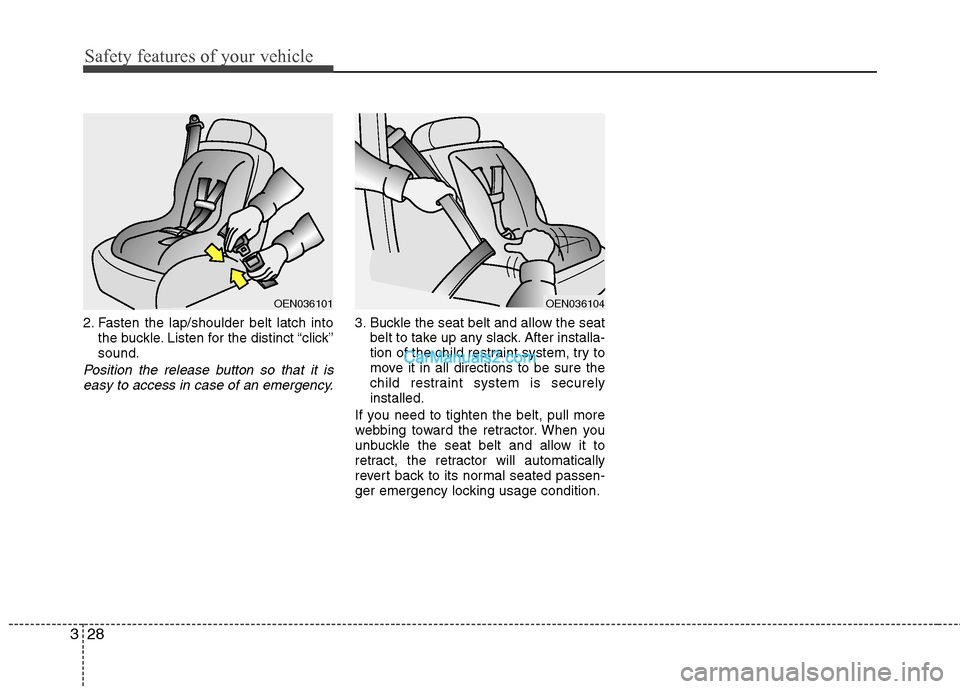
2. Fasten the lap/shoulder belt latch into
the buckle. Listen for the distinct “click” sound.
Position the release button so that it is
easy to access in case of an emergency.
3. Buckle the seat belt and allow the seat belt to take up any slack. After installa-
tion of the child restraint system, try to
move it in all directions to be sure the
child restraint system is securelyinstalled.
If you need to tighten the belt, pull more
webbing toward the retractor. When you
unbuckle the seat belt and allow it to
retract, the retractor will automatically
revert back to its normal seated passen-
ger emergency locking usage condition.
OEN036101OEN036104
Page 53 of 414
339
Safety features of your vehicle
WARNING
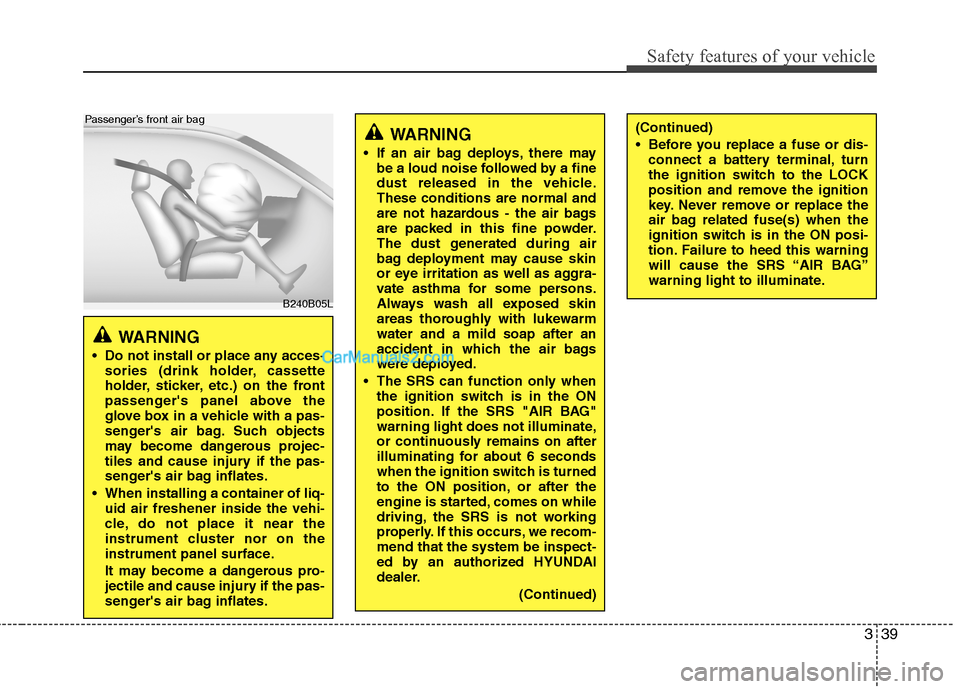
Do not install or place any acces- sories (drink holder, cassette
holder, sticker, etc.) on the front
passenger's panel above the
glove box in a vehicle with a pas-
senger's air bag. Such objects
may become dangerous projec-
tiles and cause injury if the pas-
senger's air bag inflates.
When installing a container of liq- uid air freshener inside the vehi-
cle, do not place it near the
instrument cluster nor on the
instrument panel surface.
It may become a dangerous pro-
jectile and cause injury if the pas-
senger's air bag inflates.
B240B05L
Passenger’s front air bag
WARNING
If an air bag deploys, there may be a loud noise followed by a fine
dust released in the vehicle.These conditions are normal and
are not hazardous - the air bags
are packed in this fine powder.
The dust generated during air
bag deployment may cause skin
or eye irritation as well as aggra-
vate asthma for some persons.
Always wash all exposed skin
areas thoroughly with lukewarmwater and a mild soap after an
accident in which the air bags
were deployed.
The SRS can function only when the ignition switch is in the ON
position. If the SRS "AIR BAG"
warning light does not illuminate,
or continuously remains on after
illuminating for about 6 seconds
when the ignition switch is turned
to the ON position, or after the
engine is started, comes on while
driving, the SRS is not working
properly. If this occurs, we recom-mend that the system be inspect-
ed by an authorized HYUNDAI
dealer.
(Continued)(Continued)
Before you replace a fuse or dis-connect a battery terminal, turn
the ignition switch to the LOCK
position and remove the ignition
key. Never remove or replace the
air bag related fuse(s) when the
ignition switch is in the ON posi-
tion. Failure to heed this warning
will cause the SRS “AIR BAG”
warning light to illuminate.
Page 67 of 414
4
Keys / 4-3 Smart key / 4-5Remote keyless entry / 4-8
Theft-alarm system / 4-11
Door locks / 4-14
Trunk / 4-18
Windows / 4-20Hood / 4-24
Fuel filler lid / 4-26
Sunroof / 4-29
Steering wheel / 4-33
Mirrors / 4-35
Instrument cluster / 4-39Multi gauge / 4-69
Rear parking assist system / 4-72Parking assist system / 4-75
Hazard warning flasher / 4-79Lighting / 4-80
Wipers and washers / 4-88
Interior light / 4-91
Defroster / 4-93
Manual climate control system / 4-94
Automatic climate control system / 4-104
Features of your vehicle
Page 69 of 414
43
Features of your vehicle
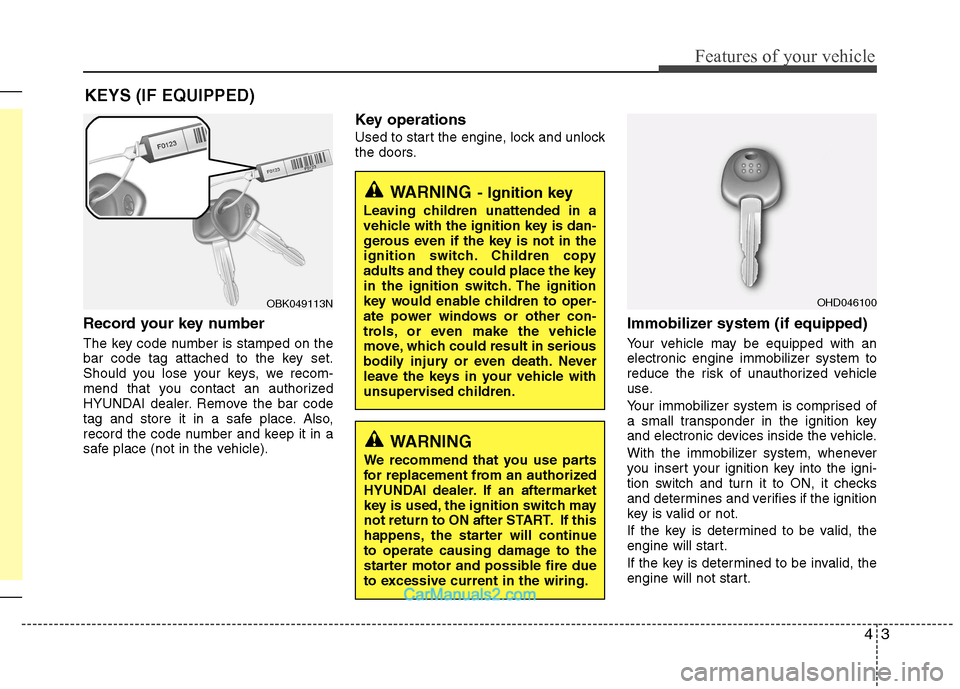
Record your key number
The key code number is stamped on the
bar code tag attached to the key set.
Should you lose your keys, we recom-
mend that you contact an authorized
HYUNDAI dealer. Remove the bar code
tag and store it in a safe place. Also,
record the code number and keep it in a
safe place (not in the vehicle).Key operations
Used to start the engine, lock and unlock
the doors.
Immobilizer system (if equipped)
Your vehicle may be equipped with an
electronic engine immobilizer system to
reduce the risk of unauthorized vehicle
use.
Your immobilizer system is comprised of
a small transponder in the ignition key
and electronic devices inside the vehicle.
With the immobilizer system, whenever
you insert your ignition key into the igni-
tion switch and turn it to ON, it checks
and determines and verifies if the ignition
key is valid or not.
If the key is determined to be valid, the
engine will start.
If the key is determined to be invalid, the
engine will not start.
KEYS (IF EQUIPPED)
WARNING
- Ignition key
Leaving children unattended in a
vehicle with the ignition key is dan-
gerous even if the key is not in the
ignition switch. Children copy
adults and they could place the key
in the ignition switch. The ignition
key would enable children to oper-
ate power windows or other con-
trols, or even make the vehicle
move, which could result in serious
bodily injury or even death. Never
leave the keys in your vehicle with
unsupervised children.
OBK049113N
WARNING
We recommend that you use parts
for replacement from an authorized
HYUNDAI dealer. If an aftermarket
key is used, the ignition switch may
not return to ON after START. If this
happens, the starter will continue
to operate causing damage to the
starter motor and possible fire due
to excessive current in the wiring.
OHD046100
Page 71 of 414
45
Features of your vehicle
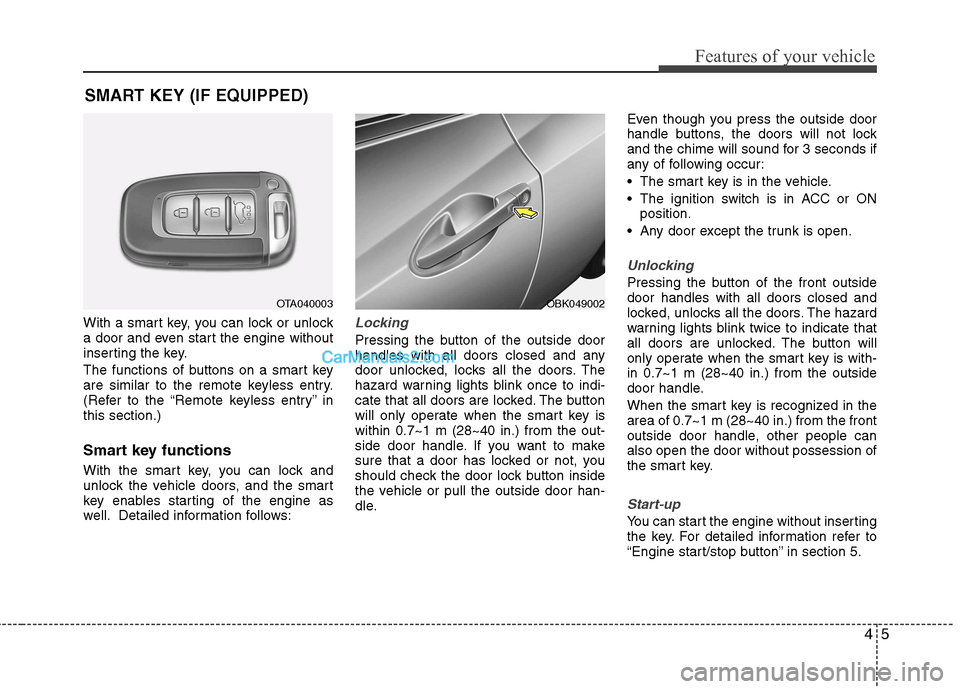
With a smart key, you can lock or unlock
a door and even start the engine without
inserting the key.
The functions of buttons on a smart key
are similar to the remote keyless entry.
(Refer to the “Remote keyless entry” inthis section.)
Smart key functions
With the smart key, you can lock and
unlock the vehicle doors, and the smart
key enables starting of the engine as
well. Detailed information follows:Locking
Pressing the button of the outside door
handles with all doors closed and any
door unlocked, locks all the doors. The
hazard warning lights blink once to indi-
cate that all doors are locked. The button
will only operate when the smart key iswithin 0.7~1 m (28~40 in.) from the out-
side door handle. If you want to make
sure that a door has locked or not, you
should check the door lock button inside
the vehicle or pull the outside door han-
dle.Even though you press the outside door
handle buttons, the doors will not lock
and the chime will sound for 3 seconds if
any of following occur:
The smart key is in the vehicle.
The ignition switch is in ACC or ON
position.
Any door except the trunk is open.
Unlocking
Pressing the button of the front outside door handles with all doors closed and
locked, unlocks all the doors. The hazard
warning lights blink twice to indicate that
all doors are unlocked. The button will
only operate when the smart key is with-in 0.7~1 m (28~40 in.) from the outside
door handle.
When the smart key is recognized in the area of 0.7~1 m (28~40 in.) from the front
outside door handle, other people canalso open the door without possession of
the smart key.
Start-up
You can start the engine without inserting
the key. For detailed information refer to
“Engine start/stop button” in section 5.
SMART KEY (IF EQUIPPED)
OTA040003OBK049002