tow Hyundai Genesis Coupe 2013 User Guide
[x] Cancel search | Manufacturer: HYUNDAI, Model Year: 2013, Model line: Genesis Coupe, Model: Hyundai Genesis Coupe 2013Pages: 414, PDF Size: 38.89 MB
Page 155 of 414
489
Features of your vehicle
Windshield washers
In the O position, pull the lever gently
toward you to spray washer fluid on the
windshield and to run the wipers 1-3
cycles. Use this function when the wind-
shield is dirty. The spray and wiper oper-
ation will continue until you release the
lever. If the washer does not work, check
the washer fluid level. If the fluid level is
not sufficient, you will need to add appro-
priate non-abrasive windshield washer
fluid to the washer reservoir.
The reservoir filler neck is located in the
front of the engine compartment on the
passenger side.CAUTION
To prevent possible damage to thewasher pump, do not operate the
washer when the fluid reservoir is empty.
WARNING
Do not use the washer in freezing
temperatures without first warming
the windshield with the defrosters;
the washer solution could freeze oncontact with the windshield and
obscure your vision.
CAUTION
When starting the vehicle in winter, set the wiper switch in the O posi-
tion. Otherwise, wipers may operateand ice may damage the windshieldwiper blades. Always remove all snow and ice and defrost the wind-
shield properly prior to operatingthe windshield wipers.
Page 162 of 414

Features of your vehicle
96
4
Mode selection
The mode selection button controls the
direction of the air flow through the venti-lation system.
The air flow outlet port is converted as
follows: Face-Level (B, D)
Air flow is directed toward the upper body
and face. Additionally, each outlet can becontrolled to direct the air dischargedfrom the outlet.
Bi-Level (B, D, C)
Air flow is directed towards the face and
the floor.
Floor-Level (C, A, D)
Most of the air flow is directed to the
floor, with a small amount of the air beingdirected to the windshield and side win-
dow defrosters. Floor/Defrost-Level (A, C, D)
Most of the air flow is directed to the floor and the windshield with a small amount
directed to the side window defrosters.
Defrost-Level (A, D)
Most of the air flow is directed to thewindshield with a small amount of air
directed to the side window defrosters.
OBK042101
Page 163 of 414
497
Features of your vehicle
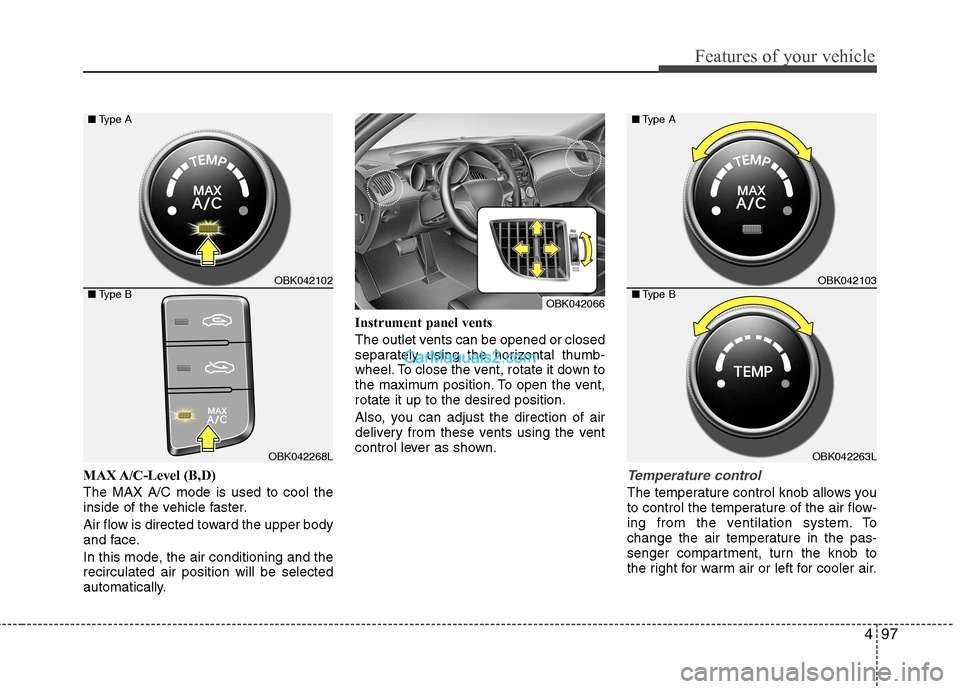
MAX A/C-Level (B,D) The MAX A/C mode is used to cool the
inside of the vehicle faster.
Air flow is directed toward the upper body
and face.
In this mode, the air conditioning and the recirculated air position will be selected
automatically.Instrument panel vents
The outlet vents can be opened or closed
separately using the horizontal thumb-
wheel. To close the vent, rotate it down to
the maximum position. To open the vent,rotate it up to the desired position.
Also, you can adjust the direction of air
delivery from these vents using the vent
control lever as shown.Temperature control
The temperature control knob allows you
to control the temperature of the air flow-
ing from the ventilation system. To
change the air temperature in the pas-
senger compartment, turn the knob to
the right for warm air or left for cooler air.
OBK042066
OBK042102
OBK042268L
■
Type A
■ Type B
OBK042103
OBK042263L
■
Type A
■ Type B
Page 174 of 414

Features of your vehicle
108
4
Floor & Defrost (A, C, D)
Most of the air flow is directed to the floorand the windshield with a small amount
directed to the side window defrosters.
Floor-Level (C, A, D)
Most of the air flow is directed to the
floor, with a small amount of the air beingdirected to the windshield and side win-
dow defrosters.
Bi-Level (B, D, C)
Air flow is directed towards the face and
the floor.
Face-Level (B, D, C)
Air flow is directed toward the upper body
and face. Additionally, each outlet can becontrolled to direct the air dischargedfrom the outlet. Defrost-Level (A, D)
Most of the air flow is directed to the windshield with a small amount of air
directed to the side window defrosters.
Instrument panel vents
The outlet vents can be opened or closed
separately using the horizontal thumb-
wheel. To close the vent, rotate it down to
the maximum position. To open the vent,rotate it up to the desired position.
Also, you can adjust the direction of air
delivery from these vents using the vent
control lever as shown.
OBK042065OBK042066
Page 186 of 414
Features of your vehicle
120
4
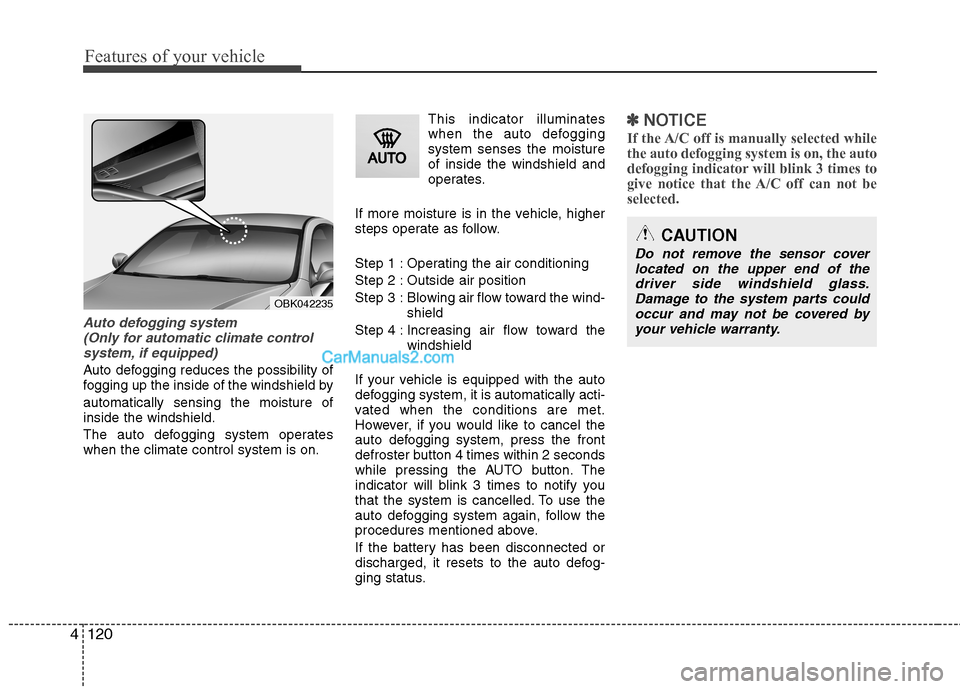
Auto defogging system
(Only for automatic climate controlsystem, if equipped)
Auto defogging reduces the possibility of
fogging up the inside of the windshield by automatically sensing the moisture of inside the windshield.
The auto defogging system operates when the climate control system is on. This indicator illuminates
when the auto defoggingsystem senses the moistureof inside the windshield and
operates.
If more moisture is in the vehicle, higher
steps operate as follow.
Step 1 : Operating the air conditioning
Step 2 : Outside air position
Step 3 : Blowing air flow toward the wind- shield
Step 4 : Increasing air flow toward the windshield
If your vehicle is equipped with the auto
defogging system, it is automatically acti-
vated when the conditions are met.
However, if you would like to cancel the
auto defogging system, press the front
defroster button 4 times within 2 seconds
while pressing the AUTO button. The
indicator will blink 3 times to notify you
that the system is cancelled. To use the
auto defogging system again, follow the
procedures mentioned above.
If the battery has been disconnected or
discharged, it resets to the auto defog-
ging status.
✽✽ NOTICE
If the A/C off is manually selected while the auto defogging system is on, the auto
defogging indicator will blink 3 times to
give notice that the A/C off can not beselected.
OBK042235
CAUTION
Do not remove the sensor cover located on the upper end of thedriver side windshield glass. Damage to the system parts couldoccur and may not be covered by
your vehicle warranty.
Page 197 of 414
4131
Features of your vehicle
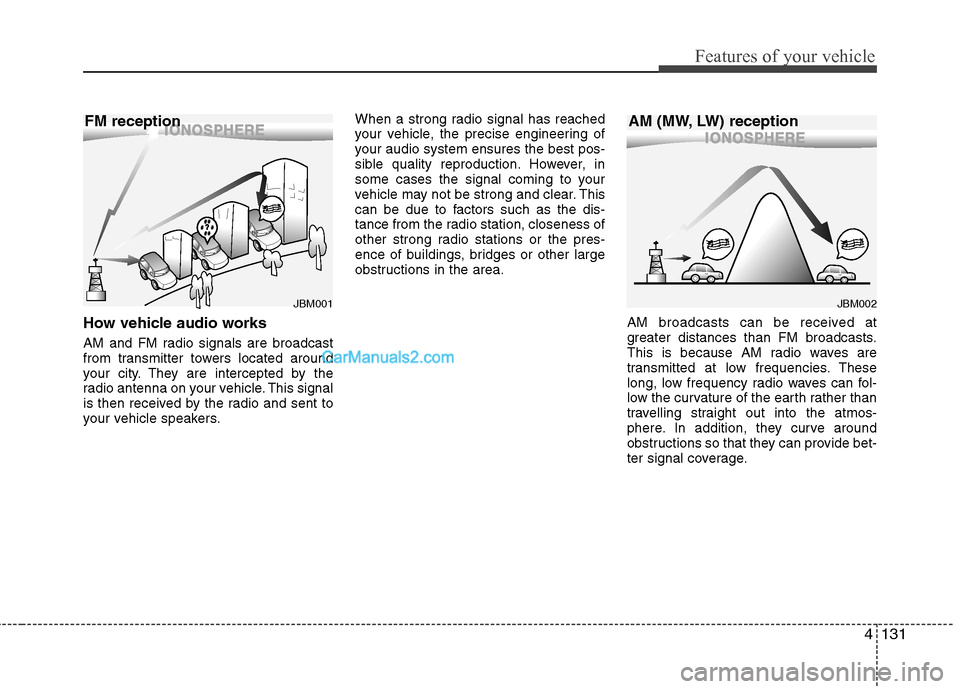
How vehicle audio works
AM and FM radio signals are broadcast
from transmitter towers located around
your city. They are intercepted by the
radio antenna on your vehicle. This signal
is then received by the radio and sent to
your vehicle speakers.When a strong radio signal has reached
your vehicle, the precise engineering of
your audio system ensures the best pos-
sible quality reproduction. However, in
some cases the signal coming to your
vehicle may not be strong and clear. This
can be due to factors such as the dis-
tance from the radio station, closeness of
other strong radio stations or the pres-
ence of buildings, bridges or other large
obstructions in the area.
AM broadcasts can be received at
greater distances than FM broadcasts.
This is because AM radio waves are
transmitted at low frequencies. These
long, low frequency radio waves can fol-
low the curvature of the earth rather than
travelling straight out into the atmos-
phere. In addition, they curve around
obstructions so that they can provide bet-
ter signal coverage.
JBM002
AM (MW, LW) receptionJBM001
FM reception
Page 230 of 414
Features of your vehicle
164
4
Dialing by Number
The system will make a phone call by
dialing the spoken numbers.
The system can recognize single digits
from zero to nine.
1. Press the button.
2. Say “Call”.
3. Say “Number”.
4. Say “
5. Say “
6. Say “Dial”.
✽✽ Tip
A shortcut to each of the following func- tions is available.1. Say “Dial number”.2. Say “Dial
■ Receiving a phone call
When receiving a phone call, a ring tone is heard and the system changes to tele-
phone mode. When receiving a phone
call, the phone number and the message
“Incoming” will be displayed.
Press the send switch to take the call.
or “- ” on the steering volume controls.
Volume adjustment cannot be made using the audio system.
The received call can be transferredfrom the hands-free system to the cel-lular phone that is connected to
Bluetooth®Wireless Technology.
For details, please refer to you user's
manual for the cellular phone or go to
the Key matrix in this manual (nextpage). ■
Talking on the phone
When talking on the phone, the display
will differ depending on whether or not
the vehicle is in motion.
Number and "active call" is displayed.When the call is finished, press the end
switch.
✽✽ NOTICE
In the following situations, your voice
may not reach the other party:
1. When talking alternately with the other party on the phone. If you talkat the same time, the voice may not
reach the other parties. (This is not amalfunction.)
2. When keeping the volume of incom-
ing voice to a low level. Otherwise,
high volumes may result in an echo.When you talk on the phone, speak
clearly towards the microphone.
3. When driving on a rough road.
4. When driving at high speeds.
5. When the window is open.
6. When the air conditioning vents are facing the microphone.
7. When the sound of the air condition-
ing fan is loud.
Page 236 of 414
5
Before driving / 5-3 Key / 5-5
Engine Start/Stop button / 5-8Manual transmission / 5-13Automatic transmission / 5-17Brake system / 5-24
Cruise control system / 5-35Economical operation / 5-39Special driving conditions / 5-41
Winter driving / 5-46
Vehicle weight / 5-50
Trailer towing / 5-51
Driving your vehicle
Page 240 of 414
55
Driving your vehicle
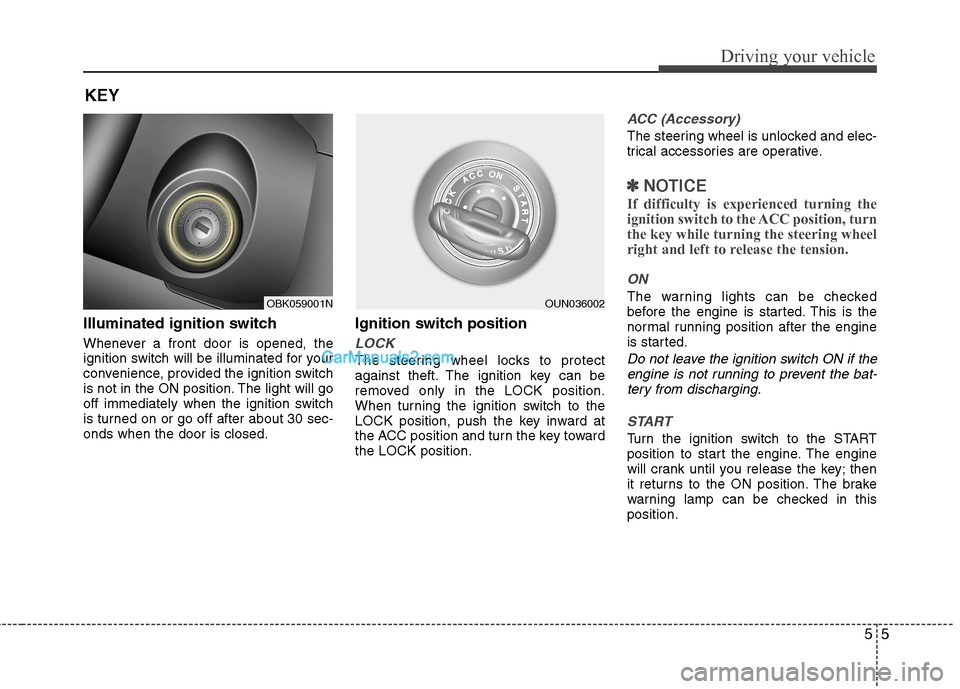
Illuminated ignition switch
Whenever a front door is opened, the
ignition switch will be illuminated for your
convenience, provided the ignition switch
is not in the ON position. The light will go
off immediately when the ignition switch
is turned on or go off after about 30 sec-onds when the door is closed.Ignition switch position
LOCK
The steering wheel locks to protect
against theft. The ignition key can be
removed only in the LOCK position.
When turning the ignition switch to the
LOCK position, push the key inward at
the ACC position and turn the key towardthe LOCK position.
ACC (Accessory)
The steering wheel is unlocked and elec-
trical accessories are operative.
✽✽
NOTICE
If difficulty is experienced turning the
ignition switch to the ACC position, turnthe key while turning the steering wheel
right and left to release the tension.
ON
The warning lights can be checked
before the engine is started. This is the
normal running position after the engine
is started.
Do not leave the ignition switch ON if the engine is not running to prevent the bat-tery from discharging.
START
Turn the ignition switch to the START
position to start the engine. The engine
will crank until you release the key; then
it returns to the ON position. The brake
warning lamp can be checked in thisposition.
KEY
OBK059001NOUN036002
Page 276 of 414
541
Driving your vehicle
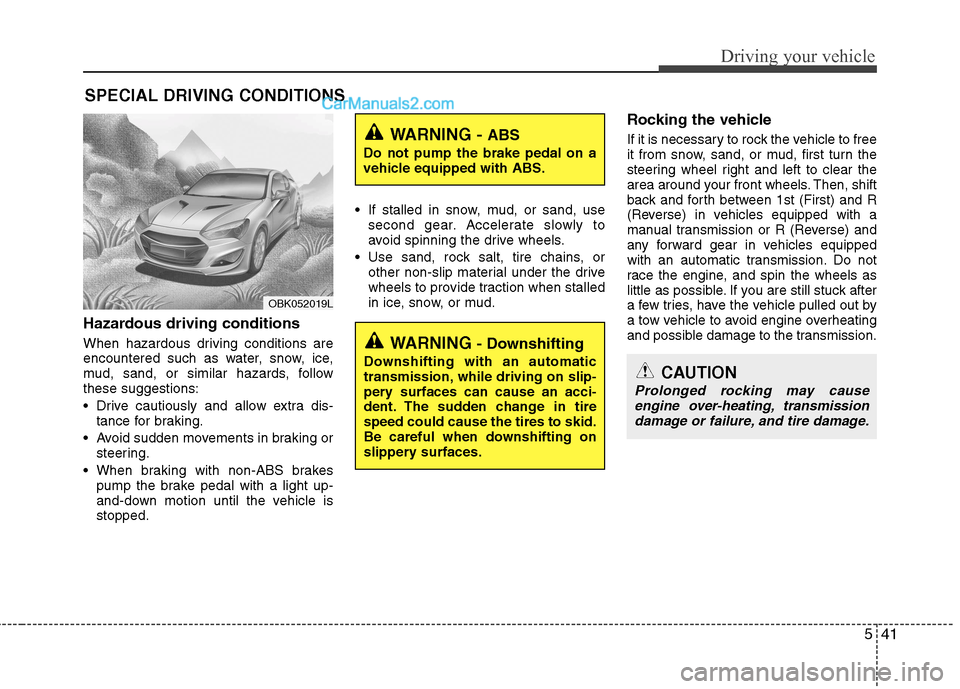
Hazardous driving conditions
When hazardous driving conditions are
encountered such as water, snow, ice,
mud, sand, or similar hazards, followthese suggestions:
Drive cautiously and allow extra dis-tance for braking.
Avoid sudden movements in braking or steering.
When braking with non-ABS brakes pump the brake pedal with a light up-
and-down motion until the vehicle isstopped. If stalled in snow, mud, or sand, use
second gear. Accelerate slowly to
avoid spinning the drive wheels.
Use sand, rock salt, tire chains, or other non-slip material under the drive
wheels to provide traction when stalled
in ice, snow, or mud. Rocking the vehicle
If it is necessary to rock the vehicle to free
it from snow, sand, or mud, first turn the
steering wheel right and left to clear the
area around your front wheels. Then, shift
back and forth between 1st (First) and R
(Reverse) in vehicles equipped with a
manual transmission or R (Reverse) and
any forward gear in vehicles equipped
with an automatic transmission. Do not
race the engine, and spin the wheels as
little as possible. If you are still stuck after
a few tries, have the vehicle pulled out by
a tow vehicle to avoid engine overheating
and possible damage to the transmission.
SPECIAL DRIVING CONDITIONS
OBK052019L
WARNING -
ABS
Do not pump the brake pedal on a
vehicle equipped with ABS.
WARNING - Downshifting
Downshifting with an automatic
transmission, while driving on slip-
pery surfaces can cause an acci-
dent. The sudden change in tirespeed could cause the tires to skid.
Be careful when downshifting on
slippery surfaces.
CAUTION
Prolonged rocking may cause engine over-heating, transmission
damage or failure, and tire damage.