Esc HYUNDAI GENESIS G70 2019 Owner's Manual
[x] Cancel search | Manufacturer: HYUNDAI, Model Year: 2019, Model line: GENESIS G70, Model: HYUNDAI GENESIS G70 2019Pages: 516, PDF Size: 12.84 MB
Page 292 of 516
5-43
Driving your vehicle
5
Information
When you jump start your vehicle
because of a drained battery, the ABS
warning light ( ) may turn on at the
same time. This happens because of
the low battery voltage. It does not
mean your ABS is malfunctioning.
Have the battery recharged before
driving the vehicle.
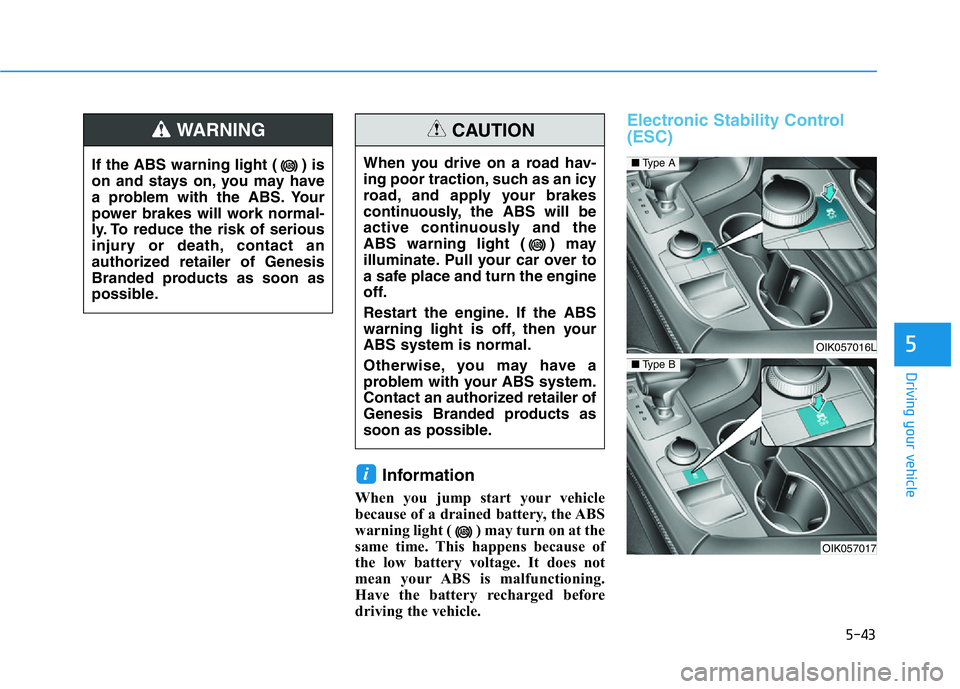
Electronic Stability Control
(ESC)
i
When you drive on a road hav-
ing poor traction, such as an icy
road, and apply your brakes
continuously, the ABS will be
active continuously and the
ABS warning light ( ) may
illuminate. Pull your car over to
a safe place and turn the engine
off.
Restart the engine. If the ABS
warning light is off, then your
ABS system is normal.
Otherwise, you may have a
problem with your ABS system.
Contact an authorized retailer of
Genesis Branded products as
soon as possible.
CAUTION
OIK057016L
OIK057017
■Type A
■Type B
If the ABS warning light ( ) is
on and stays on, you may have
a problem with the ABS. Your
power brakes will work normal-
ly. To reduce the risk of serious
injury or death, contact an
authorized retailer of Genesis
Branded products as soon as
possible.
WARNING
Page 293 of 516
5-44
Driving your vehicle
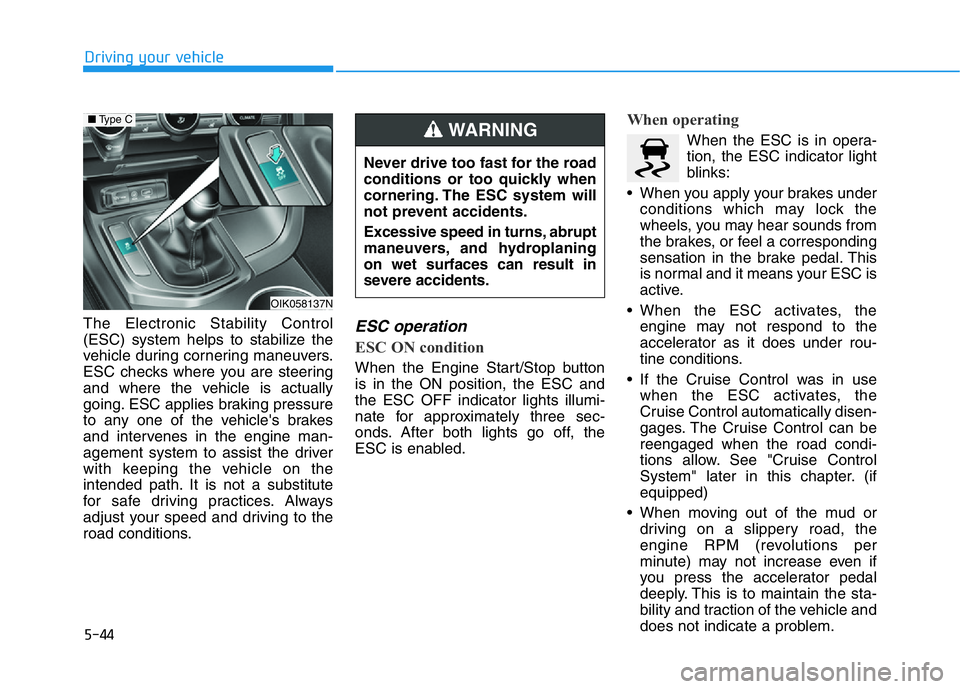
The Electronic Stability Control
(ESC) system helps to stabilize the
vehicle during cornering maneuvers.
ESC checks where you are steering
and where the vehicle is actually
going. ESC applies braking pressure
to any one of the vehicle's brakes
and intervenes in the engine man-
agement system to assist the driver
with keeping the vehicle on the
intended path. It is not a substitute
for safe driving practices. Always
adjust your speed and driving to the
road conditions.
ESC operation
ESC ON condition
When the Engine Start/Stop button
is in the ON position, the ESC and
the ESC OFF indicator lights illumi-
nate for approximately three sec-
onds. After both lights go off, the
ESC is enabled.
When operating
When the ESC is in opera-
tion, the ESC indicator light
blinks:
• When you apply your brakes under
conditions which may lock the
wheels, you may hear sounds from
the brakes, or feel a corresponding
sensation in the brake pedal. This
is normal and it means your ESC is
active.
• When the ESC activates, the
engine may not respond to the
accelerator as it does under rou-
tine conditions.
• If the Cruise Control was in use
when the ESC activates, the
Cruise Control automatically disen-
gages. The Cruise Control can be
reengaged when the road condi-
tions allow. See "Cruise Control
System" later in this chapter. (if
equipped)
• When moving out of the mud or
driving on a slippery road, the
engine RPM (revolutions per
minute) may not increase even if
you press the accelerator pedal
deeply. This is to maintain the sta-
bility and traction of the vehicle and
does not indicate a problem.
Never drive too fast for the road
conditions or too quickly when
cornering. The ESC system will
not prevent accidents.
Excessive speed in turns, abrupt
maneuvers, and hydroplaning
on wet surfaces can result in
severe accidents.
WARNING
OIK058137N
■Type C
Page 294 of 516
5-45
Driving your vehicle
5
ESC OFF condition
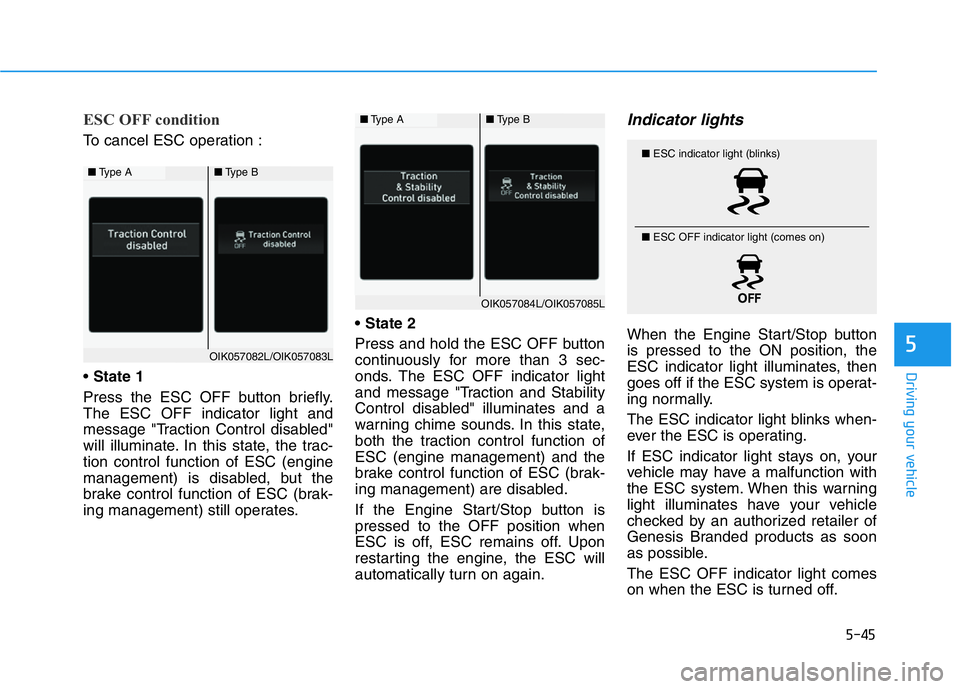
To cancel ESC operation :
• State 1
Press the ESC OFF button briefly.
The ESC OFF indicator light and
message "Traction Control disabled"
will illuminate. In this state, the trac-
tion control function of ESC (engine
management) is disabled, but the
brake control function of ESC (brak-
ing management) still operates.• State 2
Press and hold the ESC OFF button
continuously for more than 3 sec-
onds. The ESC OFF indicator light
and message "Traction and Stability
Control disabled" illuminates and a
warning chime sounds. In this state,
both the traction control function of
ESC (engine management) and the
brake control function of ESC (brak-
ing management) are disabled.
If the Engine Start/Stop button is
pressed to the OFF position when
ESC is off, ESC remains off. Upon
restarting the engine, the ESC will
automatically turn on again.
Indicator lights
When the Engine Start/Stop button
is pressed to the ON position, the
ESC indicator light illuminates, then
goes off if the ESC system is operat-
ing normally.
The ESC indicator light blinks when-
ever the ESC is operating.
If ESC indicator light stays on, your
vehicle may have a malfunction with
the ESC system. When this warning
light illuminates have your vehicle
checked by an authorized retailer of
Genesis Branded products as soon
as possible.
The ESC OFF indicator light comes
on when the ESC is turned off.
■Type A■Type B
OIK057084L/OIK057085L
■ESC indicator light (blinks)
■ ESC OFF indicator light (comes on)
■Type A■Type B
OIK057082L/OIK057083L
Page 295 of 516
5-46
Driving your vehicle
Driving with wheels and tires with
different sizes may cause the ESC
system to malfunction. Before
replacing tires, make sure all four
tires and wheels are the same
size. Never drive the vehicle with
different sized wheels and tires
installed.
ESC OFF usage
When Driving
The ESC OFF mode should only be
used briefly to help free the vehicle if
stuck in snow or mud by temporarily
stopping operation of the ESC to
maintain wheel torque.
To turn ESC off while driving, press
the ESC OFF button while driving on
a flat road surface.To prevent damage to the trans-
mission:
• Do not allow wheel(s) of one
axle to spin excessively while
the ESC, ABS, and parking brake
warning lights are displayed.
The repairs would not be cov-
ered by the vehicle warranty.
Reduce engine power and do
not spin the wheel(s) excessive-
ly while these lights are dis-
played.
• When operating the vehicle on a
dynamometer, make sure the
ESC is turned off (ESC OFF light
illuminated).
Information
Turning the ESC off does not affect ABS
or standard brake system operation.
i
NOTICE
NOTICE
When the ESC is blinking, this
indicates the ESC is active:
Drive slowly and NEVER attempt
to accelerate. NEVER turn the
ESC off while the ESC indicator
light is blinking or you may lose
control of the vehicle resulting in
an accident.
WARNING
Page 296 of 516
5-47
Driving your vehicle
5
Vehicle Stability Management
(VSM)
The Vehicle Stability Management
(VSM) is a function of the Electronic
Stability Control (ESC) system. It
helps ensure the vehicle stays stable
when accelerating or braking sud-
denly on wet, slippery and rough
roads where traction over the four
tires can suddenly become uneven.
VSM operation
VSM ON condition
The VSM operates when:
• The Electronic Stability Control
(ESC) is on.
• Vehicle speed is approximately
above 9 mph (15 km/h) on curve
roads.
• Vehicle speed is approximately
above 12 mph (20 km/h) when the
vehicle is braking on rough roads.
When operating
When you apply your brakes under
conditions which may activate the
ESC, you may hear sounds from the
brakes, or feel a corresponding sen-
sation in the brake pedal. This is nor-
mal and it means your VSM is active.The VSM does not operate when:
• Driving on a banked road such
as gradient or incline.
• Driving rearward.
• ESC OFF indicator light is on.
• EPS (Electric Power Steering)
warning light ( ) is on or
blinks.
Driving with wheels and tires with dif-
ferent sizes may cause the ESC sys-
tem to malfunction. Before replacing
tires, make sure all four tires and
wheels are the same size. Never
drive the vehicle with different sized
tires and wheels installed.
NOTICE
If ESC indicator light ( ) or
EPS warning light ( ) stays on
or blinks, your vehicle may have
a malfunction with the VSM sys-
tem. When the warning light illu-
minates, have your vehicle
checked by an authorized retail-
er of Genesis Branded products
as soon as possible.
WARNING
Take the following precautions
when using the Vehicle Stability
Management (VSM):
•ALWAYS check the speed and
the distance to the vehicle
ahead. The VSM is not a sub-
stitute for safe driving prac-
tices.
•Never drive too fast for the
road conditions. The VSM sys-
tem will not prevent acci-
dents. Excessive speed in bad
weather, slippery and uneven
roads can result in severe
accidents.
WARNING
Page 297 of 516
5-48
Driving your vehicle
Hill-Start Assist Control (HAC)
The Hill-Start Assist Control (HAC)
helps prevent the vehicle from rolling
backwards when starting a vehicle
from a stop on a hill. The system
operates the brakes automatically for
approximately 2 seconds and releas-
es the brake after 2 seconds or when
the accelerator pedal is depressed.
• The HAC does not operate when
the vehicle is shifted to P (Park)
or N (Neutral)
• The HAC activates even though
the ESC (Electronic Stability
Control) is off but does not acti-
vate when the ESC has malfunc-
tioned.
Good Braking Practices
Wet brakes can be dangerous! The
brakes may get wet if the vehicle is
driven through standing water or if it
is washed. Your vehicle will not stop
as quickly if the brakes are wet. Wet
brakes may cause the vehicle to pull
to one side.To dry the brakes, apply the brakes
lightly until the braking action returns
to normal, taking care to keep the
vehicle under control at all times. If
the braking action does not return to
normal, stop as soon as it is safe to
do so and call an authorized retailer
of Genesis Branded products for
assistance.
DO NOT drive with your foot resting
on the brake pedal. Even light, but
constant pedal pressure can result in
the brakes overheating, brake wear,
and possibly even brake failure.
If a tire goes flat while you are driv-
ing, apply the brakes gently and
keep the vehicle pointed straight
ahead while you slow down. When
you are moving slowly enough for it
to be safe to do so, pull off the road
and stop in a safe location.
Keep your foot firmly on the brake
pedal when the vehicle is stopped to
prevent the vehicle from rolling for-
ward.
NOTICE
Whenever leaving the vehicle or
parking, always come to a com-
plete stop and continue to
depress the brake pedal. Shift
the vehicle to neutral (for manu-
al transmission vehicle) or P
(Park, for automatic transmis-
sion vehicle), apply the parking
brake, and press the Engine
Start/Stop button to the OFF
position.
Vehicles parked with the park-
ing brake not applied or not
fully engaged may roll inadver-
tently and may cause injury to
the driver and others. ALWAYS
apply the parking brake before
exiting the vehicle.
WARNING
Always be ready to depress the
accelerator pedal when starting
off on a incline. The HAC activates
only for approximately 2 seconds.
WARNING
Page 304 of 516
5-55
Driving your vehicle
5
The Launch Control system controls
the vehicle to reduce wheel spin or
slip on a hard acceleration from a
standing start.
Prerequisite for Activation
The Launch Control gets ready to be
activated, when the following prereq-
uisites are satisfied.
• The engine is warmed up.
• Malfunction warning lights related
to the engine and ESC (Electronic
Stability Control) are off.
Launch Control Activation
To activate Launch Control:
1. Select SPORT mode using the
drive mode selection knob.
SPORT indicator will illuminate on
the instrument cluster LCD dis-
play.
2. Turn off ESC by pressing the ESC
OFF button for more than 3 sec-
onds. The ESC OFF indicator will
illuminate on the instrument clus-
ter.
3. Shift to the D (Drive) position.4. Depress the brake pedal firmly
with your left foot, while depress-
ing the accelerator pedal down
fully with your right foot. Then, the
Engine rpm will reach an opti-
mized level.
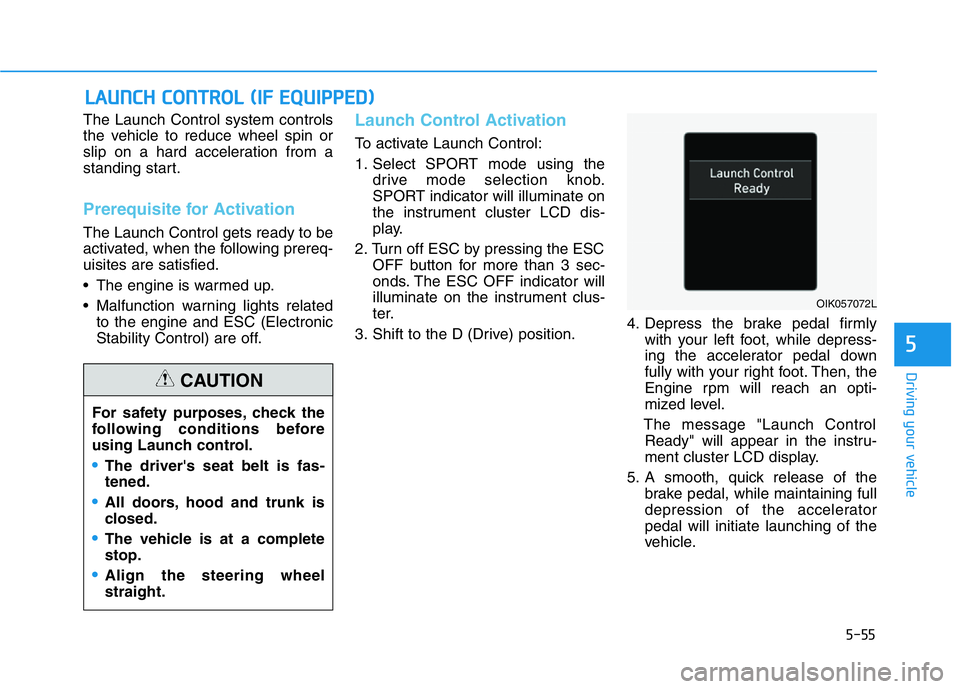
The message "Launch Control
Ready" will appear in the instru-
ment cluster LCD display.
5. A smooth, quick release of the
brake pedal, while maintaining full
depression of the accelerator
pedal will initiate launching of the
vehicle.
LAUNCH CONTROL (IF EQUIPPED)
OIK057072L
For safety purposes, check the
following conditions before
using Launch control.
•The driver's seat belt is fas-
tened.
•All doors, hood and trunk is
closed.
•The vehicle is at a complete
stop.
•Align the steering wheel
straight.
CAUTION
Page 309 of 516
5-60
Driving your vehicle
The ISG system is to help reduce the
fuel consumption by automatically
shutting down the engine, when the
vehicle is at a standstill (i.e. red stop
light, stop sign, and traffic jam).
The engine is automatically started
upon satisfying the starting condi-
tions.
The ISG system is always active,
when the engine is running.
Information
When the engine is automatically
started by the ISG system, some warn-
ing lights (i.e. ABS, ESC, ESC OFF,
EPS, and parking brake warning
light) may illuminate for a few sec-
onds due to the low battery voltage.
However, it does not indicate a mal-
function with the ISG system.
To Activate the ISG System
Prerequisite for activation
The ISG system operates in the fol-
lowing situations.
• The driver's seatbelt is fastened
• The driver's door and hood are
closed
• The brake vacuum pressure is
adequate
• The battery sensor is activated and
the battery is sufficiently charged
• Outside temperature is not too low
or too high
• The vehicle is driven over a con-
stant speed and stops
• The climate control system satis-
fies the conditions
• The vehicle is sufficiently warmed
up
• The incline is gradual
• The steering wheel is turned less
than 180 degrees and then the
vehicle stops
Information
The ISG system is not
activated, when the pre-
requisites to activate the
ISG system are unsatis-
fied. In this case, the ISG OFF but-
ton indicator illuminates, and the
auto stop indicator ( ) illuminates
in yellow on the instrument cluster.
• When the above indicator remains
illuminated on the instrument clus-
ter, we recommend that you have
the IGS system checked by an
authorized retailer of Genesis
Branded products.
i
i
ISG (IDLE STOP AND GO) SYSTEM (IF EQUIPPED)
•
Page 331 of 516
5-82
Driving your vehicle
The Forward Collision-Avoidance
Assist (FCA) system is designed to
help detect and monitor the vehicle
ahead or detect a pedestrian or
cyclist (if equipped) in the roadway
through radar signals and camera
recognition to warn the driver that a
collision is imminent, and if neces-
sary, apply emergency braking.
System Setting and Activation
System setting
• The driver can activate the FCA by
pressing Engine Start/Stop button to
the ON position and by selecting :
'User Settings →Driver Assistance
→Forward Collision-Avoidance
Assist (FCA)'
The FCA deactivates, when the driv-
er deselects the system setting.
The warning light illumi-
nates on the cluster,
when you cancel the FCA
system. The driver can
monitor the FCA ON/OFF status on
the LCD display. Also, the warning
light illuminates when the ESC
(Electronic Stability Control) is
turned off.
If the warning light remains ON when
the FCA is activated, have the sys-
tem checked by an authorized retail-
er of Genesis Branded products.
• The driver can select the initial warn-
ing activation time on the LCD dis-
play.
FORWARD COLLISION-AVOIDANCE ASSIST (FCA) SYSTEM (IF EQUIPPED)
Take the following precautions
when using the Forward Collision-
Avoidance Assist (FCA) system:
•This system is only a supple-
mental system and it is not
intended to, nor does it replace
the need for extreme care and
attention of the driver. The
sensing range and objects
detectable by the sensors are
limited. Pay attention to the
road conditions at all times.
•NEVER drive too fast in accor-
dance with the road condi-
tions or while cornering.
•Always drive cautiously to
prevent unexpected and sud-
den situations from occur-
ring. The Forward Collision-
Avoidance system may not
always stop the vehicle com-
pletely and is only intended to
help mitigate a collision that
is imminent.
WARNING
Page 332 of 516
5-83
Driving your vehicle
5
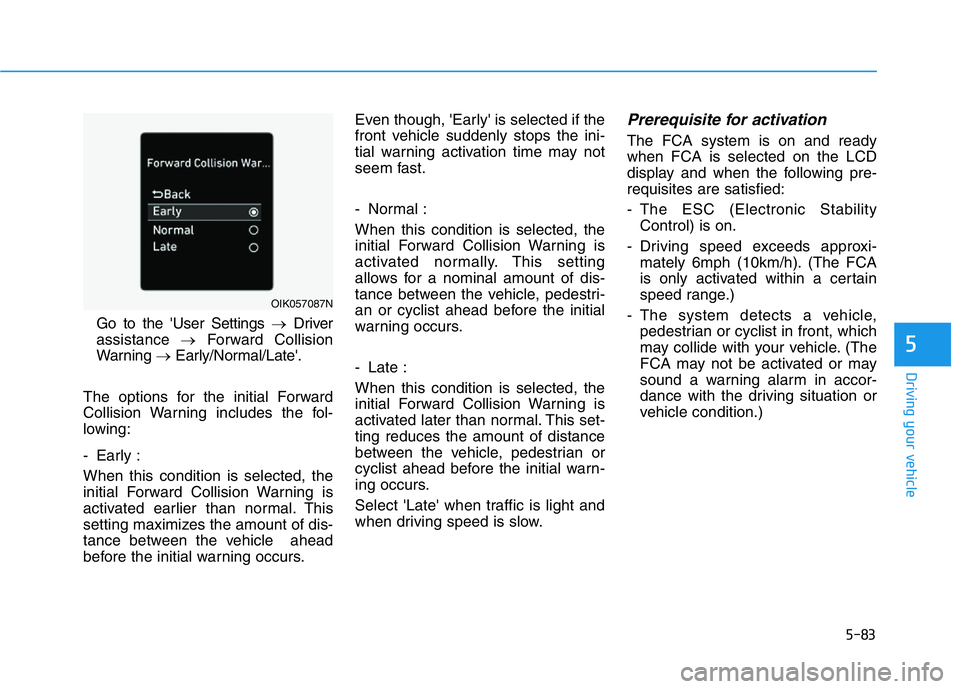
Go to the 'User Settings →Driver
assistance →Forward Collision
Warning →Early/Normal/Late'.
The options for the initial Forward
Collision Warning includes the fol-
lowing:
- Early :
When this condition is selected, the
initial Forward Collision Warning is
activated earlier than normal. This
setting maximizes the amount of dis-
tance between the vehicle ahead
before the initial warning occurs.Even though, 'Early' is selected if the
front vehicle suddenly stops the ini-
tial warning activation time may not
seem fast.
- Normal :
When this condition is selected, the
initial Forward Collision Warning is
activated normally. This setting
allows for a nominal amount of dis-
tance between the vehicle, pedestri-
an or cyclist ahead before the initial
warning occurs.
- Late :
When this condition is selected, the
initial Forward Collision Warning is
activated later than normal. This set-
ting reduces the amount of distance
between the vehicle, pedestrian or
cyclist ahead before the initial warn-
ing occurs.
Select 'Late' when traffic is light and
when driving speed is slow.
Prerequisite for activation
The FCA system is on and ready
when FCA is selected on the LCD
display and when the following pre-
requisites are satisfied:
- The ESC (Electronic Stability
Control) is on.
- Driving speed exceeds approxi-
mately 6mph (10km/h). (The FCA
is only activated within a certain
speed range.)
- The system detects a vehicle,
pedestrian or cyclist in front, which
may collide with your vehicle. (The
FCA may not be activated or may
sound a warning alarm in accor-
dance with the driving situation or
vehicle condition.)
OIK057087N