Esc HYUNDAI GENESIS G70 2019 User Guide
[x] Cancel search | Manufacturer: HYUNDAI, Model Year: 2019, Model line: GENESIS G70, Model: HYUNDAI GENESIS G70 2019Pages: 516, PDF Size: 12.84 MB
Page 152 of 516
3-67
Convenient features of your vehicle
3
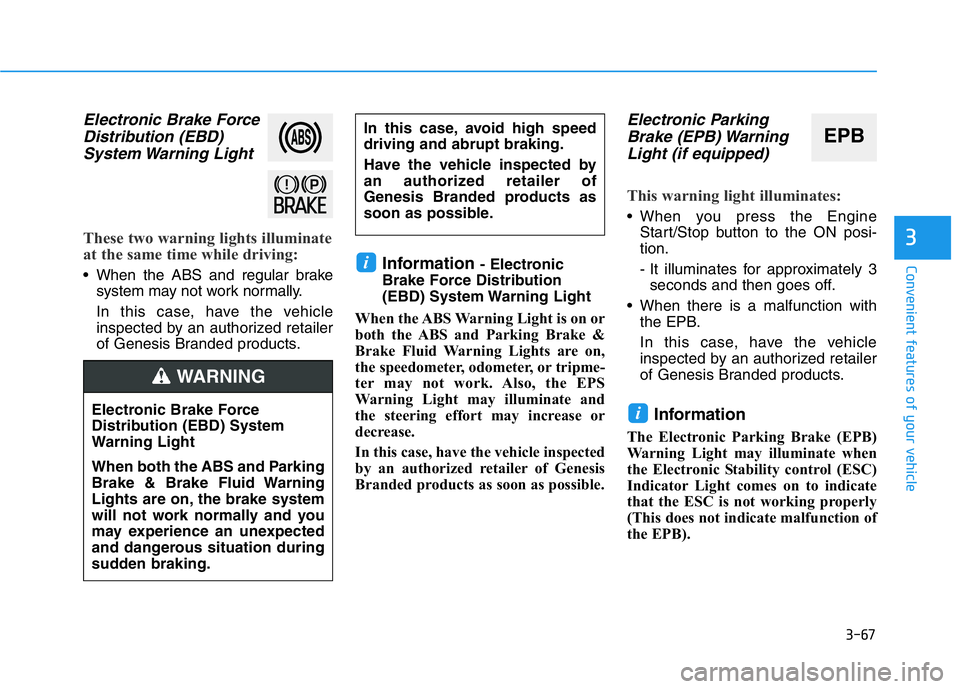
Electronic Brake Force
Distribution (EBD)
System Warning Light
These two warning lights illuminate
at the same time while driving:
• When the ABS and regular brake
system may not work normally.
In this case, have the vehicle
inspected by an authorized retailer
of Genesis Branded products.Information - Electronic
Brake Force Distribution
(EBD) System Warning Light
When the ABS Warning Light is on or
both the ABS and Parking Brake &
Brake Fluid Warning Lights are on,
the speedometer, odometer, or tripme-
ter may not work. Also, the EPS
Warning Light may illuminate and
the steering effort may increase or
decrease.
In this case, have the vehicle inspected
by an authorized retailer of Genesis
Branded products as soon as possible.
Electronic Parking
Brake (EPB) Warning
Light (if equipped)
This warning light illuminates:
• When you press the Engine
Start/Stop button to the ON posi-
tion.
- It illuminates for approximately 3
seconds and then goes off.
• When there is a malfunction with
the EPB.
In this case, have the vehicle
inspected by an authorized retailer
of Genesis Branded products.
Information
The Electronic Parking Brake (EPB)
Warning Light may illuminate when
the Electronic Stability control (ESC)
Indicator Light comes on to indicate
that the ESC is not working properly
(This does not indicate malfunction of
the EPB).
i
i
In this case, avoid high speed
driving and abrupt braking.
Have the vehicle inspected by
an authorized retailer of
Genesis Branded products as
soon as possible.EPB
Electronic Brake Force
Distribution (EBD) System
Warning Light
When both the ABS and Parking
Brake & Brake Fluid Warning
Lights are on, the brake system
will not work normally and you
may experience an unexpected
and dangerous situation during
sudden braking.
WARNING
Page 158 of 516
3-73
Convenient features of your vehicle
3
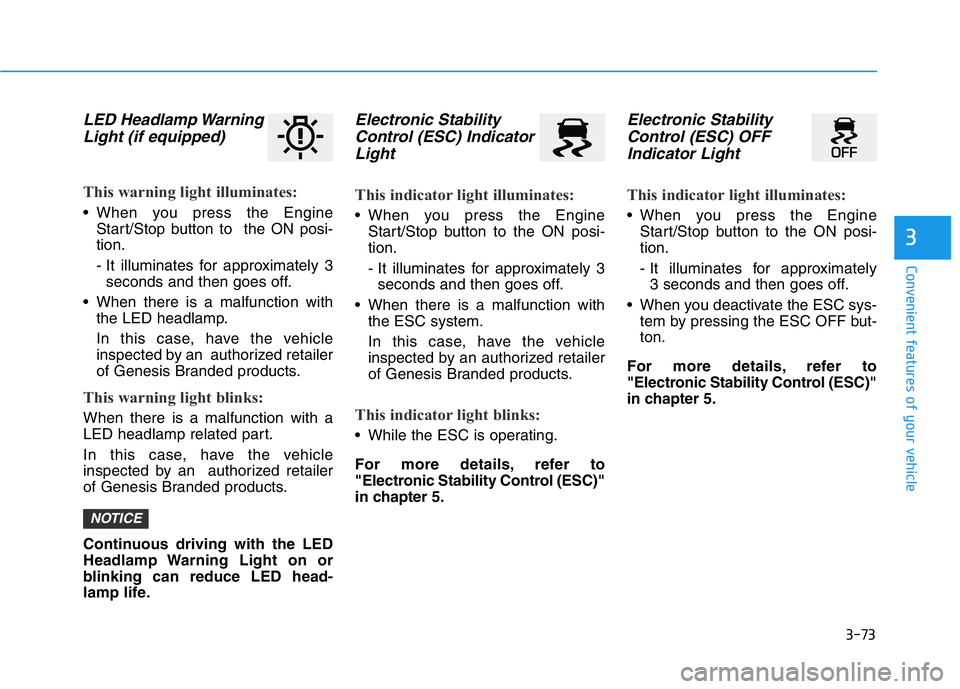
LED Headlamp Warning
Light (if equipped)
This warning light illuminates:
• When you press the Engine
Start/Stop button to the ON posi-
tion.
- It illuminates for approximately 3
seconds and then goes off.
• When there is a malfunction with
the LED headlamp.
In this case, have the vehicle
inspected by an authorized retailer
of Genesis Branded products.
This warning light blinks:
When there is a malfunction with a
LED headlamp related part.
In this case, have the vehicle
inspected by an authorized retailer
of Genesis Branded products.
Continuous driving with the LED
Headlamp Warning Light on or
blinking can reduce LED head-
lamp life.
Electronic Stability
Control (ESC) Indicator
Light
This indicator light illuminates:
• When you press the Engine
Start/Stop button to the ON posi-
tion.
- It illuminates for approximately 3
seconds and then goes off.
• When there is a malfunction with
the ESC system.
In this case, have the vehicle
inspected by an authorized retailer
of Genesis Branded products.
This indicator light blinks:
• While the ESC is operating.
For more details, refer to
"Electronic Stability Control (ESC)"
in chapter 5.
Electronic Stability
Control (ESC) OFF
Indicator Light
This indicator light illuminates:
• When you press the Engine
Start/Stop button to the ON posi-
tion.
- It illuminates for approximately
3 seconds and then goes off.
• When you deactivate the ESC sys-
tem by pressing the ESC OFF but-
ton.
For more details, refer to
"Electronic Stability Control (ESC)"
in chapter 5.
NOTICE
Page 200 of 516
3-115
Convenient features of your vehicle
3
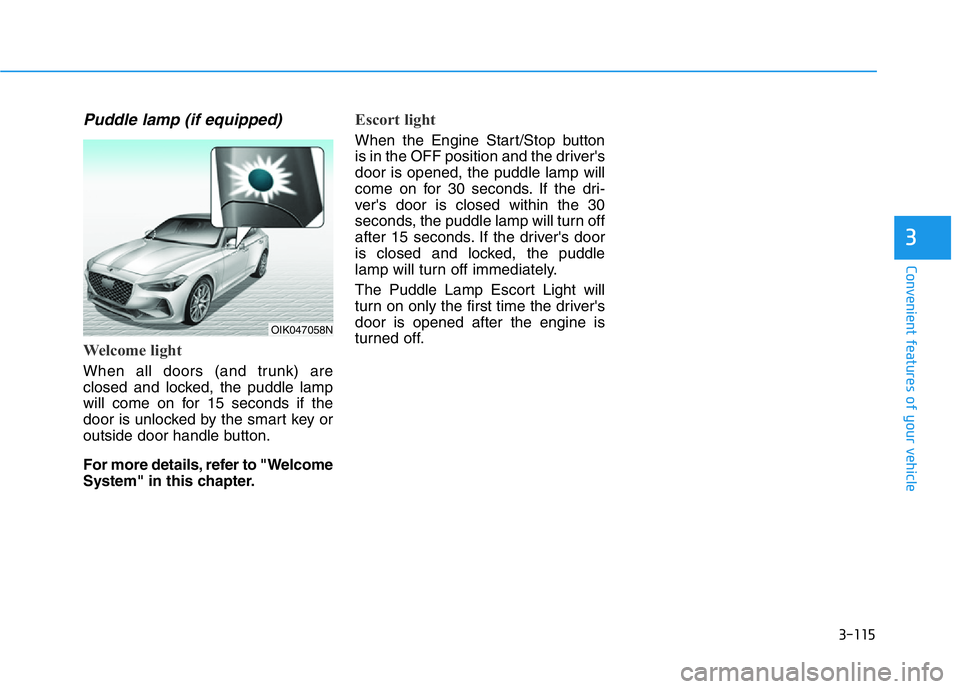
Puddle lamp (if equipped)
Welcome light
When all doors (and trunk) are
closed and locked, the puddle lamp
will come on for 15 seconds if the
door is unlocked by the smart key or
outside door handle button.
For more details, refer to "Welcome
System" in this chapter.
Escort light
When the Engine Start/Stop button
is in the OFF position and the driver's
door is opened, the puddle lamp will
come on for 30 seconds. If the dri-
ver's door is closed within the 30
seconds, the puddle lamp will turn off
after 15 seconds. If the driver's door
is closed and locked, the puddle
lamp will turn off immediately.
The Puddle Lamp Escort Light will
turn on only the first time the driver's
door is opened after the engine is
turned off.
OIK047058N
Page 226 of 516
3-141
Convenient features of your vehicle
3
Operation Tips
• To help keep dust or unpleasant
fumes from entering the car
through the ventilation system,
temporarily set the air intake con-
trol briefly to the recirculated air
position. Return the control to the
fresh air position when the irritation
has passed. This will help keep the
driver alert and comfortable.
• To help prevent the inside of the
windshield from fogging, set the air
intake control to the fresh air posi-
tion and fan speed to the desired
position, turn on the air conditioning
system, and adjust the temperature
control to the desired temperature.
Air conditioning
All Genesis Branded Vehicle Air
Conditioning Systems are filled with
environmentally friendly R-1234yf
refrigerant.
1. Start the engine.
2. Push the air conditioning button.
3. Set the mode to the Face Level
mode.
4. Set the air intake control to the
recirculated air position. However,
prolonged operation of the recircu-
lated air position will excessively
dry the air. In this case, change the
air position.
5. Adjust the fan speed control and
temperature control to maintain
maximum comfort.
When maximum cooling is desired,
set the temperature control to the
extreme left position then set the fan
speed control to the highest speed.When using the air conditioning
system, monitor the engine tem-
perature gauge closely while driv-
ing up hills or in heavy traffic
when outside temperatures are
high. Air conditioning system
operation can cause engine over-
heating. Continue to use the fan,
but turn the air conditioning sys-
tem off if the engine temperature
gauge indicates engine overheat-
ing.
Air conditioning system operation
tips
• If the vehicle has been parked in
direct sunlight during hot weather,
open the windows for a short time
to let the hot air inside the vehicle
escape.
• After sufficient cooling has been
achieved, switch back from the
recirculated air to the fresh outside
air position.
NOTICE
Page 249 of 516
4-4
Infotainment system
MODE (3)
Press the MODE button to toggle
through Radio, SXM, or AUX modes.
MUTE ( ) (4)
• Press the MUTE button to mute the
sound.
• Press the MUTE button again to
activate the sound.
Information
Detailed information for audio control
buttons are described in the separately
supplied manual with the vehicle.
Bluetooth®Wireless
Technology Hands-Free
With the Bluetooth®Wireless
Technology in the vehicle, you can
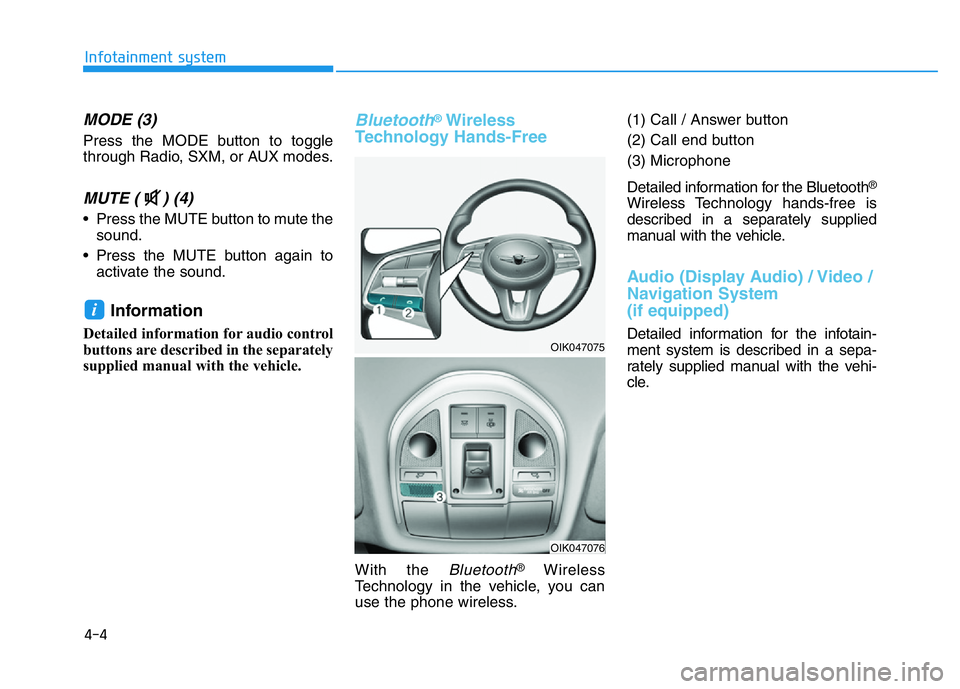
use the phone wireless.(1) Call / Answer button
(2) Call end button
(3) Microphone
Detailed information for the Bluetooth
®
Wireless Technology hands-free is
described in a separately supplied
manual with the vehicle.
Audio (Display Audio) / Video /
Navigation System
(if equipped)
Detailed information for the infotain-
ment system is described in a sepa-
rately supplied manual with the vehi-
cle.
i
OIK047075
OIK047076
Page 250 of 516
Driving your vehicle
5
Before Driving ........................................................5-4
Before Entering the Vehicle ...........................................5-4
Before Starting ..................................................................5-4
Engine Start/Stop Button .....................................5-6
Engine Start/Stop button positions ..............................5-7
Starting the Engine ...........................................................5-9
Turning Off the Engine..................................................5-11
Manual Transmission ...........................................5-12
Manual Transmission Operation ..................................5-12
Good Driving Practices ..................................................5-15
Automatic Transmission ......................................5-16
Automatic Transmission Operation .............................5-16
Paddle Shifter (Manual Shift Mode) ..........................5-21
LCD Display Messages ...................................................5-22
Good Driving Practices ..................................................5-26
Braking System ....................................................5-28
Power Brakes ...................................................................5-28
High Performance Brake...............................................5-29
Disc Brakes Wear Indicator ..........................................5-29
Parking Brake...................................................................5-30
Electronic Parking Brake (EPB)...................................5-33
Auto Hold ..........................................................................5-38
Anti-lock Brake System (ABS) ....................................5-41
Electronic Stability Control (ESC)................................5-43
Vehicle Stability Management (VSM).........................5-47Hill-Start Assist Control (HAC) ....................................5-48
Good Braking Practices .................................................5-48
All Wheel Drive (AWD) ........................................5-49
Using All Wheel Drive (AWD) .......................................5-49
Emergency precautions .................................................5-51
Limited slip differential .......................................5-53
Electronic Control Suspension (ECS) ................5-54
Launch Control .....................................................5-55
Prerequisite for Activation ...........................................5-55
Launch Control Activation.............................................5-55
Limited Use of Launch Control ....................................5-56
ECO Coasting ........................................................5-57
ECO Coasting Activation Condition .............................5-57
ECO Coasting Deactivation Condition.........................5-58
Setting ECO Coasting Function....................................5-58
ECO Coasting Activation Indicator ..............................5-59
ISG (Idle Stop and Go) System ..........................5-60
To Activate the ISG System ..........................................5-60
To Deactivate the ISG System......................................5-63
ISG System Malfunction ................................................5-63
The Battery Sensor Deactivation ................................5-64
Drive Mode Integrated Control System ............5-65
Drive Mode (with Manual Transmission)...................5-65
Drive Mode (with Automatic Transmission)..............5-68
Smart shift on trip computer .......................................5-72
Page 277 of 516
5-28
Driving your vehicle
Power Brakes
Your vehicle has power-assisted
brakes that adjust automatically
through normal usage.
If the engine is not running or is
turned off while driving, the power
assist for the brakes will not work.
You can still stop your vehicle by
applying greater force to the brake
pedal than typical. The stopping dis-
tance, however, will be longer than
with power brakes.
When the engine is not running, the
reserve brake power is partially
depleted each time the brake pedal
is applied. Do not pump the brake
pedal when the power assist has
been interrupted.
Pump the brake pedal only when
necessary to maintain steering con-
trol on slippery surfaces.
BRAKING SYSTEM
Take the following precautions:
•Do not drive with your foot
resting on the brake pedal.
This will create abnormal high
brake temperatures, exces-
sive brake lining and pad
wear, and increased stopping
distances.
•When descending down a
long or steep hill, move the
gear shift lever to Manual
Shift Mode and manually
downshift to a lower gear in
order to control your speed
without using the brake pedal
excessively. Applying the
brakes continuously will
cause the brakes to overheat
and could result in a tempo-
rary loss of braking perform-
ance.
•Wet brakes may impair the
vehicle's ability to safely slow
down; the vehicle may also
pull to one side when the
brakes are applied. Applying
the brakes lightly will indicate
whether they have been
affected in this way. Always
test your brakes in this fash-
ion after driving through deep
water. To dry the brakes, light-
ly tap the brake pedal to heat
up the brakes while maintain-
ing a safe forward speed until
brake performance returns to
normal. Avoid driving at high
speeds until the brakes func-
tion correctly.WARNING
Page 286 of 516
5-37
Driving your vehicle
5
The EPB malfunction indicator may
illuminate when the ESC indicator
comes on to indicate that the ESC is
not working properly, but it does not
indicate a malfunction of the EPB.
• If the EPB warning light is still
on, have the system checked by
an authorized retailer of Genesis
Branded products.
• If the parking brake warning
light does not illuminate or
blinks even though the EPB
switch was pulled up, the EPB
may not be applied.
• If the parking brake warning
light blinks when the EPB warn-
ing light is on, press the switch,
and then pull it up. Repeat this
one more time. If the EPB warn-
ing does not go off, have the
system checked by an author-
ized retailer of Genesis Branded
products.Emergency braking
If there is a problem with the brake
pedal while driving, emergency brak-
ing is possible by pulling up and
holding the EPB switch. Braking is
possible only while you are holding
the EPB switch. However, braking
distance will be longer than normal.
Information
During emergency braking, the park-
ing brake warning light will illumi-
nate to indicate that the system is
operating.If you continuously notice a noise
or burning smell when the EPB is
used for emergency braking, have
the system checked by an author-
ized retailer of Genesis Branded
products.
When the EPB (Electronic Parking
Brake) does not release
If the EPB does not release normal-
ly, contact an authorized retailer of
Genesis Branded products by load-
ing the vehicle on a flatbed tow truck
and have the system checked.
NOTICE
i
NOTICE
Do not operate the parking
brake while the vehicle is mov-
ing except in an emergency sit-
uation. It could damage the
brake system and lead to a
severe accident.
WARNING
Page 290 of 516
![HYUNDAI GENESIS G70 2019 User Guide 5-41
Driving your vehicle
5
Press brake pedal to deactivate
AUTO HOLD
If you did not apply the brake pedal
when you release the Auto Hold by
pressing the [AUTO HOLD] switch, a
warning will sound and a](/img/35/56101/w960_56101-289.png "HYUNDAI GENESIS G70 2019 User Guide 5-41
Driving your vehicle
5
Press brake pedal to deactivate
AUTO HOLD
If you did not apply the brake pedal
when you release the Auto Hold by
pressing the [AUTO HOLD] switch, a
warning will sound and a")
5-41
Driving your vehicle
5
Press brake pedal to deactivate
AUTO HOLD
If you did not apply the brake pedal
when you release the Auto Hold by
pressing the [AUTO HOLD] switch, a
warning will sound and a message
will appear.
AUTO HOLD conditions not met.
Close door and hood, then fasten
seatbelt
When you press the [AUTO HOLD]
switch, if the driver's door and engine
hood are not closed or the driver's
seat belt is unfastened, a warning
will sound and a message will
appear on the LCD display. At this
moment, press the [AUTO HOLD]
button after closing the driver's door
and engine hood, and fastening the
seat belt.
Anti-lock Brake System (ABS)
OIK058081N
An Anti-Lock Braking System
(ABS) or an Electronic Stability
Control (ESC) system will not
prevent accidents due to
improper or dangerous driving
maneuvers. Even though vehi-
cle control is improved during
emergency braking, always
maintain a safe distance
between you and objects ahead
of you. Vehicle speeds should
always be reduced during
extreme road conditions. The
braking distance for cars
equipped with ABS or ESC may
be longer than for those without
these systems in the following
road conditions.
Drive your vehicle at reduced
speeds during the following
conditions:
•Rough, gravel or snow-cov-
ered roads.
•On roads where the road sur-
face is pitted or has different
surface height.
WARNING
OIK057080L
Page 291 of 516
5-42
Driving your vehicle
ABS is an electronic braking system
that helps prevent a braking skid.
ABS allows the driver to steer and
brake at the same time.
Using ABS
To obtain the maximum benefit from
your ABS in an emergency situation,
do not attempt to modulate your
brake pressure and do not try to
pump your brakes. Depress your
brake pedal as hard as possible.
When you apply your brakes under
conditions which may lock the
wheels, you may hear sounds from
the brakes, or feel a corresponding
sensation in the brake pedal. This is
normal and it means your ABS is
active.
ABS does not reduce the time or dis-
tance it takes to stop the vehicle.
Always maintain a safe distance from
the vehicle in front of you.ABS will not prevent a skid that
results from sudden changes in
direction, such as trying to take a
corner too fast or making a sudden
lane change. Always drive at a safe
speed for the road and weather con-
ditions.
ABS cannot prevent a loss of stabili-
ty. Always steer moderately when
braking hard. Severe or sharp steer-
ing wheel movement can still cause
your vehicle to veer into oncoming
traffic or off the road.
On loose or uneven road surfaces,
operation of the anti-lock brake sys-
tem may result in a longer stopping
distance than for vehicles equipped
with a conventional brake system.
The ABS warning light ( ) will stay
on for several seconds after the
Engine Start/Stop button is in the ON
position. During that time, the ABS
will go through self-diagnosis and the
light will go off if everything is nor-
mal. If the light stays on, you may
have a problem with your ABS.
Contact an authorized retailer of
Genesis Branded products as soon
as possible.
•Tire chains are installed on
your vehicle.
The safety features of an ABS
or ESC equipped vehicle should
not be tested by high speed
driving or cornering. This could
endanger the safety of yourself
or others.