Air Hyundai Getz 2004 Owner's Guide
[x] Cancel search | Manufacturer: HYUNDAI, Model Year: 2004, Model line: Getz, Model: Hyundai Getz 2004Pages: 445, PDF Size: 12.16 MB
Page 56 of 445
FEATURES OF YOUR HYUNDAI 1- 43
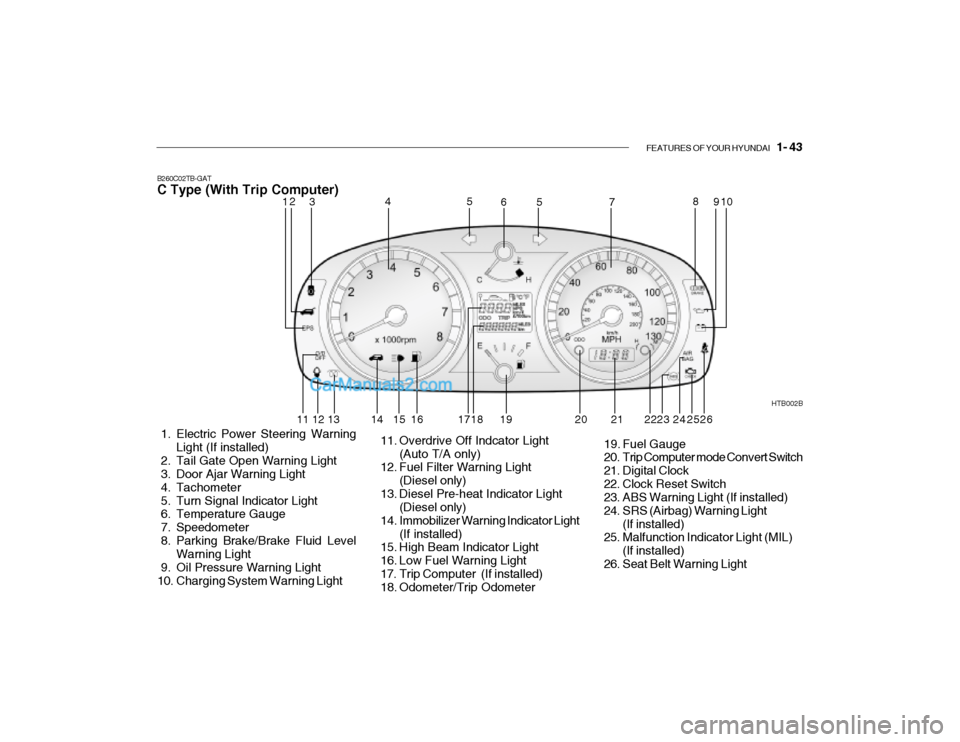
B260C02TB-GAT C Type (With Trip Computer)
1. Electric Power Steering Warning Light (If installed)
2. Tail Gate Open Warning Light
3. Door Ajar Warning Light
4. Tachometer
5. Turn Signal Indicator Light
6. Temperature Gauge
7. Speedometer
8. Parking Brake/Brake Fluid Level Warning Light
9. Oil Pressure Warning Light
10. Charging System Warning Light HTB002B
11. Overdrive Off Indcator Light (Auto T/A only)
12. Fuel Filter Warning Light
(Diesel only)
13. Diesel Pre-heat Indicator Light (Diesel only)
14. Immobilizer Warning Indicator Light (If installed)
15. High Beam Indicator Light
16. Low Fuel Warning Light
17. Trip Computer (If installed)
18. Odometer/Trip Odometer 19. Fuel Gauge
20. Trip Computer mode Convert Switch
21. Digital Clock
22. Clock Reset Switch
23. ABS Warning Light (If installed)
24. SRS (Airbag) Warning Light
(If installed)
25. Malfunction Indicator Light (MIL)
(If installed)
26. Seat Belt Warning Light
12 3 4
5
5
67 8
910
11 12 13 14 15 16 17 18 19 20 23 24
252221 26
Page 57 of 445
1- 44 FEATURES OF YOUR HYUNDAI
B260B01S-GAT
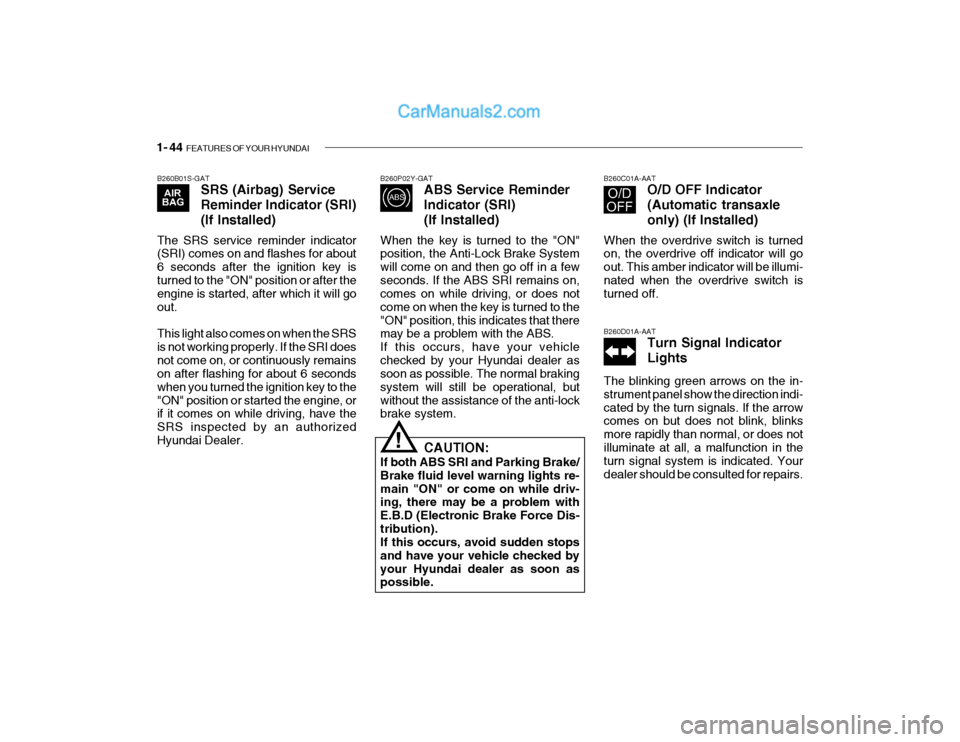
SRS (Airbag) Service Reminder Indicator (SRI)(If Installed)
The SRS service reminder indicator (SRI) comes on and flashes for about 6 seconds after the ignition key isturned to the "ON" position or after the engine is started, after which it will go out. This light also comes on when the SRS is not working properly. If the SRI doesnot come on, or continuously remains on after flashing for about 6 seconds when you turned the ignition key to the"ON" position or started the engine, or if it comes on while driving, have the SRS inspected by an authorizedHyundai Dealer. B260P02Y-GAT
ABS Service Reminder Indicator (SRI)(If Installed)
When the key is turned to the "ON" position, the Anti-Lock Brake System will come on and then go off in a fewseconds. If the ABS SRI remains on, comes on while driving, or does not come on when the key is turned to the"ON" position, this indicates that there may be a problem with the ABS. If this occurs, have your vehiclechecked by your Hyundai dealer as soon as possible. The normal braking system will still be operational, butwithout the assistance of the anti-lock brake system. B260C01A-AAT
O/D OFF Indicator (Automatic transaxleonly) (If Installed)
When the overdrive switch is turned on, the overdrive off indicator will go out. This amber indicator will be illumi-nated when the overdrive switch is turned off. B260D01A-AAT Turn Signal Indicator Lights
The blinking green arrows on the in- strument panel show the direction indi-cated by the turn signals. If the arrow comes on but does not blink, blinks more rapidly than normal, or does notilluminate at all, a malfunction in the turn signal system is indicated. Your dealer should be consulted for repairs.
! CAUTION:
If both ABS SRI and Parking Brake/ Brake fluid level warning lights re-main "ON" or come on while driv- ing, there may be a problem with E.B.D (Electronic Brake Force Dis-tribution). If this occurs, avoid sudden stops and have your vehicle checked byyour Hyundai dealer as soon as possible.
Page 60 of 445
FEATURES OF YOUR HYUNDAI 1- 47
B260S01B-GAT
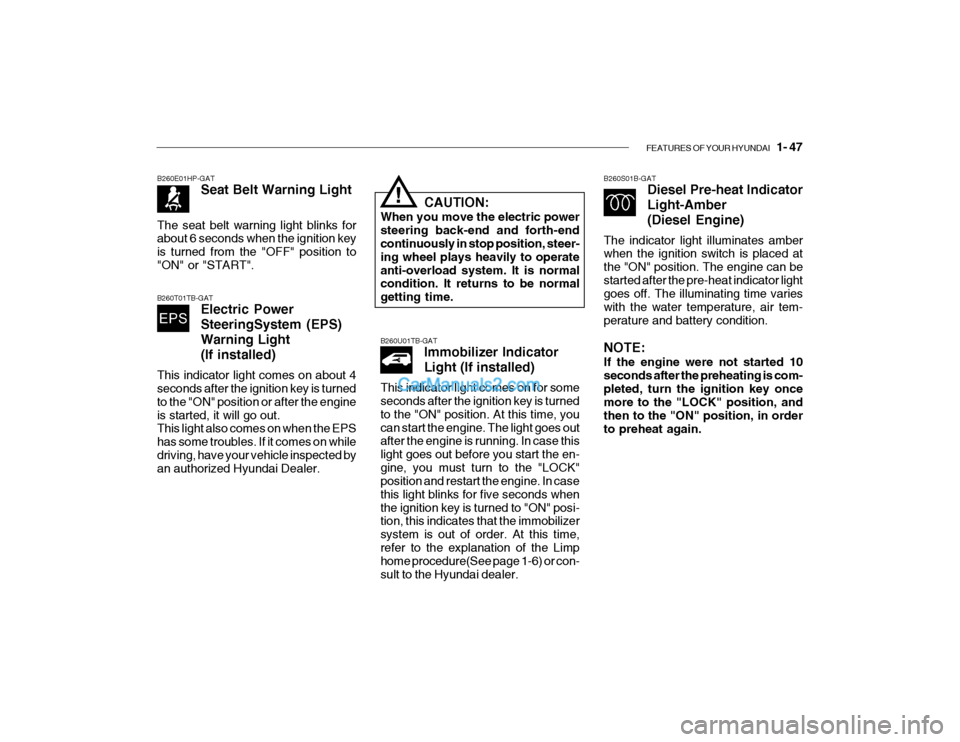
Diesel Pre-heat Indicator Light-Amber(Diesel Engine)
The indicator light illuminates amber when the ignition switch is placed at the "ON" position. The engine can bestarted after the pre-heat indicator light goes off. The illuminating time varies with the water temperature, air tem-perature and battery condition. NOTE: If the engine were not started 10 seconds after the preheating is com-pleted, turn the ignition key once more to the "LOCK" position, and then to the "ON" position, in orderto preheat again.
B260T01TB-GAT
Electric Power SteeringSystem (EPS)Warning Light(If installed)
This indicator light comes on about 4 seconds after the ignition key is turned to the "ON" position or after the engineis started, it will go out. This light also comes on when the EPS has some troubles. If it comes on whiledriving, have your vehicle inspected by an authorized Hyundai Dealer. B260E01HP-GAT
Seat Belt Warning Light
The seat belt warning light blinks forabout 6 seconds when the ignition key is turned from the "OFF" position to"ON" or "START".
CAUTION:
When you move the electric power steering back-end and forth-end continuously in stop position, steer- ing wheel plays heavily to operateanti-overload system. It is normal condition. It returns to be normal getting time.!
B260U01TB-GAT Immobilizer Indicator Light (If installed)
This indicator light comes on for some seconds after the ignition key is turned to the "ON" position. At this time, youcan start the engine. The light goes out after the engine is running. In case this light goes out before you start the en-gine, you must turn to the "LOCK" position and restart the engine. In case this light blinks for five seconds whenthe ignition key is turned to "ON" posi- tion, this indicates that the immobilizer system is out of order. At this time,refer to the explanation of the Limp home procedure(See page 1-6) or con- sult to the Hyundai dealer.
Page 88 of 445
FEATURES OF YOUR HYUNDAI 1- 75
B710A01TB-GAT
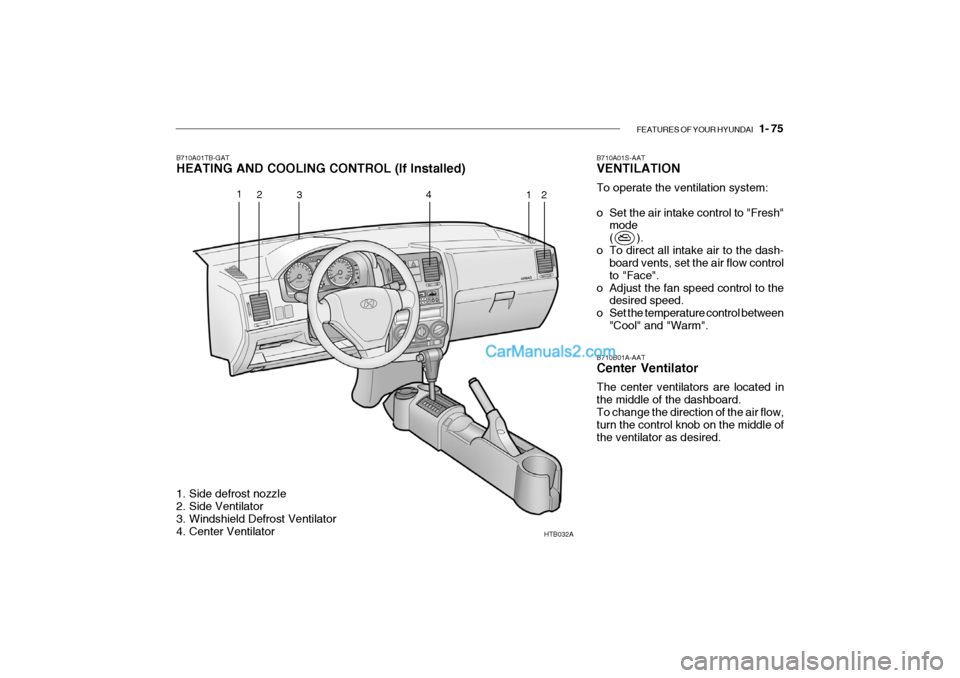
HEATING AND COOLING CONTROL (If Installed)
HTB032A
1. Side defrost nozzle
2. Side Ventilator
3. Windshield Defrost Ventilator
4. Center Ventilator B710B01A-AAT Center Ventilator The center ventilators are located in the middle of the dashboard. To change the direction of the air flow, turn the control knob on the middle ofthe ventilator as desired.
B710A01S-AAT VENTILATION To operate the ventilation system:
o Set the air intake control to "Fresh"
mode
( ).
o To direct all intake air to the dash- board vents, set the air flow controlto "Face".
o Adjust the fan speed control to the desired speed.
o Set the temperature control between "Cool" and "Warm".
1 2 3 4
12
Page 89 of 445
1- 76 FEATURES OF YOUR HYUNDAI
HTB033
1
2 3
4 HTB034
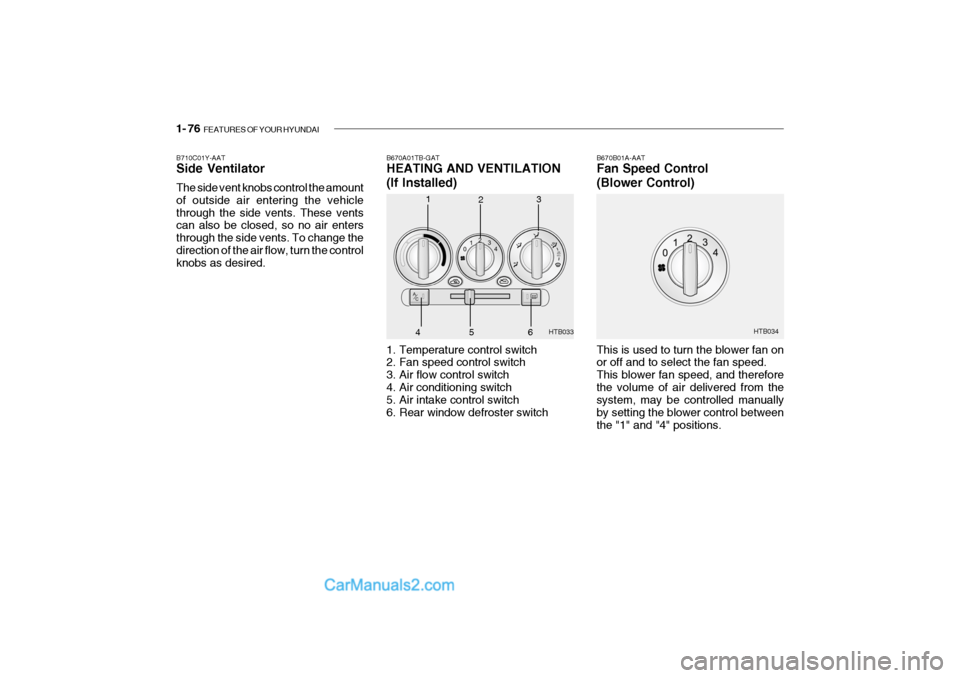
B670A01TB-GAT HEATING AND VENTILATION
(If Installed)
1. Temperature control switch
2. Fan speed control switch
3. Air flow control switch
4. Air conditioning switch
5. Air intake control switch
6. Rear window defroster switch B670B01A-AAT Fan Speed Control (Blower Control) This is used to turn the blower fan on or off and to select the fan speed. This blower fan speed, and thereforethe volume of air delivered from the system, may be controlled manually by setting the blower control betweenthe "1" and "4" positions.
B710C01Y-AAT Side Ventilator The side vent knobs control the amount of outside air entering the vehiclethrough the side vents. These vents can also be closed, so no air enters through the side vents. To change thedirection of the air flow, turn the control knobs as desired.
56
Page 90 of 445
FEATURES OF YOUR HYUNDAI 1- 77
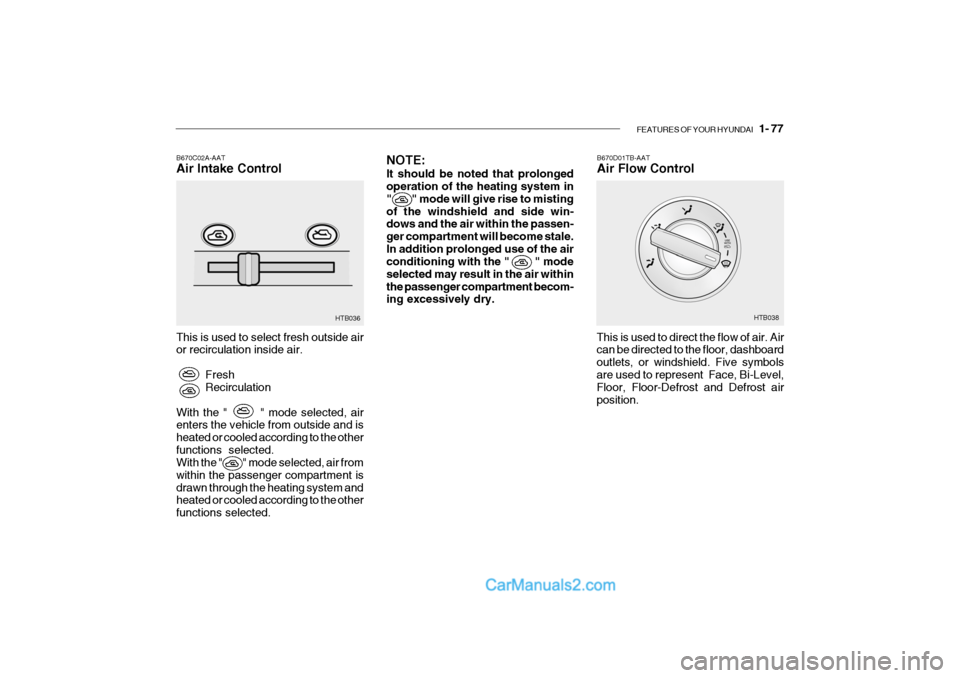
B670C02A-AAT Air Intake Control
This is used to select fresh outside air or recirculation inside air. FreshRecirculation
With the " " mode selected, airenters the vehicle from outside and is heated or cooled according to the otherfunctions selected. With the " " mode selected, air from within the passenger compartment isdrawn through the heating system and heated or cooled according to the other functions selected. HTB036
NOTE: It should be noted that prolonged operation of the heating system in " " mode will give rise to mistingof the windshield and side win- dows and the air within the passen- ger compartment will become stale.In addition prolonged use of the air conditioning with the " " mode selected may result in the air withinthe passenger compartment becom- ing excessively dry.B670D01TB-AAT Air Flow Control
This is used to direct the flow of air. Air can be directed to the floor, dashboard outlets, or windshield. Five symbolsare used to represent Face, Bi-Level, Floor, Floor-Defrost and Defrost air position. HTB038
Page 91 of 445

1- 78 FEATURES OF YOUR HYUNDAI
HTB040
Face-Level
Selecting the "Face" mode will cause air to be discharged through the face level vents. Bi-Level
Air is discharged through the face vents and the floor vents. This makes it possible to have cooler air from the dashboard vents and warmer air fromthe floor outlets at the same time. HTB041
Floor-Level
Air is discharged through the floorvents, windshield defroster nozzle, side defroster nozzle, side ventilator. HTB042
Page 92 of 445
FEATURES OF YOUR HYUNDAI 1- 79
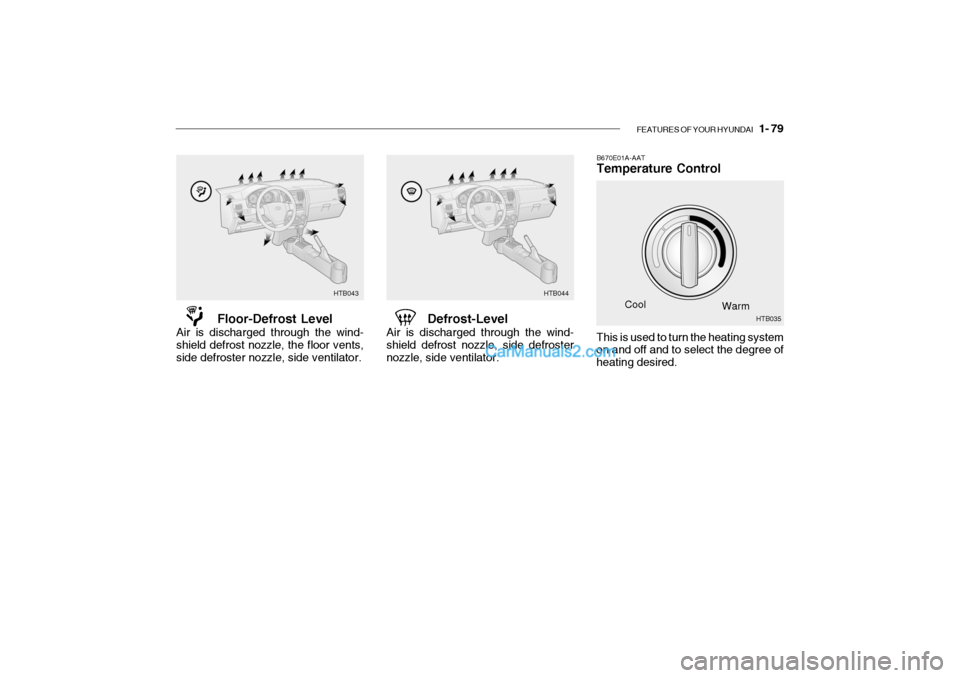
B670E01A-AAT Temperature Control
Cool Warm
Floor-Defrost Level
Air is discharged through the wind- shield defrost nozzle, the floor vents,side defroster nozzle, side ventilator. Defrost-Level
Air is discharged through the wind-shield defrost nozzle, side defrosternozzle, side ventilator.
HTB043 HTB044
This is used to turn the heating system on and off and to select the degree of heating desired. HTB035
Page 93 of 445
1- 80 FEATURES OF YOUR HYUNDAI
B670B01A-AAT BI-LEVEL HEATING Your Hyundai is equipped with bi-level heating controls. This makes it pos-sible to have cooler air from the dash- board vents and warmer air from the floor outlets at the same time. To usethis feature:
o Set the air intake control to the fresh
air ( ) position.
o Set the air flow control at the bi-level ( ) position.
o Set the temperature control between "Cool" and "Warm".
B690A01A-AAT HEATING CONTROLS For normal heating operation, set the air intake control to the fresh air ( )position and the air flow control to the floor ( ) position. For faster heating, the air intake con-trol should be set in the recirculate ( ) position. If the windows fog up, set the air flowcontrol to the defrost ( ) position and the air intake control to the fresh air ( ) position.For maximum heat, move the tem- perature control to "Warm". B720A01TB-GAT DEFROSTING/DEFOGGING
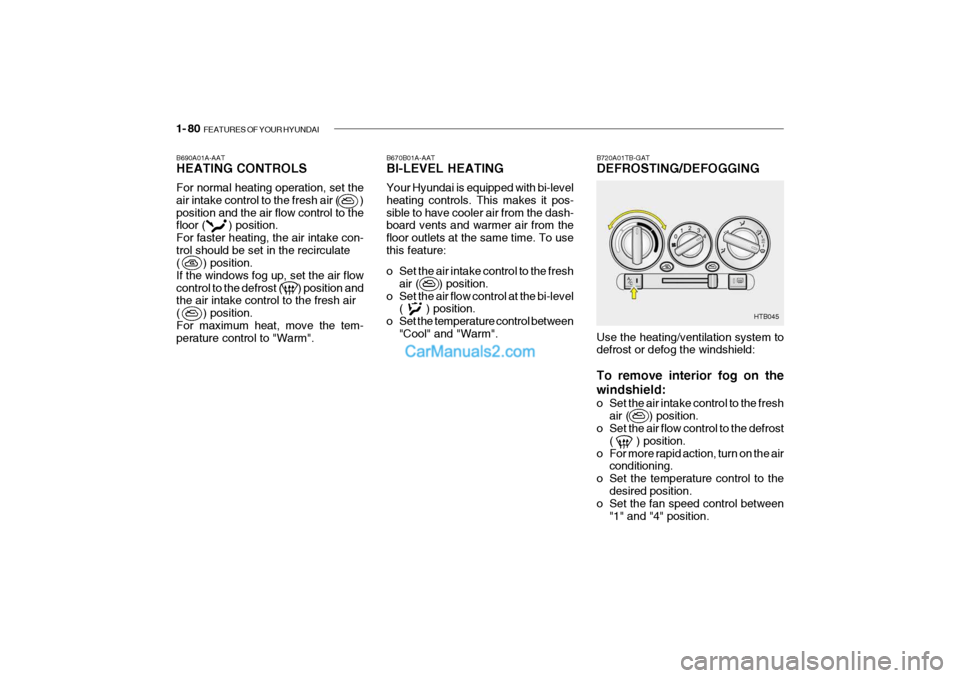
HTB045
Use the heating/ventilation system to defrost or defog the windshield: To remove interior fog on the windshield:
o Set the air intake control to the fresh air ( ) position.
o Set the air flow control to the defrost
( ) position.
o For more rapid action, turn on the air conditioning.
o Set the temperature control to the
desired position.
o Set the fan speed control between
"1" and "4" position.
Page 94 of 445
FEATURES OF YOUR HYUNDAI 1- 81
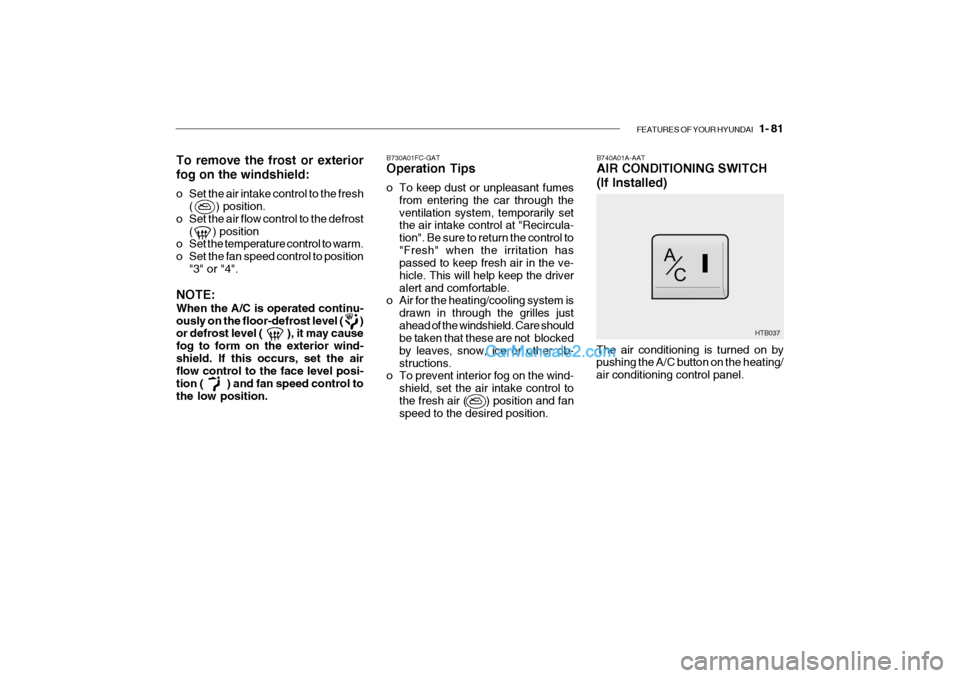
B740A01A-AAT AIR CONDITIONING SWITCH (If Installed)
B730A01FC-GAT Operation Tips
o To keep dust or unpleasant fumes
from entering the car through the ventilation system, temporarily set the air intake control at "Recircula- tion". Be sure to return the control to"Fresh" when the irritation has passed to keep fresh air in the ve- hicle. This will help keep the driveralert and comfortable.
o Air for the heating/cooling system is
drawn in through the grilles justahead of the windshield. Care should be taken that these are not blocked by leaves, snow, ice or other ob-structions.
o To prevent interior fog on the wind-
shield, set the air intake control tothe fresh air ( ) position and fan speed to the desired position.
To remove the frost or exterior fog on the windshield:
o Set the air intake control to the fresh
( ) position.
o Set the air flow control to the defrost ( ) position
o Set the temperature control to warm.
o Set the fan speed control to position
"3" or "4".
NOTE: When the A/C is operated continu- ously on the floor-defrost level ( ) or defrost level ( ), it may cause fog to form on the exterior wind-shield. If this occurs, set the air flow control to the face level posi- tion ( ) and fan speed control tothe low position. The air conditioning is turned on by pushing the A/C button on the heating/ air conditioning control panel.
HTB037