tow Hyundai Getz 2010 User Guide
[x] Cancel search | Manufacturer: HYUNDAI, Model Year: 2010, Model line: Getz, Model: Hyundai Getz 2010Pages: 256, PDF Size: 7.84 MB
Page 57 of 256
FEATURES OF YOUR HYUNDAI 1- 45
B240C01HP
WARNING:
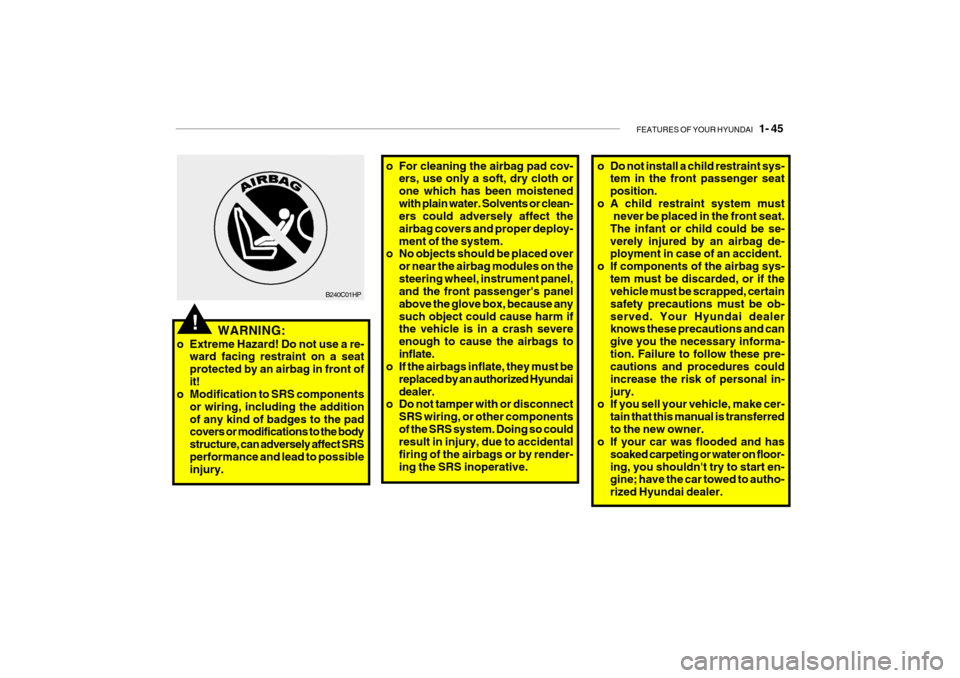
o Extreme Hazard! Do not use a re- ward facing restraint on a seat protected by an airbag in front ofit!
o Modification to SRS components
or wiring, including the additionof any kind of badges to the pad covers or modifications to the body structure, can adversely affect SRSperformance and lead to possible injury.
!
o For cleaning the airbag pad cov-ers, use only a soft, dry cloth or one which has been moistenedwith plain water. Solvents or clean- ers could adversely affect the airbag covers and proper deploy-ment of the system.
o No objects should be placed over
or near the airbag modules on thesteering wheel, instrument panel, and the front passenger's panel above the glove box, because anysuch object could cause harm if the vehicle is in a crash severe enough to cause the airbags toinflate.
o If the airbags inflate, they must be
replaced by an authorized Hyundaidealer.
o Do not tamper with or disconnect
SRS wiring, or other componentsof the SRS system. Doing so could result in injury, due to accidental firing of the airbags or by render-ing the SRS inoperative.o Do not install a child restraint sys-tem in the front passenger seat position.
o A child restraint system must never be placed in the front seat.The infant or child could be se-verely injured by an airbag de- ployment in case of an accident.
o If components of the airbag sys-
tem must be discarded, or if thevehicle must be scrapped, certain safety precautions must be ob-served. Your Hyundai dealer knows these precautions and can give you the necessary informa-tion. Failure to follow these pre- cautions and procedures could increase the risk of personal in-jury.
o If you sell your vehicle, make cer-
tain that this manual is transferredto the new owner.
o If your car was flooded and has
soaked carpeting or water on floor-ing, you shouldn't try to start en- gine; have the car towed to autho- rized Hyundai dealer.
Page 64 of 256
1- 52 FEATURES OF YOUR HYUNDAI
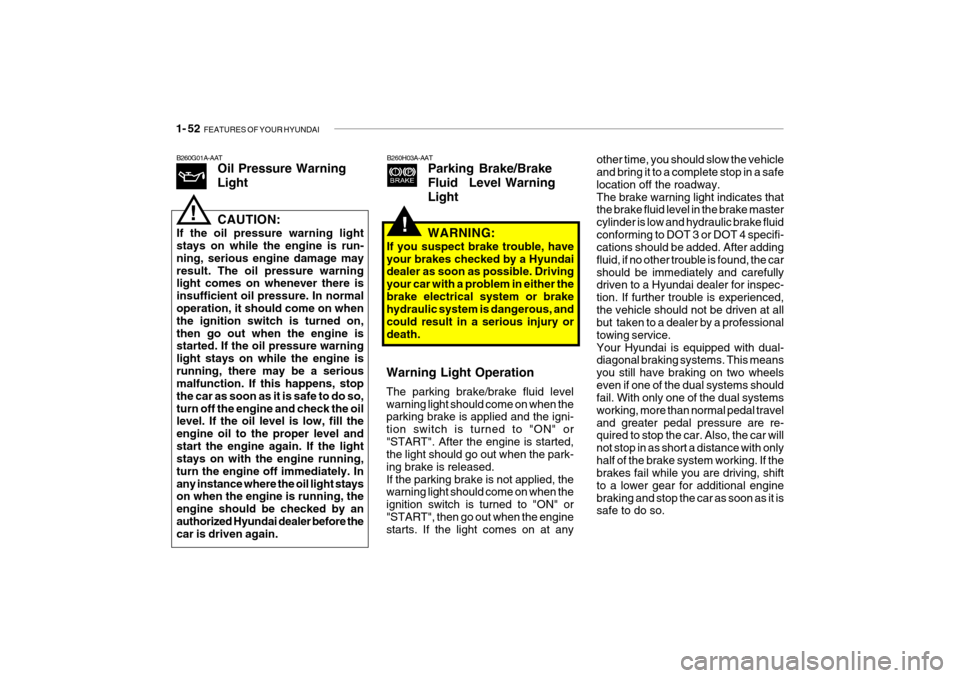
other time, you should slow the vehicle and bring it to a complete stop in a safe location off the roadway.The brake warning light indicates that the brake fluid level in the brake master cylinder is low and hydraulic brake fluidconforming to DOT 3 or DOT 4 specifi- cations should be added. After adding fluid, if no other trouble is found, the carshould be immediately and carefully driven to a Hyundai dealer for inspec- tion. If further trouble is experienced,the vehicle should not be driven at all but taken to a dealer by a professional towing service.Your Hyundai is equipped with dual- diagonal braking systems. This means you still have braking on two wheelseven if one of the dual systems should fail. With only one of the dual systems working, more than normal pedal traveland greater pedal pressure are re- quired to stop the car. Also, the car will not stop in as short a distance with onlyhalf of the brake system working. If the brakes fail while you are driving, shift to a lower gear for additional enginebraking and stop the car as soon as it is safe to do so.
B260H03A-AAT
Parking Brake/Brake
Fluid Level WarningLight
Warning Light Operation The parking brake/brake fluid level warning light should come on when the parking brake is applied and the igni- tion switch is turned to "ON" or"START". After the engine is started, the light should go out when the park- ing brake is released.If the parking brake is not applied, the warning light should come on when the ignition switch is turned to "ON" or"START", then go out when the engine starts. If the light comes on at any WARNING:
If you suspect brake trouble, have your brakes checked by a Hyundai dealer as soon as possible. Driving your car with a problem in either thebrake electrical system or brake hydraulic system is dangerous, and could result in a serious injury ordeath.
!
B260G01A-AAT Oil Pressure Warning Light
!CAUTION:
If the oil pressure warning light stays on while the engine is run- ning, serious engine damage mayresult. The oil pressure warning light comes on whenever there is insufficient oil pressure. In normaloperation, it should come on when the ignition switch is turned on, then go out when the engine is started. If the oil pressure warning light stays on while the engine isrunning, there may be a serious malfunction. If this happens, stop the car as soon as it is safe to do so,turn off the engine and check the oil level. If the oil level is low, fill the engine oil to the proper level andstart the engine again. If the light stays on with the engine running, turn the engine off immediately. Inany instance where the oil light stays on when the engine is running, the engine should be checked by anauthorized Hyundai dealer before the car is driven again.
Page 74 of 256
1- 62 FEATURES OF YOUR HYUNDAI
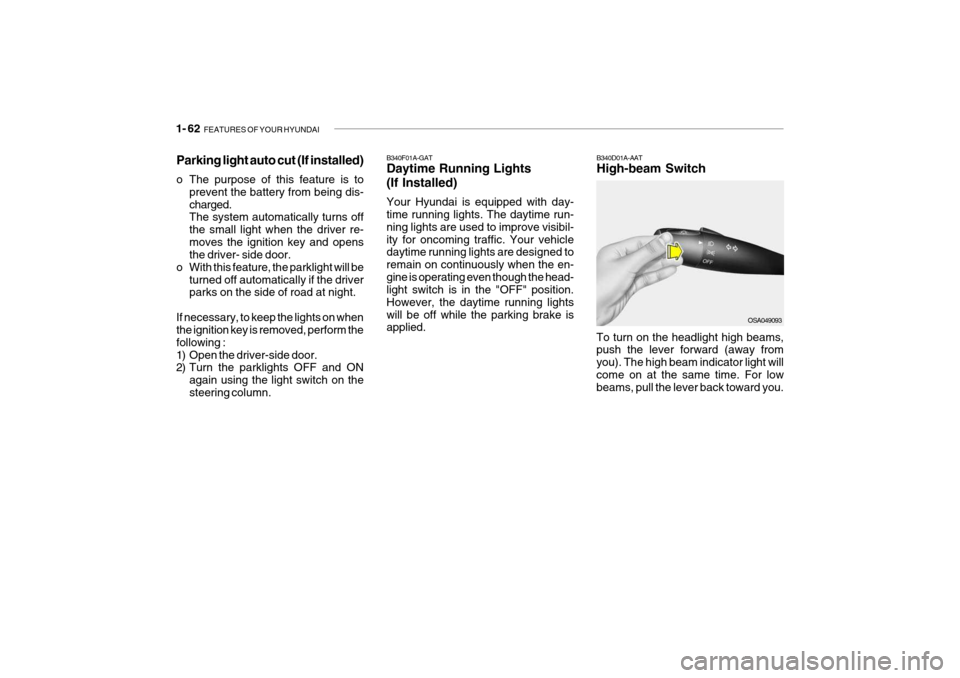
B340D01A-AAT High-beam Switch
B340F01A-GATDaytime Running Lights (If Installed) Your Hyundai is equipped with day- time running lights. The daytime run- ning lights are used to improve visibil-ity for oncoming traffic. Your vehicle daytime running lights are designed to remain on continuously when the en-gine is operating even though the head- light switch is in the "OFF" position. However, the daytime running lightswill be off while the parking brake is applied.
Parking light auto cut (If installed)
o The purpose of this feature is to
prevent the battery from being dis- charged. The system automatically turns off the small light when the driver re-moves the ignition key and opens the driver- side door.
o With this feature, the parklight will be turned off automatically if the driverparks on the side of road at night.
If necessary, to keep the lights on whenthe ignition key is removed, perform the following :
1) Open the driver-side door.
2) Turn the parklights OFF and ON again using the light switch on the steering column. To turn on the headlight high beams, push the lever forward (away from you). The high beam indicator light willcome on at the same time. For low beams, pull the lever back toward you.
OSA049093
Page 75 of 256
FEATURES OF YOUR HYUNDAI 1- 63
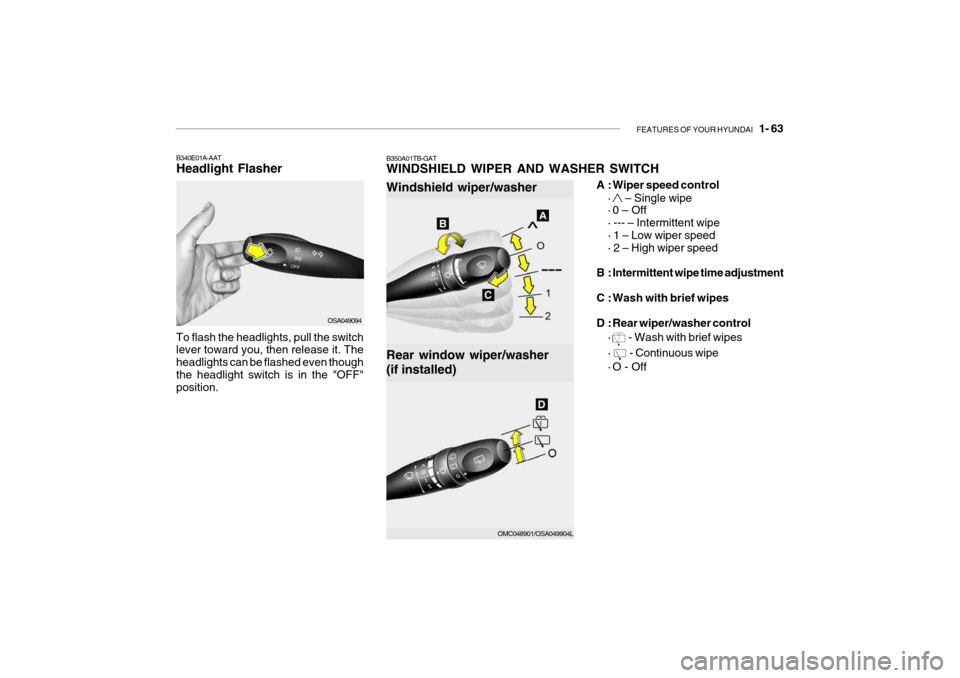
A : Wiper speed control
·
– Single wipe
· 0 – Off · --- – Intermittent wipe · 1 – Low wiper speed· 2 – High wiper speed
B : Intermittent wipe time adjustment
C : Wash with brief wipes
D : Rear wiper/washer control ·
- Wash with brief wipes
·
- Continuous wipe
· O - Off
OSA049094
B340E01A-AAT Headlight Flasher To flash the headlights, pull the switch lever toward you, then release it. The headlights can be flashed even thoughthe headlight switch is in the "OFF" position.
OMC048901/OSA049904L
Rear window wiper/washer (if installed)
Windshield wiper/washer
B350A01TB-GAT WINDSHIELD WIPER AND WASHER SWITCH
Page 76 of 256
1- 64 FEATURES OF YOUR HYUNDAI
NOTE:
o Do not operate the washer more
than 15 seconds at a time or when the fluid reservoir is empty.
o In icy or freezing weather, be sure the wiper blades are not frozen tothe glass prior to operating thewipers.
o In areas where water freezes in
winter, use windshield washerantifreeze.
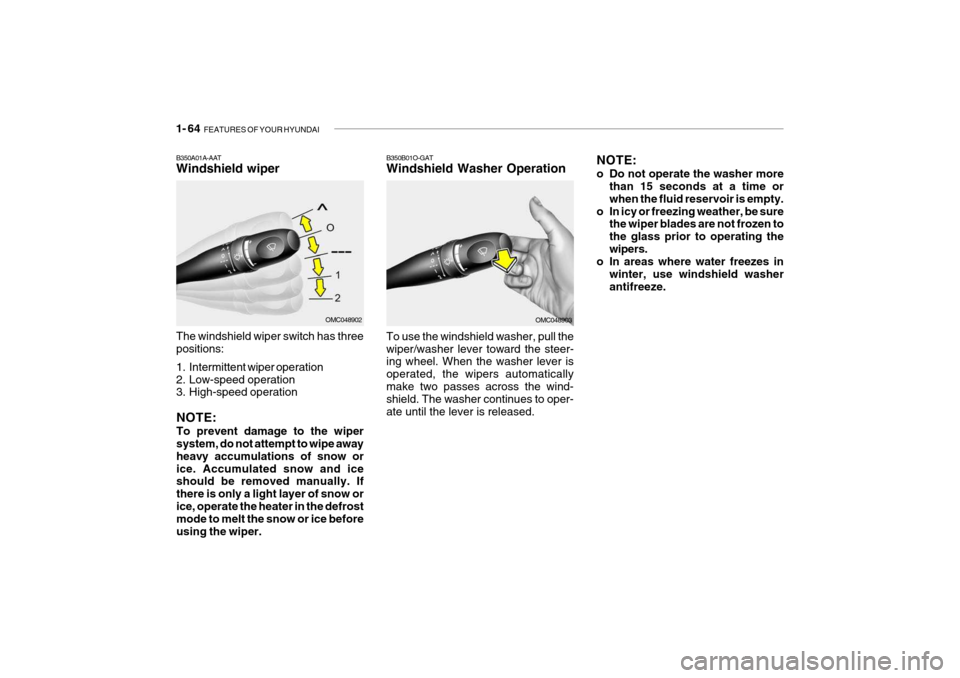
The windshield wiper switch has threepositions:
1. Intermittent wiper operation
2. Low-speed operation
3. High-speed operation To use the windshield washer, pull the wiper/washer lever toward the steer- ing wheel. When the washer lever is operated, the wipers automaticallymake two passes across the wind- shield. The washer continues to oper- ate until the lever is released.
B350B01O-GAT Windshield Washer Operation
NOTE: To prevent damage to the wiper system, do not attempt to wipe away heavy accumulations of snow orice. Accumulated snow and ice should be removed manually. If there is only a light layer of snow orice, operate the heater in the defrost mode to melt the snow or ice before using the wiper.
OMC048902OMC048903
B350A01A-AAT Windshield wiper
Page 88 of 256
1- 76 FEATURES OF YOUR HYUNDAI
B510D01HP-AAT OUTSIDE REARVIEW MIRROR
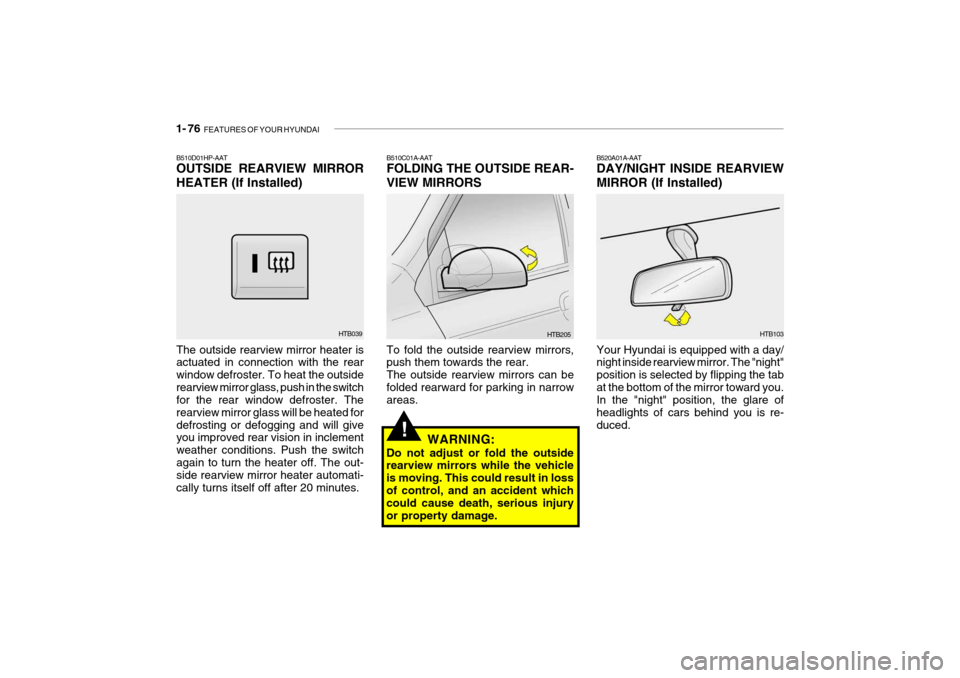
HEATER (If Installed) The outside rearview mirror heater is actuated in connection with the rear window defroster. To heat the outsiderearview mirror glass, push in the switch for the rear window defroster. The rearview mirror glass will be heated fordefrosting or defogging and will give you improved rear vision in inclement weather conditions. Push the switchagain to turn the heater off. The out- side rearview mirror heater automati- cally turns itself off after 20 minutes. B510C01A-AAT FOLDING THE OUTSIDE REAR- VIEW MIRRORS To fold the outside rearview mirrors, push them towards the rear. The outside rearview mirrors can befolded rearward for parking in narrow areas.
HTB039
HTB205
WARNING:
Do not adjust or fold the outsiderearview mirrors while the vehicle is moving. This could result in lossof control, and an accident which could cause death, serious injury or property damage.
!
B520A01A-AAT DAY/NIGHT INSIDE REARVIEW MIRROR (If Installed) Your Hyundai is equipped with a day/ night inside rearview mirror. The "night" position is selected by flipping the tabat the bottom of the mirror toward you. In the "night" position, the glare of headlights of cars behind you is re-duced. HTB103
Page 107 of 256
FEATURES OF YOUR HYUNDAI 1- 95
B740B02A-AAT AIR CONDITIONING OPERA- TION (Cooling)
B740C01A-AAT De-Humidified Heating
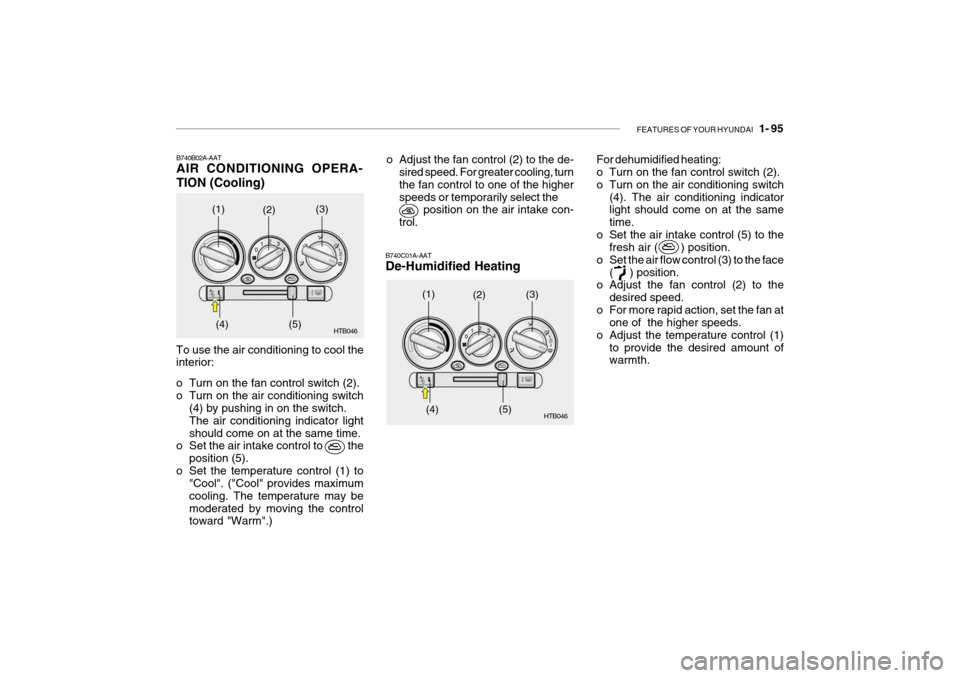
To use the air conditioning to cool the interior:
o Turn on the fan control switch (2).
o Turn on the air conditioning switch(4) by pushing in on the switch.The air conditioning indicator lightshould come on at the same time.
o Set the air intake control to the
position (5).
o Set the temperature control (1) to "Cool". ("Cool" provides maximumcooling. The temperature may bemoderated by moving the control toward "Warm".) HTB046
o Adjust the fan control (2) to the de-
sired speed. For greater cooling, turn the fan control to one of the higherspeeds or temporarily select the position on the air intake con- trol. For dehumidified heating:
o Turn on the fan control switch (2).
o Turn on the air conditioning switch
(4). The air conditioning indicator light should come on at the same time.
o Set the air intake control (5) to the fresh air ( ) position.
o Set the air flow control (3) to the face ( ) position.
o Adjust the fan control (2) to the
desired speed.
o For more rapid action, set the fan at one of the higher speeds.
o Adjust the temperature control (1)
to provide the desired amount of warmth.
(1)
(2)
(3)
(4) (5) HTB046
(1)
(2)
(3)
(4) (5)
Page 109 of 256
FEATURES OF YOUR HYUNDAI 1- 97
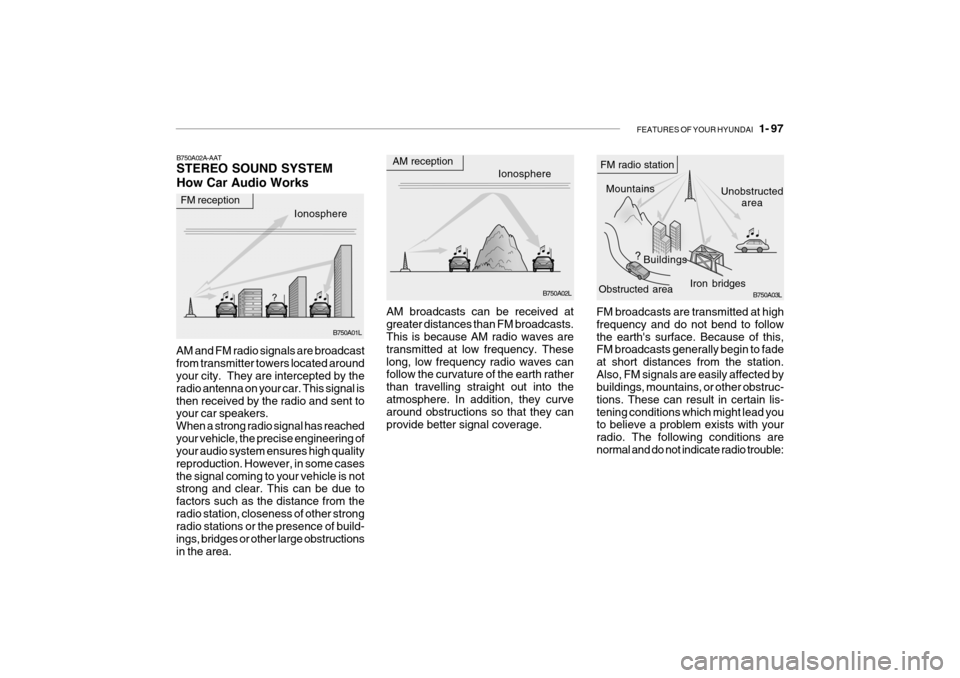
FM broadcasts are transmitted at high frequency and do not bend to followthe earth's surface. Because of this, FM broadcasts generally begin to fade at short distances from the station.Also, FM signals are easily affected by buildings, mountains, or other obstruc- tions. These can result in certain lis-tening conditions which might lead you to believe a problem exists with your radio. The following conditions arenormal and do not indicate radio trouble:
AM broadcasts can be received atgreater distances than FM broadcasts. This is because AM radio waves are transmitted at low frequency. Theselong, low frequency radio waves can follow the curvature of the earth rather than travelling straight out into theatmosphere. In addition, they curve around obstructions so that they can provide better signal coverage.
B750A02A-AAT STEREO SOUND SYSTEM How Car Audio Works
AM and FM radio signals are broadcast from transmitter towers located around your city. They are intercepted by the radio antenna on your car. This signal isthen received by the radio and sent to your car speakers. When a strong radio signal has reachedyour vehicle, the precise engineering of your audio system ensures high quality reproduction. However, in some casesthe signal coming to your vehicle is not strong and clear. This can be due to factors such as the distance from theradio station, closeness of other strong radio stations or the presence of build- ings, bridges or other large obstructionsin the area.
Ionosphere B750A02L
AM reception
Mountains
Buildings Unobstructed
area
FM radio station
B750A03L
Ionosphere
FM reception
B750A01L Obstructed area
Iron bridges
Page 126 of 256

1- 114 FEATURES OF YOUR HYUNDAI
o Do not add any oil to the rotating
parts. Keep magnets, screwdriv- ers and other metallic objects awayfrom the tape mechanism and head.
o This equipment is designed to be
used only in a 12 volt DC batterysystem with negative ground.
o This unit is made of precision
parts. Do not attempt to disas-semble or adjust any parts.
o When driving your vehicle, be sure
to keep the volume of the unit setlow enough to allow you to hear sounds coming from the outside.
o Do not expose this equipment (in- cluding the speakers and tape) towater or excessive moisture.
! CAUTION:
o Do not insert anything like coins into the player slot as damage to the unit may occur.
o Do not place beverages close to
the audio system. The playbackmechanism may be damaged if you spill them.
o Do not impact on the audio sys- tem, or the playback mechanismcould be damaged.
Page 129 of 256

FEATURES OF YOUR HYUNDAI 1- 117
7. CD EJECT When the button is pressed with a CD loaded, the CD will eject.
8. SCAN
o Press the SCAN button to playback
the first 10 seconds of each track.
o To playback the first 10 seconds of each track in the selected folder, press the SCAN button for 2 sec-onds or longer. (MP3 CD only)
o Press the SCAN button again within
10 sec. When you have reached thedesired track.
9. BOOKMARK (MARK) When the CD player unit is operating, the desired track on the disc can be bookmarked by using the MARK but-ton.
o Press the MARK button to bookmark the desired track for more than 2 seconds. This will display the " " symbol on
the LCD with beep sound. To play the bookmarked tracks, press the MARK button within a sec-ond. o Press the MARK button to erase the
bookmarked tracks for more than 2seconds.This will erase the bookmark and " "
symbol on the LCD with beep sound.
10. JOY STICK (ENT)
o You can skip the track by pushing the JOY STICK to the left or right. After selecting the desired track, press the JOY STICK to playback the track.If you do not press the JOY STICK within 5 seconds, the previous track will playback again.
o You can move through the folder by pushing the JOYSTICK to up anddown.After moving the desired folder, press the JOYSTICK to playback the se- lected track.If you do not press the JOYSTICK within 5 seconds, the previous track will playback again. (MP3 CD only) NOTE:
o To assure proper operation of the
unit, keep the vehicle interior tem- perature within a normal range byusing the vehicle's air condition- ing or heating system.
o When replacing the fuse, replace
it with a fuse having the correctcapacity.
o The bookmarks are all erased when the car battery is disconnected orpower off. Therefore, all data will have to be set again if this shouldoccur.
o This equipment is designed to be
used only in a 12 volt DC batterysystem with negative ground.
o This unit is made of precision
parts. Do not attempt to disas-semble or adjust any parts.
o When driving your vehicle, be sure
to keep the volume of the unit setlow enough to allow you to hear sounds coming from the outside.
o Do not expose this equipment (in- cluding the speakers and tape) towater or excessive moisture.