CD player Hyundai H-1 (Grand Starex) 2009 Owner's Manual - RHD (UK, Australia)
[x] Cancel search | Manufacturer: HYUNDAI, Model Year: 2009, Model line: H-1 (Grand Starex), Model: Hyundai H-1 (Grand Starex) 2009Pages: 303, PDF Size: 31.48 MB
Page 143 of 303
Features of your vehicle
82
4
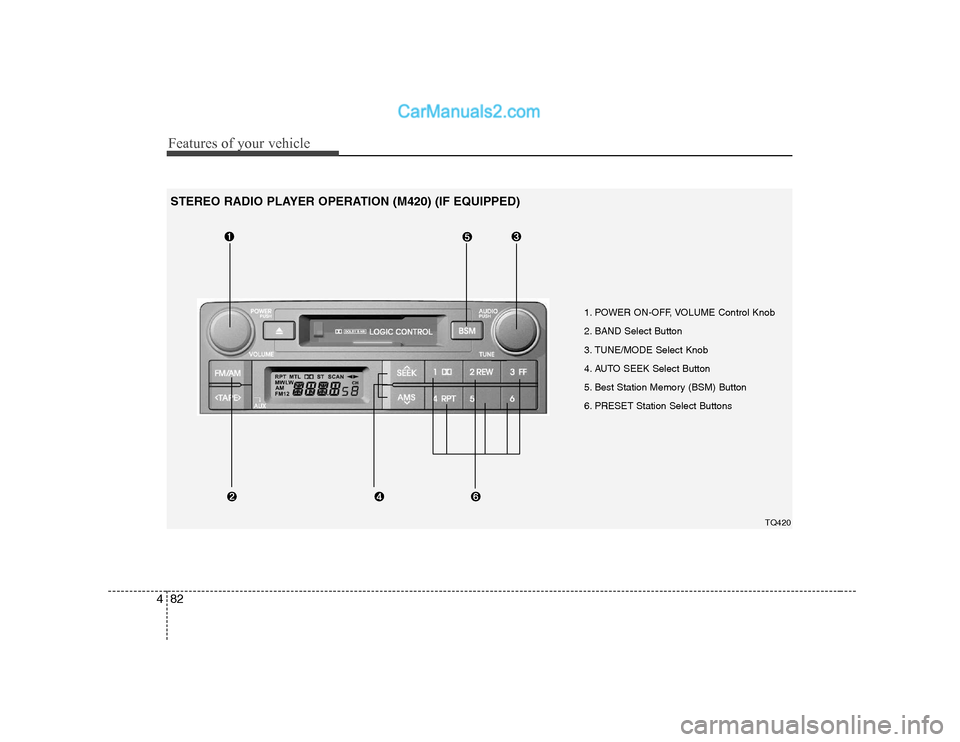
1. POWER ON-OFF, VOLUME Control Knob
2. BAND Select Button
3. TUNE/MODE Select Knob
4. AUTO SEEK Select Button
5. Best Station Memory (BSM) Button
6. PRESET Station Select Buttons
TQ420
STEREO RADIO PLAYER OPERATION (M420) (IF EQUIPPED)
Page 147 of 303
Features of your vehicle
86
4
1. TAPE PROGRAM/AUX Button
This allows you to play the reverse side
of the tape by merely pressing the pro-
gram button. The PLAY and an arrow will
appear in the display to show the tapedirection.
If you press this button more than 0.8
second. you can change to AUX mode.
AUX mode is available only when AUX jack is plugged in and will change back
to the last mode if you pull it out.
2. TAPE EJECT Button
When the button is pressed with a cassette loaded, the cassette will eject.
When the button is pressed during FF/REW mode, the cassette will eject.
3. DOLBY Button
If you get background noise during tape
PLAY, you can reduce this considerably
by merely pressing the DOLBY button. If
you want to cancel the DOLBY feature,
press the button again.
4. REPEAT (RPT) Button
To repeat the track you are currently listening to, press the RPT button. To cancel , press again. If you do not release RPT operation
when the track ends, it will automati-
cally be replayed.
This process will continue until you
push the button again.
5. AUTO MUSIC Search (AMS) Button
Press the button to find the starting point
of each song in a prerecorded music
tape. The quiet space between songs
(must have at least a 4 sec. gap) can be
identified by the AUTO MUSIC Search
button.
Pressing the will play the begin- ning of the next music segment.
Pressing the will start replay at the beginning of the music just listened to.
To stop FF or REW action, press the button again.
6. FF/REW Button
Fast forward tape winding starts when the FF button is pressed during PLAY
or REW mode.
PLAY starts when the FF button is pressed again during FF mode.
Tape rewinding starts when the REW button is pressed during PLAY or
FF mode. PLAY starts when the REW button
pressed again during REW mode.
✽✽ NOTICE
When using a portable audio device
connected to the power outlet, noise may
occur during playback. If this happens,
use the orignal power source of theportable audio device(e.g., batteries).
CAUTION
Do not insert anything like coins into the player slot as damage to
the unit may occur.
Do not place beverages close to the audio system. The playbackmechanism may be damaged if
you spill them.
Do not strike or allow anything to impact the audio system, damageto the system mechanisms could
occur.
When no device is connected to the AUX cable, please pull out thecable from the JACK on the car.(AUX MODE is operational and
noise may heard in the AUXMODE.)
Page 148 of 303
487
Features of your vehicle
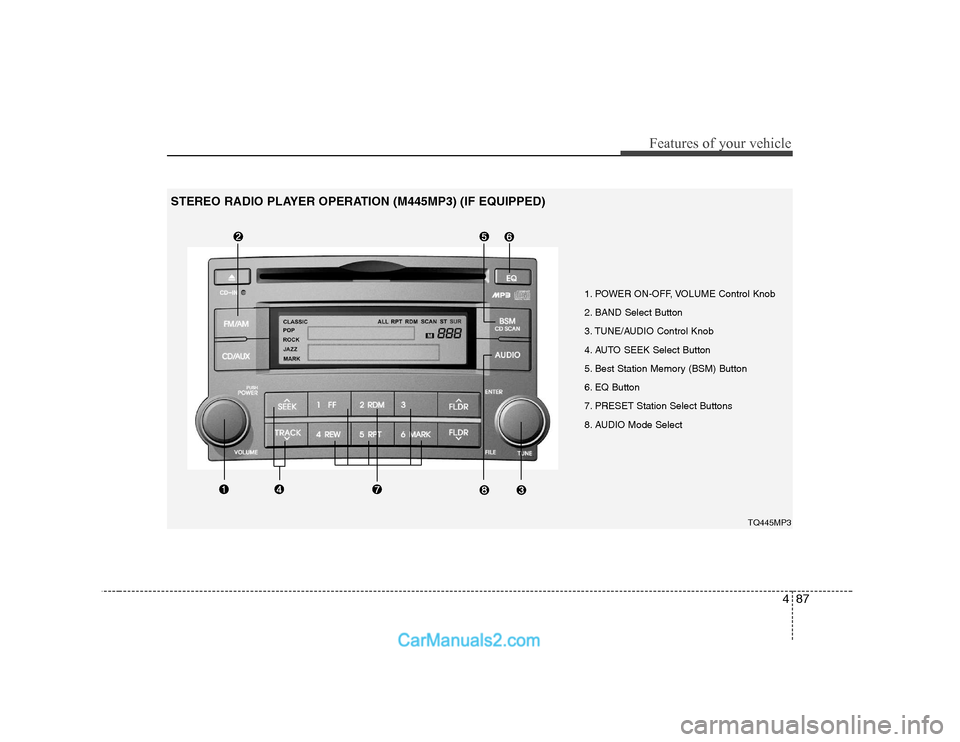
1. POWER ON-OFF, VOLUME Control Knob
2. BAND Select Button
3. TUNE/AUDIO Control Knob
4. AUTO SEEK Select Button
5. Best Station Memory (BSM) Button
6. EQ Button
7. PRESET Station Select Buttons
8. AUDIO Mode SelectTQ445MP3
STEREO RADIO PLAYER OPERATION (M445MP3) (IF EQUIPPED)
Page 151 of 303
Features of your vehicle
90
4
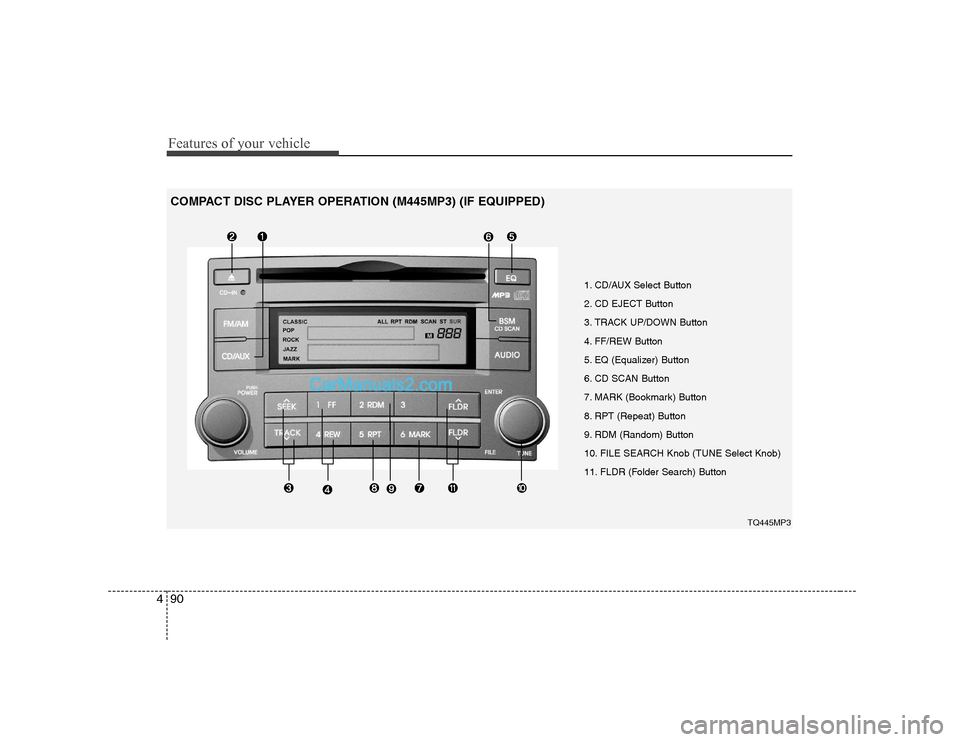
1. CD/AUX Select Button
2. CD EJECT Button
3. TRACK UP/DOWN Button
4. FF/REW Button
5. EQ (Equalizer) Button
6. CD SCAN Button
7. MARK (Bookmark) Button
8. RPT (Repeat) Button
9. RDM (Random) Button
10. FILE SEARCH Knob (TUNE Select Knob)
11. FLDR (Folder Search) Button
TQ445MP3
COMPACT DISC PLAYER OPERATION (M445MP3) (IF EQUIPPED)
Page 152 of 303
491
Features of your vehicle
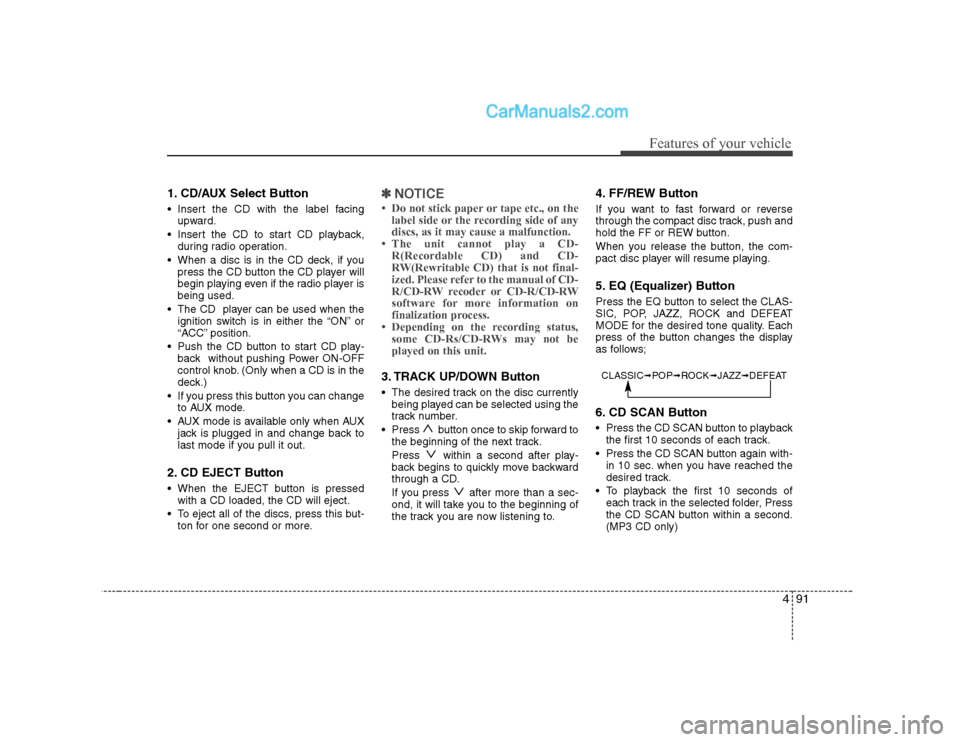
1. CD/AUX Select Button
Insert the CD with the label facingupward.
Insert the CD to start CD playback, during radio operation.
When a disc is in the CD deck, if you press the CD button the CD player will
begin playing even if the radio player isbeing used.
The CD player can be used when the ignition switch is in either the “ON” or
“ACC” position.
Push the CD button to start CD play- back without pushing Power ON-OFF
control knob. (Only when a CD is in the
deck.)
If you press this button you can change to AUX mode.
AUX mode is available only when AUX jack is plugged in and change back to
last mode if you pull it out.
2. CD EJECT Button
When the EJECT button is pressed with a CD loaded, the CD will eject.
To eject all of the discs, press this but- ton for one second or more.✽✽ NOTICE
Page 153 of 303
Features of your vehicle
92
4
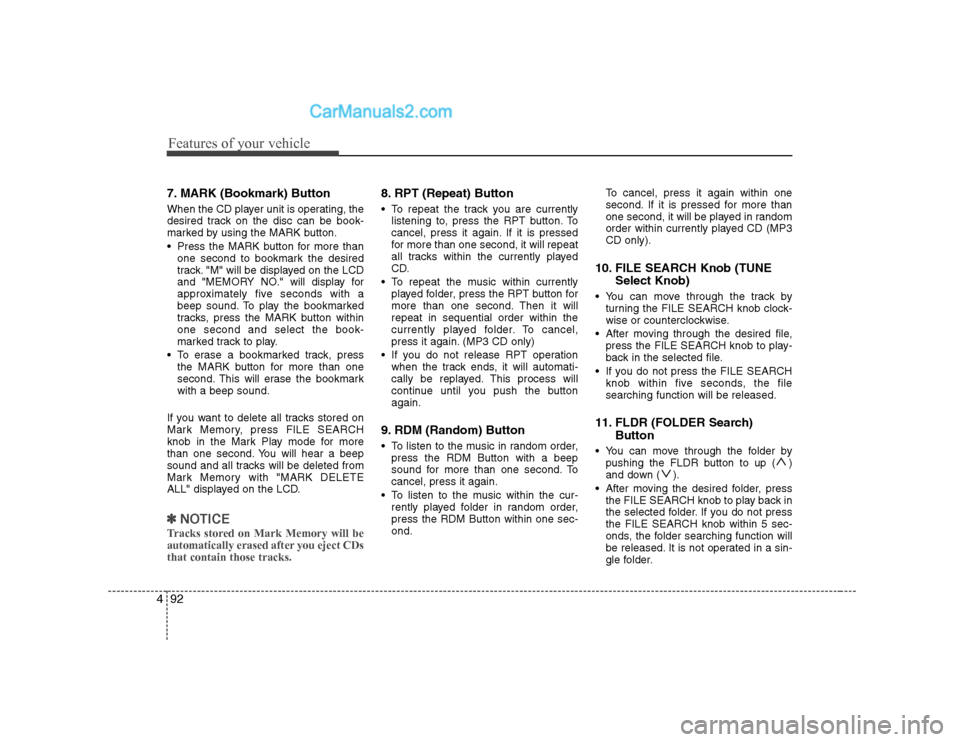
7. MARK (Bookmark) Button
When the CD player unit is operating, the
desired track on the disc can be book-
marked by using the MARK button.
Press the MARK button for more than
one second to bookmark the desired
track. "M" will be displayed on the LCD
and "MEMORY NO." will display for
approximately five seconds with a
beep sound. To play the bookmarked
tracks, press the MARK button withinone second and select the book-
marked track to play.
To erase a bookmarked track, press the MARK button for more than one
second. This will erase the bookmarkwith a beep sound.
If you want to delete all tracks stored on
Mark Memory, press FILE SEARCH
knob in the Mark Play mode for more
than one second. You will hear a beep
sound and all tracks will be deleted from
Mark Memory with "MARK DELETE
ALL" displayed on the LCD.
✽✽ NOTICE
Tracks stored on Mark Memory will be
automatically erased after you eject CDsthat contain those tracks.
8. RPT (Repeat) Button
To repeat the track you are currently listening to, press the RPT button. To
cancel, press it again. If it is pressed
for more than one second, it will repeat
all tracks within the currently played
CD.
To repeat the music within currently played folder, press the RPT button for
more than one second. Then it willrepeat in sequential order within the
currently played folder. To cancel,
press it again. (MP3 CD only)
If you do not release RPT operation when the track ends, it will automati-
cally be replayed. This process will
continue until you push the buttonagain.
9. RDM (Random) Button
To listen to the music in random order, press the RDM Button with a beep
sound for more than one second. Tocancel, press it again.
To listen to the music within the cur- rently played folder in random order,press the RDM Button within one sec-ond. To cancel, press it again within one
second. If it is pressed for more than
one second, it will be played in random
order within currently played CD (MP3CD only).
10. FILE SEARCH Knob (TUNE Select Knob)
You can move through the track by turning the FILE SEARCH knob clock-
wise or counterclockwise.
After moving through the desired file, press the FILE SEARCH knob to play-
back in the selected file.
If you do not press the FILE SEARCH knob within five seconds, the filesearching function will be released.
11. FLDR (FOLDER Search) Button
You can move through the folder by pushing the FLDR button to up ( )
and down ( ).
After moving the desired folder, press the FILE SEARCH knob to play back in
the selected folder. If you do not pressthe FILE SEARCH knob within 5 sec-
onds, the folder searching function will
be released. It is not operated in a sin-
gle folder.