warning Hyundai H350 2015 Owner's Manual
[x] Cancel search | Manufacturer: HYUNDAI, Model Year: 2015, Model line: H350, Model: Hyundai H350 2015Pages: 473, PDF Size: 26.4 MB
Page 298 of 473
5-27
Driving your vehicle
5
VDC OFF usage
When Driving
The VDC OFF mode should only be
used briefly to help free the vehicle if
stuck in snow or mud by temporarily
stopping operation of the VDC to
maintain wheel torque.
To turn VDC off while driving, press
the VDC OFF button while driving on
a flat road surface.To prevent damage to thetransaxle:
Do not allow wheel(s) of one
axle to spin excessively while
the VDC, ABS, and brake warn-
ing lights are displayed. The
repairs would not be covered by
the vehicle warranty. Reduce
engine power and do not spin
the wheel(s) excessively while
these lights are displayed.
When operating the vehicle on a dynamometer, ensure the VDC isturned off (VDC OFF light illumi-nated).
Information
Turning the VDC off does not affect
ABS or standard brake system opera-
tion.
Hill-Start Assist Control (HAC) (if equipped)
The Hill-Start Assist Control (HAC)
prevents the vehicle from rolling
backwards when starting a vehicle
from a stop on a hill. The system
operates the brakes automatically for
approximately 2 seconds and releas-
es the brake when the acceleratorpedal is depressed or after 2 sec-
onds.
i
NOTICE
Always be ready to depress the
accelerator pedal when starting
off on an incline. The HAC acti-
vates only for approximately 2seconds.
WARNING
Page 299 of 473
5-28
Driving your vehicle
Information
The HAC does not operate when the shift lever is in P (Park) or N
(Neutral)
The HAC activates even though the VDC (Vehicle Dynamic Control) is
off but does not activate when the
VDC has malfunctioned but can not
activate when the VDC has mal-
functioned. Emergency Stop Signal (ESS) (if equipped)
The Emergency Stop Signal system
alerts the driver behind by blinking
the stop light when the vehicle is
braked rapidly and severely.
The system is activated when:
The vehicle suddenly stops (vehi-cle speed is over 55km/h and the
vehicle deceleration is greater than7 m/s 2
(Van/Truck) and 5 m/s 2
(BUS))
The ABS is activating
When vehicle speed is under 40
km/h and the ABS deactivates or the
sudden stop situation is over, the
stop light will stop blinking. Instead,
the hazard warning flasher will turn
on automatically.
The hazard warning flasher will turn
off when vehicle speed is over
10km/h after the vehicle has
stopped. Also, it will turn off when the
vehicle is driven at low speed for
some time. You can turn it off manu-
ally by pushing the hazard warning
flasher switch. Information
The Emergency Stop Signal (ESS) sys-
tem will not work if the hazard warn-
ing flasher is already on.
ii
Page 300 of 473
5-29
Driving your vehicle
5
Good braking practices Wet brakes can be dangerous! The
brakes may get wet if the vehicle is
driven through standing water or if it
is washed. Your vehicle will not stop
as quickly if the brakes are wet. Wet
brakes may cause the vehicle to pull
to one side.
To dry the brakes, apply the brakes
lightly until the braking action returns
to normal, taking care to keep the
vehicle under control at all times. If
the braking action does not return to
normal, stop as soon as it is safe to
do so and we recommend that you
call an authorized HYUNDAI dealer
for assistance.
DO NOT drive with your foot resting
on the brake pedal. Even light, butconstant pedal pressure can result in
the brakes overheating, brake wear,
and possibly even brake failure.If a tire goes flat while you are driv-
ing, apply the brakes gently and
keep the vehicle pointed straight
ahead while you slow down. When
you are moving slowly enough for it
to be safe to do so, pull off the road
and stop in a safe location.
Keep your foot firmly on the brake
pedal when the vehicle is stopped to
prevent the vehicle from rolling for-
ward.
Whenever leaving the vehicle or
parking, always come to a com-
plete stop and continue to
depress the brake pedal. Move
the shift lever into the P (Park)
position, then apply the parking
brake, and place the Engine
Start/Stop button in the OFFposition.
Vehicles with the parking brake
not fully engaged are at risk for
moving inadvertently and caus-
ing injury to yourself or others.
WARNING
Page 301 of 473
5-30
Driving your vehicle
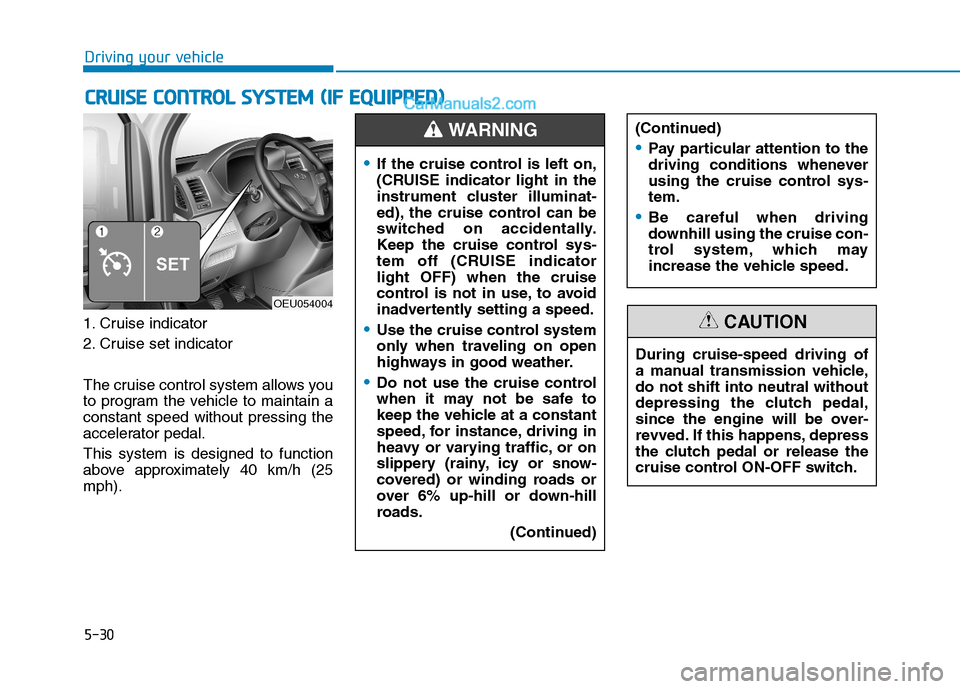
1. Cruise indicator
2. Cruise set indicator
The cruise control system allows you
to program the vehicle to maintain aconstant speed without pressing the
accelerator pedal. This system is designed to function
above approximately 40 km/h (25mph).
CCRR UU IISS EE CC OO NNTTRR OO LL SS YY SSTT EEMM (( IIFF EE QQ UUIIPP PPEEDD ))
OEU054004
If the cruise control is left on,
(CRUISE indicator light in the
instrument cluster illuminat-
ed), the cruise control can be
switched on accidentally.
Keep the cruise control sys-
tem off (CRUISE indicatorlight OFF) when the cruise
control is not in use, to avoid
inadvertently setting a speed.
Use the cruise control system
only when traveling on open
highways in good weather.
Do not use the cruise control
when it may not be safe to
keep the vehicle at a constant
speed, for instance, driving in
heavy or varying traffic, or on
slippery (rainy, icy or snow-
covered) or winding roads or
over 6% up-hill or down-hill
roads.
(Continued)
(Continued)
Pay particular attention to the
driving conditions whenever
using the cruise control sys-tem.
Be careful when driving
downhill using the cruise con-
trol system, which may
increase the vehicle speed.
WARNING
During cruise-speed driving of
a manual transmission vehicle,do not shift into neutral without
depressing the clutch pedal,
since the engine will be over-
revved. If this happens, depress
the clutch pedal or release the
cruise control ON-OFF switch.
CAUTION
Page 305 of 473
5-34
Driving your vehicle
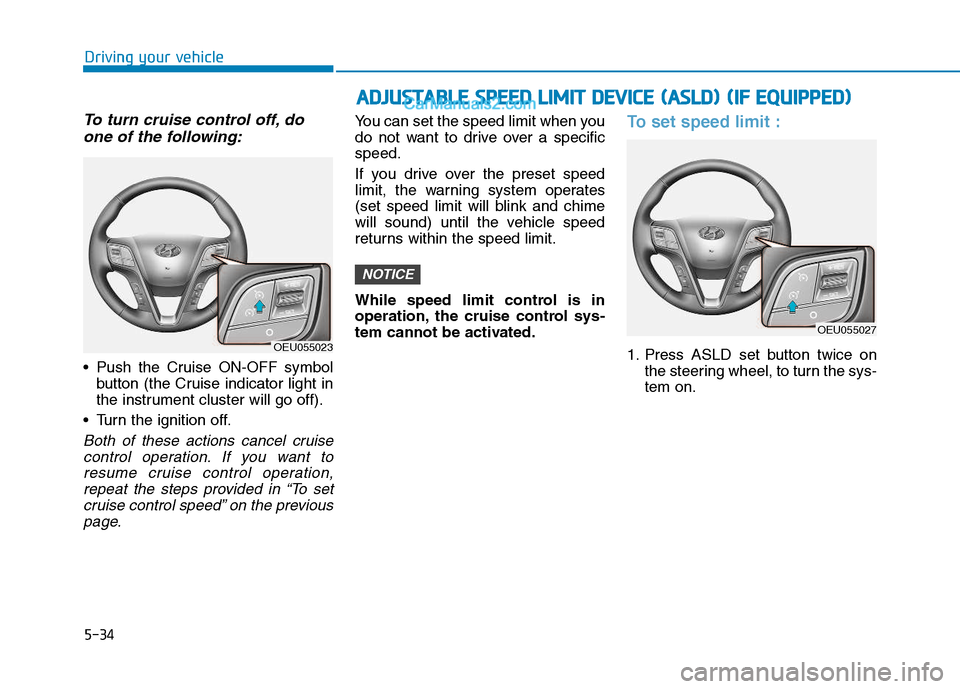
To turn cruise control off, doone of the following:
Push the Cruise ON-OFF symbol button (the Cruise indicator light in
the instrument cluster will go off).
Turn the ignition off.
Both of these actions cancel cruise control operation. If you want toresume cruise control operation, repeat the steps provided in “To setcruise control speed” on the previouspage.
You can set the speed limit when you
do not want to drive over a specificspeed.
If you drive over the preset speed
limit, the warning system operates
(set speed limit will blink and chime
will sound) until the vehicle speed
returns within the speed limit.
While speed limit control is in
operation, the cruise control sys-
tem cannot be activated.To set speed limit :
1. Press ASLD set button twice on the steering wheel, to turn the sys- tem on.
NOTICE
OEU055023
AADDJJUU SSTT AA BBLLEE SS PP EEEEDD LL IIMM IITT DD EEVV IICC EE (( AA SSLLDD )) (( IIFF EE QQ UUIIPP PP EEDD ))
OEU055027
Page 308 of 473
5-37
Driving your vehicle
5
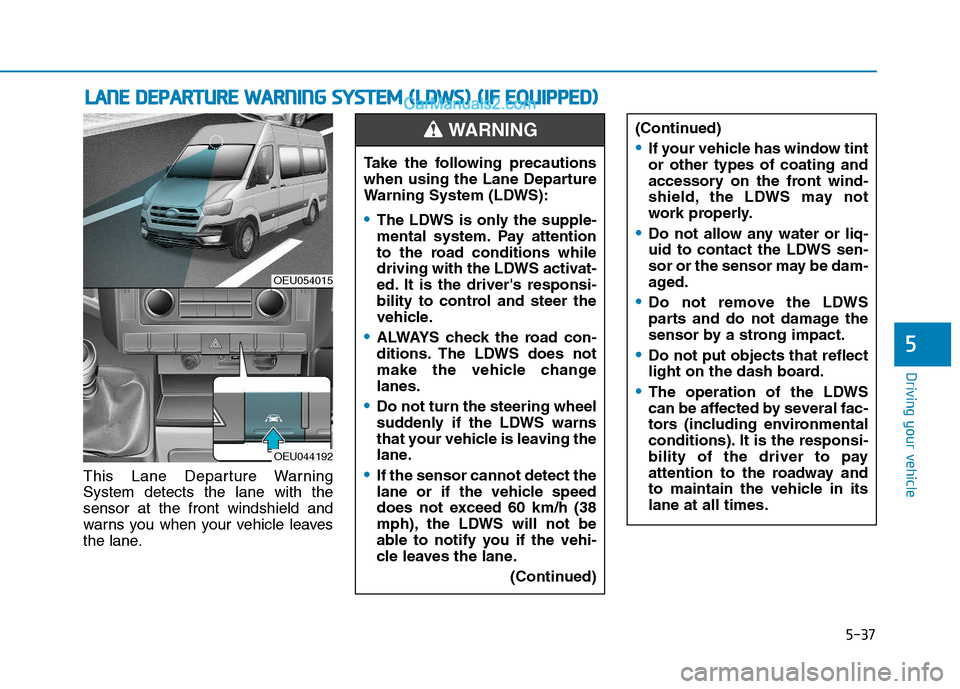
This Lane Departure Warning System detects the lane with thesensor at the front windshield and
warns you when your vehicle leaves
the lane.
LLAA NN EE DD EEPP AA RRTTUU RREE WW AARRNN IINN GG SS YY SSTT EEMM (( LL DD WW SS)) (( IIFF EE QQ UUIIPP PPEEDD ))
OEU054015
OEU044192
Take the following precautions
when using the Lane Departure
Warning System (LDWS):
The LDWS is only the supple-
mental system. Pay attention
to the road conditions while
driving with the LDWS activat-
ed. It is the driver's responsi-
bility to control and steer the
vehicle.
ALWAYS check the road con-
ditions. The LDWS does not
make the vehicle changelanes.
Do not turn the steering wheel
suddenly if the LDWS warns
that your vehicle is leaving the
lane.
If the sensor cannot detect the
lane or if the vehicle speed
does not exceed 60 km/h (38
mph), the LDWS will not be
able to notify you if the vehi-
cle leaves the lane.
(Continued)
WARNING (Continued)
If your vehicle has window tint or other types of coating and
accessory on the front wind-
shield, the LDWS may not
work properly.
Do not allow any water or liq-
uid to contact the LDWS sen-
sor or the sensor may be dam-
aged.
Do not remove the LDWS
parts and do not damage the
sensor by a strong impact.
Do not put objects that reflect
light on the dash board.
The operation of the LDWS
can be affected by several fac-
tors (including environmental
conditions). It is the responsi-
bility of the driver to pay
attention to the roadway and
to maintain the vehicle in itslane at all times.
Page 309 of 473
5-38
Driving your vehicle
LDWS operation
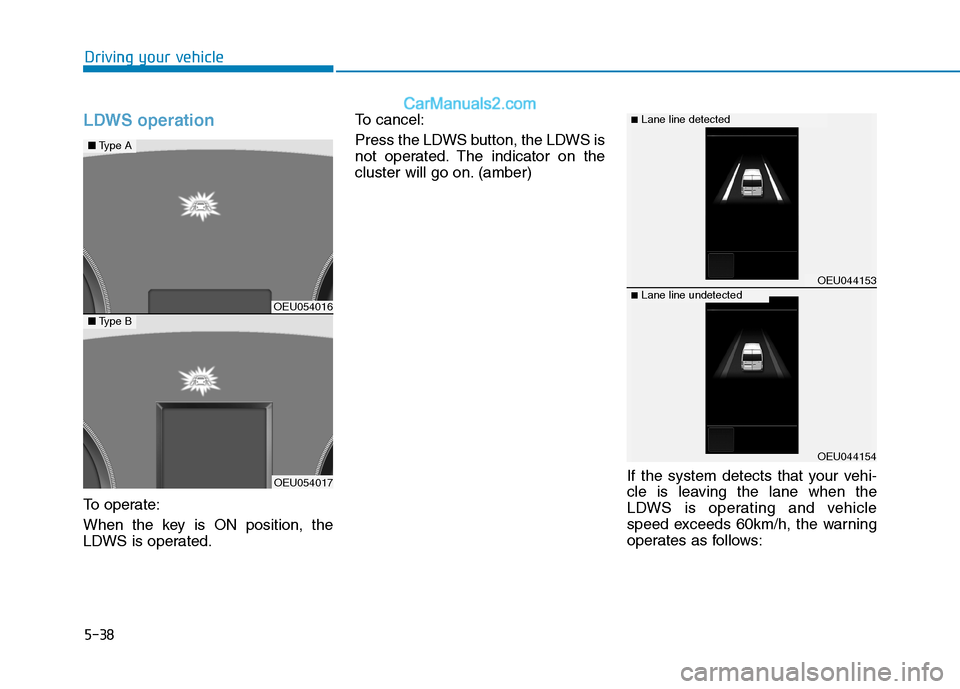
To operate:
When the key is ON position, the
LDWS is operated.To cancel:
Press the LDWS button, the LDWS is
not operated. The indicator on the
cluster will go on. (amber)
If the system detects that your vehi-
cle is leaving the lane when the
LDWS is operating and vehicle
speed exceeds 60km/h, the warning
operates as follows:
OEU054016
OEU054017
■Type A
■Type B
OEU044153
OEU044154
■Lane line detected
■Lane line undetected
Page 310 of 473
5-39
Driving your vehicle
5
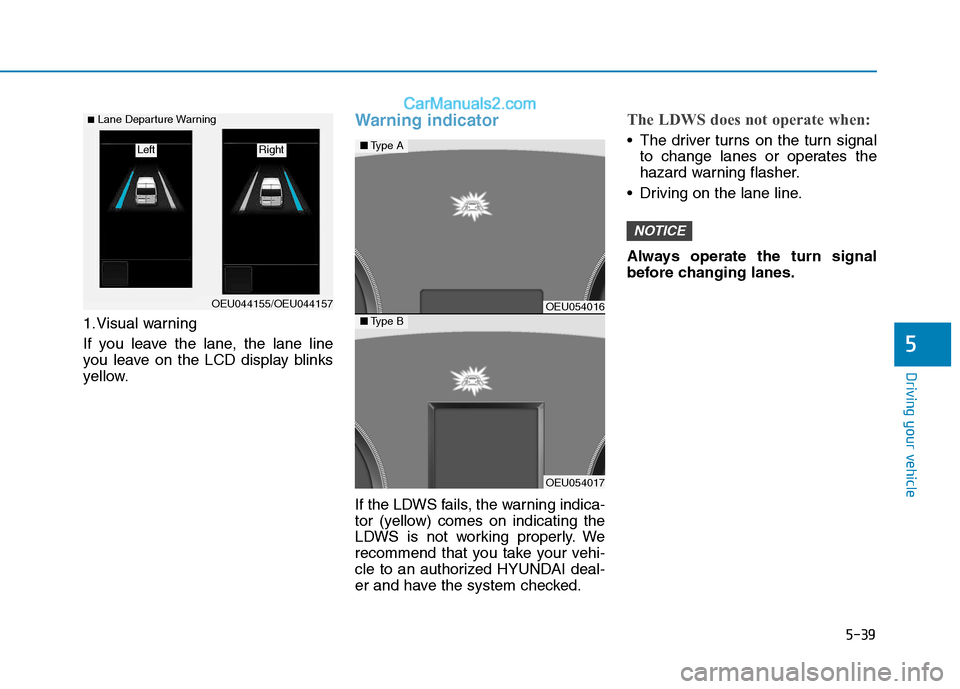
1.Visual warning
If you leave the lane, the lane line
you leave on the LCD display blinks
yellow.
Warning indicator
If the LDWS fails, the warning indica-
tor (yellow) comes on indicating the
LDWS is not working properly. We
recommend that you take your vehi-
cle to an authorized HYUNDAI deal-
er and have the system checked.
The LDWS does not operate when:
The driver turns on the turn signalto change lanes or operates the
hazard warning flasher.
Driving on the lane line.
Always operate the turn signal
before changing lanes.
NOTICE
OEU044155/OEU044157
■ Lane Departure Warning
Right Left
OEU054016
OEU054017
■ Type A
■Type B
Page 313 of 473
5-42
Driving your vehicleE
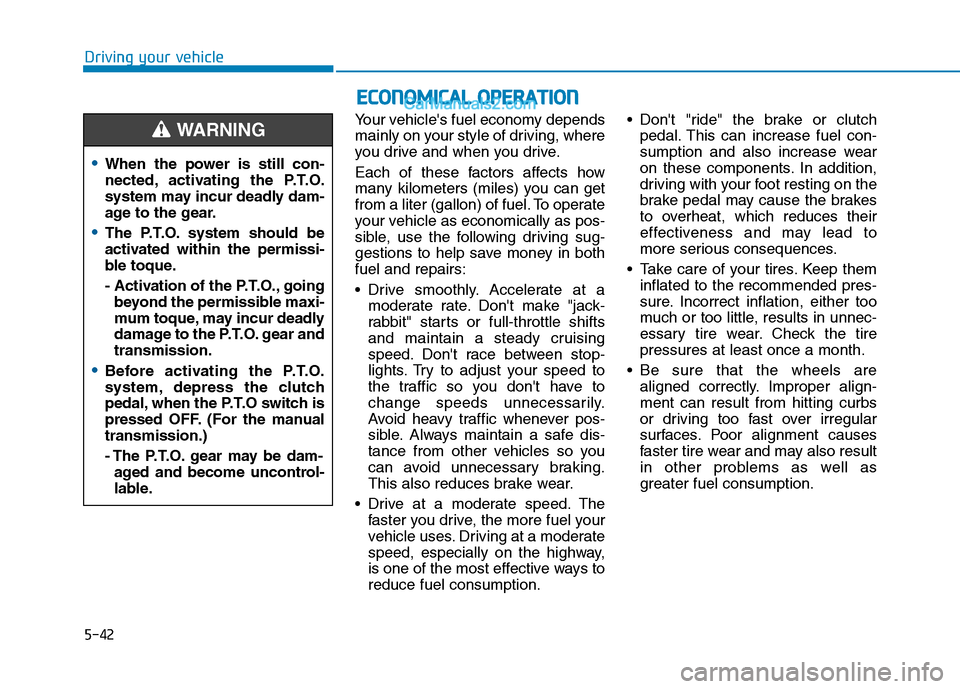
ECCOO NNOO MM IICC AA LL OO PPEERR AA TTIIOO NN
Your vehicle's fuel economy depends
mainly on your style of driving, where
you drive and when you drive.
Each of these factors affects how
many kilometers (miles) you can get
from a liter (gallon) of fuel. To operate
your vehicle as economically as pos-
sible, use the following driving sug-
gestions to help save money in bothfuel and repairs:
Drive smoothly. Accelerate at a
moderate rate. Don't make "jack-
rabbit" starts or full-throttle shifts
and maintain a steady cruising
speed. Don't race between stop-
lights. Try to adjust your speed to
the traffic so you don't have to
change speeds unnecessarily.
Avoid heavy traffic whenever pos-
sible. Always maintain a safe dis-
tance from other vehicles so you
can avoid unnecessary braking.
This also reduces brake wear.
Drive at a moderate speed. The faster you drive, the more fuel your
vehicle uses. Driving at a moderate
speed, especially on the highway,
is one of the most effective ways toreduce fuel consumption. Don't "ride" the brake or clutch
pedal. This can increase fuel con-
sumption and also increase wear
on these components. In addition,
driving with your foot resting on the
brake pedal may cause the brakes
to overheat, which reduces their
effectiveness and may lead to
more serious consequences.
Take care of your tires. Keep them inflated to the recommended pres-
sure. Incorrect inflation, either too
much or too little, results in unnec-
essary tire wear. Check the tirepressures at least once a month.
Be sure that the wheels are aligned correctly. Improper align-ment can result from hitting curbs
or driving too fast over irregular
surfaces. Poor alignment causes
faster tire wear and may also result
in other problems as well as
greater fuel consumption.
When the power is still con-
nected, activating the P.T.O.
system may incur deadly dam-
age to the gear.
The P.T.O. system should be
activated within the permissi-
ble toque.
- Activation of the P.T.O., goingbeyond the permissible maxi-
mum toque, may incur deadly
damage to the P.T.O. gear andtransmission.
Before activating the P.T.O.
system, depress the clutch
pedal, when the P.T.O switch is
pressed OFF. (For the manualtransmission.)
- The P.T.O. gear may be dam-aged and become uncontrol-
lable.
WARNING
Page 314 of 473
5-43
Driving your vehicle
5
Keep your vehicle in good condi-tion. For better fuel economy and
reduced maintenance costs, main-
tain your vehicle in accordancewith the maintenance schedule in
Section 7. If you drive your vehicle
in severe conditions, more frequentmaintenance is required (see
Section 7 for details).
Keep your vehicle clean. For maxi- mum service, your vehicle should
be kept clean and free of corrosive
materials. It is especially important
that mud, dirt, ice, etc. not be
allowed to accumulate on the
underside of the vehicle. This extra
weight can result in increased fuel
consumption and also contribute tocorrosion.
Travel lightly. Don't carry unneces- sary weight in your vehicle. Weight
reduces fuel economy.
Don't let the engine idle longer than necessary. If you are waiting
(and not in traffic), turn off your
engine and restart only when
you're ready to go. Remember, your vehicle does not
require extended warm-up. After
the engine has started, allow the
engine to run for 10 to 20 seconds
prior to placing the vehicle in gear.
In very cold weather, however, give
your engine a slightly longer warm-
up period.
Don't "lug" or "over-rev" the engine. Lugging is driving too slowly in too
high a gear resulting engine buck-
ing. If this happens, shift to a lower
gear. Over-revving is racing the
engine beyond its safe limit. This
can be avoided by shifting at the
recommended speeds.
Use your air conditioning sparingly. The air conditioning system is
operated by engine power so your
fuel economy is reduced when youuse it.
Open windows at high speeds can reduce fuel economy.
Fuel economy is less in crosswinds and headwinds. To help offset
some of this loss, slow down when
driving in these conditions. Keeping a vehicle in good operating
condition is important both for econ-
omy and safety. Therefore, we rec-
ommend that you contact an author-
ized HYUNDAI dealer to performscheduled inspections and mainte-
nance.
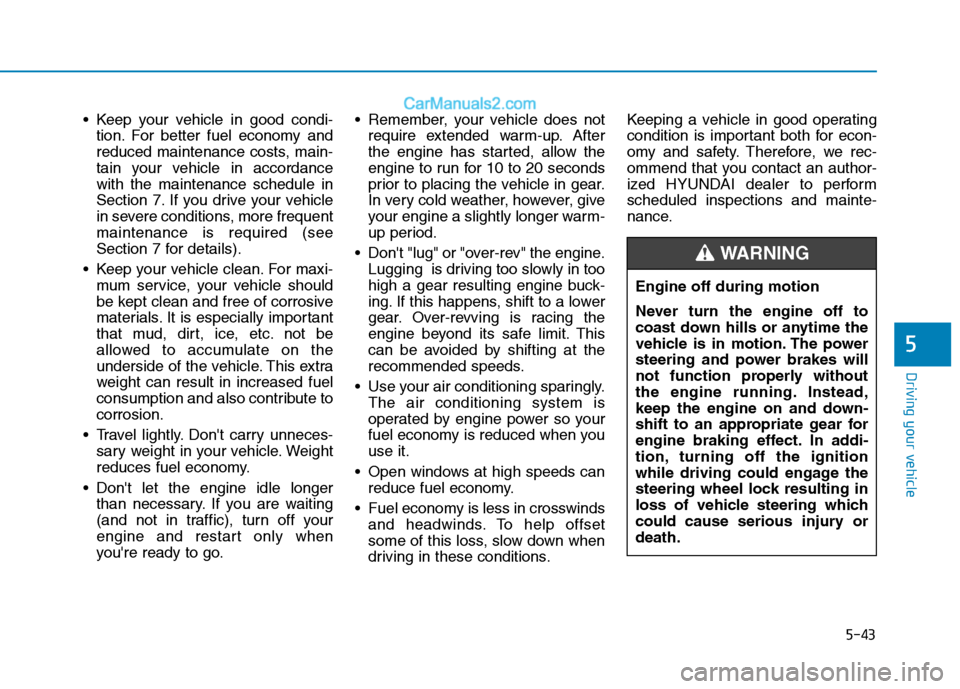
Engine off during motion
Never turn the engine off to
coast down hills or anytime the
vehicle is in motion. The power
steering and power brakes will
not function properly without
the engine running. Instead,
keep the engine on and down-
shift to an appropriate gear for
engine braking effect. In addi-
tion, turning off the ignition
while driving could engage the
steering wheel lock resulting in
loss of vehicle steering which
could cause serious injury ordeath.
WARNING