service Hyundai H350 2016 User Guide
[x] Cancel search | Manufacturer: HYUNDAI, Model Year: 2016, Model line: H350, Model: Hyundai H350 2016Pages: 473, PDF Size: 26.4 MB
Page 137 of 473
3-75
Convenient features of your vehicle
3
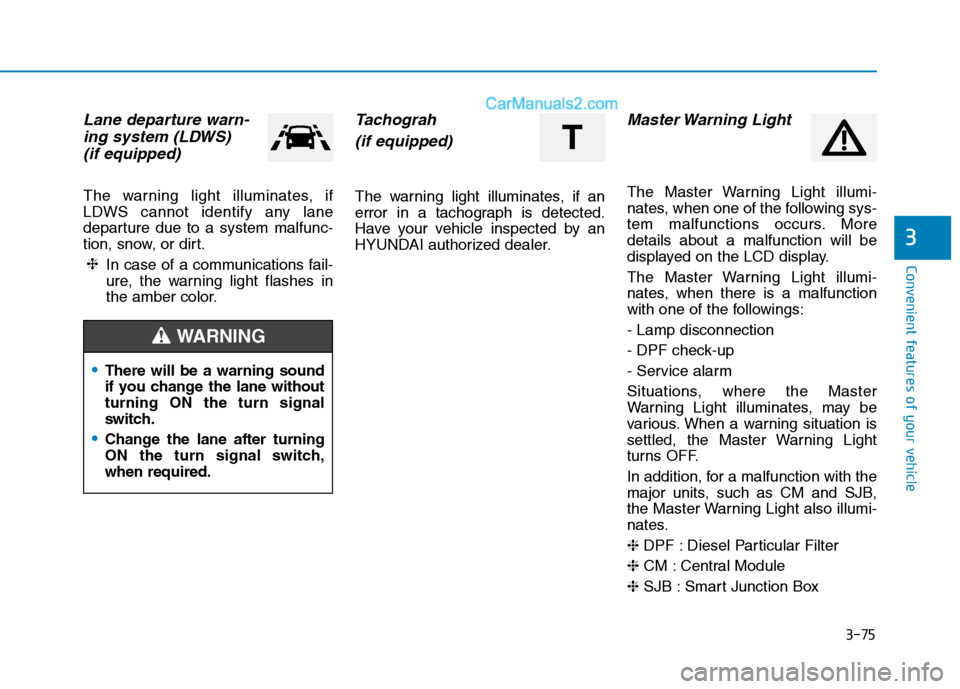
Lane departure warn-ing system (LDWS)
(if equipped)
The warning light illuminates, if
LDWS cannot identify any lane
departure due to a system malfunc-
tion, snow, or dirt.
In case of a communications fail-
ure, the warning light flashes in
the amber color.
Tachograh
(if equipped)
The warning light illuminates, if an
error in a tachograph is detected.
Have your vehicle inspected by an
HYUNDAI authorized dealer.
Master Warning Light
The Master Warning Light illumi-
nates, when one of the following sys-
tem malfunctions occurs. Moredetails about a malfunction will be
displayed on the LCD display.
The Master Warning Light illumi-
nates, when there is a malfunction
with one of the followings: - Lamp disconnection
- DPF check-up
- Service alarm
Situations, where the Master
Warning Light illuminates, may be
various. When a warning situation is
settled, the Master Warning Light
turns OFF.
In addition, for a malfunction with the
major units, such as CM and SJB,
the Master Warning Light also illumi-
nates. ❈ DPF : Diesel Particular Filter
❈ CM : Central Module
❈ SJB : Smart Junction Box
❈
There will be a warning sound
if you change the lane withoutturning ON the turn signal
switch.
Change the lane after turning
ON the turn signal switch,when required.
WARNING
T
Page 182 of 473
3-120
Convenient features of your vehicle
Replace the filter according tothe Maintenance Schedule.
If the vehicle is being driven in
severe conditions such as dusty
or rough roads, more frequentair conditioner filter inspections
and changes are required.
When the air flow rate suddenly decreases, we recommend that
the system be checked by an
authorized HYUNDAI dealer.
Checking the amount of air
conditioner refrigerant andcompressor lubricant
When the amount of refrigerant is
low, the performance of the air con-
ditioning is reduced. Overfilling also
has a negative impact on the air con-ditioning system.
Therefore, we recommend that the
system be inspected by an author-
ized HYUNDAI dealer.
It is important when servicing the air conditioning system that thecorrect type and amount of oil and
refrigerant is used. Otherwise,
damage to the compressor and
abnormal system operation may
occur.
NOTICE
NOTICE
Improper service may cause
serious injury to the person per-
forming the service. For more
detailed information, we recom-
mend that you contact an
authorized HYUNDAI dealer.
WARNING
Page 202 of 473
4-10
Multimedia System
(Continued)
Do not place beverages close tothe audio system. Spilling bever-
ages may lead to system mal-function.
In case of product malfunction, please contact your place of
purchase or After Service cen-
ter.
Placing the audio system within an electromagnetic environment
may result in noise interference.
Prevent caustic solutions such as perfume and cosmetic oil
from contacting the dashboard
because they may cause dam-
age or discoloration. Information-
Using the USB device
To use an external USB device, make sure the device is not connect-
ed when starting up the vehicle.
Connect the device after starting up.
If you connect any external device while driving, it may lose the vehicle
control and increase the accident
risk. Park the vehicle before con-
necting any external devices.
Park the vehicle on a safe location before connecting any external USB
device.
If you start the engine when the USB device is connected, it may
damage the USB device. (USB flash-
drives are very sensitive to electric
shock.)
If the engine is started up or turned off while the external USB device is
connected, the external USB device
may not work.
The System may not play inauthen- tic MP3 or WMA files.
1) It can only play MP3 files with the compression rate between
8Kbps ~ 320Kbps.
(Continued)(Continued)
2) It can only play WMA music files with the compression rate
between 8Kbps ~ 320Kbps.
Take precautions for static electrici- ty when connecting or disconnecting
the external USB device.
An encrypted MP3 PLAYER is not recognizable.
Depending on the condition of the external USB device, the connected
external USB device can be unrec-
ognizable.
When the formatted byte/sector set- ting of External USB device is not
either 512BYTE or 2048BYTE, then
the device will not be recognized.
Use only a USB device formatted to FAT 12/16/32.
USB devices without USB I/F authentication may not be recogniz-
able.
Make sure the USB connection ter- minal does not come in contact with
the human body or other objects.
If you repeatedly connect or discon- nect the USB device in a short peri-
od of time, it may break the device.
(Continued)i
Page 237 of 473
![Hyundai H350 2016 User Guide 4-45
Multimedia System
4
Phone Setup
Press the key Set [
Setup] through the TUNE knob orkey.
The
Bluetooth®Wireless Technology
mobile phone setup screen is dis-
played. For more information, refe](/img/35/14880/w960_14880-236.png "Hyundai H350 2016 User Guide 4-45
Multimedia System
4
Phone Setup
Press the key Set [
Setup] through the TUNE knob orkey.
The
Bluetooth®Wireless Technology
mobile phone setup screen is dis-
played. For more information, refe")
4-45
Multimedia System
4
Phone Setup
Press the key Set [
Setup] through the TUNE knob orkey.
The
Bluetooth®Wireless Technology
mobile phone setup screen is dis-
played. For more information, refer to“Phone Setup”. Information - Using the
Bluetooth®
Wireless Technology CELLU- AR PHONE
Do not use a cellular phone or per- form Bluetooth ®
Wireless Technology
settings (e.g. pairing a phone) while
driving.
Some Bluetooth ®
Wireless Technology
-enabled phones may not be recog-
nized by the system or fully compati-
ble with the system.
Before using Bluetooth®
Wireless
Technology related features of the
audio system, refer your phone's
User's Manual for phone-side
Bluetooth ®
Wireless Technology oper-
ations.
The phone must be paired to the audio system to use Bluetooth®
Wireless Technology related features.
You will not be able to use the hands- free feature when your phone (in the
vehicle) is outside of the cellular serv-
ice area (e.g. in a tunnel, in a under-
ground, in a mountainous area, etc.).
(Continued)(Continued)
If the cellular phone signal is poor or
the vehicles interior noise is too loud,
it may be difficult to hear the other
person's voice during a call.
Do not place the phone near or inside metallic objects, otherwise communi-
cations with Bluetooth®
Wireless
Technology system or cellular service
stations can be disturbed.
While a phone is connected through Bluetooth ®
Wireless Technology your
phone may discharge quicker than
usual for additional Bluetooth®
Wireless Technology-related opera-
tions.
Some cellular phones or other devices may cause interference noise or mal-
function to audio system. In this case,
store the device in a different location
may resolve the condition.
Phone contact names should be saved in English or they may not be dis-
played correctly.
(Continued)
i
3
PHONE
Page 270 of 473
![Hyundai H350 2016 User Guide 4-78
Multimedia System
Phone Setup
Press the key Set [ Setup]
through the TUNE knob or
key. The
Bluetooth®Wireless Technology
mobile phone setup screen is dis-
played. For more information, ref](/img/35/14880/w960_14880-269.png "Hyundai H350 2016 User Guide 4-78
Multimedia System
Phone Setup
Press the key Set [ Setup]
through the TUNE knob or
key. The
Bluetooth®Wireless Technology
mobile phone setup screen is dis-
played. For more information, ref")
4-78
Multimedia System
Phone Setup
Press the key Set [ Setup]
through the TUNE knob or
key. The
Bluetooth®Wireless Technology
mobile phone setup screen is dis-
played. For more information, refer to“Phone Setup”. Information
- using THE
Bluetooth®
Wireless Technology CELLU- LAR PHONE
Do not use a cellular phone or per- form Bluetooth ®
Wireless Technology
settings (e.g. pairing a phone) while
driving.
Some Bluetooth®
Wireless
Technology -enabled phones may not
be recognized by the system or fully
compatible with the system.
Before using Bluetooth®
Wireless
Technology related features of the
audio system, refer your phone’s
User’s Manual for phone-side
Bluetooth ®
Wireless Technology oper-
ations.
The phone must be paired to the audio system to use Bluetooth®
Wireless Technology related features.
You will not be able to use the hands- free feature when your phone (in the
vehicle) is outside of the cellular serv-
ice area (e.g. in a tunnel, in a under-
ground, in a mountainous area, etc.).
(Continued)(Continued)
If the cellular phone signal is poor or
the vehicles interior noise is too loud,
it may be difficult to hear the other
person’s voice during a call.
Do not place the phone near or inside metallic objects, otherwise communi-
cations with Bluetooth®
Wireless
Technology system or cellular service
stations can be disturbed.
While a phone is connected through Bluetooth ®
Wireless Technology your
phone may discharge quicker than
usual for additional Bluetooth®
Wireless Technology-related opera-
tions.
Some cellular phones or other devices may cause interference noise or mal-
function to audio system. In this case,
store the device in a different location
may resolve the condition.
Phone contact names should be saved in English or they may not be dis-
played correctly.
(Continued)
i
3
PHONE
Page 290 of 473
5-19
Driving your vehicle
5
In the event of brake failure
If service brakes fail to operate while
the vehicle is in motion, you can
make an emergency stop with the
parking brake. The stopping dis-
tance, however, will be much greater
than normal.
Disc brakes wear indicator
When your brake pads are worn and
new pads are required, you will hear
a high-pitched warning sound from
your front/rear brakes or the brake
lining indicator ( ) will illuminate in
the cluster. You may hear this sound
and see this illuminate whenever you
depress the brake pedal.
Please remember that some driving
conditions or climates may cause a
brake squeal when you first apply (or
lightly apply) the brakes. This is nor-
mal and does not indicate a problem
with your brakes.
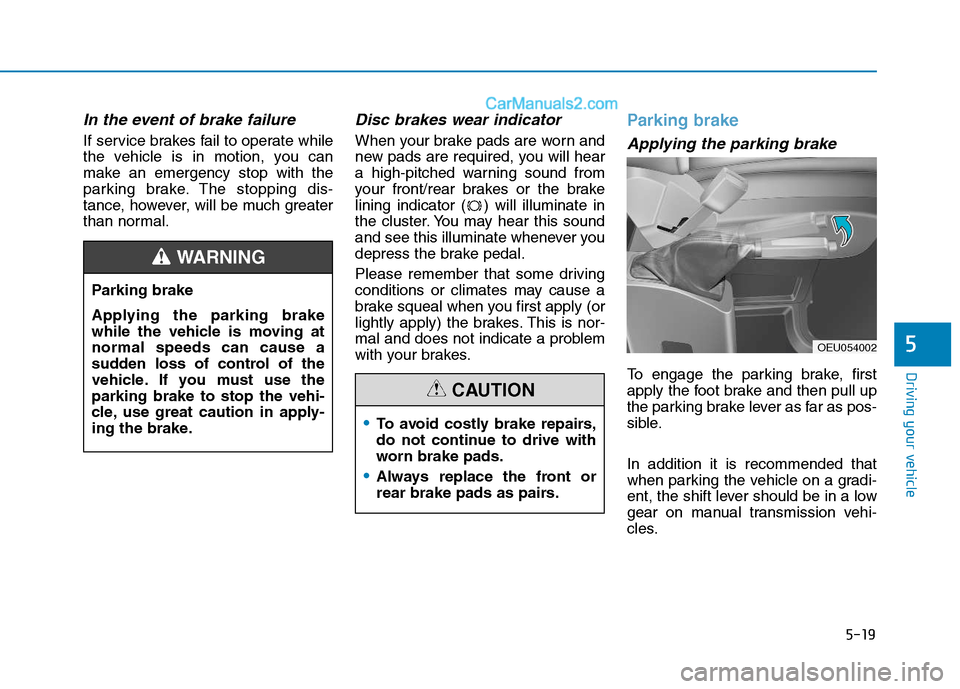
Parking brake
Applying the parking brake
To engage the parking brake, first
apply the foot brake and then pull up
the parking brake lever as far as pos-
sible. In addition it is recommended that
when parking the vehicle on a gradi-
ent, the shift lever should be in a low
gear on manual transmission vehi-
cles.
Parking brake
Applying the parking brake
while the vehicle is moving atnormal speeds can cause a
sudden loss of control of the
vehicle. If you must use theparking brake to stop the vehi-
cle, use great caution in apply-
ing the brake.
WARNING
To avoid costly brake repairs,
do not continue to drive with
worn brake pads.
Always replace the front or
rear brake pads as pairs.
CAUTION
OEU054002
Page 314 of 473
5-43
Driving your vehicle
5
Keep your vehicle in good condi-tion. For better fuel economy and
reduced maintenance costs, main-
tain your vehicle in accordancewith the maintenance schedule in
Section 7. If you drive your vehicle
in severe conditions, more frequentmaintenance is required (see
Section 7 for details).
Keep your vehicle clean. For maxi- mum service, your vehicle should
be kept clean and free of corrosive
materials. It is especially important
that mud, dirt, ice, etc. not be
allowed to accumulate on the
underside of the vehicle. This extra
weight can result in increased fuel
consumption and also contribute tocorrosion.
Travel lightly. Don't carry unneces- sary weight in your vehicle. Weight
reduces fuel economy.
Don't let the engine idle longer than necessary. If you are waiting
(and not in traffic), turn off your
engine and restart only when
you're ready to go. Remember, your vehicle does not
require extended warm-up. After
the engine has started, allow the
engine to run for 10 to 20 seconds
prior to placing the vehicle in gear.
In very cold weather, however, give
your engine a slightly longer warm-
up period.
Don't "lug" or "over-rev" the engine. Lugging is driving too slowly in too
high a gear resulting engine buck-
ing. If this happens, shift to a lower
gear. Over-revving is racing the
engine beyond its safe limit. This
can be avoided by shifting at the
recommended speeds.
Use your air conditioning sparingly. The air conditioning system is
operated by engine power so your
fuel economy is reduced when youuse it.
Open windows at high speeds can reduce fuel economy.
Fuel economy is less in crosswinds and headwinds. To help offset
some of this loss, slow down when
driving in these conditions. Keeping a vehicle in good operating
condition is important both for econ-
omy and safety. Therefore, we rec-
ommend that you contact an author-
ized HYUNDAI dealer to performscheduled inspections and mainte-
nance.
Engine off during motion
Never turn the engine off to
coast down hills or anytime the
vehicle is in motion. The power
steering and power brakes will
not function properly without
the engine running. Instead,
keep the engine on and down-
shift to an appropriate gear for
engine braking effect. In addi-
tion, turning off the ignition
while driving could engage the
steering wheel lock resulting in
loss of vehicle steering which
could cause serious injury ordeath.
WARNING
Page 329 of 473
5-58
Driving your vehicle
When you are ready to leave after
parking on a hill
1. With the manual transmission inNeutral, apply your brakes and
hold the brake pedal down while
you:
and
2. Slowly remove your foot from the brake pedal.
3. Drive slowly until the trailer is clear of the chocks.
4. Stop and have someone pick up and store the chocks.
Maintenance when trailer tow- ing
Your vehicle will need service more
often when you regularly pull a trail-
er. Important items to pay particularattention to include engine oil, axle
lubricant and cooling system fluid.
Brake condition is another important
item to frequently check. Each item is
covered in this manual, and the
Index will help you find them quickly.
If you’re trailering, it’s a good idea to
review these sections before you
start your trip.
Don’t forget to also maintain your
trailer and hitch. Follow the mainte-nance schedule that accompanied
your trailer and check it periodically.
Preferably, conduct the check at the
start of each day’s driving. Most
importantly, all hitch nuts and boltsshould be tight.
Parking brake
It can be dangerous to get out
of your vehicle if the parking
brake is not firmly set.
If you have left the engine run-
ning, the vehicle can move sud-
denly. You or others could be
seriously or fatally injured.
WARNING
Page 336 of 473
What to do in an emergency
Hazard warning flasher ........................................6-2
In case of an emergency while driving ..............6-2If the engine stalls while driving ...................................6-2
If the engine stalls at a crossroad or crossing .........6-3
If you have a flat tire while driving..............................6-3
If the engine will not start ...................................6-3 If the engine doesn't turn over or turns over
slowly....................................................................................6-3
If the engine turns over normally but doesn't
start.......................................................................................6-4
Emergency starting ...............................................6-4 Jump starting ......................................................................6-4
Push-starting .....................................................................6-7
If the engine overheats ........................................6-7
Removing and storing the spare tire ..................6-9 Jacking instructions ..........................................................6-9
A type ...................................................................................6-9
B type.................................................................................6-11
Changing tires ..................................................................6-14
Towing ...................................................................6-22 Towing service .................................................................6-22
Removable towing hook ................................................6-23
Emergency towing ..........................................................6-24 Glass break hammer ............................................6-26
Emergency exit.....................................................6-26
Emergency commodity ........................................6-27
Fire extinguisher .............................................................6-27
First aid kit ......................................................................6-27
Triangle reflector ............................................................6-28
Tire pressure gauge .......................................................6-28
6
Page 341 of 473
6-6
What to do in an emergency
Jump starting procedure
1.Make sure the booster battery is12-volt and that its negative termi-
nal is grounded.
2.If the booster battery is in another vehicle, do not allow the vehicles totouch.
3.Turn off all unnecessary electrical loads.
4.Connect the jumper cables in the exact sequence shown in the illus-
tration. First connect one end of a
jumper cable to the positive termi-
nal of the main fuse box (1), thenconnect the other end to the posi-
tive terminal on the booster battery(2). Proceed to connect one end of the
other jumper cable to the negative
terminal of the booster battery (3),then the other end to a solid, sta-
tionary, metallic point (for example,
the engine lifting bracket) away
from the negative battery terminal
(4). Do not connect it to or near any
part that moves when the engine is
cranked.
Do not allow the jumper cables to contact anything except the correct
battery terminals or the correct
ground. Do not lean over the bat-
tery when making connections.
AGM battery (if equipped)
Absorbent Glass Matt (AGM) batteries are maintenance-free and we recommend that
the system be serviced by an
authorized HYUNDAI dealer.
For charging your AGM bat-
tery, use only fully automatic
battery chargers that are spe-
cially developed for AGM bat-teries.
When replacing the AGM bat-
tery, we recommend that you
use parts for replacement
from an authorized HYUNDAI
dealer.
Do not open or remove the
cap on top of the battery. This
may cause leaks of internal
electrolyte that could result in
severe injury.
(Continued)
(Continued)
If the AGM battery is recon-
nected or replaced, ISG func-tion will not operate immedi-
ately.
If you want to use the ISG
function, the battery sensor
needs to be calibrated for
approximately 4 hours with
the ignition off.
During the period, the dark
current must be under 100 mA.
CAUTION
Battery cables Do not connect the jumper
cable from the negative terminal
of the booster battery to thenegative terminal of the dis-
charged battery. This can cause
the discharged battery to over-
heat and crack, releasing bat-
tery acid.
CAUTION