reset Hyundai H350 2016 Owner's Guide
[x] Cancel search | Manufacturer: HYUNDAI, Model Year: 2016, Model line: H350, Model: Hyundai H350 2016Pages: 473, PDF Size: 26.4 MB
Page 249 of 473
4-57
Multimedia System
4
SSYY SSTT EEMM CC OO NNTTRR OO LLLL EE RR SS AA NN DD
F
F UU NNCCTT IIOO NNSS
❈ Display and settings may differ
depending on the selected audio.
Audio Head Unit
(for RDS model)
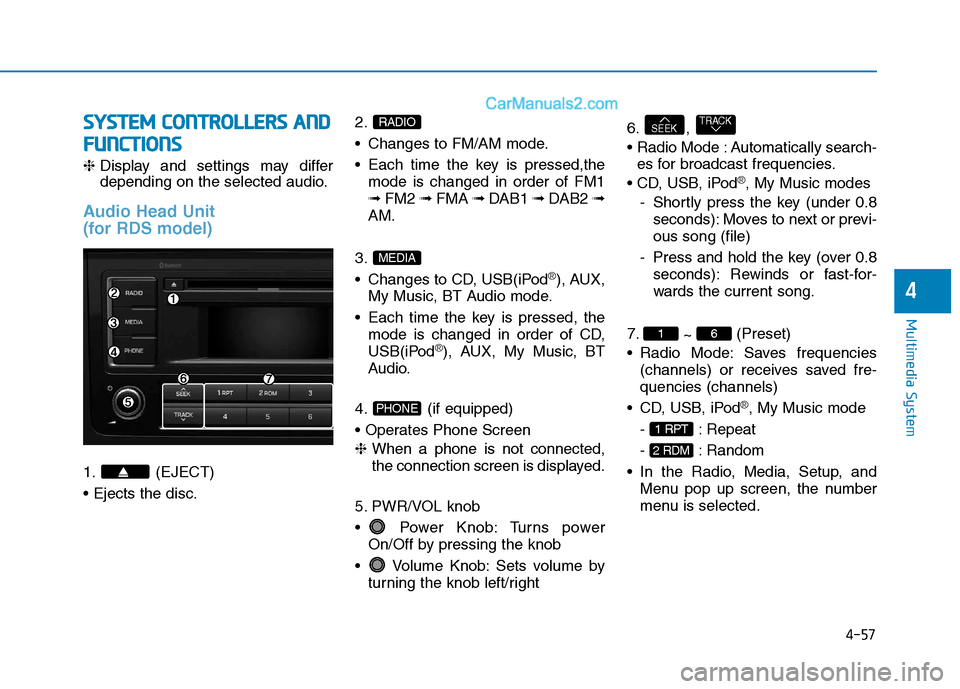
1. (EJECT) 2.
Changes to FM/AM mode.
Each time the key is pressed,the
mode is changed in order of FM1 ➟ FM2 ➟ FMA ➟ DAB1 ➟ DAB2 ➟
AM.
3.
Changes to CD, USB(iPod
®), AUX,
My Music, BT Audio mode.
Each time the key is pressed, the mode is changed in order of CD,
USB(iPod
®), AUX, My Music, BT
Audio.
4. (if equipped)
❈ When a phone is not connected,
the connection screen is displayed.
5. PWR/VOL knob
Power Knob: Turns power On/Off by pressing the knob
Volume Knob: Sets volume by turning the knob left/right 6. ,
Automatically search-
es for broadcast frequencies.
®, My Music modes
- Shortly press the key (under 0.8 seconds): Moves to next or previ- ous song (file)
- Press and hold the key (over 0.8 seconds): Rewinds or fast-for-
wards the current song.
7. ~ (Preset)
Radio Mode: Saves frequencies (channels) or receives saved fre-quencies (channels)
®, My Music mode
- : Repeat
- : Random
Menu pop up screen, the number
menu is selected.
2 RDM
1 RPT
61
TRACKSEEK
PHONE
MEDIA
RADIO
Page 258 of 473
4-66
Multimedia System
Information
Bluetooth ®
Wireless Technology con-
nection may become intermittently
disconnected in some mobile phones.
Follow these next steps to try again.
1)Turn the Bluetooth®
Wireless
Technology function within the
mobile phone ON/OFF and try to
connect again.
2)Turn the mobile phone power ON/OFF and try to connect again.
3)Completely remove the mobile phone battery, reboot, and then try
to connect again.
4)Reboot the audio system and try to connect again
5)Delete all paired devices in your mobile phone and the audio system
and pair again for use.RRAA DDIIOO (( ff oo rr RR DD SS mm ooddeell))
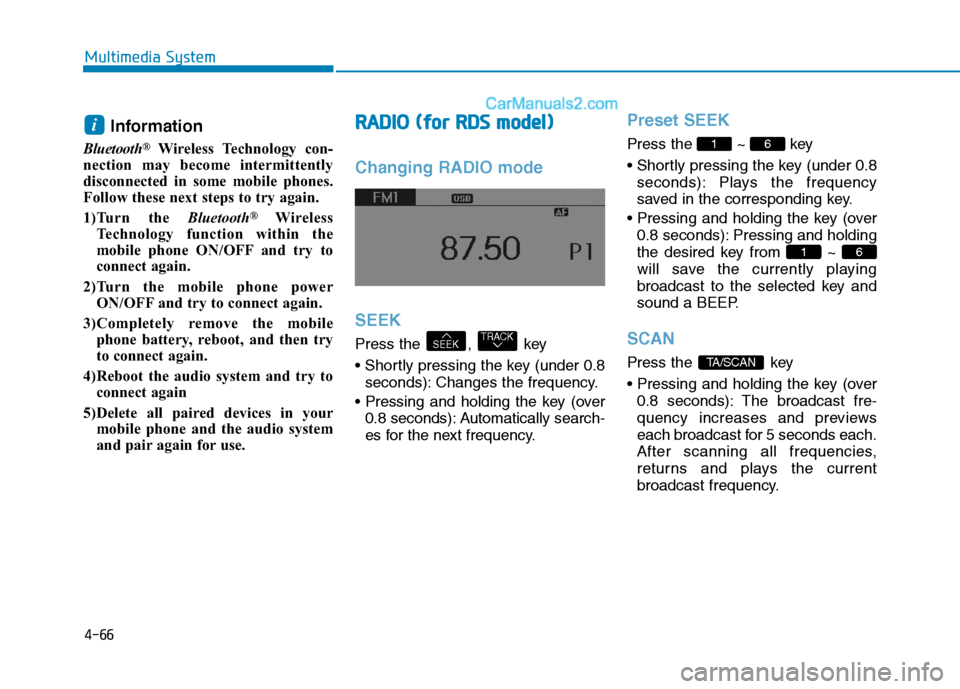
Changing RADIO mode SEEK
Press the , key
seconds): Changes the frequency.
0.8 seconds): Automatically search-
es for the next frequency.
Preset SEEK
Press the ~ key
seconds): Plays the frequency
saved in the corresponding key.
0.8 seconds): Pressing and holding
the desired key from ~
will save the currently playing
broadcast to the selected key and
sound a BEEP.
SCAN
Press the key
0.8 seconds): The broadcast fre-
quency increases and previews
each broadcast for 5 seconds each.
After scanning all frequencies,
returns and plays the current
broadcast frequency.TA/SCAN
61
61
TRACKSEEK
i
Page 259 of 473
4-67
Multimedia System
4
Selecting through manual
search
Turn the TUNE knob left/right to
adjust the frequency.
- FM : Changes by 50KHz
- AM : Changes by 9khz
Traffic Announcement (TA)
Shortly pressing the key
(under 0.8 seconds): Set /
TA Traffic Announcement) mode.
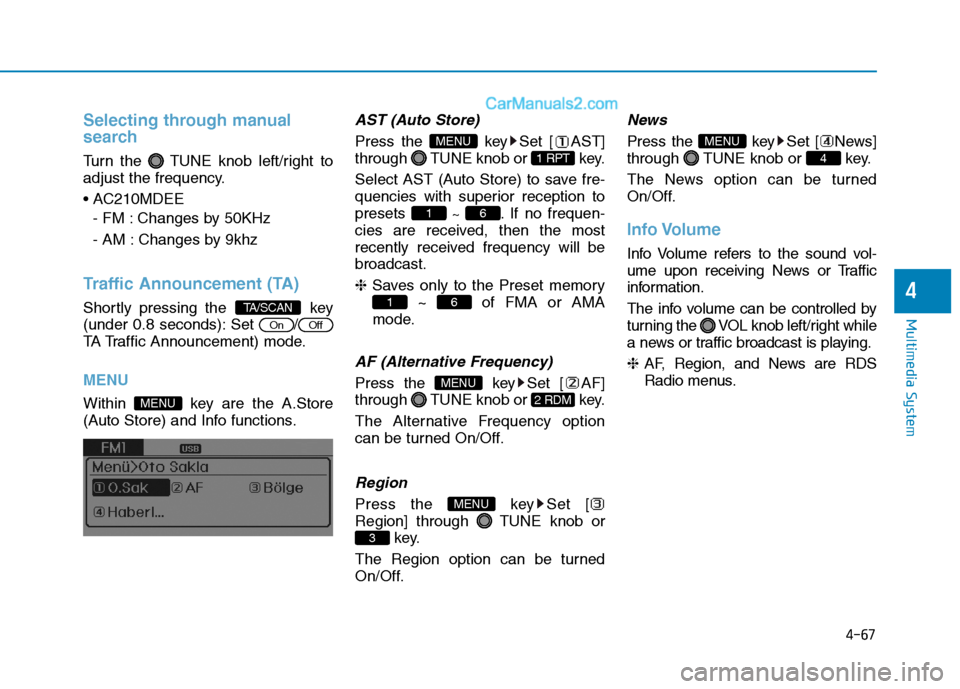
MENU
Within key are the A.Store
(Auto Store) and Info functions.
AST (Auto Store)
Press the key Set [ AST]
through TUNE knob or key.
Select AST (Auto Store) to save fre-
quencies with superior reception topresets ~ . If no frequen-
cies are received, then the most
recently received frequency will bebroadcast. ❈ Saves only to the Preset memory
~ of FMA or AMA
mode.
AF (Alternative Frequency)
Press the key Set [ AF]
through TUNE knob or key.
The Alternative Frequency option
can be turned On/Off.
Region
Press the key Set [
Region] through TUNE knob or key.
The Region option can be turned
On/Off.
News
Press the key Set [ News]
through TUNE knob or key.
The News option can be turned
On/Off.
Info Volume
Info Volume refers to the sound vol-
ume upon receiving News or Traffic
information.
The info volume can be controlled by
turning the VOL knob left/right while
a news or traffic broadcast is playing. ❈ AF, Region, and News are RDS
Radio menus.
4
MENU
3
MENU
2 RDM
MENU
61
61
1 RPT
MENU
MENU
OffOn
TA/SCAN
Page 304 of 473
5-33
Driving your vehicle
5
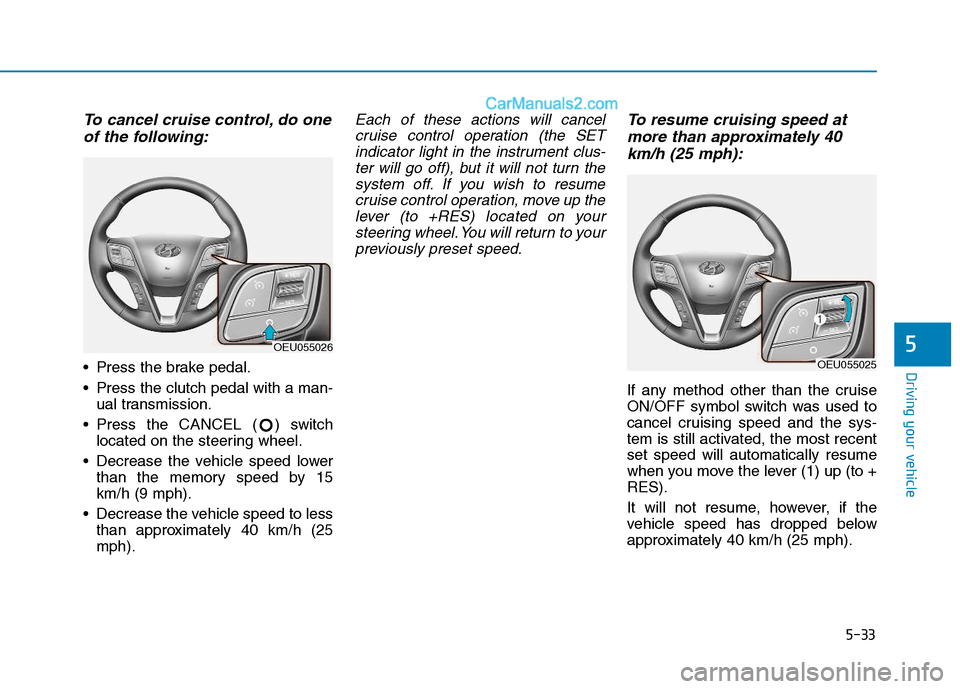
To cancel cruise control, do oneof the following:
Press the brake pedal.
Press the clutch pedal with a man- ual transmission.
Press the CANCEL ( ) switch located on the steering wheel.
Decrease the vehicle speed lower than the memory speed by 15 km/h (9 mph).
Decrease the vehicle speed to less than approximately 40 km/h (25mph).
Each of these actions will cancel
cruise control operation (the SETindicator light in the instrument clus- ter will go off), but it will not turn thesystem off. If you wish to resumecruise control operation, move up the lever (to +RES) located on yoursteering wheel. You will return to yourpreviously preset speed.To resume cruising speed at
more than approximately 40
km/h (25 mph):
If any method other than the cruise
ON/OFF symbol switch was used to
cancel cruising speed and the sys-
tem is still activated, the most recentset speed will automatically resume
when you move the lever (1) up (to +RES).
It will not resume, however, if the
vehicle speed has dropped below
approximately 40 km/h (25 mph).
OEU055026
OEU055025
Page 305 of 473
5-34
Driving your vehicle
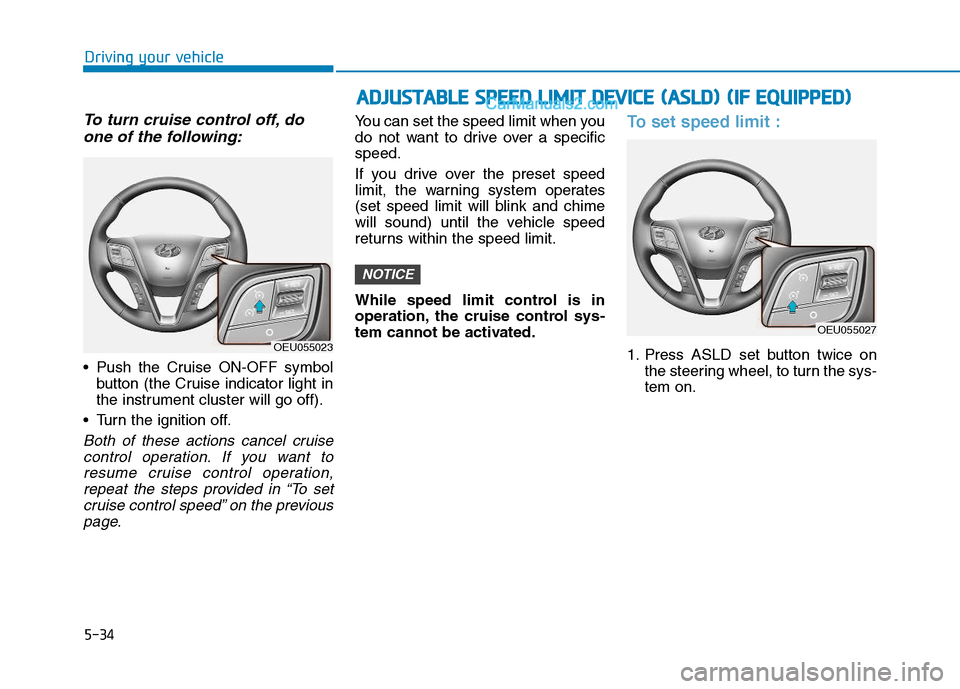
To turn cruise control off, doone of the following:
Push the Cruise ON-OFF symbol button (the Cruise indicator light in
the instrument cluster will go off).
Turn the ignition off.
Both of these actions cancel cruise control operation. If you want toresume cruise control operation, repeat the steps provided in “To setcruise control speed” on the previouspage.
You can set the speed limit when you
do not want to drive over a specificspeed.
If you drive over the preset speed
limit, the warning system operates
(set speed limit will blink and chime
will sound) until the vehicle speed
returns within the speed limit.
While speed limit control is in
operation, the cruise control sys-
tem cannot be activated.To set speed limit :
1. Press ASLD set button twice on the steering wheel, to turn the sys- tem on.
NOTICE
OEU055023
AADDJJUU SSTT AA BBLLEE SS PP EEEEDD LL IIMM IITT DD EEVV IICC EE (( AA SSLLDD )) (( IIFF EE QQ UUIIPP PP EEDD ))
OEU055027
Page 306 of 473
5-35
Driving your vehicle
5
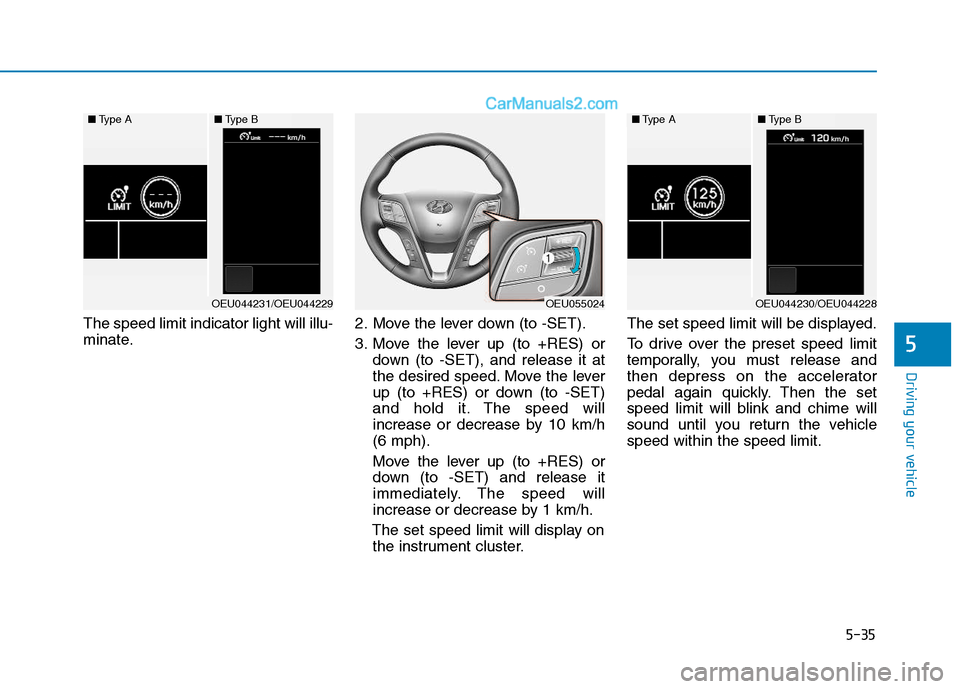
The speed limit indicator light will illu-
minate.2. Move the lever down (to -SET).
3. Move the lever up (to +RES) or
down (to -SET), and release it at
the desired speed. Move the lever
up (to +RES) or down (to -SET)
and hold it. The speed will
increase or decrease by 10 km/h(6 mph).
Move the lever up (to +RES) or
down (to -SET) and release it
immediately. The speed will
increase or decrease by 1 km/h.
The set speed limit will display on the instrument cluster. The set speed limit will be displayed.
To drive over the preset speed limit
temporally, you must release and
then depress on the accelerator
pedal again quickly. Then the set
speed limit will blink and chime will
sound until you return the vehiclespeed within the speed limit.
OEU055024
■
Type A■Type B
OEU044231/OEU044229
■Type A■Type B
OEU044230/OEU044228
Page 307 of 473
5-36
Driving your vehicle
Depressing the acceleratorpedal less than approximately
50%, the vehicle will not speed
over the preset speed limit but
maintain the vehicle speed with-in the speed limit.
A clicking noise heard from the kick down mechanism bydepressing the accelerator
pedal fully is a normal condition.
To turn off the speed limit con-
trol, do one of the following:
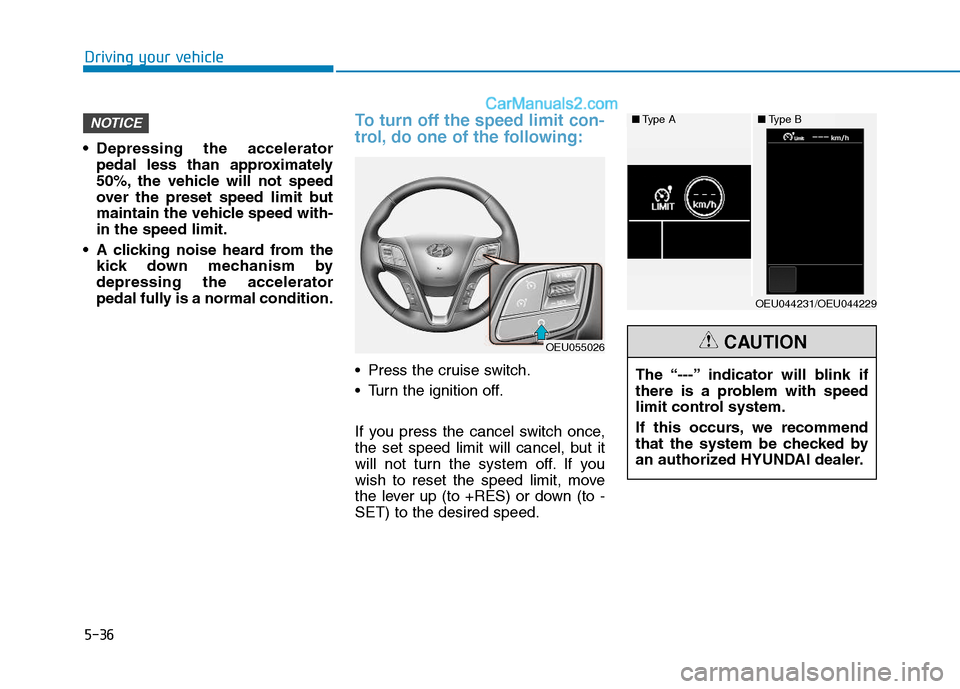
Press the cruise switch.
Turn the ignition off.
If you press the cancel switch once,
the set speed limit will cancel, but it
will not turn the system off. If you
wish to reset the speed limit, move
the lever up (to +RES) or down (to -SET) to the desired speed.
NOTICE
OEU055026
The “---” indicator will blink if
there is a problem with speed
limit control system.
If this occurs, we recommend
that the system be checked by
an authorized HYUNDAI dealer.CAUTION
■Type A■Type B
OEU044231/OEU044229
Page 364 of 473
7
Maintenance
7
Maintenance
Engine compartment .............................................7-3
Maintenance services ...........................................7-5Owner's responsibility ......................................................7-5
Owner maintenance precautions ..................................7-5
Engine compartment precautions (Diesel engine) ....7-7
Owner maintenance ...............................................7-8 Owner maintenance schedule ........................................7-8
Scheduled maintenance services ......................7-10 Normal maintenance schedule (for Europe) ............7-11
Normal maintenance schedule (except Europe) .....7-14
Maintenance under severe usage conditions ..........7-17
Explanation of scheduled maintenance items ..7-19
Engine oil ..............................................................7-22 Checking the engine oil level ....................................7-22
Changing the engine oil and filter ..............................7-23
Engine coolant......................................................7-24 Checking the coolant level ...........................................7-24
Changing the coolant .....................................................7-26
Brake/Clutch fluid ..............................................7-27 Checking the brake/clutch fluid level ........................7-27
Power steering fluid ............................................7-28 Checking the power steering fluid level ...................2-28
Checking the power steering hose.............................2-29
Washer fluid .........................................................7-29 Checking the washer fluid level ...............................7-29 Parking brake .......................................................7-30
Checking the parking brake .........................................7-30
Fuel filter (For diesel).........................................7-30 Draining water from fuel filter ....................................7-30
Fuel filter cartridge replacement ................................7-30
Manual transmission and rearaxle oil ..............7-31 Check and adding oil ......................................................7-31
Change the gear oil ........................................................7-31
Air cleaner ............................................................7-31 Filter replacement ...........................................................7-31
Climate control air filter .....................................7-33 Filter inspection ...............................................................7-33
Filter replacement ...........................................................7-33
Wiper blades .........................................................7-34 Blade inspection ..............................................................7-34
Blade replacement ..........................................................7-35
Battery...................................................................7-37 For best battery service................................................7-37
Battery capacity label ...................................................7-40
Battery recharging .......................................................7-40
Reset items .......................................................................7-41
Tires and wheels ..................................................7-42 Tire care ............................................................................7-42
Recommended cold tire inflation pressures.............7-42
Checking tire inflation pressure ..................................7-43
7
Page 404 of 473
7-41
7
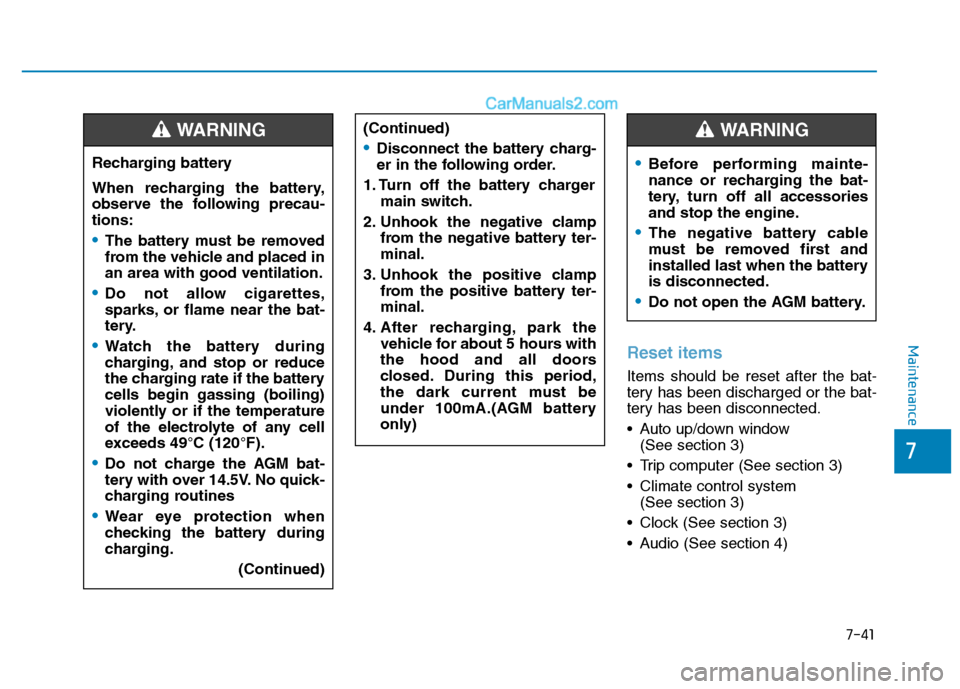
MaintenanceReset items
Items should be reset after the bat-
tery has been discharged or the bat-
tery has been disconnected.
Auto up/down window(See section 3)
Trip computer (See section 3)
Climate control system (See section 3)
Clock (See section 3)
Audio (See section 4)
(Continued)
Disconnect the battery charg-
er in the following order.
1. Turn off the battery charger main switch.
2. Unhook the negative clamp from the negative battery ter-minal.
3. Unhook the positive clamp from the positive battery ter-minal.
4. After recharging, park the vehicle for about 5 hours with
the hood and all doors
closed. During this period,
the dark current must be
under 100mA.(AGM battery
only)
Before performing mainte-
nance or recharging the bat-
tery, turn off all accessories
and stop the engine.
The negative battery cable
must be removed first and
installed last when the batteryis disconnected.
Do not open the AGM battery.
WARNING
Recharging battery
When recharging the battery,
observe the following precau-tions:
The battery must be removed
from the vehicle and placed inan area with good ventilation.
Do not allow cigarettes,
sparks, or flame near the bat-
tery.
Watch the battery during
charging, and stop or reduce
the charging rate if the batterycells begin gassing (boiling)
violently or if the temperature
of the electrolyte of any cell
exceeds 49°C (120°F).
Do not charge the AGM bat-
tery with over 14.5V. No quick-
charging routines
Wear eye protection when
checking the battery during
charging.
(Continued)
WARNING
Page 408 of 473
7-45
7
Maintenance
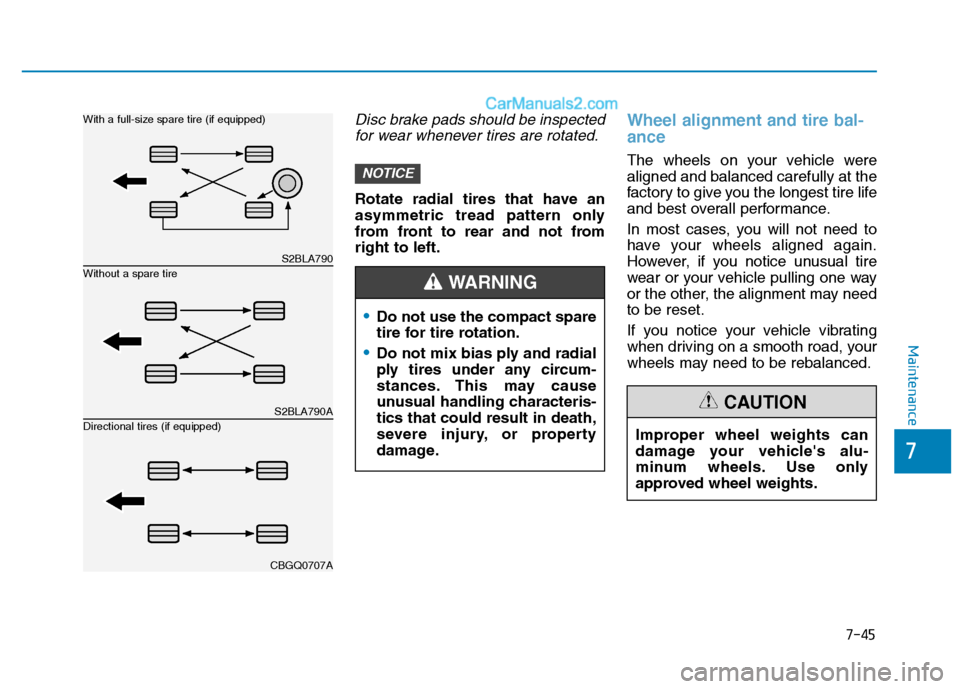
Disc brake pads should be inspectedfor wear whenever tires are rotated.
Rotate radial tires that have an
asymmetric tread pattern only
from front to rear and not fromright to left.
Wheel alignment and tire bal- ance
The wheels on your vehicle were aligned and balanced carefully at the
factory to give you the longest tire life
and best overall performance.
In most cases, you will not need to
have your wheels aligned again.
However, if you notice unusual tire
wear or your vehicle pulling one way
or the other, the alignment may needto be reset.
If you notice your vehicle vibrating
when driving on a smooth road, your
wheels may need to be rebalanced.NOTICE
Do not use the compact spare
tire for tire rotation.
Do not mix bias ply and radial
ply tires under any circum-
stances. This may cause
unusual handling characteris-tics that could result in death,
severe injury, or property
damage.
WARNING
Improper wheel weights can
damage your vehicle's alu-
minum wheels. Use only
approved wheel weights.
CAUTION
S2BLA790
S2BLA790A
CBGQ0707A
Without a spare tire
With a full-size spare tire (if equipped) Directional tires (if equipped)