Time Hyundai H350 2016 Owner's Guide
[x] Cancel search | Manufacturer: HYUNDAI, Model Year: 2016, Model line: H350, Model: Hyundai H350 2016Pages: 473, PDF Size: 26.4 MB
Page 132 of 473
3-70
Convenient features of your vehicle
Warning light operation
The brake fluid level warning light
indicates that the brake fluid level in
the brake master cylinder is low and
hydraulic brake fluid conforming toSAE J1703 specifications should be
added. After adding fluid, if no other
trouble is found, we recommend that
the system be inspected by an
authorized HYUNDAI dealer. If fur-
ther trouble is experience, we recom-
mend that you contact an authorized
HYUNDAI dealer.
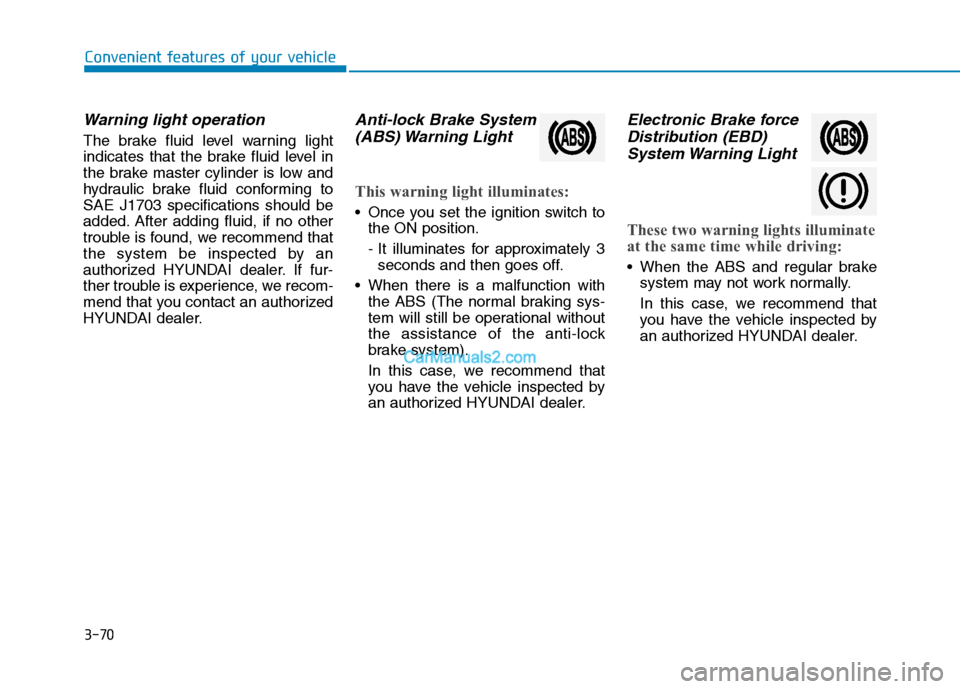
Anti-lock Brake System(ABS) Warning Light
This warning light illuminates:
Once you set the ignition switch to the ON position.
- It illuminates for approximately 3seconds and then goes off.
When there is a malfunction with the ABS (The normal braking sys-
tem will still be operational without
the assistance of the anti-lock
brake system).
In this case, we recommend that
you have the vehicle inspected by
an authorized HYUNDAI dealer.
Electronic Brake force
Distribution (EBD)
System Warning Light
These two warning lights illuminate
at the same time while driving:
When the ABS and regular brake system may not work normally.
In this case, we recommend that
you have the vehicle inspected by
an authorized HYUNDAI dealer.
Page 138 of 473
3-76
Convenient features of your vehicle
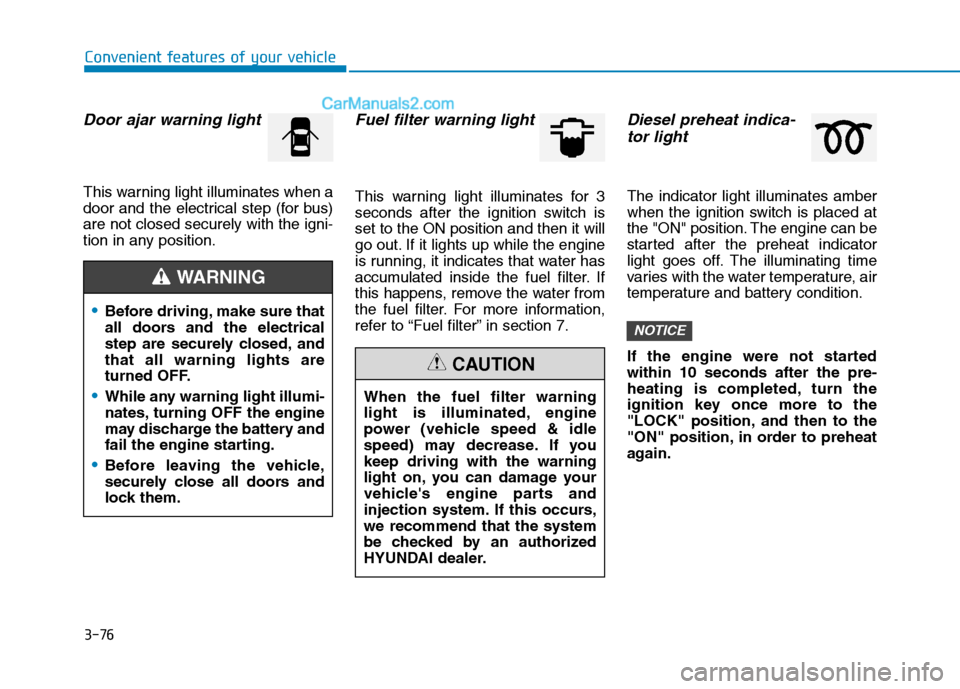
Door ajar warning light
This warning light illuminates when a
door and the electrical step (for bus)are not closed securely with the igni-
tion in any position.
Fuel filter warning light
This warning light illuminates for 3
seconds after the ignition switch isset to the ON position and then it will
go out. If it lights up while the engine
is running, it indicates that water has
accumulated inside the fuel filter. If
this happens, remove the water from
the fuel filter. For more information,
refer to “Fuel filter” in section 7.
Diesel preheat indica-tor light
The indicator light illuminates amber
when the ignition switch is placed at
the "ON" position. The engine can be
started after the preheat indicator
light goes off. The illuminating time
varies with the water temperature, air
temperature and battery condition.
If the engine were not started within 10 seconds after the pre-
heating is completed, turn the
ignition key once more to the
"LOCK" position, and then to the
"ON" position, in order to preheat
again.
NOTICE
When the fuel filter warning
light is illuminated, engine
power (vehicle speed & idle
speed) may decrease. If youkeep driving with the warning
light on, you can damage your
vehicle's engine parts and
injection system. If this occurs,we recommend that the system
be checked by an authorized
HYUNDAI dealer.
CAUTION
Before driving, make sure that
all doors and the electrical
step are securely closed, andthat all warning lights are
turned OFF.
While any warning light illumi-
nates, turning OFF the engine
may discharge the battery and
fail the engine starting.
Before leaving the vehicle,
securely close all doors and
lock them.
WARNING
Page 139 of 473
3-77
Convenient features of your vehicle
3
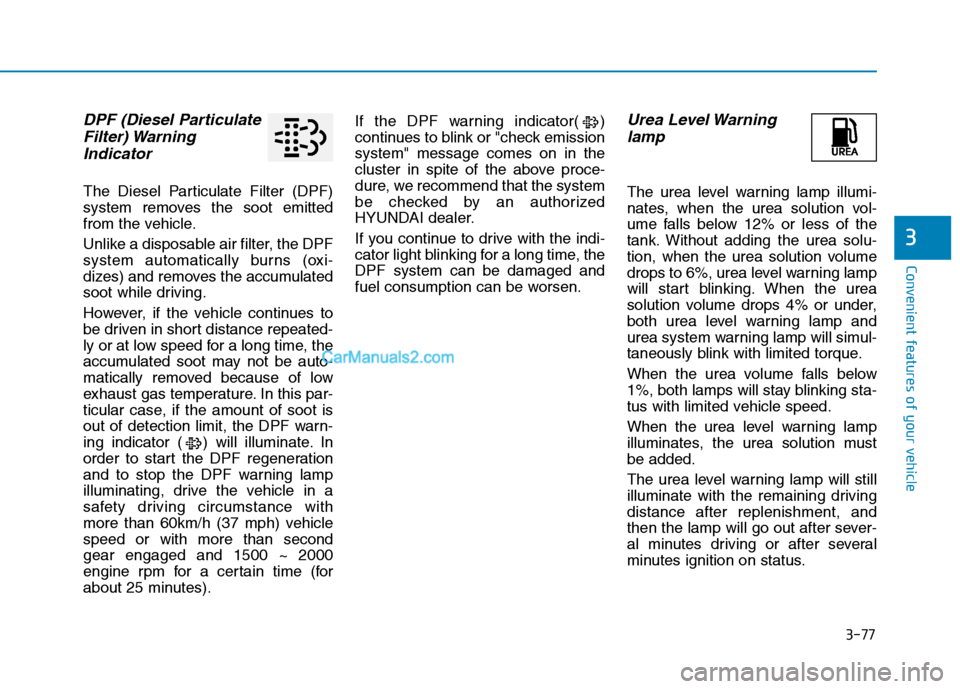
DPF (Diesel ParticulateFilter) Warning
Indicator
The Diesel Particulate Filter (DPF)
system removes the soot emitted
from the vehicle.
Unlike a disposable air filter, the DPF
system automatically burns (oxi-
dizes) and removes the accumulated
soot while driving.
However, if the vehicle continues to
be driven in short distance repeated-
ly or at low speed for a long time, the
accumulated soot may not be auto-
matically removed because of low
exhaust gas temperature. In this par-
ticular case, if the amount of soot is
out of detection limit, the DPF warn-
ing indicator ( ) will illuminate. In
order to start the DPF regeneration
and to stop the DPF warning lamp
illuminating, drive the vehicle in a
safety driving circumstance with
more than 60km/h (37 mph) vehiclespeed or with more than secondgear engaged and 1500 ~ 2000
engine rpm for a certain time (for
about 25 minutes). If the DPF warning indicator( )
continues to blink or "check emissionsystem" message comes on in the
cluster in spite of the above proce-
dure, we recommend that the system
be checked by an authorized
HYUNDAI dealer.
If you continue to drive with the indi-
cator light blinking for a long time, theDPF system can be damaged and
fuel consumption can be worsen.
Urea Level Warning
lamp
The urea level warning lamp illumi-
nates, when the urea solution vol-
ume falls below 12% or less of the
tank. Without adding the urea solu-
tion, when the urea solution volume
drops to 6%, urea level warning lamp
will start blinking. When the urea
solution volume drops 4% or under,
both urea level warning lamp and
urea system warning lamp will simul-
taneously blink with limited torque.
When the urea volume falls below
1%, both lamps will stay blinking sta-
tus with limited vehicle speed.
When the urea level warning lamp
illuminates, the urea solution mustbe added.
The urea level warning lamp will still
illuminate with the remaining drivingdistance after replenishment, and
then the lamp will go out after sever-
al minutes driving or after several
minutes ignition on status.
Page 140 of 473
3-78
Convenient features of your vehicle
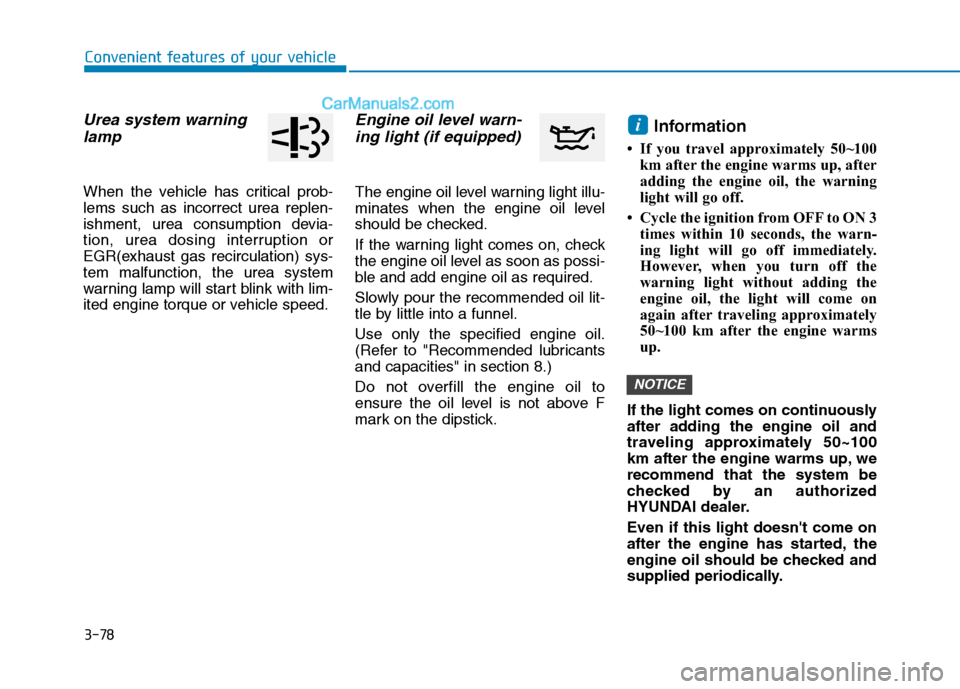
Urea system warninglamp
When the vehicle has critical prob- lems such as incorrect urea replen-
ishment, urea consumption devia-
tion, urea dosing interruption or
EGR(exhaust gas recirculation) sys-tem malfunction, the urea system
warning lamp will start blink with lim-
ited engine torque or vehicle speed.
Engine oil level warn-ing light (if equipped)
The engine oil level warning light illu-
minates when the engine oil level
should be checked.
If the warning light comes on, check
the engine oil level as soon as possi-
ble and add engine oil as required.
Slowly pour the recommended oil lit-
tle by little into a funnel. Use only the specified engine oil.
(Refer to "Recommended lubricantsand capacities" in section 8.)
Do not overfill the engine oil to
ensure the oil level is not above F
mark on the dipstick. Information
If you travel approximately 50~100 km after the engine warms up, after
adding the engine oil, the warning
light will go off.
Cycle the ignition from OFF to ON 3 times within 10 seconds, the warn-
ing light will go off immediately.
However, when you turn off the
warning light without adding the
engine oil, the light will come on
again after traveling approximately
50~100 km after the engine warms
up.
If the light comes on continuously
after adding the engine oil and
traveling approximately 50~100
km after the engine warms up, werecommend that the system be
checked by an authorized
HYUNDAI dealer. Even if this light doesn't come on
after the engine has started, the
engine oil should be checked and
supplied periodically.
NOTICE
i
Page 143 of 473
3-81
Convenient features of your vehicle
3
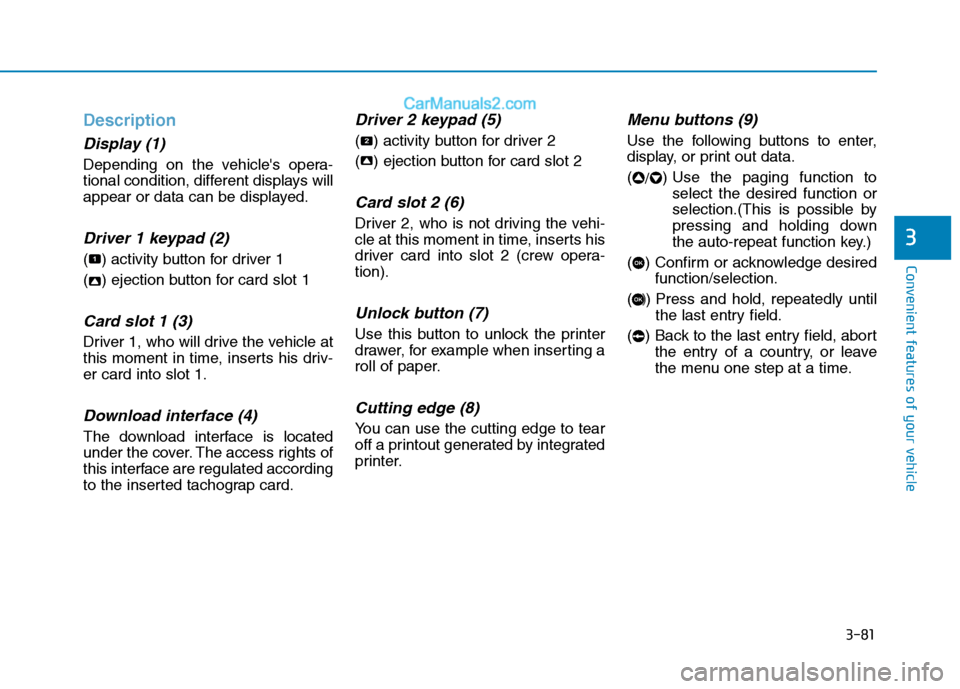
Description
Display (1)
Depending on the vehicle's opera-
tional condition, different displays will
appear or data can be displayed.
Driver 1 keypad (2)
( ) activity button for driver 1
( ) ejection button for card slot 1
Card slot 1 (3)
Driver 1, who will drive the vehicle at
this moment in time, inserts his driv-er card into slot 1.
Download interface (4)
The download interface is located
under the cover. The access rights of
this interface are regulated according
to the inserted tachograp card.
Driver 2 keypad (5)
( ) activity button for driver 2
( ) ejection button for card slot 2
Card slot 2 (6)
Driver 2, who is not driving the vehi-
cle at this moment in time, inserts his
driver card into slot 2 (crew opera-tion).
Unlock button (7)
Use this button to unlock the printer
drawer, for example when inserting a
roll of paper.
Cutting edge (8)
You can use the cutting edge to tear
off a printout generated by integrated
printer.
Menu buttons (9)
Use the following buttons to enter,
display, or print out data. (/) Use the paging function to
select the desired function or
selection.(This is possible by
pressing and holding down
the auto-repeat function key.)
( ) Confirm or acknowledge desired function/selection.
( ) Press and hold, repeatedly until the last entry field.
( ) Back to the last entry field, abort the entry of a country, or leave
the menu one step at a time.
OK
OK
22
2
1
Page 145 of 473
3-83
Convenient features of your vehicle
3
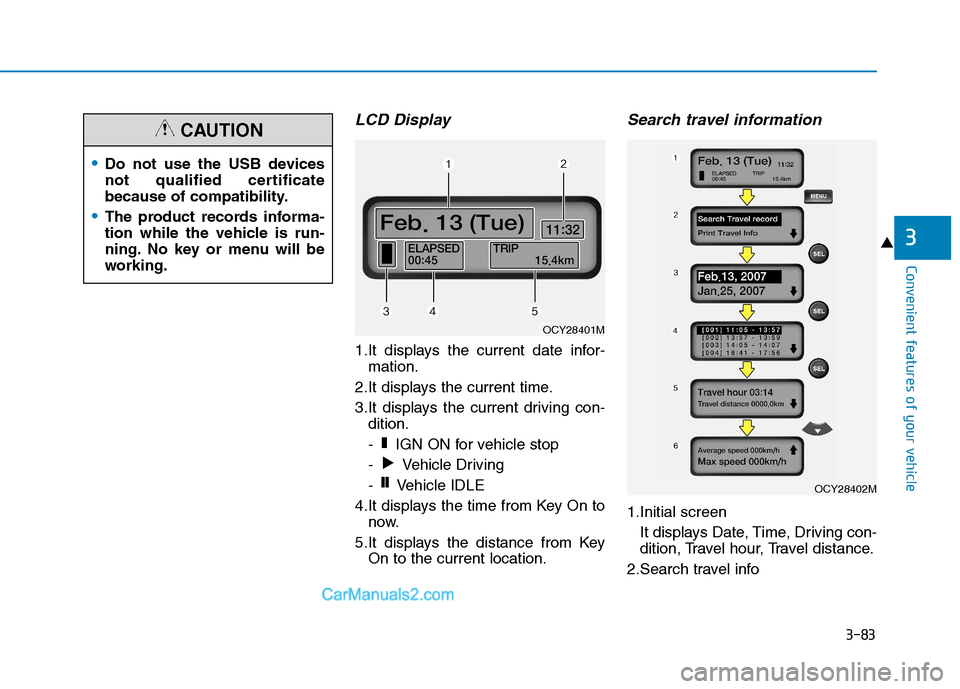
LCD Display
1.It displays the current date infor-mation.
2.It displays the current time.
3.It displays the current driving con- dition.
- IGN ON for vehicle stop
- Vehicle Driving
- Vehicle IDLE
4.It displays the time from Key On to now.
5.It displays the distance from Key On to the current location.
Search travel information
1.Initial screen
It displays Date, Time, Driving con-
dition, Travel hour, Travel distance.
2.Search travel info
❙❙
❚
OCY28401M
OCY28402M
Do not use the USB devices
not qualified certificate
because of compatibility.
The product records informa-
tion while the vehicle is run-
ning. No key or menu will be
working.
CAUTION
Page 146 of 473
3-84
Convenient features of your vehicle
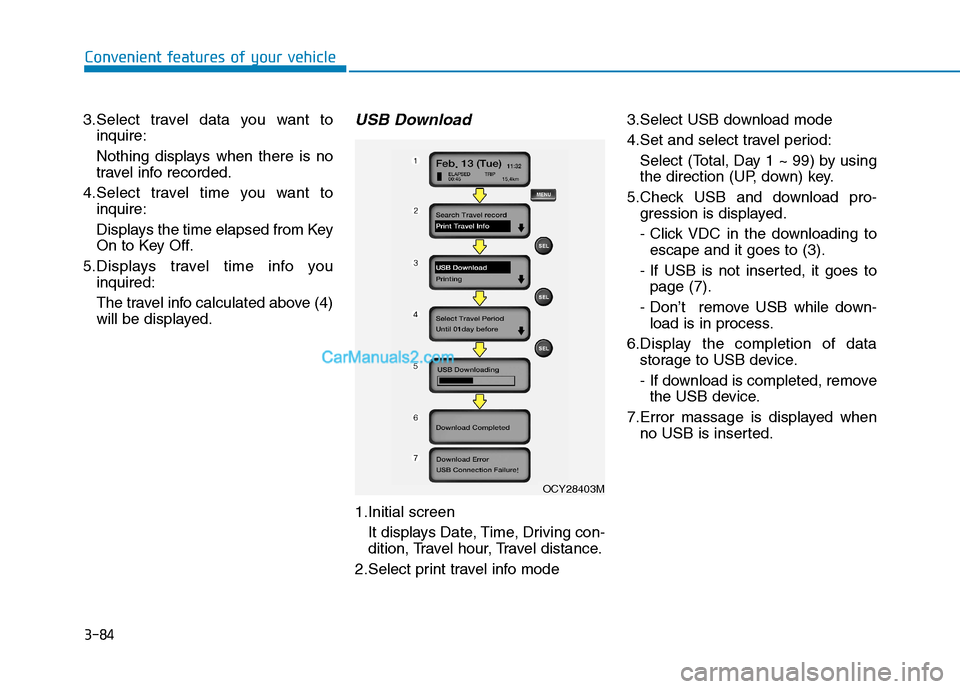
3.Select travel data you want toinquire:
Nothing displays when there is no
travel info recorded.
4.Select travel time you want to inquire:
Displays the time elapsed from Key
On to Key Off.
5.Displays travel time info you inquired:
The travel info calculated above (4)
will be displayed.USB Download
1.Initial screen
It displays Date, Time, Driving con-
dition, Travel hour, Travel distance.
2.Select print travel info mode 3.Select USB download mode
4.Set and select travel period:
Select (Total, Day 1 ~ 99) by using
the direction (UP, down) key.
5.Check USB and download pro- gression is displayed.
- Click VDC in the downloading toescape and it goes to (3).
- If USB is not inserted, it goes to page (7).
- Don’t remove USB while down- load is in process.
6.Display the completion of data storage to USB device.
- If download is completed, removethe USB device.
7.Error massage is displayed when no USB is inserted.
OCY28403M
Page 147 of 473
3-85
Convenient features of your vehicle
3
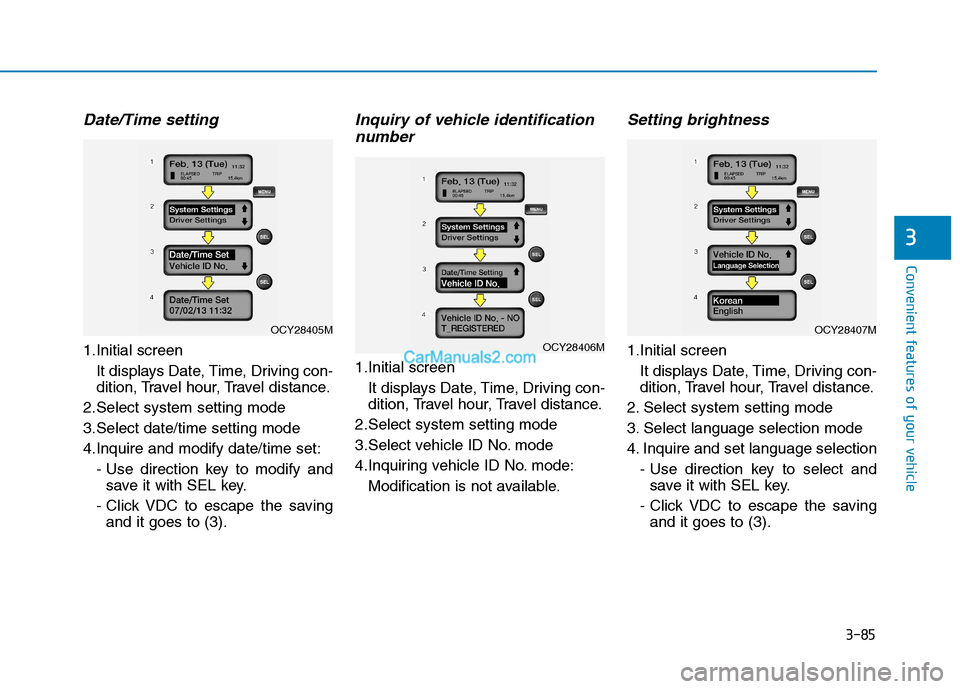
Date/Time setting
1.Initial screenIt displays Date, Time, Driving con-
dition, Travel hour, Travel distance.
2.Select system setting mode
3.Select date/time setting mode
4.Inquire and modify date/time set: - Use direction key to modify andsave it with SEL key.
- Click VDC to escape the saving and it goes to (3).
Inquiry of vehicle identification
number
1.Initial screen
It displays Date, Time, Driving con-
dition, Travel hour, Travel distance.
2.Select system setting mode
3.Select vehicle ID No. mode
4.Inquiring vehicle ID No. mode: Modification is not available.
Setting brightness
1.Initial screenIt displays Date, Time, Driving con-
dition, Travel hour, Travel distance.
2. Select system setting mode
3. Select language selection mode
4. Inquire and set language selection - Use direction key to select andsave it with SEL key.
- Click VDC to escape the saving and it goes to (3).OCY28406M
OCY28407MOCY28405M
Page 148 of 473
3-86
Convenient features of your vehicle
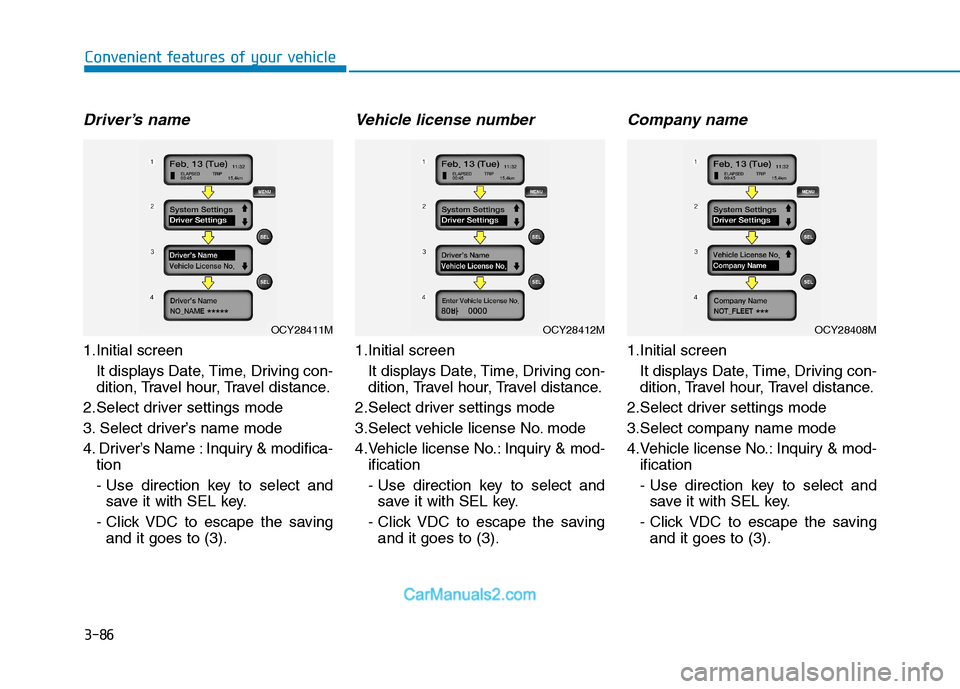
Driver’s name
1.Initial screen It displays Date, Time, Driving con-
dition, Travel hour, Travel distance.
2.Select driver settings mode
3. Select driver’s name mode
4. Driver’s Name : Inquiry & modifica- tion
- Use direction key to select andsave it with SEL key.
- Click VDC to escape the saving and it goes to (3).
Vehicle license number
1.Initial screen
It displays Date, Time, Driving con-
dition, Travel hour, Travel distance.
2.Select driver settings mode
3.Select vehicle license No. mode
4.Vehicle license No.: Inquiry & mod- ification
- Use direction key to select andsave it with SEL key.
- Click VDC to escape the saving and it goes to (3).
Company name
1.Initial screen
It displays Date, Time, Driving con-
dition, Travel hour, Travel distance.
2.Select driver settings mode
3.Select company name mode
4.Vehicle license No.: Inquiry & mod- ification
- Use direction key to select andsave it with SEL key.
- Click VDC to escape the saving and it goes to (3).
OCY28412MOCY28408MOCY28411M
Page 149 of 473
3-87
Convenient features of your vehicle
3
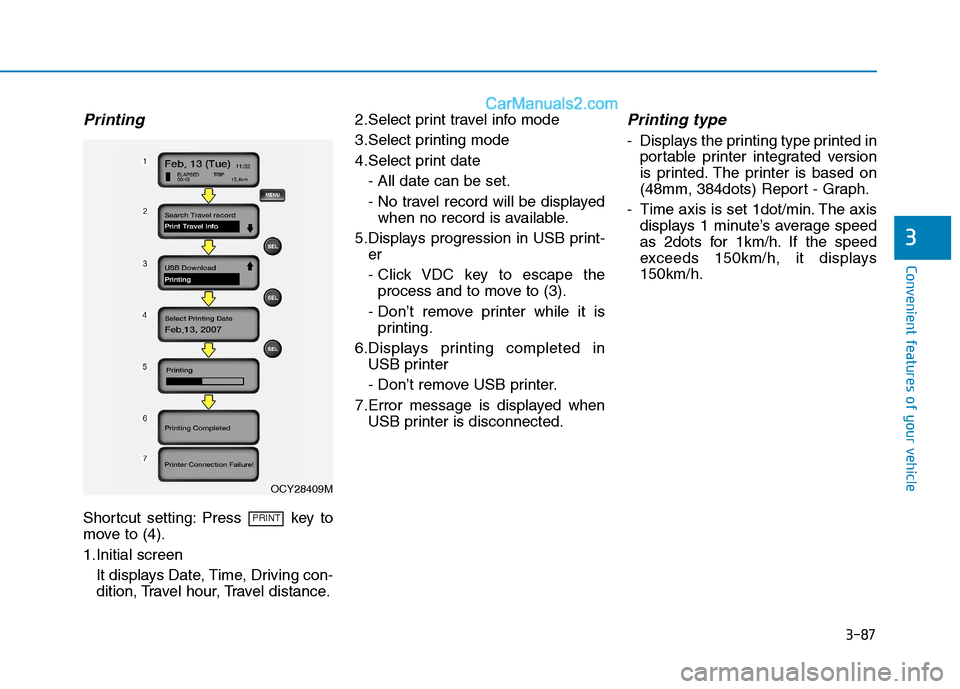
Printing
Shortcut setting: Press key to
move to (4).
1.Initial screenIt displays Date, Time, Driving con-
dition, Travel hour, Travel distance. 2.Select print travel info mode
3.Select printing mode
4.Select print date
- All date can be set.
- No travel record will be displayedwhen no record is available.
5.Displays progression in USB print- er
- Click VDC key to escape theprocess and to move to (3).
- Don’t remove printer while it is printing.
6.Displays printing completed in USB printer
- Don’t remove USB printer.
7.Error message is displayed when USB printer is disconnected.
Printing type
- Displays the printing type printed inportable printer integrated version
is printed. The printer is based on
(48mm, 384dots) Report - Graph.
- Time axis is set 1dot/min. The axis displays 1 minute’s average speed
as 2dots for 1km/h. If the speed
exceeds 150km/h, it displays150km/h.
PRINT
OCY28409M