usb Hyundai H350 2016 Owner's Guide
[x] Cancel search | Manufacturer: HYUNDAI, Model Year: 2016, Model line: H350, Model: Hyundai H350 2016Pages: 473, PDF Size: 26.4 MB
Page 261 of 473
4-69
Multimedia System
4
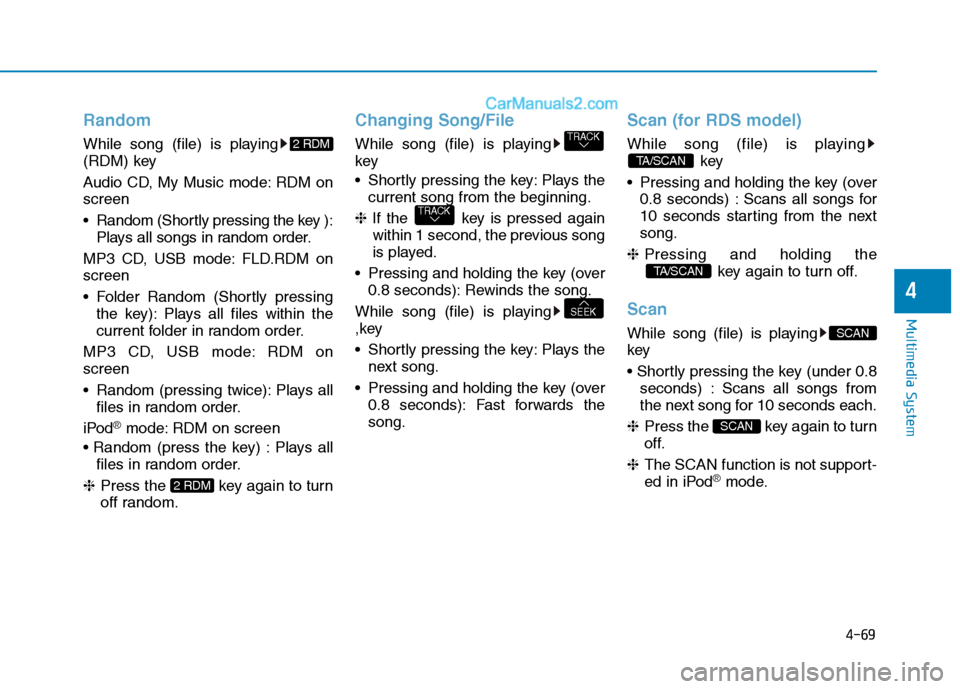
Random
While song (file) is playing
(RDM) key
Audio CD, My Music mode: RDM on screen
Random (Shortly pressing the key ):Plays all songs in random order.
MP3 CD, USB mode: FLD.RDM on screen
Folder Random (Shortly pressing the key): Plays all files within the
current folder in random order.
MP3 CD, USB mode: RDM onscreen
Random (pressing twice): Plays all files in random order.
iPod
®mode: RDM on screen
Plays all files in random order.
❈ Press the key again to turn
off random.
Changing Song/File
While song (file) is playing key
Shortly pressing the key: Plays the
current song from the beginning.
❈ If the key is pressed again
within 1 second, the previous song
is played.
Pressing and holding the key (over 0.8 seconds): Rewinds the song.
While song (file) is playing
,key
Shortly pressing the key: Plays the next song.
Pressing and holding the key (over 0.8 seconds): Fast forwards the song.
Scan (for RDS model)
While song (file) is playing key
Pressing and holding the key (over 0.8 seconds) : Scans all songs for
10 seconds starting from the nextsong.
❈ Pressing and holding the
key again to turn off.
Scan
While song (file) is playing key
seconds) : Scans all songs from
the next song for 10 seconds each.
❈ Press the key again to turn
off.
❈ The SCAN function is not support-
ed in iPod
®mode.
SCAN
SCAN
TA/SCAN
TA/SCAN
SEEK
TRACK
TRACK
2 RDM
2 RDM
Page 262 of 473
4-70
Multimedia System
Folder Search : MP3 CD, USB Mode
While file is playing /(Folder Up) key
Searches the next folder.
While file is playing / (Folder Down) key
❈ If a folder is selected by pressing
the TUNE knob, the first file
within the selected folder will be
played.
Searching Songs (File)
Turning TUNE knob : Searches for songs (files)
Pressing TUNE knob : Plays selected song (file).
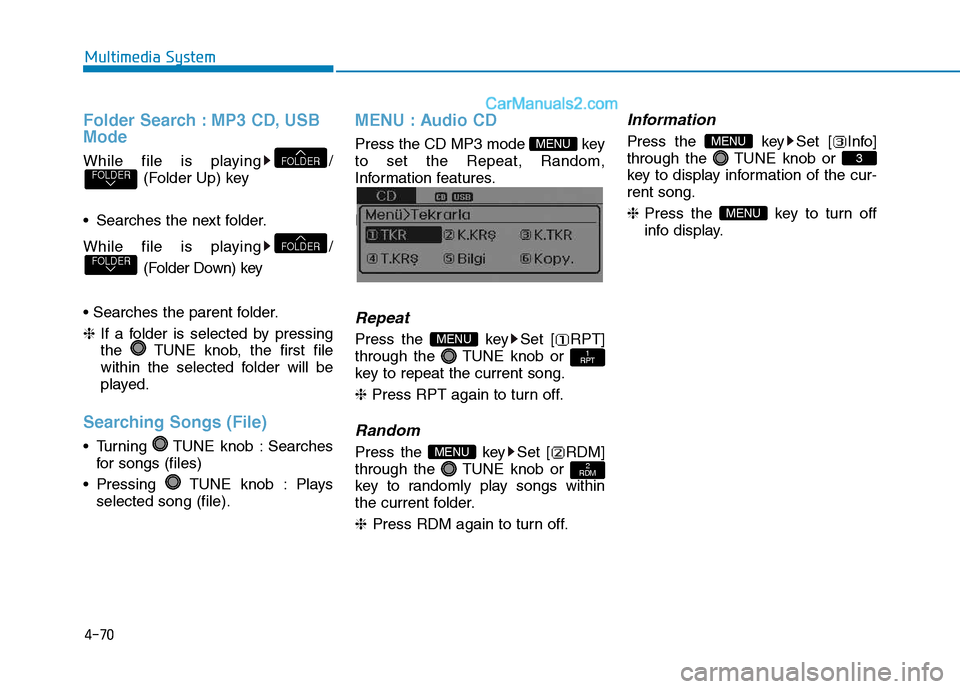
MENU : Audio CD
Press the CD MP3 mode key to set the Repeat, Random,
Information features.
Information features.
Repeat
Press the key Set [ RPT]
through the TUNE knob or
key to repeat the current song. ❈ Press RPT again to turn off.
Random
Press the key Set [ RDM]
through the TUNE knob or
key to randomly play songs within
the current folder. ❈ Press RDM again to turn off.
Information
Press the key Set [ Info]
through the TUNE knob or
key to display information of the cur-rent song. ❈Press the key to turn off
info display.
MENU
3
MENU
2
RDMMENU
1
RPTMENU
MENU
FOLDERFOLDER
FOLDERFOLDER
Page 263 of 473
4-71
Multimedia System
4
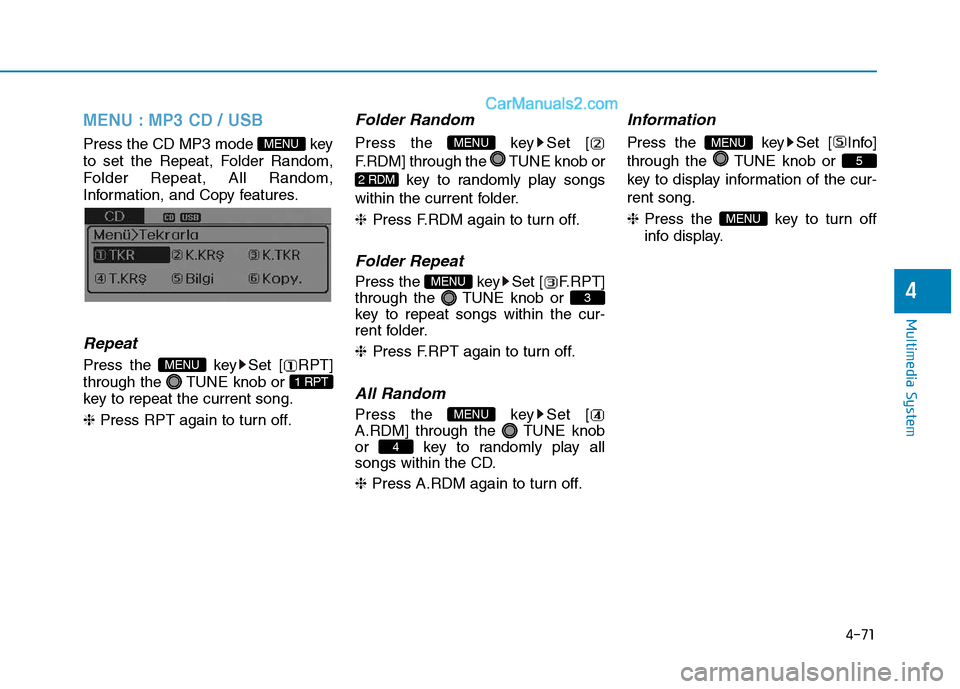
MENU : MP3 CD / USB
Press the CD MP3 mode key
to set the Repeat, Folder Random,
Folder Repeat, All Random,
Information, and Copy features.
Information, and Copy features.
Repeat
Press the key Set [ RPT]
through the TUNE knob or
key to repeat the current song. ❈ Press RPT again to turn off.
Folder Random
Press the key Set [
F.RDM] through the TUNE knob or
key to randomly play songs
within the current folder. ❈ Press F.RDM again to turn off.
Folder Repeat
Press the key Set [ F.RPT]
through the TUNE knob or
key to repeat songs within the cur-
rent folder. ❈Press F.RPT again to turn off.
All Random
Press the key Set [
A.RDM] through the TUNE knob
or key to randomly play all
songs within the CD. ❈ Press A.RDM again to turn off.
Information
Press the key Set [ Info]
through the TUNE knob or
key to display information of the cur-rent song. ❈ Press the key to turn off
info display.
MENU
5
MENU
4
MENU
3
MENU
2 RDM
MENU
1 RPT
MENU
MENU
Page 264 of 473
![Hyundai H350 2016 Owners Guide 4-72
Multimedia System
Copy
Press the key Set [ Copy]
through the TUNE knob or
key.This is used to copy the currentsong into My Music. You can playthe copied Music in My Music
mode.
❈ If another](/img/35/14880/w960_14880-263.png "Hyundai H350 2016 Owners Guide 4-72
Multimedia System
Copy
Press the key Set [ Copy]
through the TUNE knob or
key.This is used to copy the currentsong into My Music. You can playthe copied Music in My Music
mode.
❈ If another")
4-72
Multimedia System
Copy
Press the key Set [ Copy]
through the TUNE knob or
key.This is used to copy the currentsong into My Music. You can playthe copied Music in My Music
mode.
❈ If another key is pressed while
copying is in progress, a pop up
asking you whether to cancel
copying is displayed.
❈ If another media is connected or
inserted (USB, CD, iPod
®, AUX)
while copying is in progress, copy- ing is canceled.
❈ Music will not be played while
copying is in progress.
MENU : iPod®
In iPod®mode, press the key to
set the Repeat, Random, Information
and Search features.
Repeat
Press the key Set [ RPT]
through the TUNE knob or
key to repeat the current song. ❈ Press RPT again to turn repeat
off.
Random
Press the key Set [ RDM]
through the TUNE knob or
key.
Plays all songs within the currently
playing category in random order. ❈Press RDM again to turn off.
Information
Press the key Set [ Info]
through the TUNE knob or
key.
Displays information of the current song. ❈Press the key to turn off
info display.
Search
Press the key Set [
Search] through the TUNE knob
or key.
Displays iPod
®category list.
❈ Searching iPod
®category is
key pressed, move to par-
ent category.
MENU
4
MENU
MENU
3
MENU
2 RDM
MENU
1 RPT
MENU
MENU6
MENU
Page 267 of 473
4-75
Multimedia System
4
BBlluu eettoo ootthh®®WW iirr ee llee ssss
T
T eecchh nnoo lloo ggyy AAUU DDIIOO MM OODDEE
(
( IIff ee qq uu iipp pp eedd ))
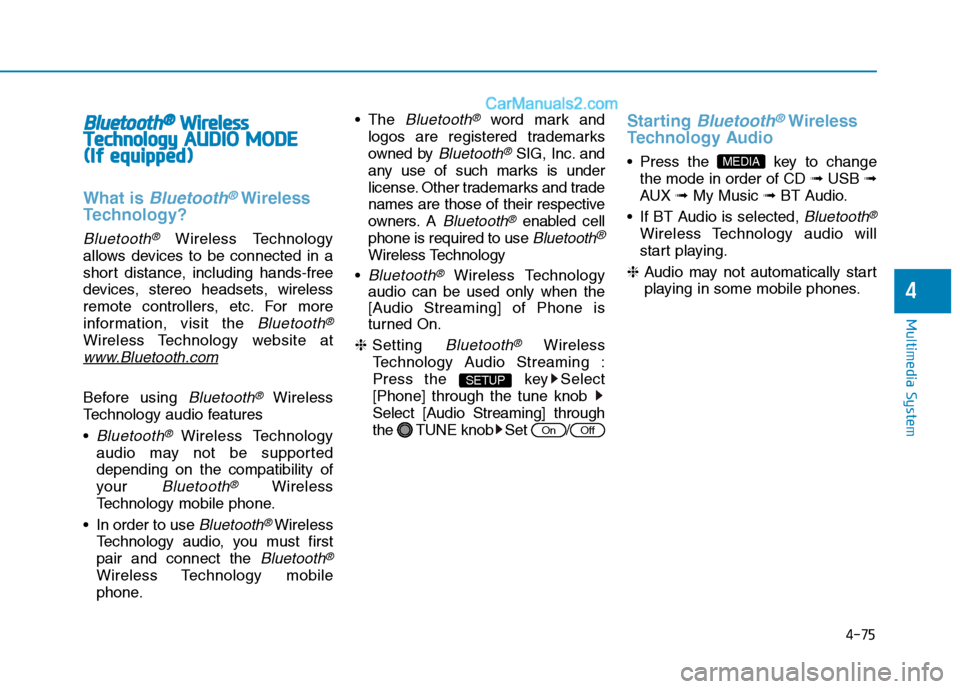
What is Bluetooth®Wireless
Technology?
Bluetooth®Wireless Technology
allows devices to be connected in a
short distance, including hands-free
devices, stereo headsets, wireless
remote controllers, etc. For more
information, visit the
Bluetooth®
Wireless Technology website at
www.Bluetooth.com
Before using Bluetooth®Wireless
Technology audio features
Bluetooth®Wireless Technology
audio may not be supported depending on the compatibility of
your
Bluetooth®Wireless
Technology mobile phone.
In order to use
Bluetooth® Wireless
Technology audio, you must firstpair and connect the
Bluetooth®
Wireless Technology mobile
phone. The
Bluetooth®word mark and
logos are registered trademarks
owned by
Bluetooth®SIG, Inc. and
any use of such marks is under
license. Other trademarks and trade
names are those of their respective
owners. A
Bluetooth®enabled cell
phone is required to use
Bluetooth®
Wireless Technology
Bluetooth®Wireless Technology
audio can be used only when the
[Audio Streaming] of Phone is
turned On.
❈ Setting
Bluetooth®Wireless
Technology Audio Streaming :
Press the key Select[Phone] through the tune knob
Select [Audio Streaming] through
the TUNE knob Set /
Starting Bluetooth®Wireless
Technology Audio
key to change the mode in order of CD ➟USB ➟
AUX ➟My Music ➟BT Audio.
If BT Audio is selected,
Bluetooth®
Wireless Technology audio will
start playing.
❈ Audio may not automatically start
playing in some mobile phones.
MEDIA
OffOn
SETUP
Page 289 of 473
5-18
Driving your vehicle
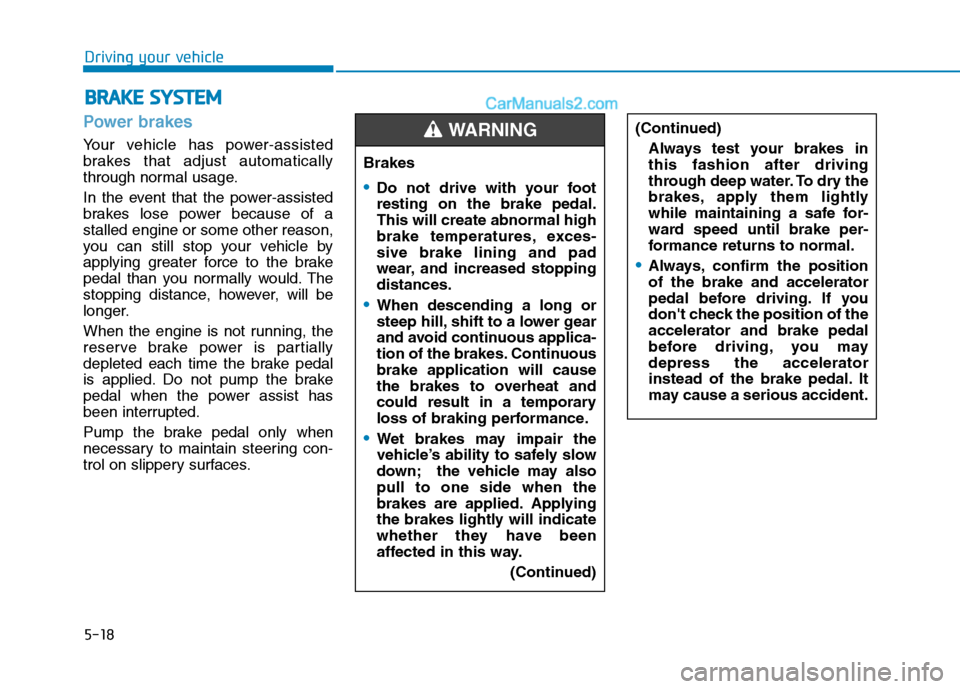
Power brakes
Your vehicle has power-assisted
brakes that adjust automatically
through normal usage.
In the event that the power-assisted
brakes lose power because of astalled engine or some other reason,
you can still stop your vehicle by
applying greater force to the brake
pedal than you normally would. The
stopping distance, however, will be
longer.
When the engine is not running, the
reserve brake power is partially
depleted each time the brake pedal
is applied. Do not pump the brake
pedal when the power assist has
been interrupted.
Pump the brake pedal only when
necessary to maintain steering con-
trol on slippery surfaces.
BBRRAA KKEE SS YY SSTT EEMM
Brakes
Do not drive with your foot resting on the brake pedal.This will create abnormal high
brake temperatures, exces-sive brake lining and pad
wear, and increased stoppingdistances.
When descending a long or
steep hill, shift to a lower gear
and avoid continuous applica-
tion of the brakes. Continuousbrake application will cause
the brakes to overheat and
could result in a temporary
loss of braking performance.
Wet brakes may impair the
vehicle’s ability to safely slow
down; the vehicle may alsopull to one side when the
brakes are applied. Applying
the brakes lightly will indicate
whether they have been
affected in this way.
(Continued)
WARNING (Continued)Always test your brakes in this fashion after driving
through deep water. To dry the
brakes, apply them lightly
while maintaining a safe for-
ward speed until brake per-
formance returns to normal.
Always, confirm the position of the brake and accelerator
pedal before driving. If you
don't check the position of theaccelerator and brake pedal
before driving, you maydepress the accelerator
instead of the brake pedal. It
may cause a serious accident.
Page 471 of 473
I-6Multi-display.................................................................3-50
AV information ..........................................................3-53
Drive info. mode ........................................................3-53
Function description ..................................................3-51
Information Mode ......................................................3-54
Main display ..............................................................3-50
Trip computer ............................................................3-53
Turn by turn navigation .............................................3-54
User Settings Mode ...................................................3-55
Warning Messages .....................................................3-57
Multimedia system .........................................................4-2
Owner maintenance ........................................................7-8
Parking assist system ....................................................3-88
Front/rear parking assist system type ........................3-92
Rear parking assist system type.................................3-89
Parking brake ................................................................7-30
Power steering fluid......................................................7-28 Checking the power steering fluid level ....................2-28
Checking the power steering hose .............................2-29
PTO switch ...................................................................5-41 RADIO 1 (RADIO,AUX) ...........................................4-45
RADIO 2 (RADIO,USB,AUX) (Except RDS Model)
..4-49
RADIO 2 (RADIO,USB,AUX) (For RDS Model) ......4-48
Rear door ......................................................................3-22 Child-protector rear door lock ...................................3-25
Closing the rear doors from the outside ....................3-25
Opening the left-hand rear door ................................3-24
Opening the rear doors to an angle of 180° or 270° ..3-24
Opening/closing from the inside ...............................3-23
Opening/closing from the outside .............................3-23
Rearview camera ..........................................................3-94
Recommended lubricants and capacities........................8-7
Remote keyless entry......................................................3-6
Battery replacement .....................................................3-8
Remote keyless entry system operations .....................3-6
Transmitter precautions ...............................................3-7
Removing and storing the spare tire...............................6-9
Jacking instructions .....................................................6-9
A type ...........................................................................6-9
B type .........................................................................6-11
Changing tires ............................................................6-14
Index
R
P
O