display Hyundai H350 2016 Manual PDF
[x] Cancel search | Manufacturer: HYUNDAI, Model Year: 2016, Model line: H350, Model: Hyundai H350 2016Pages: 473, PDF Size: 26.4 MB
Page 265 of 473
4-73
Multimedia System
4
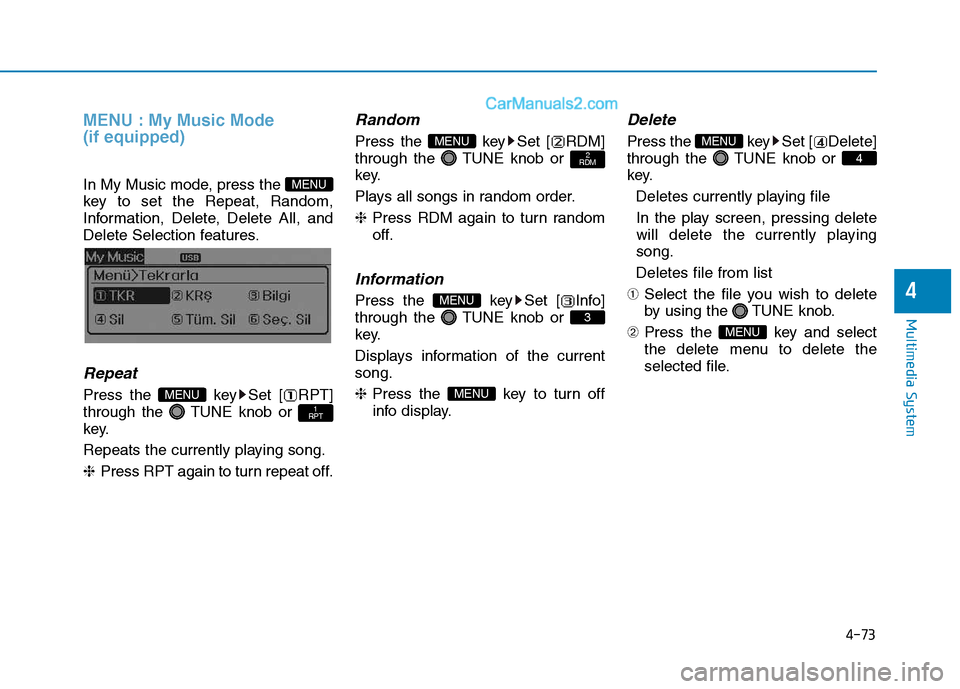
MENU : My Music Mode (if equipped)
In My Music mode, press the
key to set the Repeat, Random,
Information, Delete, Delete All, and
Delete Selection features.
Repeat
Press the key Set [ RPT]
through the TUNE knob or
key.
Repeats the currently playing song.❈Press RPT again to turn repeat off.
Random
Press the key Set [ RDM]
through the TUNE knob or
key.
Plays all songs in random order.❈Press RDM again to turn random
off.
Information
Press the key Set [ Info]
through the TUNE knob or
key.
Displays information of the current song. ❈ Press the key to turn off
info display.
Delete
Press the key Set [ Delete]
through the TUNE knob or
key.
Deletes currently playing file
In the play screen, pressing delete
will delete the currently playingsong.
Deletes file from list
➀ Select the file you wish to delete
by using the TUNE knob.
➁ Press the key and select
the delete menu to delete the
selected file.
MENU
4
MENU
MENU
3
MENU
2
RDMMENU
1
RPTMENU
MENU
Page 268 of 473
4-76
Multimedia System
Using the Bluetooth®Wireless
Technology audio features
Press the TUNE knob to play and pause the current song. ❈ The title / artist info may not be
supported in some mobile phone.
When it is not supported, no title /
no artist will be displayed.
Press of to play previous or
next song. ❈ The previous song / next song /
play / pause functions may not be
supported in some mobile
phones.
PP HH OO NNEE ((iiff ee qq uu iipp pp eedd ))
Before using the Bluetooth®Wireless
Technology
phone features
Bluetooth®Wireless
Technology
phone, you must first
pair and connect the
Bluetooth®
Wireless Technologymobile phone.
connected, it is not possible to
enter Phone mode. Once a phoneis paired or connected, the guid-
ance screen will be displayed.
tion (IGN/ACC ON), the
Bluetooth®
Wireless Technologyphone will be
automatically connected. Even if
you are outside, the
Bluetooth®
Wireless Technologyphone will be
automatically connected once you
are in the vicinity of the vehicle. If you
do not want automatic
Bluetooth®
Wireless Technologyphone connec-
tion, set the
Bluetooth®Wireless
Technology
power to OFF.
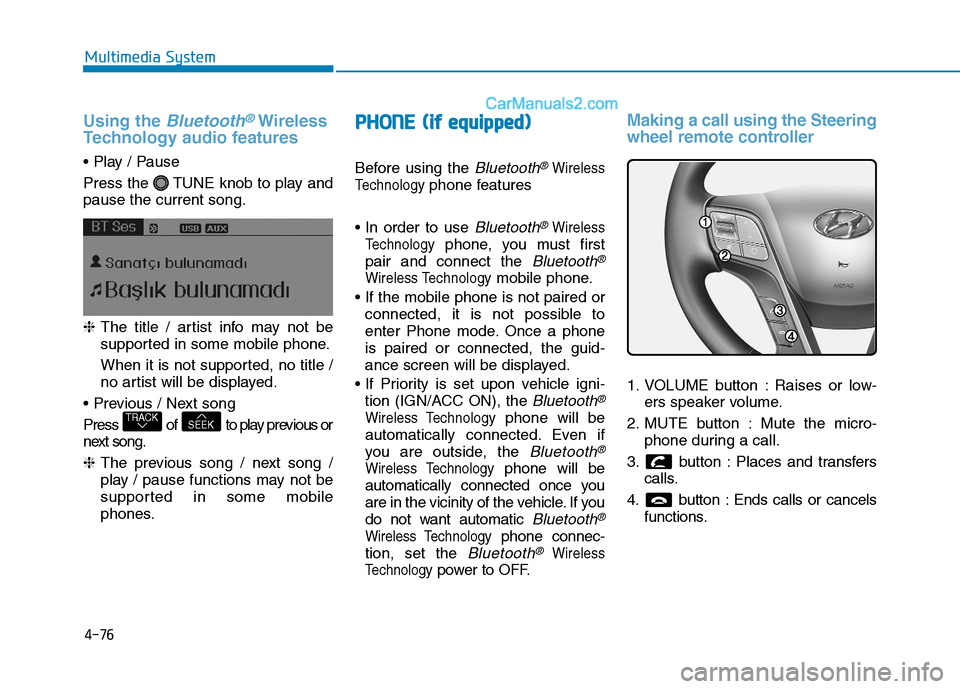
Making a call using the Steering
wheel remote controller
1. VOLUME button : Raises or low- ers speaker volume.
2. MUTE button : Mute the micro- phone during a call.
3. button : Places and transfers calls.
4. button : Ends calls or cancels functions.
SEEKTRACK
Page 269 of 473
4-77
Multimedia System
4
➀Shortly press (under 0.8 seconds)
the key on the steering
remote controller.
➁ The call history list will be dis-
played on the screen.
➂ Press the key again to con-
nect a call to the selected number.
number
➀ Press and hold (over 0.8 seconds)
the key on the steering
remote controller.
➁ The most recently called numberis redialed.Phone MENU (for RDS model)
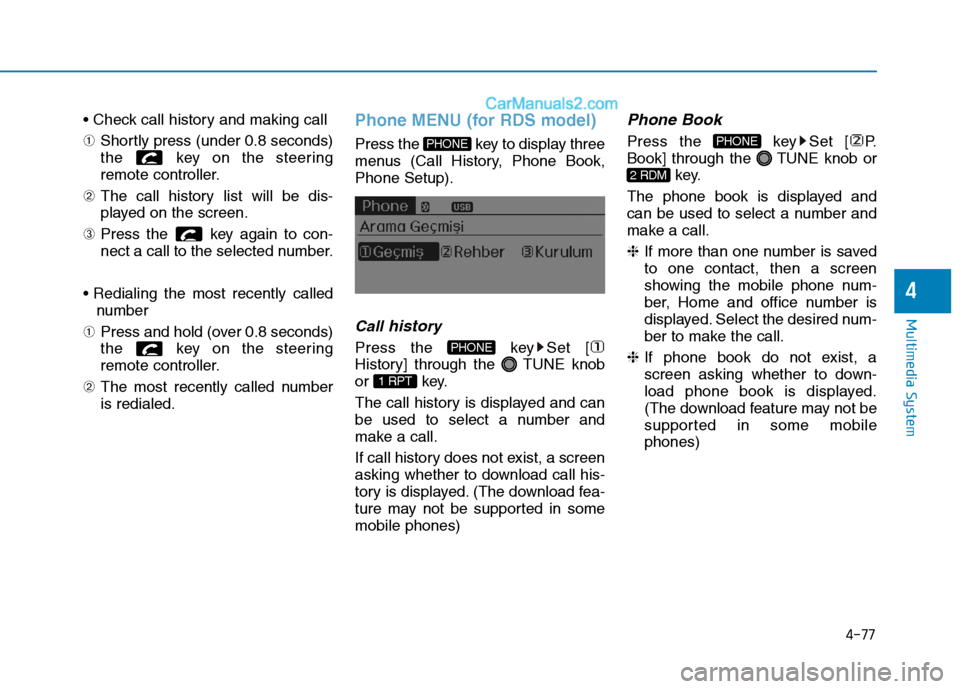
Press the key to display three
menus (Call History, Phone Book,Phone Setup).
Callhistory
Press the key Set [
History] through the TUNE knob
or key.
The call history is displayed and can
be used to select a number and
make a call.
If call history does not exist, a screen
asking whether to download call his-
tory is displayed. (The download fea-
ture may not be supported in somemobile phones)
Phone Book
Press the key Set [ P.
Book] through the TUNE knob or
key.
The phone book is displayed and
can be used to select a number and
make a call. ❈ If more than one number is saved
to one contact, then a screen
showing the mobile phone num-
ber, Home and office number is
displayed. Select the desired num-
ber to make the call.
❈ If phone book do not exist, a
screen asking whether to down-
load phone book is displayed.
(The download feature may not be
supported in some mobilephones)
2 RDM
PHONE
1 RPT
PHONE
PHONE
Page 280 of 473
5-9
Driving your vehicle
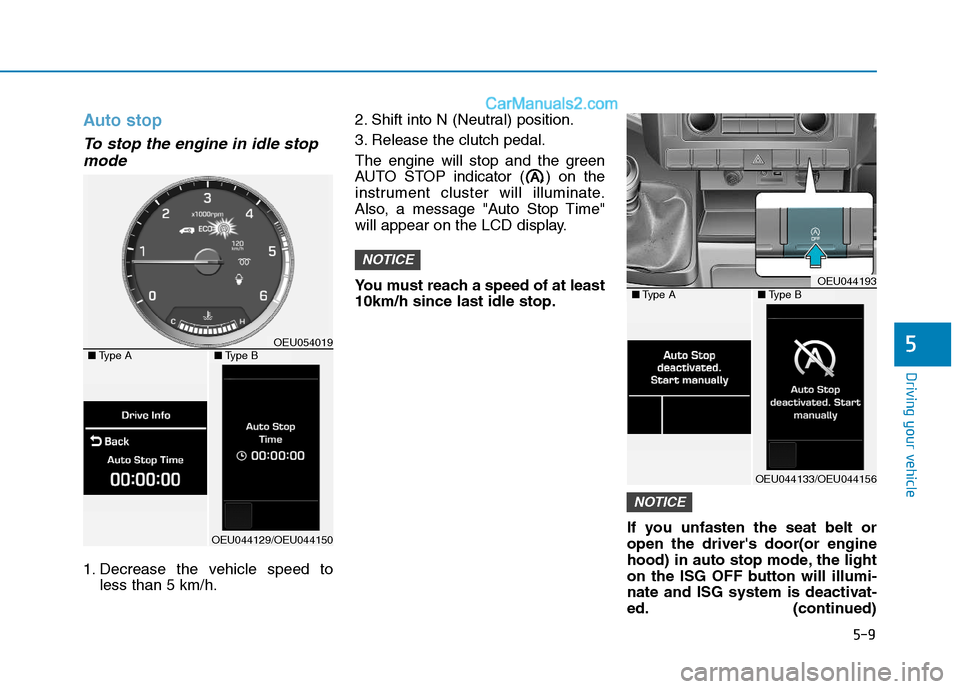
Auto stop
To stop the engine in idle stopmode
1. Decrease the vehicle speed to less than 5 km/h. 2. Shift into N (Neutral) position.
3. Release the clutch pedal.
The engine will stop and the green
AUTO STOP indicator ( ) on the
instrument cluster will illuminate.
Also, a message "Auto Stop Time"
will appear on the LCD display.
You must reach a speed of at least 10km/h since last idle stop.
If you unfasten the seat belt oropen the driver's door(or engine
hood) in auto stop mode, the light
on the ISG OFF button will illumi-
nate and ISG system is deactivat-
ed. (continued)
NOTICE
NOTICE
5
OEU044193■Type A■Type B
OEU044133/OEU044156
OEU054019■Type A■Type B
OEU044129/OEU044150
Page 281 of 473
5-10
Driving your vehicle
(continued)
Also, a message "Auto Stop deac-
tivated. start manually will appear
on the LCD display. Turn the igni-
tion switch to the START position
to start the engine manually. Or if
you fasten the seat belt or closethe driver's door(or engine hood),
ISG system will be activate.Auto start
To restart the engine from idlestop mode
shift lever is in the N (Neutral) posi- tion.
The engine will start and the green
AUTO STOP indicator ( ) on the
instrument cluster will go out.
The engine will also restart automatically without the dri-
ver’s any actions if the followingoccurs:
- The fan speed of manual climate control system is set above the 3rdposition when the air conditioning ison.
- When a certain amount of time has passed with the climate control sys-tem on.
- The fan speed of manual climate control system is set above the 1stposition when the defroster is on.
- The brake vacuum pressure is low.
- The battery charging status is low.
- The vehicle speed exceeds 5 km/h.
The green AUTO STOP indicator
( ) on the instrument cluster will
blink for 5 seconds and a message
"Auto Start" will appear on the LCD
display.
Page 282 of 473
5-11
Driving your vehicle
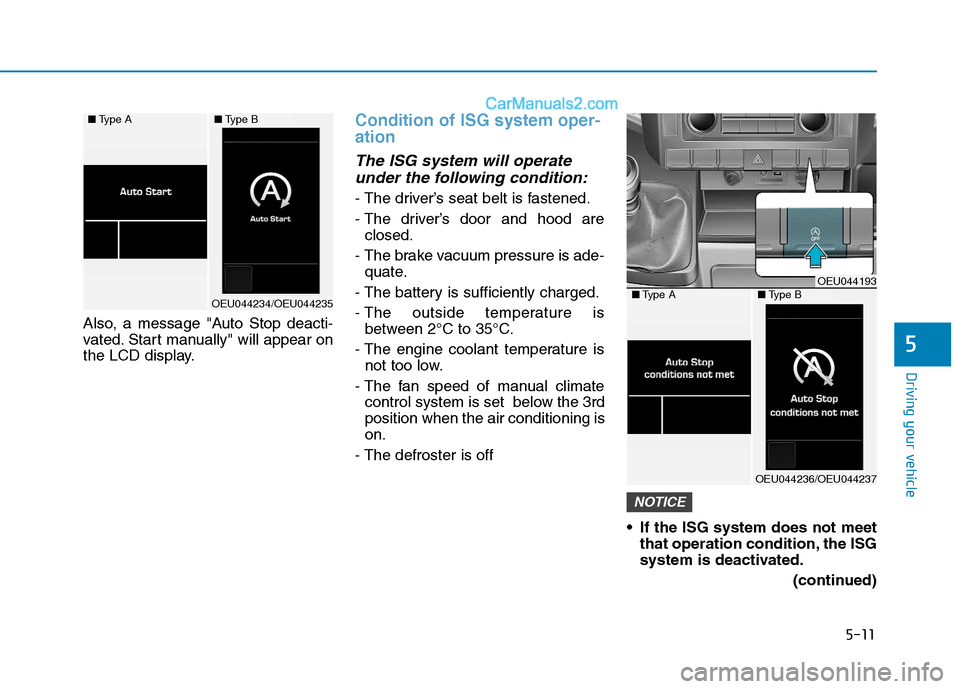
Also, a message "Auto Stop deacti-
vated. Start manually" will appear on
the LCD display.
Condition of ISG system oper- ation
The ISG system will operateunder the following condition:
- The driver’s seat belt is fastened.
- The driver’s door and hood are closed.
- The brake vacuum pressure is ade- quate.
- The battery is sufficiently charged.
- The outside temperature is between 2°C to 35°C.
- The engine coolant temperature is not too low.
- The fan speed of manual climate control system is set below the 3rd position when the air conditioning ison.
- The defroster is off
If the ISG system does not meetthat operation condition, the ISG
system is deactivated.
(continued)
NOTICE
5
■Type A■Type B
OEU044234/OEU044235
OEU044193■Type A■Type B
OEU044236/OEU044237
Page 283 of 473
5-12
Driving your vehicle
(continued)The light on the ISG OFF button
will illuminate and a message
"Auto Stop condition not met"
will appear on the LCD display.
If the light or notice is come on continuously, please check theoperation condition.ISG system deactivation
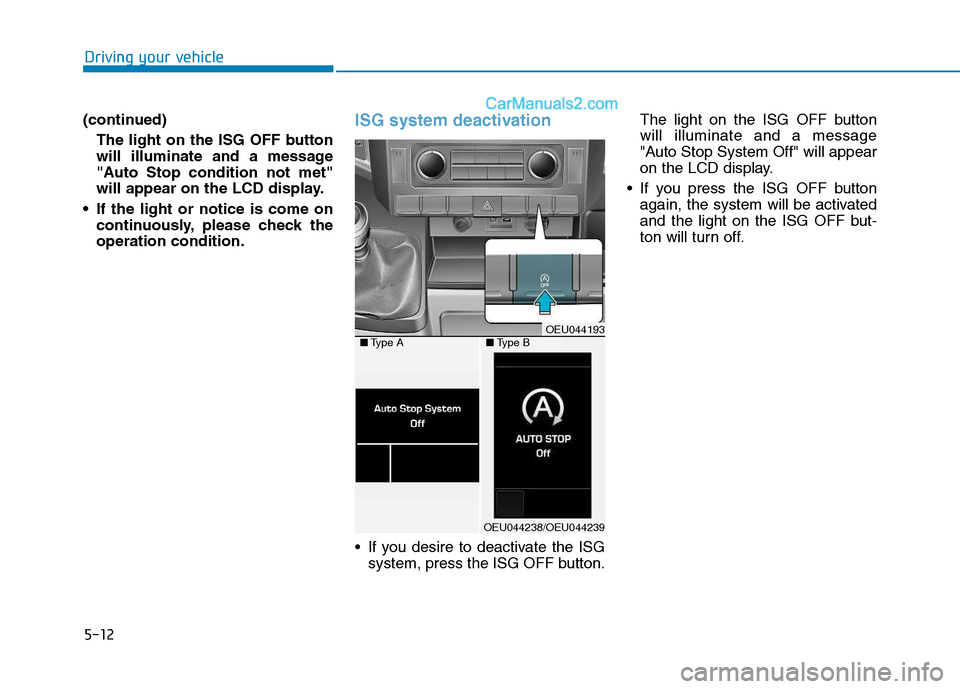
If you desire to deactivate the ISGsystem, press the ISG OFF button. The light on the ISG OFF button will illuminate and a message
"Auto Stop System Off" will appear
on the LCD display.
If you press the ISG OFF button again, the system will be activated
and the light on the ISG OFF but-
ton will turn off.
OEU044193■Type A■Type B
OEU044238/OEU044239
Page 298 of 473
5-27
Driving your vehicle
5
VDC OFF usage
When Driving
The VDC OFF mode should only be
used briefly to help free the vehicle if
stuck in snow or mud by temporarily
stopping operation of the VDC to
maintain wheel torque.
To turn VDC off while driving, press
the VDC OFF button while driving on
a flat road surface.To prevent damage to thetransaxle:
Do not allow wheel(s) of one
axle to spin excessively while
the VDC, ABS, and brake warn-
ing lights are displayed. The
repairs would not be covered by
the vehicle warranty. Reduce
engine power and do not spin
the wheel(s) excessively while
these lights are displayed.
When operating the vehicle on a dynamometer, ensure the VDC isturned off (VDC OFF light illumi-nated).
Information
Turning the VDC off does not affect
ABS or standard brake system opera-
tion.
Hill-Start Assist Control (HAC) (if equipped)
The Hill-Start Assist Control (HAC)
prevents the vehicle from rolling
backwards when starting a vehicle
from a stop on a hill. The system
operates the brakes automatically for
approximately 2 seconds and releas-
es the brake when the acceleratorpedal is depressed or after 2 sec-
onds.
i
NOTICE
Always be ready to depress the
accelerator pedal when starting
off on an incline. The HAC acti-
vates only for approximately 2seconds.
WARNING
Page 306 of 473
5-35
Driving your vehicle
5
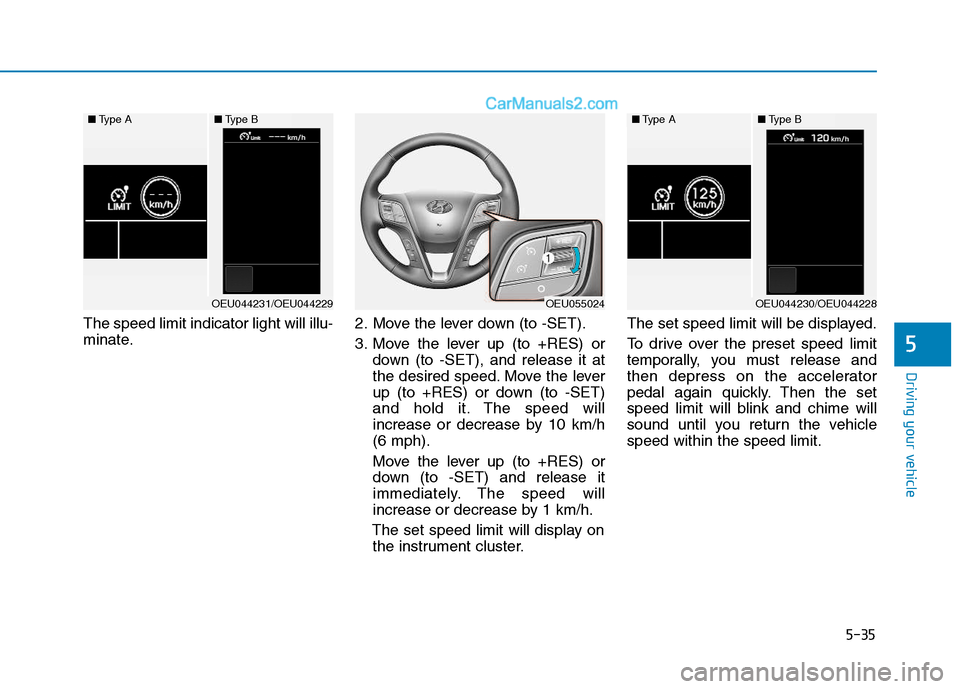
The speed limit indicator light will illu-
minate.2. Move the lever down (to -SET).
3. Move the lever up (to +RES) or
down (to -SET), and release it at
the desired speed. Move the lever
up (to +RES) or down (to -SET)
and hold it. The speed will
increase or decrease by 10 km/h(6 mph).
Move the lever up (to +RES) or
down (to -SET) and release it
immediately. The speed will
increase or decrease by 1 km/h.
The set speed limit will display on the instrument cluster. The set speed limit will be displayed.
To drive over the preset speed limit
temporally, you must release and
then depress on the accelerator
pedal again quickly. Then the set
speed limit will blink and chime will
sound until you return the vehiclespeed within the speed limit.
OEU055024
■
Type A■Type B
OEU044231/OEU044229
■Type A■Type B
OEU044230/OEU044228
Page 310 of 473
5-39
Driving your vehicle
5
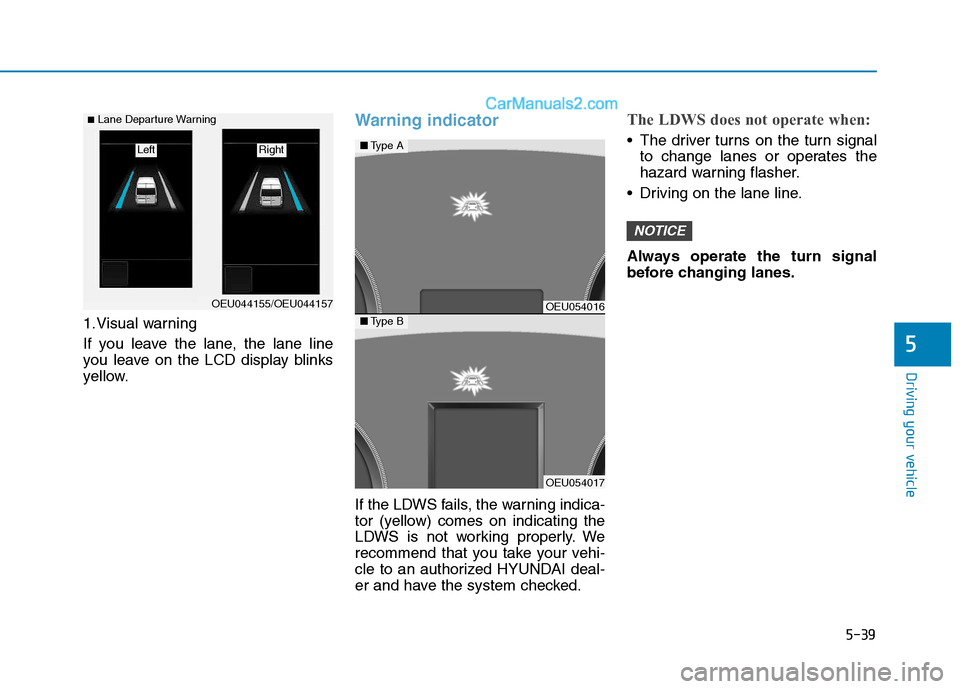
1.Visual warning
If you leave the lane, the lane line
you leave on the LCD display blinks
yellow.
Warning indicator
If the LDWS fails, the warning indica-
tor (yellow) comes on indicating the
LDWS is not working properly. We
recommend that you take your vehi-
cle to an authorized HYUNDAI deal-
er and have the system checked.
The LDWS does not operate when:
The driver turns on the turn signalto change lanes or operates the
hazard warning flasher.
Driving on the lane line.
Always operate the turn signal
before changing lanes.
NOTICE
OEU044155/OEU044157
■ Lane Departure Warning
Right Left
OEU054016
OEU054017
■ Type A
■Type B