speed HYUNDAI I30 2022 Owners Manual
[x] Cancel search | Manufacturer: HYUNDAI, Model Year: 2022, Model line: I30, Model: HYUNDAI I30 2022Pages: 659, PDF Size: 17.14 MB
Page 413 of 659
5-109
Driving your vehicle
5
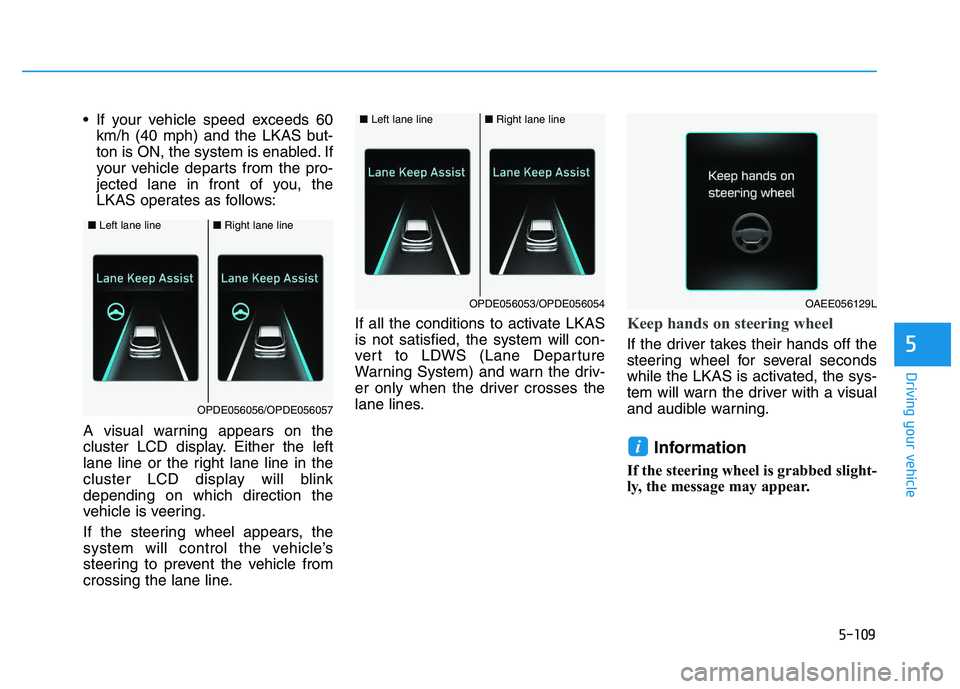
If your vehicle speed exceeds 60km/h (40 mph) and the LKAS but-
ton is ON, the system is enabled. If
your vehicle departs from the pro-
jected lane in front of you, the
LKAS operates as follows:
A visual warning appears on the
cluster LCD display. Either the left
lane line or the right lane line in the
cluster LCD display will blink
depending on which direction the
vehicle is veering.
If the steering wheel appears, the
system will control the vehicle’s
steering to prevent the vehicle from
crossing the lane line. If all the conditions to activate LKAS
is not satisfied, the system will con-
vert to LDWS (Lane Departure
Warning System) and warn the driv-
er only when the driver crosses the
lane lines.
Keep hands on steering wheel
If the driver takes their hands off the
steering wheel for several seconds
while the LKAS is activated, the sys-
tem will warn the driver with a visual
and audible warning.
Information
If the steering wheel is grabbed slight-
ly, the message may appear.
i
OAEE056129L
■
Left lane line■Right lane line
OPDE056053/OPDE056054
■Left lane line■Right lane line
OPDE056056/OPDE056057
Page 415 of 659
5-111
Driving your vehicle
5
The LKAS system will not be in the
ENABLED state and the steering
wheel will not be assisted when:
Vehicle speed is below 60 km/h (40mph) and over 200 km/h (125 mph).
Only one lane line is detected.
The turn signal is turned on before changing a lane. If you change
lanes without the turn signal on,
the steering wheel might be con-
trolled.
The hazard warning flasher is on.
The width of the lane is below 2.6 m (8.5 feet) and over 4.5 m (15 feet).
ESC (Electronic Stability Control) or VSM (Vehicle Stability Management)
is activated.
The vehicle is driven on a sharp curve.
The vehicle brakes suddenly.
The vehicle makes sharp lane changes.
There are more than two lane lines on the road. (e.g. construction
area)
The vehicle is driven on a steep incline.
Information
When the system is turned on or right
after changing a lane, drive in the
middle of the lane. If not, the system
will not provide steering assist func-
tion.
Warning light and message
Check LKAS
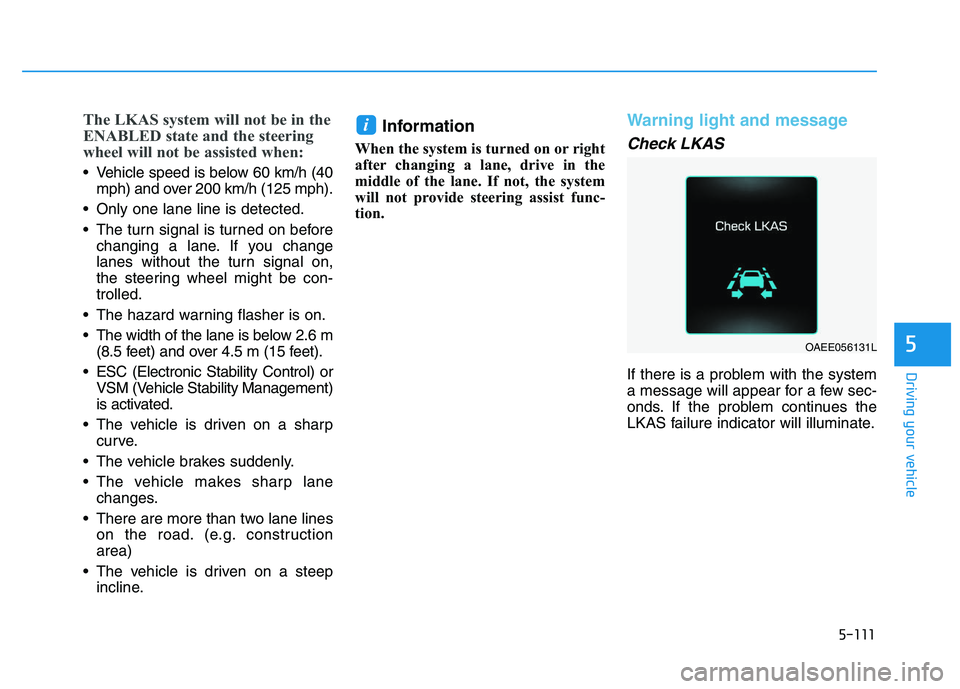
If there is a problem with the system
a message will appear for a few sec-
onds. If the problem continues the
LKAS failure indicator will illuminate.
i
OAEE056131L
Page 418 of 659
5-114
Driving your vehicle
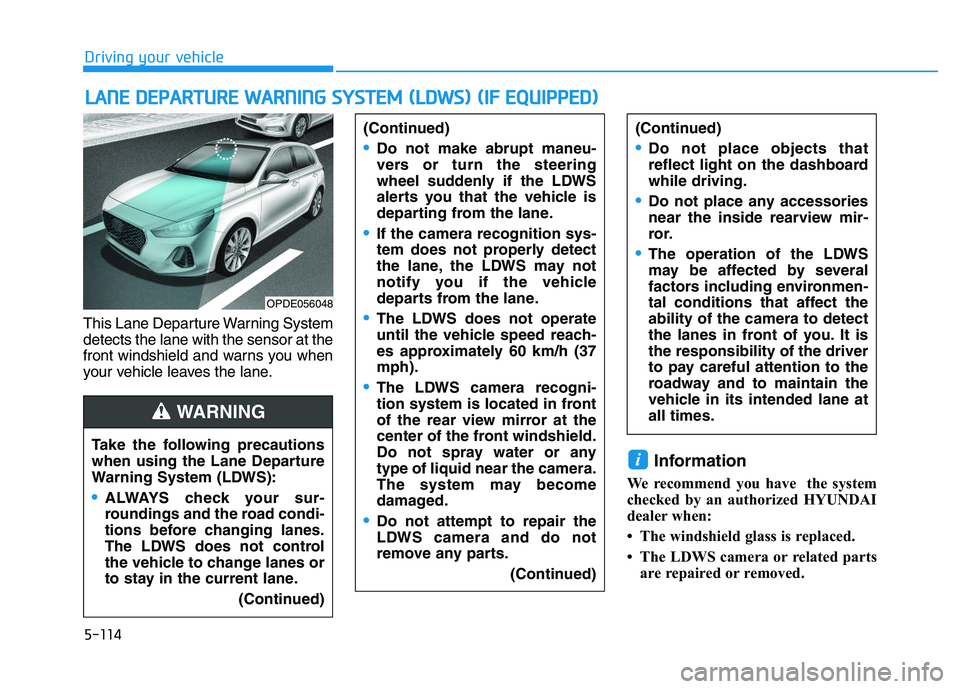
This Lane Departure Warning System
detects the lane with the sensor at the
front windshield and warns you when
your vehicle leaves the lane.
Information
We recommend you have the system
checked by an authorized HYUNDAI
dealer when:
• The windshield glass is replaced.
• The LDWS camera or related parts are repaired or removed.
i
L
L A
A N
N E
E
D
D E
E P
P A
A R
R T
T U
U R
R E
E
W
W A
A R
R N
N I
I N
N G
G
S
S Y
Y S
S T
T E
E M
M
(
( L
L D
D W
W S
S )
)
(
( I
I F
F
E
E Q
Q U
U I
I P
P P
P E
E D
D )
)
Take the following precautions
when using the Lane Departure
Warning System (LDWS):
ALWAYS check your sur-
roundings and the road condi-
tions before changing lanes.
The LDWS does not control
the vehicle to change lanes or
to stay in the current lane.
(Continued)
(Continued)
Do not make abrupt maneu-
vers or turn the steering
wheel suddenly if the LDWS
alerts you that the vehicle is
departing from the lane.
If the camera recognition sys-
tem does not properly detect
the lane, the LDWS may not
notify you if the vehicle
departs from the lane.
The LDWS does not operate
until the vehicle speed reach-
es approximately 60 km/h (37
mph).
The LDWS camera recogni-
tion system is located in front
of the rear view mirror at the
center of the front windshield.
Do not spray water or any
type of liquid near the camera.
The system may become
damaged.
Do not attempt to repair the
LDWS camera and do not
remove any parts.(Continued)
(Continued)
Do not place objects that
reflect light on the dashboard
while driving.
Do not place any accessories
near the inside rearview mir-
ror.
The operation of the LDWS
may be affected by several
factors including environmen-
tal conditions that affect the
ability of the camera to detect
the lanes in front of you. It is
the responsibility of the driver
to pay careful attention to the
roadway and to maintain the
vehicle in its intended lane at
all times.
WARNING
OPDE056048
Page 419 of 659
5-115
Driving your vehicle
5
LDWS operation
To activate the LDWS:
With the ignition switch in the ON
position, press the LDWS button
located on the instrument panel on
the lower left hand side of the driver.
The indicator in the cluster display
will initially illuminate white. This indi-
cates the LDWS is in the READY but
NOT ENABLED state.
Note that the vehicle speed must be
at least approximately 60 km/h (40
mph) to ENABLE the LDWS. The
indicator in the cluster display will
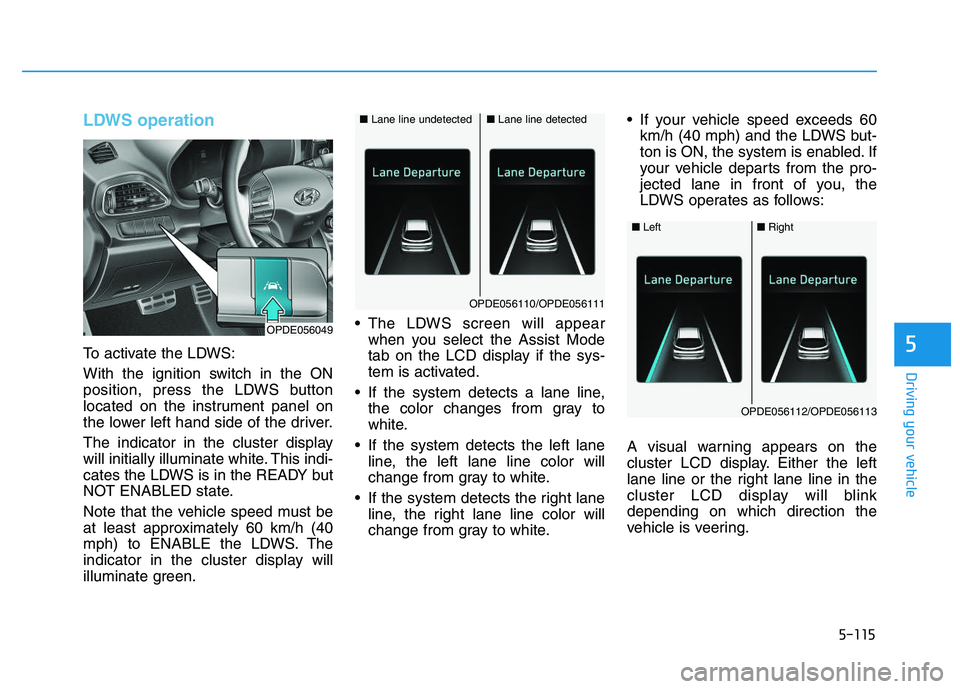
illuminate green. The LDWS screen will appear
when you select the Assist Mode
tab on the LCD display if the sys-
tem is activated.
If the system detects a lane line, the color changes from gray to
white.
If the system detects the left lane line, the left lane line color will
change from gray to white.
If the system detects the right lane line, the right lane line color will
change from gray to white. If your vehicle speed exceeds 60
km/h (40 mph) and the LDWS but-
ton is ON, the system is enabled. If
your vehicle departs from the pro-
jected lane in front of you, the
LDWS operates as follows:
A visual warning appears on the
cluster LCD display. Either the left
lane line or the right lane line in the
cluster LCD display will blink
depending on which direction the
vehicle is veering.
■ Lane line detected■Lane line undetected
OPDE056110/OPDE056111
OPDE056049
■Left■Right
OPDE056112/OPDE056113
Page 422 of 659
5-118
Driving your vehicle
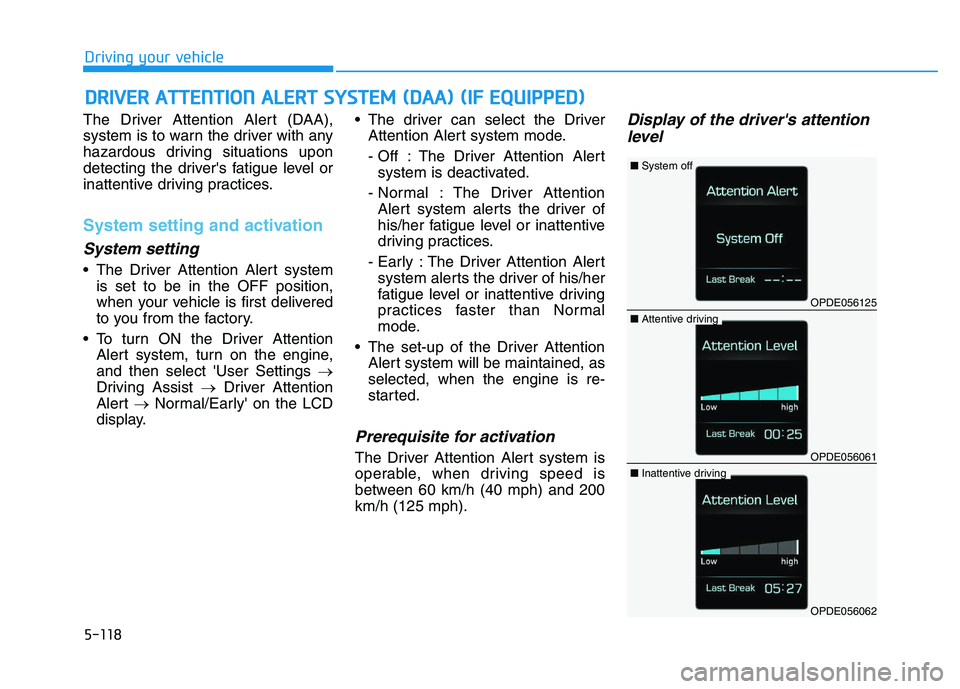
The Driver Attention Alert (DAA),
system is to warn the driver with any
hazardous driving situations upon
detecting the driver's fatigue level or
inattentive driving practices.
System setting and activation
System setting
The Driver Attention Alert system is set to be in the OFF position,
when your vehicle is first delivered
to you from the factory.
To turn ON the Driver Attention Alert system, turn on the engine,
and then select 'User Settings →
Driving Assist →Driver Attention
Alert →Normal/Early' on the LCD
display. The driver can select the Driver
Attention Alert system mode.
- Off : The Driver Attention Alertsystem is deactivated.
- Normal : The Driver Attention Alert system alerts the driver of
his/her fatigue level or inattentive
driving practices.
- Early : The Driver Attention Alert system alerts the driver of his/her
fatigue level or inattentive driving
practices faster than Normal
mode.
The set-up of the Driver Attention Alert system will be maintained, as
selected, when the engine is re-
started.
Prerequisite for activation
The Driver Attention Alert system is
operable, when driving speed is
between 60 km/h (40 mph) and 200
km/h (125 mph).
Display of the driver's attentionlevel
D
D R
R I
I V
V E
E R
R
A
A T
T T
T E
E N
N T
T I
I O
O N
N
A
A L
L E
E R
R T
T
S
S Y
Y S
S T
T E
E M
M
(
( D
D A
A A
A )
)
(
( I
I F
F
E
E Q
Q U
U I
I P
P P
P E
E D
D )
)
OPDE056125
■ System off
OPDE056061
■Attentive driving
OPDE056062
■Inattentive driving
Page 424 of 659
5-120
Driving your vehicle
System standby
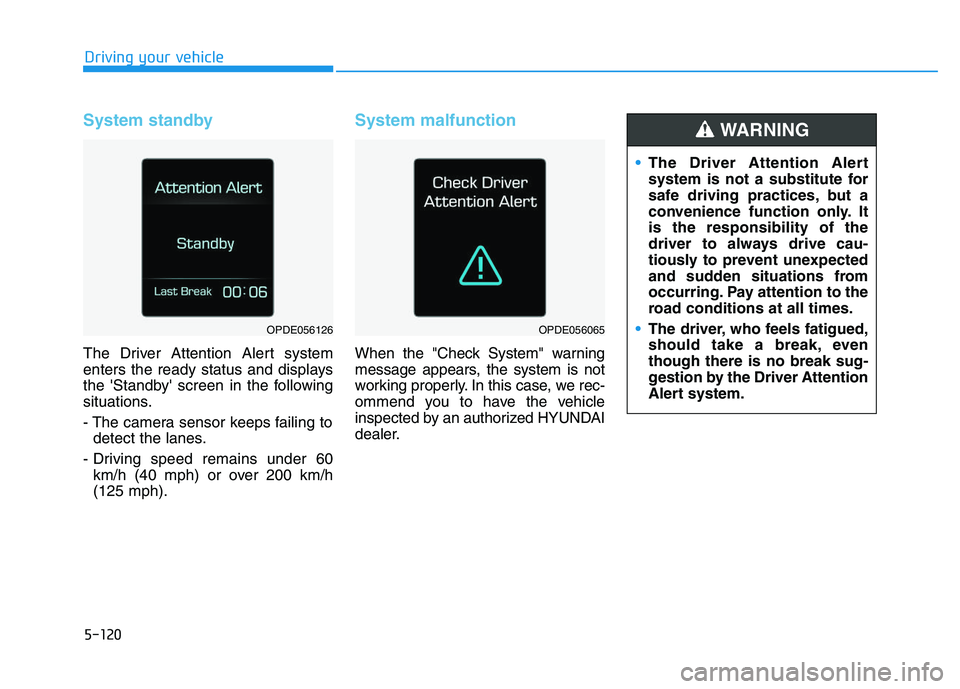
The Driver Attention Alert system
enters the ready status and displays
the 'Standby' screen in the following
situations.
- The camera sensor keeps failing todetect the lanes.
- Driving speed remains under 60 km/h (40 mph) or over 200 km/h
(125 mph).
System malfunction
When the "Check System" warning
message appears, the system is not
working properly. In this case, we rec-
ommend you to have the vehicle
inspected by an authorized HYUNDAI
dealer.
OPDE056126OPDE056065
The Driver Attention Alert
system is not a substitute for
safe driving practices, but a
convenience function only. It
is the responsibility of the
driver to always drive cau-
tiously to prevent unexpected
and sudden situations from
occurring. Pay attention to the
road conditions at all times.
The driver, who feels fatigued,
should take a break, even
though there is no break sug-
gestion by the Driver Attention
Alert system.
WARNING
Page 426 of 659
5-122
Driving your vehicle
Speed Limit Control operation
You can set the speed limit when you
do not want to drive over a specific
speed.
If you drive over the preset speed
limit, the warning system operates
(set speed limit will blink and chime
will sound) until the vehicle speed
returns within the speed limit.
Information
While speed limit control is in opera-
tion, the cruise control system cannot
be activated.
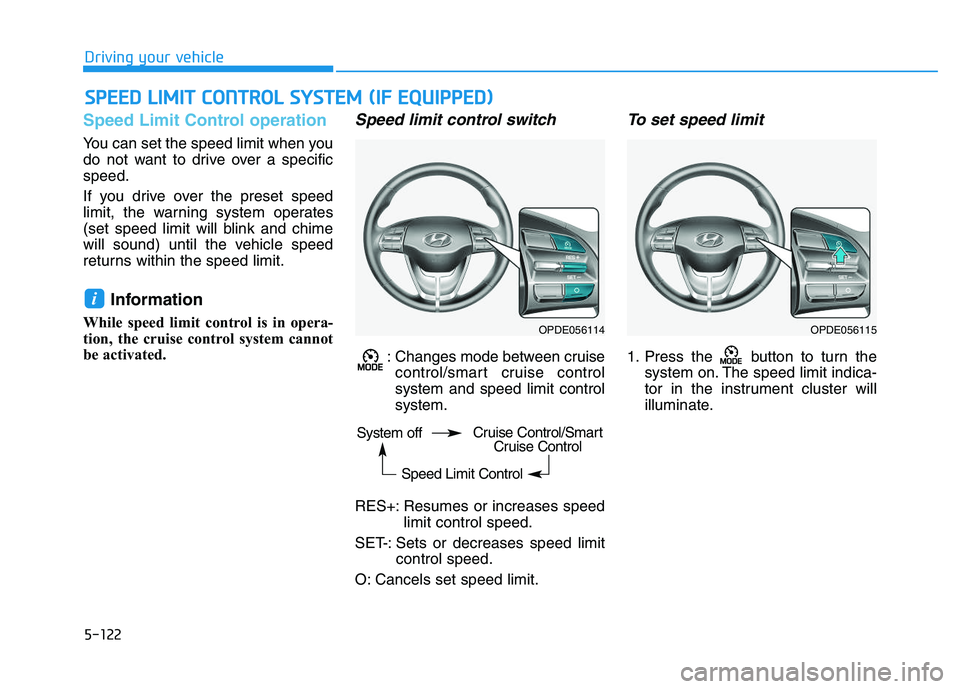
Speed limit control switch
: Changes mode between cruisecontrol/smart cruise control
system and speed limit control
system.
RES+: Resumes or increases speed limit control speed.
SET-: Sets or decreases speed limit control speed.
O: Cancels set speed limit.
To set speed limit
1. Press the button to turn the system on. The speed limit indica-
tor in the instrument cluster will
illuminate.
i
S
S P
P E
E E
E D
D
L
L I
I M
M I
I T
T
C
C O
O N
N T
T R
R O
O L
L
S
S Y
Y S
S T
T E
E M
M
(
( I
I F
F
E
E Q
Q U
U I
I P
P P
P E
E D
D )
)
OPDE056114OPDE056115
System off
Speed Limit ControlCruise Control/SmartCruise Control
Page 427 of 659
5-123
Driving your vehicle
5
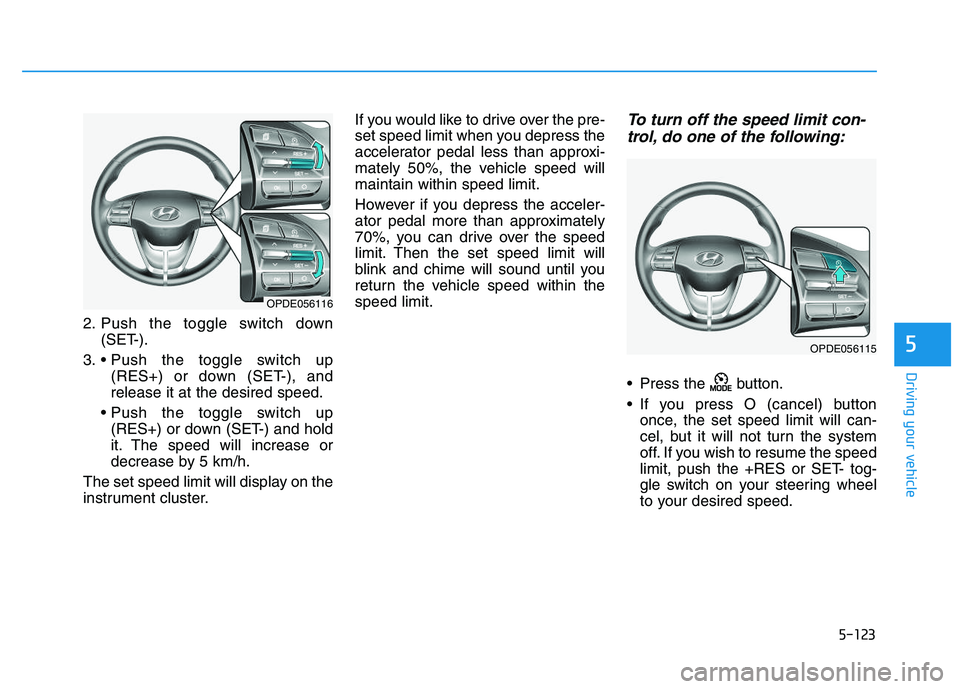
2. Push the toggle switch down(SET-).
3. (RES+) or down (SET-), and
release it at the desired speed.
(RES+) or down (SET-) and hold
it. The speed will increase or
decrease by 5 km/h.
The set speed limit will display on the
instrument cluster. If you would like to drive over the pre-
set speed limit when you depress the
accelerator pedal less than approxi-
mately 50%, the vehicle speed will
maintain within speed limit.
However if you depress the acceler-
ator pedal more than approximately
70%, you can drive over the speed
limit. Then the set speed limit will
blink and chime will sound until you
return the vehicle speed within the
speed limit.
To turn off the speed limit con-
trol, do one of the following:
Press the button.
If you press O (cancel) button
once, the set speed limit will can-
cel, but it will not turn the system
off. If you wish to resume the speed
limit, push the +RES or SET- tog-
gle switch on your steering wheel
to your desired speed.
OPDE056116
OPDE056115
Page 428 of 659
5-124
Driving your vehicle
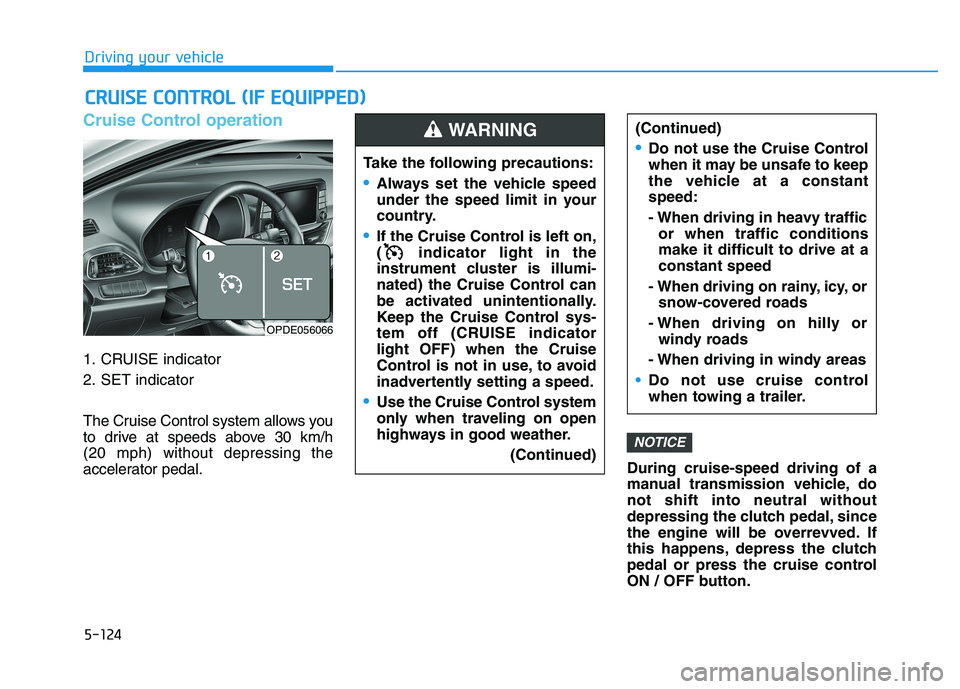
Cruise Control operation
1. CRUISE indicator
2. SET indicator
The Cruise Control system allows you
to drive at speeds above 30 km/h
(20 mph) without depressing the
accelerator pedal.During cruise-speed driving of a
manual transmission vehicle, do
not shift into neutral without
depressing the clutch pedal, since
the engine will be overrevved. If
this happens, depress the clutch
pedal or press the cruise control
ON / OFF button.
NOTICE
C
C R
R U
U I
I S
S E
E
C
C O
O N
N T
T R
R O
O L
L
(
( I
I F
F
E
E Q
Q U
U I
I P
P P
P E
E D
D )
)
Take the following precautions:
Always set the vehicle speed
under the speed limit in your
country.
If the Cruise Control is left on,
( indicator light in the
instrument cluster is illumi-
nated) the Cruise Control can
be activated unintentionally.
Keep the Cruise Control sys-
tem off (CRUISE indicator
light OFF) when the Cruise
Control is not in use, to avoid
inadvertently setting a speed.
Use the Cruise Control system
only when traveling on open
highways in good weather.
(Continued)
(Continued)
Do not use the Cruise Control
when it may be unsafe to keep
the vehicle at a constant
speed:
- When driving in heavy trafficor when traffic conditions
make it difficult to drive at a
constant speed
- When driving on rainy, icy, or snow-covered roads
- When driving on hilly or windy roads
- When driving in windy areas
Do not use cruise control
when towing a trailer.
WARNING
OPDE056066
Page 429 of 659
5-125
Driving your vehicle
5
Information
• During normal cruise control opera-tion, when the SET switch is activat-
ed or reactivated after applying the
brakes, the cruise control will ener-
gize after approximately 3 seconds.
This delay is normal.
• Before activating the cruise control function, the system will check to
verify that the brake switch is oper-
ating normally. Depress the brake
pedal at least once after turning ON
the ignition or starting the vehicle.
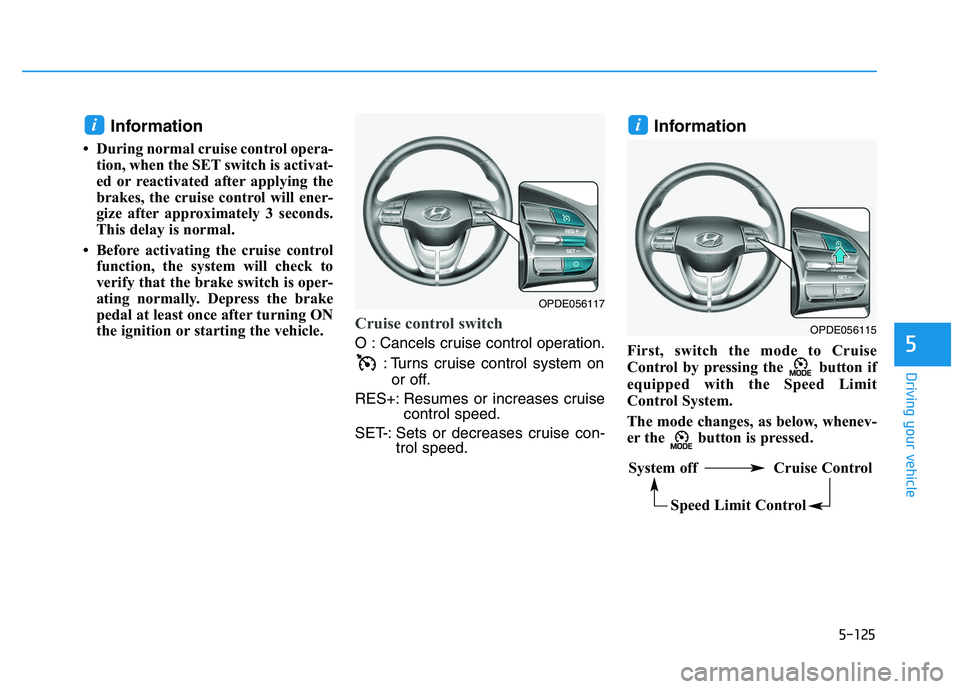
Cruise control switch
O : Cancels cruise control operation.
: Turns cruise control system onor off.
RES+: Resumes or increases cruise control speed.
SET-: Sets or decreases cruise con- trol speed.
Information
First, switch the mode to Cruise
Control by pressing the button if
equipped with the Speed Limit
Control System.
The mode changes, as below, whenev-
er the button is pressed.
ii
OPDE056115
System off Cruise Control
Speed Limit Control
OPDE056117