engine HYUNDAI I30 2023 Owners Manual
[x] Cancel search | Manufacturer: HYUNDAI, Model Year: 2023, Model line: I30, Model: HYUNDAI I30 2023Pages: 533, PDF Size: 59.13 MB
Page 328 of 533
5-63
Driving your vehicle
5
When ECO mode is activated:
The acceleration response may be
slightly reduced as the accelerator
pedal is depressed moderately.
The air conditioner performance
may be limited.
The shift pattern of the automatic
transmission may change.
The engine noise may get louder.
The above situations are normal
conditions when ECO mode is acti-
vated, to improve fuel efficiency.Limitation of ECO mode opera-
tion:
If the following conditions occur
whilst ECO mode is operating, the
system operation is limited even
though there is no change in the
ECO indicator.
When the coolant temperature is
low:
The system will be limited until
engine performance becomes nor-
mal.
When driving up a hill:
The system will be limited in gain-
ing power when driving uphill
because engine torque is restrict-
ed.
When driving the vehicle with the
automatic transmission or the dual
clutch transmission gear shift lever
in manual shift mode:
The system will be limited due to
the shift location.
When the accelerator pedal is fully
depressed for a few seconds:
The system will be limited, judging
that the driver wants to speed up.SPORT mode
SPORT mode manages
the driving dynamics by
automatically adjusting the
steering effort, the engine
and transmission control
logic for enhanced driver
performance.
When SPORT mode is selected by
pressing the DRIVE MODE button,
the SPORT indicator will illuminate.
Whenever the engine is restarted,
the Drive Mode will revert back to
NORMAL mode. If SPORT mode is
desired, re-select SPORT mode
from the DRIVE MODE button.
When SPORT mode is activated:
- The engine rpm will tend to remain
raised over a certain length of time
even after releasing the accelerator
- Upshifts are delayed when accel-
erating
Information
In SPORT mode, the fuel efficiency
may decrease.
i
Page 344 of 533
5-79
Driving your vehicle
5
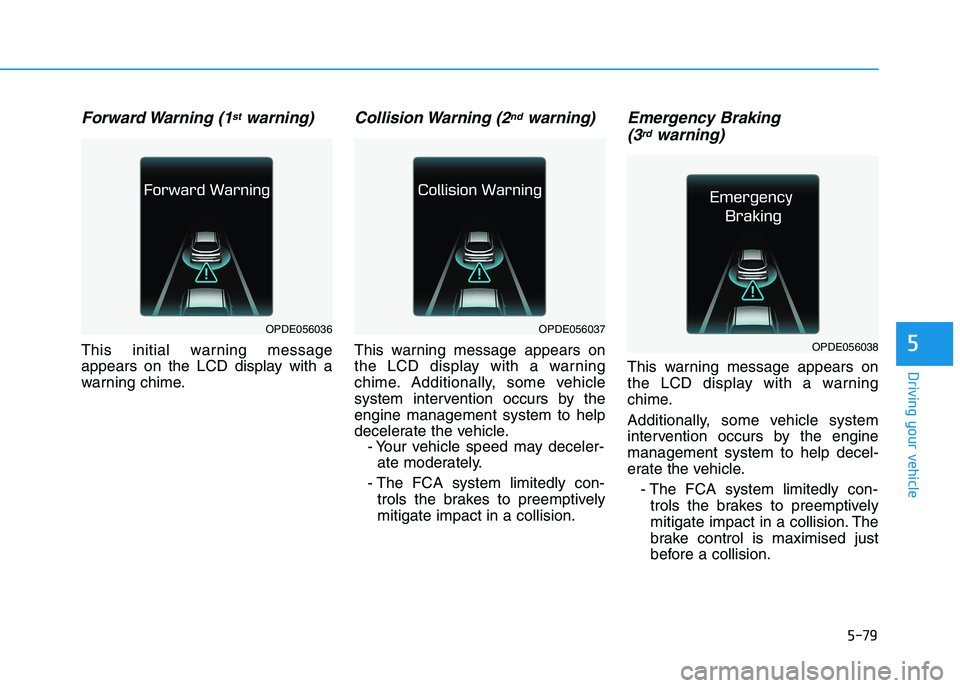
Forward Warning (1stwarning)
This initial warning message
appears on the LCD display with a
warning chime.
Collision Warning (2ndwarning)
This warning message appears on
the LCD display with a warning
chime. Additionally, some vehicle
system intervention occurs by the
engine management system to help
decelerate the vehicle.
- Your vehicle speed may deceler-
ate moderately.
- The FCA system limitedly con-
trols the brakes to preemptively
mitigate impact in a collision.
Emergency Braking
(3rdwarning)
This warning message appears on
the LCD display with a warning
chime.
Additionally, some vehicle system
intervention occurs by the engine
management system to help decel-
erate the vehicle.
- The FCA system limitedly con-
trols the brakes to preemptively
mitigate impact in a collision. The
brake control is maximised just
before a collision.
OPDE056036OPDE056037
OPDE056038
Page 347 of 533
5-82
Driving your vehicle
Warning message and warning
light
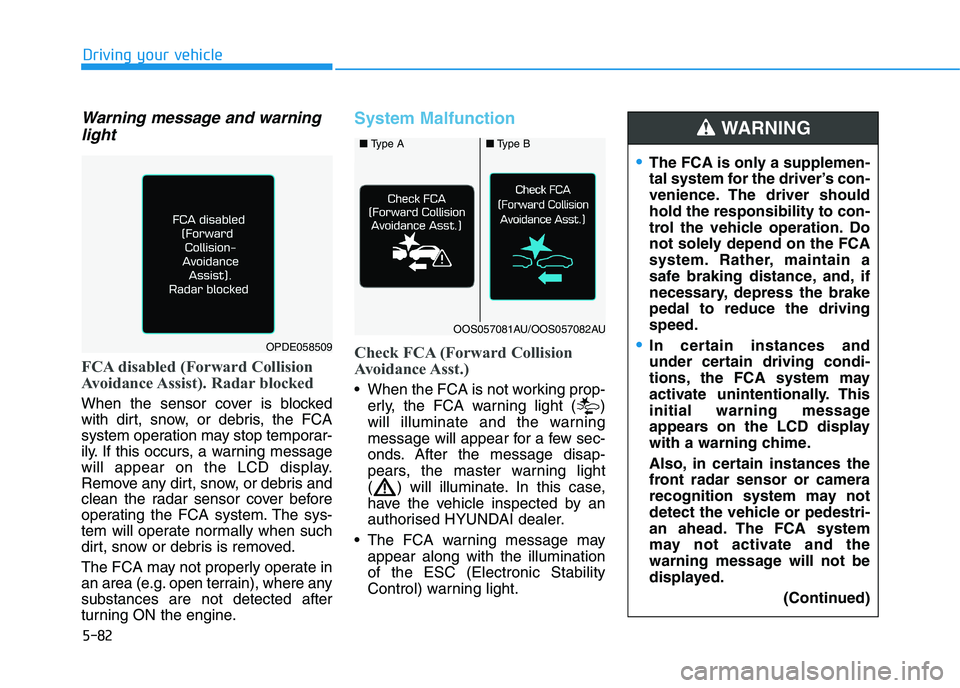
FCA disabled (Forward Collision
Avoidance Assist). Radar blocked
When the sensor cover is blocked
with dirt, snow, or debris, the FCA
system operation may stop temporar-
ily. If this occurs, a warning message
will appear on the LCD display.
Remove any dirt, snow, or debris and
clean the radar sensor cover before
operating the FCA system. The sys-
tem will operate normally when such
dirt, snow or debris is removed.
The FCA may not properly operate in
an area (e.g. open terrain), where any
substances are not detected after
turning ON the engine.
System Malfunction
Check FCA (Forward Collision
Avoidance Asst.)
When the FCA is not working prop-
erly, the FCA warning light ( )
will illuminate and the warning
message will appear for a few sec-
onds. After the message disap-
pears, the master warning light
( ) will illuminate. In this case,
have the vehicle inspected by an
authorised HYUNDAI dealer.
The FCA warning message may
appear along with the illumination
of the ESC (Electronic Stability
Control) warning light.
The FCA is only a supplemen-
tal system for the driver’s con-
venience. The driver should
hold the responsibility to con-
trol the vehicle operation. Do
not solely depend on the FCA
system. Rather, maintain a
safe braking distance, and, if
necessary, depress the brake
pedal to reduce the driving
speed.
In certain instances and
under certain driving condi-
tions, the FCA system may
activate unintentionally. This
initial warning message
appears on the LCD display
with a warning chime.
Also, in certain instances the
front radar sensor or camera
recognition system may not
detect the vehicle or pedestri-
an ahead. The FCA system
may not activate and the
warning message will not be
displayed.
(Continued)
WARNING
OPDE058509
■ Type A■Type B
OOS057081AU/OOS057082AU
Page 358 of 533
5-93
Driving your vehicle
5Information
• Even though the steering is assisted
by the system, the driver can still
steer to control the steering wheel.
• The steering wheel may feel heavier
when the steering wheel is assisted
by the system than when it is not.
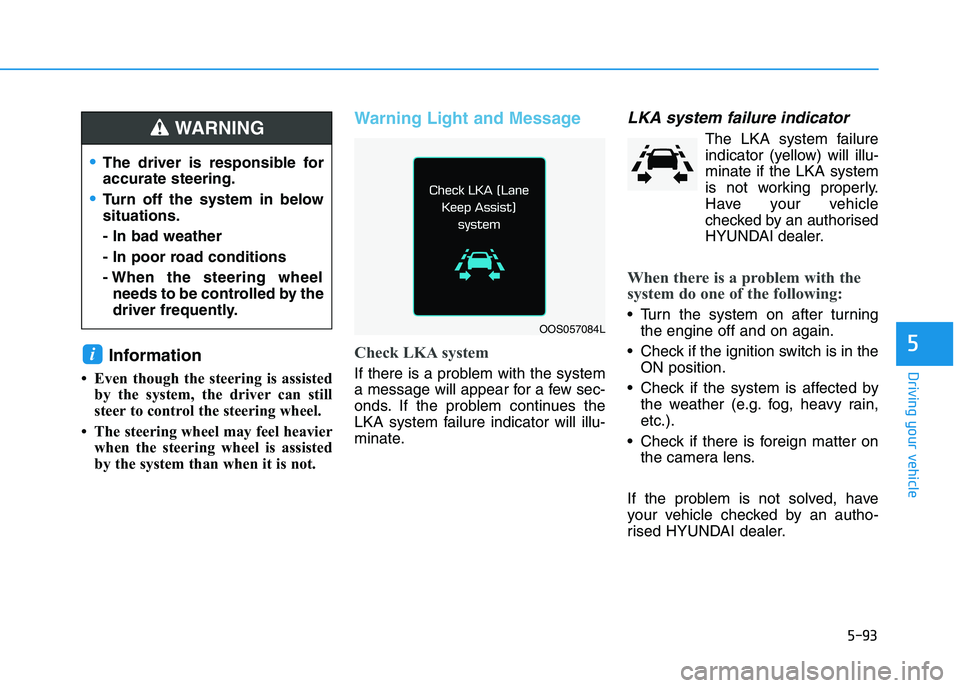
Warning Light and Message
Check LKA system
If there is a problem with the system
a message will appear for a few sec-
onds. If the problem continues the
LKA system failure indicator will illu-
minate.
LKA system failure indicator
The LKA system failure
indicator (yellow) will illu-
minate if the LKA system
is not working properly.
Have your vehicle
checked by an authorised
HYUNDAI dealer.
When there is a problem with the
system do one of the following:
Turn the system on after turning
the engine off and on again.
Check if the ignition switch is in the
ON position.
Check if the system is affected by
the weather (e.g. fog, heavy rain,
etc.).
Check if there is foreign matter on
the camera lens.
If the problem is not solved, have
your vehicle checked by an autho-
rised HYUNDAI dealer.
i
OOS057084L
The driver is responsible for
accurate steering.
Turn off the system in below
situations.
- In bad weather
- In poor road conditions
- When the steering wheel
needs to be controlled by the
driver frequently.
WARNING
Page 361 of 533
5-96
Driving your vehicle
The Driver Attention Warning (DAW)
system displays the condition of the
driver's fatigue level and inattentive
driving practices.
System setting and activation
System setting
The Driver Attention Warning
(DAW) system is set to be in the
OFF position, when your vehicle is
first delivered to you from the fac-
tory.
To turn ON the Driver Attention
Warning (DAW) system, turn on
the engine, and then select "User
Settings →Driver assistance →
DAW(Driver Attention Warning) →
High sensitivity/Normal sensitivity"
on the LCD display. The driver can select the Driver
Attention Warning (DAW) system
mode.
- Off : The Driver Attention Warning
(DAW) system is deactivated.
- Normal sensitivity : The Driver
Attention Warning (DAW) system
alerts the driver of his/her fatigue
level or inattentive driving prac-
tices.
- High sensitivity : The Driver
Attention Warning (DAW) system
alerts the driver of his/her fatigue
level or inattentive driving prac-
tices faster than Normal mode.
The set-up of the Driver Attention
Warning (DAW) system will be
maintained, as selected, when the
engine is re-started.
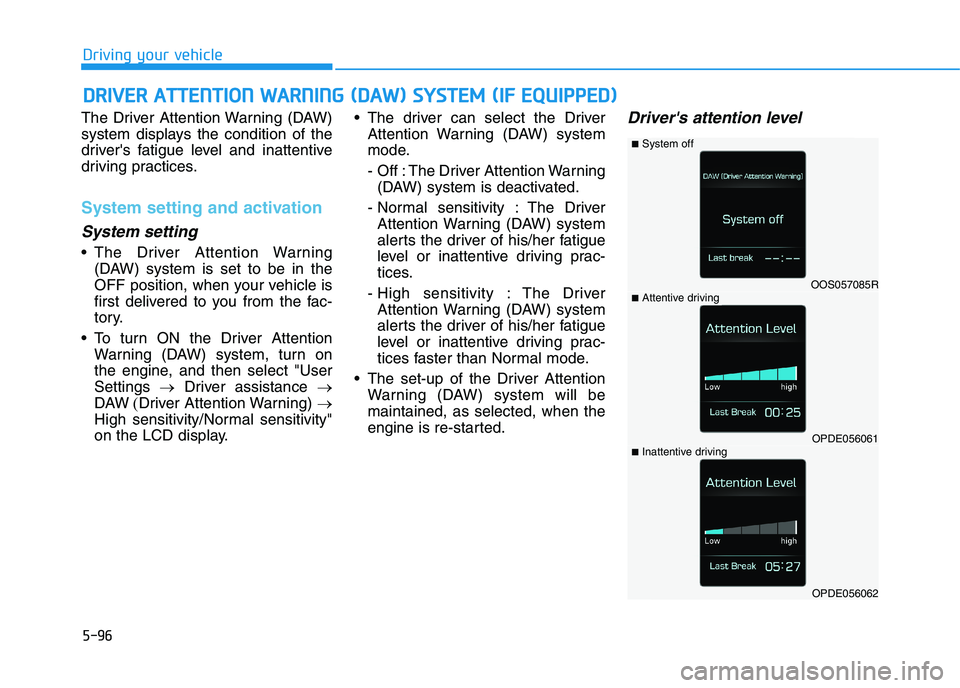
Driver's attention level
D DR
RI
IV
VE
ER
R
A
AT
TT
TE
EN
NT
TI
IO
ON
N
W
WA
AR
RN
NI
IN
NG
G
(
(D
DA
AW
W)
)
S
SY
YS
ST
TE
EM
M
(
(I
IF
F
E
EQ
QU
UI
IP
PP
PE
ED
D)
)
OOS057085R
OPDE056061
OPDE056062
■System off
■Attentive driving
■Inattentive driving
Page 362 of 533
5-97
Driving your vehicle
5
The driver can monitor their driving
conditions on the LCD display.
The DAW screen will appear when
you select the Assist mode tab ( )
on the LCD display if the system is
activated. For more information,
refer to "LCD Display Modes" in
chapter 3.
The driver's attention level is dis-
played on the scale from 1 to 5.
The lower the number is, the more
inattentive the driver is.
The number decreases when the
driver does not take a break for a
certain period of time.
The number increases when the
driver attentively drives for a cer-
tain period of time.
When the driver turns on the sys-
tem whilst driving, it displays 'Last
Break time' and level.Take a break
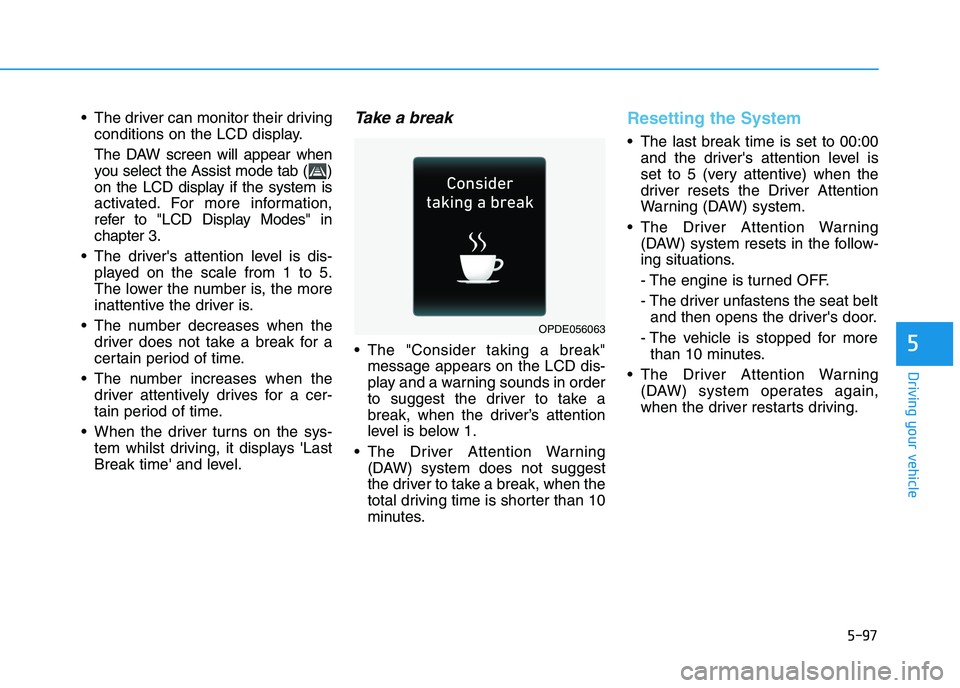
The "Consider taking a break"
message appears on the LCD dis-
play and a warning sounds in order
to suggest the driver to take a
break, when the driver’s attention
level is below 1.
The Driver Attention Warning
(DAW) system does not suggest
the driver to take a break, when the
total driving time is shorter than 10
minutes.
Resetting the System
The last break time is set to 00:00
and the driver's attention level is
set to 5 (very attentive) when the
driver resets the Driver Attention
Warning (DAW) system.
The Driver Attention Warning
(DAW) system resets in the follow-
ing situations.
- The engine is turned OFF.
- The driver unfastens the seat belt
and then opens the driver's door.
- The vehicle is stopped for more
than 10 minutes.
The Driver Attention Warning
(DAW) system operates again,
when the driver restarts driving.
OPDE056063
Page 365 of 533
5-100
Driving your vehicle
Cruise Control operation
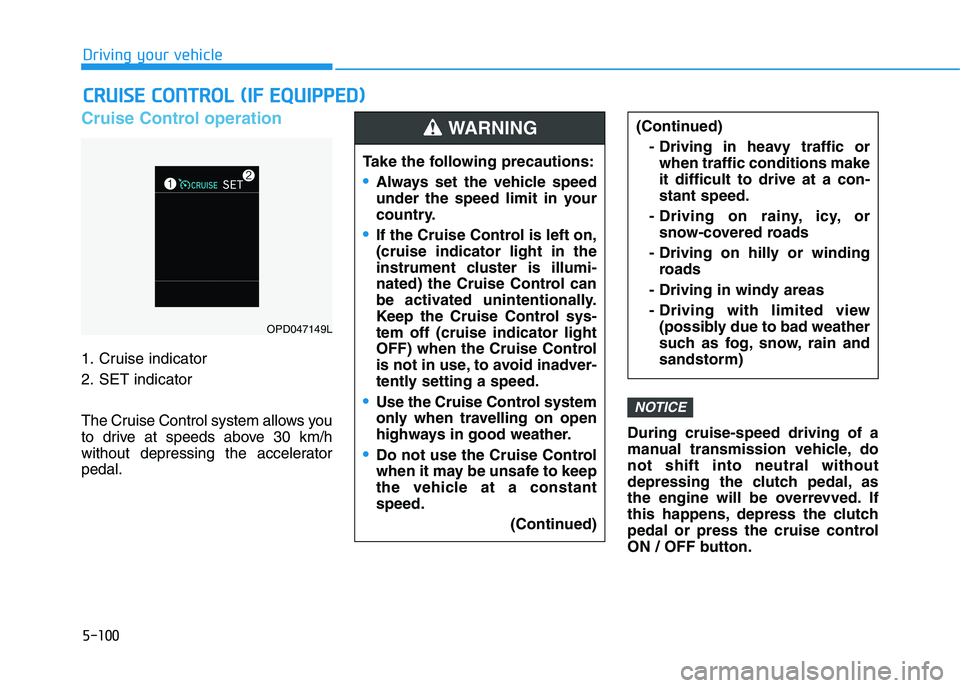
1. Cruise indicator
2. SET indicator
The Cruise Control system allows you
to drive at speeds above 30 km/h
without depressing the accelerator
pedal.During cruise-speed driving of a
manual transmission vehicle, do
not shift into neutral without
depressing the clutch pedal, as
the engine will be overrevved. If
this happens, depress the clutch
pedal or press the cruise control
ON / OFF button.
NOTICE
C CR
RU
UI
IS
SE
E
C
CO
ON
NT
TR
RO
OL
L
(
(I
IF
F
E
EQ
QU
UI
IP
PP
PE
ED
D)
)
Take the following precautions:
Always set the vehicle speed
under the speed limit in your
country.
If the Cruise Control is left on,
(cruise indicator light in the
instrument cluster is illumi-
nated) the Cruise Control can
be activated unintentionally.
Keep the Cruise Control sys-
tem off (cruise indicator light
OFF) when the Cruise Control
is not in use, to avoid inadver-
tently setting a speed.
Use the Cruise Control system
only when travelling on open
highways in good weather.
Do not use the Cruise Control
when it may be unsafe to keep
the vehicle at a constant
speed.
(Continued)
(Continued)
- Driving in heavy traffic or
when traffic conditions make
it difficult to drive at a con-
stant speed.
- Driving on rainy, icy, or
snow-covered roads
- Driving on hilly or winding
roads
- Driving in windy areas
- Driving with limited view
(possibly due to bad weather
such as fog, snow, rain and
sandstorm)WARNING
OPD047149L
Page 367 of 533
5-102
Driving your vehicle
Information - Manual trans-
mission
For manual transmission vehicles, you
should depress the brake pedal at
least once to set the cruise control
after starting the engine.
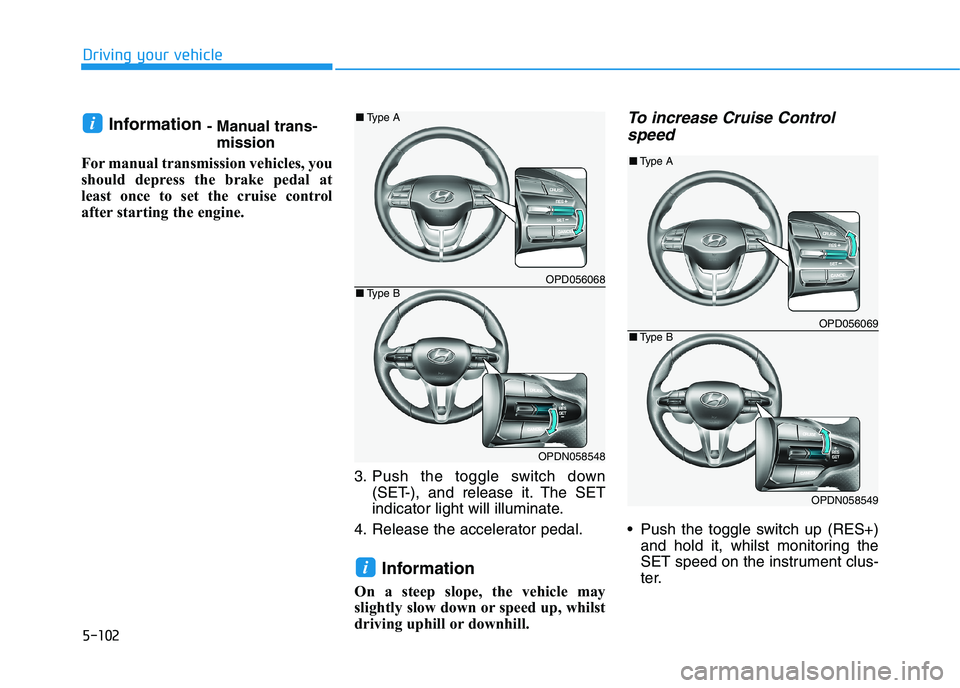
3. Push the toggle switch down
(SET-), and release it. The SET
indicator light will illuminate.
4. Release the accelerator pedal.
Information
On a steep slope, the vehicle may
slightly slow down or speed up, whilst
driving uphill or downhill.
To increase Cruise Control
speed
Push the toggle switch up (RES+)
and hold it, whilst monitoring the
SET speed on the instrument clus-
ter.
i
i
OPD056068
OPDN058548
■Type A
■Type B
OPD056069
OPDN058549
■Type A
■Type B
Page 375 of 533
5-110
Driving your vehicle
Smart Cruise Control set speed
will be temporarily cancelled
when:
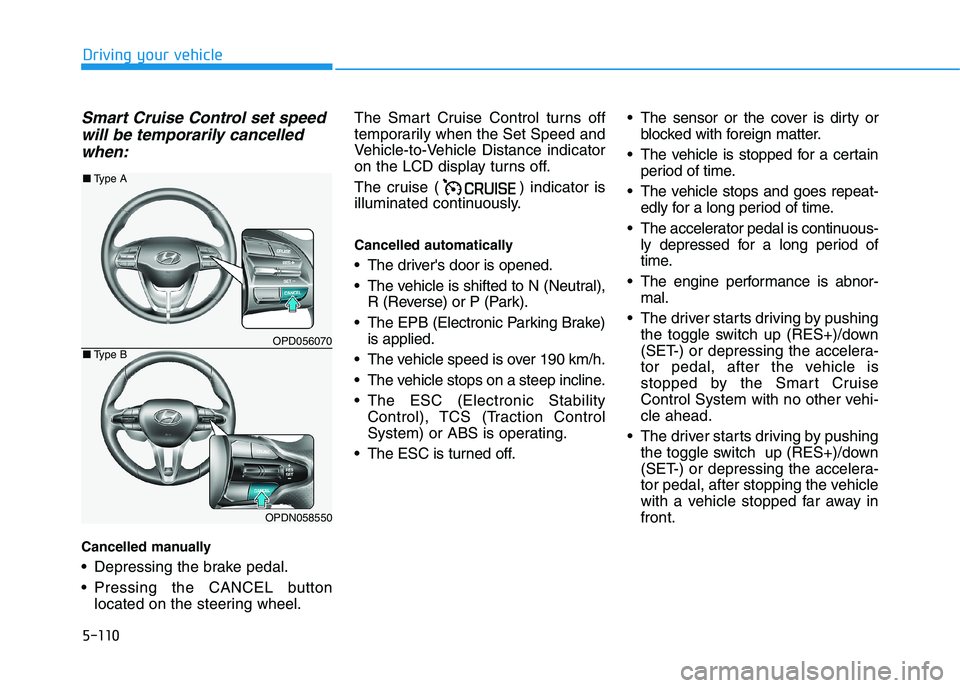
Cancelled manually
Depressing the brake pedal.
Pressing the CANCEL button
located on the steering wheel.The Smart Cruise Control turns off
temporarily when the Set Speed and
Vehicle-to-Vehicle Distance indicator
on the LCD display turns off.
The cruise ( ) indicator is
illuminated continuously.
Cancelled automatically
The driver's door is opened.
The vehicle is shifted to N (Neutral),
R (Reverse) or P (Park).
The EPB (Electronic Parking Brake)
is applied.
The vehicle speed is over 190 km/h.
The vehicle stops on a steep incline.
The ESC (Electronic Stability
Control), TCS (Traction Control
System) or ABS is operating.
The ESC is turned off. The sensor or the cover is dirty or
blocked with foreign matter.
The vehicle is stopped for a certain
period of time.
The vehicle stops and goes repeat-
edly for a long period of time.
The accelerator pedal is continuous-
ly depressed for a long period of
time.
The engine performance is abnor-
mal.
The driver starts driving by pushing
the toggle switch up (RES+)/down
(SET-) or depressing the accelera-
tor pedal, after the vehicle is
stopped by the Smart Cruise
Control System with no other vehi-
cle ahead.
The driver starts driving by pushing
the toggle switch up (RES+)/down
(SET-) or depressing the accelera-
tor pedal, after stopping the vehicle
with a vehicle stopped far away in
front.
OPD056070
OPDN058550
■Type A
■Type B
Page 378 of 533
5-113
Driving your vehicle
5
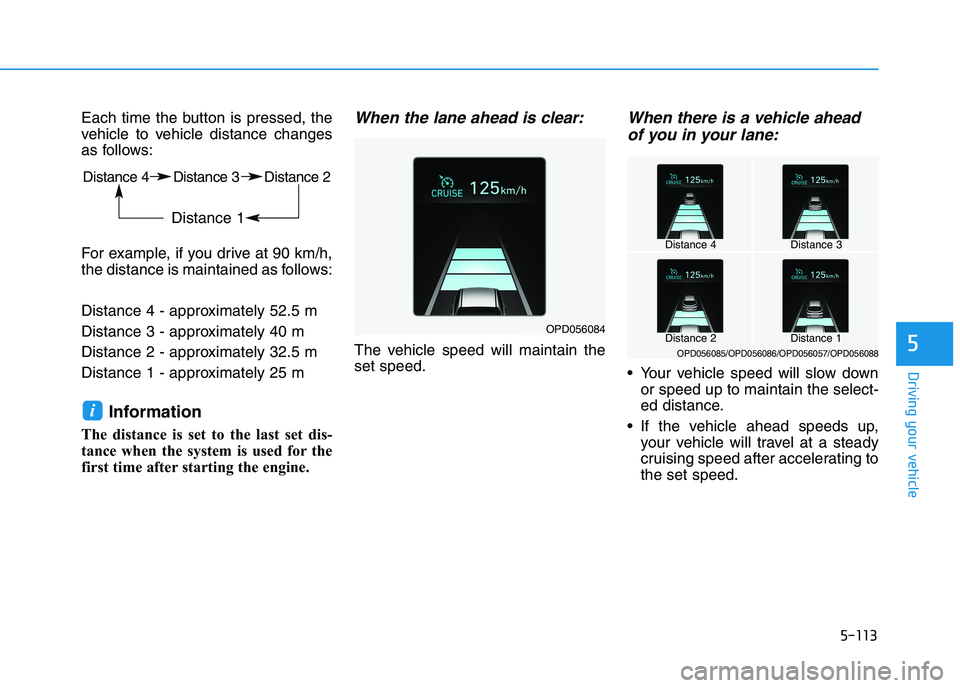
Each time the button is pressed, the
vehicle to vehicle distance changes
as follows:
For example, if you drive at 90 km/h,
the distance is maintained as follows:
Distance 4 - approximately 52.5 m
Distance 3 - approximately 40 m
Distance 2 - approximately 32.5 m
Distance 1 - approximately 25 m
Information
The distance is set to the last set dis-
tance when the system is used for the
first time after starting the engine.
When the lane ahead is clear:
The vehicle speed will maintain the
set speed.
When there is a vehicle ahead
of you in your lane:
Your vehicle speed will slow down
or speed up to maintain the select-
ed distance.
If the vehicle ahead speeds up,
your vehicle will travel at a steady
cruising speed after accelerating to
the set speed.
i
OPD056084
Distance 4Distance 3
Distance 1Distance 2OPD056085/OPD056086/OPD056057/OPD056088
Distance 4 Distance 3 Distance 2
Distance 1