mirror HYUNDAI I30 2023 User Guide
[x] Cancel search | Manufacturer: HYUNDAI, Model Year: 2023, Model line: I30, Model: HYUNDAI I30 2023Pages: 533, PDF Size: 59.13 MB
Page 106 of 533
3-23
Convenient features of your vehicle
3
The mirrors stop moving when
they reach the maximum adjust-
ing angles, but the motor contin-
ues to operate whilst the switch
is pressed. Do not press the
switch longer than necessary,
the motor may be damaged.
Do not attempt to adjust the out-
side rearview mirror by hand
otherwise the motor may be
damaged.
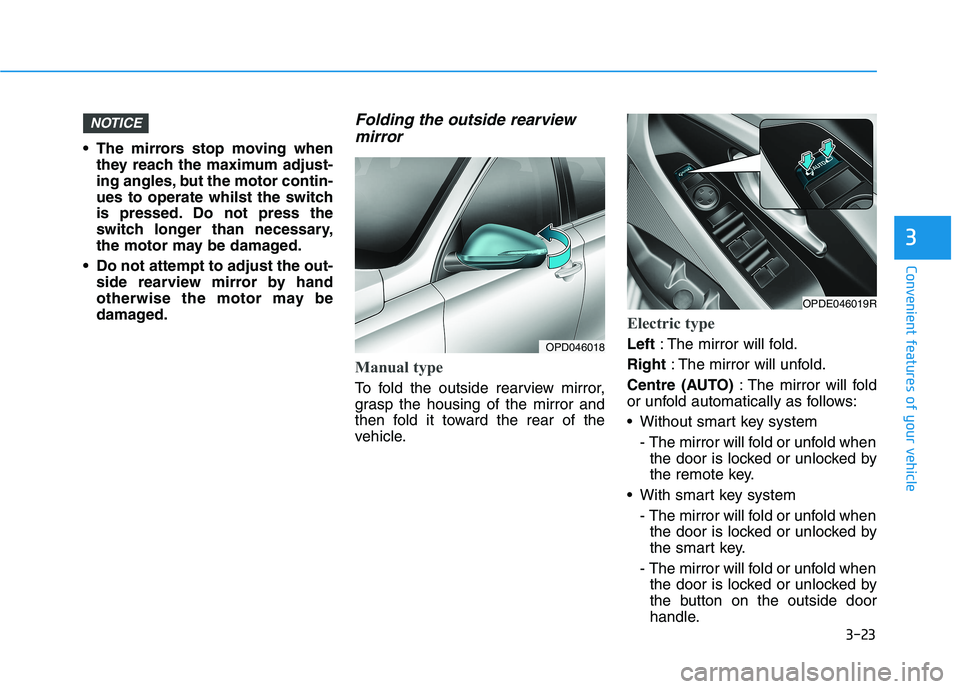
Folding the outside rearview
mirror
Manual type
To fold the outside rearview mirror,
grasp the housing of the mirror and
then fold it toward the rear of the
vehicle.
Electric type
Left: The mirror will fold.
Right: The mirror will unfold.
Centre (AUTO): The mirror will fold
or unfold automatically as follows:
Without smart key system
- The mirror will fold or unfold when
the door is locked or unlocked by
the remote key.
With smart key system
- The mirror will fold or unfold when
the door is locked or unlocked by
the smart key.
- The mirror will fold or unfold when
the door is locked or unlocked by
the button on the outside door
handle.
NOTICE
OPD046018
OPDE046019R
Page 107 of 533
3-24
The electric type outside rearview
mirror operates even though the
ignition switch is in the OFF posi-
tion. However, to prevent unnec-
essary battery discharge, do not
adjust the mirrors longer than
necessary whilst the engine is not
running.
Do not fold the electric type out-
side rearview mirror by hand. It
could cause motor failure.
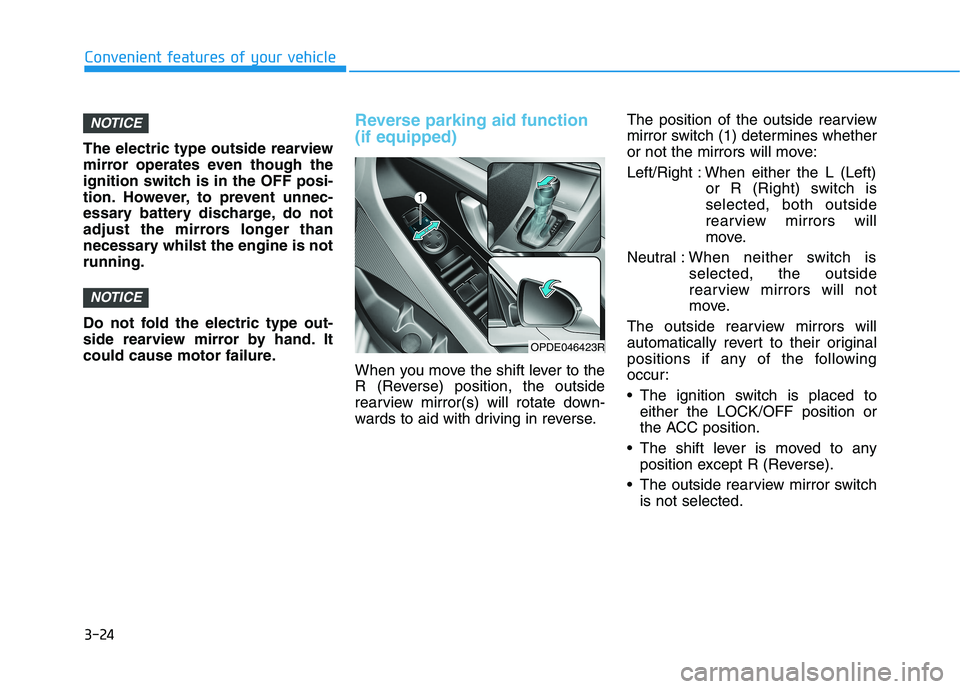
Reverse parking aid function
(if equipped)
When you move the shift lever to the
R (Reverse) position, the outside
rearview mirror(s) will rotate down-
wards to aid with driving in reverse.The position of the outside rearview
mirror switch (1) determines whether
or not the mirrors will move:
Left/Right : When either the L (Left)
or R (Right) switch is
selected, both outside
rearview mirrors will
move.
Neutral :When neither switch is
selected, the outside
rearview mirrors will not
move.
The outside rearview mirrors will
automatically revert to their original
positions if any of the following
occur:
The ignition switch is placed to
either the LOCK/OFF position or
the ACC position.
The shift lever is moved to any
position except R (Reverse).
The outside rearview mirror switch
is not selected.
NOTICE
NOTICE
Convenient features of your vehicle
OPDE046423R
Page 174 of 533

3-91
Convenient features of your vehicle
Vanity mirror lamp (if equipped)
Push the switch to turn the light on or
off.
: The lamp will turn on if this
button is pressed.
: The lamp will turn off if this
button is pressed.
Always have the switch in the off
position when the vanity mirror
lamp is not in use. If the sunvisor
is closed without the lamp off, it
may discharge the battery or dam-
age the sunvisor.
NOTICE
3
OPD046043
Page 179 of 533
3-96
Convenient features of your vehicle
D DR
RI
IV
VE
ER
R
A
AS
SS
SI
IS
ST
T
S
SY
YS
ST
TE
EM
M
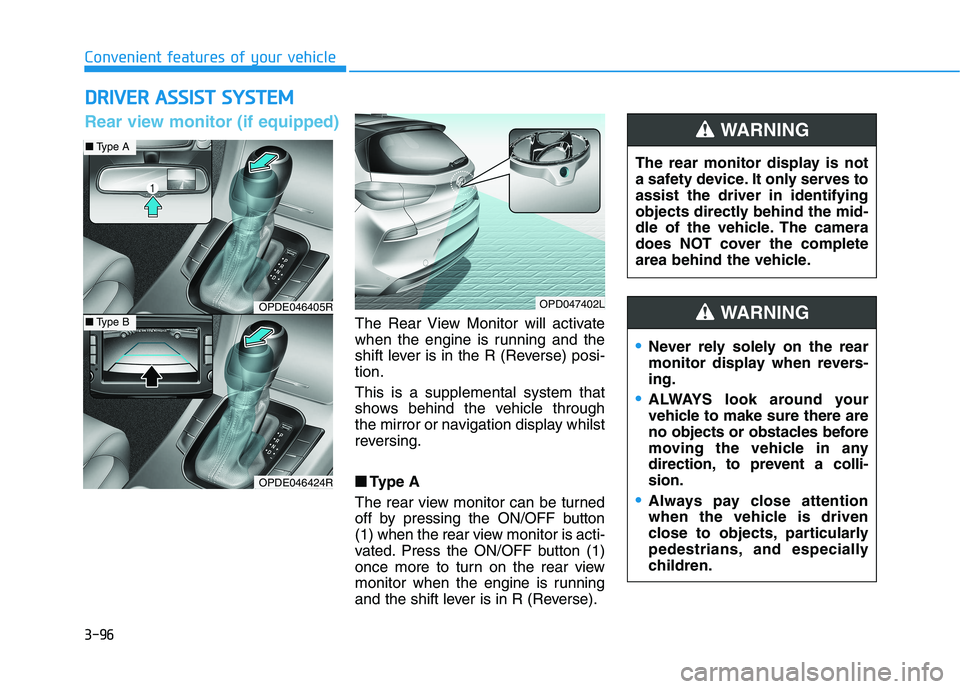
The Rear View Monitor will activate
when the engine is running and the
shift lever is in the R (Reverse) posi-
tion.
This is a supplemental system that
shows behind the vehicle through
the mirror or navigation display whilst
reversing.
■ ■
Type A
The rear view monitor can be turned
off by pressing the ON/OFF button
(1) when the rear view monitor is acti-
vated. Press the ON/OFF button (1)
once more to turn on the rear view
monitor when the engine is running
and the shift lever is in R (Reverse).The rear monitor display is not
a safety device. It only serves to
assist the driver in identifying
objects directly behind the mid-
dle of the vehicle. The camera
does NOT cover the complete
area behind the vehicle.
WARNING
OPDE046405R
OPDE046424R
OPD047402L
■Type A
■Type B
Rear view monitor (if equipped)
Never rely solely on the rear
monitor display when revers-
ing.
ALWAYS look around your
vehicle to make sure there are
no objects or obstacles before
moving the vehicle in any
direction, to prevent a colli-
sion.
Always pay close attention
when the vehicle is driven
close to objects, particularly
pedestrians, and especially
children.
WARNING
Page 187 of 533

3-104
Convenient features of your vehicle
D DE
EF
FR
RO
OS
ST
TE
ER
R
To prevent damage to the conduc-
tors bonded to the inside surface
of the rear window, never use
sharp instruments or window
cleaners containing abrasives to
clean the window.
Information
If you want to defrost and defog the
front windscreen, refer to
“Windscreen Defrosting and
Defogging” in this chapter.
Rear window defroster
The defroster heats the window to
remove frost, fog and thin ice from
the interior and exterior of the rear
window, whilst the engine is running. To activate the rear window defroster,
press the rear window defroster but-
ton located in the centre facia switch
panel. The indicator on the rear win-
dow defroster button illuminates
when the defroster is ON.
To turn off the defroster, press the
rear window defroster button again.
Information
• If there is heavy accumulation of
snow on the rear window, brush it off
before operating the rear defroster.
• The rear window defroster automati-
cally turns off after approximately 20
minutes or when the ignition switch is
in the OFF position.
Outside mirror defroster
(if equipped)
If your vehicle is equipped with out-
side mirror defrosters, they will oper-
ate at the same time you turn on the
rear window defroster.
NOTICE
ii
OPD046318
OPDE046319R
■Manual climate control system
■Automatic climate control system
Page 209 of 533
3-126
Convenient features of your vehicle
For maximum windscreen defrost-
ing, set the temperature control
knob to the highest temperature
setting and the blower speed con-
trol knob to the highest blower
speed. Select the front defrost but-
ton on the climate control display.
After the engine warm-up period,
warm air will be directed to the
front windscreen.
If warm air to the floor is desired
whilst defrosting or defogging, set the
mode to the floor-defrost position.
Before driving, clear all snow and
ice from the windscreen, rear win-
dow, outside rear view mirrors, and
all side windows.
Clear all snow and ice from the bon-
net and air inlet in the cowl grill to
improve heater and defroster effi-
ciency and to reduce the probability
of fogging up inside of the wind-
screen.
Information
If the engine temperature is still cold
after starting, then a brief engine
warm up period may be required for
the vented air flow to become warm or
hot.
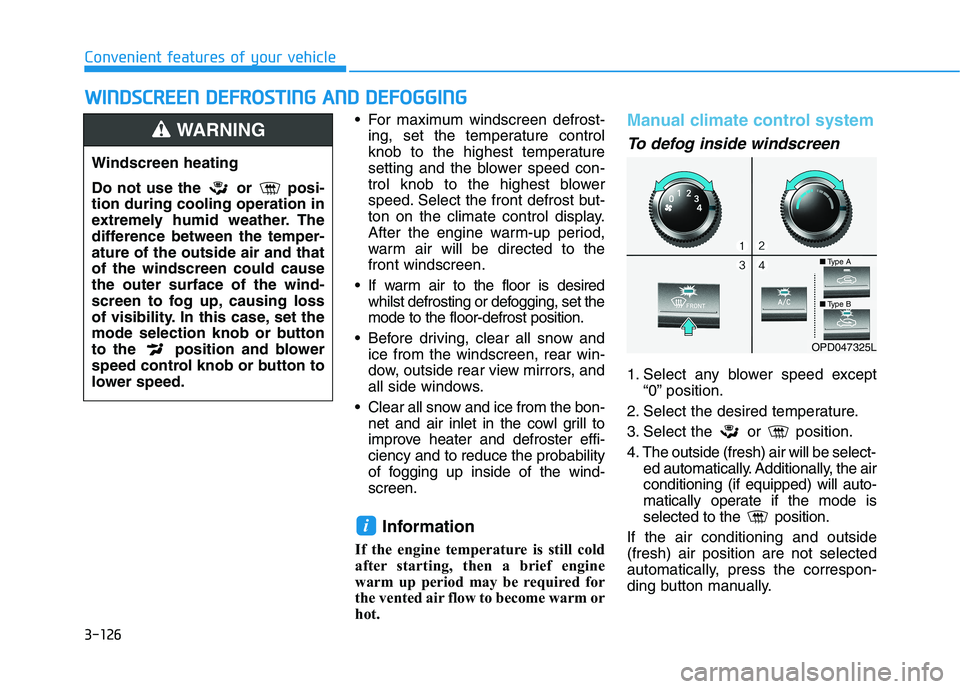
Manual climate control system
To defog inside windscreen
1. Select any blower speed except
“0” position.
2. Select the desired temperature.
3. Select the or position.
4. The outside (fresh) air will be select-
ed automatically. Additionally, the air
conditioning (if equipped) will auto-
matically operate if the mode is
selected to the position.
If the air conditioning and outside
(fresh) air position are not selected
automatically, press the correspon-
ding button manually.
i
W WI
IN
ND
DS
SC
CR
RE
EE
EN
N
D
DE
EF
FR
RO
OS
ST
TI
IN
NG
G
A
AN
ND
D
D
DE
EF
FO
OG
GG
GI
IN
NG
G
Windscreen heating
Do not use the or posi-
tion during cooling operation in
extremely humid weather. The
difference between the temper-
ature of the outside air and that
of the windscreen could cause
the outer surface of the wind-
screen to fog up, causing loss
of visibility. In this case, set the
mode selection knob or button
to the position and blower
speed control knob or button to
lower speed.
WARNING
OPD047325L
■Type A
■Type B
Page 215 of 533
3-132
Convenient features of your vehicle
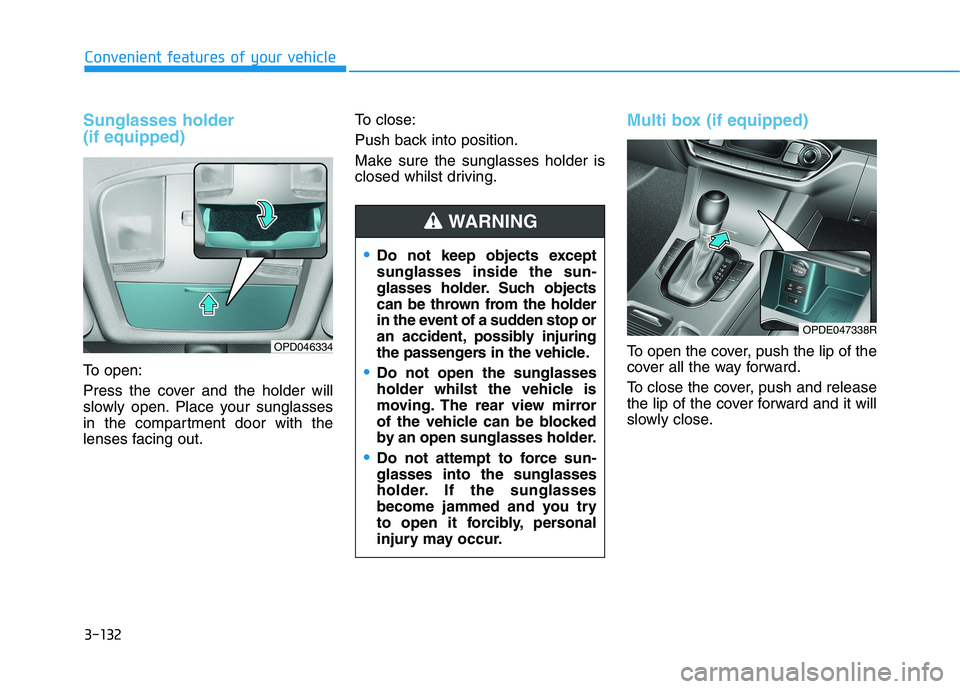
Sunglasses holder
(if equipped)
To open:
Press the cover and the holder will
slowly open. Place your sunglasses
in the compartment door with the
lenses facing out.To close:
Push back into position.
Make sure the sunglasses holder is
closed whilst driving.
Multi box (if equipped)
To open the cover, push the lip of the
cover all the way forward.
To close the cover, push and release
the lip of the cover forward and it will
slowly close.OPD046334
Do not keep objects except
sunglasses inside the sun-
glasses holder. Such objects
can be thrown from the holder
in the event of a sudden stop or
an accident, possibly injuring
the passengers in the vehicle.
Do not open the sunglasses
holder whilst the vehicle is
moving. The rear view mirror
of the vehicle can be blocked
by an open sunglasses holder.
Do not attempt to force sun-
glasses into the sunglasses
holder. If the sunglasses
become jammed and you try
to open it forcibly, personal
injury may occur.
WARNING
OPDE047338R
Page 218 of 533
3-135
Convenient features of your vehicle
3
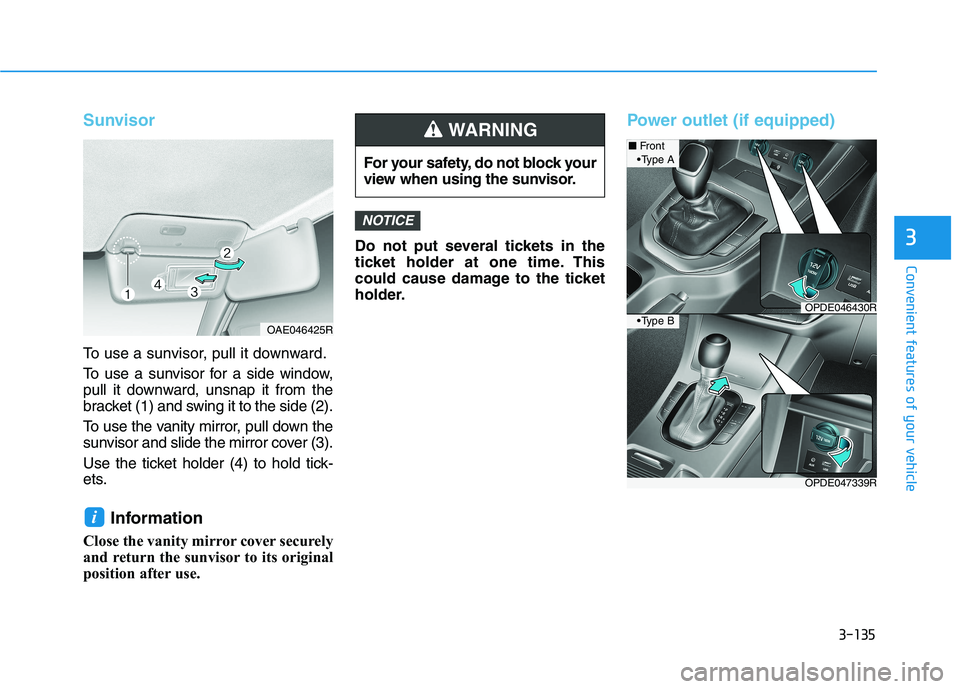
Sunvisor
To use a sunvisor, pull it downward.
To use a sunvisor for a side window,
pull it downward, unsnap it from the
bracket (1) and swing it to the side (2).
To use the vanity mirror, pull down the
sunvisor and slide the mirror cover (3).
Use the ticket holder (4) to hold tick-
ets.
Information
Close the vanity mirror cover securely
and return the sunvisor to its original
position after use.Do not put several tickets in the
ticket holder at one time. This
could cause damage to the ticket
holder.
Power outlet (if equipped)
NOTICE
i
For your safety, do not block your
view when using the sunvisor.
WARNING
OAE046425R
OPDE047339R
■Front
OPDE046430R
A
B
Page 270 of 533
5-5
Driving your vehicle
5
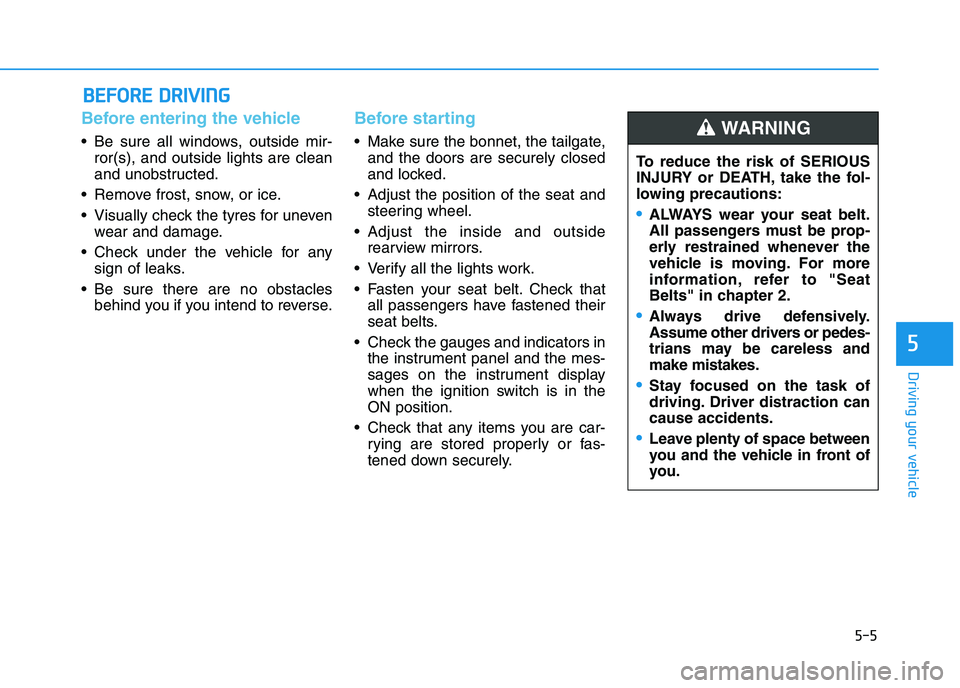
Before entering the vehicle
• Be sure all windows, outside mir-
ror(s), and outside lights are clean
and unobstructed.
Remove frost, snow, or ice.
Visually check the tyres for uneven
wear and damage.
Check under the vehicle for any
sign of leaks.
Be sure there are no obstacles
behind you if you intend to reverse.
Before starting
Make sure the bonnet, the tailgate,
and the doors are securely closed
and locked.
Adjust the position of the seat and
steering wheel.
Adjust the inside and outside
rearview mirrors.
Verify all the lights work.
Fasten your seat belt. Check that
all passengers have fastened their
seat belts.
Check the gauges and indicators in
the instrument panel and the mes-
sages on the instrument display
when the ignition switch is in the
ON position.
Check that any items you are car-
rying are stored properly or fas-
tened down securely.
B BE
EF
FO
OR
RE
E
D
DR
RI
IV
VI
IN
NG
G
To reduce the risk of SERIOUS
INJURY or DEATH, take the fol-
lowing precautions:
•ALWAYS wear your seat belt.
All passengers must be prop-
erly restrained whenever the
vehicle is moving. For more
information, refer to "Seat
Belts" in chapter 2.
Always drive defensively.
Assume other drivers or pedes-
trians may be careless and
make mistakes.
Stay focused on the task of
driving. Driver distraction can
cause accidents.
Leave plenty of space between
you and the vehicle in front of
you.
WARNING
Page 329 of 533
![HYUNDAI I30 2023 User Guide 5-64
Driving your vehicle
[A] : Blind spot area, [B] : Closing at high speed
The Blind-spot Collision Warning
(BCW) system uses radar sensors in
the rear bumper to monitor and warn
the driver of an a](/img/35/56144/w960_56144-328.png "HYUNDAI I30 2023 User Guide 5-64
Driving your vehicle
[A] : Blind spot area, [B] : Closing at high speed
The Blind-spot Collision Warning
(BCW) system uses radar sensors in
the rear bumper to monitor and warn
the driver of an a")
5-64
Driving your vehicle
[A] : Blind spot area, [B] : Closing at high speed
The Blind-spot Collision Warning
(BCW) system uses radar sensors in
the rear bumper to monitor and warn
the driver of an approaching vehicle
in the driver's blind spot area.The system monitors the rear area of
the vehicle and provides information
to the driver with an audible alert and
an indicator on the outside rearview
mirrors.
(1) BCW : Blind spot area
The BCW range varies relative to
vehicle speed. Note that if your
vehicle is traveling much faster
than the vehicles around you, the
warning will not occur.
(2) BCW : Closing at high speed
The BCW-Closing at high speed
feature will alert you when a vehi-
cle is approaching in an adjacent
lane at a high rate of speed. If the
driver activates the turn signal
when the system detects an
oncoming vehicle, the system
sounds an audible alert. Distance
from the approaching vehicle can
be seen differently according to
the relative speed.(3) RCCW (Rear Cross-Traffic
Collision Warning)
The RCCW feature monitors
approaching cross traffic from the
left and right side of the vehicle
when your vehicle is in reverse.
The feature will operate when the
vehicle is moving in reverse below
about 10 km/h. If oncoming cross
traffic is detected a warning chime
will sound.
Distance from the approaching
vehicle can be seen differently
according to the relative speed.
B BL
LI
IN
ND
D-
-S
SP
PO
OT
T
C
CO
OL
LL
LI
IS
SI
IO
ON
N
W
WA
AR
RN
NI
IN
NG
G
(
(B
BC
CW
W)
)
S
SY
YS
ST
TE
EM
M
(
(I
IF
F
E
EQ
QU
UI
IP
PP
PE
ED
D)
)
OOS057099R