warning message HYUNDAI I30 2023 User Guide
[x] Cancel search | Manufacturer: HYUNDAI, Model Year: 2023, Model line: I30, Model: HYUNDAI I30 2023Pages: 533, PDF Size: 59.13 MB
Page 152 of 533

3-69
Convenient features of your vehicle
3
LCD display modes
Modes SymbolExplanation
Trip Computer This mode displays driving information such as the tripmeter, fuel economy, etc.
For more details, refer to "Trip Computer" in this chapter.
Turn By Turn (TBT)This mode displays the state of the navigation.
Assist
This mode displays the state of :
- Lane Keeping Assist (LKA) system
- Smart Cruise Control (SCC)
- Driver Attention Warning (DAW)
- Tyre Pressure
For more information, refer to “Smart Cruise Control (SCC)“, "Lane Keeping
Assist (LKA) system", "Driver Attention Warning (DAW)" in chapter 5 and "Tyre
Pressure Monitoring System (TPMS)" in chapter 6.
User SettingsIn this mode, you can change settings of the doors, lamps, etc.
WarningThis mode displays warning messages related to the Blind-spot Collision Warning
(BCW) system, etc.
The information provided may differ depending on which functions are applicable to your vehicle.
Page 153 of 533
3-70
Convenient features of your vehicle
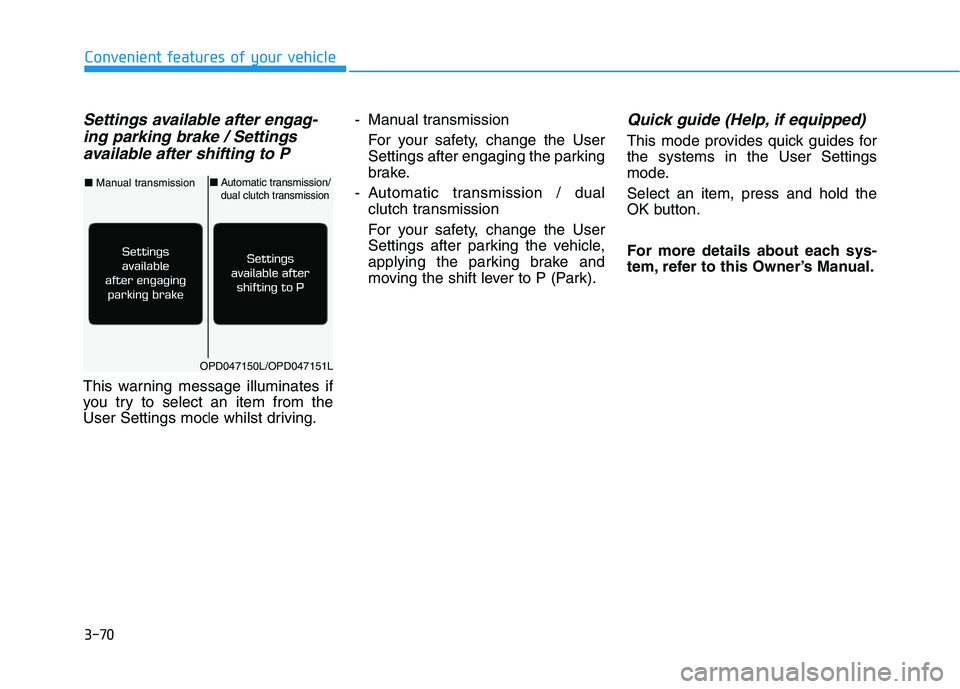
Settings available after engag-
ing parking brake / Settings
available after shifting to P
This warning message illuminates if
you try to select an item from the
User Settings mode whilst driving.- Manual transmission
For your safety, change the User
Settings after engaging the parking
brake.
- Automatic transmission / dual
clutch transmission
For your safety, change the User
Settings after parking the vehicle,
applying the parking brake and
moving the shift lever to P (Park).
Quick guide (Help, if equipped)
This mode provides quick guides for
the systems in the User Settings
mode.
Select an item, press and hold the
OK button.
For more details about each sys-
tem, refer to this Owner’s Manual.
OPD047150L/OPD047151L
■Manual transmission■Automatic transmission/dual clutch transmission
Page 155 of 533
3-72
Convenient features of your vehicle
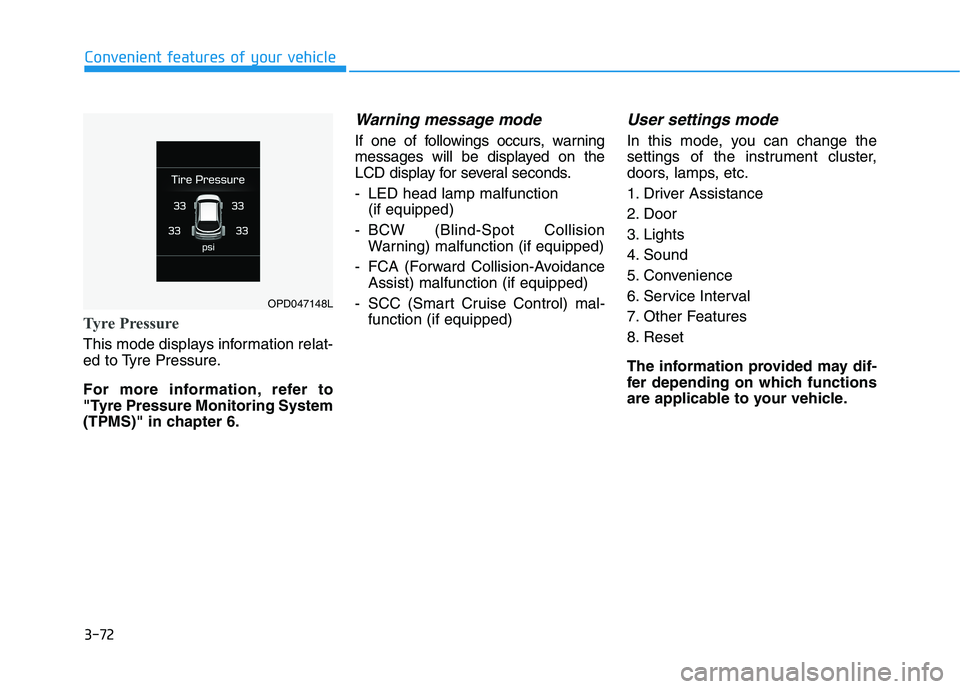
Tyre Pressure
This mode displays information relat-
ed to Tyre Pressure.
For more information, refer to
"Tyre Pressure Monitoring System
(TPMS)" in chapter 6.
Warning message mode
If one of followings occurs, warning
messages will be displayed on the
LCD display for several seconds.
- LED head lamp malfunction
(if equipped)
- BCW (Blind-Spot Collision
Warning) malfunction (if equipped)
- FCA (Forward Collision-Avoidance
Assist) malfunction (if equipped)
- SCC (Smart Cruise Control) mal-
function (if equipped)
User settings mode
In this mode, you can change the
settings of the instrument cluster,
doors, lamps, etc.
1. Driver Assistance
2. Door
3. Lights
4. Sound
5. Convenience
6. Service Interval
7. Other Features
8. Reset
The information provided may dif-
fer depending on which functions
are applicable to your vehicle.
OPD047148L
Page 267 of 533
5
Forward collision assist (FCA) system
(Front radar + Front camera) ............................5-76
System Setting and Activation.....................................5-76
FCA Warning Message and System Control ............5-78
FCA Sensor .......................................................................5-80
System Malfunction .......................................................5-82
Limitations of the System .............................................5-84
Lane keeping assist (LKA) system ....................5-88
LKA Operation..................................................................5-90
Warning Light and Message.........................................5-93
Limitations of the System .............................................5-94
LKA Function Change ...................................................5-95
Driver attention warning (DAW) system ..........5-96
System Setting and Activation.....................................5-96
Resetting the System .....................................................5-97
System Standby ...............................................................5-98
System Malfunction .......................................................5-98
Cruise control .....................................................5-100
Cruise Control operation .............................................5-100
Smart cruise control system (SCC) .................5-106
Smart Cruise Control Speed .......................................5-107
Smart Cruise Control Vehicle-to-Vehicle
Distance ...........................................................................5-112
Sensor to Detect Distance to the Vehicle
Ahead ...............................................................................5-115
To Adjust the Sensitivity of Smart Cruise
Control .............................................................................5-117
To Convert to Cruise Control Mode .........................5-117
Limitations of the System...........................................5-118
Special driving conditions .................................5-123
Hazardous driving conditions ....................................5-123
Rocking the vehicle ......................................................5-123
Smooth cornering .........................................................5-124
Driving at night ..............................................................5-124
Driving in the rain .........................................................5-124
Driving in flooded areas..............................................5-125
Highway driving .............................................................5-125
Reducing the risk of a rollover .................................5-126
Page 298 of 533
5-33
Driving your vehicle
5
Always come to a complete stop
before shifting into D (Drive) or
R (Reverse).
Do not put the shift lever in N
(Neutral) whilst driving.
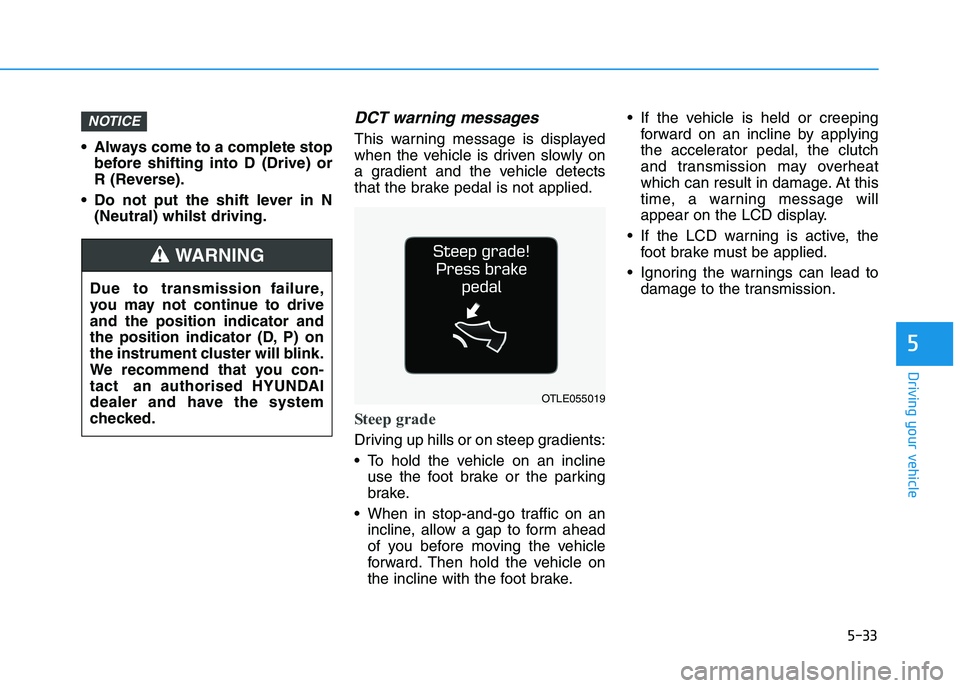
DCT warning messages
This warning message is displayed
when the vehicle is driven slowly on
a gradient and the vehicle detects
that the brake pedal is not applied.
Steep grade
Driving up hills or on steep gradients:
To hold the vehicle on an incline
use the foot brake or the parking
brake.
When in stop-and-go traffic on an
incline, allow a gap to form ahead
of you before moving the vehicle
forward. Then hold the vehicle on
the incline with the foot brake. If the vehicle is held or creeping
forward on an incline by applying
the accelerator pedal, the clutch
and transmission may overheat
which can result in damage. At this
time, a warning message will
appear on the LCD display.
If the LCD warning is active, the
foot brake must be applied.
Ignoring the warnings can lead to
damage to the transmission.
NOTICE
OTLE055019
Due to transmission failure,
you may not continue to drive
and the position indicator and
the position indicator (D, P) on
the instrument cluster will blink.
We recommend that you con-
tact an authorised HYUNDAI
dealer and have the system
checked.
WARNING
Page 299 of 533
5-34
Driving your vehicle
Transmission high temperature
Under certain conditions, such as
repeated stop-and-go launches on
steep gradients, sudden take off or
acceleration, or other harsh driving
conditions, the transmission clutch
temperatures will increase exces-
sively.
When the clutch temperatures are
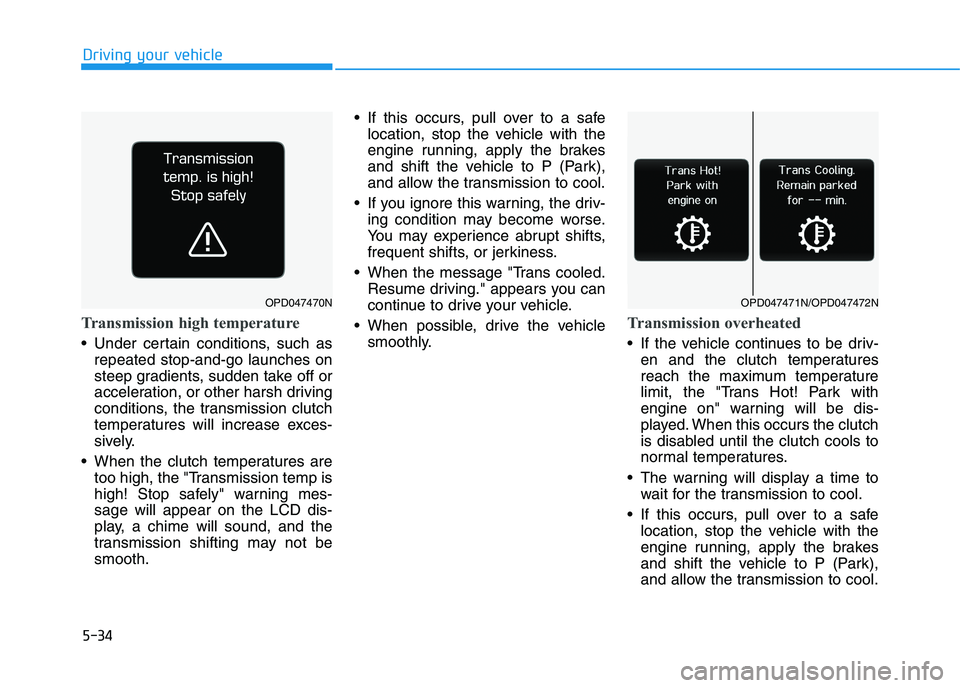
too high, the "Transmission temp is
high! Stop safely" warning mes-
sage will appear on the LCD dis-
play, a chime will sound, and the
transmission shifting may not be
smooth. If this occurs, pull over to a safe
location, stop the vehicle with the
engine running, apply the brakes
and shift the vehicle to P (Park),
and allow the transmission to cool.
If you ignore this warning, the driv-
ing condition may become worse.
You may experience abrupt shifts,
frequent shifts, or jerkiness.
When the message "Trans cooled.
Resume driving." appears you can
continue to drive your vehicle.
When possible, drive the vehicle
smoothly.
Transmission overheated
If the vehicle continues to be driv-
en and the clutch temperatures
reach the maximum temperature
limit, the "Trans Hot! Park with
engine on" warning will be dis-
played. When this occurs the clutch
is disabled until the clutch cools to
normal temperatures.
The warning will display a time to
wait for the transmission to cool.
If this occurs, pull over to a safe
location, stop the vehicle with the
engine running, apply the brakes
and shift the vehicle to P (Park),
and allow the transmission to cool.
OPD047470NOPD047471N/OPD047472N
Page 300 of 533
5-35
Driving your vehicle
5
When the message "Trans cooled.
Resume driving." appears you can
continue to drive your vehicle.
When possible, drive the vehicle
smoothly.
If any of the warning messages in
the LCD display continue to blink, for
your safety, we recommend you con-
tact an authorised HYUNDAI dealer
and have the system checked.Transmission ranges
The indicator in the instrument clus-
ter displays the shift lever position
when the ignition switch is in the ON
position.
P (Park)
Always come to a complete stop
before shifting into P (Park).
To shift from P (Park), you must
depress firmly on the brake pedal
and make sure your foot is off the
accelerator pedal.
If you have done all of the above
and still cannot shift the lever out
of P (Park), see "Shift-Lock
Release" in this chapter.
The shift lever must be in P (Park)
before turning the engine off.
Shifting into P (Park) whilst
the vehicle is in motion may
cause you to lose control of
the vehicle.
After the vehicle has stopped,
always make sure the shift
lever is in P (Park), apply the
parking brake, and turn the
engine off.
When parking on an incline,
place the shift lever in P (Park)
and apply the parking brake to
prevent the vehicle from
rolling downhill.
For safety, always engage the
parking brake with the shift
lever in the P (Park) position
except for the case of emer-
gency parking.
WARNING
Page 311 of 533
5-46
Driving your vehicle
If the parking brake warning
light is still on even though the
EPB has been released, we rec-
ommend that the system be
checked by an authorised
HYUNDAI dealer.
Do not drive your vehicle with
the EPB applied. It may cause
excessive brake pad and brake
rotor wear.
EPB (Electronic Parking Brake)
may be automatically applied
when:
Requested by other systems
If the driver turns the engine off
whilst Auto Hold is operating, EPB
will be automatically applied.
Warning messages
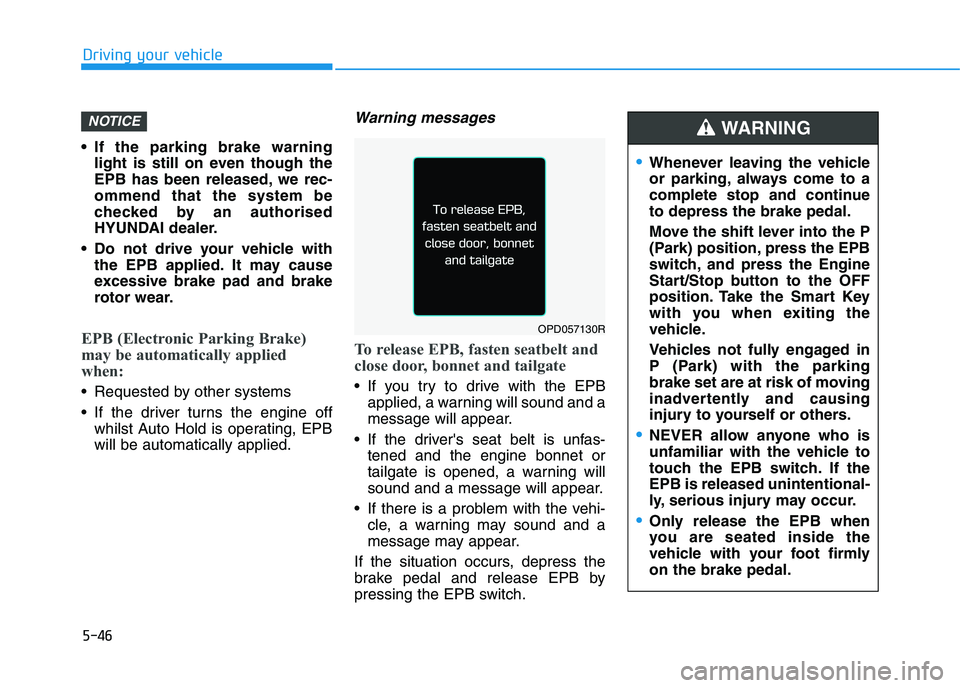
To release EPB, fasten seatbelt and
close door, bonnet and tailgate
If you try to drive with the EPB
applied, a warning will sound and a
message will appear.
If the driver's seat belt is unfas-
tened and the engine bonnet or
tailgate is opened, a warning will
sound and a message will appear.
If there is a problem with the vehi-
cle, a warning may sound and a
message may appear.
If the situation occurs, depress the
brake pedal and release EPB by
pressing the EPB switch.
NOTICE
OPD057130R
Whenever leaving the vehicle
or parking, always come to a
complete stop and continue
to depress the brake pedal.
Move the shift lever into the P
(Park) position, press the EPB
switch, and press the Engine
Start/Stop button to the OFF
position. Take the Smart Key
with you when exiting the
vehicle.
Vehicles not fully engaged in
P (Park) with the parking
brake set are at risk of moving
inadvertently and causing
injury to yourself or others.
NEVER allow anyone who is
unfamiliar with the vehicle to
touch the EPB switch. If the
EPB is released unintentional-
ly, serious injury may occur.
Only release the EPB when
you are seated inside the
vehicle with your foot firmly
on the brake pedal.
WARNING
Page 312 of 533
5-47
Driving your vehicle
5
Do not apply the accelerator
pedal whilst the parking brake is
engaged. If you depress the
accelerator pedal with the EPB
engaged, a warning will sound
and a message will appear.
Damage to the parking brake
may occur.
Driving with the parking brake
on can overheat the braking sys-
tem and cause premature wear
or damage to brake parts. Make
sure the EPB is released and the
Parking Brake Warning Light is
off before driving.
Information
• A clicking sound may be heard
whilst operating or releasing the
EPB. These conditions are normal
and indicate that the EPB is func-
tioning properly.
• When leaving your keys with a
parking attendant or assistant,
make sure to inform him/her how to
operate the EPB.
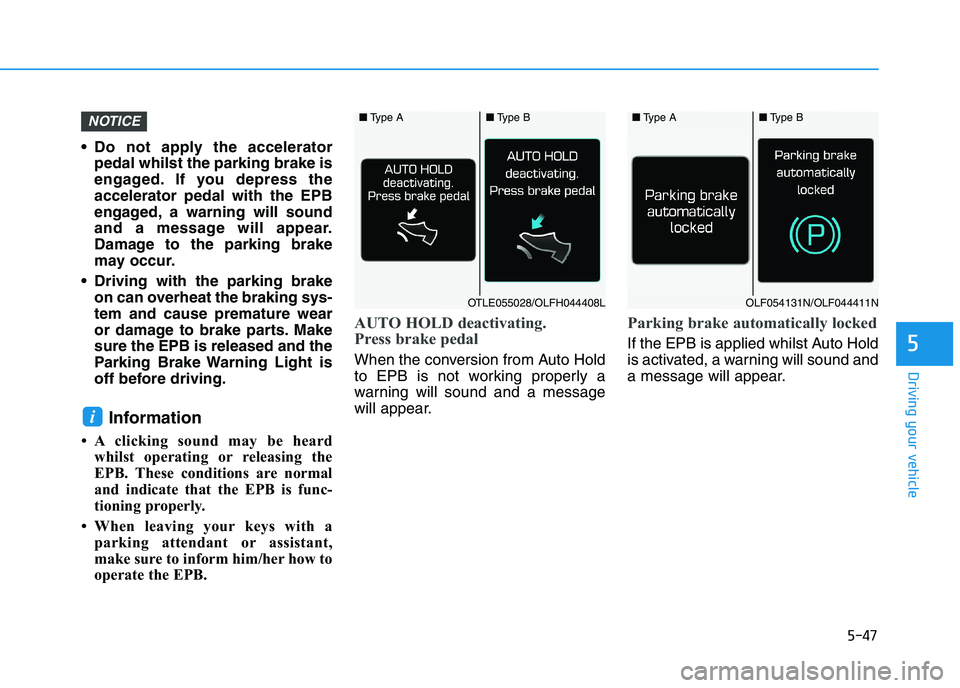
AUTO HOLD deactivating.
Press brake pedal
When the conversion from Auto Hold
to EPB is not working properly a
warning will sound and a message
will appear.
Parking brake automatically locked
If the EPB is applied whilst Auto Hold
is activated, a warning will sound and
a message will appear.
i
NOTICE■Type A■Type B
OTLE055028/OLFH044408L
■Type A■Type B
OLF054131N/OLF044411N
Page 316 of 533
5-51
Driving your vehicle
5
Information
• Auto Hold does not operate when:
- The driver's seat belt is unfastened
and the driver's door is opened
- The bonnet is open
- The shift lever is in P (Park) or R
(Reverse)
- The EPB is applied
• For your safety, Auto Hold automat-
ically switches to EPB when:
- The driver's seat belt is unfastened
and the driver's door is opened
- The bonnet is opened with the shift
lever in D (Drive)
- The vehicle stops for more than 10
minutes
- The vehicle stands on a steep slope
- The vehicle moves several times
(Continued)(Continued)
In these cases, the parking brake
warning light comes on, the AUTO
HOLD indicator changes from
green to white, and a warning sound
and a message will appear to inform
you that EPB has been automatical-
ly engaged. Before driving off again,
press the foot brake pedal, check the
surrounding area near your vehicle
and release the parking brake man-
ually with the EPB switch.
• If the AUTO HOLD indicator changes
to yellow, the Auto Hold is not working
properly. We recommend that you
contact an authorised HYUNDAI
dealer.
• Whilst Auto Hold is operating, you
may hear mechanical noise.
However, it is normal operating
noise.
If the AUTO HOLD indicator
changes to yellow, the Auto Hold is
not working properly. We recom-
mend that you contact an autho-
rised HYUNDAI dealer.If there is a malfunction with the
driver's door or bonnet open
detection system, Auto Hold may
not work properly.
We recommend that you contact
an authorised HYUNDAI dealer.
NOTICE
NOTICE
i
Depress the accelerator pedal
slowly when you start the
vehicle.
For your safety, cancel Auto
Hold when you drive downhill,
reverse or park the vehicle.
WARNING