warning message HYUNDAI I30 2023 Owner's Manual
[x] Cancel search | Manufacturer: HYUNDAI, Model Year: 2023, Model line: I30, Model: HYUNDAI I30 2023Pages: 533, PDF Size: 59.13 MB
Page 317 of 533
5-52
Driving your vehicle
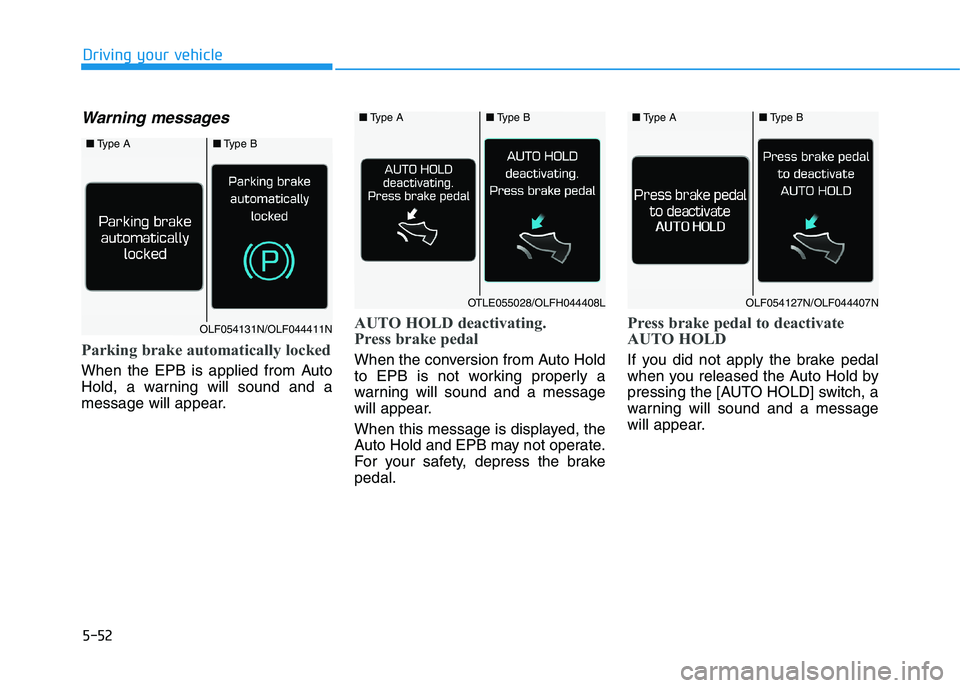
Warning messages
Parking brake automatically locked
When the EPB is applied from Auto
Hold, a warning will sound and a
message will appear.
AUTO HOLD deactivating.
Press brake pedal
When the conversion from Auto Hold
to EPB is not working properly a
warning will sound and a message
will appear.
When this message is displayed, the
Auto Hold and EPB may not operate.
For your safety, depress the brake
pedal.
Press brake pedal to deactivate
AUTO HOLD
If you did not apply the brake pedal
when you released the Auto Hold by
pressing the [AUTO HOLD] switch, a
warning will sound and a message
will appear.
■Type A■Type B
OLF054131N/OLF044411N
■Type A■Type B
OTLE055028/OLFH044408L
■Type A■Type B
OLF054127N/OLF044407N
Page 318 of 533
![HYUNDAI I30 2023 Owners Manual 5-53
Driving your vehicle
5
AUTO HOLD conditions not met.
Close door, bonnet and tailgate
When you press the [AUTO HOLD]
switch, if the drivers door and bonnet
are not closed, a warning will sound
an](/img/35/56144/w960_56144-317.png "HYUNDAI I30 2023 Owners Manual 5-53
Driving your vehicle
5
AUTO HOLD conditions not met.
Close door, bonnet and tailgate
When you press the [AUTO HOLD]
switch, if the drivers door and bonnet
are not closed, a warning will sound
an")
5-53
Driving your vehicle
5
AUTO HOLD conditions not met.
Close door, bonnet and tailgate
When you press the [AUTO HOLD]
switch, if the driver's door and bonnet
are not closed, a warning will sound
and a message will appear on the
LCD display. At this moment, press
the [AUTO HOLD] button after clos-
ing the driver's door and bonnet.
Anti-lock Brake System (ABS)
ABS is an electronic braking system
that helps prevent a braking skid.
ABS allows the driver to steer and
brake at the same time. An Anti-Lock Braking System
(ABS) or an Electronic Stability
Control (ESC) system will not
prevent accidents due to
improper or dangerous driving
manoeuvres. Even though vehi-
cle control is improved during
emergency braking, always
maintain a safe distance
between you and objects ahead
of you. Vehicle speeds should
always be reduced during
extreme road conditions. The
braking distance for vehicles
equipped with ABS or ESC may
be longer than for those without
these systems in the following
road conditions.
Drive your vehicle at reduced
speeds during the following
conditions:
Rough, gravel or snow-cov-
ered roads.
(Continued)
WARNING
OPD058108R
(Continued)
On roads where the road sur-
face is pitted or has different
surface height.
Tyre chains are installed on
your vehicle.
The safety features of an ABS
or ESC equipped vehicle should
not be tested by high speed
driving or cornering. This could
endanger the safety of yourself
or others.
Page 322 of 533
5-57
Driving your vehicle
5
Press and hold the ESC OFF button
continuously for more than 3 sec-
onds. The ESC OFF indicator light
and message "Traction & Stability
Control disabled" illuminates and a
warning chime sounds. In this state,
both the traction control function of
ESC (engine management) and the
brake control function of ESC (brak-
ing management) are disabled.
If the ignition switch is placed in the
LOCK/OFF position when ESC is off,
ESC remains off. Upon restarting the
vehicle, the ESC will automatically
turn on again.Indicator lights
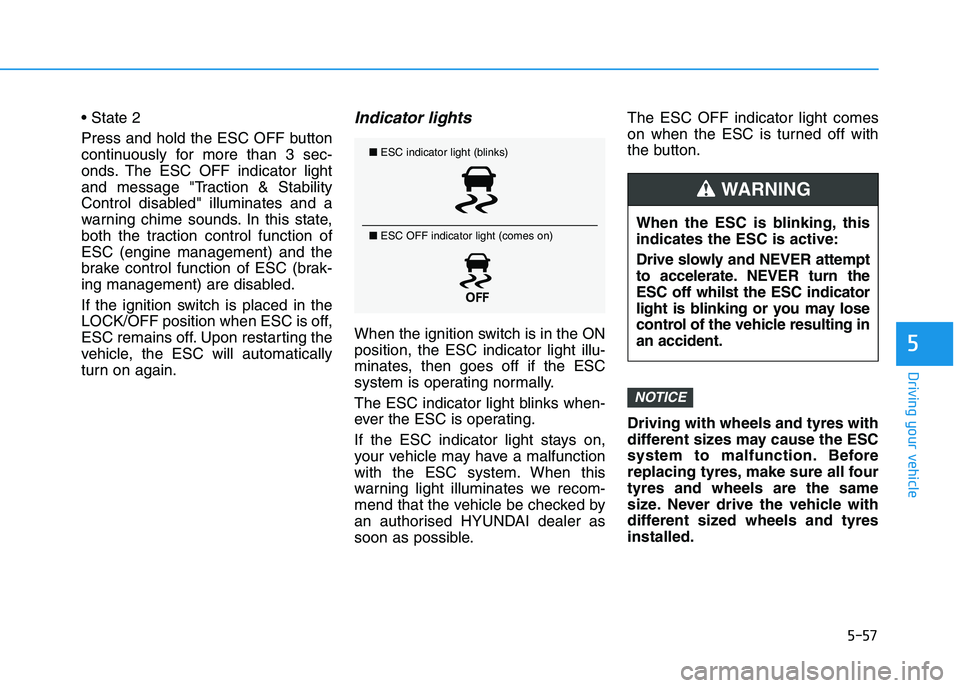
When the ignition switch is in the ON
position, the ESC indicator light illu-
minates, then goes off if the ESC
system is operating normally.
The ESC indicator light blinks when-
ever the ESC is operating.
If the ESC indicator light stays on,
your vehicle may have a malfunction
with the ESC system. When this
warning light illuminates we recom-
mend that the vehicle be checked by
an authorised HYUNDAI dealer as
soon as possible.The ESC OFF indicator light comes
on when the ESC is turned off with
the button.
Driving with wheels and tyres with
different sizes may cause the ESC
system to malfunction. Before
replacing tyres, make sure all four
tyres and wheels are the same
size. Never drive the vehicle with
different sized wheels and tyres
installed.
NOTICE
■ESC indicator light (blinks)
■ ESC OFF indicator light (comes on)
When the ESC is blinking, this
indicates the ESC is active:
Drive slowly and NEVER attempt
to accelerate. NEVER turn the
ESC off whilst the ESC indicator
light is blinking or you may lose
control of the vehicle resulting in
an accident.
WARNING
Page 333 of 533
5-68
Driving your vehicle
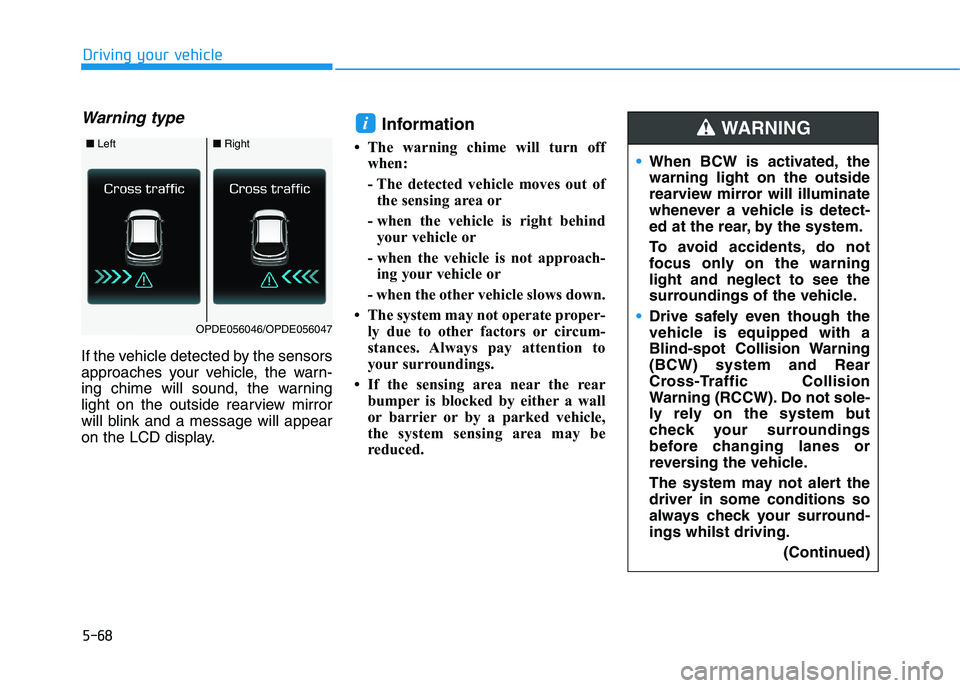
Warning type
If the vehicle detected by the sensors
approaches your vehicle, the warn-
ing chime will sound, the warning
light on the outside rearview mirror
will blink and a message will appear
on the LCD display.
Information
• The warning chime will turn off
when:
- The detected vehicle moves out of
the sensing area or
- when the vehicle is right behind
your vehicle or
- when the vehicle is not approach-
ing your vehicle or
- when the other vehicle slows down.
• The system may not operate proper-
ly due to other factors or circum-
stances. Always pay attention to
your surroundings.
• If the sensing area near the rear
bumper is blocked by either a wall
or barrier or by a parked vehicle,
the system sensing area may be
reduced.
i
■ Left■Right
OPDE056046/OPDE056047
When BCW is activated, the
warning light on the outside
rearview mirror will illuminate
whenever a vehicle is detect-
ed at the rear, by the system.
To avoid accidents, do not
focus only on the warning
light and neglect to see the
surroundings of the vehicle.
Drive safely even though the
vehicle is equipped with a
Blind-spot Collision Warning
(BCW) system and Rear
Cross-Traffic Collision
Warning (RCCW). Do not sole-
ly rely on the system but
check your surroundings
before changing lanes or
reversing the vehicle.
The system may not alert the
driver in some conditions so
always check your surround-
ings whilst driving.
(Continued)
WARNING
Page 334 of 533
5-69
Driving your vehicle
5
The system may not work prop-
erly when the bumper has been
damaged, or if the rear bumper
has been replaced or repaired.
The sensing range differs some-
what according to the width of
the road. When the road is nar-
row, the system may detect
other vehicles in the next lane
OR when the road is wide, the
system may not detect other
vehicles in the next lane.
The system may turn off due to
strong electromagnetic waves.
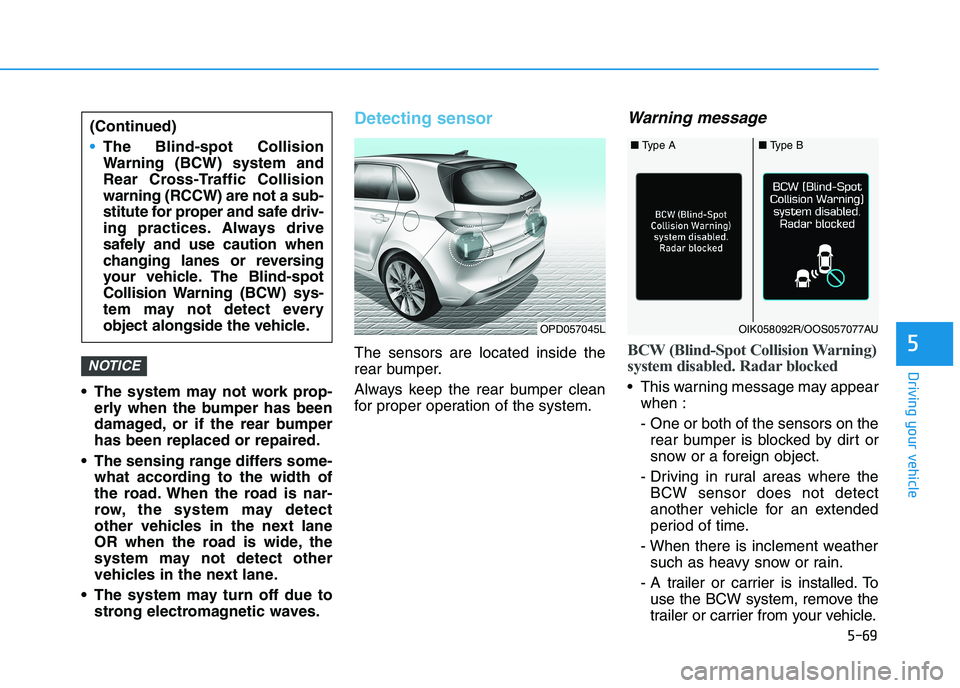
Detecting sensor
The sensors are located inside the
rear bumper.
Always keep the rear bumper clean
for proper operation of the system.
Warning message
BCW (Blind-Spot Collision Warning)
system disabled. Radar blocked
This warning message may appear
when :
- One or both of the sensors on the
rear bumper is blocked by dirt or
snow or a foreign object.
- Driving in rural areas where the
BCW sensor does not detect
another vehicle for an extended
period of time.
- When there is inclement weather
such as heavy snow or rain.
- A trailer or carrier is installed. To
use the BCW system, remove the
trailer or carrier from your vehicle.
NOTICE
(Continued)
The Blind-spot Collision
Warning (BCW) system and
Rear Cross-Traffic Collision
warning (RCCW) are not a sub-
stitute for proper and safe driv-
ing practices. Always drive
safely and use caution when
changing lanes or reversing
your vehicle. The Blind-spot
Collision Warning (BCW) sys-
tem may not detect every
object alongside the vehicle.
OPD057045L
■ Type A■ Type B
OIK058092R/OOS057077AU
Page 335 of 533
5-70
Driving your vehicle
If any of these conditions occur, the
light on the BCW switch and the sys-
tem will turn off automatically.
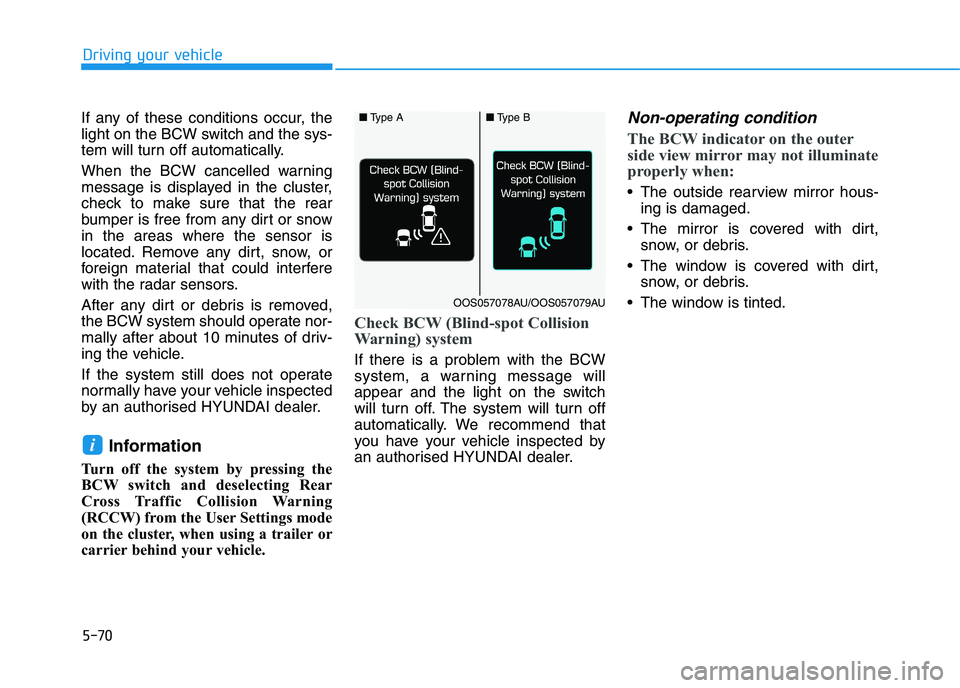
When the BCW cancelled warning
message is displayed in the cluster,
check to make sure that the rear
bumper is free from any dirt or snow
in the areas where the sensor is
located. Remove any dirt, snow, or
foreign material that could interfere
with the radar sensors.
After any dirt or debris is removed,
the BCW system should operate nor-
mally after about 10 minutes of driv-
ing the vehicle.
If the system still does not operate
normally have your vehicle inspected
by an authorised HYUNDAI dealer.
Information
Turn off the system by pressing the
BCW switch and deselecting Rear
Cross Traffic Collision Warning
(RCCW) from the User Settings mode
on the cluster, when using a trailer or
carrier behind your vehicle.
Check BCW (Blind-spot Collision
Warning) system
If there is a problem with the BCW
system, a warning message will
appear and the light on the switch
will turn off. The system will turn off
automatically. We recommend that
you have your vehicle inspected by
an authorised HYUNDAI dealer.
Non-operating condition
The BCW indicator on the outer
side view mirror may not illuminate
properly when:
The outside rearview mirror hous-
ing is damaged.
The mirror is covered with dirt,
snow, or debris.
The window is covered with dirt,
snow, or debris.
The window is tinted.
i
■Type A■Type B
OOS057078AU/OOS057079AU
Page 343 of 533
5-78
Driving your vehicle
Prerequisite for activation
The FCA system is on and ready
when FCA is selected on the LCD
display and when the following pre-
requisites are satisfied:
- The ESC (Electronic Stability
Control) is on.
- Driving speed exceeds approxi-
mately 10km/h (the FCA is only
activated within a certain speed
range).
- The system detects a pedestrian
or a vehicle in front, which may col-
lide with your vehicle (the FCA may
not be activated or may sound a
warning alarm depending on the
driving situation or vehicle condi-
tion).
❈The FCA may not operate proper-
ly according to the frontal situa-
tion, the direction of pedestrian
and speed.
FCA Warning Message and
System Control
The FCA produces warning mes-
sages and warning alarms depend-
ing on the collision risk levels, such
as abrupt stopping of the vehicle in
front, insufficient braking distance, or
pedestrian detection. Also, it controls
the brakes in accordance with the
collision risk levels.
The driver can select the initial warn-
ing activation time in the User
Settings on the LCD display. The
options for the initial Forward
Collision Warning include EARLY,
NORMAL, or LATE initial warning
time.Completely stop the vehicle at
a safe location before operat-
ing the switch on the steering
wheel to activate /deactivate
the FCA system.
The FCA automatically acti-
vates upon placing the igni-
tion switch to the ON position.
The driver can deactivate the
FCA by cancelling the system
setting on the LCD display.
The FCA automatically deacti-
vates upon cancelling the
ESC (Electronic Stability
Control). When the ESC is
cancelled, the FCA cannot be
activated on the LCD display.
The FCA warning light will
illuminate which is normal.
WARNING
Page 344 of 533
5-79
Driving your vehicle
5
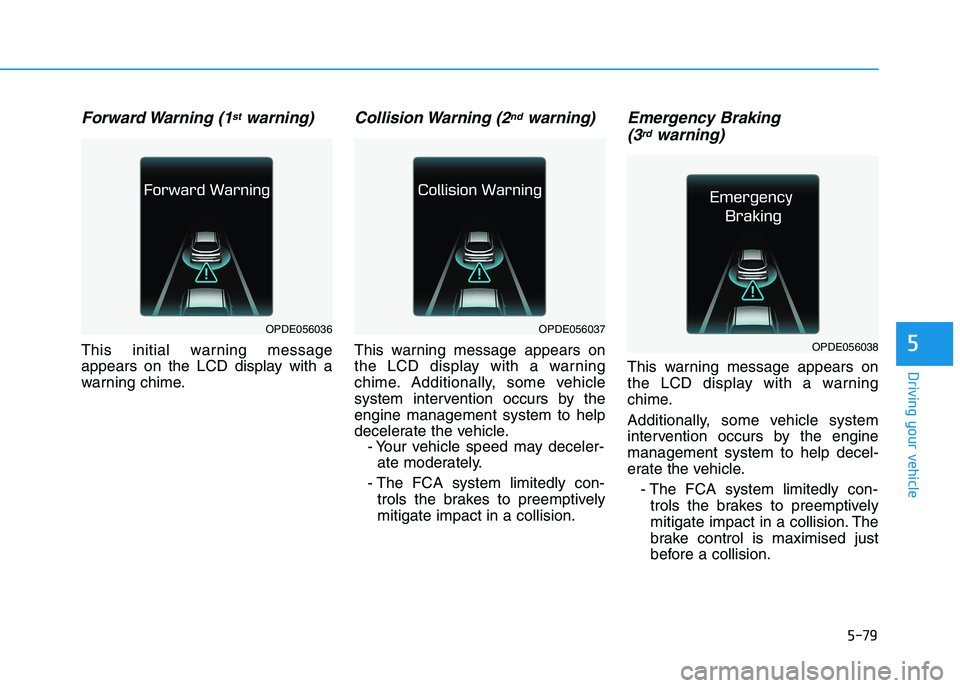
Forward Warning (1stwarning)
This initial warning message
appears on the LCD display with a
warning chime.
Collision Warning (2ndwarning)
This warning message appears on
the LCD display with a warning
chime. Additionally, some vehicle
system intervention occurs by the
engine management system to help
decelerate the vehicle.
- Your vehicle speed may deceler-
ate moderately.
- The FCA system limitedly con-
trols the brakes to preemptively
mitigate impact in a collision.
Emergency Braking
(3rdwarning)
This warning message appears on
the LCD display with a warning
chime.
Additionally, some vehicle system
intervention occurs by the engine
management system to help decel-
erate the vehicle.
- The FCA system limitedly con-
trols the brakes to preemptively
mitigate impact in a collision. The
brake control is maximised just
before a collision.
OPDE056036OPDE056037
OPDE056038
Page 345 of 533
5-80
Driving your vehicle
Brake operation
In an urgent situation, the braking
system enters into the ready sta-
tus, to react promptly to the driver
depressing the brake pedal.
The FCA provides additional brak-
ing power for optimum braking per-
formance, when the driver depress-
es the brake pedal.
The braking control is automatical-
ly deactivated, when the driver
sharply depresses the accelerator
pedal, or when the driver abruptly
operates the steering wheel.
The FCA braking control is auto-
matically cancelled, when risk fac-
tors disappear.
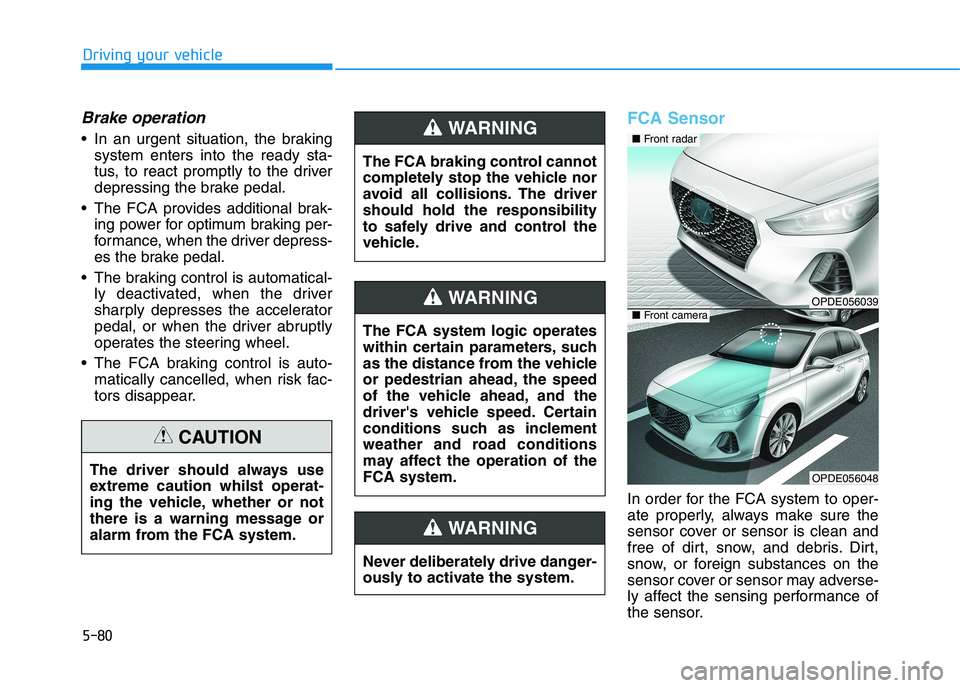
FCA Sensor
In order for the FCA system to oper-
ate properly, always make sure the
sensor cover or sensor is clean and
free of dirt, snow, and debris. Dirt,
snow, or foreign substances on the
sensor cover or sensor may adverse-
ly affect the sensing performance of
the sensor. The driver should always use
extreme caution whilst operat-
ing the vehicle, whether or not
there is a warning message or
alarm from the FCA system.
CAUTION
The FCA system logic operates
within certain parameters, such
as the distance from the vehicle
or pedestrian ahead, the speed
of the vehicle ahead, and the
driver's vehicle speed. Certain
conditions such as inclement
weather and road conditions
may affect the operation of the
FCA system.
WARNING
The FCA braking control cannot
completely stop the vehicle nor
avoid all collisions. The driver
should hold the responsibility
to safely drive and control the
vehicle.
WARNING
Never deliberately drive danger-
ously to activate the system.
WARNING
OPDE056039
OPDE056048
■ Front radar
■ Front camera
Page 346 of 533
5-81
Driving your vehicle
5
Do not apply licence plate
frames or foreign objects such
as a bumper sticker or a bumper
guard near the radar sensor.
Doing so may adversely affect
the sensing performance of the
radar.
Always keep the radar sensor
and cover clean and free of dirt
and debris.
Use only a soft cloth to wash the
vehicle. Do not spray pres-
surised water directly on the
sensor or sensor cover.
Be careful not to apply unneces-
sary force on the radar sensor or
sensor cover. If the sensor is
forcibly moved out of proper
alignment, the FCA system may
not operate correctly. In this
case, a warning message may
not be displayed. We recom-
mend you have the vehicle
inspected by an authorised
HYUNDAI dealer.
(Continued)(Continued)
If the front bumper becomes
damaged in the area around the
radar sensor, the FCA system
may not operate properly. Have
the vehicle inspected by an
authorised HYUNDAI dealer.
Use only genuine HYUNDAI
parts to repair or replace a dam-
aged sensor or sensor cover. Do
not apply paint to the sensor
cover. NEVER install any accessories
or stickers on the front wind-
screen, nor tint the front wind-
screen.
NEVER locate any reflective
objects (i.e. white paper, mirror)
over the instrument panel. Any
light reflection may cause a mal-
function of the system.
Pay extreme caution to keep the
camera out of water.
NEVER disassemble the camera
assembly, nor apply any impact
on the camera assembly.
Playing the vehicle audio sys-
tem at high volume may offset
the system warning sounds.
Information
We recommend you have the system
checked by an authorised HYUNDAI
dealer when:
• The windscreen glass is replaced.
• The camera or related parts are
repaired or removed.
i
NOTICENOTICE