Automatic HYUNDAI I30 2023 Owner's Manual
[x] Cancel search | Manufacturer: HYUNDAI, Model Year: 2023, Model line: I30, Model: HYUNDAI I30 2023Pages: 533, PDF Size: 59.13 MB
Page 116 of 533
3-33
Convenient features of your vehicle
3
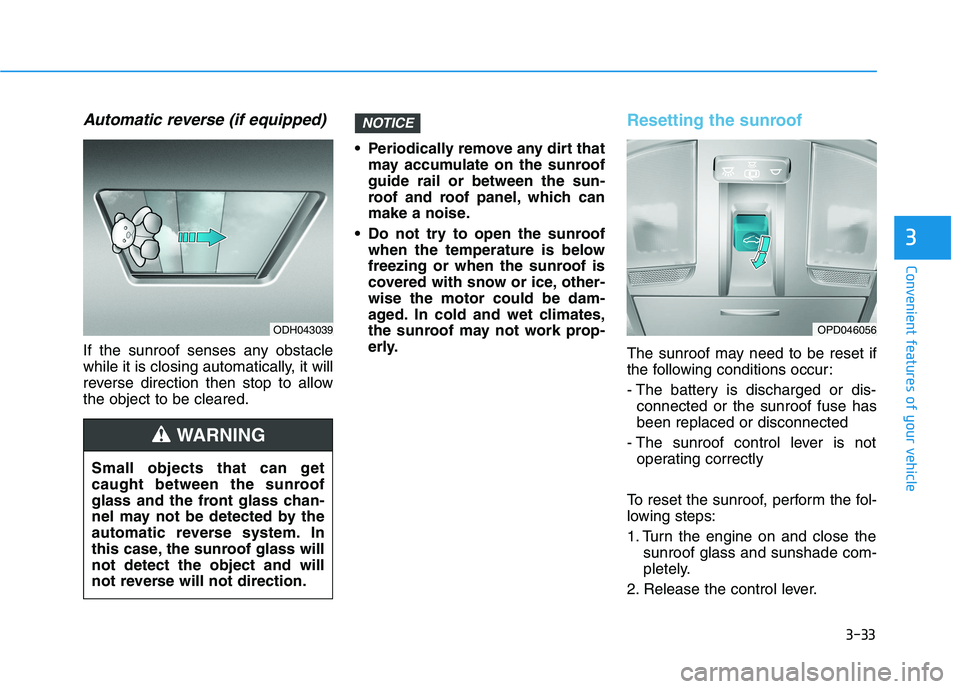
Automatic reverse (if equipped)
If the sunroof senses any obstacle
while it is closing automatically, it will
reverse direction then stop to allow
the object to be cleared. Periodically remove any dirt that
may accumulate on the sunroof
guide rail or between the sun-
roof and roof panel, which can
make a noise.
Do not try to open the sunroof
when the temperature is below
freezing or when the sunroof is
covered with snow or ice, other-
wise the motor could be dam-
aged. In cold and wet climates,
the sunroof may not work prop-
erly.
Resetting the sunroof
The sunroof may need to be reset if
the following conditions occur:
- The battery is discharged or dis-
connected or the sunroof fuse has
been replaced or disconnected
- The sunroof control lever is not
operating correctly
To reset the sunroof, perform the fol-
lowing steps:
1. Turn the engine on and close the
sunroof glass and sunshade com-
pletely.
2. Release the control lever.
NOTICE
Small objects that can get
caught between the sunroof
glass and the front glass chan-
nel may not be detected by the
automatic reverse system. In
this case, the sunroof glass will
not detect the object and will
not reverse will not direction.
WARNING
OPD046056ODH043039
Page 122 of 533
3-39
Convenient features of your vehicle
3
Closing the fuel filler door
1. To install the fuel tank cap, turn it
clockwise until it “clicks” one time.
2. Close the fuel filler door until it is
latched securely.
Petrol is highly flammable and
explosive. Failure to follow
these guidelines may result in
SERIOUS INJURY or DEATH:
Read and follow all warnings
posted at the service station.
Before refuelling, note the
location of the Emergency
Petrol Shut-Off, if available, at
the service station.
Before touching the fuel noz-
zle, you should eliminate the
potential build-up of static
electricity by touching a metal
part of the vehicle, a safe dis-
tance away from the fuel filler
neck, nozzle, or other fuel
source, with your bare hand.
(Continued)
WARNING
(Continued)
When refuelling, always move
the shift lever to the P (Park)
position (for automatic trans-
mission/
dual clutch transmis-
sion) or first gear or R
(Reverse, for manual transmis-
sion), set the parking brake,
and place the ignition switch
to the LOCK/OFF position.
Sparks produced by electrical
components related to the
engine can ignite fuel
vapours
causing a fire.
When using an approved
portable fuel container, be
sure to place the container on
the ground prior to refuelling.
Static electricity discharge
from the container can ignite
fuel vapours causing a fire.
Once refuelling has begun,
contact between your bare
hand and the vehicle should
be maintained until the filling
is complete.
(Continued)
(Continued)
Do not use mobile phones
whilst refuelling. Electric cur-
rent and/or electronic interfer-
ence from mobile phones can
potentially ignite fuel vapours
and cause a fire.
Do not get back into a vehicle
once you have begun refu-
elling. You can generate a
build-up of static electricity by
touching, rubbing or sliding
against any item or fabric
capable of producing static
electricity. Static electricity
discharge can ignite fuel
vapours causing a fire. If you
must re-enter the vehicle, you
should once again eliminate
potentially dangerous static
electricity discharge by touch-
ing a metal part of the vehicle,
away from the fuel filler neck,
nozzle or other fuel source,
with your bare hand.
(Continued)
Page 128 of 533
3-45
Convenient features of your vehicle
3
Outside temperature gauge
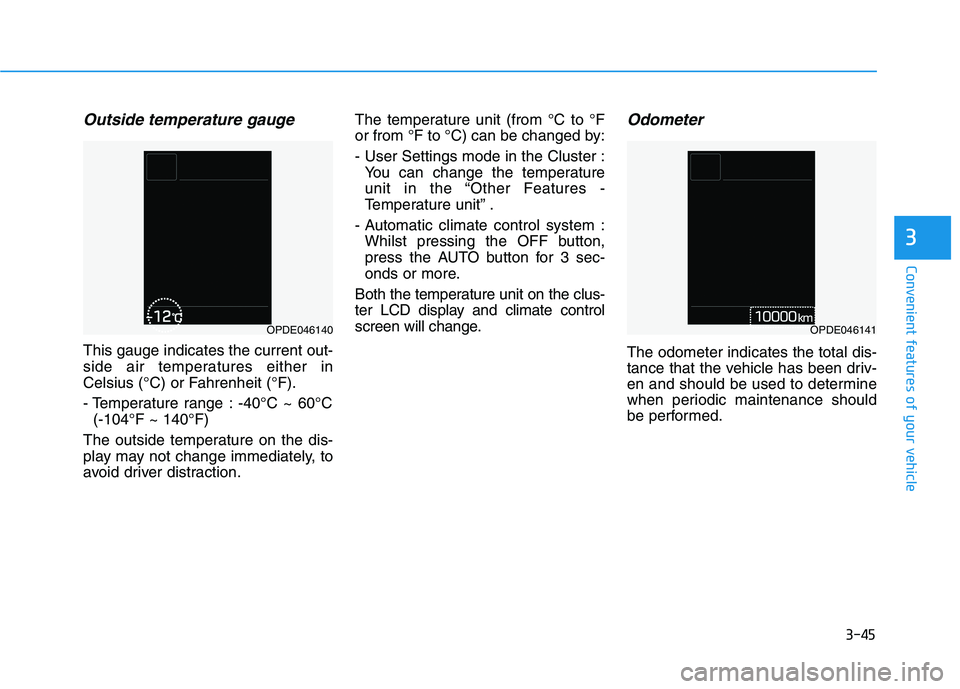
This gauge indicates the current out-
side air temperatures either in
Celsius (°C) or Fahrenheit (°F).
- Temperature range : -40°C ~ 60°C
(-104°F ~ 140°F)
The outside temperature on the dis-
play may not change immediately, to
avoid driver distraction.The temperature unit (from °C to °F
or from °F to °C) can be changed by:
- User Settings mode in the Cluster :
You can change the temperature
unit in the “Other Features -
Temperature unit” .
- Automatic climate control system :
Whilst pressing the OFF button,
press the AUTO button for 3 sec-
onds or more.
Both the temperature unit on the clus-
ter LCD display and climate control
screen will change.
Odometer
The odometer indicates the total dis-
tance that the vehicle has been driv-
en and should be used to determine
when periodic maintenance should
be performed.
OPDE046140OPDE046141
Page 130 of 533
3-47
Convenient features of your vehicle
3
For example
: Indicates that shifting up to 3rd
gear is recommended (current-
ly the shift lever is in the 2nd or
1st gear).
: Indicates that shifting down to
3rd gear is recommended (cur-
rently the shift lever is in the 4th,
5th, or 6th gear).
When the system is not working prop-
erly, the indicator is not displayed.Automatic transmission shift
indicator (if equipped)
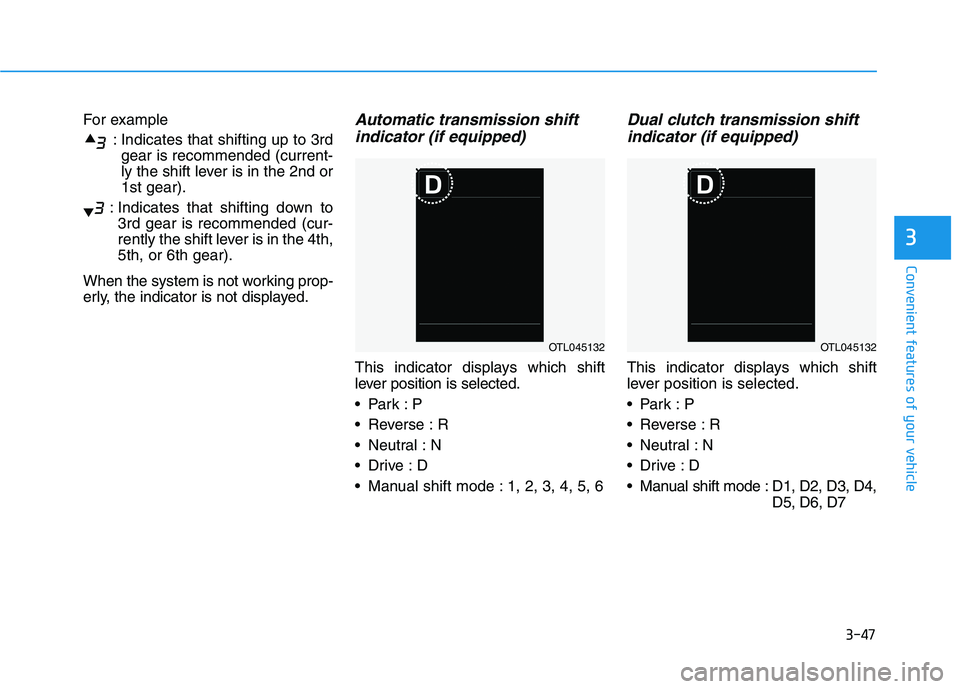
This indicator displays which shift
lever position is selected.
Reverse : R
Neutral : N
Manual shift mode : 1, 2, 3, 4, 5, 6
Dual clutch transmission shift
indicator (if equipped)
This indicator displays which shift
lever position is selected.
Reverse : R
Neutral : N
Manual shift mode : D1, D2, D3, D4,
D5, D6, D7
OTL045132OTL045132
Page 145 of 533
3-62
Convenient features of your vehicle
Icy Road Warning Light
(if equipped)
This warning light is to warn the driver
the road may be icy.
When the temperature on the out-
side temperature gauge is approxi-
mately below 4°C (40°F), the Icy
Road Warning Light and Outside
Temperature Gauge blinks and then
illuminates. Also, the warning chime
sounds 1 time.
Information
If the icy road warning light appears
whilst driving, you should drive more
attentively and safely refraining from
over-speeding, rapid acceleration, sud-
den braking or sharp turning, etc.
LCD display messages
Shift to P (for smart key system
and automatic transmission/
dual clutch transmission)
This warning message is displayed if
you try to turn off the engine without
the shift lever in P (Park) position.
At this time, the Engine Start/Stop
button turns to the ACC position (If
you press the Engine Start/Stop but-
ton once more, it will turn to the ON
position).
Low Key Battery
(for smart key system)
This warning message is displayed if
the battery of the smart key is dis-
charged whilst the Engine Start/Stop
button changes to the OFF position.
i
Page 153 of 533
3-70
Convenient features of your vehicle
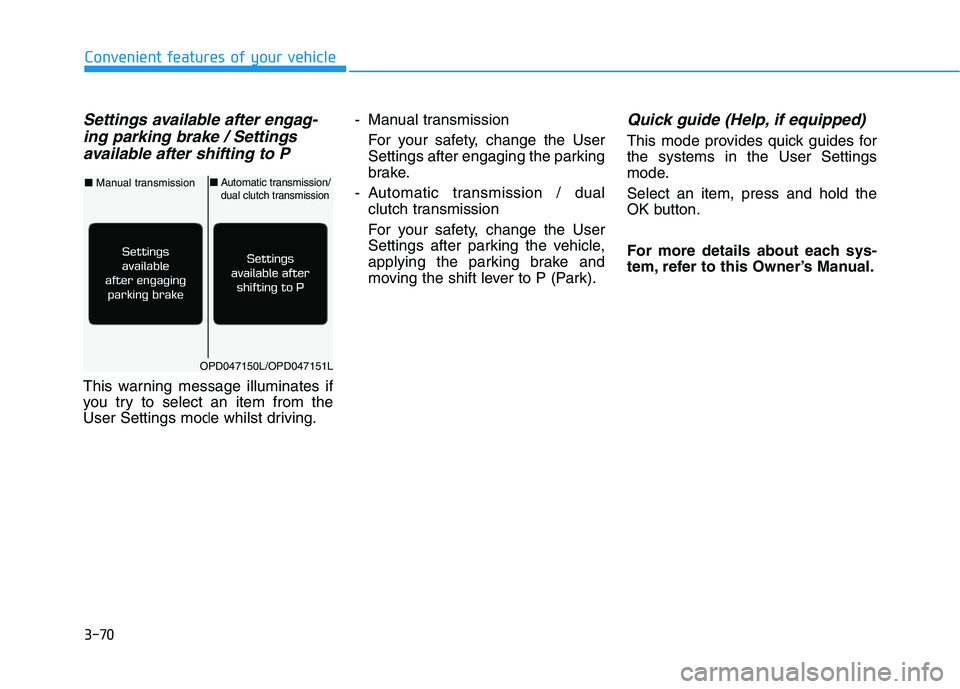
Settings available after engag-
ing parking brake / Settings
available after shifting to P
This warning message illuminates if
you try to select an item from the
User Settings mode whilst driving.- Manual transmission
For your safety, change the User
Settings after engaging the parking
brake.
- Automatic transmission / dual
clutch transmission
For your safety, change the User
Settings after parking the vehicle,
applying the parking brake and
moving the shift lever to P (Park).
Quick guide (Help, if equipped)
This mode provides quick guides for
the systems in the User Settings
mode.
Select an item, press and hold the
OK button.
For more details about each sys-
tem, refer to this Owner’s Manual.
OPD047150L/OPD047151L
■Manual transmission■Automatic transmission/dual clutch transmission
Page 157 of 533
3-74
Convenient features of your vehicle
2. Door
- Disable: The auto door lock opera-
tion will be cancelled.
- Enable on Speed: All doors will be
automatically locked when the vehi-
cle speed exceeds 15km/h.
- Enable on Shift: All doors will be
automatically locked if the automat-
ic transmission/dual clutch trans-
mission shift lever is shifted from
the P (Park) position to the R
(Reverse), N (Neutral), or D (Drive)
position.
- Disable: The auto door unlock oper-
ation will be cancelled.
- Vehicle Off: All doors will be auto-
matically unlocked when the
Engine Start/Stop button is set to
the OFF position (if equipped with
smart key).- On Key Out: All doors will be auto-
matically unlocked when the igni-
tion key is removed from the igni-
tion switch (if equipped with remote
key).
- On Shift to P: All doors will be auto-
matically unlocked if the automatic
transmission/dual clutch transmis-
sion shift lever is shifted to the P
(Park) position.
- Driver Door Unlock: All doors will be
automatically unlocked when the
driver’s door is opened.
To activate or deactivate the horn
feedback.
If the horn feedback is activated,
after locking the door by pressing the
lock button on the remote key, and
pressing it again within 4 seconds,
the horn feedback sound will operate
once to indicate that all doors are
locked (if equipped with remote key).3. Lights
- Off: The one touch turn signal func-
tion will be deactivated.
- 3, 5, 7 Flashes: The turn signal indi-
cator will blink 3, 5, or 7 times when
the turn signal lever is moved slightly.
For more information, refer to
"Lighting" in this chapter.
To activate or deactivate the head-
lamp delay function.
For more information, refer to
"Lighting" in this chapter
To activate or deactivate the wel-
come light function.
For more information, refer to
"Lighting" in this chapter.
Page 158 of 533
3-75
Convenient features of your vehicle
3
4. Sound
Warning)
- Softer/Louder
To adjust the Volume for Parking
Distance Warning system volume.
To activate or deactivate the Blind-
Spot Collision Warning sound.
For more information, refer to
"Blind-Spot Collision Warning
(BCW)" in chapter 5.
To activate or deactivate the wel-
come sound.5. Convenience
To activate or deactivate the wireless
charging system in the front seat.
For more information, refer to
"Wireless Charging System" in
this chapter.
To activate or deactivate the Wiper/
Light mode.
When activated, the LCD display
shows the selected Wiper/Light
mode whenever you changed the
mode.
To activate or deactivate the rear
wiper whilst the vehicle is in reverse
with the front wiper ON.
To activate or deactivate the gear
position pop-up.
When activated, the gear position
will be displayed on the display (if
equipped with automatic transmis-
sion/dual clutch transmission).
6. Service Interval
To activate or deactivate the service
interval function.
If the service interval menu is acti-
vated, you may adjust the time and
distance.
Information
To use the service interval menu, con-
sult an authorised HYUNDAI dealer.
i
Page 159 of 533
3-76
Convenient features of your vehicle
If the service interval is activated and
the time and distance is adjusted,
messages are displayed in the fol-
lowing situations each time the vehi-
cle is turned on.
- Service in
: Displayed to inform the driver the
remaining kilometres and days to
service.
- Service required
: Displayed when the kilometres
and days to service has been
reached or passed.
Information
If any of the following conditions
occur, the kilometres and number of
days to service may be incorrect.
- The battery cable is disconnected.
- The fuse switch is turned off.
- The battery is discharged.7. Other Features
- Off: The average fuel economy will
not reset automatically whenever
refuelling.
- After Ignition: The average fuel
economy will reset automatically
whenever it has passed 4 hours
after turning OFF the engine.
- After Refuelling: The average fuel
economy will reset automatically
when refuelling.
For more information, refer to
"Trip Computer" in this chapter.
To select the fuel economy unit.
(km/L, L/100km)
To select the temperature unit
(°C,°F).
To select the tyre pressure unit (psi,
kPa, bar).
To select language.8. Reset
You can reset the menus in the User
Settings Mode. All menus in the User
Settings Mode are initialised, except
language and service interval.
i
Page 161 of 533
3-78
Convenient features of your vehicle
Fuel economy
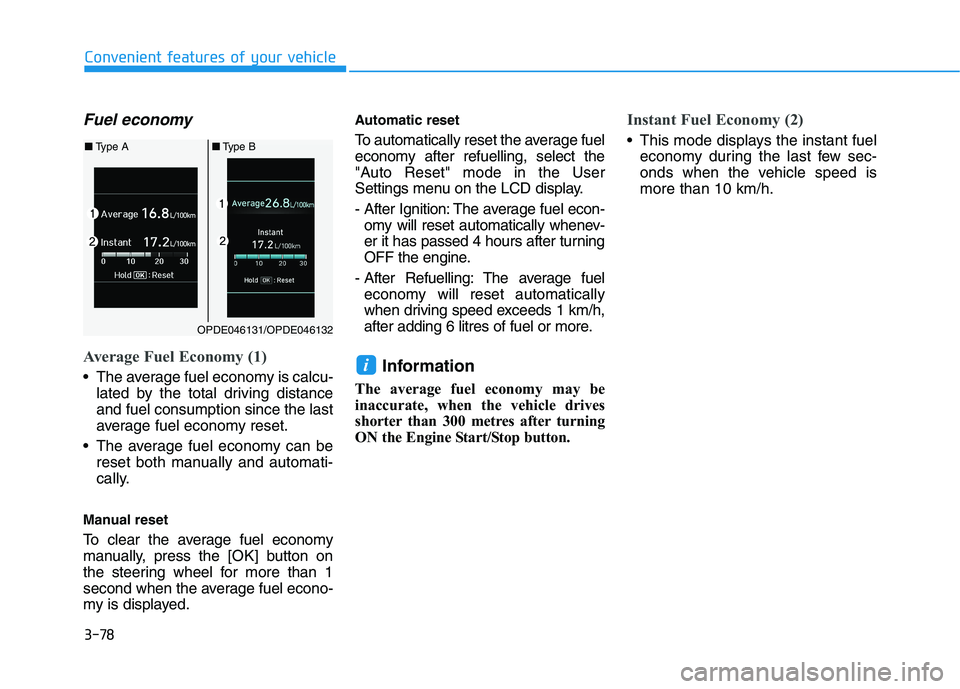
Average Fuel Economy (1)
The average fuel economy is calcu-
lated by the total driving distance
and fuel consumption since the last
average fuel economy reset.
The average fuel economy can be
reset both manually and automati-
cally.
Manual reset
To clear the average fuel economy
manually, press the [OK] button on
the steering wheel for more than 1
second when the average fuel econo-
my is displayed.
Automatic reset
To automatically reset the average fuel
economy after refuelling, select the
"Auto Reset" mode in the User
Settings menu on the LCD display.
- After Ignition: The average fuel econ-
omy will reset automatically whenev-
er it has passed 4 hours after turning
OFF the engine.
- After Refuelling: The average fuel
economy will reset automatically
when driving speed exceeds 1 km/h,
after adding 6 litres of fuel or more.
Information
The average fuel economy may be
inaccurate, when the vehicle drives
shorter than 300 metres after turning
ON the Engine Start/Stop button.
Instant Fuel Economy (2)
This mode displays the instant fuel
economy during the last few sec-
onds when the vehicle speed is
more than 10 km/h.
i
OPDE046131/OPDE046132
■Type A■Type B