ECO mode HYUNDAI I30 2023 Owner's Guide
[x] Cancel search | Manufacturer: HYUNDAI, Model Year: 2023, Model line: I30, Model: HYUNDAI I30 2023Pages: 533, PDF Size: 59.13 MB
Page 328 of 533
5-63
Driving your vehicle
5
When ECO mode is activated:
The acceleration response may be
slightly reduced as the accelerator
pedal is depressed moderately.
The air conditioner performance
may be limited.
The shift pattern of the automatic
transmission may change.
The engine noise may get louder.
The above situations are normal
conditions when ECO mode is acti-
vated, to improve fuel efficiency.Limitation of ECO mode opera-
tion:
If the following conditions occur
whilst ECO mode is operating, the
system operation is limited even
though there is no change in the
ECO indicator.
When the coolant temperature is
low:
The system will be limited until
engine performance becomes nor-
mal.
When driving up a hill:
The system will be limited in gain-
ing power when driving uphill
because engine torque is restrict-
ed.
When driving the vehicle with the
automatic transmission or the dual
clutch transmission gear shift lever
in manual shift mode:
The system will be limited due to
the shift location.
When the accelerator pedal is fully
depressed for a few seconds:
The system will be limited, judging
that the driver wants to speed up.SPORT mode
SPORT mode manages
the driving dynamics by
automatically adjusting the
steering effort, the engine
and transmission control
logic for enhanced driver
performance.
When SPORT mode is selected by
pressing the DRIVE MODE button,
the SPORT indicator will illuminate.
Whenever the engine is restarted,
the Drive Mode will revert back to
NORMAL mode. If SPORT mode is
desired, re-select SPORT mode
from the DRIVE MODE button.
When SPORT mode is activated:
- The engine rpm will tend to remain
raised over a certain length of time
even after releasing the accelerator
- Upshifts are delayed when accel-
erating
Information
In SPORT mode, the fuel efficiency
may decrease.
i
Page 335 of 533
5-70
Driving your vehicle
If any of these conditions occur, the
light on the BCW switch and the sys-
tem will turn off automatically.
When the BCW cancelled warning
message is displayed in the cluster,
check to make sure that the rear
bumper is free from any dirt or snow
in the areas where the sensor is
located. Remove any dirt, snow, or
foreign material that could interfere
with the radar sensors.
After any dirt or debris is removed,
the BCW system should operate nor-
mally after about 10 minutes of driv-
ing the vehicle.
If the system still does not operate
normally have your vehicle inspected
by an authorised HYUNDAI dealer.
Information
Turn off the system by pressing the
BCW switch and deselecting Rear
Cross Traffic Collision Warning
(RCCW) from the User Settings mode
on the cluster, when using a trailer or
carrier behind your vehicle.
Check BCW (Blind-spot Collision
Warning) system
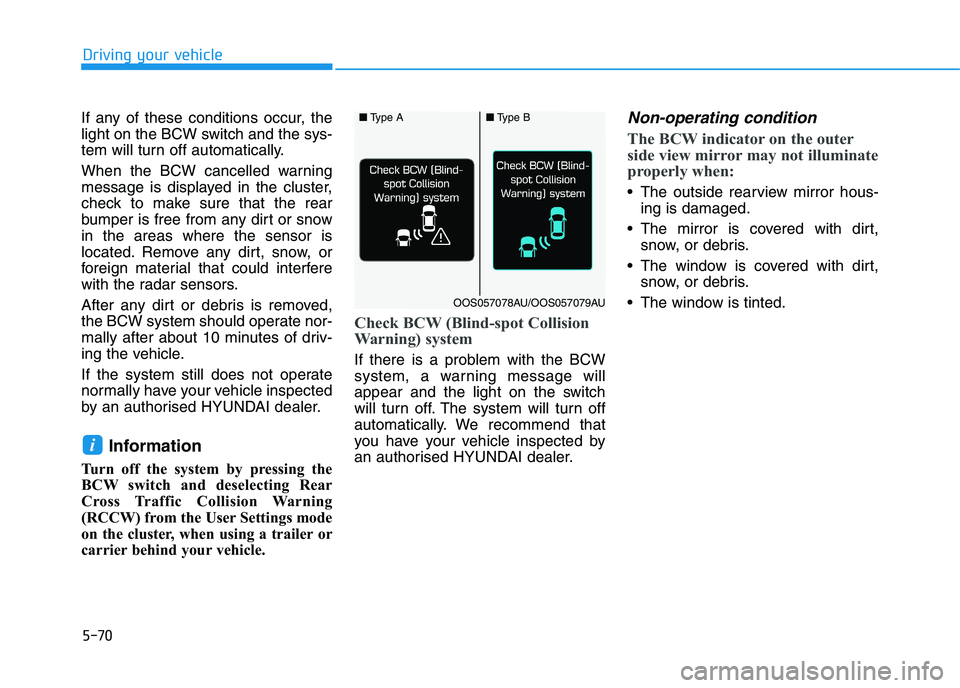
If there is a problem with the BCW
system, a warning message will
appear and the light on the switch
will turn off. The system will turn off
automatically. We recommend that
you have your vehicle inspected by
an authorised HYUNDAI dealer.
Non-operating condition
The BCW indicator on the outer
side view mirror may not illuminate
properly when:
The outside rearview mirror hous-
ing is damaged.
The mirror is covered with dirt,
snow, or debris.
The window is covered with dirt,
snow, or debris.
The window is tinted.
i
■Type A■Type B
OOS057078AU/OOS057079AU
Page 381 of 533
5-116
Driving your vehicle
Warning message
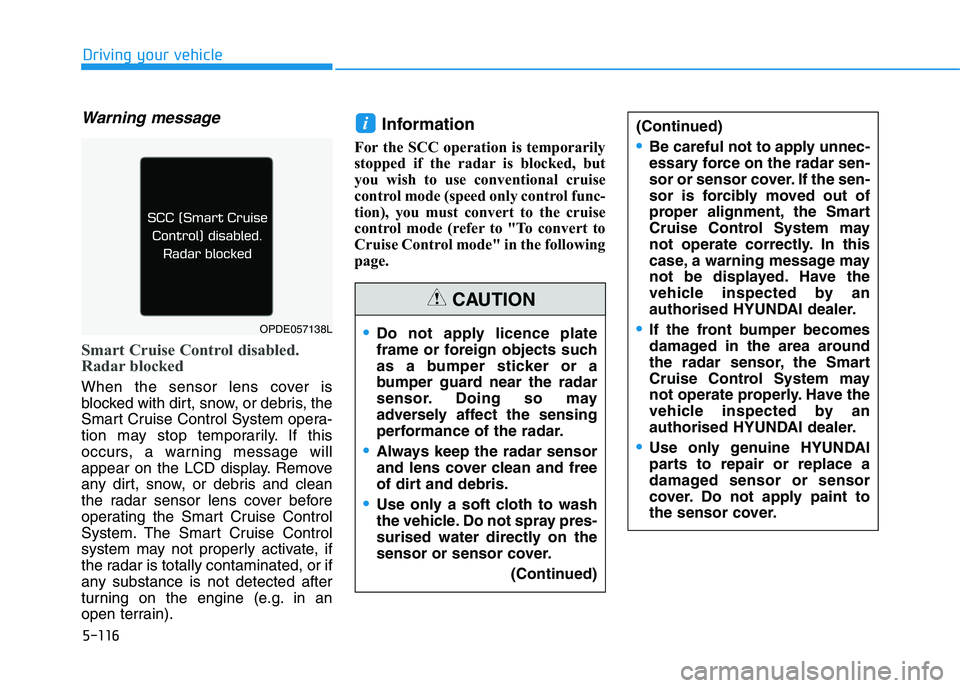
Smart Cruise Control disabled.
Radar blocked
When the sensor lens cover is
blocked with dirt, snow, or debris, the
Smart Cruise Control System opera-
tion may stop temporarily. If this
occurs, a warning message will
appear on the LCD display. Remove
any dirt, snow, or debris and clean
the radar sensor lens cover before
operating the Smart Cruise Control
System. The Smart Cruise Control
system may not properly activate, if
the radar is totally contaminated, or if
any substance is not detected after
turning on the engine (e.g. in an
open terrain).
Information
For the SCC operation is temporarily
stopped if the radar is blocked, but
you wish to use conventional cruise
control mode (speed only control func-
tion), you must convert to the cruise
control mode (refer to "To convert to
Cruise Control mode" in the following
page.
i(Continued)
Be careful not to apply unnec-
essary force on the radar sen-
sor or sensor cover. If the sen-
sor is forcibly moved out of
proper alignment, the Smart
Cruise Control System may
not operate correctly. In this
case, a warning message may
not be displayed. Have the
vehicle inspected by an
authorised HYUNDAI dealer.
If the front bumper becomes
damaged in the area around
the radar sensor, the Smart
Cruise Control System may
not operate properly. Have the
vehicle inspected by an
authorised HYUNDAI dealer.
Use only genuine HYUNDAI
parts to repair or replace a
damaged sensor or sensor
cover. Do not apply paint to
the sensor cover.
Do not apply licence plate
frame or foreign objects such
as a bumper sticker or a
bumper guard near the radar
sensor. Doing so may
adversely affect the sensing
performance of the radar.
Always keep the radar sensor
and lens cover clean and free
of dirt and debris.
Use only a soft cloth to wash
the vehicle. Do not spray pres-
surised water directly on the
sensor or sensor cover.
(Continued)
CAUTION
OPDE057138L
Page 382 of 533
5-117
Driving your vehicle
5
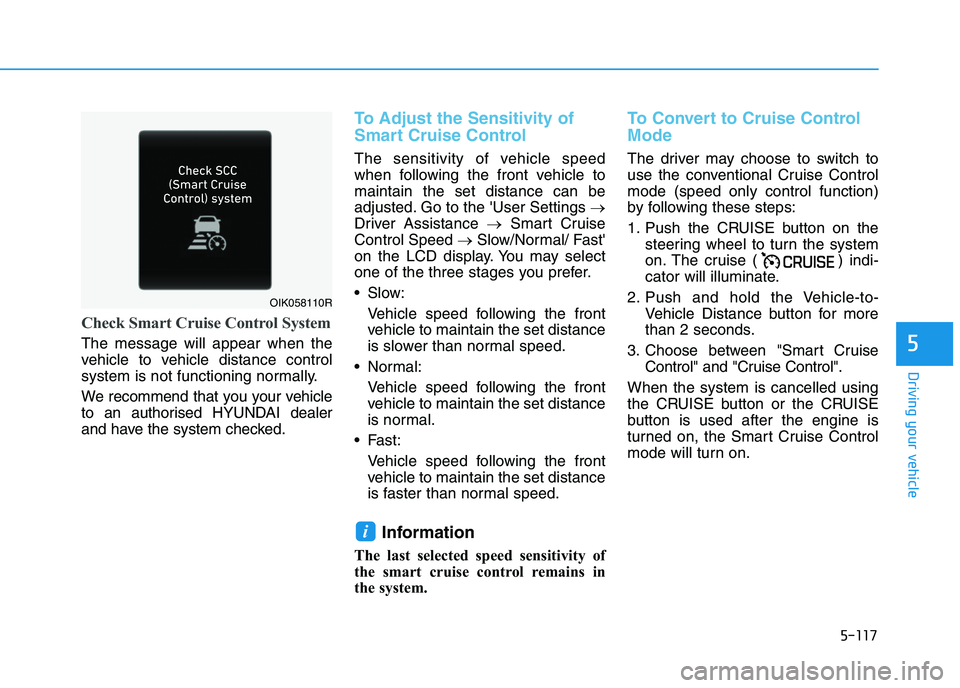
Check Smart Cruise Control System
The message will appear when the
vehicle to vehicle distance control
system is not functioning normally.
We recommend that you your vehicle
to an authorised HYUNDAI dealer
and have the system checked.
To Adjust the Sensitivity of
Smart Cruise Control
The sensitivity of vehicle speed
when following the front vehicle to
maintain the set distance can be
adjusted. Go to the 'User Settings →
Driver Assistance →Smart Cruise
Control Speed →Slow/Normal/ Fast'
on the LCD display. You may select
one of the three stages you prefer.
Slow:
Vehicle speed following the front
vehicle to maintain the set distance
is slower than normal speed.
Normal:
Vehicle speed following the front
vehicle to maintain the set distance
is normal.
Fast:
Vehicle speed following the front
vehicle to maintain the set distance
is faster than normal speed.
Information
The last selected speed sensitivity of
the smart cruise control remains in
the system.
To Convert to Cruise Control
Mode
The driver may choose to switch to
use the conventional Cruise Control
mode (speed only control function)
by following these steps:
1. Push the CRUISE button on the
steering wheel to turn the system
on. The cruise ( ) indi-
cator will illuminate.
2. Push and hold the Vehicle-to-
Vehicle Distance button for more
than 2 seconds.
3. Choose between "Smart Cruise
Control" and "Cruise Control".
When the system is cancelled using
the CRUISE button or the CRUISE
button is used after the engine is
turned on, the Smart Cruise Control
mode will turn on.
i
OIK058110R
Page 383 of 533
5-118
Driving your vehicle
Limitations of the System
The Smart Cruise Control System
may have limits to its ability to detect
distance to the vehicle ahead due to
road and traffic conditions.
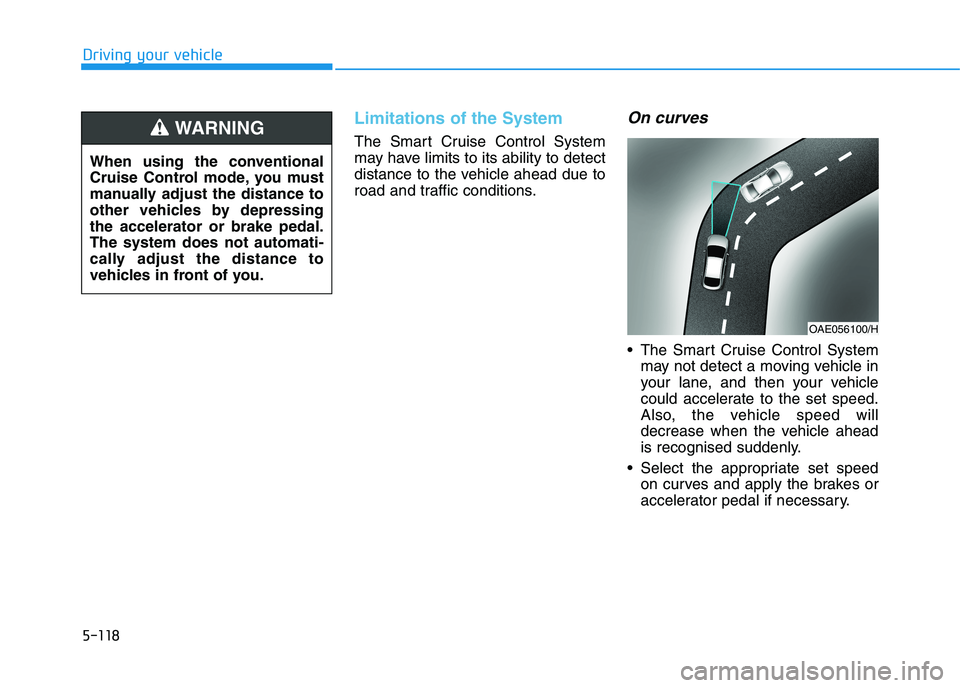
On curves
The Smart Cruise Control System
may not detect a moving vehicle in
your lane, and then your vehicle
could accelerate to the set speed.
Also, the vehicle speed will
decrease when the vehicle ahead
is recognised suddenly.
Select the appropriate set speed
on curves and apply the brakes or
accelerator pedal if necessary.
OAE056100/H
When using the conventional
Cruise Control mode, you must
manually adjust the distance to
other vehicles by depressing
the accelerator or brake pedal.
The system does not automati-
cally adjust the distance to
vehicles in front of you.
WARNING
Page 414 of 533
6-8
What to do in an emergency
6. If you cannot find the cause of the
overheating, wait until the engine
temperature has returned to nor-
mal. Then, if coolant has been
lost, carefully add coolant to the
reservoir to bring the fluid level in
the reservoir up to the halfway
mark.
7. Proceed with caution, keeping
alert for further signs of overheat-
ing. If overheating happens again,
we recommend that you call an
authorised HYUNDAI dealer for
assistance.
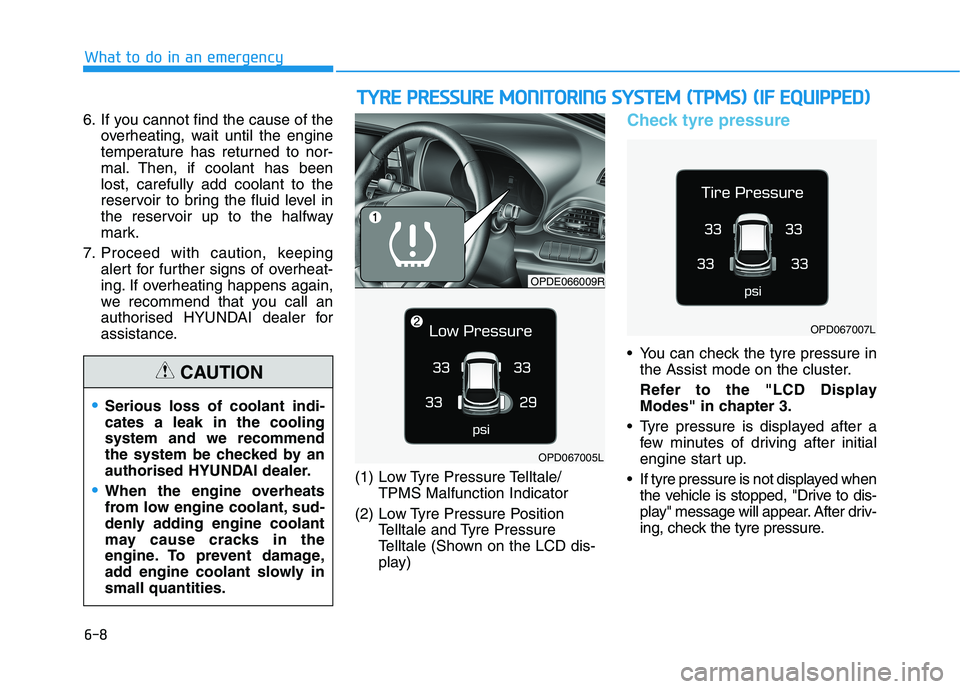
(1) Low Tyre Pressure Telltale/
TPMS Malfunction Indicator
(2) Low Tyre Pressure Position
Telltale and Tyre Pressure
Telltale (Shown on the LCD dis-
play)
Check tyre pressure
You can check the tyre pressure in
the Assist mode on the cluster.
Refer to the "LCD Display
Modes" in chapter 3.
Tyre pressure is displayed after a
few minutes of driving after initial
engine start up.
If tyre pressure is not displayed when
the vehicle is stopped, "Drive to dis-
play" message will appear. After driv-
ing, check the tyre pressure.
Serious loss of coolant indi-
cates a leak in the cooling
system and we recommend
the system be checked by an
authorised HYUNDAI dealer.
When the engine overheats
from low engine coolant, sud-
denly adding engine coolant
may cause cracks in the
engine. To prevent damage,
add engine coolant slowly in
small quantities.
CAUTION
T TY
YR
RE
E
P
PR
RE
ES
SS
SU
UR
RE
E
M
MO
ON
NI
IT
TO
OR
RI
IN
NG
G
S
SY
YS
ST
TE
EM
M
(
(T
TP
PM
MS
S)
)
(
(I
IF
F
E
EQ
QU
UI
IP
PP
PE
ED
D)
)
OPDE066009R
OPD067005L
OPD067007L
Page 415 of 533
6-9
What to do in an emergency
6
The displayed tyre pressure values
may differ from those measured
with a tyre pressure gauge.
You can change the tyre pressure
unit in the User Settings mode on
the instrument cluster.
- psi, kpa, bar (Refer to "User
Setting Mode" in chapter 3).Tyre pressure monitoring sys-
tem
Each tyre, including the spare (if pro-
vided), should be checked monthly
when cold and inflated to the inflation
pressure recommended by the vehi-
cle manufacturer on the vehicle plac-
ard or tyre inflation pressure label. (If
your vehicle has tyres of a different
size than the size indicated on the
vehicle placard or tyre inflation pres-
sure label, you should determine the
proper tyre inflation pressure for
those tyres.)As an added safety feature, your
vehicle has been equipped with a
tyre pressure monitoring system
(TPMS) that illuminates a low tyre
pressure telltale when one or more
of your tyres is significantly under-
inflated. Accordingly, when the low
tyre pressure telltale illuminates, you
should stop and check your tyres as
soon as possible, and inflate them to
the proper pressure. Driving on a sig-
nificantly under-inflated tyre causes
the tyre to overheat and can lead to
tyre failure. Under-inflation also
reduces fuel efficiency and tyre tread
life, and may affect the vehicle’s han-
dling and stopping ability.
Please note that the TPMS is not a
substitute for proper tyre mainte-
nance, and it is the driver’s responsi-
bility to maintain correct tyre pres-
sure, even if under-inflation has not
reached the level to trigger illumina-
tion of the TPMS low tyre pressure
telltale. Over-inflation or under-inflation
can reduce tyre life, adversely
affect vehicle handling, and
lead to sudden tyre failure that
may cause loss of vehicle con-
trol resulting in an accident.
WARNING
Page 475 of 533
7-44
Maintenance
For best battery service
Keep the battery securely mounted.
Keep the battery top clean and dry.
Keep the terminals and connec-
tions clean, tight, and coated with
petroleum jelly or terminal grease.
Rinse any spilled electrolyte from
the battery immediately with a
solution of water and baking soda.
If the vehicle is not going to be
used for an extended time, discon-
nect the battery cables.
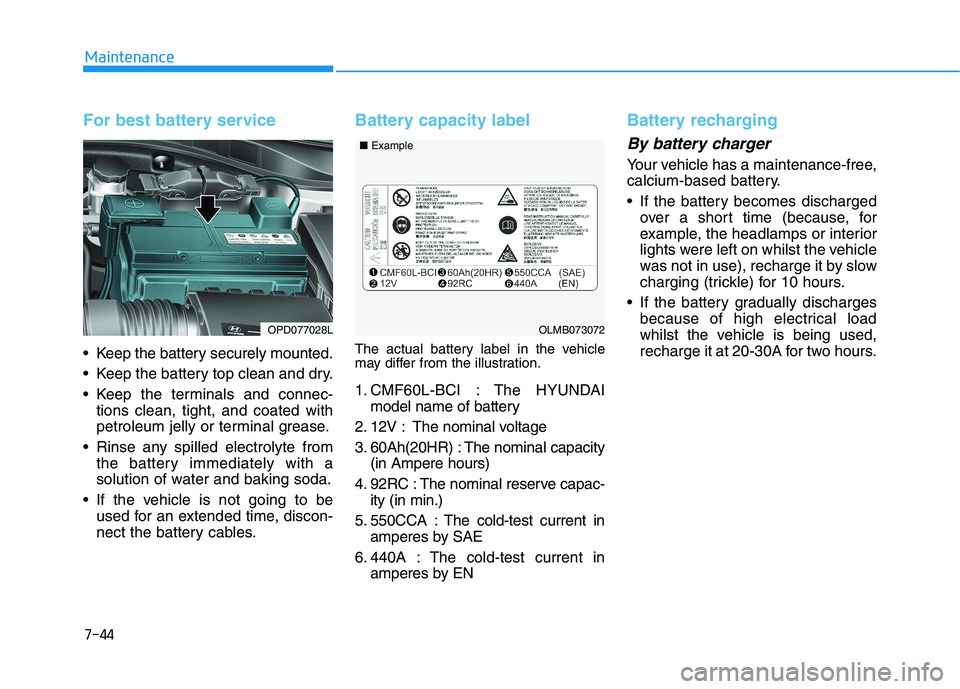
Battery capacity label
The actual battery label in the vehicle
may differ from the illustration.
1. CMF60L-BCI : The HYUNDAI
model name of battery
2. 12V : The nominal voltage
3. 60Ah(20HR) : The nominal capacity
(in Ampere hours)
4. 92RC : The nominal reserve capac-
ity (in min.)
5. 550CCA : The cold-test current in
amperes by SAE
6. 440A : The cold-test current in
amperes by EN
Battery recharging
By battery charger
Your vehicle has a maintenance-free,
calcium-based battery.
If the battery becomes discharged
over a short time (because, for
example, the headlamps or interior
lights were left on whilst the vehicle
was not in use), recharge it by slow
charging (trickle) for 10 hours.
If the battery gradually discharges
because of high electrical load
whilst the vehicle is being used,
recharge it at 20-30A for two hours.
OPD077028LOLMB073072 ■Example
Page 532 of 533
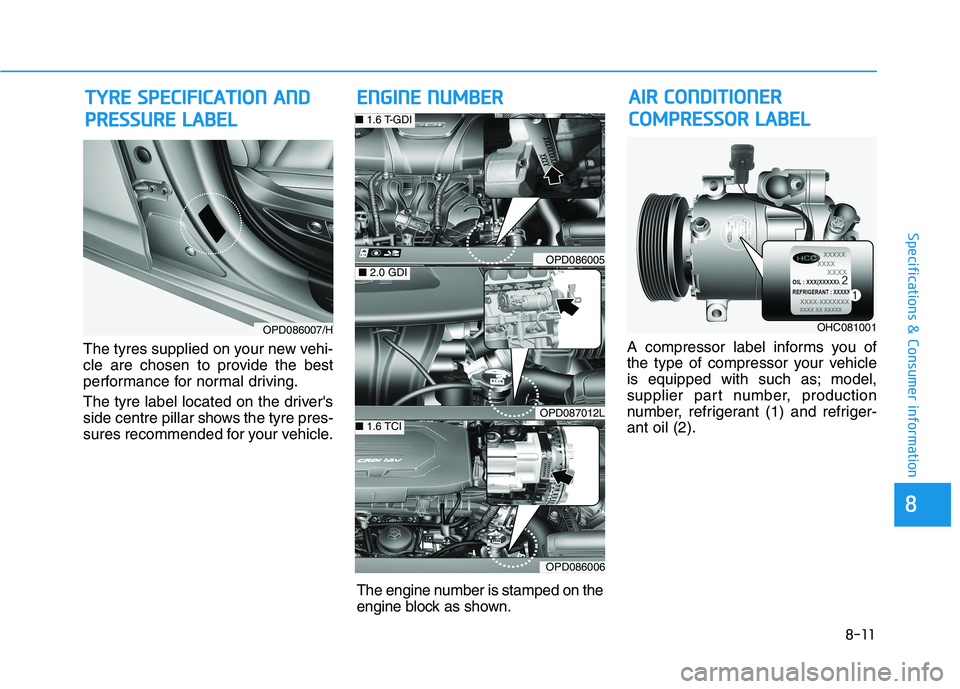
8-11
8
Specifications & Consumer information
The tyres supplied on your new vehi-
cle are chosen to provide the best
performance for normal driving.
The tyre label located on the driver's
side centre pillar shows the tyre pres-
sures recommended for your vehicle.A compressor label informs you of
the type of compressor your vehicle
is equipped with such as; model,
supplier part number, production
number, refrigerant (1) and refriger-
ant oil (2).
T TY
YR
RE
E
S
SP
PE
EC
CI
IF
FI
IC
CA
AT
TI
IO
ON
N
A
AN
ND
D
P PR
RE
ES
SS
SU
UR
RE
E
L
LA
AB
BE
EL
L
OPD086007/H
E EN
NG
GI
IN
NE
E
N
NU
UM
MB
BE
ER
RA AI
IR
R
C
CO
ON
ND
DI
IT
TI
IO
ON
NE
ER
R
C CO
OM
MP
PR
RE
ES
SS
SO
OR
R
L
LA
AB
BE
EL
L
OPD086005
OPD087012L
OPD086006
■2.0 GDI
■ 1.6 T-GDI
■ 1.6 TCI
OHC081001
The engine number is stamped on the
engine block as shown.