clutch HYUNDAI I30 2023 Owner's Guide
[x] Cancel search | Manufacturer: HYUNDAI, Model Year: 2023, Model line: I30, Model: HYUNDAI I30 2023Pages: 533, PDF Size: 59.13 MB
Page 299 of 533
5-34
Driving your vehicle
Transmission high temperature
Under certain conditions, such as
repeated stop-and-go launches on
steep gradients, sudden take off or
acceleration, or other harsh driving
conditions, the transmission clutch
temperatures will increase exces-
sively.
When the clutch temperatures are
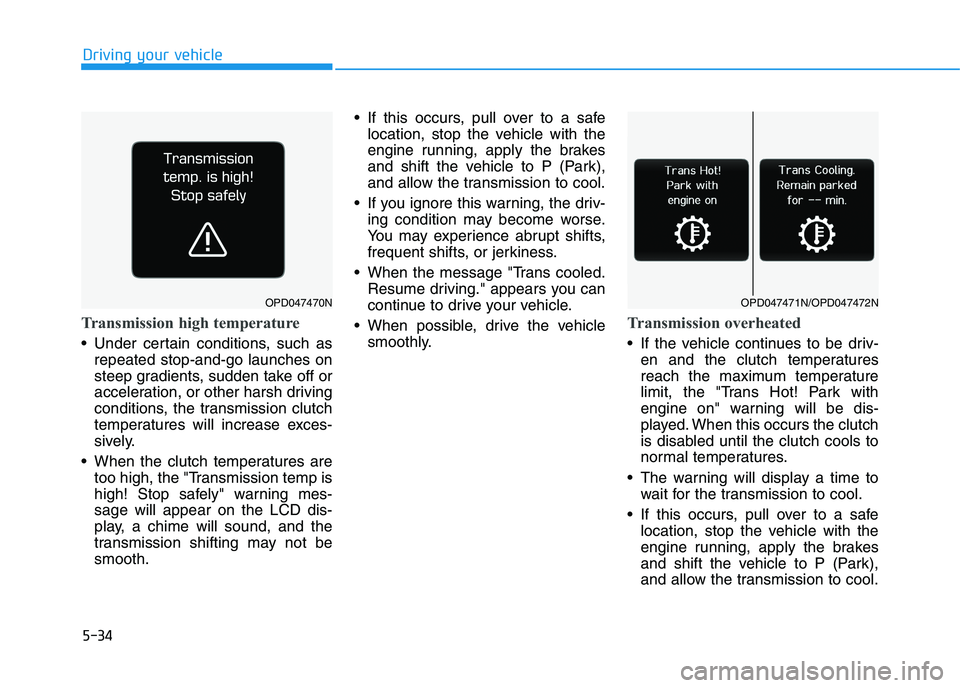
too high, the "Transmission temp is
high! Stop safely" warning mes-
sage will appear on the LCD dis-
play, a chime will sound, and the
transmission shifting may not be
smooth. If this occurs, pull over to a safe
location, stop the vehicle with the
engine running, apply the brakes
and shift the vehicle to P (Park),
and allow the transmission to cool.
If you ignore this warning, the driv-
ing condition may become worse.
You may experience abrupt shifts,
frequent shifts, or jerkiness.
When the message "Trans cooled.
Resume driving." appears you can
continue to drive your vehicle.
When possible, drive the vehicle
smoothly.
Transmission overheated
If the vehicle continues to be driv-
en and the clutch temperatures
reach the maximum temperature
limit, the "Trans Hot! Park with
engine on" warning will be dis-
played. When this occurs the clutch
is disabled until the clutch cools to
normal temperatures.
The warning will display a time to
wait for the transmission to cool.
If this occurs, pull over to a safe
location, stop the vehicle with the
engine running, apply the brakes
and shift the vehicle to P (Park),
and allow the transmission to cool.
OPD047470NOPD047471N/OPD047472N
Page 303 of 533
5-38
Driving your vehicle
Shift-lock system
For your safety, the dual clutch trans-
mission has a shift-lock system
which prevents shifting the transmis-
sion from P (Park) into R (Reverse)
unless the brake pedal is depressed.
To shift the transmission from P
(Park) into R (Reverse):
1. Depress and hold the brake pedal.
2. Start the engine or place the igni-
tion switch in the ON position.
3. Move the shift lever.
Shift-lock release
If the shift lever cannot be moved
from the P (Park) position into R
(Reverse) position with the brake
pedal depressed, continue depress-
ing the brake, and then do the follow-
ing:
1. Place the ignition switch in the
LOCK/OFF position.
2. Apply the parking brake.
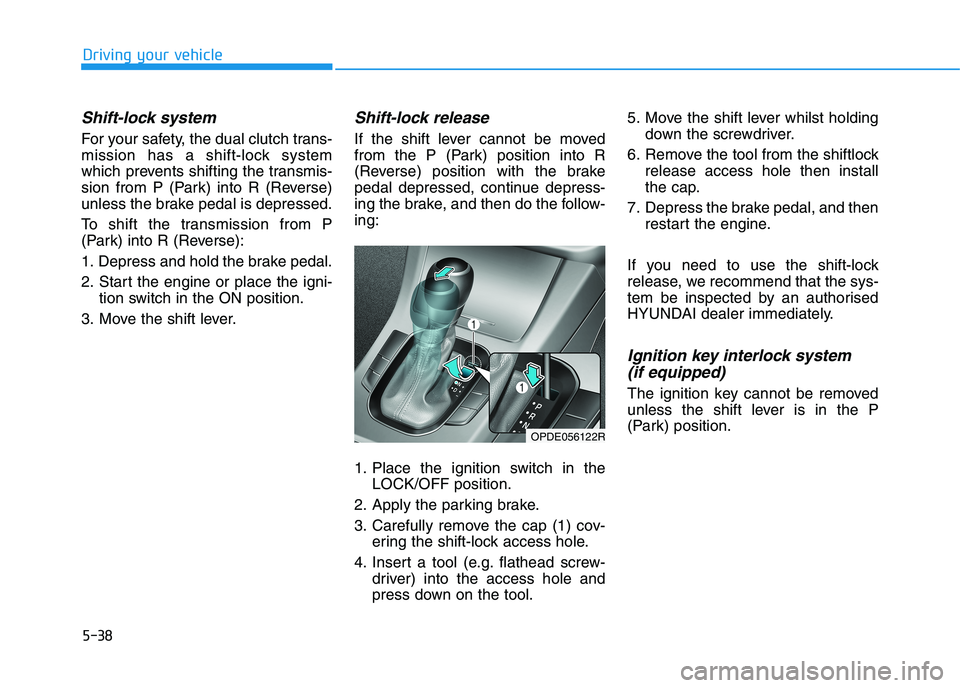
3. Carefully remove the cap (1) cov-
ering the shift-lock access hole.
4. Insert a tool (e.g. flathead screw-
driver) into the access hole and
press down on the tool.5. Move the shift lever whilst holding
down the screwdriver.
6. Remove the tool from the shiftlock
release access hole then install
the cap.
7. Depress the brake pedal, and then
restart the engine.
If you need to use the shift-lock
release, we recommend that the sys-
tem be inspected by an authorised
HYUNDAI dealer immediately.
Ignition key interlock system
(if equipped)
The ignition key cannot be removed
unless the shift lever is in the P
(Park) position.
OPDE056122R
Page 305 of 533
5-40
Driving your vehicle
Information - Kickdown
Mechanism (if equipped)
Use the kickdown mechanism for
maximum acceleration. Depress the
accelerator pedal beyond the pressure
point. The dual clutch transmission
will shift to a lower gear depending on
the engine speed.i
To reduce the risk of SERIOUS
INJURY or DEATH:
ALWAYS wear your seat belt.
In a collision, an unrestrained
occupant is significantly more
likely to be seriously injured
or killed than a properly
restrained occupant.
Avoid high speeds when cor-
nering or turning.
Do not make quick steering
wheel movements, such as
sharp lane changes or fast,
sharp turns.
The risk of rollover is greatly
increased if you lose control
of your vehicle at highway
speeds.
Loss of control often occurs if
two or more wheels drop off
the roadway and the driver
over steers to reenter the
roadway.
(Continued)
(Continued)
In the event your vehicle
leaves the roadway, do not
steer sharply. Instead, slow
down before pulling back into
the travel lanes.
HYUNDAI recommends you
follow all posted speed limits.
WARNING
Page 308 of 533
5-43
Driving your vehicle
5 Do not apply the accelerator
pedal whilst the parking brake is
engaged. If you depress the
accelerator pedal with the park-
ing brake engaged, a warning
will sound. Damage to the park-
ing brake may occur.
Driving with the parking brake on
can overheat the braking system
and cause premature wear or
damage to brake parts. Make sure
the parking brake is released and
the Brake Warning Light is off
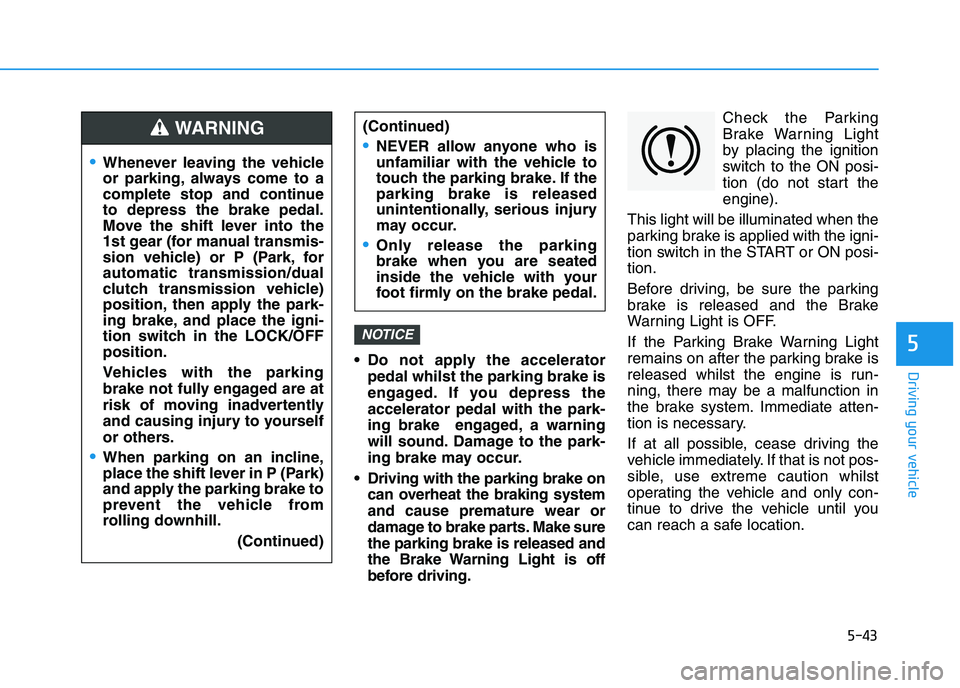
before driving.Check the Parking
Brake Warning Light
by placing the ignition
switch to the ON posi-
tion (do not start the
engine).
This light will be illuminated when the
parking brake is applied with the igni-
tion switch in the START or ON posi-
tion.
Before driving, be sure the parking
brake is released and the Brake
Warning Light is OFF.
If the Parking Brake Warning Light
remains on after the parking brake is
released whilst the engine is run-
ning, there may be a malfunction in
the brake system. Immediate atten-
tion is necessary.
If at all possible, cease driving the
vehicle immediately. If that is not pos-
sible, use extreme caution whilst
operating the vehicle and only con-
tinue to drive the vehicle until you
can reach a safe location.
NOTICE
Whenever leaving the vehicle
or parking, always come to a
complete stop and continue
to depress the brake pedal.
Move the shift lever into the
1st gear (for manual transmis-
sion vehicle) or P (Park, for
automatic transmission/dual
clutch transmission vehicle)
position, then apply the park-
ing brake, and place the igni-
tion switch in the LOCK/OFF
position.
Vehicles with the parking
brake not fully engaged are at
risk of moving inadvertently
and causing injury to yourself
or others.
When parking on an incline,
place the shift lever in P (Park)
and apply the parking brake to
prevent the vehicle from
rolling downhill.
(Continued)
WARNING (Continued)
NEVER allow anyone who is
unfamiliar with the vehicle to
touch the parking brake. If the
parking brake is released
unintentionally, serious injury
may occur.
Only release the parking
brake when you are seated
inside the vehicle with your
foot firmly on the brake pedal.
Page 310 of 533
5-45
Driving your vehicle
5
To release EPB (Electronic Parking
Brake) automatically:
Shift lever in P (Park)
With the engine running depress
the brake pedal and shift out of P
(Park) to R (Rear) or D (Drive).
Shift lever in N (Neutral)
With the engine running depress
the brake pedal and shift out of N
(Neutral) to R (Rear) or D (Drive).
Manual transmission vehicle
1. Start the engine.
2. Fasten the driver's seat belt.
3. Close the driver's door, engine
bonnet and tailgate.
4. Depress the clutch pedal with
the gear engaged.
5. Depress the accelerator pedal
whilst releasing the clutch pedal. Automatic transmission/Dual clutch
transmission vehicle
1. Start the engine.
2. Fasten the driver's seat belt.
3. Close the driver's door, engine
bonnet and tailgate.
4. Depress the accelerator pedal
whilst the shift lever is in R
(Rear), D (Drive) or manual shift
mode.
Make sure the Parking Brake
Warning light goes off.
Information
• For your safety, you can engage the
EPB even though the Engine Stop/
Start button is in the OFF position,
but you cannot release it.
• For your safety, depress the brake
pedal and release the parking brake
manually with the EPB switch when
you drive downhill or when revers-
ing the vehicle.
Information - Manual trans-
mission
A vehicle towing a trailer on a hill or
on an incline may slightly roll rear-
wards when starting the vehicle.
To prevent the situation follow the
below instructions.
1. Depress the clutch pedal and select
a gear.
2. Keep pulling up the EPB switch.
3. Depress the accelerator pedal and
slowly release the clutch pedal.
4. If the vehicle starts off with enough
driving power release the EPB
switch.
Do not follow the above procedure
when driving on a flat level ground.
The vehicle may suddenly move for-
ward.i
i
Page 328 of 533
5-63
Driving your vehicle
5
When ECO mode is activated:
The acceleration response may be
slightly reduced as the accelerator
pedal is depressed moderately.
The air conditioner performance
may be limited.
The shift pattern of the automatic
transmission may change.
The engine noise may get louder.
The above situations are normal
conditions when ECO mode is acti-
vated, to improve fuel efficiency.Limitation of ECO mode opera-
tion:
If the following conditions occur
whilst ECO mode is operating, the
system operation is limited even
though there is no change in the
ECO indicator.
When the coolant temperature is
low:
The system will be limited until
engine performance becomes nor-
mal.
When driving up a hill:
The system will be limited in gain-
ing power when driving uphill
because engine torque is restrict-
ed.
When driving the vehicle with the
automatic transmission or the dual
clutch transmission gear shift lever
in manual shift mode:
The system will be limited due to
the shift location.
When the accelerator pedal is fully
depressed for a few seconds:
The system will be limited, judging
that the driver wants to speed up.SPORT mode
SPORT mode manages
the driving dynamics by
automatically adjusting the
steering effort, the engine
and transmission control
logic for enhanced driver
performance.
When SPORT mode is selected by
pressing the DRIVE MODE button,
the SPORT indicator will illuminate.
Whenever the engine is restarted,
the Drive Mode will revert back to
NORMAL mode. If SPORT mode is
desired, re-select SPORT mode
from the DRIVE MODE button.
When SPORT mode is activated:
- The engine rpm will tend to remain
raised over a certain length of time
even after releasing the accelerator
- Upshifts are delayed when accel-
erating
Information
In SPORT mode, the fuel efficiency
may decrease.
i
Page 365 of 533
5-100
Driving your vehicle
Cruise Control operation
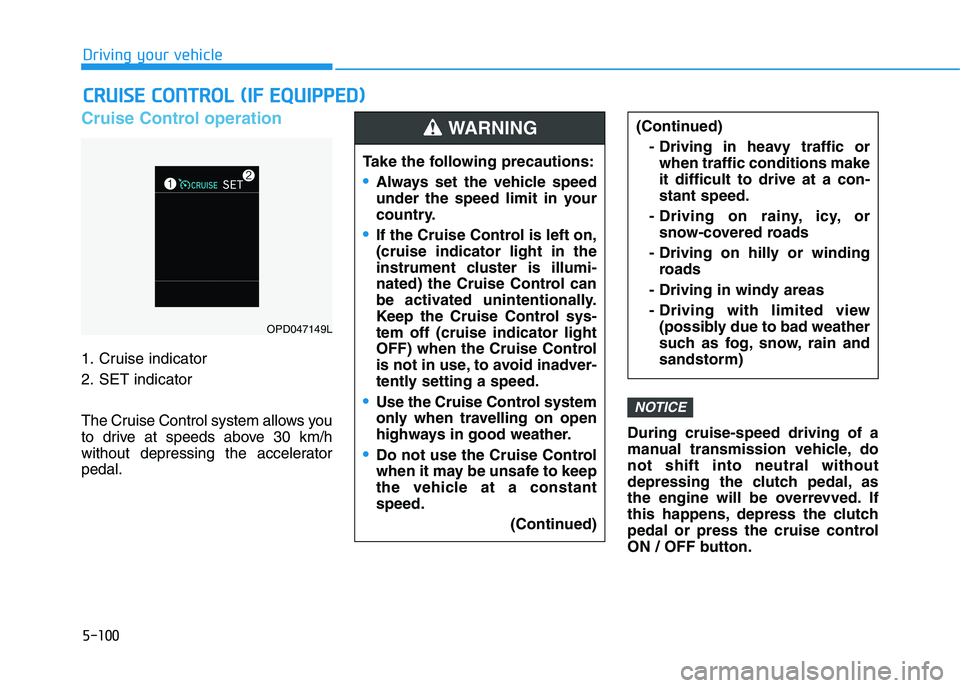
1. Cruise indicator
2. SET indicator
The Cruise Control system allows you
to drive at speeds above 30 km/h
without depressing the accelerator
pedal.During cruise-speed driving of a
manual transmission vehicle, do
not shift into neutral without
depressing the clutch pedal, as
the engine will be overrevved. If
this happens, depress the clutch
pedal or press the cruise control
ON / OFF button.
NOTICE
C CR
RU
UI
IS
SE
E
C
CO
ON
NT
TR
RO
OL
L
(
(I
IF
F
E
EQ
QU
UI
IP
PP
PE
ED
D)
)
Take the following precautions:
Always set the vehicle speed
under the speed limit in your
country.
If the Cruise Control is left on,
(cruise indicator light in the
instrument cluster is illumi-
nated) the Cruise Control can
be activated unintentionally.
Keep the Cruise Control sys-
tem off (cruise indicator light
OFF) when the Cruise Control
is not in use, to avoid inadver-
tently setting a speed.
Use the Cruise Control system
only when travelling on open
highways in good weather.
Do not use the Cruise Control
when it may be unsafe to keep
the vehicle at a constant
speed.
(Continued)
(Continued)
- Driving in heavy traffic or
when traffic conditions make
it difficult to drive at a con-
stant speed.
- Driving on rainy, icy, or
snow-covered roads
- Driving on hilly or winding
roads
- Driving in windy areas
- Driving with limited view
(possibly due to bad weather
such as fog, snow, rain and
sandstorm)WARNING
OPD047149L
Page 369 of 533
5-104
Driving your vehicle
To temporarily accelerate with
the Cruise Control ON
Depress the accelerator pedal. When
you take your foot off the accelerator,
the vehicle will return to the previ-
ously set speed.
If you push the toggle switch down
(SET-) at the increased speed, the
Cruise Control will maintain the
increased speed.
Cruise Control will be cancelled
when:
Depressing the brake pedal.
Depressing the clutch pedal (for
manual transmission vehicle).
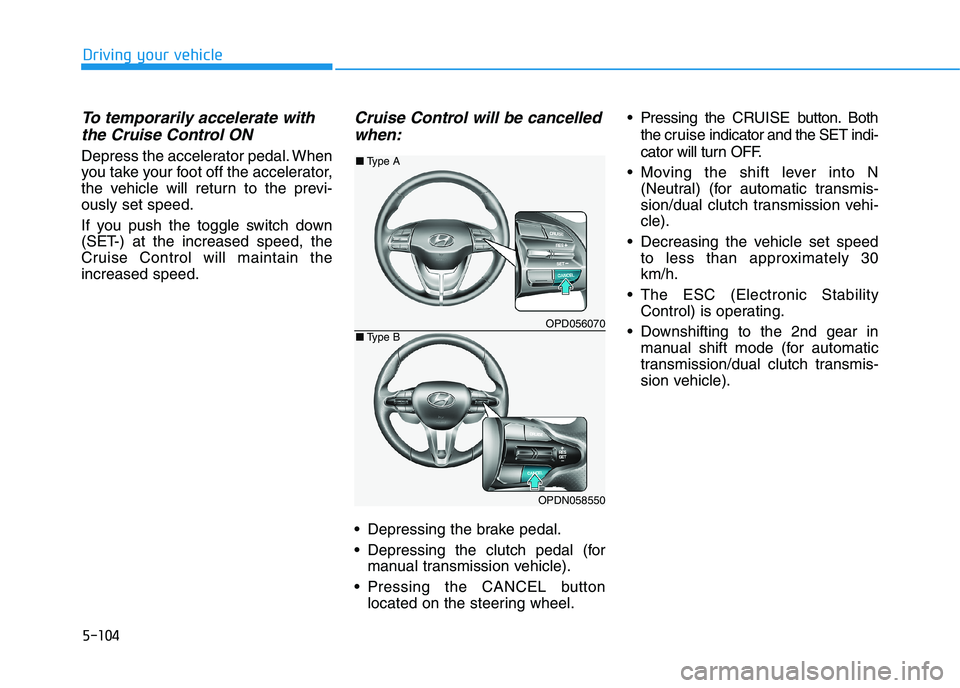
Pressing the CANCEL button
located on the steering wheel. Pressing the CRUISE button.Both
the cruiseindicator and the SET indi-
cator will turn OFF.
Moving the shift lever into N
(Neutral) (for automatic transmis-
sion/dual clutch transmission vehi-
cle).
Decreasing the vehicle set speed
to less than approximately 30
km/h.
The ESC (Electronic Stability
Control) is operating.
Downshifting to the 2nd gear in
manual shift mode (for automatic
transmission/dual clutch transmis-
sion vehicle).
OPD056070
OPDN058550
■Type A
■Type B
Page 401 of 533
5-136
Driving your vehicle
Driving on hills
Reduce speed and shift to a lower
gear before you start down a long or
steep downgrade. If you don’t shift
down, you might have to use your
brakes so much that they would get
overheated and may not operate effi-
ciently.
On a long uphill grade, shift down
and reduce your speed to around 70
km/h to reduce the possibility of
engine and transmission overheat-
ing.
If your trailer weighs more than the
maximum trailer weight without trail-
er brakes and you have an automat-
ic transmission/dual clutch transmis-
sion, you should drive in D (Drive)
when towing a trailer.
Operating your vehicle in D (Drive)
when towing a trailer will minimise
heat build-up and extend the life of
your transmission.To prevent engine and/or trans-
mission overheating:
When towing a trailer on steep
grades (in excess of 6%) pay
close attention to the engine
coolant temperature gauge to
ensure the engine does not
overheat. If the needle of the
coolant temperature gauge
moves towards "H" (HOT), pull
over and stop as soon as it is
safe to do so, and allow the
engine to idle until it cools
down. You may proceed once the
engine has cooled sufficiently.
If you tow a trailer with the max-
imum gross vehicle weight and
maximum trailer weight, it can
cause the engine or transmis-
sion to overheat. When driving
in such conditions, allow the
engine to idle until it cools
down. You may proceed once the
engine or transmission has
cooled sufficiently.
(Continued)(Continued)
When towing a trailer, your vehi-
cle speed may be much slower
than the general flow of traffic,
especially when climbing an
uphill grade. Use the left hand
lane when towing a trailer on an
uphill grade. Choose your vehi-
cle speed according to the max-
imum posted speed limit for
vehicles with trailers, the steep-
ness of the grade, and your trail-
er weight.
Vehicles equipped with a dual
clutch transmission when tow-
ing a trailer on steep grades,
need to be aware that the clutch
in the transmission could over-
heat.
When the clutch is overheated,
the safe protection mode
engages. If the safe protection
mode engages, the gear posi-
tion indicator on the cluster
blinks with a chime sound.
(Continued)
NOTICE
Page 402 of 533
5-137
Driving your vehicle
5
(Continued)
At this time, a warning message
will appear on the LCD display
and driving may not be smooth.
If you ignore this warning, the
driving condition may become
worse.
To return to normal driving con-
ditions, stop the vehicle on a flat
road and apply the foot brake for
a few minutes before driving off.Parking on hills
Generally, if you have a trailer
attached to your vehicle, you should
not park your vehicle on a hill.
However, if you ever have to park
your trailer on a hill, here's how to do
it:
1. Pull the vehicle into the parking
space.
Turn the steering wheel in the
direction of the kerb (left if headed
down hill, right if headed up hill).
2. Shift the vehicle to P (Park, for
automatic transmission/dual
clutch transmission vehicle) or
neutral (for manual transmission
vehicle).
3. Set the parking brake and shut off
the vehicle.
4. Place wheel chocks under the
trailer wheels on the down hill side
of the wheels.
5. Start the vehicle, hold the brakes,
shift to neutral, release the park-
ing brake and slowly release the
brakes until the trailer chocks
absorb the load.6. Reapply the brakes and parking
brakes.
7. Move the shift lever to P (Park, for
automatic transmission/dual
clutch transmission vehicle) or 1st
gear when the vehicle is parked
on an uphill grade and in R
(Reverse) on a downhill grade (for
manual transmission vehicle).
8. Shut off the vehicle and release
the vehicle brakes but leave the
parking brake set.
To prevent serious or fatal
injury:
Do not get out of the vehicle
without the parking brake
firmly set. If you have left the
engine running, the vehicle
can move suddenly. You and
others could be seriously or
fatally injured.
Do not apply the accelerator
pedal to hold the vehicle on
an uphill.
WARNING