wheel HYUNDAI I30 2023 Repair Manual
[x] Cancel search | Manufacturer: HYUNDAI, Model Year: 2023, Model line: I30, Model: HYUNDAI I30 2023Pages: 533, PDF Size: 59.13 MB
Page 372 of 533
5-107
Driving your vehicle
5
Smart Cruise Control Speed
To set Smart Cruise Control
speed
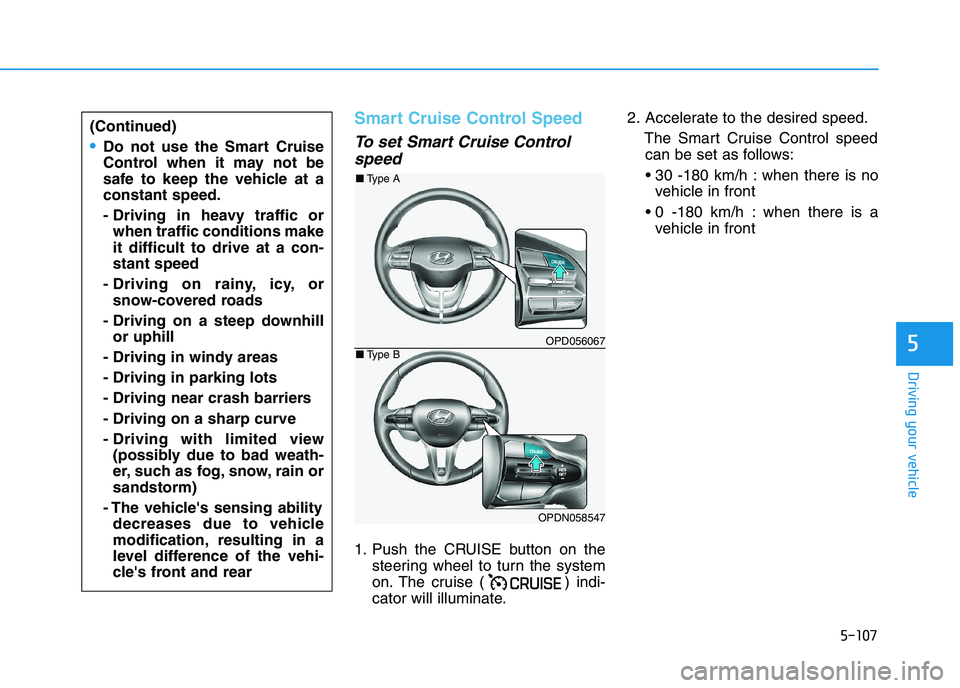
1. Push the CRUISE button on the
steering wheel to turn the system
on. The cruise ( ) indi-
cator will illuminate.2. Accelerate to the desired speed.
The Smart Cruise Control speed
can be set as follows:
when there is no
vehicle in front
when there is a
vehicle in front
(Continued)
Do not use the Smart Cruise
Control when it may not be
safe to keep the vehicle at a
constant speed.
- Driving in heavy traffic or
when traffic conditions make
it difficult to drive at a con-
stant speed
- Driving on rainy, icy, or
snow-covered roads
- Driving on a steep downhill
or uphill
- Driving in windy areas
- Driving in parking lots
- Driving near crash barriers
- Driving on a sharp curve
- Driving with limited view
(possibly due to bad weath-
er, such as fog, snow, rain or
sandstorm)
- The vehicle's sensing ability
decreases due to vehicle
modification, resulting in a
level difference of the vehi-
cle's front and rear
OPD056067
OPDN058547
■Type A
■Type B
Page 375 of 533
5-110
Driving your vehicle
Smart Cruise Control set speed
will be temporarily cancelled
when:
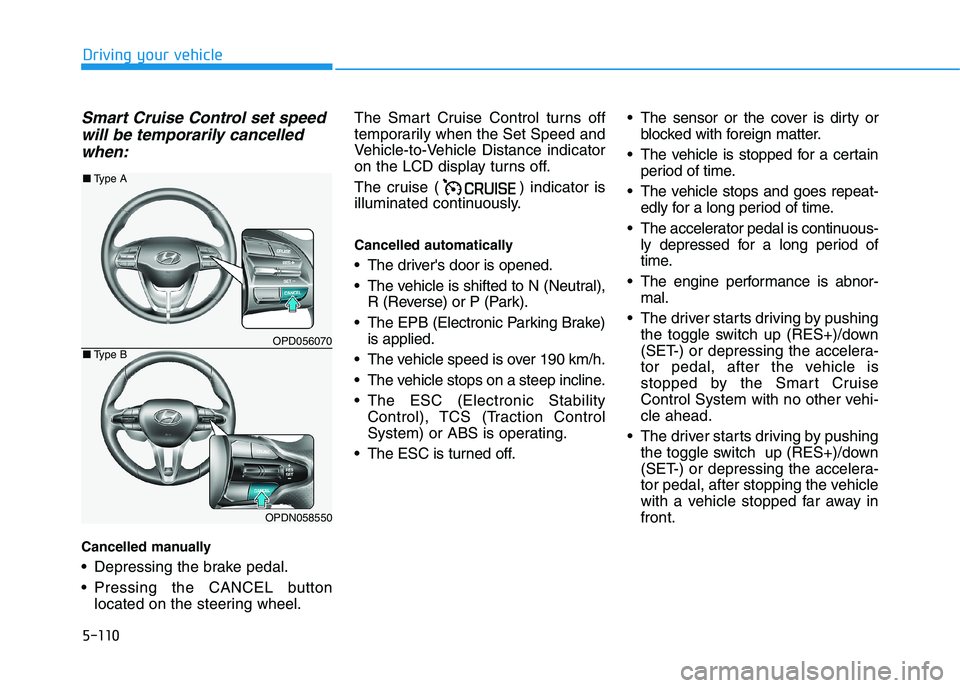
Cancelled manually
Depressing the brake pedal.
Pressing the CANCEL button
located on the steering wheel.The Smart Cruise Control turns off
temporarily when the Set Speed and
Vehicle-to-Vehicle Distance indicator
on the LCD display turns off.
The cruise ( ) indicator is
illuminated continuously.
Cancelled automatically
The driver's door is opened.
The vehicle is shifted to N (Neutral),
R (Reverse) or P (Park).
The EPB (Electronic Parking Brake)
is applied.
The vehicle speed is over 190 km/h.
The vehicle stops on a steep incline.
The ESC (Electronic Stability
Control), TCS (Traction Control
System) or ABS is operating.
The ESC is turned off. The sensor or the cover is dirty or
blocked with foreign matter.
The vehicle is stopped for a certain
period of time.
The vehicle stops and goes repeat-
edly for a long period of time.
The accelerator pedal is continuous-
ly depressed for a long period of
time.
The engine performance is abnor-
mal.
The driver starts driving by pushing
the toggle switch up (RES+)/down
(SET-) or depressing the accelera-
tor pedal, after the vehicle is
stopped by the Smart Cruise
Control System with no other vehi-
cle ahead.
The driver starts driving by pushing
the toggle switch up (RES+)/down
(SET-) or depressing the accelera-
tor pedal, after stopping the vehicle
with a vehicle stopped far away in
front.
OPD056070
OPDN058550
■Type A
■Type B
Page 379 of 533
5-114
Driving your vehicle
(Continued)
Even if the warning chime is
not activated, always pay
attention to the driving condi-
tions to prevent dangerous
situations from occurring.
Playing the vehicle audio sys-
tem at high volume may offset
the system warning sounds.
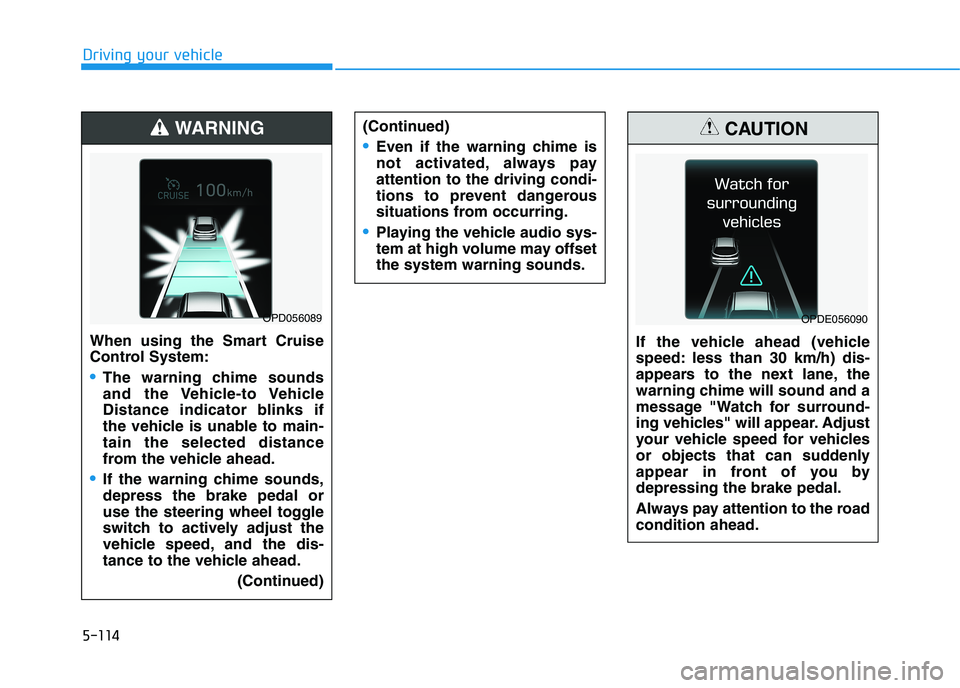
If the vehicle ahead (vehicle
speed: less than 30 km/h) dis-
appears to the next lane, the
warning chime will sound and a
message "Watch for surround-
ing vehicles" will appear. Adjust
your vehicle speed for vehicles
or objects that can suddenly
appear in front of you by
depressing the brake pedal.
Always pay attention to the road
condition ahead.
CAUTION
OPDE056090
When using the Smart Cruise
Control System:
The warning chime sounds
and the Vehicle-to Vehicle
Distance indicator blinks if
the vehicle is unable to main-
tain the selected distance
from the vehicle ahead.
If the warning chime sounds,
depress the brake pedal or
use the steering wheel toggle
switch to actively adjust the
vehicle speed, and the dis-
tance to the vehicle ahead.
(Continued)
WARNING
OPD056089
Page 382 of 533
5-117
Driving your vehicle
5
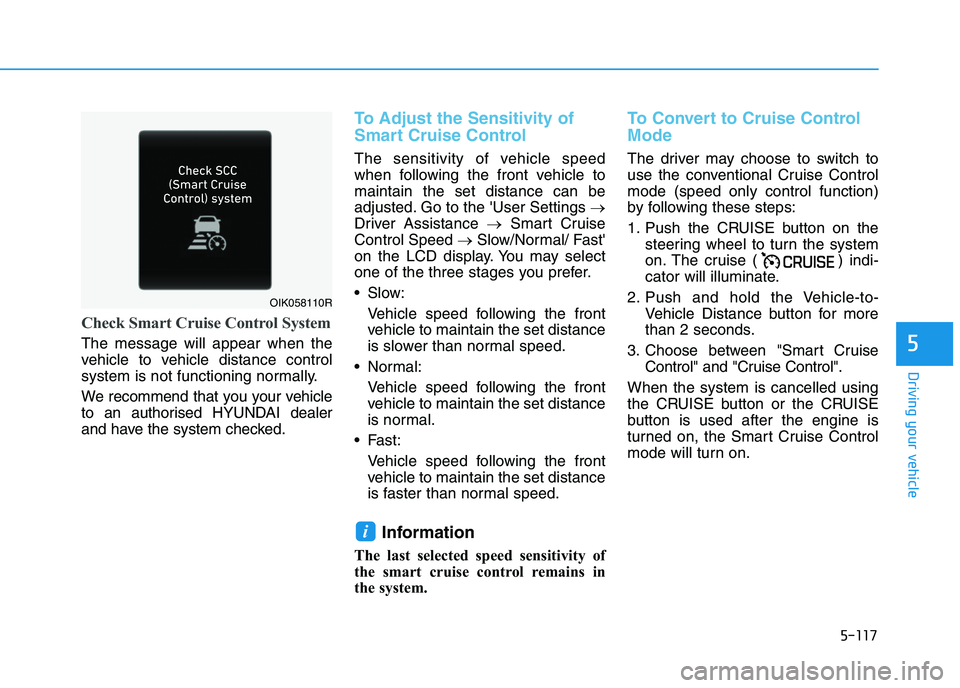
Check Smart Cruise Control System
The message will appear when the
vehicle to vehicle distance control
system is not functioning normally.
We recommend that you your vehicle
to an authorised HYUNDAI dealer
and have the system checked.
To Adjust the Sensitivity of
Smart Cruise Control
The sensitivity of vehicle speed
when following the front vehicle to
maintain the set distance can be
adjusted. Go to the 'User Settings →
Driver Assistance →Smart Cruise
Control Speed →Slow/Normal/ Fast'
on the LCD display. You may select
one of the three stages you prefer.
Slow:
Vehicle speed following the front
vehicle to maintain the set distance
is slower than normal speed.
Normal:
Vehicle speed following the front
vehicle to maintain the set distance
is normal.
Fast:
Vehicle speed following the front
vehicle to maintain the set distance
is faster than normal speed.
Information
The last selected speed sensitivity of
the smart cruise control remains in
the system.
To Convert to Cruise Control
Mode
The driver may choose to switch to
use the conventional Cruise Control
mode (speed only control function)
by following these steps:
1. Push the CRUISE button on the
steering wheel to turn the system
on. The cruise ( ) indi-
cator will illuminate.
2. Push and hold the Vehicle-to-
Vehicle Distance button for more
than 2 seconds.
3. Choose between "Smart Cruise
Control" and "Cruise Control".
When the system is cancelled using
the CRUISE button or the CRUISE
button is used after the engine is
turned on, the Smart Cruise Control
mode will turn on.
i
OIK058110R
Page 385 of 533
5-120
Driving your vehicle
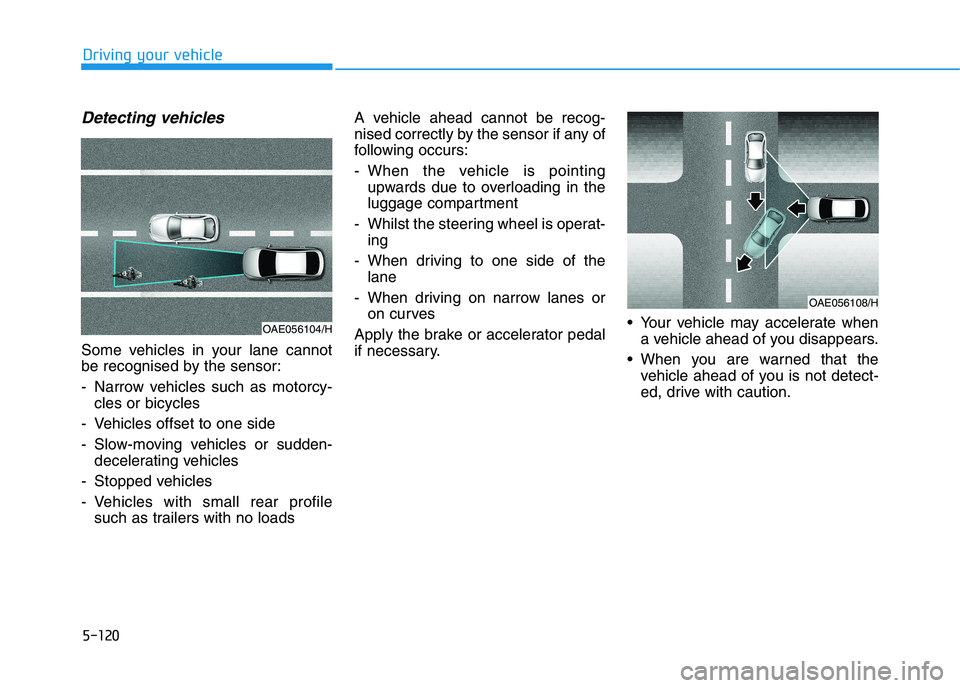
Detecting vehicles
Some vehicles in your lane cannot
be recognised by the sensor:
- Narrow vehicles such as motorcy-
cles or bicycles
- Vehicles offset to one side
- Slow-moving vehicles or sudden-
decelerating vehicles
- Stopped vehicles
- Vehicles with small rear profile
such as trailers with no loadsA vehicle ahead cannot be recog-
nised correctly by the sensor if any of
following occurs:
- When the vehicle is pointing
upwards due to overloading in the
luggage compartment
- Whilst the steering wheel is operat-
ing
- When driving to one side of the
lane
- When driving on narrow lanes or
on curves
Apply the brake or accelerator pedal
if necessary. Your vehicle may accelerate when
a vehicle ahead of you disappears.
When you are warned that the
vehicle ahead of you is not detect-
ed, drive with caution.
OAE056108/H
OAE056104/H
Page 388 of 533
5-123
Driving your vehicle
5
Hazardous driving conditions
When hazardous driving elements
are encountered such as water,
snow, ice, mud and sand, take the
following precautions:
Drive cautiously and maintain a
longer braking distance.
Avoid abrupt braking or steering.
When your vehicle is stuck in snow,
mud, or sand, use the second
gear. Accelerate slowly to avoid
unnecessary wheel spinning.
Put sand, rock salt, tyre chains or
other non-slip materials under the
wheels to provide additional trac-
tion whilst being stuck in ice, snow,
or mud.
Rocking the vehicle
If it is necessary to rock the vehicle
to free it from snow, sand, or mud,
first turn the steering wheel right and
left to clear the area around your
front wheels. Then, shift back and
forth between R (Reverse) and a for-
ward gear.
Try to avoid spinning the wheels, and
do not race the engine.
To prevent transmission wear, wait
until the wheels stop spinning before
shifting gears. Release the accelera-
tor pedal whilst shifting, and press
lightly on the accelerator pedal whilst
the transmission is in gear. Slowly
spinning the wheels in forward and
reverse directions causes a rocking
motion that may free the vehicle.
S SP
PE
EC
CI
IA
AL
L
D
DR
RI
IV
VI
IN
NG
G
C
CO
ON
ND
DI
IT
TI
IO
ON
NS
S
Downshifting with an automatic
transmission whilst driving on
slippery surfaces can cause an
accident. The sudden change in
tyre speed could cause the
tyres to skid. Be careful when
downshifting on slippery sur-
faces.
WARNING
If the vehicle is stuck and
excessive wheel spin occurs,
the temperature in the tyres can
increase very quickly. If the
tyres become damaged, a tyre
blow out or tyre explosion can
occur. This condition is danger-
ous - you and others may be
injured. Do not attempt this pro-
cedure if people or objects are
anywhere near the vehicle.
If you attempt to free the vehi-
cle, the vehicle can overheat
quickly, possibly causing an
engine compartment fire or
other damage. Try to avoid spin-
ning the wheels as much as
possible to prevent overheating
of either the tyres or the engine.
DO NOT allow the vehicle to
spin the wheels above 56 km/h.
WARNING
Page 390 of 533
5-125
Driving your vehicle
5
Hydroplaning
If the road is wet enough and you are
going fast enough, your vehicle may
have little or no contact with the road
surface and actually ride on the
water. The best advice is SLOW
DOWN when the road is wet.
The risk of hydroplaning increas-
es as the depth of tyre tread
decreases, refer to "Tyre Tread" in
chapter 7.
Driving in flooded areas
Avoid driving through flooded areas
unless you are sure the water is no
higher than the bottom of the wheel
hub. Drive through any water slowly.
Allow adequate stopping distance
because brake performance may be
reduced.
After driving through water, dry the
brakes by gently applying them sev-
eral times whilst the vehicle is mov-
ing slowly.
Highway driving
Tyres
Adjust the tyre inflation, as specified.
Under-inflation may overheat or
damage the tyres.
Do not install worn-out or damaged
tyres, which may reduce traction or
adversely affect vehicle handling and
braking.
Information
Never over-inflate your tyres above
the maximum inflation pressure, as
specified on your tyres.
Fuel, engine coolant and engine
oil
Driving at higher speeds on the high-
way consumes more fuel and is less
efficient than driving at a slower,
more moderate speed. Maintain a
moderate speed in order to conserve
fuel when driving on the highway.
Be sure to check both the engine
coolant level and the engine oil
before driving.
Drive belt
A loose or damaged drive belt may
overheat the engine.
i
Page 392 of 533
5-127
Driving your vehicle
5
The severe weather conditions of
winter quickly wear out tyres and
cause other problems. To minimise
winter driving problems, you should
take the following suggestions:
Information
Summer tyres are equipped to provide
the best driving performance on dry
roads, varying according to specifica-
tion. Since vehicles equipped with
summer tires significantly reduce sur-
face forces when driving on snow or
ice roads, it is recommended to use
snow tyres of the same size as the stan-
dard tyres of the vehicle or the replace
them with all seasons tires or to use
chains.
Snow or icy conditions
You need to keep sufficient distance
between your vehicle and the vehicle
in front of you.
Apply the brakes gently. Speeding,
rapid acceleration, sudden brake
applications, and sharp turns are
potentially very hazardous practices.
During deceleration, use engine
braking to the fullest extent. Sudden
brake applications on snowy or icy
roads may cause skids to occur.
To drive your vehicle in deep snow, it
may be necessary to use snow tyres
or to install tyre chains on your tyres.
Always carry emergency equipment.
Some of the items you may want to
carry include tyre chains, tow straps
or chains, a flashlight, emergency
flares, sand, a shovel, jumper cables,
a window scraper, gloves, ground
cloth, coveralls, a blanket, etc.
Snow tyres
We recommend you use snow tyres
when road temperature is below 7°C
(45°F).
If you mount snow tyres on your vehi-
cle, make sure to use radial tyres of
the same size and load range as the
original tyres. Mount snow tyres on
all four wheels to balance your vehi-
cle’s handling in all weather condi-
tions. The traction provided by snow
tyres on dry roads may not be as
high as your vehicle's original equip-
ment tyres. Check with the tyre deal-
er for maximum speed recommenda-
tions.
i
W WI
IN
NT
TE
ER
R
D
DR
RI
IV
VI
IN
NG
G
Snow tyres should be equivalent
in size and type to the vehicle's
standard tyres. Otherwise, the
safety and handling of your vehi-
cle may be adversely affected.
WARNING
Using summer tyres at very
cold temperature could cause
cracks on them to be formed
and damage them permanently.
WARNING
Page 393 of 533
5-128
Driving your vehicle
Information
Do not install studded tyres without
first checking local and municipal regu-
lations for possible restrictions against
their use.
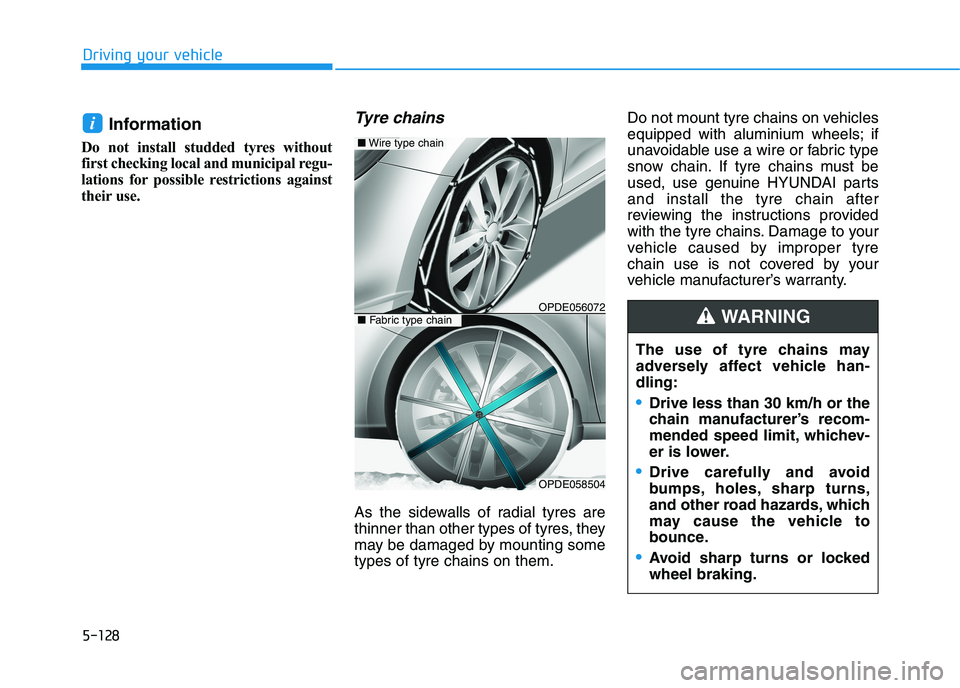
Tyre chains
As the sidewalls of radial tyres are
thinner than other types of tyres, they
may be damaged by mounting some
types of tyre chains on them.Do not mount tyre chains on vehicles
equipped with aluminium wheels; if
unavoidable use a wire or fabric type
snow chain. If tyre chains must be
used, use genuine HYUNDAI parts
and install the tyre chain after
reviewing the instructions provided
with the tyre chains. Damage to your
vehicle caused by improper tyre
chain use is not covered by your
vehicle manufacturer’s warranty.
i
The use of tyre chains may
adversely affect vehicle han-
dling:
Drive less than 30 km/h or the
chain manufacturer’s recom-
mended speed limit, whichev-
er is lower.
Drive carefully and avoid
bumps, holes, sharp turns,
and other road hazards, which
may cause the vehicle to
bounce.
Avoid sharp turns or locked
wheel braking.
WARNING OPDE056072
■Wire type chain
OPDE058504
■Fabric type chain
Page 394 of 533
5-129
Driving your vehicle
5
Information
• Install tyre chains on both left and
right front tyres. It should be noted
that installing tyre chains on the
tyres will provide a greater driving
force, but will not prevent side
skids.
• Do not install studded tyres without
first checking local and municipal
regulations for possible restrictions
against their use.
Chain Installation
When installing tyre chains, follow
the manufacturer's instructions and
mount them as tightly as possible.
Drive slowly (less than 30 km/h) with
chains installed. If you hear the
chains contacting the body or chas-
sis, stop and tighten them. If they still
make contact, slow down until the
noise stops. Remove the tyre chains
as soon as you begin driving on
cleared roads.
When mounting snow chains, park
the vehicle on level ground away
from traffic. Turn on the vehicle
Hazard Warning Flasher and place a
triangular emergency warning device
behind the vehicle (if available).
Always place the vehicle in P (Park),
apply the parking brake and turn off
the engine before installing snow
chains.If your vehicle has 225/40R18 or
225/40ZR18 size tyres, do not use
tyre chain; they can damage your
vehicle (wheel, suspension and
body).
If unavoidable use a wire or fabric
type snow chain.
When using tyre chains:
Wrong size chains or improperly
installed chains can damage
your vehicle's brake lines, sus-
pension, body and wheels.
Use SAE “S” class or wire chains.
If you hear noise caused by
chains contacting the body,
retighten the chain to prevent
contact with the vehicle body.
To prevent body damage, retight-
en the chains after driving 0.5~1.0
km.
Do not use tyre chains on vehi-
cles equipped with aluminium
wheels. If unavoidable, use a
wire type chain.
NOTICE
NOTICEi