bonnet HYUNDAI I30 2023 Owners Manual
[x] Cancel search | Manufacturer: HYUNDAI, Model Year: 2023, Model line: I30, Model: HYUNDAI I30 2023Pages: 533, PDF Size: 59.13 MB
Page 15 of 533
1-2
E EX
XT
TE
ER
RI
IO
OR
R
O
OV
VE
ER
RV
VI
IE
EW
W
(
(I
I)
)
Your vehicle at a glance
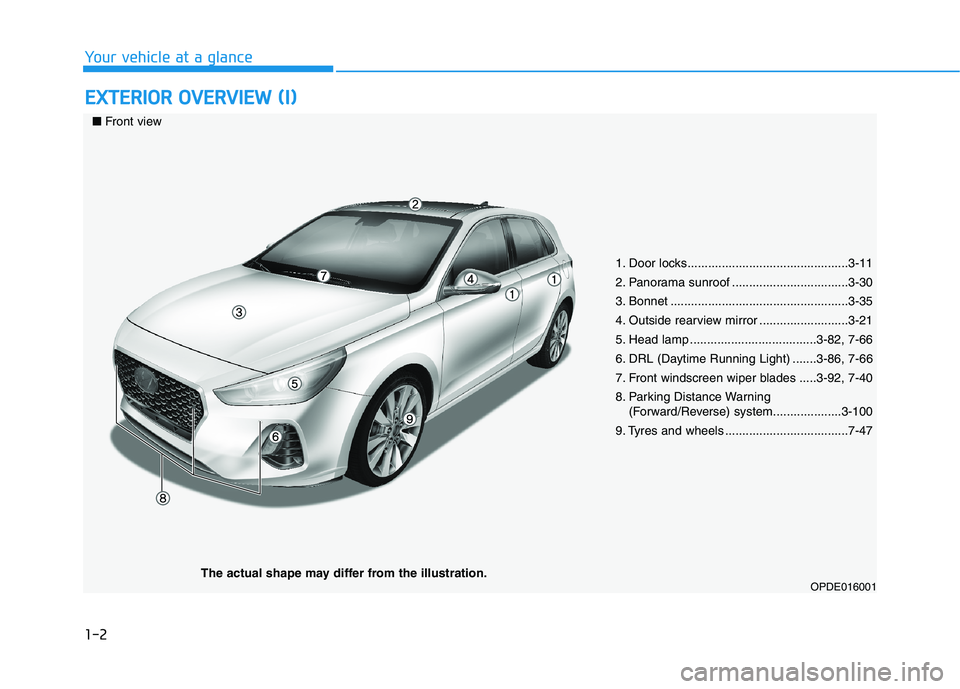
1. Door locks...............................................3-11
2. Panorama sunroof ..................................3-30
3. Bonnet ....................................................3-35
4. Outside rearview mirror ..........................3-21
5. Head lamp .....................................3-82, 7-66
6. DRL (Daytime Running Light) .......3-86, 7-66
7. Front windscreen wiper blades .....3-92, 7-40
8. Parking Distance Warning
(Forward/Reverse) system....................3-100
9. Tyres and wheels ....................................7-47
OPDE016001
■Front view
The actual shape may differ from the illustration.
Page 17 of 533
1-4
Your vehicle at a glance
I IN
NT
TE
ER
RI
IO
OR
R
O
OV
VE
ER
RV
VI
IE
EW
W
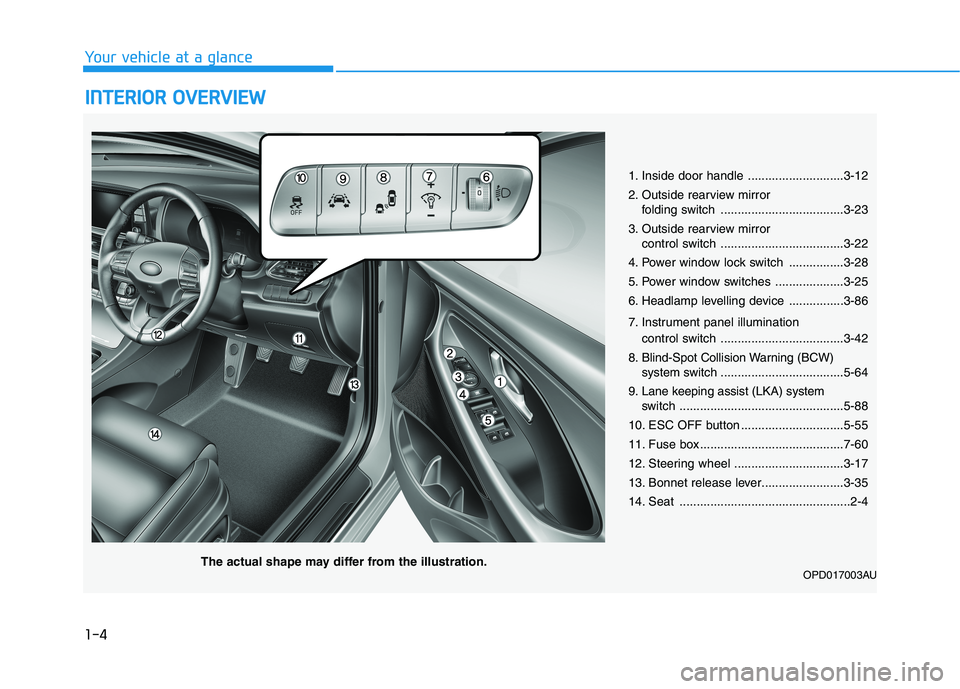
1. Inside door handle ............................3-12
2. Outside rearview mirror
folding switch ....................................3-23
3. Outside rearview mirror
control switch ....................................3-22
4. Power window lock switch ................3-28
5. Power window switches ....................3-25
6. Headlamp levelling device ................3-86
7. Instrument panel illumination
control switch ....................................3-42
8. Blind-Spot Collision Warning (BCW)
system switch ....................................5-64
9. Lane keeping assist (LKA) system
switch ................................................5-88
10. ESC OFF button ..............................5-55
11. Fuse box ..........................................7-60
12. Steering wheel ................................3-17
13. Bonnet release lever........................3-35
14. Seat ..................................................2-4
OPD017003AUThe actual shape may differ from the illustration.
Page 84 of 533
Convenient features of your vehicle
Accessing your vehicle .........................................3-3
Remote key .........................................................................3-3
Smart key ............................................................................3-6
Immobiliser system .........................................................3-10
Door locks .............................................................3-11
Operating door locks from outside the vehicle ......3-11
Operating door locks from inside the vehicle .........3-12
Auto door lock/unlock features..................................3-15
Child-protector rear door locks ..................................3-15
Theft-alarm system.............................................3-16
Steering wheel......................................................3-17
Electric power steering (EPS) ......................................3-17
Tilt steering / Telescopic steering ..............................3-18
Horn ....................................................................................3-19
Mirrors ...................................................................3-20
Inside rearview mirror....................................................3-20
Outside rearview mirror ................................................3-21
Reverse parking aid function.......................................3-24
Windows ................................................................3-25
Power windows ................................................................3-25
Remote window closing function ................................3-29
Panorama sunroof ...............................................3-30
Sunshade ...........................................................................3-31
Sliding the sunroof .........................................................3-31
Tilting the sunroof ..........................................................3-32
Closing the sunroof ........................................................3-32
Resetting the sunroof ....................................................3-33
Sunroof open warning ...................................................3-34
Exterior features .................................................3-35
Bonnet................................................................................3-35
Tailgate...............................................................................3-36
Fuel filler door .................................................................3-38
Instrument cluster................................................3-41
Instrument cluster control ............................................3-42
Gauges ...............................................................................3-43
Transmission shift indicator .........................................3-46
Warning and indicator lights ........................................3-48
LCD display messages ....................................................3-62
LCD Display ...........................................................3-68
LCD display control.........................................................3-68
LCD display modes ..........................................................3-69
Trip computer .......................................................3-77
Trip modes ........................................................................3-77
Lighting..................................................................3-81
Exterior lights ..................................................................3-81
Welcome system..............................................................3-87
Interior lights ....................................................................3-88
3
Page 86 of 533
3-3
Convenient features of your vehicle
3
Remote key (if equipped)
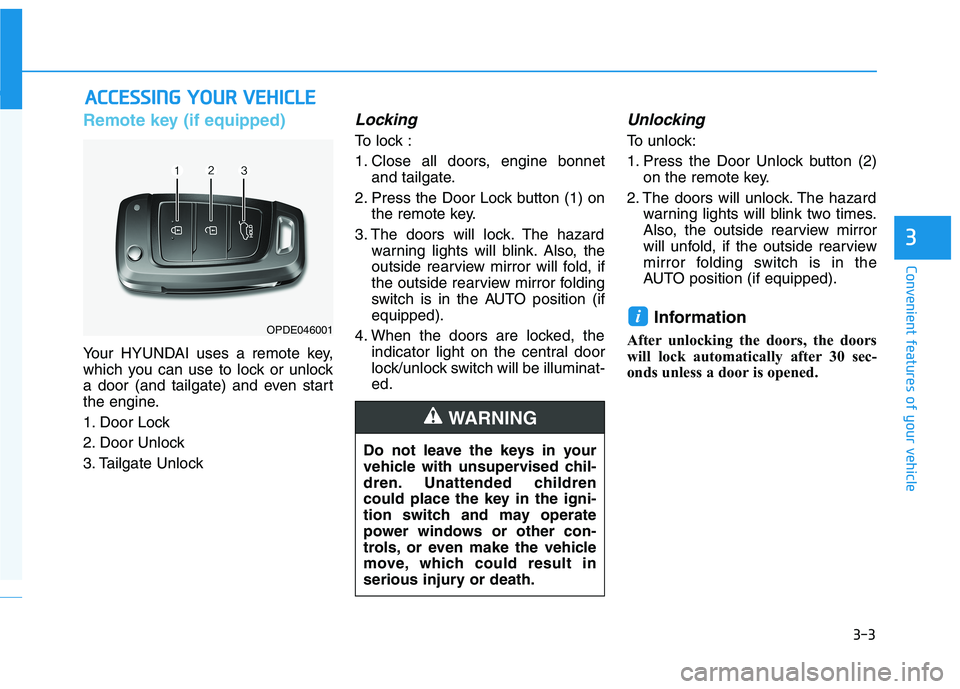
Your HYUNDAI uses a remote key,
which you can use to lock or unlock
a door (and tailgate) and even start
the engine.
1. Door Lock
2. Door Unlock
3. Tailgate Unlock
Locking
To lock :
1. Close all doors, engine bonnet
and tailgate.
2. Press the Door Lock button (1) on
the remote key.
3. The doors will lock. The hazard
warning lights will blink. Also, the
outside rearview mirror will fold, if
the outside rearview mirror folding
switch is in the AUTO position (if
equipped).
4. When the doors are locked, the
indicator light on the central door
lock/unlock switch will be illuminat-
ed.
Unlocking
To unlock:
1. Press the Door Unlock button (2)
on the remote key.
2. The doors will unlock. The hazard
warning lights will blink two times.
Also, the outside rearview mirror
will unfold, if the outside rearview
mirror folding switch is in the
AUTO position (if equipped).
Information
After unlocking the doors, the doors
will lock automatically after 30 sec-
onds unless a door is opened.
i
A AC
CC
CE
ES
SS
SI
IN
NG
G
Y
YO
OU
UR
R
V
VE
EH
HI
IC
CL
LE
E
Do not leave the keys in your
vehicle with unsupervised chil-
dren. Unattended children
could place the key in the igni-
tion switch and may operate
power windows or other con-
trols, or even make the vehicle
move, which could result in
serious injury or death.
WARNING
OPDE046001
Page 89 of 533
3-6
Convenient features of your vehicle
If you suspect your remote key might
have sustained some damage, or
you feel your remote key is not work-
ing correctly, it is recommended that
you contact an authorised HYUNDAI
dealer.
Information
An inappropriately disposed
battery can be harmful to the
environment and human
health. Dispose of the battery
according to your local law(s)
or regulations.
Smart key (if equipped)
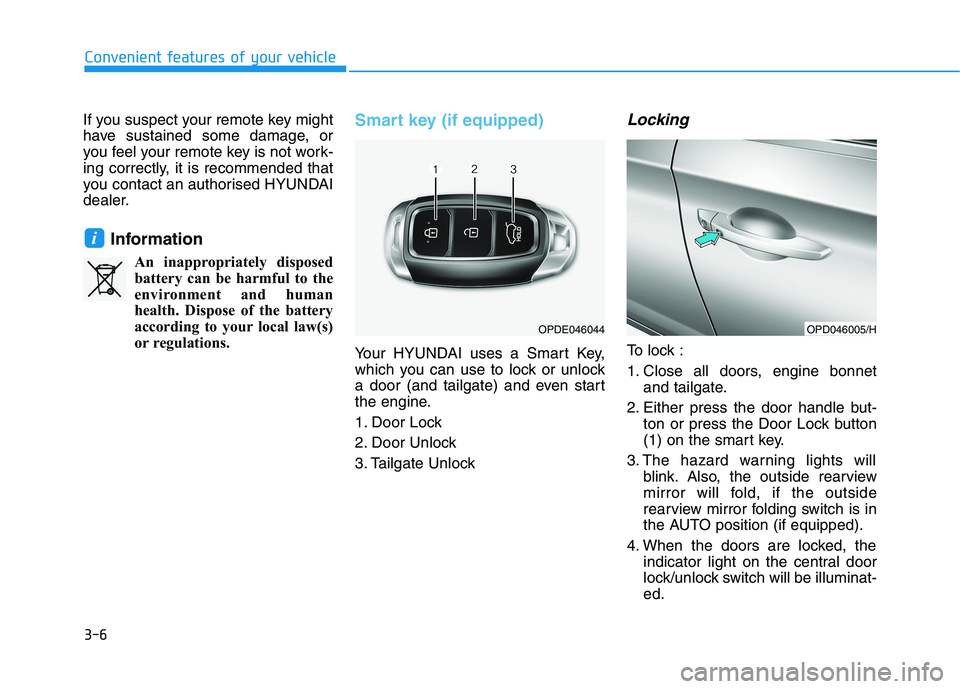
Your HYUNDAI uses a Smart Key,
which you can use to lock or unlock
a door (and tailgate) and even start
the engine.
1. Door Lock
2. Door Unlock
3. Tailgate Unlock
Locking
To lock :
1. Close all doors, engine bonnet
and tailgate.
2. Either press the door handle but-
ton or press the Door Lock button
(1) on the smart key.
3. The hazard warning lights will
blink. Also, the outside rearview
mirror will fold, if the outside
rearview mirror folding switch is in
the AUTO position (if equipped).
4. When the doors are locked, the
indicator light on the central door
lock/unlock switch will be illuminat-
ed.
i
OPDE046044OPD046005/H
Page 99 of 533
3-16
Convenient features of your vehicle
This system helps to protect your
vehicle and valuables. The horn will
sound and the hazard warning lights
will blink continuously if any of the
following occur:
- A door is opened without using the
remote key or smart key.
- The tailgate is opened without
using the remote key or smart key.
- The engine bonnet is opened.
The alarm continues for 30 seconds,
then the system resets. To turn off
the alarm, unlock the doors with the
remote key or smart key.
The Theft Alarm System automati-
cally sets 30 seconds after you lock
the doors and the tailgate. For the
system to activate, you must lock the
doors and the tailgate from outside
the vehicle with the remote key or
smart key or by pressing the button
on the outside of the door handles
with the smart key in your posses-
sion.
The hazard warning lights will blink
once to indicate the system is
armed.Once the security system is set, open-
ing any door, the tailgate, or the bon-
net without using the remote key or
smart key will cause the alarm to acti-
vate.
The Theft Alarm System will not set if
the bonnet, the tailgate, or any door
is not fully closed. If the system will
not set, check the bonnet, the tail-
gate, or the doors are fully closed.
Do not attempt to alter this system or
add other devices to it.
Information
• Do not lock the doors until all pas-
sengers have left the vehicle. If the
remaining passenger leaves the
vehicle when the system is armed,
the alarm will be activated.
• If the vehicle is not disarmed with
the remote key or smart key, open
the doors by using the mechanical
key and place the ignition switch in
the ON position (for remote key) or
start the engine (for smart key) and
wait for 30 seconds.
• When the system is disarmed but a
door or tailgate is not opened within
30 seconds, the system will be
rearmed.
Information
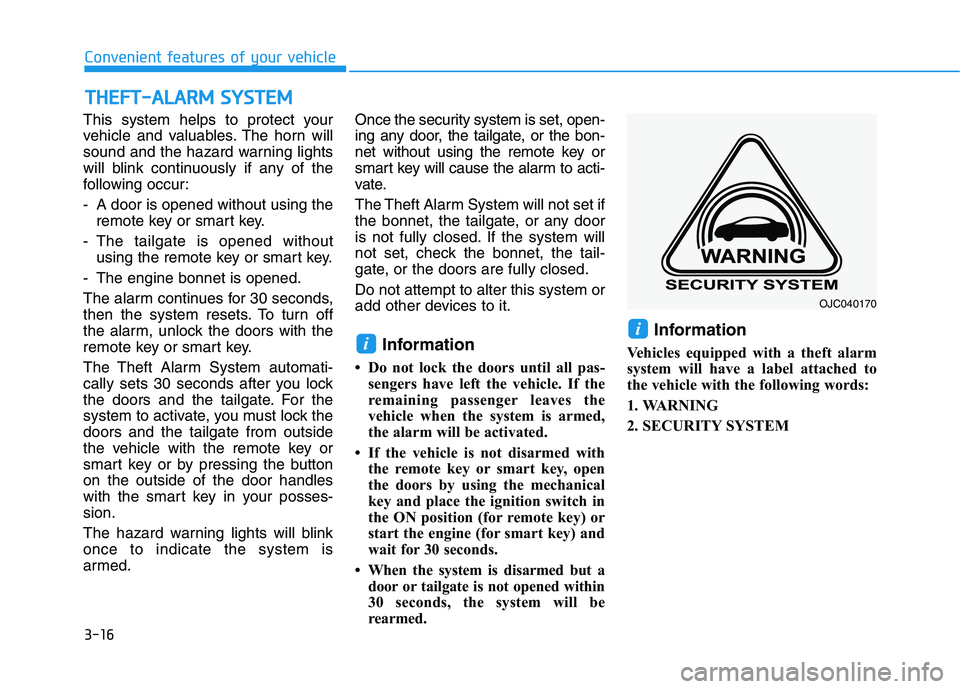
Vehicles equipped with a theft alarm
system will have a label attached to
the vehicle with the following words:
1. WARNING
2. SECURITY SYSTEM
ii
T TH
HE
EF
FT
T-
-A
AL
LA
AR
RM
M
S
SY
YS
ST
TE
EM
M
OJC040170
Page 118 of 533

3-35
Convenient features of your vehicle
3
E EX
XT
TE
ER
RI
IO
OR
R
F
FE
EA
AT
TU
UR
RE
ES
S
Bonnet
Opening the bonnet
1. Park the vehicle and set the park-
ing brake.
2. Pull the release lever to unlatch
the bonnet. The bonnet should
pop open slightly.3. Go to the front of the vehicle, raise
the bonnet slightly, push the sec-
ondary latch up (1) inside of the
bonnet centre and lift the bonnet
(2).
4. Pull out the support rod.5. Hold the bonnet open with the
support rod (1).
OPDE046027R
OPDE046028
Grasp the support rod in the
area wrapped in rubber. The
rubber will help prevent you
from being burned by hot
metal when the engine is hot.
The support rod must be
inserted completely into the
hole provided whenever you
inspect the engine compart-
ment. This will prevent the
bonnet from falling and possi-
bly injuring you.
WARNING
OPD046030
Page 119 of 533
3-36
Convenient features of your vehicle
Closing the bonnet
1. Before closing the bonnet, check
the following:
partment must be correctly
installed.
bustible material must be removed
from the engine compartment.
2. Return the support rod to its clip to
prevent it from rattling.
3. Lower the bonnet halfway (lifted
approximately 30cm from the
closed position) and push down to
securely lock in place. Then double
check to be sure the bonnet is
secure.
If the bonnet can be raised slightly, it
is not securely locked. Open it again
and close it with more force.
Tailgate
Opening the tailgate
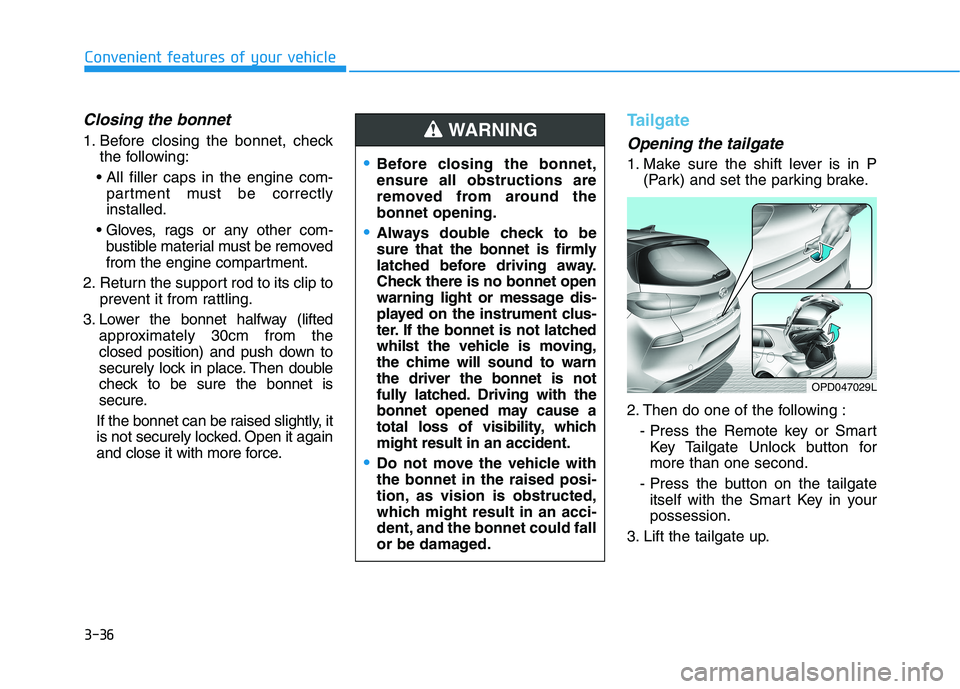
1. Make sure the shift lever is in P
(Park) and set the parking brake.
2. Then do one of the following :
- Press the Remote key or Smart
Key Tailgate Unlock button for
more than one second.
- Press the button on the tailgate
itself with the Smart Key in your
possession.
3. Lift the tailgate up.Before closing the bonnet,
ensure all obstructions are
removed from around the
bonnet opening.
Always double check to be
sure that the bonnet is firmly
latched before driving away.
Check there is no bonnet open
warning light or message dis-
played on the instrument clus-
ter. If the bonnet is not latched
whilst the vehicle is moving,
the chime will sound to warn
the driver the bonnet is not
fully latched. Driving with the
bonnet opened may cause a
total loss of visibility, which
might result in an accident.
Do not move the vehicle with
the bonnet in the raised posi-
tion, as vision is obstructed,
which might result in an acci-
dent, and the bonnet could fall
or be damaged.
WARNING
OPD047029L
Page 147 of 533
3-64
Convenient features of your vehicle
Press START button again
(for smart key system)
This message is displayed if you
were unable to start the vehicle when
the Engine Start/Stop button was
pressed.
If this occurs, attempt to start the
engine by pressing the Engine
Start/Stop button again.
If the warning message appears
each time you press the Engine
Start/Stop button, we recommend
that you have your vehicle inspected
by an authorised HYUNDAI dealer.
Check BRAKE SWITCH fuse
(for smart key system and auto-
matic transmission/dual clutch
transmission)
This warning message is displayed if
the brake switch fuse is disconnected.
You need to replace the fuse with a
new one. If that is not possible, you
can start the engine by pressing the
Engine Start/Stop button for 10 sec-
onds in the ACC position.
Shift to P or N to start engine
(for smart key system and auto-
matic transmission/dual clutch
transmission)
This warning message is displayed if
you try to start the engine with the
shift lever not in the P (Park) or N
(Neutral) position.
Information
You can start the engine with the shift
lever in the N (Neutral) position. But,
for your safety, we recommend that
you start the engine with the shift
lever in the P (Park) position.
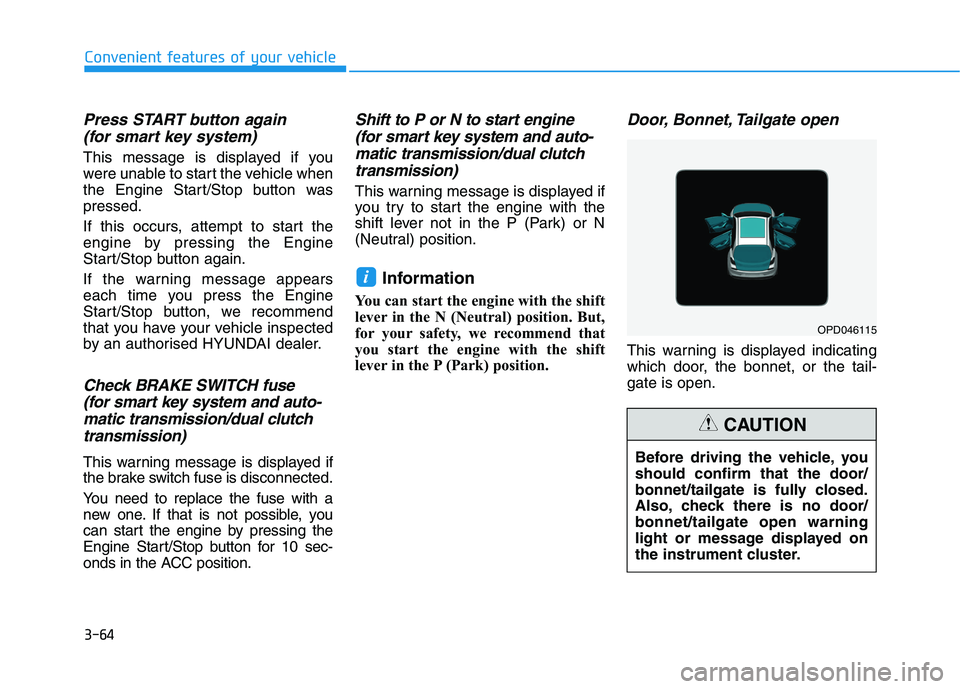
Door, Bonnet, Tailgate open
This warning is displayed indicating
which door, the bonnet, or the tail-
gate is open.
i
Before driving the vehicle, you
should confirm that the door/
bonnet/tailgate is fully closed.
Also, check there is no door/
bonnet/tailgate open warning
light or message displayed on
the instrument cluster.
CAUTION
OPD046115
Page 270 of 533
5-5
Driving your vehicle
5
Before entering the vehicle
• Be sure all windows, outside mir-
ror(s), and outside lights are clean
and unobstructed.
Remove frost, snow, or ice.
Visually check the tyres for uneven
wear and damage.
Check under the vehicle for any
sign of leaks.
Be sure there are no obstacles
behind you if you intend to reverse.
Before starting
Make sure the bonnet, the tailgate,
and the doors are securely closed
and locked.
Adjust the position of the seat and
steering wheel.
Adjust the inside and outside
rearview mirrors.
Verify all the lights work.
Fasten your seat belt. Check that
all passengers have fastened their
seat belts.
Check the gauges and indicators in
the instrument panel and the mes-
sages on the instrument display
when the ignition switch is in the
ON position.
Check that any items you are car-
rying are stored properly or fas-
tened down securely.
B BE
EF
FO
OR
RE
E
D
DR
RI
IV
VI
IN
NG
G
To reduce the risk of SERIOUS
INJURY or DEATH, take the fol-
lowing precautions:
•ALWAYS wear your seat belt.
All passengers must be prop-
erly restrained whenever the
vehicle is moving. For more
information, refer to "Seat
Belts" in chapter 2.
Always drive defensively.
Assume other drivers or pedes-
trians may be careless and
make mistakes.
Stay focused on the task of
driving. Driver distraction can
cause accidents.
Leave plenty of space between
you and the vehicle in front of
you.
WARNING