electric HYUNDAI I40 2015 User Guide
[x] Cancel search | Manufacturer: HYUNDAI, Model Year: 2015, Model line: I40, Model: HYUNDAI I40 2015Pages: 534, PDF Size: 11.05 MB
Page 131 of 534
Downloaded from www.Manualslib.com manuals search engine Features of your vehicle
44
4
Inside rearview mirror
Adjust the rearview mirror so that the
center view through the rear window is
seen. Make this adjustment before you
start driving.
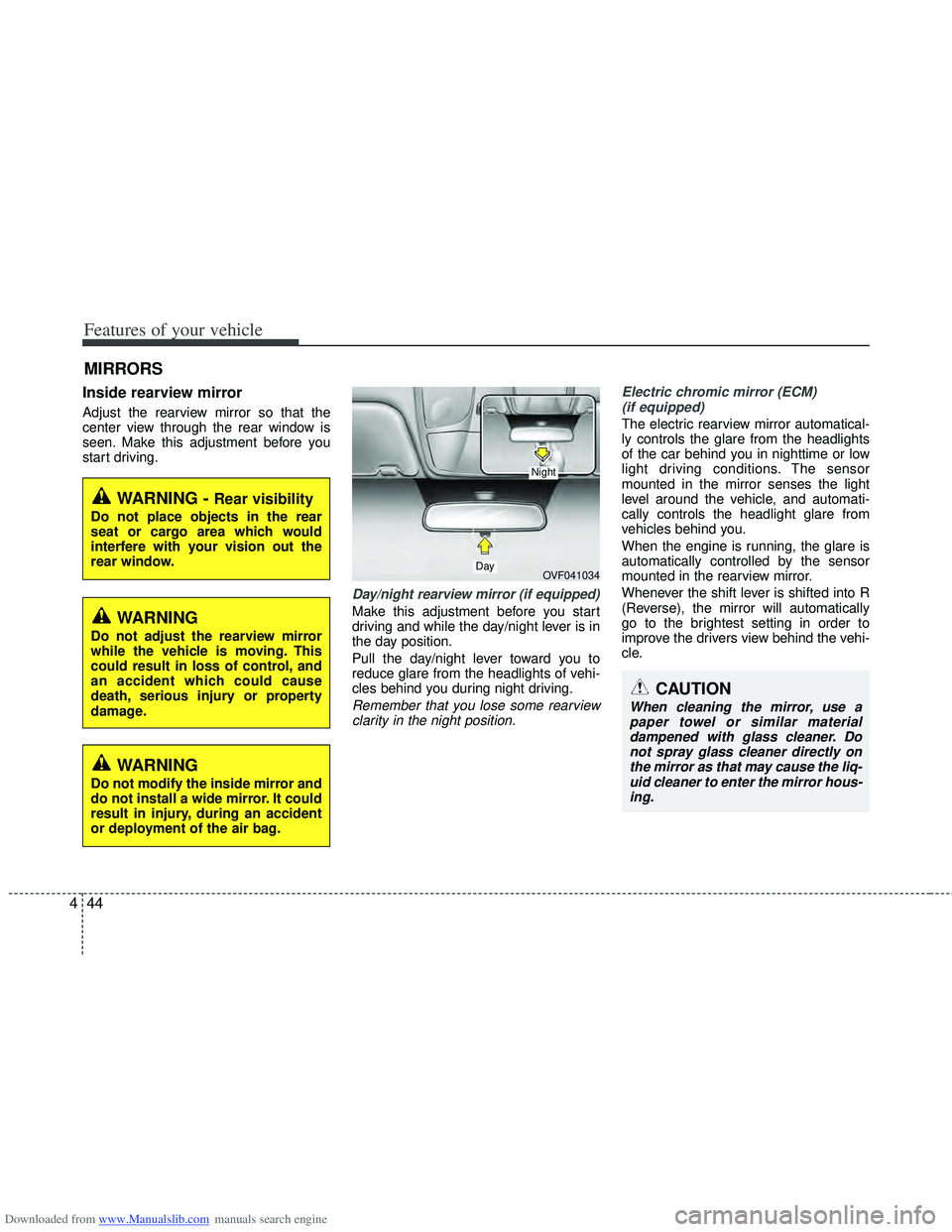
Day/night rearview mirror (if equipped)
Make this adjustment before you start
driving and while the day/night lever is in
the day position.
Pull the day/night lever toward you to
reduce glare from the headlights of vehi-
cles behind you during night driving.
Remember that you lose some rearview
clarity in the night position. Electric chromic mirror (ECM)
(if equipped)
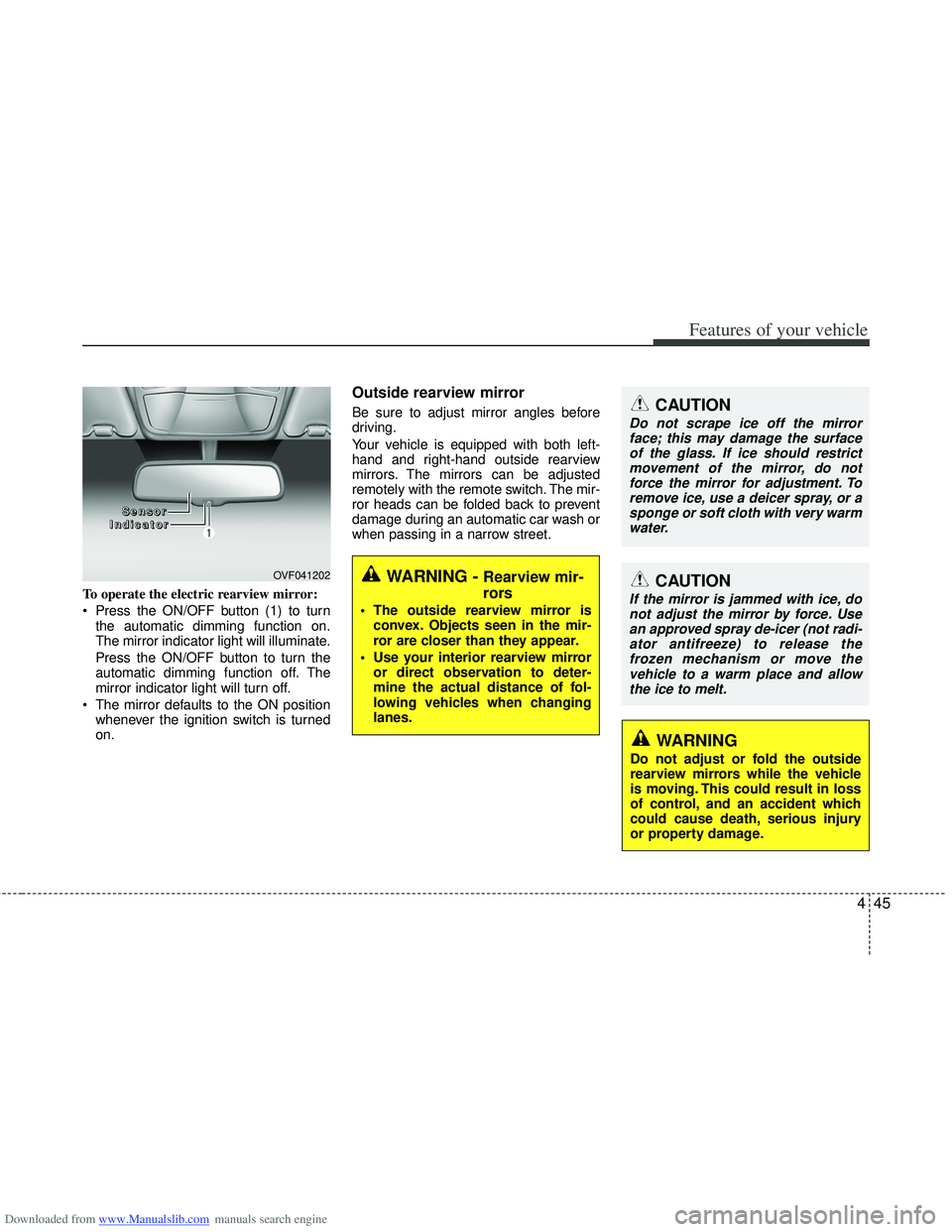
The electric rearview mirror automatical-
ly controls the glare from the headlights
of the car behind you in nighttime or low
light driving conditions. The sensor
mounted in the mirror senses the light
level around the vehicle, and automati-
cally controls the headlight glare from
vehicles behind you.
When the engine is running, the glare is
automatically controlled by the sensor
mounted in the rearview mirror.
Whenever the shift lever is shifted into R
(Reverse), the mirror will automatically
go to the brightest setting in order to
improve the drivers view behind the vehi-
cle.
MIRRORS
WARNING - Rear visibility
Do not place objects in the rear
seat or cargo area which would
interfere with your vision out the
rear window.
OVF041034
CAUTION
When cleaning the mirror, use a paper towel or similar materialdampened with glass cleaner. Donot spray glass cleaner directly onthe mirror as that may cause the liq- uid cleaner to enter the mirror hous-ing.
Day
Night
WARNING
Do not adjust the rearview mirror
while the vehicle is moving. This
could result in loss of control, and
an accident which could cause
death, serious injury or property
damage.
WARNING
Do not modify the inside mirror and
do not install a wide mirror. It could
result in injury, during an accident
or deployment of the air bag.
Page 132 of 534
Downloaded from www.Manualslib.com manuals search engine 445
Features of your vehicle
To operate the electric rearview mirror:
Press the ON/OFF button (1) to turnthe automatic dimming function on.
The mirror indicator light will illuminate.
Press the ON/OFF button to turn the
automatic dimming function off. The
mirror indicator light will turn off.
The mirror defaults to the ON position whenever the ignition switch is turned
on.
Outside rearview mirror
Be sure to adjust mirror angles before
driving.
Your vehicle is equipped with both left-
hand and right-hand outside rearview
mirrors. The mirrors can be adjusted
remotely with the remote switch. The mir-
ror heads can be folded back to prevent
damage during an automatic car wash or
when passing in a narrow street.CAUTION
Do not scrape ice off the mirrorface; this may damage the surfaceof the glass. If ice should restrict movement of the mirror, do notforce the mirror for adjustment. Toremove ice, use a deicer spray, or a sponge or soft cloth with very warmwater.
OVF041202WARNING - Rearview mir-
rors
The outside rearview mirror is convex. Objects seen in the mir-
ror are closer than they appear.
Use your interior rearview mirror or direct observation to deter-
mine the actual distance of fol-
lowing vehicles when changing
lanes.
CAUTION
If the mirror is jammed with ice, donot adjust the mirror by force. Usean approved spray de-icer (not radi- ator antifreeze) to release thefrozen mechanism or move thevehicle to a warm place and allow the ice to melt.
WARNING
Do not adjust or fold the outside
rearview mirrors while the vehicle
is moving. This could result in loss
of control, and an accident which
could cause death, serious injury
or property damage.
S S
S
S
e
e
e
e
n
n
n
n
s
s
s
s
o
o
o
o
r
r
r
r
I
I
I
I
n
n
n
n
d
d
d
d
i
i
i
i
c
c
c
c
a
a
a
a
t
t
t
t
o
o
o
o
r
r
r
r
Page 133 of 534
Downloaded from www.Manualslib.com manuals search engine Features of your vehicle
46
4
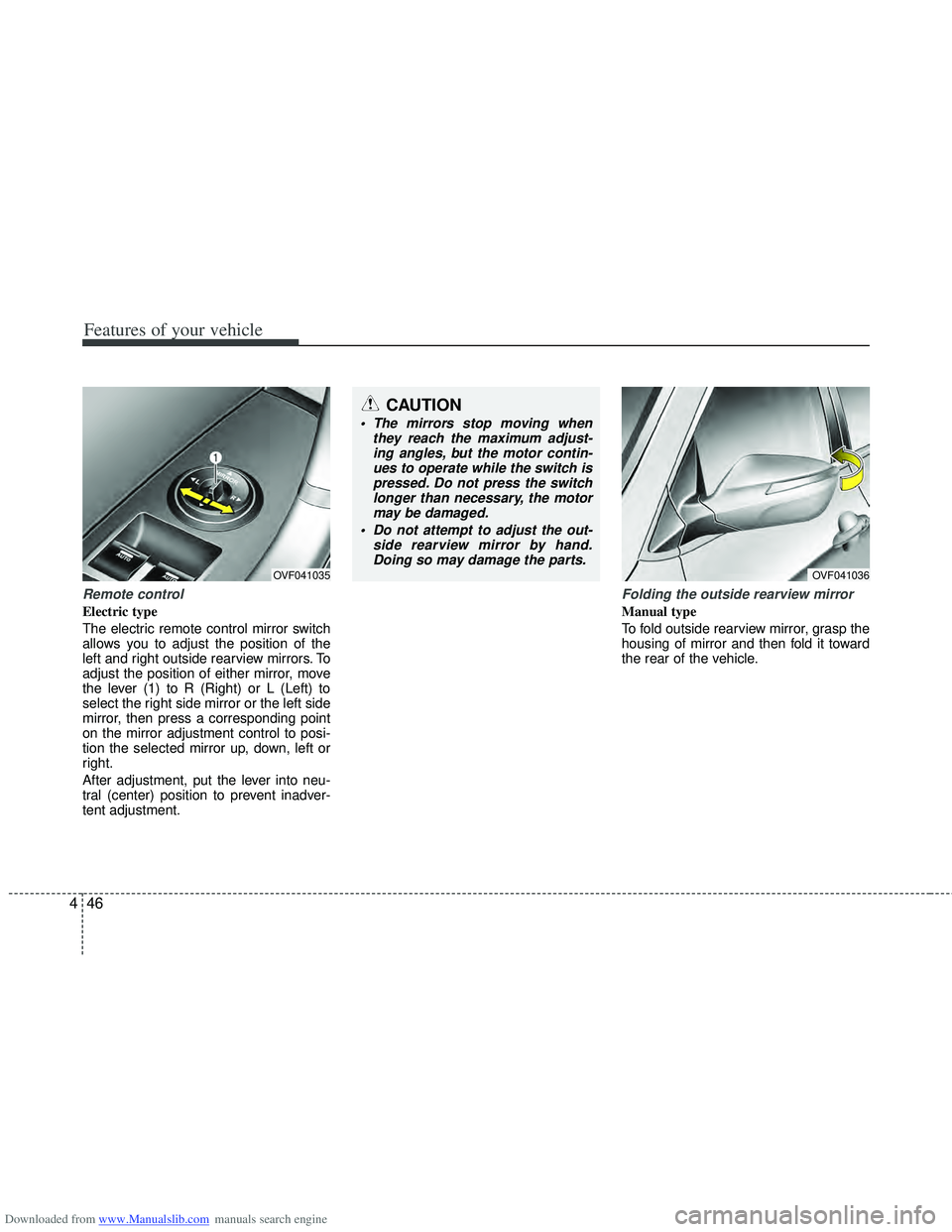
Remote control
Electric type
The electric remote control mirror switch
allows you to adjust the position of the
left and right outside rearview mirrors. To
adjust the position of either mirror, move
the lever (1) to R (Right) or L (Left) to
select the right side mirror or the left side
mirror, then press a corresponding point
on the mirror adjustment control to posi-
tion the selected mirror up, down, left or
right.
After adjustment, put the lever into neu-
tral (center) position to prevent inadver-
tent adjustment.
Folding the outside rearview mirror
Manual type
To fold outside rearview mirror, grasp the
housing of mirror and then fold it toward
the rear of the vehicle.
OVF041035
CAUTION
The mirrors stop moving when
they reach the maximum adjust-ing angles, but the motor contin-ues to operate while the switch ispressed. Do not press the switch longer than necessary, the motormay be damaged.
Do not attempt to adjust the out- side rearview mirror by hand.Doing so may damage the parts.
OVF041036
Page 134 of 534
Downloaded from www.Manualslib.com manuals search engine 447
Features of your vehicle
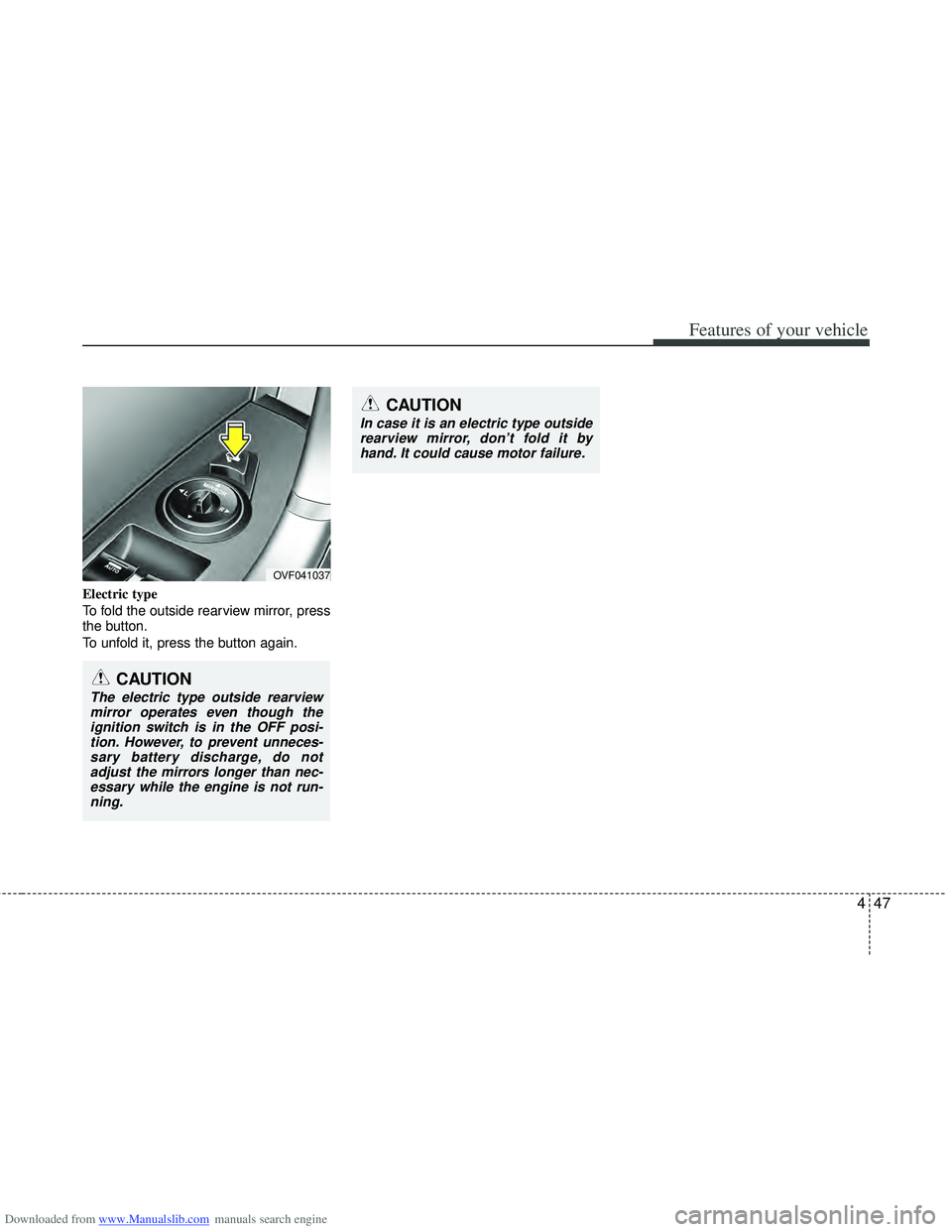
Electric type
To fold the outside rearview mirror, press
the button.
To unfold it, press the button again.
OVF041037
CAUTION
In case it is an electric type outsiderearview mirror, don’t fold it byhand. It could cause motor failure.
CAUTION
The electric type outside rearviewmirror operates even though theignition switch is in the OFF posi-tion. However, to prevent unneces- sary battery discharge, do notadjust the mirrors longer than nec-essary while the engine is not run-ning.
Page 157 of 534
Downloaded from www.Manualslib.com manuals search engine Features of your vehicle
70
4
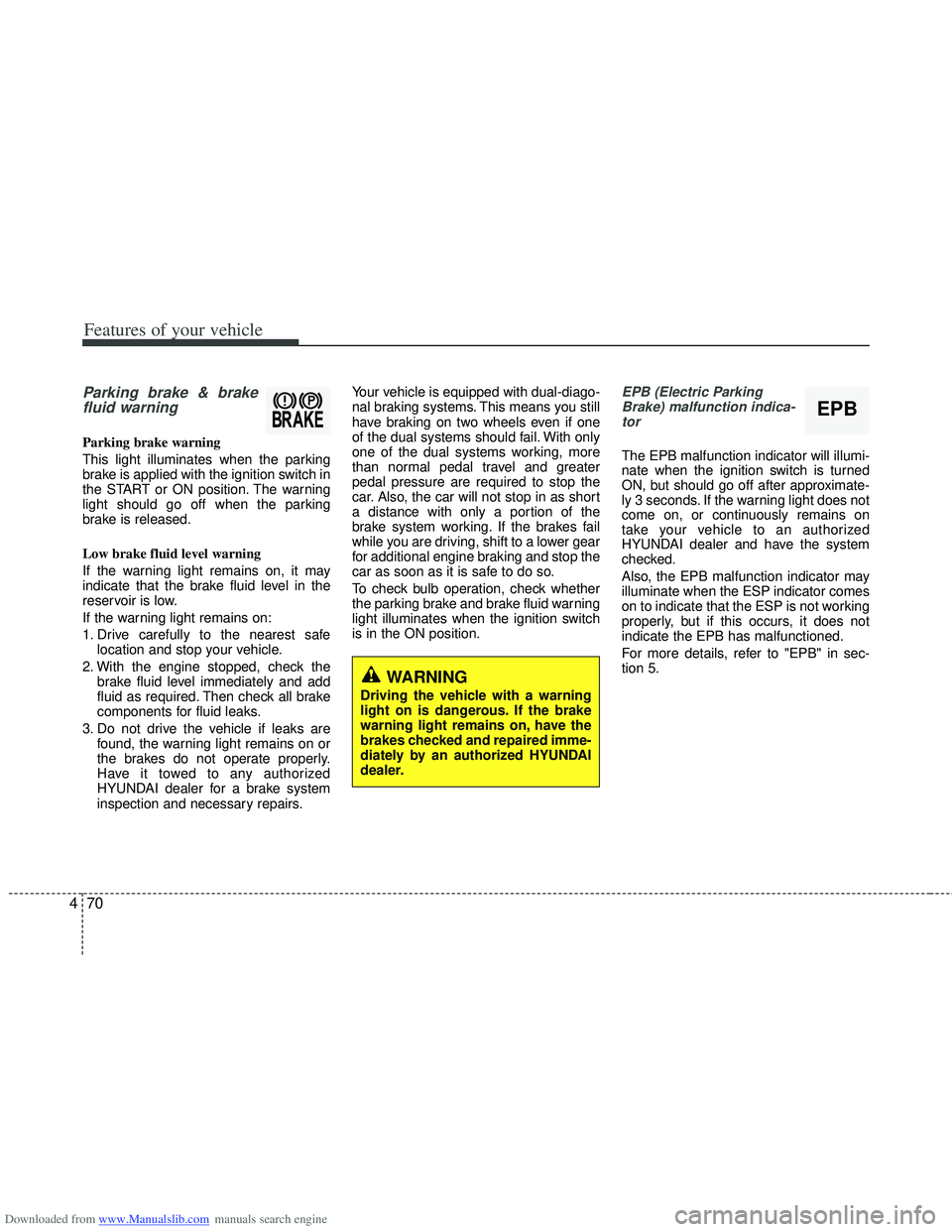
Parking brake & brake
fluid warning
Parking brake warning
This light illuminates when the parking
brake is applied with the ignition switch in
the START or ON position. The warning
light should go off when the parking
brake is released.
Low brake fluid level warning
If the warning light remains on, it may
indicate that the brake fluid level in the
reservoir is low.
If the warning light remains on:
1. Drive carefully to the nearest safe
location and stop your vehicle.
2. With the engine stopped, check the brake fluid level immediately and add
fluid as required. Then check all brake
components for fluid leaks.
3. Do not drive the vehicle if leaks are found, the warning light remains on or
the brakes do not operate properly.
Have it towed to any authorized
HYUNDAI dealer for a brake system
inspection and necessary repairs. Your vehicle is equipped with dual-diago-
nal braking systems. This means you still
have braking on two wheels even if one
of the dual systems should fail. With only
one of the dual systems working, more
than normal pedal travel and greater
pedal pressure are required to stop the
car. Also, the car will not stop in as short
a distance with only a portion of the
brake system working. If the brakes fail
while you are driving, shift to a lower gear
for additional engine braking and stop the
car as soon as it is safe to do so.
To check bulb operation, check whether
the parking brake and brake fluid warning
light illuminates when the ignition switch
is in the ON position.
EPB (Electric Parking
Brake) malfunction indica-tor
The EPB malfunction indicator will illumi-
nate when the ignition switch is turned
ON, but should go off after approximate-
ly 3 seconds. If the warning light does not
come on, or continuously remains on
take your vehicle to an authorized
HYUNDAI dealer and have the system
checked.
Also, the EPB malfunction indicator may
illuminate when the ESP indicator comes
on to indicate that the ESP is not working
properly, but if this occurs, it does not
indicate the EPB has malfunctioned.
For more details, refer to "EPB" in sec-
tion 5.
WARNING
Driving the vehicle with a warning
light on is dangerous. If the brake
warning light remains on, have the
brakes checked and repaired imme-
diately by an authorized HYUNDAI
dealer.
EPB
Page 165 of 534
Downloaded from www.Manualslib.com manuals search engine Features of your vehicle
78
4
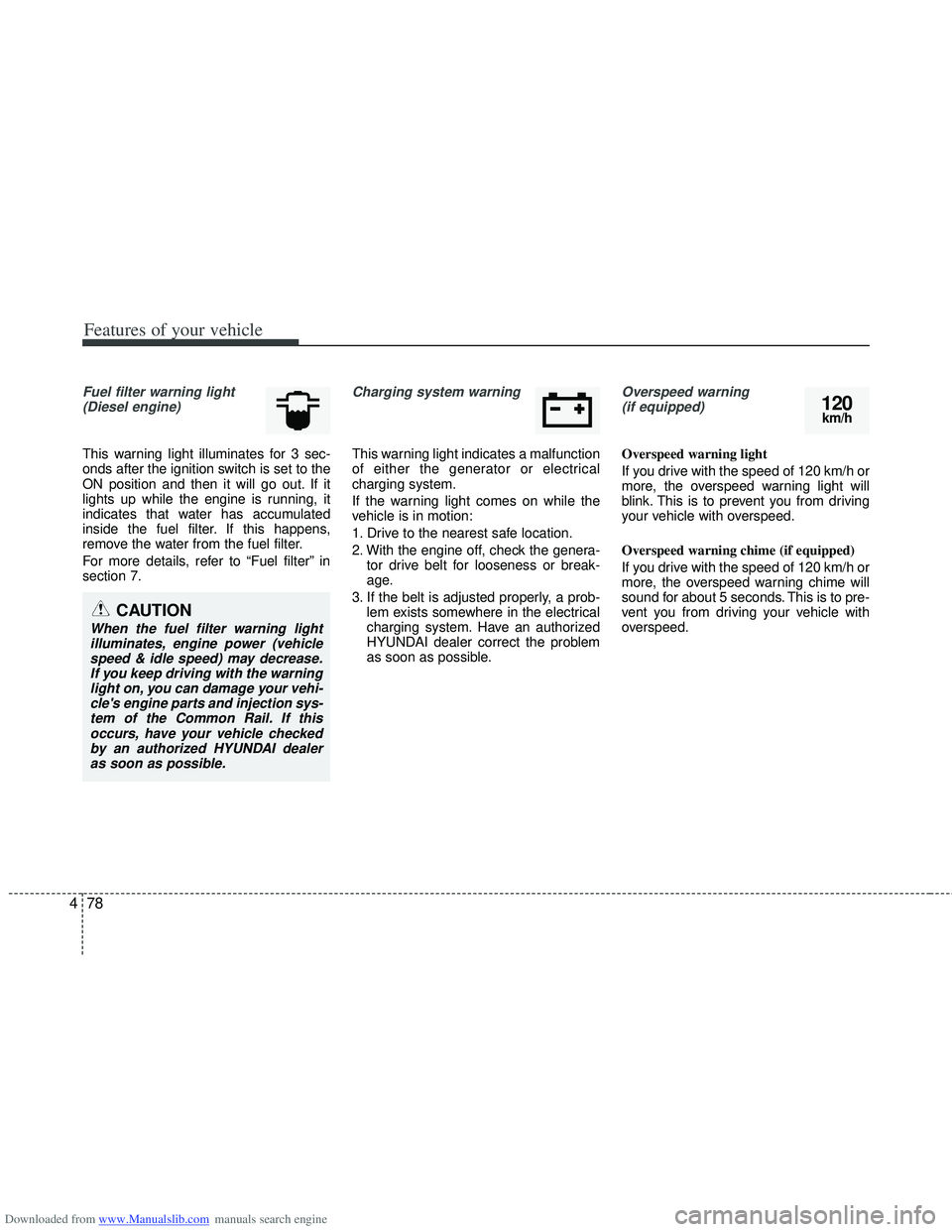
Fuel filter warning light
(Diesel engine)
This warning light illuminates for 3 sec-
onds after the ignition switch is set to the
ON position and then it will go out. If it
lights up while the engine is running, it
indicates that water has accumulated
inside the fuel filter. If this happens,
remove the water from the fuel filter.
For more details, refer to “Fuel filter” in
section 7.
Charging system warning
This warning light indicates a malfunction
of either the generator or electrical
charging system.
If the warning light comes on while the
vehicle is in motion:
1. Drive to the nearest safe location.
2. With the engine off, check the genera- tor drive belt for looseness or break-
age.
3. If the belt is adjusted properly, a prob- lem exists somewhere in the electrical
charging system. Have an authorized
HYUNDAI dealer correct the problem
as soon as possible.
Overspeed warning (if equipped)
Overspeed warning light
If you drive with the speed of 120 km/h or
more, the overspeed warning light will
blink. This is to prevent you from driving
your vehicle with overspeed.
Overspeed warning chime (if equipped)
If you drive with the speed of 120 km/h or
more, the overspeed warning chime will
sound for about 5 seconds. This is to pre-
vent you from driving your vehicle with
overspeed.
CAUTION
When the fuel filter warning light illuminates, engine power (vehiclespeed & idle speed) may decrease.If you keep driving with the warninglight on, you can damage your vehi- cle's engine parts and injection sys-tem of the Common Rail. If thisoccurs, have your vehicle checkedby an authorized HYUNDAI dealeras soon as possible.
120km/h
Page 187 of 534
Downloaded from www.Manualslib.com manuals search engine Features of your vehicle
100
4
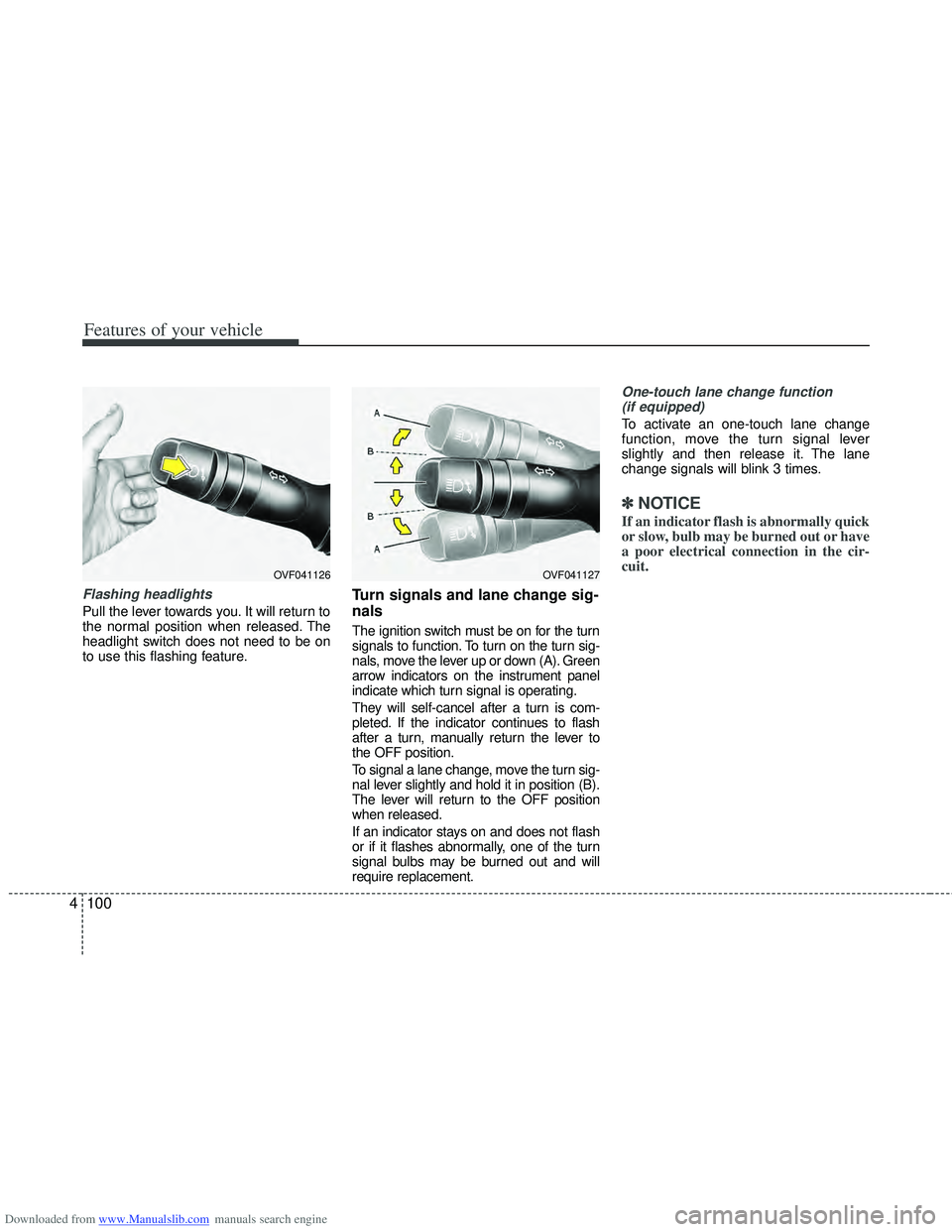
Flashing headlights
Pull the lever towards you. It will return to
the normal position when released. The
headlight switch does not need to be on
to use this flashing feature.
Turn signals and lane change sig-
nals
The ignition switch must be on for the turn
signals to function. To turn on the turn sig-
nals, move the lever up or down (A). Green
arrow indicators on the instrument panel
indicate which turn signal is operating.
They will self-cancel after a turn is com-
pleted. If the indicator continues to flash
after a turn, manually return the lever to
the OFF position.
To signal a lane change, move the turn sig-
nal lever slightly and hold it in position (B).
The lever will return to the OFF position
when released.
If an indicator stays on and does not flash
or if it flashes abnormally, one of the turn
signal bulbs may be burned out and will
require replacement.
One-touch lane change function
(if equipped)
To activate an one-touch lane change
function, move the turn signal lever
slightly and then release it. The lane
change signals will blink 3 times.
✽ ✽ NOTICE
If an indicator flash is abnormally quick
or slow, bulb may be burned out or have
a poor electrical connection in the cir-
cuit.
OVF041127OVF041126
Page 188 of 534
Downloaded from www.Manualslib.com manuals search engine 4101
Features of your vehicle
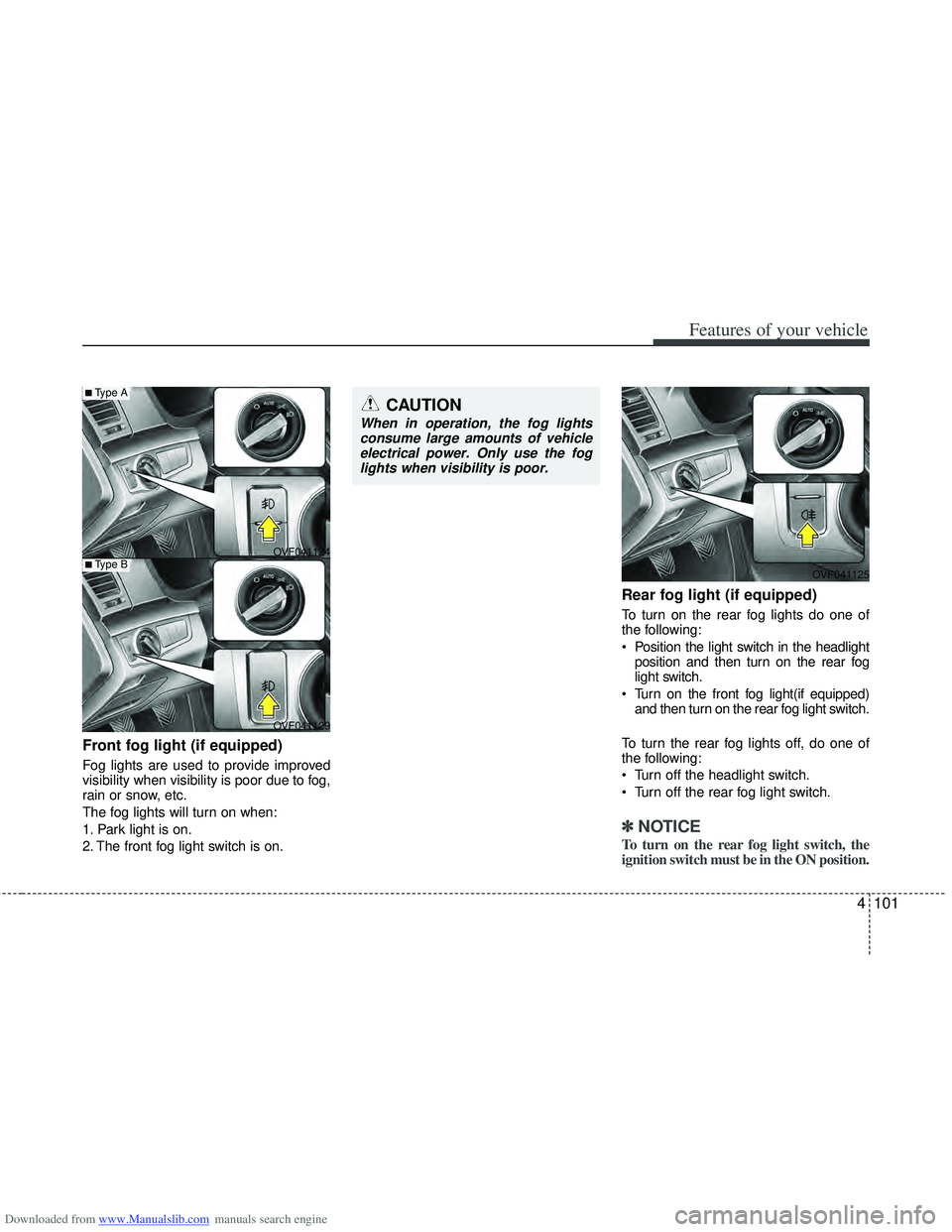
Front fog light (if equipped)
Fog lights are used to provide improved
visibility when visibility is poor due to fog,
rain or snow, etc.
The fog lights will turn on when:
1. Park light is on.
2. The front fog light switch is on.
Rear fog light (if equipped)
To turn on the rear fog lights do one of
the following:
Position the light switch in the headlightposition and then turn on the rear fog
light switch.
Turn on the front fog light(if equipped) and then turn on the rear fog light switch.
To turn the rear fog lights off, do one of
the following:
Turn off the headlight switch.
Turn off the rear fog light switch.
✽ ✽ NOTICE
To turn on the rear fog light switch, the
ignition switch must be in the ON position.
OVF041124
OVF041125
OVF041129
■Type A
■Type B
CAUTION
When in operation, the fog lights consume large amounts of vehicleelectrical power. Only use the foglights when visibility is poor.
Page 206 of 534
Downloaded from www.Manualslib.com manuals search engine 4119
Features of your vehicle
✽
✽NOTICE
• When using the air conditioning sys-
tem, monitor the temperature gauge
closely while driving up hills or in
heavy traffic when outside tempera-
tures are high. Air conditioning sys-
tem operation may cause engine over-
heating. Continue to use the blower
fan but turn the air conditioning sys-
tem off if the temperature gauge indi-
cates engine overheating.
• When opening the windows in humid weather air conditioning may create
water droplets inside the vehicle.
Since excessive water droplets may
cause damage to electrical equipment,
air conditioning should only be used
with the windows closed.
Air conditioning system operation tips
If the vehicle has been parked in direct
sunlight during hot weather, open the
windows for a short time to let the hot
air inside the vehicle escape.
Use air conditioning to reduce humidi- ty and moisture inside the vehicle on
rainy or humid days.
During air conditioning system opera- tion, you may occasionally notice a
slight change in engine speed as the
air conditioning compressor cycles.
This is a normal system operation
characteristic.
Use the air conditioning system every month only for a few minutes to ensure
maximum system performance. When using the air conditioning sys-
tem, you may notice clear water drip-
ping (or even puddling) on the ground
under the passenger side of the vehi-
cle. This is a normal system operation
characteristic.
Operating the air conditioning system in the recirculated air position provides
maximum cooling, however, continual
operation in this mode may cause the
air inside the vehicle to become stale.
During cooling operation, you may occasionally notice a misty air flow
because of rapid cooling and humid air
intake. This is a normal system opera-
tion characteristic.
Page 217 of 534
Downloaded from www.Manualslib.com manuals search engine Features of your vehicle
130
4
Operation Tips
To keep dust or unpleasant fumes from
entering the vehicle through the venti-
lation system, temporarily set the air
intake control to the recirculated air
position. Be sure to return the control
to the fresh air position when the irrita-
tion has passed to keep fresh air in the
vehicle. This will help keep the driver
alert and comfortable.
Air for the heating/cooling system is drawn in through the grilles just ahead
of the windshield. Care should be
taken that these are not blocked by
leaves, snow, ice or other obstructions.
To prevent interior fog on the wind- shield, set the air intake control to the
fresh air position and fan speed to the
desired position, turn on the air condi-
tioning system, and adjust the temper-
ature control to desired temperature.Air conditioning (if equipped)
All HYUNDAI Air Conditioning Systems
are filled with environmentally friendly
R-134a refrigerant which does not dam-
age to the ozone layer.
1. Start the engine. Push the air condi- tioning button.
2. Set the mode to the position.
3. Set the air intake control to the outside air or recirculated air position.
4. Adjust the fan speed control and tem- perature control to maintain maximum
comfort.✽ ✽NOTICE
• When using the air conditioning sys-
tem, monitor the temperature gauge
closely while driving up hills or in
heavy traffic when outside tempera-
tures are high. Air conditioning sys-
tem operation may cause engine over-
heating. Continue to use the blower
fan but turn the air conditioning sys-
tem off if the temperature gauge indi-
cates engine overheating.
• When opening the windows in humid weather air conditioning may create
water droplets inside the vehicle.
Since excessive water droplets may
cause damage to electrical equipment,
air conditioning should only be used
with the windows closed.