electric HYUNDAI I40 2015 Owner's Manual
[x] Cancel search | Manufacturer: HYUNDAI, Model Year: 2015, Model line: I40, Model: HYUNDAI I40 2015Pages: 534, PDF Size: 11.05 MB
Page 227 of 534
Downloaded from www.Manualslib.com manuals search engine Features of your vehicle
140
4
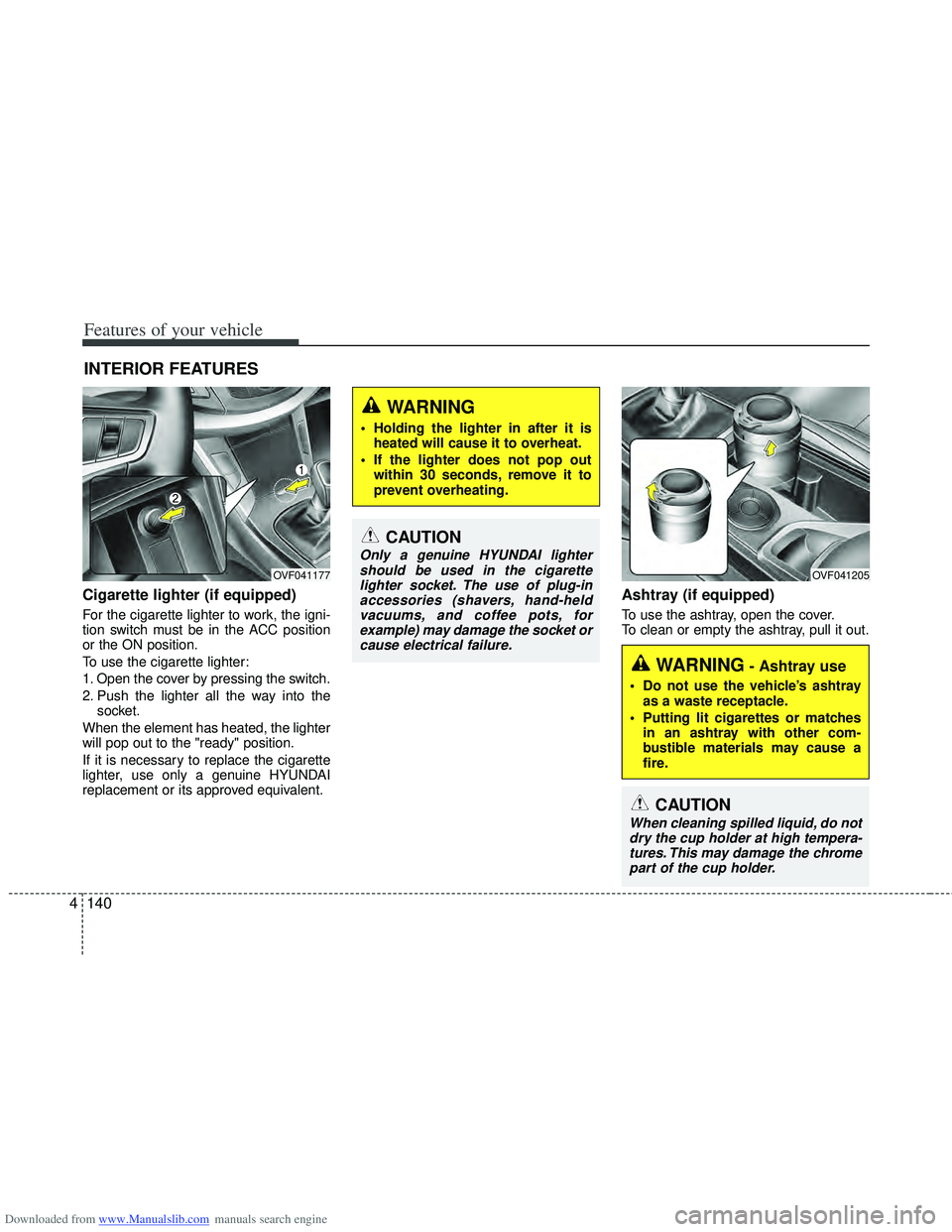
Cigarette lighter (if equipped)
For the cigarette lighter to work, the igni-
tion switch must be in the ACC position
or the ON position.
To use the cigarette lighter:
1. Open the cover by pressing the switch.
2. Push the lighter all the way into the
socket.
When the element has heated, the lighter
will pop out to the "ready" position.
If it is necessary to replace the cigarette
lighter, use only a genuine HYUNDAI
replacement or its approved equivalent.
Ashtray (if equipped)
To use the ashtray, open the cover.
To clean or empty the ashtray, pull it out.
INTERIOR FEATURES
OVF041177
CAUTION
Only a genuine HYUNDAI lighter should be used in the cigarettelighter socket. The use of plug-inaccessories (shavers, hand-heldvacuums, and coffee pots, forexample) may damage the socket or cause electrical failure.
WARNING- Ashtray use
Do not use the vehicle’s ashtray as a waste receptacle.
Putting lit cigarettes or matches in an ashtray with other com-
bustible materials may cause a
fire.
WARNING
Holding the lighter in after it isheated will cause it to overheat.
If the lighter does not pop out within 30 seconds, remove it to
prevent overheating.
OVF041205
CAUTION
When cleaning spilled liquid, do notdry the cup holder at high tempera- tures. This may damage the chromepart of the cup holder.
Page 229 of 534
Downloaded from www.Manualslib.com manuals search engine Features of your vehicle
142
4
CAUTION
Use power outlet only when the
engine is running and remove theaccessory plug after use. Using the accessory plug for prolongedperiods of time with the engineoff could cause the battery to dis-charge.
Only use 12V electric accessories which are less than 10A in elec-tric capacity.
Adjust the air-conditioner or heater to the lowest operatinglevel when using the power outlet.
Close the cover when not in use. Some electronic devices can cause electronic interferencewhen plugged into a vehicle’s power outlet. These devices maycause excessive audio static and malfunctions in other electronicsystems or devices used in yourvehicle.
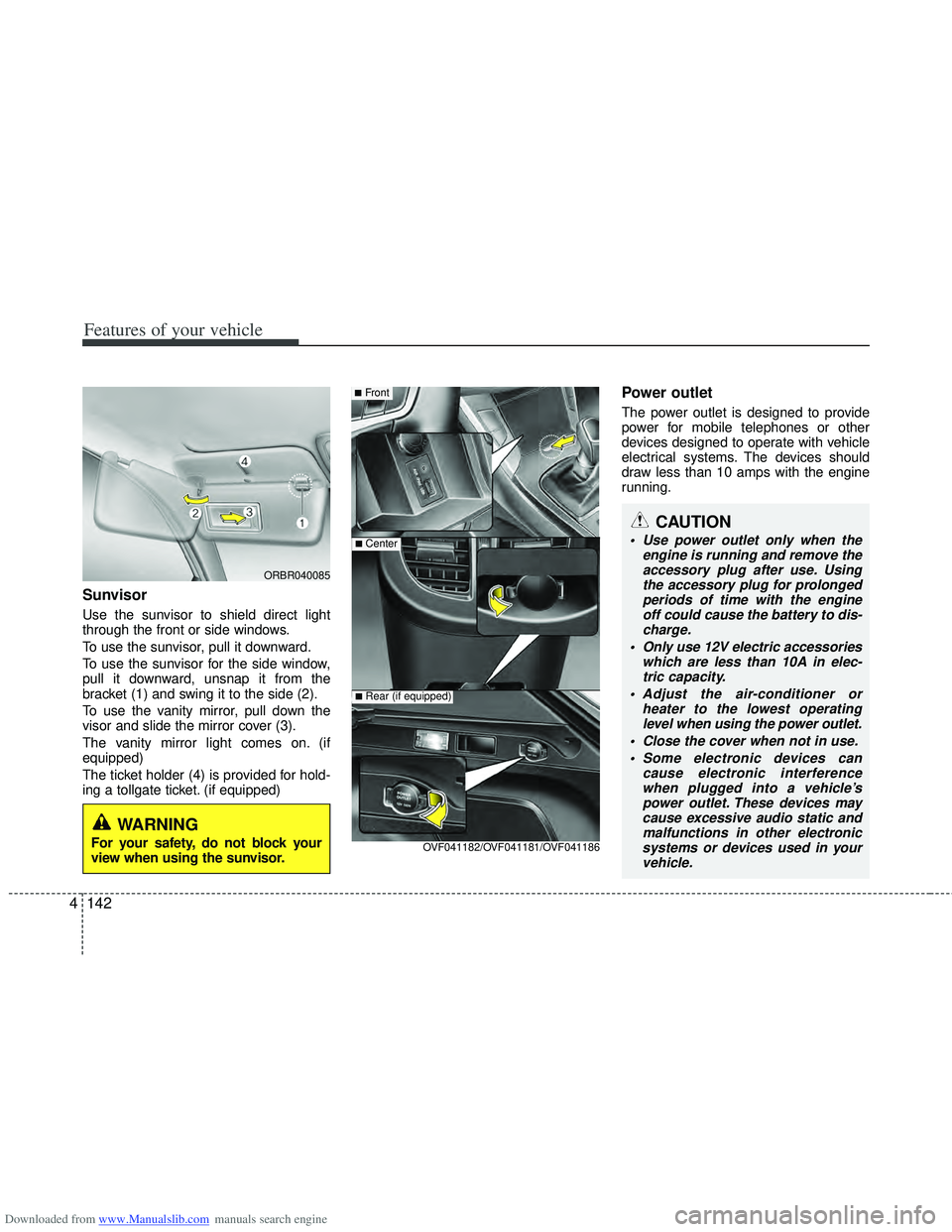
Sunvisor
Use the sunvisor to shield direct light
through the front or side windows.
To use the sunvisor, pull it downward.
To use the sunvisor for the side window,
pull it downward, unsnap it from the
bracket (1) and swing it to the side (2).
To use the vanity mirror, pull down the
visor and slide the mirror cover (3).
The vanity mirror light comes on. (if
equipped)
The ticket holder (4) is provided for hold-
ing a tollgate ticket. (if equipped)
Power outlet
The power outlet is designed to provide
power for mobile telephones or other
devices designed to operate with vehicle
electrical systems. The devices should
draw less than 10 amps with the engine
running.
■Front
■Center
OVF041182/OVF041181/OVF041186
■Rear (if equipped)
ORBR040085
WARNING
For your safety, do not block your
view when using the sunvisor.
Page 243 of 534
Downloaded from www.Manualslib.com manuals search engine Features of your vehicle
156
4
CAUTION
When using a communication sys-
tem such a cellular phone or a radio set inside the vehicle, a separateexternal antenna must be fitted. When a cellular phone or a radio setis used with an internal antenna alone, it may interfere with the vehi-cle's electrical system and adverse- ly affect safe operation of the vehi-cle.
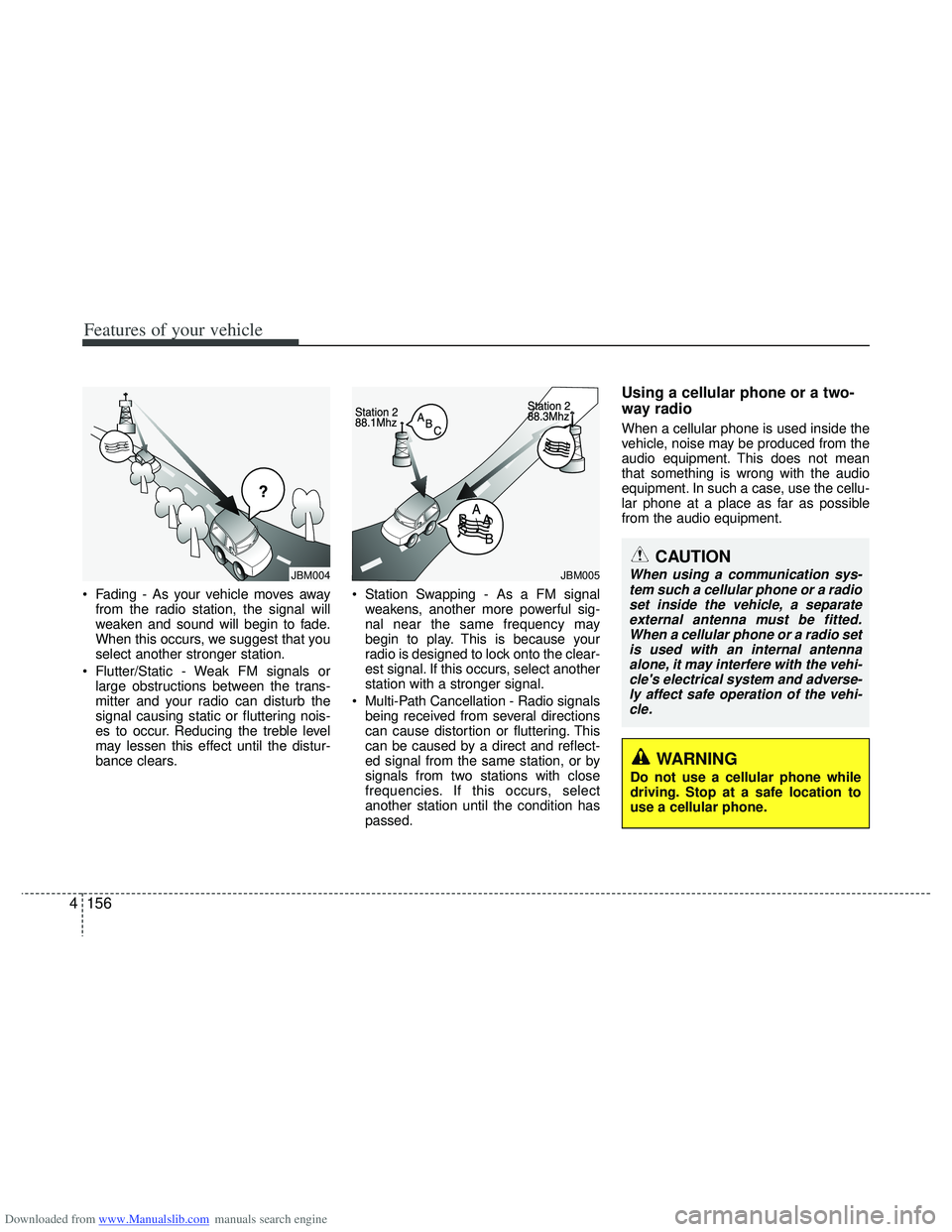
Fading - As your vehicle moves away from the radio station, the signal will
weaken and sound will begin to fade.
When this occurs, we suggest that you
select another stronger station.
Flutter/Static - Weak FM signals or large obstructions between the trans-
mitter and your radio can disturb the
signal causing static or fluttering nois-
es to occur. Reducing the treble level
may lessen this effect until the distur-
bance clears. Station Swapping - As a FM signal
weakens, another more powerful sig-
nal near the same frequency may
begin to play. This is because your
radio is designed to lock onto the clear-
est signal. If this occurs, select another
station with a stronger signal.
Multi-Path Cancellation - Radio signals being received from several directions
can cause distortion or fluttering. This
can be caused by a direct and reflect-
ed signal from the same station, or by
signals from two stations with close
frequencies. If this occurs, select
another station until the condition has
passed.
Using a cellular phone or a two-
way radio
When a cellular phone is used inside the
vehicle, noise may be produced from the
audio equipment. This does not mean
that something is wrong with the audio
equipment. In such a case, use the cellu-
lar phone at a place as far as possible
from the audio equipment.
¢¢¢
JBM004JBM005
WARNING
Do not use a cellular phone while
driving. Stop at a safe location to
use a cellular phone.
Page 256 of 534
Downloaded from www.Manualslib.com manuals search engine 4169
Features of your vehicle
CAUTION IN USING USB
DEVICE
To use an external USB device,make sure the device is not con-nected when starting up the vehi-cle. Connect the device afterstarting up.
If you start the engine when the USB device is connected, it maydamage the USB device. (USBflashdrives are very sensitive toelectric shock.)
If the engine is started up or turned off while the external USBdevice is connected, the externalUSB device may not work.
It may not play inauthentic MP3 or WMA files.
1) It can only play MP3 files with the compression rate between8Kbps~320Kbps.
2) It can only play WMA music files with the compression ratebetween 8Kbps~320Kbps.
Take precautions for static elec- tricity when connecting or dis-connecting the external USBdevice.
(Continued)
(Continued) An encrypted MP3 PLAYER is not recognizable.
Depending on the condition of the external USB device, the con-nected external USB device canbe unrecognizable.
When the formatted byte/sector setting of External USB device isnot either 512BYTE or 2048BYTE,then the device will not be recog- nized.
Use only a USB device formatted to FAT 12/16/32.
USB devices without USB I/F authentication may not be recog-nizable.
Make sure the USB connection terminal does not come in con-tact with the human body or otherobjects.
If you repeatedly connect or dis- connect the USB device in a shortperiod of time, it may break thedevice.
You may hear a strange noise when connecting or disconnect-ing a USB device.
(Continued)(Continued) If you disconnect the external USB device during playback inUSB mode, the external USBdevice can be damaged or may malfunction. Therefore, discon-nect the external USB device when the audio is turned off or inanother mode. (e.g, Radio or CD)
Depending on the type and capacity of the external USBdevice or the type of the filesstored in the device, there is a dif- ference in the time taken forrecognition of the device.
Do not use the USB device for purposes other than playingmusic files.
Playing videos through the USB is not supported.
Use of USB accessories such as rechargers or heaters using USBI/F may lower performance or cause trouble.
(Continued)
Page 278 of 534
Downloaded from www.Manualslib.com manuals search engine 4191
Features of your vehicle
CAUTION IN USING
USB DEVICE
To use an external USB device,
make sure the device is not con-nected when starting up the vehi-cle. Connect the device afterstarting up.
If you start the engine when the USB device is connected, it maydamage the USB device. (USBflashdrives are very sensitive toelectric shock.)
If the engine is started up or turned off while the external USBdevice is connected, the external USB device may not work.
It may not play inauthentic MP3 or WMA files.
1) It can only play MP3 files with the compression rate between8Kbps~320Kbps.
2) It can only play WMA music files with the compression ratebetween 8Kbps~320Kbps.
Take precautions for static electrici- ty when connecting or disconnect-ing the external USB device.
(Continued)
(Continued) An encrypted MP3 PLAYER is not recognizable.
Depending on the condition of the external USB device, the con-nected external USB device canbe unrecognizable.
When the formatted byte/sector setting of External USB device isnot either 512BYTE or 2048BYTE,then the device will not be recog- nized.
Use only a USB device formatted to FAT 12/16/32.
USB devices without USB I/F authentication may not be recog-nizable.
Make sure the USB connection terminal does not come in contactwith the human body or otherobjects.
If you repeatedly connect or dis- connect the USB device in a shortperiod of time, it may break the device.
You may hear a strange noise when connecting or disconnect-ing a USB device.
(Continued)(Continued) If you disconnect the external USB device during playback in USBmode, the external USB device canbe damaged or may malfunction. Therefore, disconnect the externalUSB device when the audio is turned off or in another mode. (e.g,Radio or CD)
Depending on the type and capacity of the external USB device or thetype of the files stored in the device,there is a difference in the timetaken for recognition of the device.
Do not use the USB device for pur- poses other than playing music files.
Playing videos through the USB isnot supported.
Use of USB accessories such as rechargers or heaters using USBI/F may lower performance or cause trouble.
If you use devices such as a USB hub purchased separately, thevehicle’s audio system may notrecognize the USB device. In that case, connect the USB devicedirectly to the multimedia termi-nal of the vehicle.
(Continued)
Page 302 of 534
Downloaded from www.Manualslib.com manuals search engine 59
Driving your vehicle
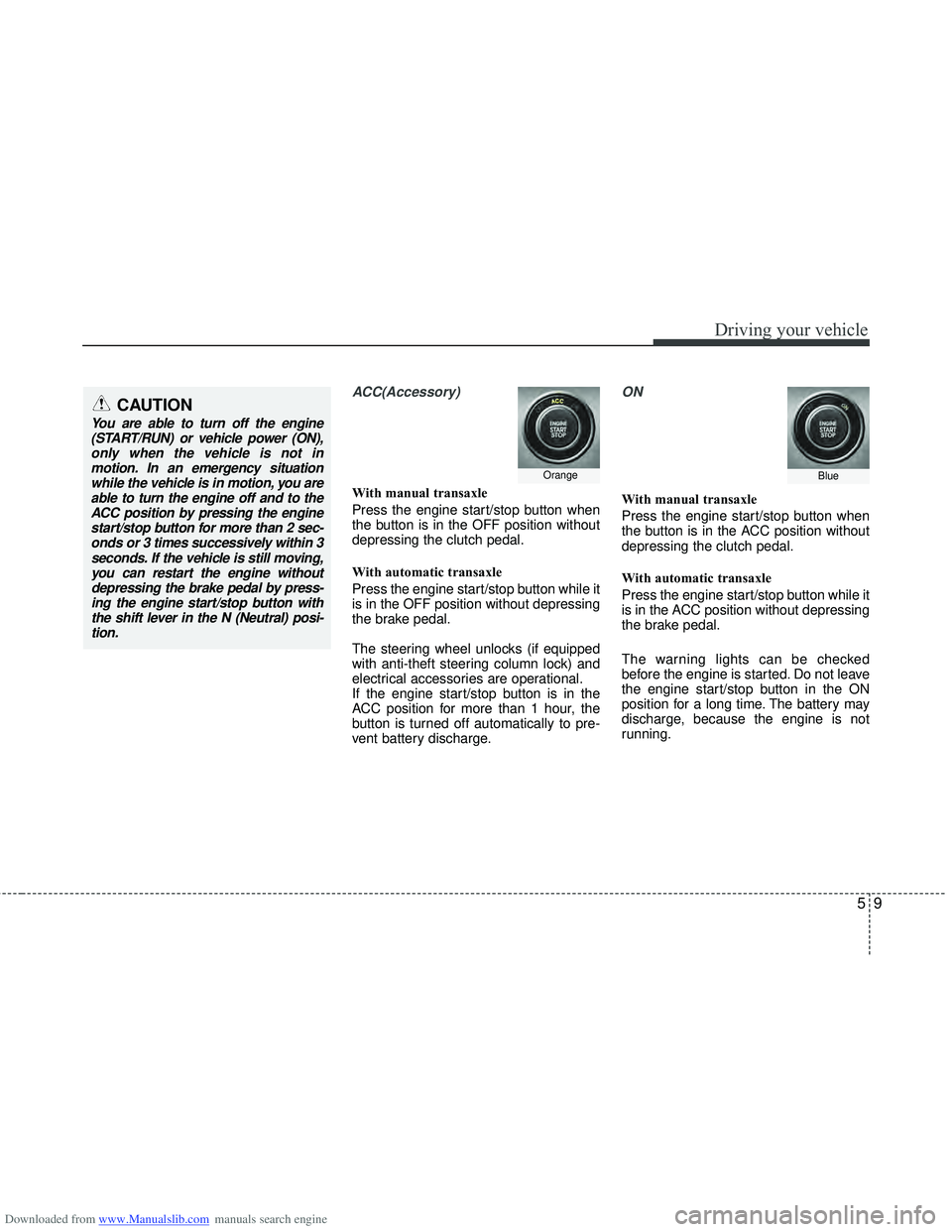
ACC(Accessory)
With manual transaxle
Press the engine start/stop button when
the button is in the OFF position without
depressing the clutch pedal.
With automatic transaxle
Press the engine start/stop button while it
is in the OFF position without depressing
the brake pedal.
The steering wheel unlocks (if equipped
with anti-theft steering column lock) and
electrical accessories are operational.
If the engine start/stop button is in the
ACC position for more than 1 hour, the
button is turned off automatically to pre-
vent battery discharge.
ON
With manual transaxle
Press the engine start/stop button when
the button is in the ACC position without
depressing the clutch pedal.
With automatic transaxle
Press the engine start/stop button while it
is in the ACC position without depressing
the brake pedal.
The warning lights can be checked
before the engine is started. Do not leave
the engine start/stop button in the ON
position for a long time. The battery may
discharge, because the engine is not
running.
OrangeBlue
CAUTION
You are able to turn off the engine(START/RUN) or vehicle power (ON),only when the vehicle is not inmotion. In an emergency situationwhile the vehicle is in motion, you are able to turn the engine off and to theACC position by pressing the enginestart/stop button for more than 2 sec-onds or 3 times successively within 3seconds. If the vehicle is still moving,you can restart the engine withoutdepressing the brake pedal by press-ing the engine start/stop button with the shift lever in the N (Neutral) posi-tion.
Page 324 of 534
Downloaded from www.Manualslib.com manuals search engine 531
Driving your vehicle
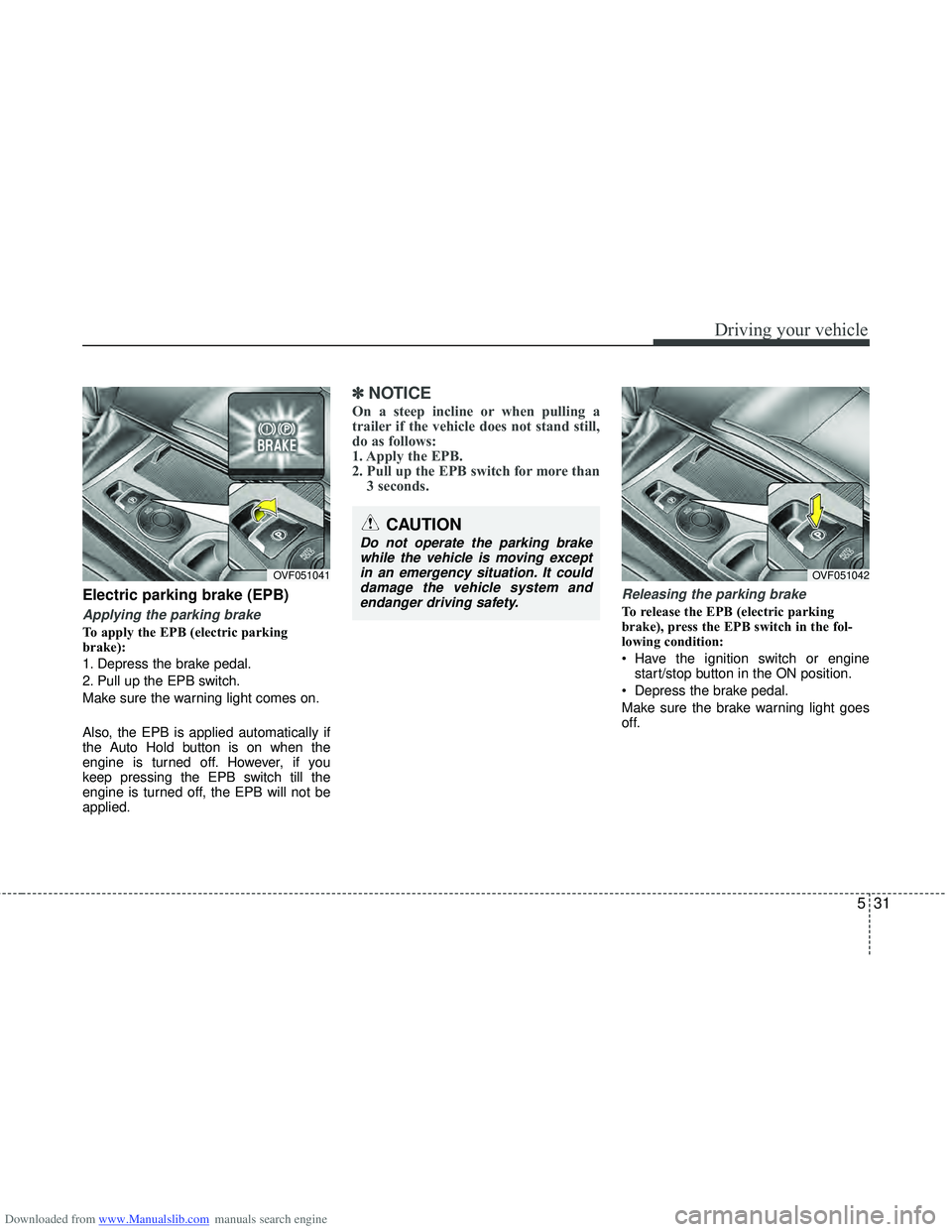
Electric parking brake (EPB)
Applying the parking brake
To apply the EPB (electric parking
brake):
1. Depress the brake pedal.
2. Pull up the EPB switch.
Make sure the warning light comes on.
Also, the EPB is applied automatically if
the Auto Hold button is on when the
engine is turned off. However, if you
keep pressing the EPB switch till the
engine is turned off, the EPB will not be
applied.
✽ ✽NOTICE
On a steep incline or when pulling a
trailer if the vehicle does not stand still,
do as follows:
1. Apply the EPB.
2. Pull up the EPB switch for more than
3 seconds.
Releasing the parking brake
To release the EPB (electric parking
brake), press the EPB switch in the fol-
lowing condition:
Have the ignition switch or engine
start/stop button in the ON position.
Depress the brake pedal.
Make sure the brake warning light goes
off.
OVF051041
CAUTION
Do not operate the parking brake while the vehicle is moving exceptin an emergency situation. It coulddamage the vehicle system and endanger driving safety.
OVF051042
Page 325 of 534
Downloaded from www.Manualslib.com manuals search engine Driving your vehicle
32
5
To release EPB (electric parking brake)
automatically:
Shift lever in P (Park)
With the engine running depress thebrake pedal and shift out of P (Park) to
R (Rear) or D (Drive).
Shift lever in N (Neutral) With the engine running depress the
brake pedal and shift out of N (Neutral)
to R (Rear) or D (Drive).
Manual transaxle vehicle 1. Start the engine.
2. Fasten the driver's seat belt.
3. Close the driver's door, engine hood and tailgate.
4. Depress the clutch pedal with the gear engaged.
5. Depress the accelerator pedal while releasing the clutch pedal.
Automatic transaxle vehicle 1. Start the engine.
2. Fasten the driver's seat belt.
3. Close the driver's door, engine hood and tailgate.
4. Depress the accelerator pedal while the shift lever is in R (Rear), D
(Drive) or Sports mode.
Make sure the brake warning light goes
off.✽ ✽ NOTICE
• For your safety, you can engage the
EPB even though the ignition switch or
engine stop/start button is in the OFF
position, but you cannot release it.
• For your safety, depress the brake pedal and release the parking brake
manually with the EPB switch when
you drive downhill or when backing up
the vehicle.
✽ ✽ NOTICE -Manual transaxle
A vehicle towing a trailer on a hill or on
an incline may slightly roll backwards
when starting the vehicle. To prevent the
situation follow the below instructions.
1. Depress the clutch pedal and select a
gear.
2. Keep pulling up the EPB switch.
3. Depress the accelerator pedal and slowly release the clutch pedal.
4. If the vehicle starts off with enough driving power release the EPB switch.
Do not follow the above procedure when
driving on a flat level ground. The vehi-
cle may suddenly move forward.
CAUTION
If the parking brake warning light is still on even though the EPBhas been released, have the sys- tem checked by an authorizedHYUNDAI dealer.
Do not drive your vehicle with the EPB applied. It may cause exces-sive brake pad and brake rotorwear.
Page 326 of 534
Downloaded from www.Manualslib.com manuals search engine 533
Driving your vehicle
EPB (electric parking brake) may be
automatically applied when:
The EPB is overheated
Requested by other systems
✽ ✽NOTICE
If the driver turns the engine off by mis-
take while Auto Hold is operating, EPB
will be automatically applied. (Vehicle’s
equipped with Auto Hold)
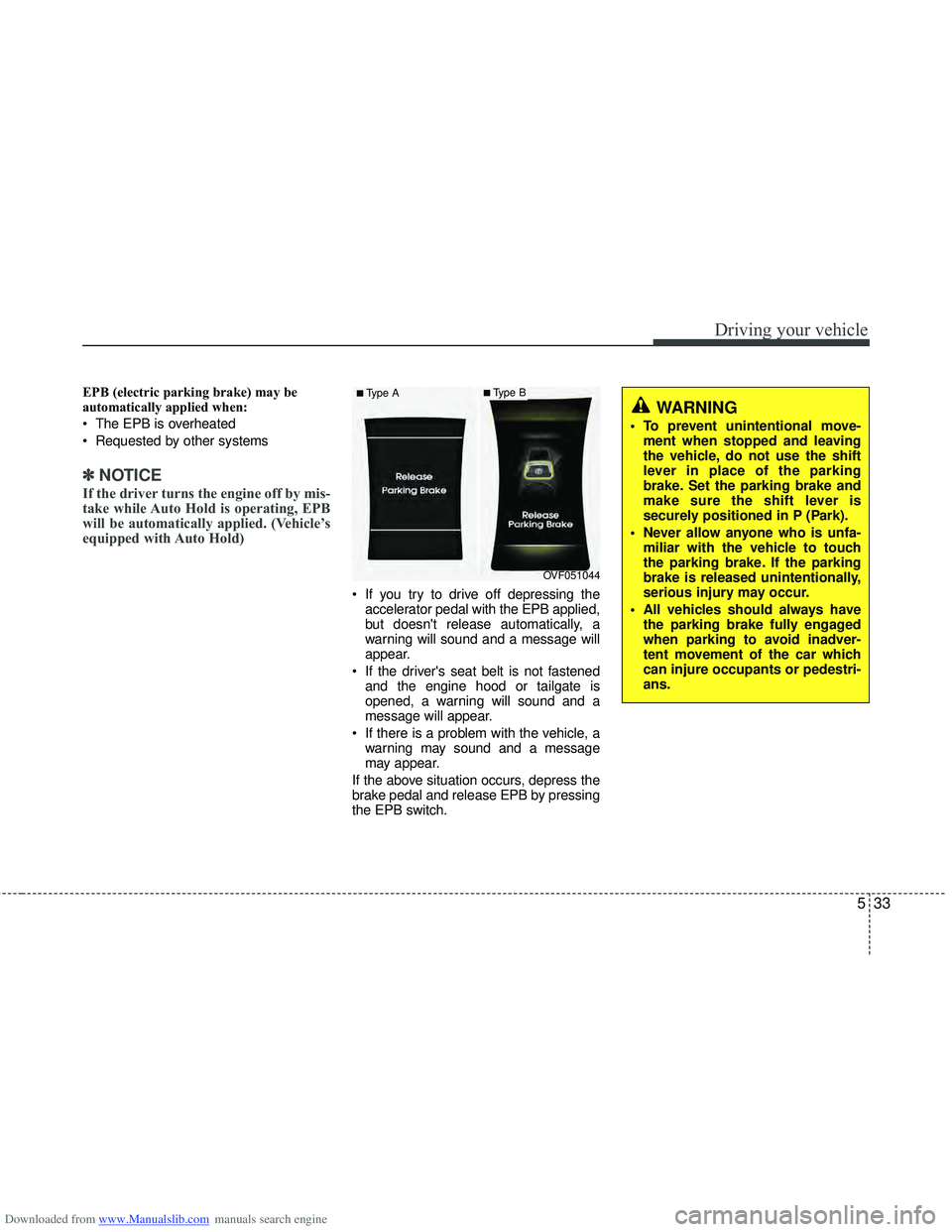
If you try to drive off depressing the
accelerator pedal with the EPB applied,
but doesn't release automatically, a
warning will sound and a message will
appear.
If the driver's seat belt is not fastened and the engine hood or tailgate is
opened, a warning will sound and a
message will appear.
If there is a problem with the vehicle, a warning may sound and a message
may appear.
If the above situation occurs, depress the
brake pedal and release EPB by pressing
the EPB switch.
OVF051044
■Type A■Type B
WARNING
To prevent unintentional move- ment when stopped and leaving
the vehicle, do not use the shift
lever in place of the parking
brake. Set the parking brake and
make sure the shift lever is
securely positioned in P (Park).
Never allow anyone who is unfa- miliar with the vehicle to touch
the parking brake. If the parking
brake is released unintentionally,
serious injury may occur.
All vehicles should always have the parking brake fully engaged
when parking to avoid inadver-
tent movement of the car which
can injure occupants or pedestri-
ans.
Page 329 of 534
Downloaded from www.Manualslib.com manuals search engine Driving your vehicle
36
5
When the EPB (electric parking
brake) is not released
If the EPB does not release normally,
take your vehicle to an authorized
HYUNDAI dealer by towing the vehicle
and have the system checked.
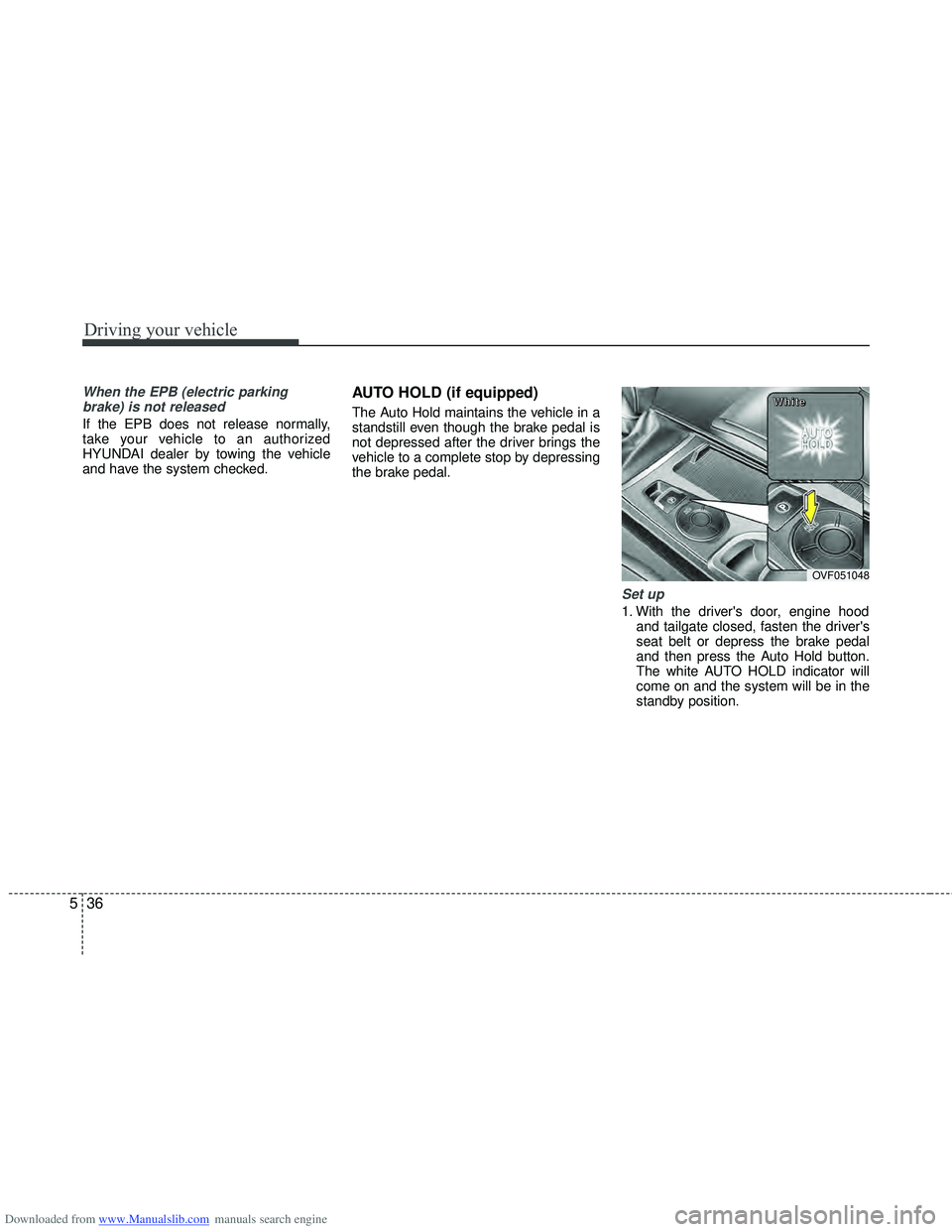
AUTO HOLD (if equipped)
The Auto Hold maintains the vehicle in a
standstill even though the brake pedal is
not depressed after the driver brings the
vehicle to a complete stop by depressing
the brake pedal.
Set up
1. With the driver's door, engine hood and tailgate closed, fasten the driver's
seat belt or depress the brake pedal
and then press the Auto Hold button.
The white AUTO HOLD indicator will
come on and the system will be in the
standby position.
OVF051048
W
W
W
W
h
h
h
h
i
i
i
i
t
t
t
t
e
e
e
e