light HYUNDAI IONIQ 2020 Owners Manual
[x] Cancel search | Manufacturer: HYUNDAI, Model Year: 2020, Model line: IONIQ, Model: HYUNDAI IONIQ 2020Pages: 561, PDF Size: 24.5 MB
Page 476 of 561
7-70
Maintenance
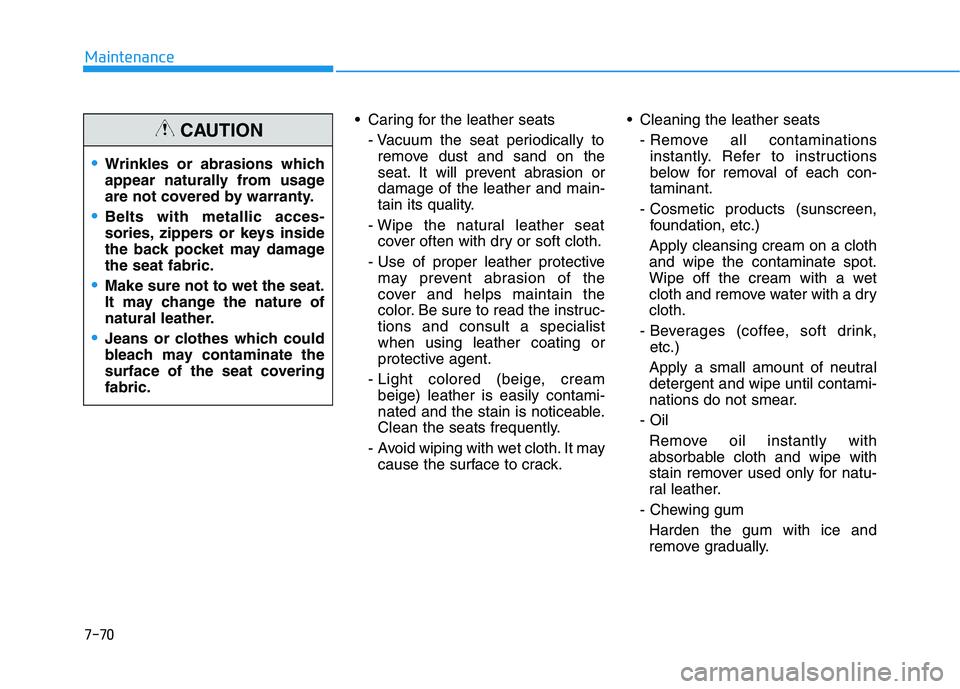
Caring for the leather seats
- Vacuum the seat periodically to
remove dust and sand on the
seat. It will prevent abrasion or
damage of the leather and main-
tain its quality.
- Wipe the natural leather seat
cover often with dry or soft cloth.
- Use of proper leather protective
may prevent abrasion of the
cover and helps maintain the
color. Be sure to read the instruc-
tions and consult a specialist
when using leather coating or
protective agent.
- Light colored (beige, cream
beige) leather is easily contami-
nated and the stain is noticeable.
Clean the seats frequently.
- Avoid wiping with wet cloth. It may
cause the surface to crack. Cleaning the leather seats
- Remove all contaminations
instantly. Refer to instructions
below for removal of each con-
taminant.
- Cosmetic products (sunscreen,
foundation, etc.)
Apply cleansing cream on a cloth
and wipe the contaminate spot.
Wipe off the cream with a wet
cloth and remove water with a dry
cloth.
- Beverages (coffee, soft drink,
etc.)
Apply a small amount of neutral
detergent and wipe until contami-
nations do not smear.
- Oil
Remove oil instantly with
absorbable cloth and wipe with
stain remover used only for natu-
ral leather.
- Chewing gum
Harden the gum with ice and
remove gradually.
Wrinkles or abrasions which
appear naturally from usage
are not covered by warranty.
Belts with metallic acces-
sories, zippers or keys inside
the back pocket may damage
the seat fabric.
Make sure not to wet the seat.
It may change the nature of
natural leather.
Jeans or clothes which could
bleach may contaminate the
surface of the seat covering
fabric.
CAUTION
Page 481 of 561
8-3
88
Specifications, Consumer information and Reporting safety defectsB BU
UL
LB
B
W
WA
AT
TT
TA
AG
GE
E
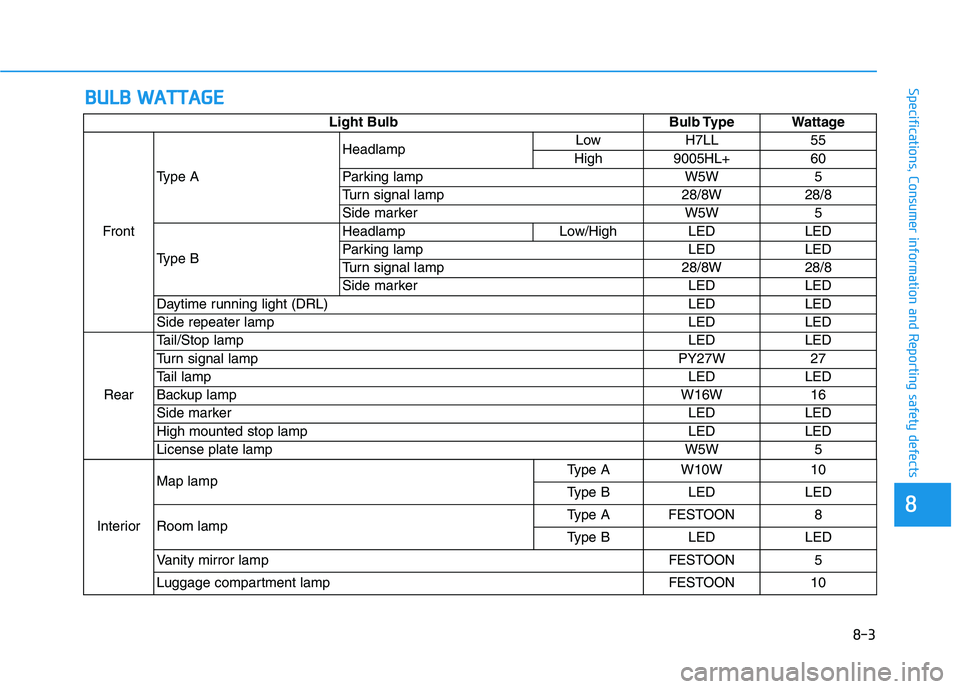
Light Bulb Bulb Type Wattage
FrontType AHeadlampLow H7LL 55
High 9005HL+ 60
Parking lamp W5W 5
Turn signal lamp 28/8W 28/8
Side marker W5W 5
Type BHeadlamp Low/High LED LED
Parking lamp LED LED
Turn signal lamp 28/8W 28/8
Side marker LED LED
Daytime running light (DRL) LED LED
Side repeater lamp LED LED
RearTail/Stop lampLED LED
Turn signal lamp PY27W 27
Tail lampLED LED
Backup lampW16W 16
Side markerLED LED
High mounted stop lamp LED LED
License plate lamp W5W 5
InteriorMap lampType A W10W 10
Type B LED LED
Room lampType A FESTOON 8
Type B LED LED
Vanity mirror lamp FESTOON 5
Luggage compartment lamp FESTOON 10
Page 490 of 561
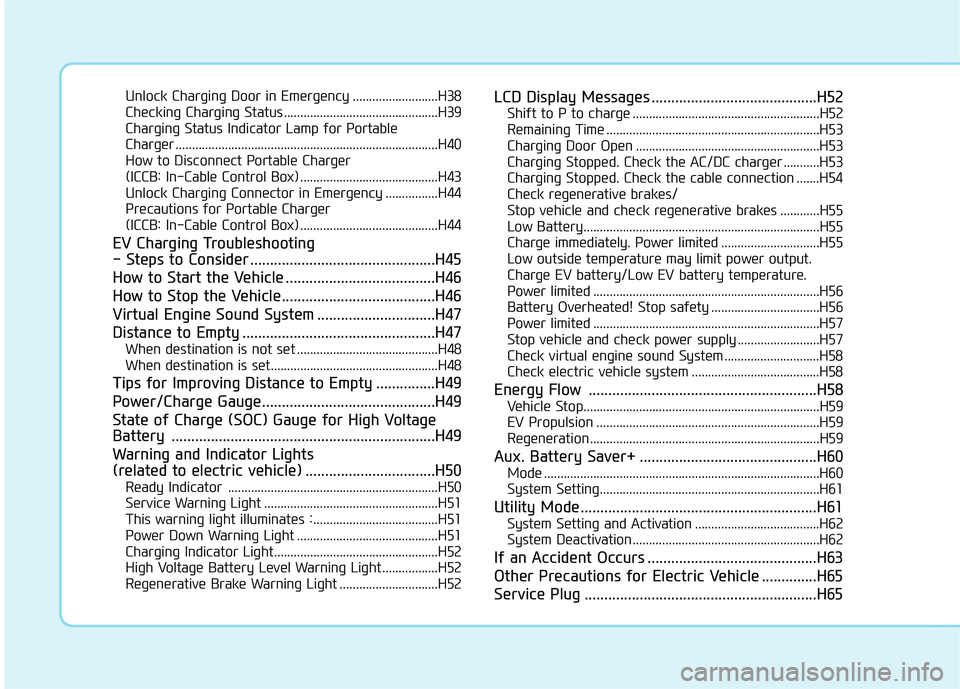
Unlock Charging Door in Emergency ..........................H38
Checking Charging Status ...............................................H39
Charging Status Indicator Lamp for Portable
Charger ................................................................................H40
How to Disconnect Portable Charger
(ICCB: In-Cable Control Box) ..........................................H43
Unlock Charging Connector in Emergency ................H44
Precautions for Portable Charger
(ICCB: In-Cable Control Box) ..........................................H44
EV Charging Troubleshooting
- Steps to Consider ...............................................H45
How to Start the Vehicle ......................................H46
How to Stop the Vehicle.......................................H46
Virtual Engine Sound System ..............................H47
Distance to Empty .................................................H47
When destination is not set ...........................................H48
When destination is set...................................................H48
Tips for Improving Distance to Empty ...............H49
Power/Charge Gauge............................................H49
State of Charge (SOC) Gauge for High Voltage
Battery ...................................................................H49
Warning and Indicator Lights
(related to electric vehicle) .................................H50
Ready Indicator ................................................................H50
Service Warning Light .....................................................H51
This warning light illuminates : ......................................H51
Power Down Warning Light ...........................................H51
Charging Indicator Light..................................................H52
High Voltage Battery Level Warning Light .................H52
Regenerative Brake Warning Light ..............................H52
LCD Display Messages ..........................................H52
Shift to P to charge .........................................................H52
Remaining Time .................................................................H53
Charging Door Open ........................................................H53
Charging Stopped. Check the AC/DC charger ...........H53
Charging Stopped. Check the cable connection .......H54
Check regenerative brakes/
Stop vehicle and check regenerative brakes ............H55
Low Battery........................................................................H55
Charge immediately. Power limited ..............................H55
Low outside temperature may limit power output.
Charge EV battery/Low EV battery temperature.
Power limited .....................................................................H56
Battery Overheated! Stop safety .................................H56
Power limited .....................................................................H57
Stop vehicle and check power supply .........................H57
Check virtual engine sound System .............................H58
Check electric vehicle system .......................................H58
Energy Flow ..........................................................H58
Vehicle Stop........................................................................H59
EV Propulsion ....................................................................H59
Regeneration ......................................................................H59
Aux. Battery Saver+ .............................................H60
Mode ....................................................................................H60
System Setting...................................................................H61
Utility Mode ............................................................H61
System Setting and Activation ......................................H62
System Deactivation .........................................................H62
If an Accident Occurs ...........................................H63
Other Precautions for Electric Vehicle ..............H65
Service Plug ...........................................................H65
Page 492 of 561
H4
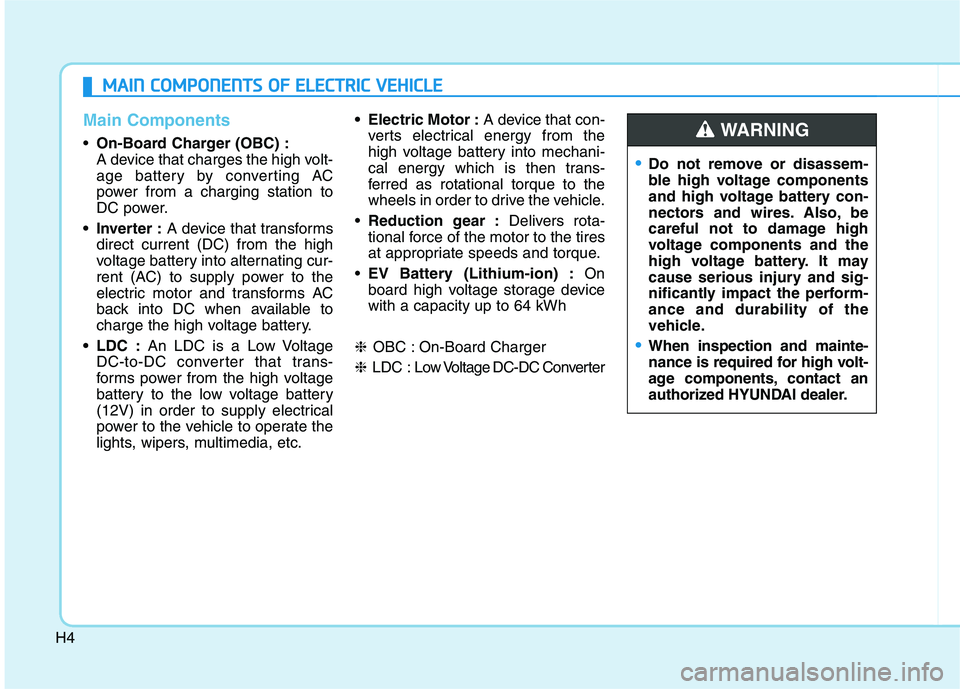
Main Components
On-Board Charger (OBC) :
A device that charges the high volt-
age battery by converting AC
power from a charging station to
DC power.
• Inverter :A device that transforms
direct current (DC) from the high
voltage battery into alternating cur-
rent (AC) to supply power to the
electric motor and transforms AC
back into DC when available to
charge the high voltage battery.
LDC :An LDC is a Low Voltage
DC-to-DC converter that trans-
forms power from the high voltage
battery to the low voltage battery
(12V) in order to supply electrical
power to the vehicle to operate the
lights, wipers, multimedia, etc. Electric Motor :A device that con-
verts electrical energy from the
high voltage battery into mechani-
cal energy which is then trans-
ferred as rotational torque to the
wheels in order to drive the vehicle.
Reduction gear :Delivers rota-
tional force of the motor to the tires
at appropriate speeds and torque.
EV Battery (Lithium-ion) :On
board high voltage storage device
with a capacity up to 64 kWh
❈OBC : On-Board Charger
❈LDC : Low Voltage DC-DC Converter
M
MA
AI
IN
N
C
CO
OM
MP
PO
ON
NE
EN
NT
TS
S
O
OF
F
E
EL
LE
EC
CT
TR
RI
IC
C
V
VE
EH
HI
IC
CL
LE
E
Do not remove or disassem-
ble high voltage components
and high voltage battery con-
nectors and wires. Also, be
careful not to damage high
voltage components and the
high voltage battery. It may
cause serious injury and sig-
nificantly impact the perform-
ance and durability of the
vehicle.
When inspection and mainte-
nance is required for high volt-
age components, contact an
authorized HYUNDAI dealer.
WARNING
Page 507 of 561
H19
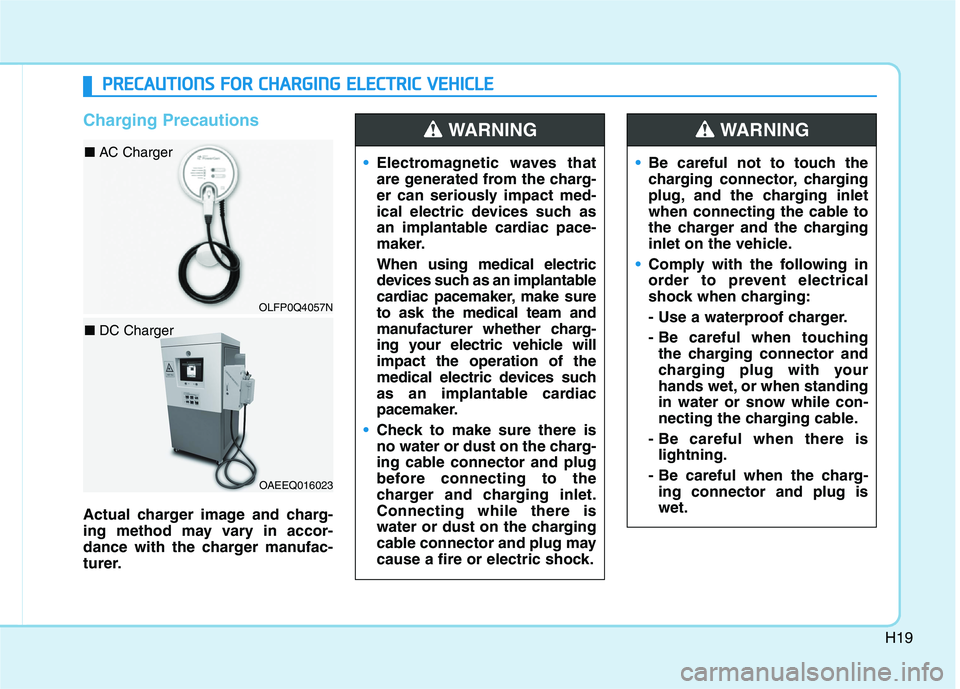
Charging Precautions
Actual charger image and charg-
ing method may vary in accor-
dance with the charger manufac-
turer.Electromagnetic waves that
are generated from the charg-
er can seriously impact med-
ical electric devices such as
an implantable cardiac pace-
maker.
When using medical electric
devices such as an implantable
cardiac pacemaker, make sure
to ask the medical team and
manufacturer whether charg-
ing your electric vehicle will
impact the operation of the
medical electric devices such
as an implantable cardiac
pacemaker.
Check to make sure there is
no water or dust on the charg-
ing cable connector and plug
before connecting to the
charger and charging inlet.
Connecting while there is
water or dust on the charging
cable connector and plug may
cause a fire or electric shock.
WARNING
Be careful not to touch the
charging connector, charging
plug, and the charging inlet
when connecting the cable to
the charger and the charging
inlet on the vehicle.
Comply with the following in
order to prevent electrical
shock when charging:
- Use a waterproof charger.
- Be careful when touching
the charging connector and
charging plug with your
hands wet, or when standing
in water or snow while con-
necting the charging cable.
- Be careful when there is
lightning.
- Be careful when the charg-
ing connector and plug is
wet.
WARNING
P PR
RE
EC
CA
AU
UT
TI
IO
ON
NS
S
F
FO
OR
R
C
CH
HA
AR
RG
GI
IN
NG
G
E
EL
LE
EC
CT
TR
RI
IC
C
V
VE
EH
HI
IC
CL
LE
E
OAEEQ016023
■ DC Charger
OLFP0Q4057N
■ AC Charger
Page 511 of 561
H23
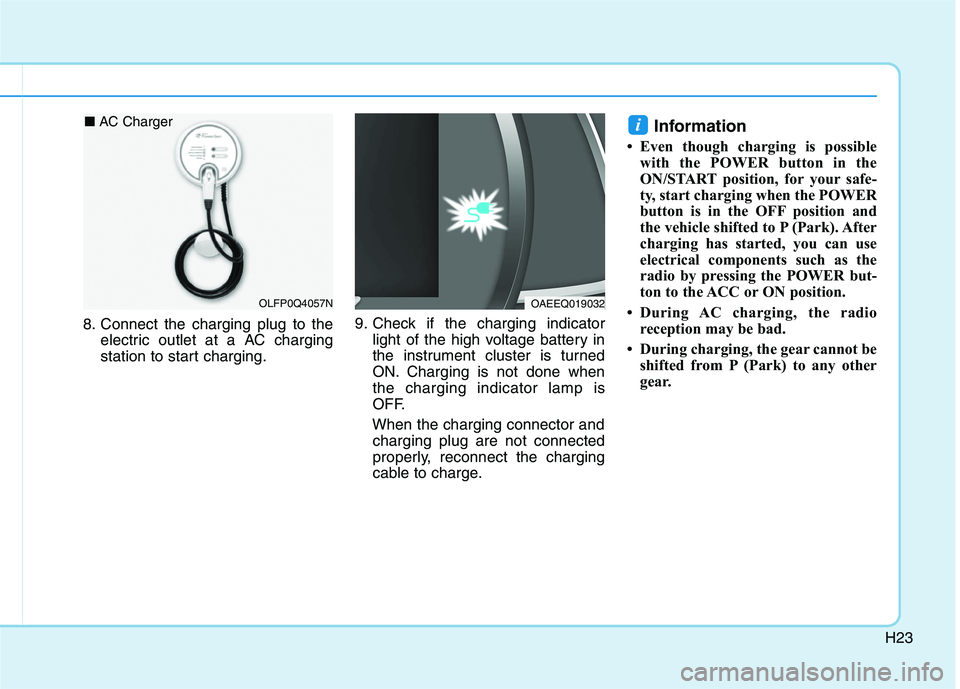
8. Connect the charging plug to the
electric outlet at a AC charging
station to start charging.9. Check if the charging indicator
light of the high voltage battery in
the instrument cluster is turned
ON. Charging is not done when
the charging indicator lamp is
OFF.
When the charging connector and
charging plug are not connected
properly, reconnect the charging
cable to charge.
Information
• Even though charging is possible
with the POWER button in the
ON/START position, for your safe-
ty, start charging when the POWER
button is in the OFF position and
the vehicle shifted to P (Park). After
charging has started, you can use
electrical components such as the
radio by pressing the POWER but-
ton to the ACC or ON position.
• During AC charging, the radio
reception may be bad.
• During charging, the gear cannot be
shifted from P (Park) to any other
gear.
i
OAEEQ019032OLFP0Q4057N
■ AC Charger
Page 512 of 561
H24
C CH
HA
AR
RG
GI
IN
NG
G
E
EL
LE
EC
CT
TR
RI
IC
C
V
VE
EH
HI
IC
CL
LE
E
(
(A
AC
C
C
CH
HA
AR
RG
GE
E)
)
(
(C
CO
ON
NT
T.
.)
)
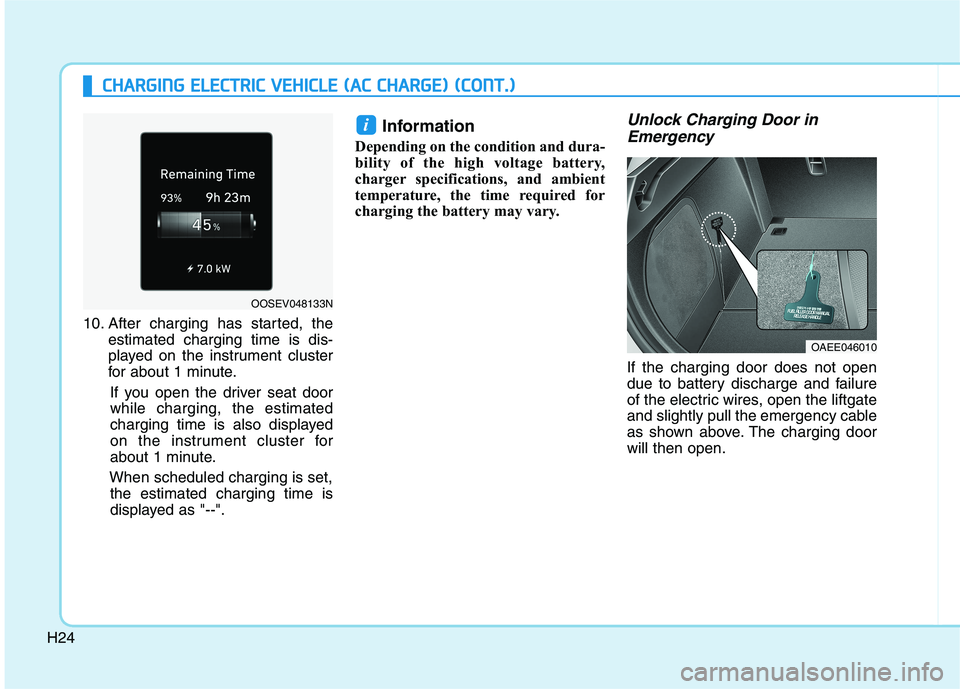
10. After charging has started, the
estimated charging time is dis-
played on the instrument cluster
for about 1 minute.
If you open the driver seat door
while charging, the estimated
charging time is also displayed
on the instrument cluster for
about 1 minute.
When scheduled charging is set,
the estimated charging time is
displayed as "--".
Information
Depending on the condition and dura-
bility of the high voltage battery,
charger specifications, and ambient
temperature, the time required for
charging the battery may vary.
Unlock Charging Door in
Emergency
If the charging door does not open
due to battery discharge and failure
of the electric wires, open the liftgate
and slightly pull the emergency cable
as shown above. The charging door
will then open.
i
OAEE046010
OOSEV048133N
Page 515 of 561
H27
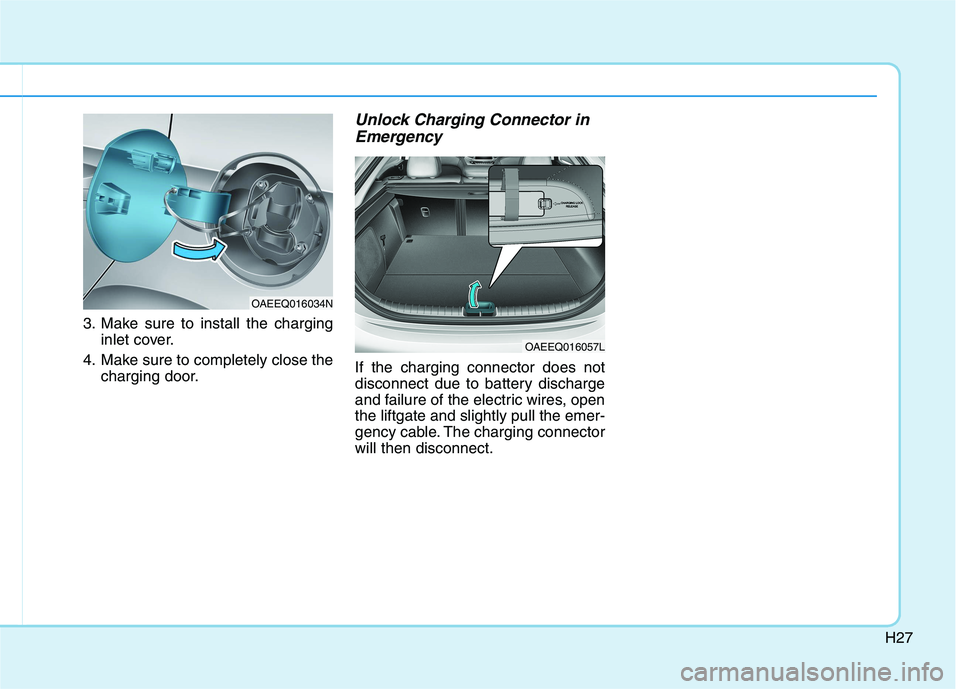
3. Make sure to install the charging
inlet cover.
4. Make sure to completely close the
charging door.
Unlock Charging Connector in
Emergency
If the charging connector does not
disconnect due to battery discharge
and failure of the electric wires, open
the liftgate and slightly pull the emer-
gency cable. The charging connector
will then disconnect.
OAEEQ016034N
OAEEQ016057L
Page 517 of 561
H29
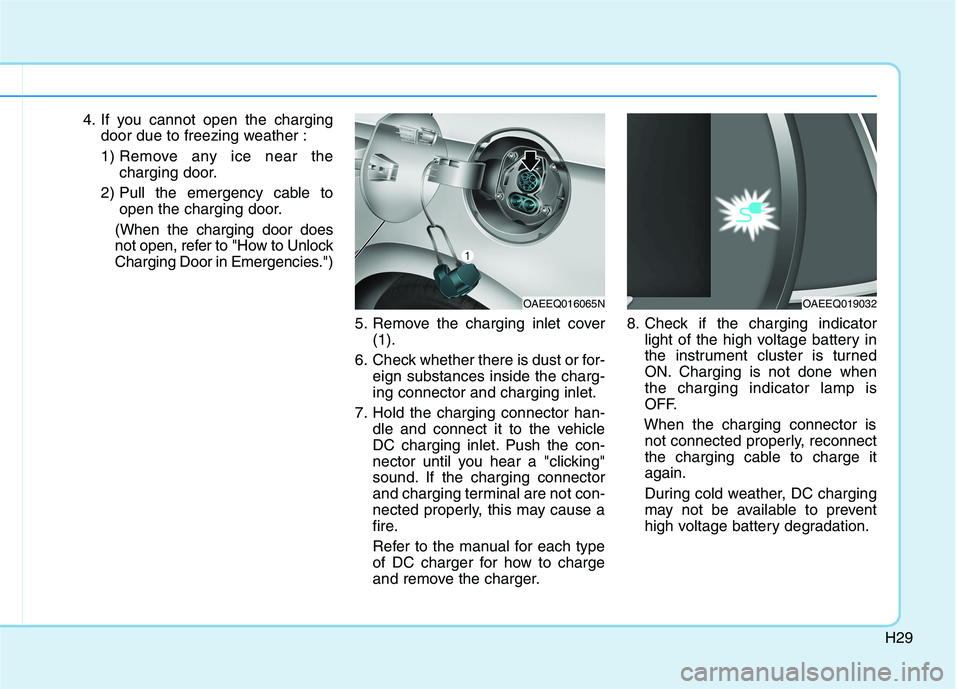
4. If you cannot open the charging
door due to freezing weather :
1) Remove any ice near the
charging door.
2) Pull the emergency cable to
open the charging door.
(When the charging door does
not open, refer to "How to Unlock
Charging Door in Emergencies.")
5. Remove the charging inlet cover
(1).
6. Check whether there is dust or for-
eign substances inside the charg-
ing connector and charging inlet.
7. Hold the charging connector han-
dle and connect it to the vehicle
DC charging inlet. Push the con-
nector until you hear a "clicking"
sound. If the charging connector
and charging terminal are not con-
nected properly, this may cause a
fire.
Refer to the manual for each type
of DC charger for how to charge
and remove the charger.8. Check if the charging indicator
light of the high voltage battery in
the instrument cluster is turned
ON. Charging is not done when
the charging indicator lamp is
OFF.
When the charging connector is
not connected properly, reconnect
the charging cable to charge it
again.
During cold weather, DC charging
may not be available to prevent
high voltage battery degradation.
OAEEQ016065NOAEEQ019032
Page 518 of 561
H30
C CH
HA
AR
RG
GI
IN
NG
G
E
EL
LE
EC
CT
TR
RI
IC
C
V
VE
EH
HI
IC
CL
LE
E
(
(D
DC
C
C
CH
HA
AR
RG
GE
E)
)
(
(C
CO
ON
NT
T.
.)
)
Information
• Even though charging is possible
with the POWER button in the
ON/START position, for your safe-
ty, start charging when the POWER
button is in the OFF position and
the vehicle shifted to P (Park).
After charging has started, you can
use electrical components such as
the radio by pressing the POWER
button to ACC or ON position.
• During charging, the gear cannot be
shifted from P (Park) to any other
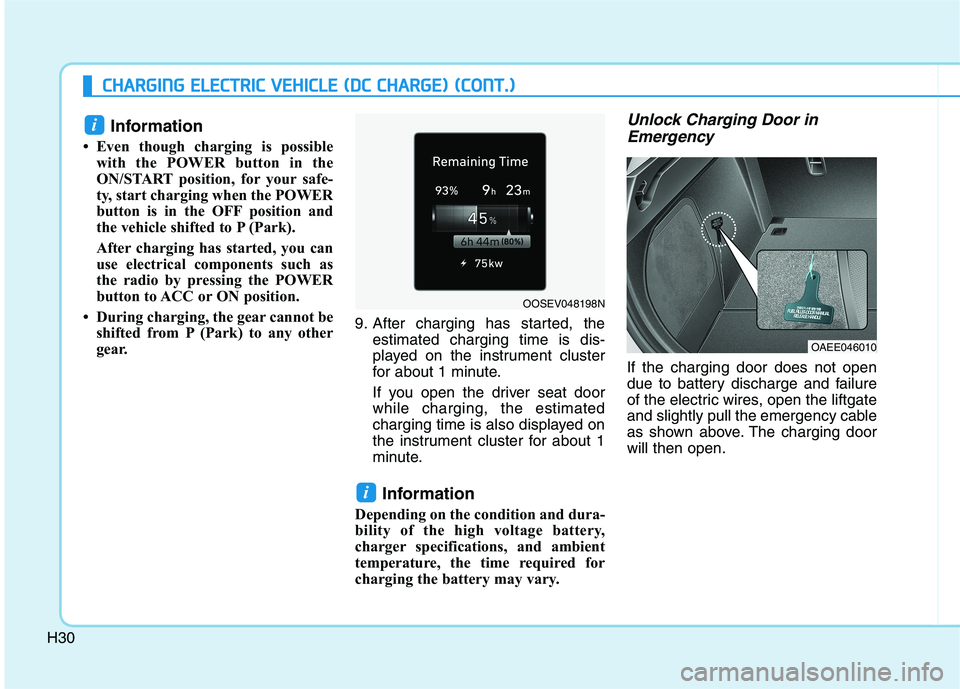
gear. 9. After charging has started, the
estimated charging time is dis-
played on the instrument cluster
for about 1 minute.
If you open the driver seat door
while charging, the estimated
charging time is also displayed on
the instrument cluster for about 1
minute.
Information
Depending on the condition and dura-
bility of the high voltage battery,
charger specifications, and ambient
temperature, the time required for
charging the battery may vary.
Unlock Charging Door in
Emergency
If the charging door does not open
due to battery discharge and failure
of the electric wires, open the liftgate
and slightly pull the emergency cable
as shown above. The charging door
will then open.
i
i
OAEE046010
OOSEV048198N