sensor HYUNDAI IONIQ 2020 User Guide
[x] Cancel search | Manufacturer: HYUNDAI, Model Year: 2020, Model line: IONIQ, Model: HYUNDAI IONIQ 2020Pages: 561, PDF Size: 24.5 MB
Page 115 of 561
3-30
Convenient features of your vehicle
Information
Two way communication range dis-
tance between "vehicle" and "garage
door opener" is 100m.
The range may be reduced or
increased a little due to obstacle condi-
tions around the garage door opener,
such as houses or trees.
Electric chromic mirror (ECM)
with compass and HomeLink®
system (for Canada)
Your vehicle may be equipped with a
Gentex Automatic-Dimming Mirror
with a Z-Nav™ Electronic Compass
Display and an Integrated HomeLink
®
Wireless Control System.
During nighttime driving, this feature
will automatically detect and reduce
rearview mirror glare while the com-
pass indicates the direction the vehi-
cle is pointed. The HomeLink
®
Universal Transceiver allows you to
activate your garage door(s), electric
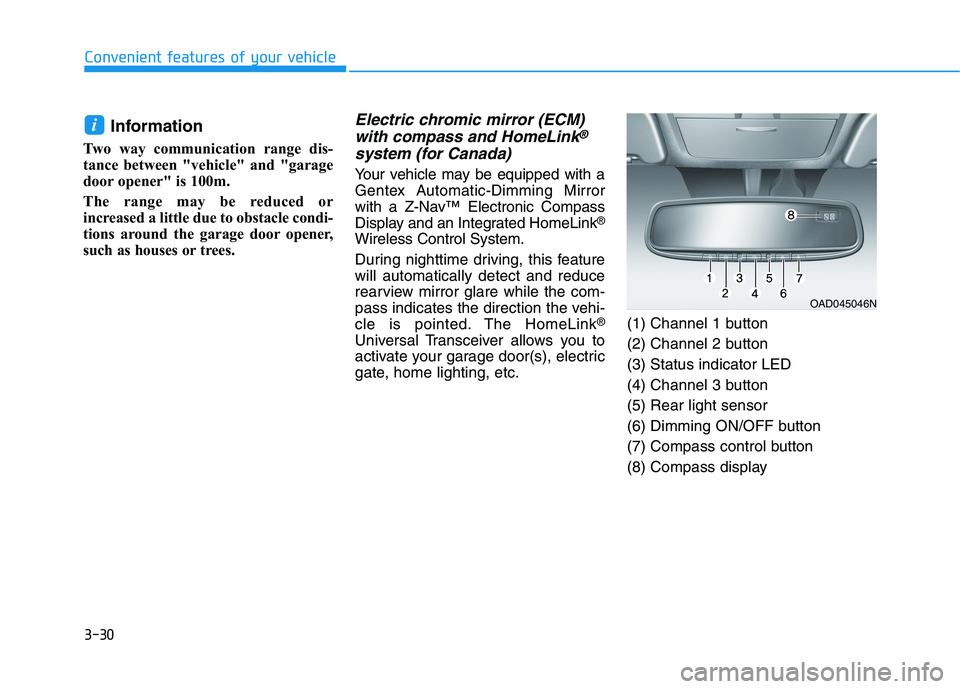
gate, home lighting, etc.(1) Channel 1 button
(2) Channel 2 button
(3) Status indicator LED
(4) Channel 3 button
(5) Rear light sensor
(6) Dimming ON/OFF button
(7) Compass control button
(8) Compass display
i
OAD045046N
Page 116 of 561
3-31
Convenient features of your vehicle
3
Automatic-Dimming Night Vision
Safety™ (NVS®) Mirror
(if equipped)
The NVS®Mirror automatically
reduces glare by monitoring light lev-
els in the front and the rear of the
vehicle. Any object that obstructs
either light sensor will degrade the
automatic dimming control feature.
For more information regarding
NVS
®mirrors and other applica-
tions, please refer to the Gentex
website:
www.gentex.comThe auto-dimming function can be
controlled by pressing the ON/OFF
button:
1. Pressing the button turns the auto-
dimming function OFF which is
indicated by the green Status
Indicator LED turning off.
2. Pressing the button again turns
the auto-dimming function ON
which is indicated by the green
Status Indicator LED turning on.
The mirror defaults to the ON posi-
tion each time the vehicle is started.
Z-Nav™ Compass Display
The NVS™ Mirror in your vehicle is
also equipped with a Z-Nav™
Compass that shows the vehicle
Compass heading in the Display
Window using the 8 basic cardinal
headings (N, NE, E, SE, etc.).
Compass function
The Compass can be turned ON and
OFF and will remember the last state
when the vehicle is cycled. To turn
the display feature ON/OFF:
1. Press and release the button to
turn the display feature OFF.
2. Press and release the button
again to turn the display back ON.
Additional options can be set with
press and hold sequences of the but-
ton and are detailed below.
There is a difference between mag-
netic north and true north. To com-
pensate for this difference you will
need to adjust the Zone setting
based on where you live.
Page 145 of 561
3-60
Convenient features of your vehicle
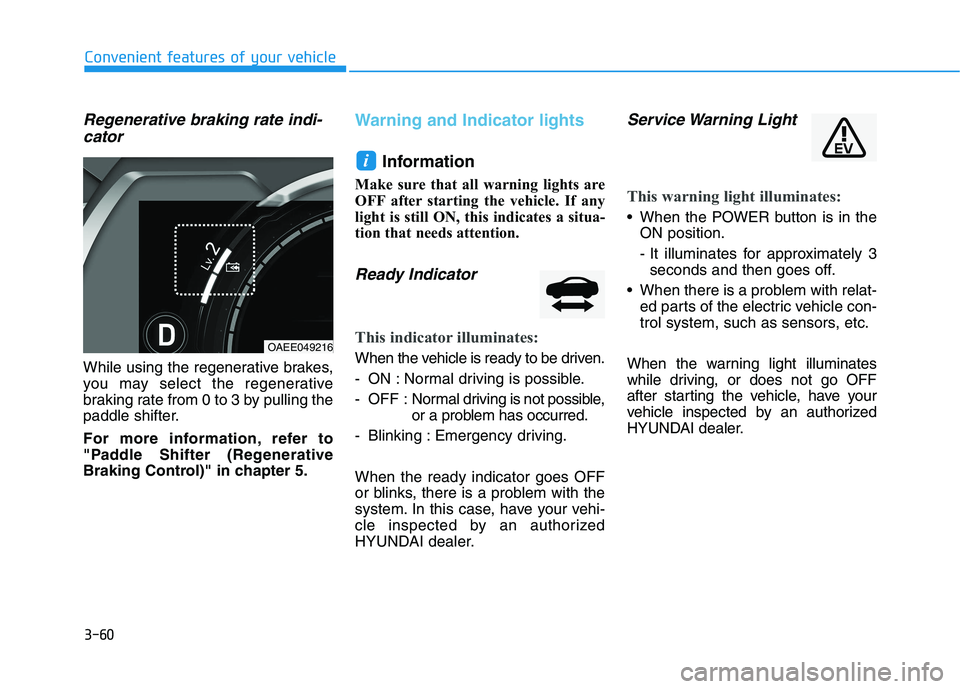
Regenerative braking rate indi-
cator
While using the regenerative brakes,
you may select the regenerative
braking rate from 0 to 3 by pulling the
paddle shifter.
For more information, refer to
"Paddle Shifter (Regenerative
Braking Control)" in chapter 5.
Warning and Indicator lights
Information
Make sure that all warning lights are
OFF after starting the vehicle. If any
light is still ON, this indicates a situa-
tion that needs attention.
Ready Indicator
This indicator illuminates:
When the vehicle is ready to be driven.
- ON : Normal driving is possible.
- OFF : Normal driving is not possible,
or a problem has occurred.
- Blinking : Emergency driving.
When the ready indicator goes OFF
or blinks, there is a problem with the
system. In this case, have your vehi-
cle inspected by an authorized
HYUNDAI dealer.
Service Warning Light
This warning light illuminates:
When the POWER button is in the
ON position.
- It illuminates for approximately 3
seconds and then goes off.
When there is a problem with relat-
ed parts of the electric vehicle con-
trol system, such as sensors, etc.
When the warning light illuminates
while driving, or does not go OFF
after starting the vehicle, have your
vehicle inspected by an authorized
HYUNDAI dealer.
i
OAEE049216
Page 187 of 561
3-102
Convenient features of your vehicle
• Do not cover or spill anything on
the sensor (1) located in front of
the instrument panel.
Do not clean the sensor using a
window cleaner, the cleanser may
leave a light film which could
interfere with sensor operation.
If your vehicle has window tint
or other types of metallic coat-
ing on the front windshield, the
AUTO light system may not work
properly.
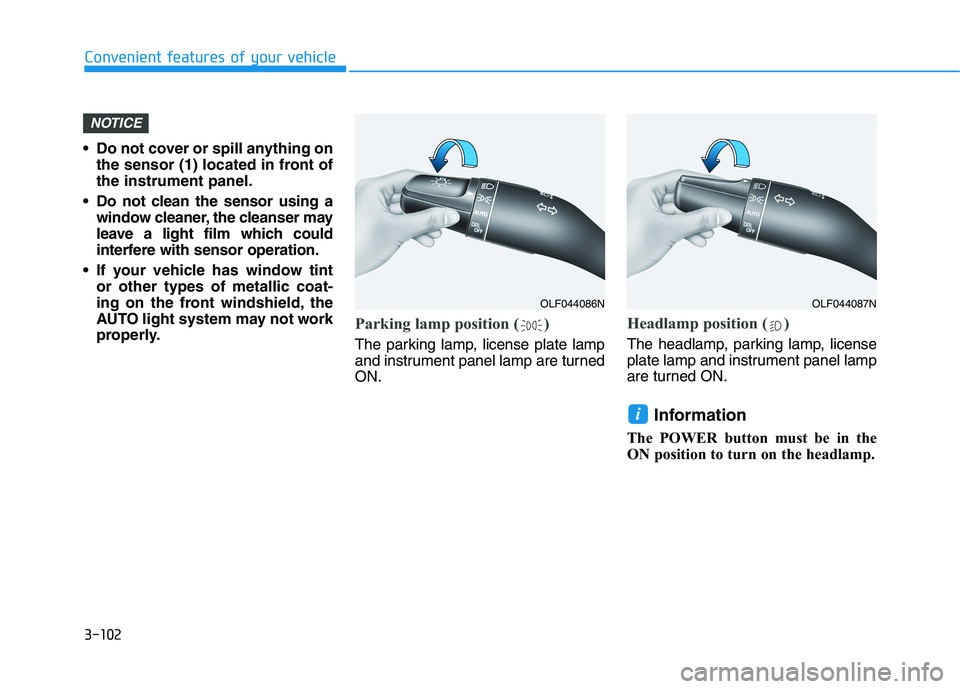
Parking lamp position ( )
The parking lamp, license plate lamp
and instrument panel lamp are turned
ON.
Headlamp position ( )
The headlamp, parking lamp, license
plate lamp and instrument panel lamp
are turned ON.
Information
The POWER button must be in the
ON position to turn on the headlamp.
i
NOTICE
OLF044086NOLF044087N
Page 206 of 561
3-121
Convenient features of your vehicle
3
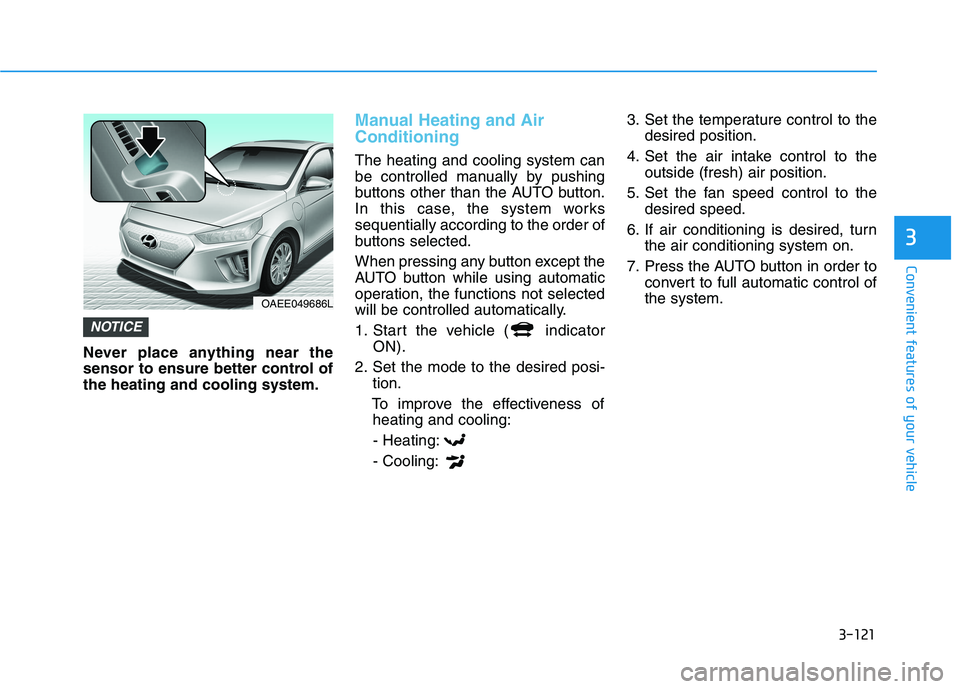
Never place anything near the
sensor to ensure better control of
the heating and cooling system.
Manual Heating and Air
Conditioning
The heating and cooling system can
be controlled manually by pushing
buttons other than the AUTO button.
In this case, the system works
sequentially according to the order of
buttons selected.
When pressing any button except the
AUTO button while using automatic
operation, the functions not selected
will be controlled automatically.
1. Start the vehicle ( indicator
ON).
2. Set the mode to the desired posi-
tion.
To improve the effectiveness of
heating and cooling:
- Heating:
- Cooling:3. Set the temperature control to the
desired position.
4. Set the air intake control to the
outside (fresh) air position.
5. Set the fan speed control to the
desired speed.
6. If air conditioning is desired, turn
the air conditioning system on.
7. Press the AUTO button in order to
convert to full automatic control of
the system.
NOTICE
OAEE049686L
Page 220 of 561
3-135
Convenient features of your vehicle
3
Do not remove the sensor cover
located on the upper end of the
windshield glass.
Damage to system parts could
occur and may not be covered by
your vehicle warranty.
Automatic Ventilation
(if equipped)
When the POWER button is in the
ON position or when the vehicle is in
the ready ( ) mode and tempera-
ture is below 59°F (15°C) with the
recirculated air position selected
more than five minutes, the air intake
position will automatically change to
the outside (fresh) air position.
To cancel or reset the Automatic
Ventilation
When the air conditioning system is
on, select Face Level mode,
press the recirculated air position
button for three seconds.
NOTICE
C CL
LI
IM
MA
AT
TE
E
C
CO
ON
NT
TR
RO
OL
L
A AD
DD
DI
IT
TI
IO
ON
NA
AL
L
F
FE
EA
AT
TU
UR
RE
ES
S
( (I
IF
F
E
EQ
QU
UI
IP
PP
PE
ED
D)
)
Page 237 of 561
Driving your vehicle
Before driving.........................................................5-3
Before Entering the Vehicle ...........................................5-3
Before Starting ..................................................................5-3
Power button ..........................................................5-5
POWER Button Positions.................................................5-6
Starting the Vehicle ..........................................................5-8
Turning Off the Vehicle ...................................................5-9
Reduction gear .....................................................5-10
Reduction Gear Operation ............................................5-10
Parking ...............................................................................5-12
LCD Display Messages ...................................................5-12
Good Driving Practices ..................................................5-15
Paddle shifter (regenerative braking control) ..5-16
One Pedal Driving ...........................................................5-17
Smart regeneration system with
smart cruise control system...............................5-18
System Setting .................................................................5-18
Activating the Smart Regeneration System .............5-18
Cancelling the Smart Regeneration System .............5-20
Resuming the Smart Regeneration System ..............5-20
Disabling the Smart Regeneration System ...............5-20
Vehicle-to-Vehicle Front Recognition
- Front Radar Sensor ....................................................5-20
Warning Message............................................................5-21
Limitations of the System .............................................5-21
Braking system ...................................................5-26
Power Brakes ...................................................................5-26
Disc Brake Wear Indicator ............................................5-27
Electronic Parking Brake (EPB)...................................5-27
Auto Hold ..........................................................................5-32
Anti-lock Brake System (ABS) ....................................5-36
Electronic Stability Control (ESC)................................5-38
Vehicle Stability Management (VSM).........................5-42
Hill-Start Assist Control (HAC) ....................................5-43
Good Braking Practices .................................................5-44
Drive Mode Integrated Control System ...........5-45
Drive mode ........................................................................5-45
Initial setting for each Drive Mode ............................5-45
Forward Collision-Avoidance assist (FCA) .....5-46
System setting and activation......................................5-46
FCA warning message and brake control .................5-48
FCA sensor (Front view camera+ Front radar) .......5-51
System malfunction ........................................................5-53
Limitations of the system .............................................5-55
Lane Keeping Assist (LKA) .................................5-62
LKA operation ..................................................................5-64
Warning light and message ..........................................5-67
Limitations of the System .............................................5-68
LKA system function change .......................................5-70
5
Page 238 of 561
5
Blind-spot Collision Warning (BCW) ................5-71
System description .........................................................5-71
System setting and operation ......................................5-72
Warning message and system control.......................5-74
Declaration of conformity ...........................................5-82
Driver Attention Warning (DAW) ......................5-84
System setting and operation ......................................5-84
Resetting the system ....................................................5-87
System standby ...............................................................5-87
System malfunction ........................................................5-87
Leading Vehicle Departure Alert .................................5-90
Smart Cruise Control with Stop and Go
(SCC with S&G) ...................................................5-92
To adjust the sensitivity of Smart Cruise Control ..5-94
To convert to Cruise Control mode ............................5-95
Smart Cruise Control speed ..........................................5-95
Smart Cruise Control Vehicle-to-Vehicle
Distance ...........................................................................5-100
Sensor to detect distance to the vehicle ahead ...5-103
Limitations of the system ...........................................5-105
Lane Following Assist (LFA).............................5-111
LFA operation ................................................................5-113
Warning message ..........................................................5-114
Limitations of the system ...........................................5-116
Highway Driving Assist (HDA) .........................5-118
System Setting and Operation...................................5-118
Warning Message .........................................................5-121
Rear Cross-traffic Collision
Warning (RCCW) ...............................................5-125
System description .......................................................5-125
System setting and operation....................................5-125
Warning message and system control ....................5-127
Detecting Sensor...........................................................5-129
Special driving conditions .................................5-135
Hazardous Driving Conditions....................................5-135
Rocking the Vehicle ......................................................5-135
Smooth Cornering .........................................................5-136
Driving at Night .............................................................5-136
Driving in the Rain ........................................................5-136
Driving in Flooded Areas.............................................5-137
Highway Driving ............................................................5-137
Winter driving .....................................................5-138
Snow or Icy Conditions................................................5-138
Winter Precautions .......................................................5-140
Vehicle load limit ................................................5-142
Tire Loading Information Label .................................5-142
Trailer Towing .....................................................5-146
Page 256 of 561
5-20
Cancelling the Smart
Regeneration System:
Cancelled manually
Pulling and holding the right side
paddle shifter for more than 1 sec-
ond.
The Smart Regeneration System
turns off temporarily. Note that the
"AUTO" indicator in the LCD dis-
play turns off.
Cancelled automatically
- The vehicle is shifted to N
(Neutral), R (Reverse) or P
(Park).
- The Cruise Control System
(including the Smart Cruise
Control system) is enabled.
- The ESC (Electronic Stability
Control) or ABS is activated.
Resuming the Smart
Regeneration System
To re-activate the Smart
Regeneration System while driving,
pull and hold the right side paddle
shifter for more than 1 second again.
Note that the "AUTO" indicator in the
LCD display turns back on, signaling
that the Smart Regeneration System
is enabled again.
Disabling the Smart
Regeneration System
To turn off the system, shift to P (Park)
and deselect 'User Settings →
Convenience →Smart Regeneration'
on the User Settings mode.
Vehicle-to-Vehicle Front
Recognition - Front Radar
Sensor
In order for the Smart Regeneration
System to operate properly, always
make sure the radar sensor cover is
clean and free of dirt, snow, and
debris. Dirt, snow, or foreign sub-
stances on the lens may adversely
affect the sensing performance of
the sensor. In this case, the system
operation may stop temporarily and
not operate normally.
Driving your vehicle
Do not apply license plate
frame or foreign objects such
as a bumper sticker or a
bumper guard near the radar
sensor. Doing so may adverse-
ly affect the sensing perform-
ance of the radar.
Always keep the radar sensor
and lens cover clean and free
of dirt and debris.
(Continued)
CAUTION
When the Smart Regeneration
System is cancelled automati-
cally, adjust the vehicle speed
directly by depressing the
accelerator or brake pedal
according to the road condition
ahead and driving condition.
WARNING
Page 257 of 561
5-21
Driving your vehicle
Warning Message
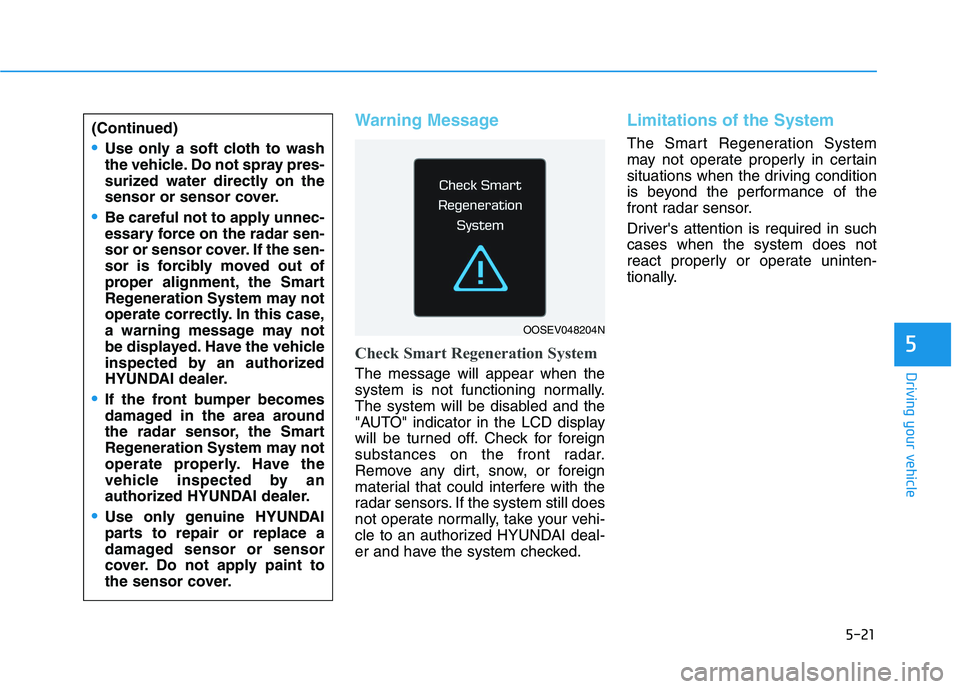
Check Smart Regeneration System
The message will appear when the
system is not functioning normally.
The system will be disabled and the
"AUTO" indicator in the LCD display
will be turned off. Check for foreign
substances on the front radar.
Remove any dirt, snow, or foreign
material that could interfere with the
radar sensors. If the system still does
not operate normally, take your vehi-
cle to an authorized HYUNDAI deal-
er and have the system checked.
Limitations of the System
The Smart Regeneration System
may not operate properly in certain
situations when the driving condition
is beyond the performance of the
front radar sensor.
Driver's attention is required in such
cases when the system does not
react properly or operate uninten-
tionally.
5
(Continued)
Use only a soft cloth to wash
the vehicle. Do not spray pres-
surized water directly on the
sensor or sensor cover.
Be careful not to apply unnec-
essary force on the radar sen-
sor or sensor cover. If the sen-
sor is forcibly moved out of
proper alignment, the Smart
Regeneration System may not
operate correctly. In this case,
a warning message may not
be displayed. Have the vehicle
inspected by an authorized
HYUNDAI dealer.
If the front bumper becomes
damaged in the area around
the radar sensor, the Smart
Regeneration System may not
operate properly. Have the
vehicle inspected by an
authorized HYUNDAI dealer.
Use only genuine HYUNDAI
parts to repair or replace a
damaged sensor or sensor
cover. Do not apply paint to
the sensor cover.
OOSEV048204N