sensor HYUNDAI IONIQ 2020 Service Manual
[x] Cancel search | Manufacturer: HYUNDAI, Model Year: 2020, Model line: IONIQ, Model: HYUNDAI IONIQ 2020Pages: 561, PDF Size: 24.5 MB
Page 342 of 561
5-106
Driving your vehicle
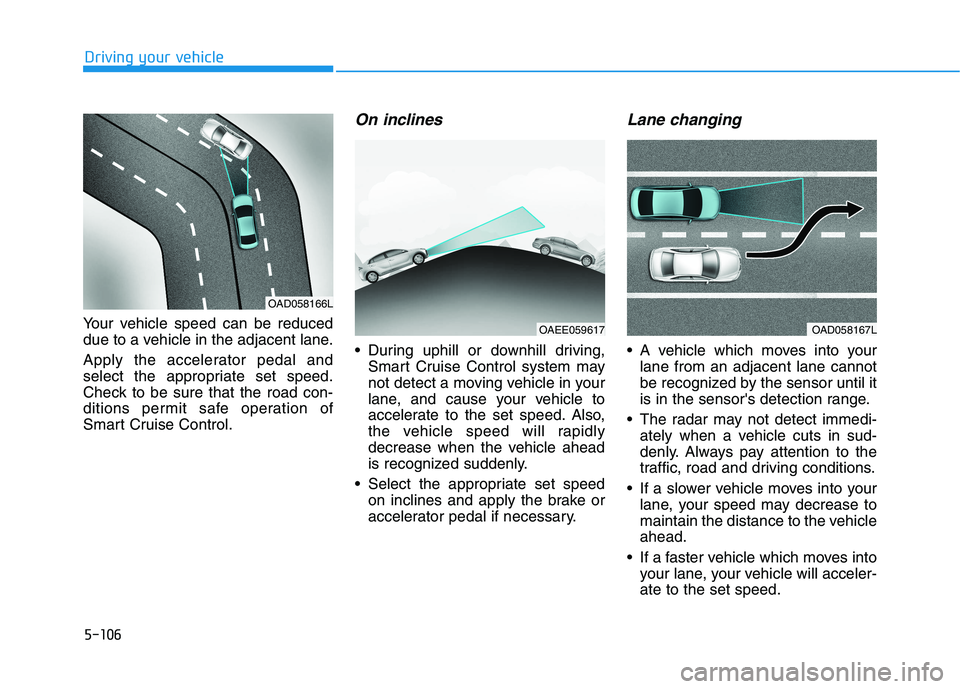
Your vehicle speed can be reduced
due to a vehicle in the adjacent lane.
Apply the accelerator pedal and
select the appropriate set speed.
Check to be sure that the road con-
ditions permit safe operation of
Smart Cruise Control.
On inclines
During uphill or downhill driving,
Smart Cruise Control system may
not detect a moving vehicle in your
lane, and cause your vehicle to
accelerate to the set speed. Also,
the vehicle speed will rapidly
decrease when the vehicle ahead
is recognized suddenly.
Select the appropriate set speed
on inclines and apply the brake or
accelerator pedal if necessary.
Lane changing
A vehicle which moves into your
lane from an adjacent lane cannot
be recognized by the sensor until it
is in the sensor's detection range.
The radar may not detect immedi-
ately when a vehicle cuts in sud-
denly. Always pay attention to the
traffic, road and driving conditions.
If a slower vehicle moves into your
lane, your speed may decrease to
maintain the distance to the vehicle
ahead.
If a faster vehicle which moves into
your lane, your vehicle will acceler-
ate to the set speed.
OAD058166L
OAEE059617OAD058167L
Page 343 of 561
5-107
Driving your vehicle
5
Vehicle recognition
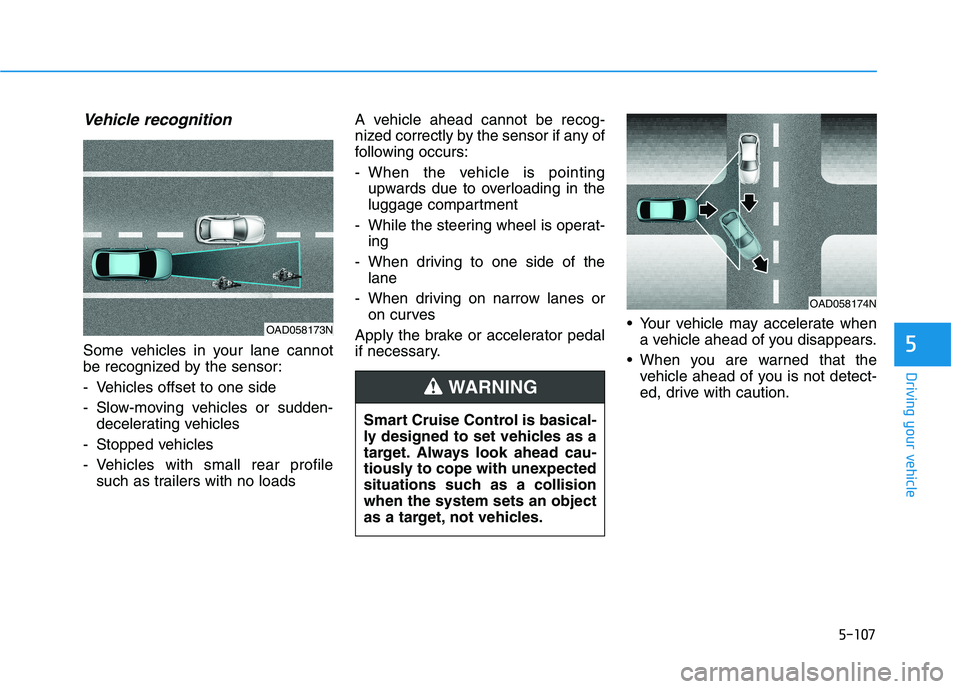
Some vehicles in your lane cannot
be recognized by the sensor:
- Vehicles offset to one side
- Slow-moving vehicles or sudden-
decelerating vehicles
- Stopped vehicles
- Vehicles with small rear profile
such as trailers with no loadsA vehicle ahead cannot be recog-
nized correctly by the sensor if any of
following occurs:
- When the vehicle is pointing
upwards due to overloading in the
luggage compartment
- While the steering wheel is operat-
ing
- When driving to one side of the
lane
- When driving on narrow lanes or
on curves
Apply the brake or accelerator pedal
if necessary. Your vehicle may accelerate when
a vehicle ahead of you disappears.
When you are warned that the
vehicle ahead of you is not detect-
ed, drive with caution.
OAD058173N
OAD058174N
Smart Cruise Control is basical-
ly designed to set vehicles as a
target. Always look ahead cau-
tiously to cope with unexpected
situations such as a collision
when the system sets an object
as a target, not vehicles.
WARNING
Page 353 of 561
5-117
Driving your vehicle
5
The lane marker is very thick or
thin.
The lane is very wide or narrow.
The lane marker ahead is not visi-
ble due to rain, snow, water on the
road, damaged or stained road
surface, or other factors.
The shadow is on the lane marker
by a median strip, trees, guardrail,
noise barriers, etc.
The lane markers are complicated
or a structure substitutes for the
lines such as a construction area.
There are crosswalk signs or other
symbols on the road.
The lane marker in a tunnel is
stained with oil, etc.
The lane suddenly disappears
such as at the intersection.When external condition is inter-
vened
The brightness outside changes
suddenly such as when entering or
exiting a tunnel, or when passing
under a bridge.
The brightness outside is too low
such as when the headlamps are
not on at night or the vehicle is
going through a tunnel.
There is a boundary structure in
the roadway such as a concrete
barrier, guardrail and reflector post
that is inadvertently being detected
by the camera.
When light coming from a street
light or an oncoming vehicle is
reflected on a wet road surface
such as a puddle in the road.
The field of view in front is
obstructed by sun glare.
There is not enough distance
between you and the vehicle in
front to be able to detect the lane
marker or the vehicle ahead is driv-
ing on the lane marker. Driving on a steep grade, over a
hill, or when driving on a curved
road.
The adverse road conditions cause
excessive vehicle vibrations while
driving.
The surrounding of the inside rear
view mirror temperature is high
due to direct sunlight, etc.
When front visibility is poor
The windshield or the camera lens
is blocked with dirt or debris.
The windshield glass is fogged up;
a clear view of the road is obstruct-
ed.
Placing objects on the dashboard,
etc.
The sensor cannot detect the lane
because of fog, heavy rain or snow.
Page 361 of 561
5-125
Driving your vehicle
5
System description
Rear Cross-Traffic Collision Warning
system uses radar sensors to moni-
tor the approaching cross traffic from
the left and right side of the vehicle
when your vehicle is in reverse.
The blind spot detection range varies
relative to the approaching vehicle
speed.
System setting and operation
System setting
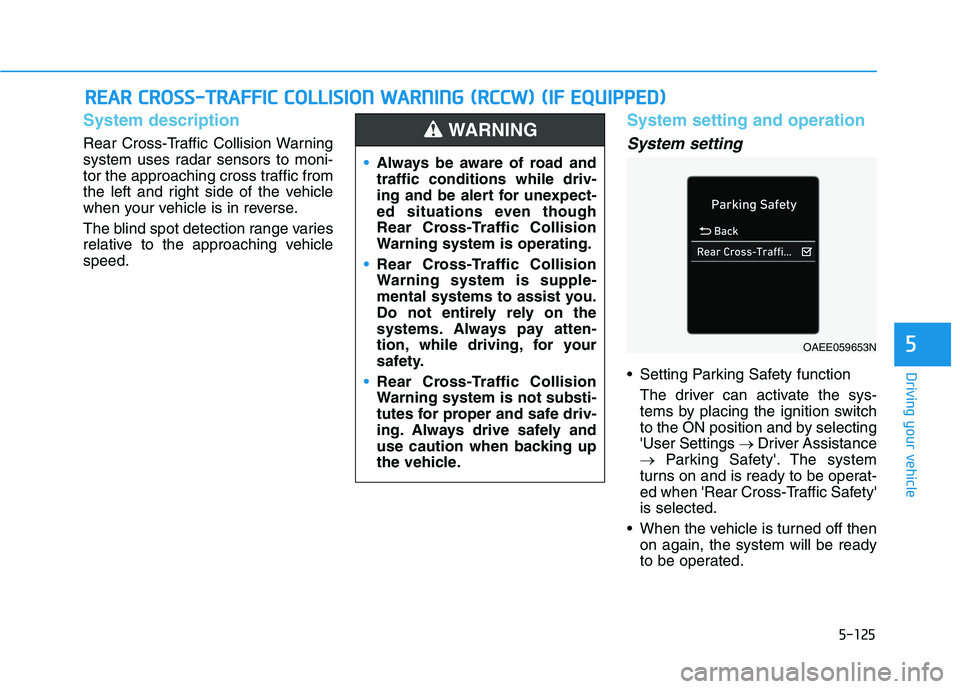
Setting Parking Safety function
The driver can activate the sys-
tems by placing the ignition switch
to the ON position and by selecting
'User Settings →Driver Assistance
→Parking Safety'. The system
turns on and is ready to be operat-
ed when 'Rear Cross-Traffic Safety'
is selected.
When the vehicle is turned off then
on again, the system will be ready
to be operated.
R RE
EA
AR
R
C
CR
RO
OS
SS
S-
-T
TR
RA
AF
FF
FI
IC
C
C
CO
OL
LL
LI
IS
SI
IO
ON
N
W
WA
AR
RN
NI
IN
NG
G
(
(R
RC
CC
CW
W)
)
(
(I
IF
F
E
EQ
QU
UI
IP
PP
PE
ED
D)
)
Always be aware of road and
traffic conditions while driv-
ing and be alert for unexpect-
ed situations even though
Rear Cross-Traffic Collision
Warning system is operating.
Rear Cross-Traffic Collision
Warning system is supple-
mental systems to assist you.
Do not entirely rely on the
systems. Always pay atten-
tion, while driving, for your
safety.
Rear Cross-Traffic Collision
Warning system is not substi-
tutes for proper and safe driv-
ing. Always drive safely and
use caution when backing up
the vehicle.
WARNING
OAEE059653N
Page 363 of 561
5-127
Driving your vehicle
5
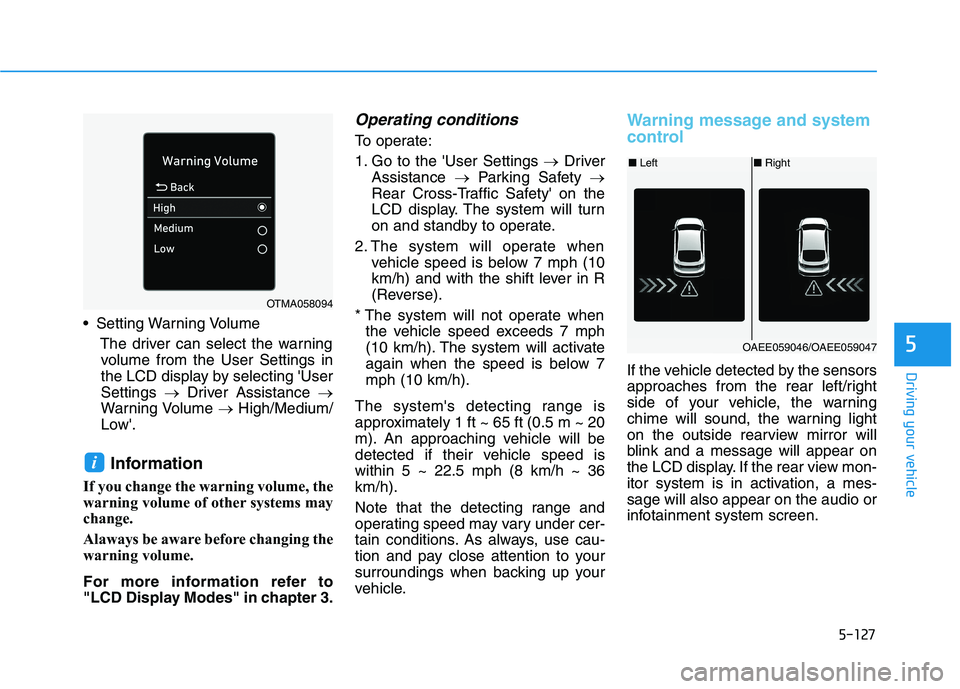
Setting Warning Volume
The driver can select the warning
volume from the User Settings in
the LCD display by selecting 'User
Settings →Driver Assistance →
Warning Volume →High/Medium/
Low'.
Information
If you change the warning volume, the
warning volume of other systems may
change.
Alaways be aware before changing the
warning volume.
For more information refer to
"LCD Display Modes" in chapter 3.
Operating conditions
To operate:
1. Go to the 'User Settings →Driver
Assistance →Parking Safety →
Rear Cross-Traffic Safety' on the
LCD display. The system will turn
on and standby to operate.
2. The system will operate when
vehicle speed is below 7 mph (10
km/h) and with the shift lever in R
(Reverse).
* The system will not operate when
the vehicle speed exceeds 7 mph
(10 km/h). The system will activate
again when the speed is below 7
mph (10 km/h).
The system's detecting range is
approximately 1 ft ~ 65 ft (0.5 m ~ 20
m). An approaching vehicle will be
detected if their vehicle speed is
within 5 ~ 22.5 mph (8 km/h ~ 36
km/h).
Note that the detecting range and
operating speed may vary under cer-
tain conditions. As always, use cau-
tion and pay close attention to your
surroundings when backing up your
vehicle.
Warning message and system
control
If the vehicle detected by the sensors
approaches from the rear left/right
side of your vehicle, the warning
chime will sound, the warning light
on the outside rearview mirror will
blink and a message will appear on
the LCD display. If the rear view mon-
itor system is in activation, a mes-
sage will also appear on the audio or
infotainment system screen.
i
OTMA058094
■Left■Right
OAEE059046/OAEE059047
Page 365 of 561
5-129
Driving your vehicle
5
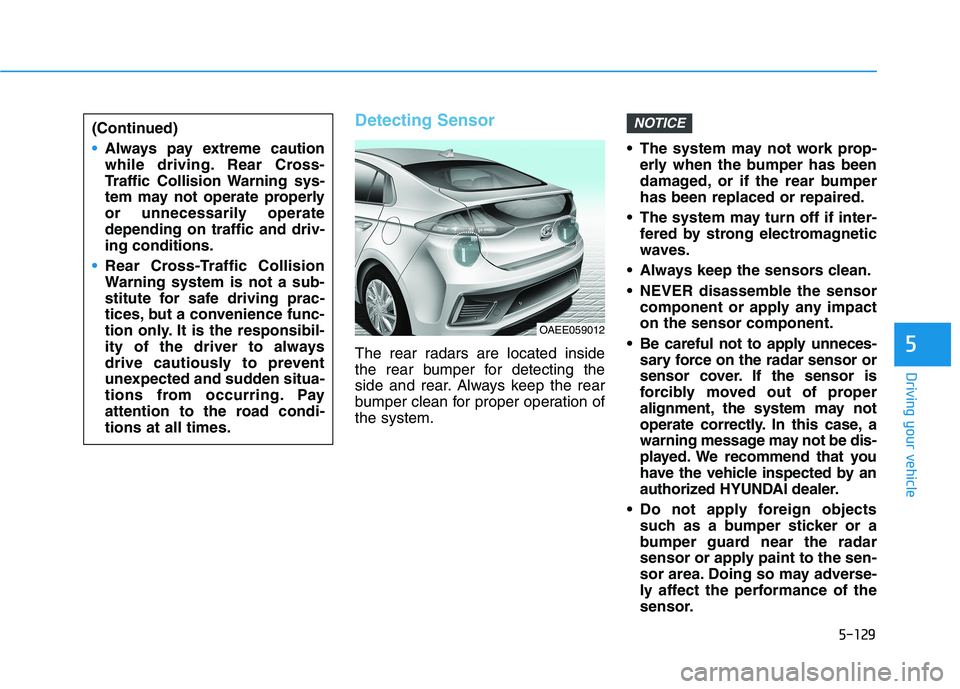
Detecting Sensor
The rear radars are located inside
the rear bumper for detecting the
side and rear. Always keep the rear
bumper clean for proper operation of
the system. The system may not work prop-
erly when the bumper has been
damaged, or if the rear bumper
has been replaced or repaired.
The system may turn off if inter-
fered by strong electromagnetic
waves.
Always keep the sensors clean.
NEVER disassemble the sensor
component or apply any impact
on the sensor component.
Be careful not to apply unneces-
sary force on the radar sensor or
sensor cover. If the sensor is
forcibly moved out of proper
alignment, the system may not
operate correctly. In this case, a
warning message may not be dis-
played. We recommend that you
have the vehicle inspected by an
authorized HYUNDAI dealer.
Do not apply foreign objects
such as a bumper sticker or a
bumper guard near the radar
sensor or apply paint to the sen-
sor area. Doing so may adverse-
ly affect the performance of the
sensor.
NOTICE(Continued)
Always pay extreme caution
while driving. Rear Cross-
Traffic Collision Warning sys-
tem may not operate properly
or unnecessarily operate
depending on traffic and driv-
ing conditions.
Rear Cross-Traffic Collision
Warning system is not a sub-
stitute for safe driving prac-
tices, but a convenience func-
tion only. It is the responsibil-
ity of the driver to always
drive cautiously to prevent
unexpected and sudden situa-
tions from occurring. Pay
attention to the road condi-
tions at all times.
OAEE059012
Page 366 of 561
5-130
Driving your vehicle
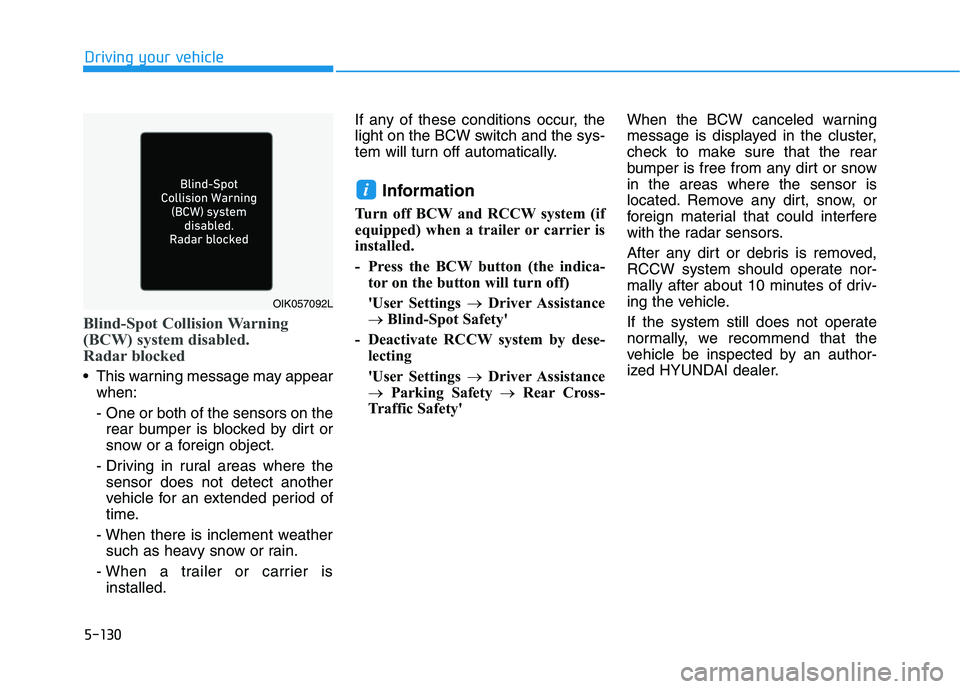
Blind-Spot Collision Warning
(BCW) system disabled.
Radar blocked
This warning message may appear
when:
- One or both of the sensors on the
rear bumper is blocked by dirt or
snow or a foreign object.
- Driving in rural areas where the
sensor does not detect another
vehicle for an extended period of
time.
- When there is inclement weather
such as heavy snow or rain.
- When a trailer or carrier is
installed.If any of these conditions occur, the
light on the BCW switch and the sys-
tem will turn off automatically.
Information
Turn off BCW and RCCW system (if
equipped) when a trailer or carrier is
installed.
- Press the BCW button (the indica-
tor on the button will turn off)
'User Settings →Driver Assistance
→ Blind-Spot Safety'
- Deactivate RCCW system by dese-
lecting
'User Settings →Driver Assistance
→Parking Safety →Rear Cross-
Traffic Safety'When the BCW canceled warning
message is displayed in the cluster,
check to make sure that the rear
bumper is free from any dirt or snow
in the areas where the sensor is
located. Remove any dirt, snow, or
foreign material that could interfere
with the radar sensors.
After any dirt or debris is removed,
RCCW system should operate nor-
mally after about 10 minutes of driv-
ing the vehicle.
If the system still does not operate
normally, we recommend that the
vehicle be inspected by an author-
ized HYUNDAI dealer.
i
OIK057092L
Page 367 of 561
5-131
Driving your vehicle
5
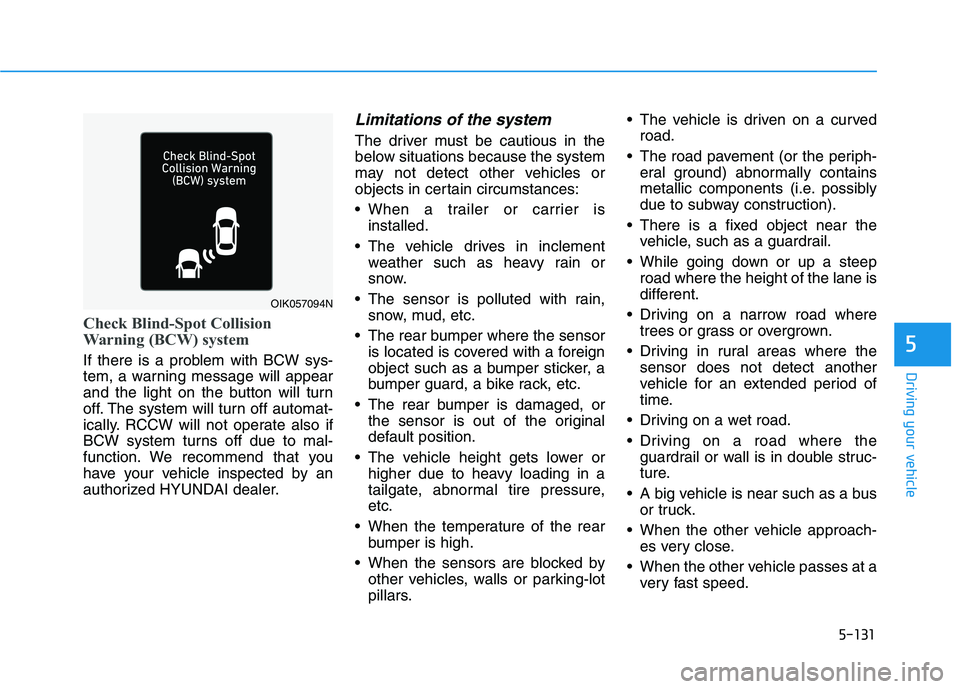
Check Blind-Spot Collision
Warning (BCW) system
If there is a problem with BCW sys-
tem, a warning message will appear
and the light on the button will turn
off. The system will turn off automat-
ically. RCCW will not operate also if
BCW system turns off due to mal-
function. We recommend that you
have your vehicle inspected by an
authorized HYUNDAI dealer.
Limitations of the system
The driver must be cautious in the
below situations because the system
may not detect other vehicles or
objects in certain circumstances:
When a trailer or carrier is
installed.
The vehicle drives in inclement
weather such as heavy rain or
snow.
The sensor is polluted with rain,
snow, mud, etc.
The rear bumper where the sensor
is located is covered with a foreign
object such as a bumper sticker, a
bumper guard, a bike rack, etc.
The rear bumper is damaged, or
the sensor is out of the original
default position.
The vehicle height gets lower or
higher due to heavy loading in a
tailgate, abnormal tire pressure,
etc.
When the temperature of the rear
bumper is high.
When the sensors are blocked by
other vehicles, walls or parking-lot
pillars. The vehicle is driven on a curved
road.
The road pavement (or the periph-
eral ground) abnormally contains
metallic components (i.e. possibly
due to subway construction).
There is a fixed object near the
vehicle, such as a guardrail.
While going down or up a steep
road where the height of the lane is
different.
Driving on a narrow road where
trees or grass or overgrown.
Driving in rural areas where the
sensor does not detect another
vehicle for an extended period of
time.
Driving on a wet road.
Driving on a road where the
guardrail or wall is in double struc-
ture.
A big vehicle is near such as a bus
or truck.
When the other vehicle approach-
es very close.
When the other vehicle passes at a
very fast speed.
OIK057094N
Page 370 of 561
5-134
Driving your vehicle
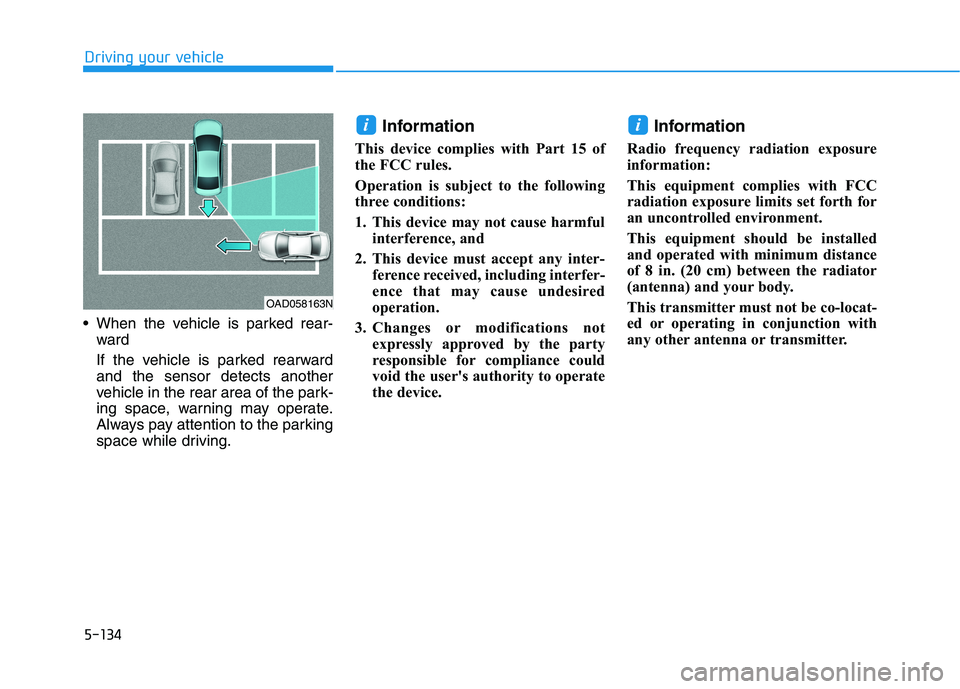
When the vehicle is parked rear-
ward
If the vehicle is parked rearward
and the sensor detects another
vehicle in the rear area of the park-
ing space, warning may operate.
Always pay attention to the parking
space while driving.
Information
This device complies with Part 15 of
the FCC rules.
Operation is subject to the following
three conditions:
1. This device may not cause harmful
interference, and
2. This device must accept any inter-
ference received, including interfer-
ence that may cause undesired
operation.
3. Changes or modifications not
expressly approved by the party
responsible for compliance could
void the user's authority to operate
the device.
Information
Radio frequency radiation exposure
information:
This equipment complies with FCC
radiation exposure limits set forth for
an uncontrolled environment.
This equipment should be installed
and operated with minimum distance
of 8 in. (20 cm) between the radiator
(antenna) and your body.
This transmitter must not be co-locat-
ed or operating in conjunction with
any other antenna or transmitter.
ii
OAD058163N
Page 394 of 561
6-12
What to do in an emergency
The TPMS Malfunction Indicator
may illuminate after blinking for
one minute if the vehicle is near
electric power supply cables or
radio transmitters such as police
stations, government and public
offices, broadcasting stations,
military installations, airports,
transmitting towers, etc.
Additionally, the TPMS Malfunction
Indicator may illuminate if snow
chains are used or electronic
devices such as computers, charg-
ers, remote starters, navigation,
etc. This may interfere with normal
operation of the TPMS.
Changing a Tire with TPMS
If you have a flat tire, the Low Tire
Pressure and LCD position indicator
will come on. Have the flat tire
repaired by an authorized HYUNDAI
dealer as soon as possible or
replace the flat tire with the spare
tire.Once the original tire equipped with
a tire pressure monitoring sensor is
reinflated to the recommended pres-
sure and reinstalled on the vehicle,
the Low Tire Pressure LCD position
indicator and TPMS Malfunction
Indicator will go off within a few min-
utes of driving.
If the indicators do not disappear
after a few minutes, please visit an
authorized HYUNDAI dealer.
Each wheel is equipped with a tire
pressure sensor mounted inside the
tire behind the valve stem. You must
use TPMS specific wheels. It is rec-
ommended that you always have
your tires serviced by an authorized
HYUNDAI dealer.
NOTICE
Never use a puncture-repairing
agent not approved by HYUNDAI
dealer to repair and/or inflate a
low pressure tire. Tire sealant
not approved by HYUNDAI deal-
er may damage the tire pressure
sensor.
CAUTION