warning HYUNDAI IONIQ 2020 Manual PDF
[x] Cancel search | Manufacturer: HYUNDAI, Model Year: 2020, Model line: IONIQ, Model: HYUNDAI IONIQ 2020Pages: 561, PDF Size: 24.5 MB
Page 132 of 561
3-47
Convenient features of your vehicle
3
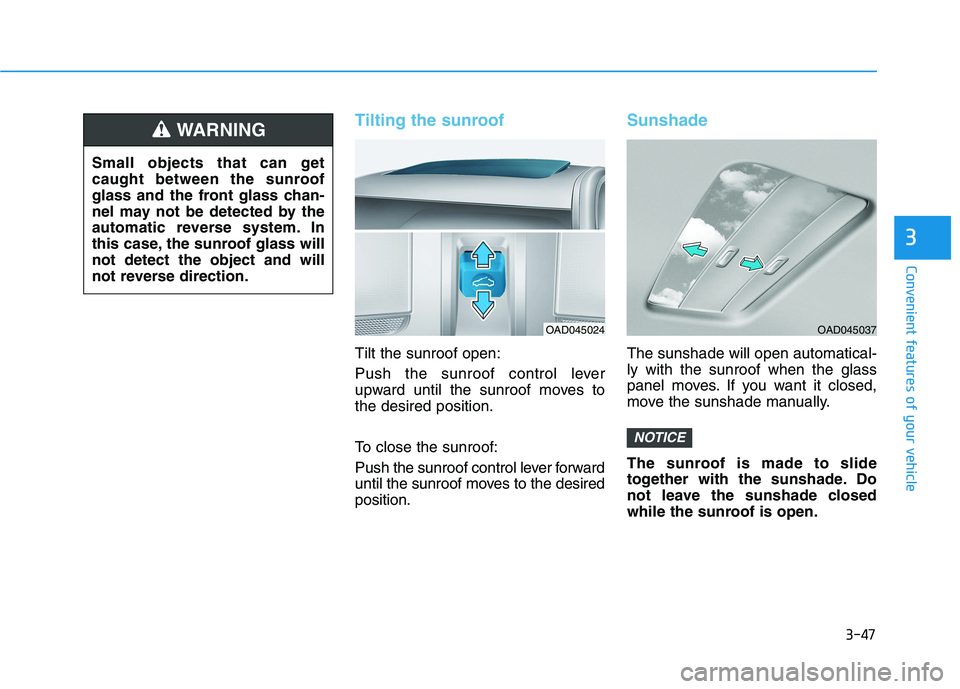
Tilting the sunroof
Tilt the sunroof open:
Push the sunroof control lever
upward until the sunroof moves to
the desired position.
To close the sunroof:
Push the sunroof control lever forward
until the sunroof moves to the desired
position.
Sunshade
The sunshade will open automatical-
ly with the sunroof when the glass
panel moves. If you want it closed,
move the sunshade manually.
The sunroof is made to slide
together with the sunshade. Do
not leave the sunshade closed
while the sunroof is open.
NOTICE
OAD045024
Small objects that can get
caught between the sunroof
glass and the front glass chan-
nel may not be detected by the
automatic reverse system. In
this case, the sunroof glass will
not detect the object and will
not reverse direction.
WARNING
OAD045037
Page 135 of 561
3-50
Convenient features of your vehicle
Closing the hood
1. Before closing the hood, check the
following:
ment must be correctly installed.
bustible material must be
removed from the motor com-
partment.
2. Lower the hood halfway (lifted
approximately 12 inches (30 cm)
from the closed position) and push
down to securely lock in place.
Then double check to be sure the
hood is secure. If the hood can
slightly be raised, it is not secure-
ly locked. Open it again and close
it with more force.
Before closing the hood,
ensure all obstructions are
removed from around hood
opening.
Always double check to be
sure that the hood is firmly
latched before driving away.
Check there is no hood open
warning light or message dis-
played on the instrument clus-
ter. Driving with the hood
opened may cause a total loss
of visibility, which might
result in an accident.
Do not move the vehicle with
the hood in the raised posi-
tion, as vision is obstructed,
which might result in an acci-
dent, and the hood could fall
or be damaged.
WARNING
Grasp the support rod in the
area wrapped in rubber. The
rubber will help prevent you
from being burned by hot
metal when the parts in the
motor compartment are hot.
The support rod must be
inserted completely into the
hole provided whenever you
inspect the motor compart-
ment. This will prevent the
hood from falling and possi-
bly injuring you.
WARNING
Page 136 of 561
3-51
Convenient features of your vehicle
3
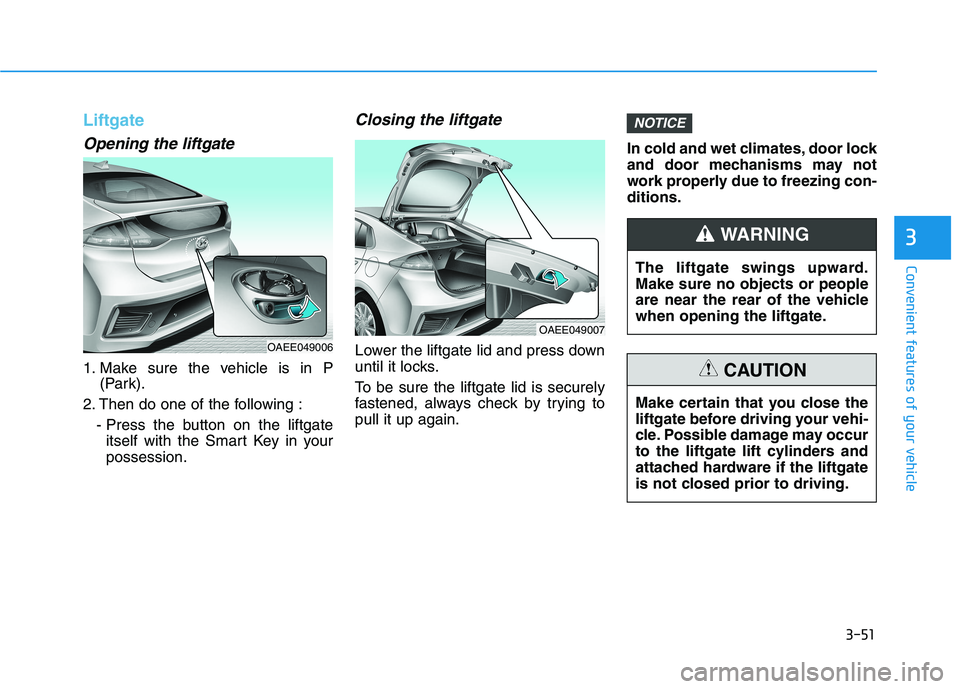
Liftgate
Opening the liftgate
1. Make sure the vehicle is in P
(Park).
2. Then do one of the following :
- Press the button on the liftgate
itself with the Smart Key in your
possession.
Closing the liftgate
Lower the liftgate lid and press down
until it locks.
To be sure the liftgate lid is securely
fastened, always check by trying to
pull it up again.In cold and wet climates, door lock
and door mechanisms may not
work properly due to freezing con-
ditions.
NOTICE
OAEE049007
The liftgate swings upward.
Make sure no objects or people
are near the rear of the vehicle
when opening the liftgate.
WARNING
Make certain that you close the
liftgate before driving your vehi-
cle. Possible damage may occur
to the liftgate lift cylinders and
attached hardware if the liftgate
is not closed prior to driving.
CAUTION
OAEE049006
Page 137 of 561
3-52
Convenient features of your vehicle
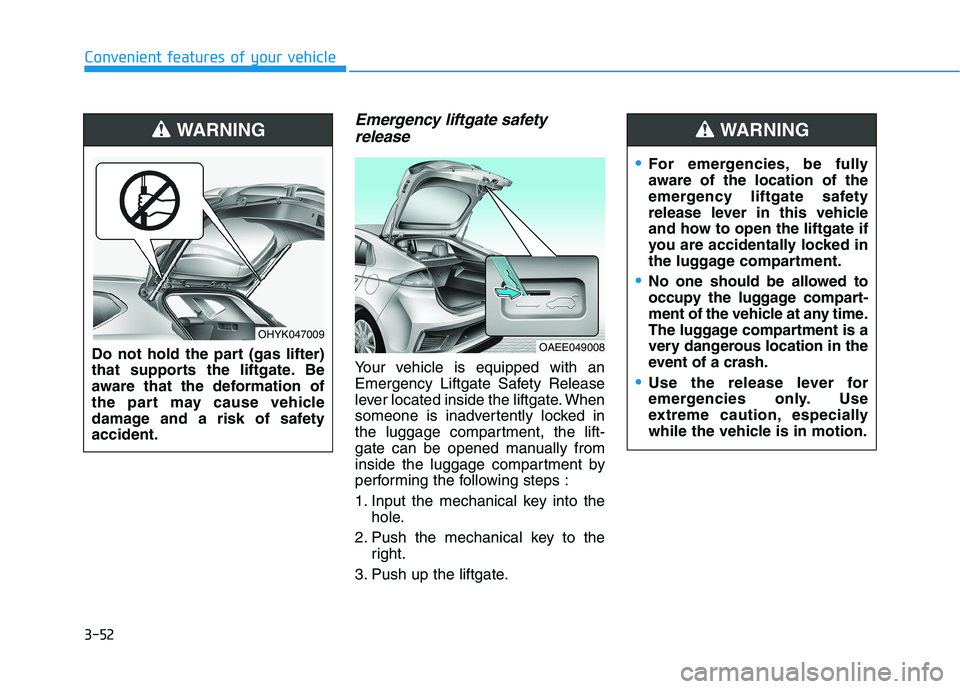
Emergency liftgate safety
release
Your vehicle is equipped with an
Emergency Liftgate Safety Release
lever located inside the liftgate. When
someone is inadvertently locked in
the luggage compartment, the lift-
gate can be opened manually from
inside the luggage compartment by
performing the following steps :
1. Input the mechanical key into the
hole.
2. Push the mechanical key to the
right.
3. Push up the liftgate.
OAEE049008
For emergencies, be fully
aware of the location of the
emergency liftgate safety
release lever in this vehicle
and how to open the liftgate if
you are accidentally locked in
the luggage compartment.
No one should be allowed to
occupy the luggage compart-
ment of the vehicle at any time.
The luggage compartment is a
very dangerous location in the
event of a crash.
Use the release lever for
emergencies only. Use
extreme caution, especially
while the vehicle is in motion.
WARNING
Do not hold the part (gas lifter)
that supports the liftgate. Be
aware that the deformation of
the part may cause vehicle
damage and a risk of safety
accident.
WARNING
OHYK047009
Page 139 of 561
3-54
Convenient features of your vehicle
I IN
NS
ST
TR
RU
UM
ME
EN
NT
T
C
CL
LU
US
ST
TE
ER
R
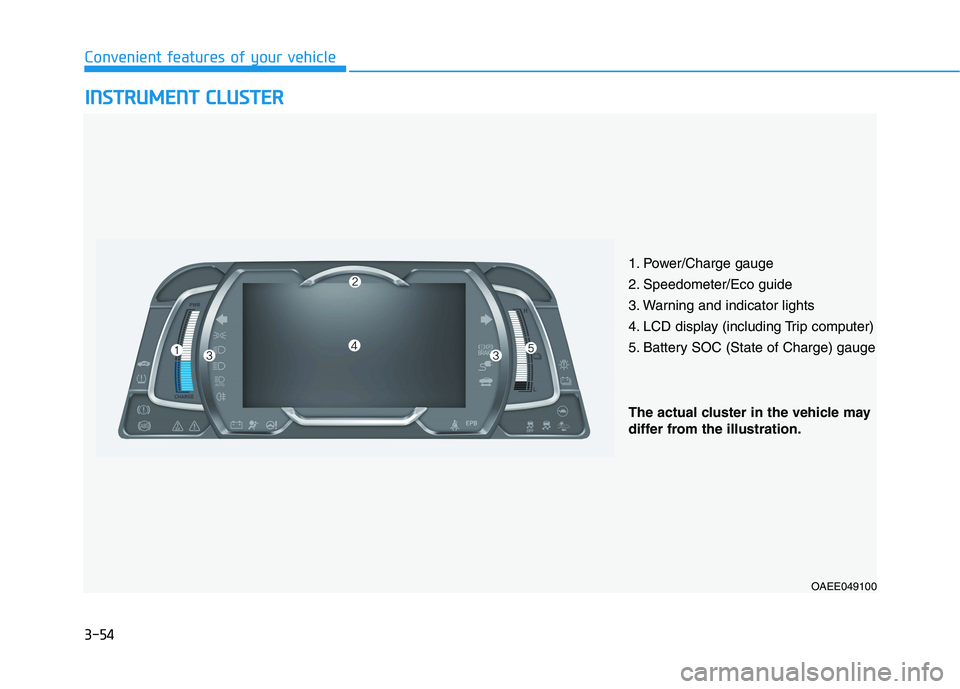
1. Power/Charge gauge
2. Speedometer/Eco guide
3. Warning and indicator lights
4. LCD display (including Trip computer)
5. Battery SOC (State of Charge) gauge
OAEE049100
The actual cluster in the vehicle may
differ from the illustration.
Page 140 of 561
3-55
Convenient features of your vehicle
3
Instrument Cluster Control
Adjusting instrument cluster
illumination
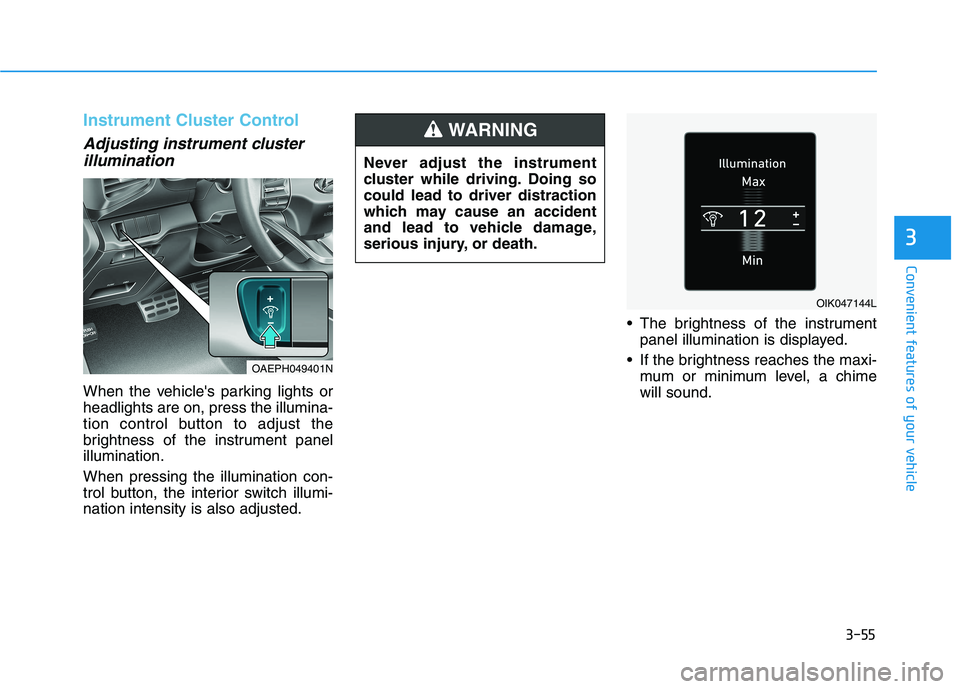
When the vehicle's parking lights or
headlights are on, press the illumina-
tion control button to adjust the
brightness of the instrument panel
illumination.
When pressing the illumination con-
trol button, the interior switch illumi-
nation intensity is also adjusted. The brightness of the instrument
panel illumination is displayed.
If the brightness reaches the maxi-
mum or minimum level, a chime
will sound.
OIK047144L
OAEPH049401N
Never adjust the instrument
cluster while driving. Doing so
could lead to driver distraction
which may cause an accident
and lead to vehicle damage,
serious injury, or death.
WARNING
Page 142 of 561
3-57
Convenient features of your vehicle
3
It shows the charging status of the
battery when it is being charged by
the regenerative brakes (decelerat-
ing or driving on a downhill road).
The more electric energy is charged,
the lower the gauge level.State of Charge (SOC) gauge for
high voltage battery
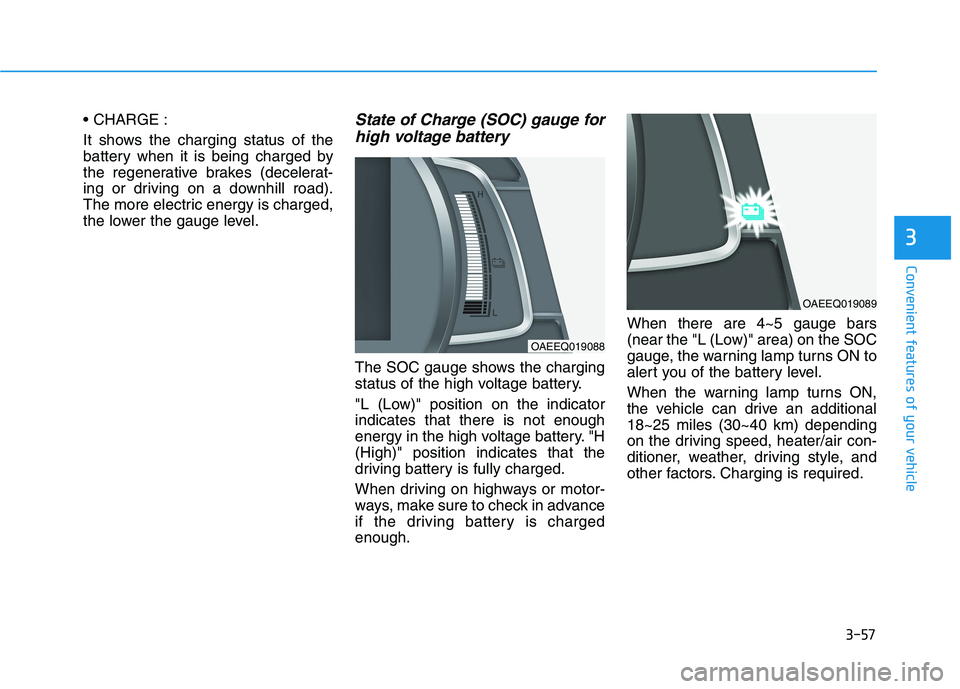
The SOC gauge shows the charging
status of the high voltage battery.
"L (Low)" position on the indicator
indicates that there is not enough
energy in the high voltage battery. "H
(High)" position indicates that the
driving battery is fully charged.
When driving on highways or motor-
ways, make sure to check in advance
if the driving battery is charged
enough.When there are 4~5 gauge bars
(near the "L (Low)" area) on the SOC
gauge, the warning lamp turns ON to
alert you of the battery level.
When the warning lamp turns ON,
the vehicle can drive an additional
18~25 miles (30~40 km) depending
on the driving speed, heater/air con-
ditioner, weather, driving style, and
other factors. Charging is required.
OAEEQ019088
OAEEQ019089
Page 143 of 561
3-58
Convenient features of your vehicle
When the high voltage battery
level is low, the power down warn-
ing illuminates and the power out-
put from the vehicle is limited.
Charge the battery immediately
since your vehicle may not drive
uphill or skid on a slope with the
warning light ON.
Odometer
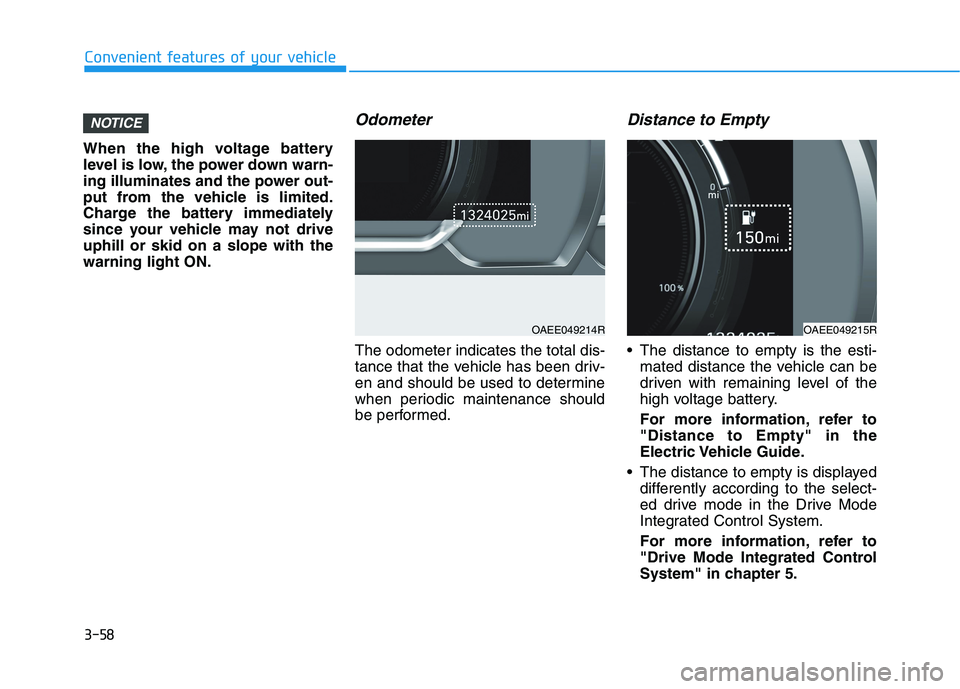
The odometer indicates the total dis-
tance that the vehicle has been driv-
en and should be used to determine
when periodic maintenance should
be performed.
Distance to Empty
The distance to empty is the esti-
mated distance the vehicle can be
driven with remaining level of the
high voltage battery.
For more information, refer to
"Distance to Empty" in the
Electric Vehicle Guide.
The distance to empty is displayed
differently according to the select-
ed drive mode in the Drive Mode
Integrated Control System.
For more information, refer to
"Drive Mode Integrated Control
System" in chapter 5.
NOTICE
OAEE049214ROAEE049215R
Page 145 of 561
3-60
Convenient features of your vehicle
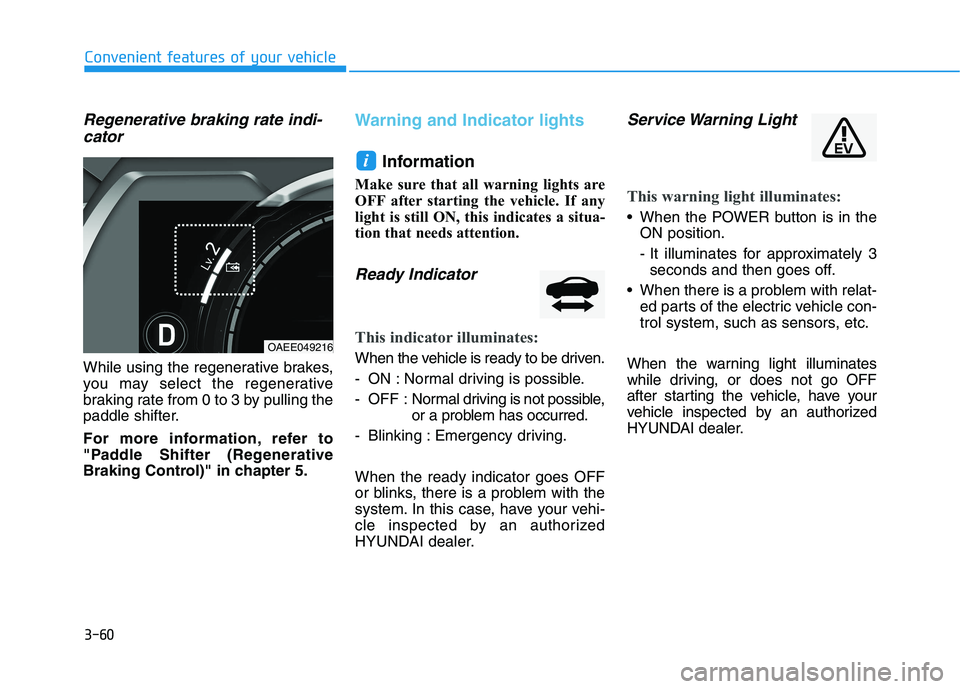
Regenerative braking rate indi-
cator
While using the regenerative brakes,
you may select the regenerative
braking rate from 0 to 3 by pulling the
paddle shifter.
For more information, refer to
"Paddle Shifter (Regenerative
Braking Control)" in chapter 5.
Warning and Indicator lights
Information
Make sure that all warning lights are
OFF after starting the vehicle. If any
light is still ON, this indicates a situa-
tion that needs attention.
Ready Indicator
This indicator illuminates:
When the vehicle is ready to be driven.
- ON : Normal driving is possible.
- OFF : Normal driving is not possible,
or a problem has occurred.
- Blinking : Emergency driving.
When the ready indicator goes OFF
or blinks, there is a problem with the
system. In this case, have your vehi-
cle inspected by an authorized
HYUNDAI dealer.
Service Warning Light
This warning light illuminates:
When the POWER button is in the
ON position.
- It illuminates for approximately 3
seconds and then goes off.
When there is a problem with relat-
ed parts of the electric vehicle con-
trol system, such as sensors, etc.
When the warning light illuminates
while driving, or does not go OFF
after starting the vehicle, have your
vehicle inspected by an authorized
HYUNDAI dealer.
i
OAEE049216
Page 146 of 561
3-61
Convenient features of your vehicle
3
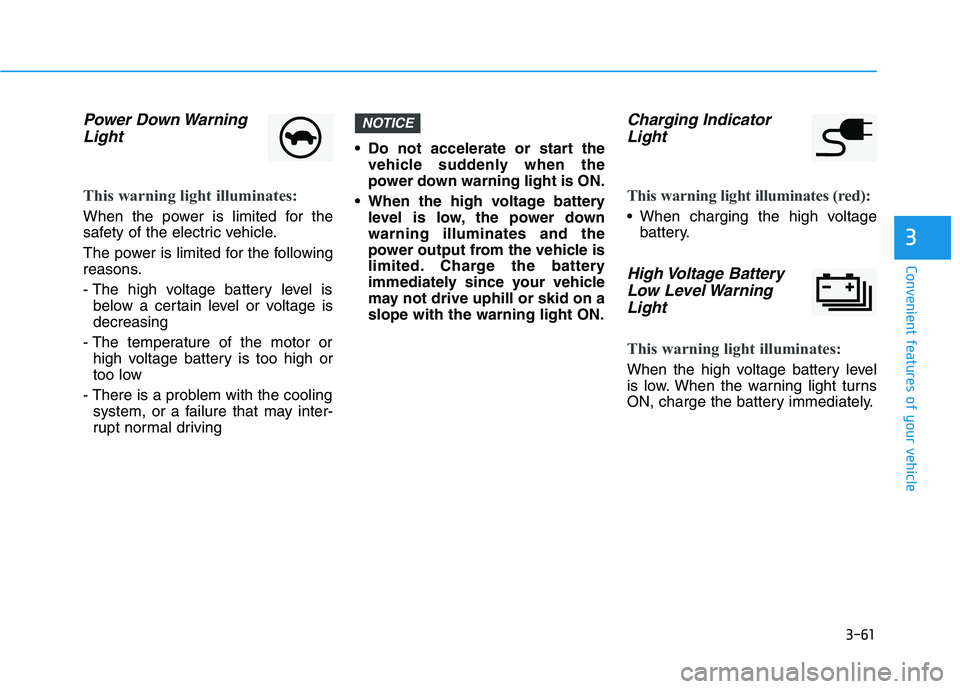
Power Down Warning
Light
This warning light illuminates:
When the power is limited for the
safety of the electric vehicle.
The power is limited for the following
reasons.
- The high voltage battery level is
below a certain level or voltage is
decreasing
- The temperature of the motor or
high voltage battery is too high or
too low
- There is a problem with the cooling
system, or a failure that may inter-
rupt normal driving Do not accelerate or start the
vehicle suddenly when the
power down warning light is ON.
When the high voltage battery
level is low, the power down
warning illuminates and the
power output from the vehicle is
limited. Charge the battery
immediately since your vehicle
may not drive uphill or skid on a
slope with the warning light ON.
Charging Indicator
Light
This warning light illuminates (red):
When charging the high voltage
battery.
High Voltage Battery
Low Level Warning
Light
This warning light illuminates:
When the high voltage battery level
is low. When the warning light turns
ON, charge the battery immediately.
NOTICE