warning HYUNDAI IONIQ 2020 Owners Manual
[x] Cancel search | Manufacturer: HYUNDAI, Model Year: 2020, Model line: IONIQ, Model: HYUNDAI IONIQ 2020Pages: 561, PDF Size: 24.5 MB
Page 160 of 561
3-75
Convenient features of your vehicle
3
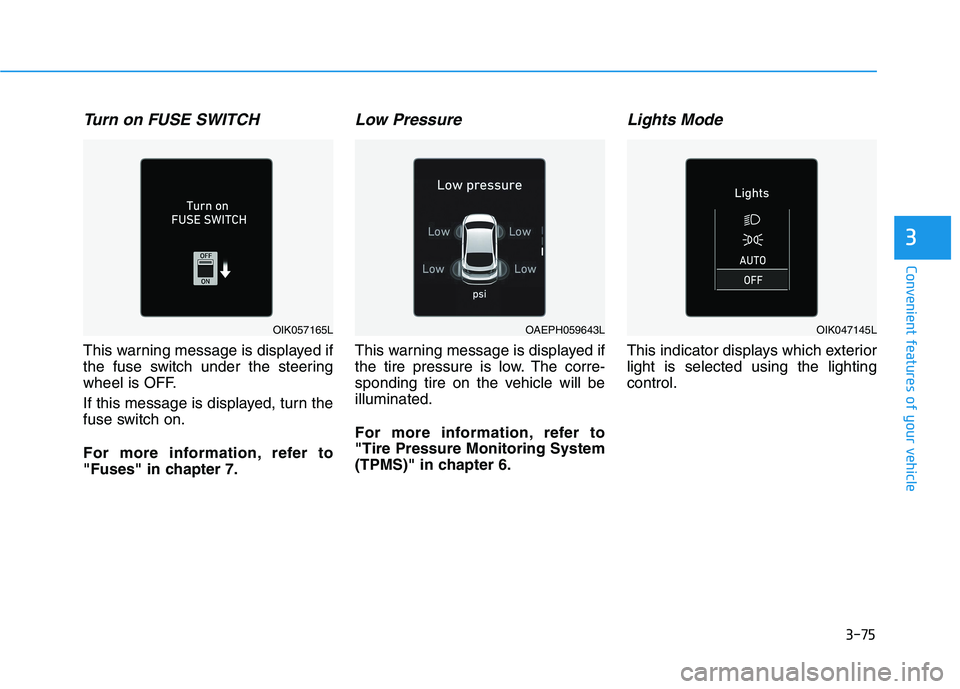
Turn on FUSE SWITCH
This warning message is displayed if
the fuse switch under the steering
wheel is OFF.
If this message is displayed, turn the
fuse switch on.
For more information, refer to
"Fuses" in chapter 7.
Low Pressure
This warning message is displayed if
the tire pressure is low. The corre-
sponding tire on the vehicle will be
illuminated.
For more information, refer to
"Tire Pressure Monitoring System
(TPMS)" in chapter 6.
Lights Mode
This indicator displays which exterior
light is selected using the lighting
control.
OAEPH059643LOIK057165LOIK047145L
Page 161 of 561
3-76
Convenient features of your vehicle
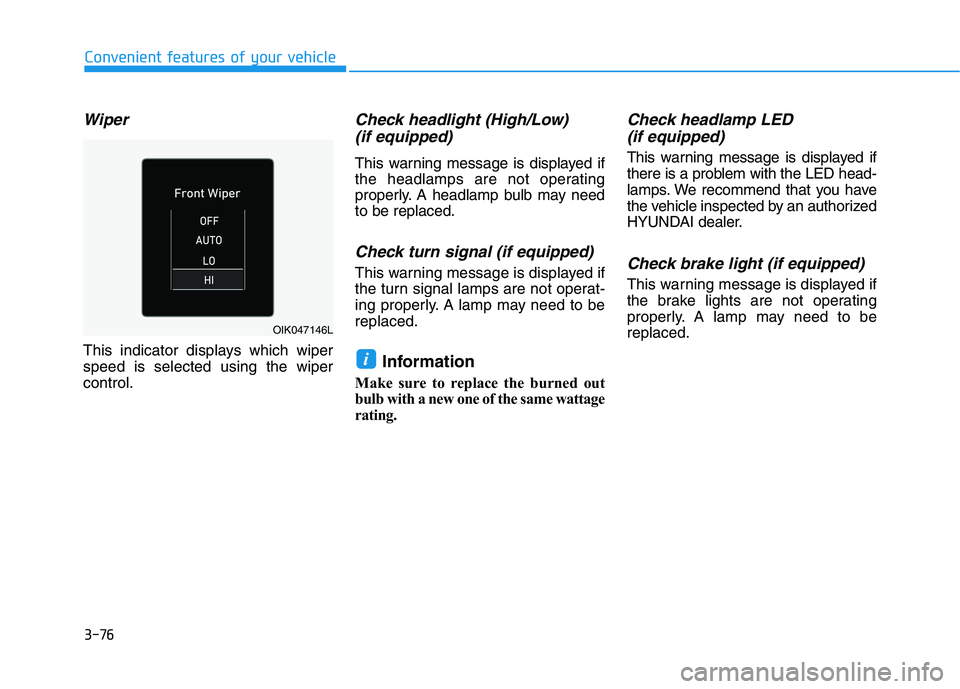
Wiper
This indicator displays which wiper
speed is selected using the wiper
control.
Check headlight (High/Low)
(if equipped)
This warning message is displayed if
the headlamps are not operating
properly. A headlamp bulb may need
to be replaced.
Check turn signal (if equipped)
This warning message is displayed if
the turn signal lamps are not operat-
ing properly. A lamp may need to be
replaced.
Information
Make sure to replace the burned out
bulb with a new one of the same wattage
rating.
Check headlamp LED
(if equipped)
This warning message is displayed if
there is a problem with the LED head-
lamps. We recommend that you have
the vehicle inspected by an authorized
HYUNDAI dealer.
Check brake light (if equipped)
This warning message is displayed if
the brake lights are not operating
properly. A lamp may need to be
replaced.
i
OIK047146L
Page 163 of 561
3-78
Convenient features of your vehicle
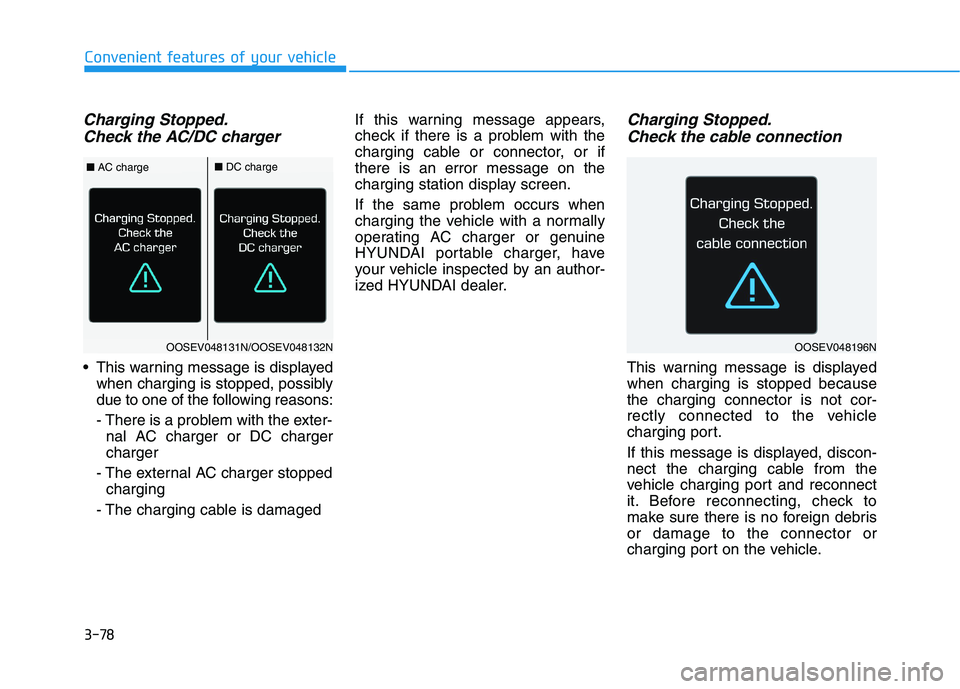
Charging Stopped.
Check the AC/DC charger
This warning message is displayed
when charging is stopped, possibly
due to one of the following reasons:
- There is a problem with the exter-
nal AC charger or DC charger
charger
- The external AC charger stopped
charging
- The charging cable is damagedIf this warning message appears,
check if there is a problem with the
charging cable or connector, or if
there is an error message on the
charging station display screen.
If the same problem occurs when
charging the vehicle with a normally
operating AC charger or genuine
HYUNDAI portable charger, have
your vehicle inspected by an author-
ized HYUNDAI dealer.
Charging Stopped.
Check the cable connection
This warning message is displayed
when charging is stopped because
the charging connector is not cor-
rectly connected to the vehicle
charging port.
If this message is displayed, discon-
nect the charging cable from the
vehicle charging port and reconnect
it. Before reconnecting, check to
make sure there is no foreign debris
or damage to the connector or
charging port on the vehicle.
OOSEV048131N/OOSEV048132N
■AC charge■DC charge
OOSEV048196N
Page 164 of 561
3-79
Convenient features of your vehicle
3
If the same problem occurs when
charging the vehicle with a replaced
charging cable or genuine HYUNDAI
portable charger, we recommend
that you have your vehicle inspected
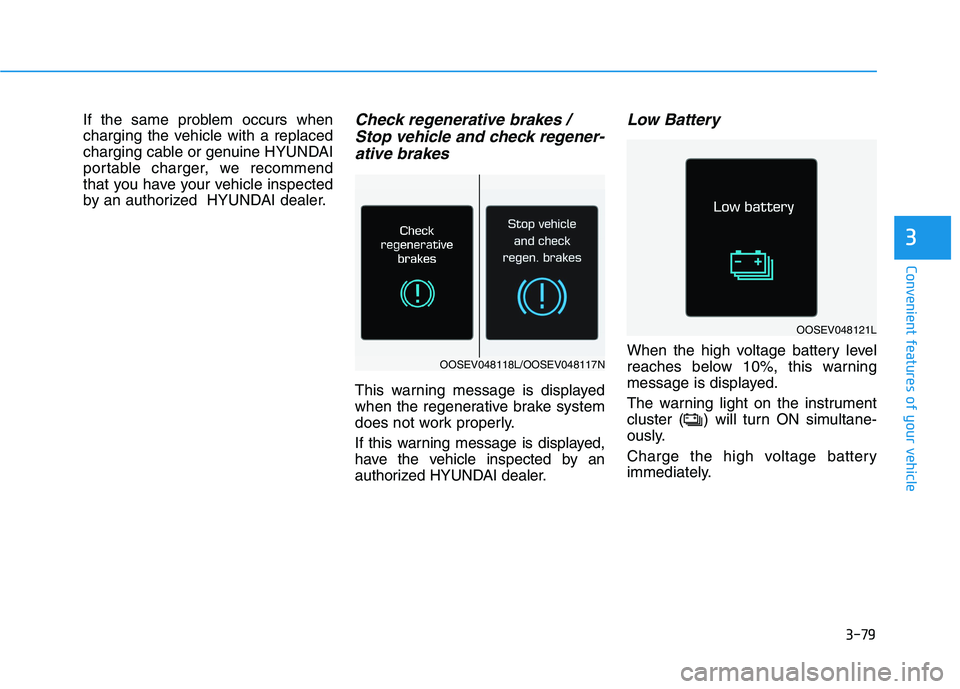
by an authorized HYUNDAI dealer.Check regenerative brakes /
Stop vehicle and check regener-
ative brakes
This warning message is displayed
when the regenerative brake system
does not work properly.
If this warning message is displayed,
have the vehicle inspected by an
authorized HYUNDAI dealer.
Low Battery
When the high voltage battery level
reaches below 10%, this warning
message is displayed.
The warning light on the instrument
cluster ( ) will turn ON simultane-
ously.
Charge the high voltage battery
immediately.
OOSEV048121L
OOSEV048118L/OOSEV048117N
Page 165 of 561
3-80
Convenient features of your vehicle
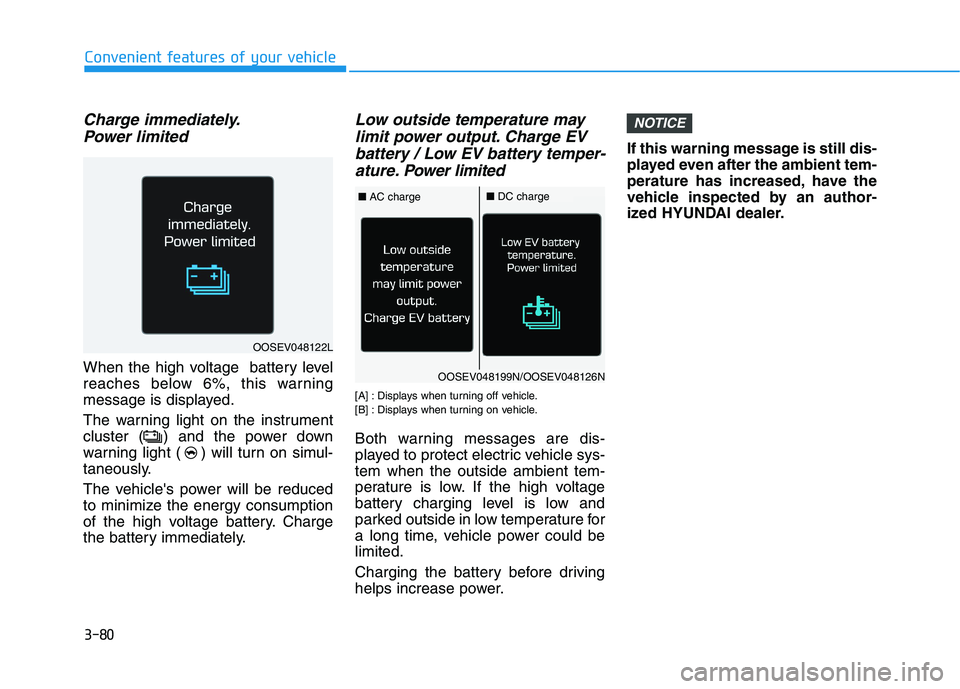
Charge immediately.
Power limited
When the high voltage battery level
reaches below 6%, this warning
message is displayed.
The warning light on the instrument
cluster ( ) and the power down
warning light ( ) will turn on simul-
taneously.
The vehicle's power will be reduced
to minimize the energy consumption
of the high voltage battery. Charge
the battery immediately.
Low outside temperature may
limit power output. Charge EV
battery / Low EV battery temper-
ature. Power limited
[A] : Displays when turning off vehicle.
[B] : Displays when turning on vehicle.
Both warning messages are dis-
played to protect electric vehicle sys-
tem when the outside ambient tem-
perature is low. If the high voltage
battery charging level is low and
parked outside in low temperature for
a long time, vehicle power could be
limited.
Charging the battery before driving
helps increase power.If this warning message is still dis-
played even after the ambient tem-
perature has increased, have the
vehicle inspected by an author-
ized HYUNDAI dealer.
NOTICE
OOSEV048122L
OOSEV048199N/OOSEV048126N
■AC charge■DC charge
Page 166 of 561
3-81
Convenient features of your vehicle
3
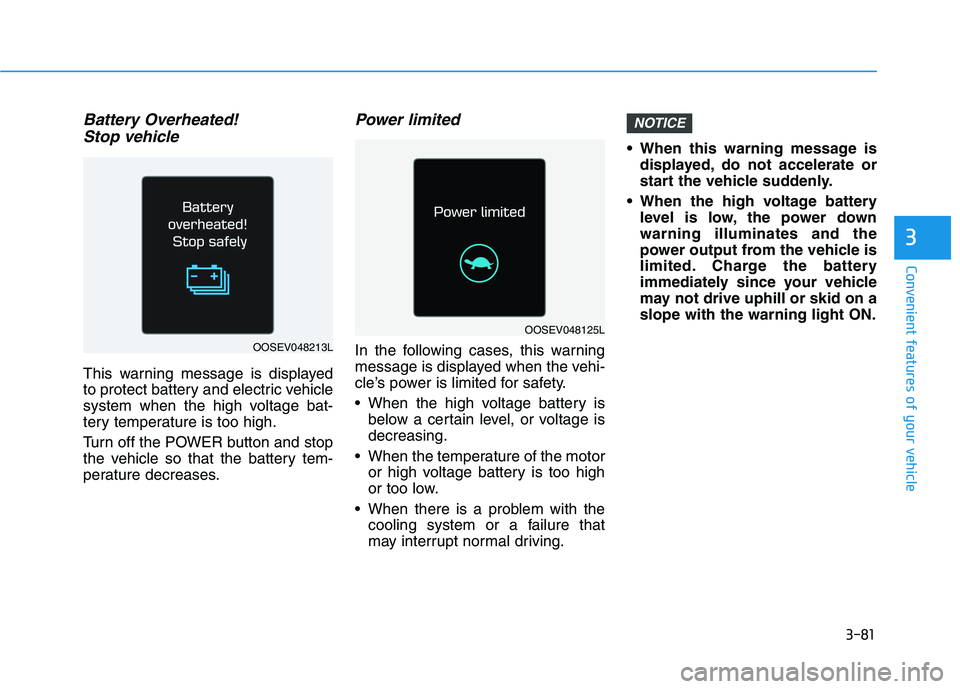
Battery Overheated!
Stop vehicle
This warning message is displayed
to protect battery and electric vehicle
system when the high voltage bat-
tery temperature is too high.
Turn off the POWER button and stop
the vehicle so that the battery tem-
perature decreases.
Power limited
In the following cases, this warning
message is displayed when the vehi-
cle’s power is limited for safety.
When the high voltage battery is
below a certain level, or voltage is
decreasing.
When the temperature of the motor
or high voltage battery is too high
or too low.
When there is a problem with the
cooling system or a failure that
may interrupt normal driving. When this warning message is
displayed, do not accelerate or
start the vehicle suddenly.
When the high voltage battery
level is low, the power down
warning illuminates and the
power output from the vehicle is
limited. Charge the battery
immediately since your vehicle
may not drive uphill or skid on a
slope with the warning light ON.
NOTICE
OOSEV048125L
OOSEV048213L
Page 167 of 561
3-82
Convenient features of your vehicle
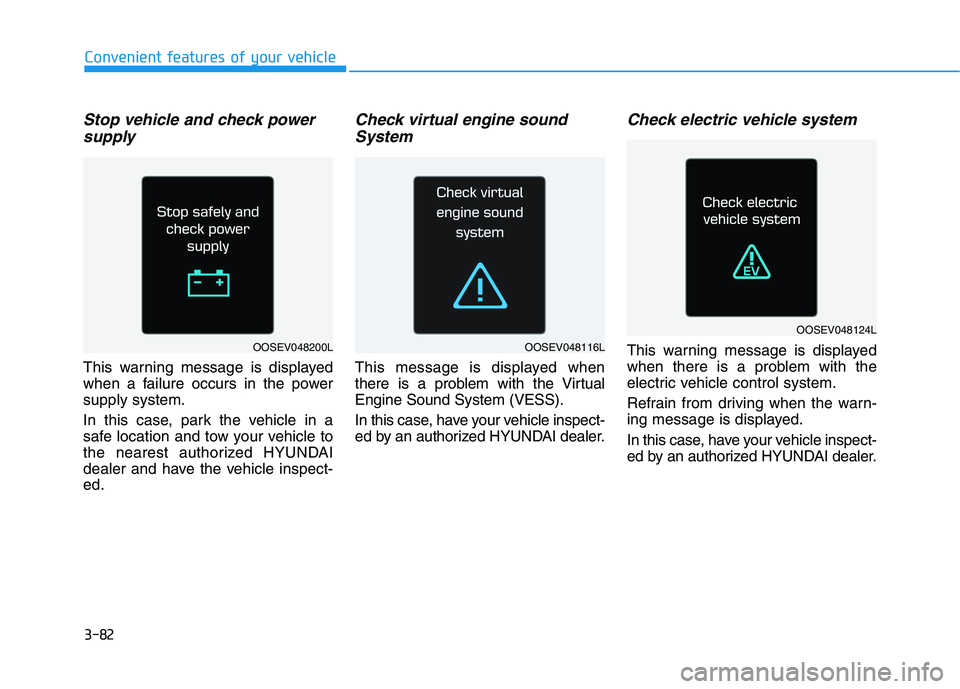
Stop vehicle and check power
supply
This warning message is displayed
when a failure occurs in the power
supply system.
In this case, park the vehicle in a
safe location and tow your vehicle to
the nearest authorized HYUNDAI
dealer and have the vehicle inspect-
ed.
Check virtual engine sound
System
This message is displayed when
there is a problem with the Virtual
Engine Sound System (VESS).
In this case, have your vehicle inspect-
ed by an authorized HYUNDAI dealer.
Check electric vehicle system
This warning message is displayed
when there is a problem with the
electric vehicle control system.
Refrain from driving when the warn-
ing message is displayed.
In this case, have your vehicle inspect-
ed by an authorized HYUNDAI dealer.
OOSEV048124L
OOSEV048116LOOSEV048200L
Page 169 of 561
3-84
Convenient features of your vehicle
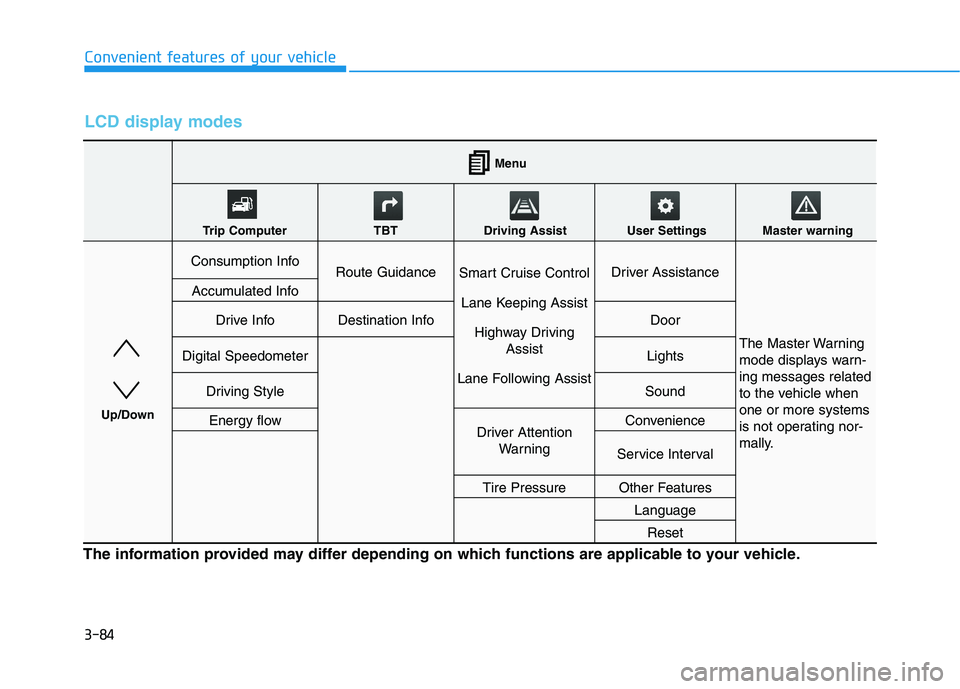
LCD display modes
The information provided may differ depending on which functions are applicable to your vehicle.
Consumption InfoRoute GuidanceSmart Cruise Control
Lane Keeping Assist
Highway Driving
Assist
Lane Following AssistDriver Assistance
The Master Warning
mode displays warn-
ing messages related
to the vehicle when
one or more systems
is not operating nor-
mally.
Accumulated Info
Drive InfoDestination InfoDoor
Digital SpeedometerLights
Driving StyleSound
Energy flowDriver Attention
WarningConvenience
Service Interval
Tire PressureOther Features
Language
Reset
Menu
Trip Computer TBT Driving Assist User Settings Master warning
Up/Down
Page 170 of 561
3-85
Convenient features of your vehicle
3
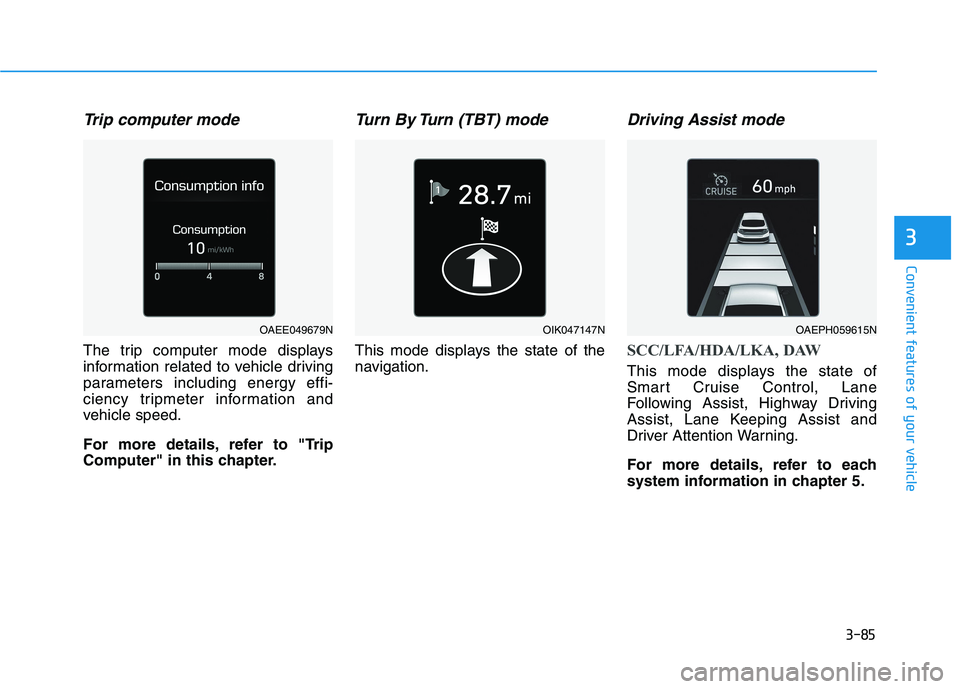
Trip computer mode
The trip computer mode displays
information related to vehicle driving
parameters including energy effi-
ciency tripmeter information and
vehicle speed.
For more details, refer to "Trip
Computer" in this chapter.
Turn By Turn (TBT) mode
This mode displays the state of the
navigation.
Driving Assist mode
SCC/LFA/HDA/LKA, DAW
This mode displays the state of
Smart Cruise Control, Lane
Following Assist, Highway Driving
Assist, Lane Keeping Assist and
Driver Attention Warning.
For more details, refer to each
system information in chapter 5.
OAEE049679NOIK047147NOAEPH059615N
Page 171 of 561
3-86
Convenient features of your vehicle
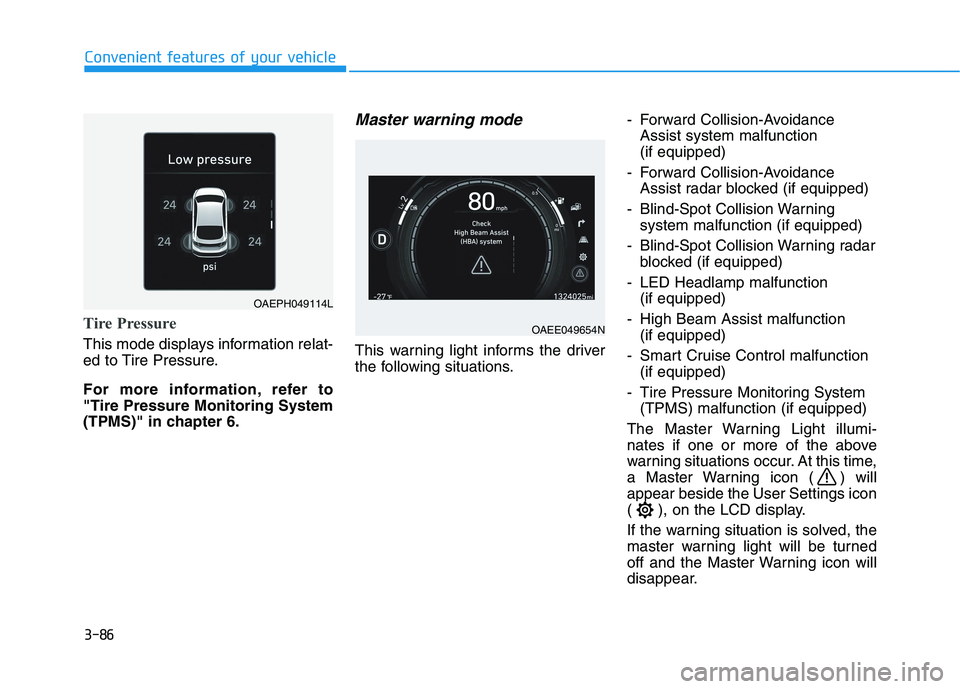
Tire Pressure
This mode displays information relat-
ed to Tire Pressure.
For more information, refer to
"Tire Pressure Monitoring System
(TPMS)" in chapter 6.
Master warning mode
This warning light informs the driver
the following situations.- Forward Collision-Avoidance
Assist system malfunction
(if equipped)
- Forward Collision-Avoidance
Assist radar blocked (if equipped)
- Blind-Spot Collision Warning
system malfunction (if equipped)
- Blind-Spot Collision Warning radar
blocked (if equipped)
- LED Headlamp malfunction
(if equipped)
- High Beam Assist malfunction
(if equipped)
- Smart Cruise Control malfunction
(if equipped)
- Tire Pressure Monitoring System
(TPMS) malfunction (if equipped)
The Master Warning Light illumi-
nates if one or more of the above
warning situations occur. At this time,
a Master Warning icon ( ) will
appear beside the User Settings icon
( ), on the LCD display.
If the warning situation is solved, the
master warning light will be turned
off and the Master Warning icon will
disappear.
OAEE049654N
OAEPH049114L