camera HYUNDAI IONIQ 5 2023 User Guide
[x] Cancel search | Manufacturer: HYUNDAI, Model Year: 2023, Model line: IONIQ 5, Model: HYUNDAI IONIQ 5 2023Pages: 680, PDF Size: 48.22 MB
Page 432 of 680
Driver Assistance System
7-30
Lane Keeping Assist Malfunction
and Limitations
Lane Keeping Assist malfunction
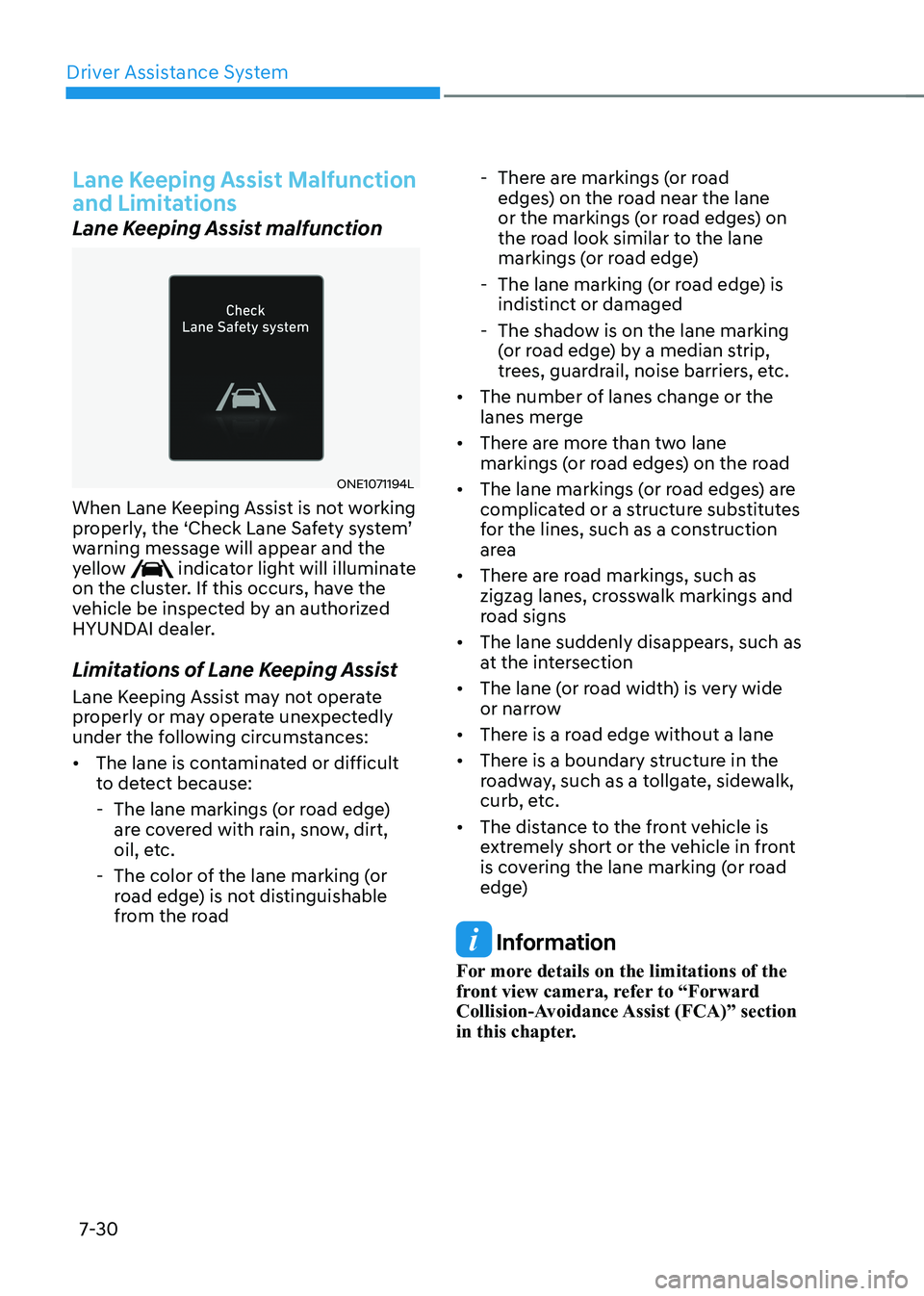
ONE1071194L
When Lane Keeping Assist is not working
properly, the ‘Check Lane Safety system’
warning message will appear and the
yellow
indicator light will illuminate
on the cluster. If this occurs, have the
vehicle be inspected by an authorized
HYUNDAI dealer.
Limitations of Lane Keeping Assist
Lane Keeping Assist may not operate
properly or may operate unexpectedly
under the following circumstances: • The lane is contaminated or difficult
to detect because:
- The lane markings (or road edge) are covered with rain, snow, dirt,
oil, etc.
- The color of the lane marking (or road edge) is not distinguishable
from the road - There are markings (or road
edges) on the road near the lane
or the markings (or road edges) on
the road look similar to the lane
markings (or road edge)
- The lane marking (or road edge) is indistinct or damaged
- The shadow is on the lane marking (or road edge) by a median strip,
trees, guardrail, noise barriers, etc.
• The number of lanes change or the
lanes merge
• There are more than two lane
markings (or road edges) on the road
• The lane markings (or road edges) are
complicated or a structure substitutes
for the lines, such as a construction
area
• There are road markings, such as
zigzag lanes, crosswalk markings and
road signs
• The lane suddenly disappears, such as
at the intersection
• The lane (or road width) is very wide
or narrow
• There is a road edge without a lane
• There is a boundary structure in the
roadway, such as a tollgate, sidewalk,
curb, etc.
• The distance to the front vehicle is
extremely short or the vehicle in front
is covering the lane marking (or road
edge)
Information
For more details on the limitations of the
front view camera, refer to “Forward
Collision-Avoidance Assist (FCA)” section
in this chapter.
Page 433 of 680
07
7-31
WARNING
Take the following precautions when
using Lane Keeping Assist: • The driver should hold the
responsibility to safely drive and
control the vehicle. Do not solely rely
on Lane Keeping Assist and drive
dangerously.
• The operation of Lane Keeping Assist
can be canceled or not work properly
depending on road conditions and
surroundings. Always be cautious while driving.
• Refer to “Limitations of Lane Keeping
Assist” if the lane is not detected
properly.
• When you are towing a trailer or
another vehicle, turn off Lane
Keeping Assist for safety reasons.
• If the vehicle is driven at high speed,
the steering wheel will not be
controlled. The driver must always
follow the speed limit when using
Lane Keeping Assist.
• If any other system’s warning
message is displayed or audible
warning is generated, Lane Keeping
Assist warning message may not be
displayed and audible warning may
not be generated. •
You may not hear the warning
sound of Lane Keeping Assist if the
surrounding is noisy.
• If you attach objects to the steering
wheel, steering may not be assisted
properly.
• Lane Keeping Assist may not operate
for 15 seconds after the vehicle is
started, or the front view camera is
initialized.
• Lane Keeping Assist will not operate when:
- The turn signal or hazard warning flasher is turned on.
- The vehicle is not driven in the
center of the lane when Lane
Keeping Assist is turned on or right
after changing a lane.
- ESC (Electronic Stability Control)
or VSM (Vehicle Stability
Management) is activated.
- The vehicle is driven on a sharp
curve.
- Vehicle speed is below 35 mph
(55 km/h) or above 130 mph
(210 km/h).
- The vehicle makes sharp lane changes.
- The vehicle brakes suddenly.
Page 435 of 680
07
7-33
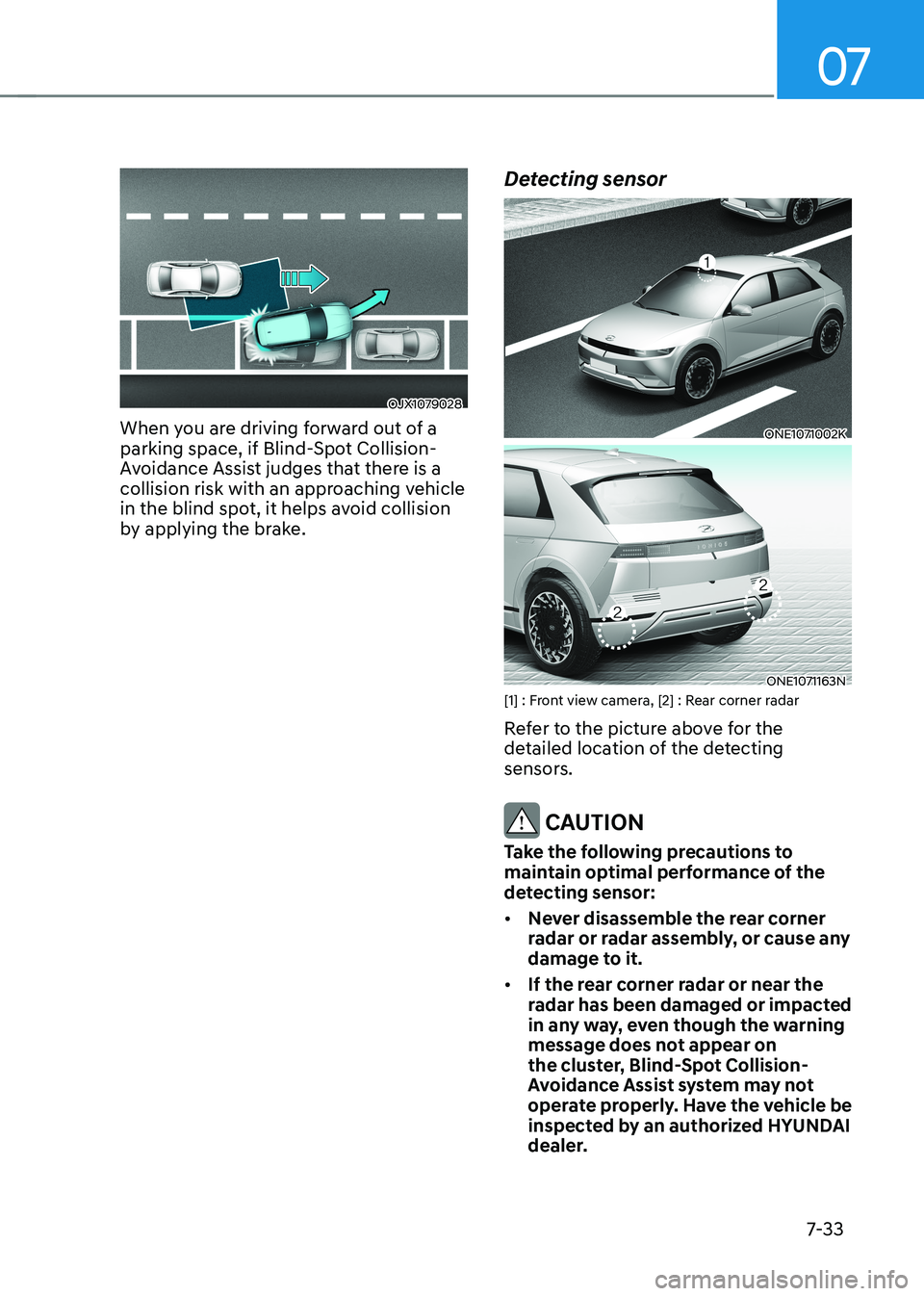
OJX1079028
When you are driving forward out of a
parking space, if Blind-Spot Collision-
Avoidance Assist judges that there is a
collision risk with an approaching vehicle
in the blind spot, it helps avoid collision
by applying the brake. Detecting sensor
ONE1071002K
ONE1071163N
[1] : Front view camera, [2] : Rear corner radar
Refer to the picture above for the
detailed location of the detecting
sensors.
CAUTION
Take the following precautions to
maintain optimal performance of the
detecting sensor: • Never disassemble the rear corner
radar or radar assembly, or cause any
damage to it.
• If the rear corner radar or near the
radar has been damaged or impacted
in any way, even though the warning
message does not appear on
the cluster, Blind-Spot Collision-
Avoidance Assist system may not
operate properly. Have the vehicle be
inspected by an authorized HYUNDAI
dealer.
Page 436 of 680
Driver Assistance System
7-34
•
If the rear corner radars have
been replaced or repaired, have
the vehicle be inspected by an
authorized HYUNDAI dealer.
• Use only genuine parts to repair the
rear bumper where the rear corner
radar is located.
• Do not apply license plate frame or
objects, such as a bumper sticker,
film or a bumper guard near the rear
corner radar.
• Blind-Spot Collision-Avoidance
Assist may not work properly if the
bumper have been replaced, or the
surroundings of the rear corner radar
has been damaged or paint has been applied.
• If a trailer, carrier, etc., is installed,
it may adversely affect the
performance of the rear corner radar
or Blind-Spot Collision-Avoidance
Assist may not operate.
• For more details on the precautions
of the front view camera, refer to
“Forward Collision-Avoidance Assist
(FCA)” section in this chapter.
Blind-Spot Collision-Avoidance
Assist Settings
Setting features
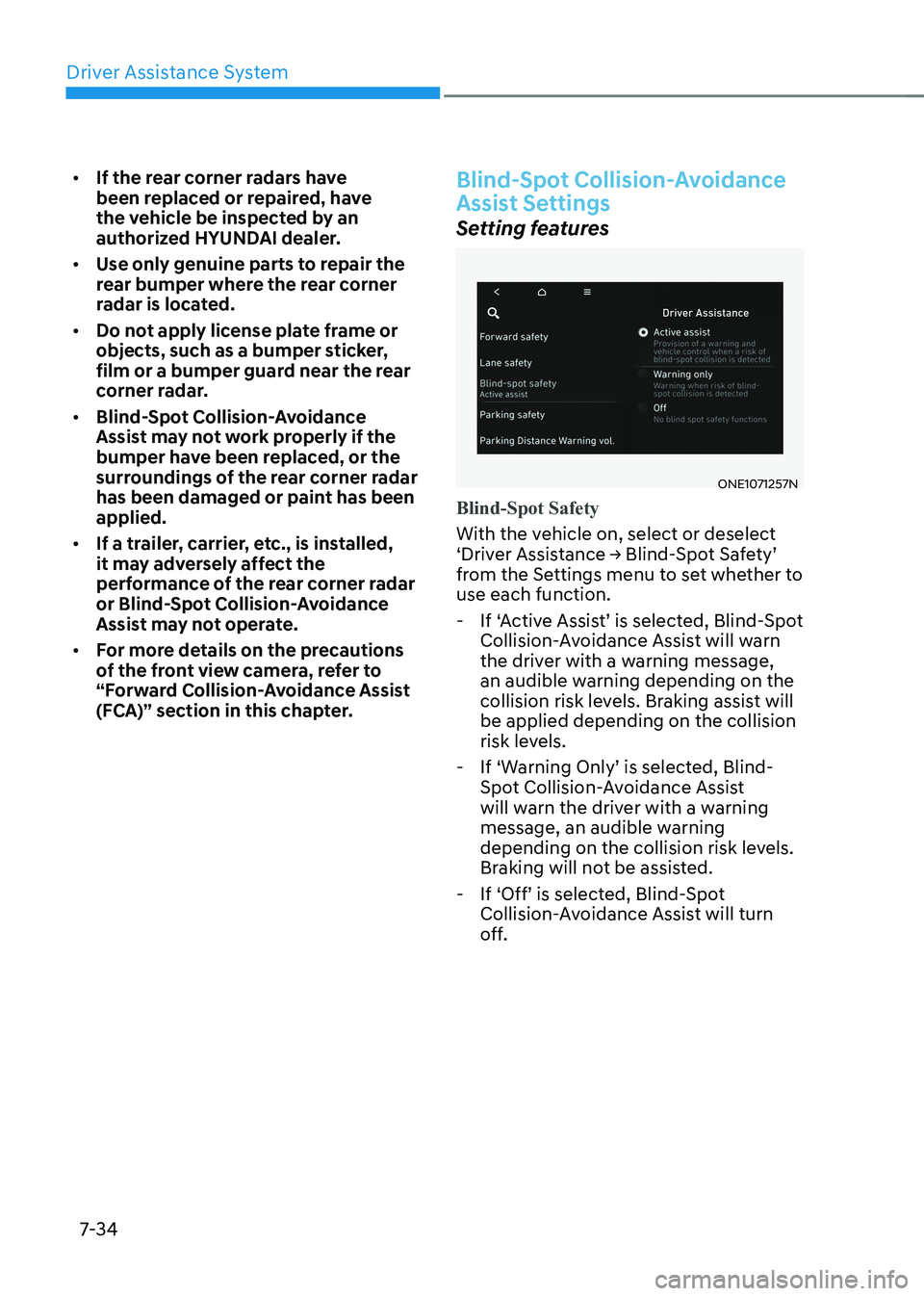
ONE1071257N
Blind-Spot Safety
With the vehicle on, select or deselect
‘Driver Assistance → Blind-Spot Safety’
from the Settings menu to set whether to use each function.
- If ‘Active Assist’ is selected, Blind-Spot Collision-Avoidance Assist will warn
the driver with a warning message,
an audible warning depending on the
collision risk levels. Braking assist will be applied depending on the collision
risk levels.
- If ‘Warning Only’ is selected, Blind- Spot Collision-Avoidance Assist
will warn the driver with a warning
message, an audible warning
depending on the collision risk levels.
Braking will not be assisted.
- If ‘Off’ is selected, Blind-Spot Collision-Avoidance Assist will turn
off.
Page 445 of 680
07
7-43
•
There is a fixed object near the
vehicle, such as sound barriers,
guardrails, central dividers, entry
barriers, street lamps, signs,
tunnels, walls, etc. (including double
structures)
• Driving in vast areas where there
are few vehicles or structures (for
example, desert, meadow, suburb,
etc.)
• Driving through a narrow road where
trees or grass are overgrown
• Driving on a wet road surface, such as
a puddle on the road
• The other vehicle drives very close
behind your vehicle, or the other
vehicle passes by your vehicle in close
proximity
• The speed of the other vehicle is very
fast that it passes by your vehicle in a short time
• Your vehicle passes by the other
vehicle
• Your vehicle changes lane
• Your vehicle has started at the same
time as the vehicle next to you and
has accelerated
• The vehicle in the next lane moves
two lanes away from you, or when the
vehicle two lanes away moves to the
next lane from you
• A trailer or carrier is installed around
the rear corner radar
• The bumper around the rear corner
radar is covered with objects, such as
a bumper sticker, bumper guard, bike
rack, etc.
• The bumper around the rear corner
radar is impacted, damaged or the
radar is out of position
• Your vehicle height is low or high
due to heavy loads, abnormal tire
pressure, etc. Blind-Spot Collision-Avoidance Assist
may not operate properly, or it may
operate unexpectedly when the
following objects are detected: •
A motorcycle or bicycle is detected
• A vehicle such as a flat trailer is
detected
• A big vehicle such as a bus or truck is
detected
• A moving obstacle such as a
pedestrian, animal, shopping cart or a
baby stroller is detected
• A vehicle with low height such as a
sports car is detected
Braking control may not work, driver’s
attention is required in the following
circumstances: • The vehicle severely vibrates while
driving over a bumpy road, uneven
road or concrete patch
• Driving on a slippery surface due to
snow, water puddle, ice, etc.
• The tire pressure is low or a tire is damaged
• The braking system has been modified
• The vehicle makes abrupt lane changes
Information
For more details on the limitations of the
front view camera, refer to “Forward
Collision-Avoidance Assist (FCA)” and
“Lane Keeping Assist (LKA)” section in
this chapter.
Page 447 of 680
07
7-45
•
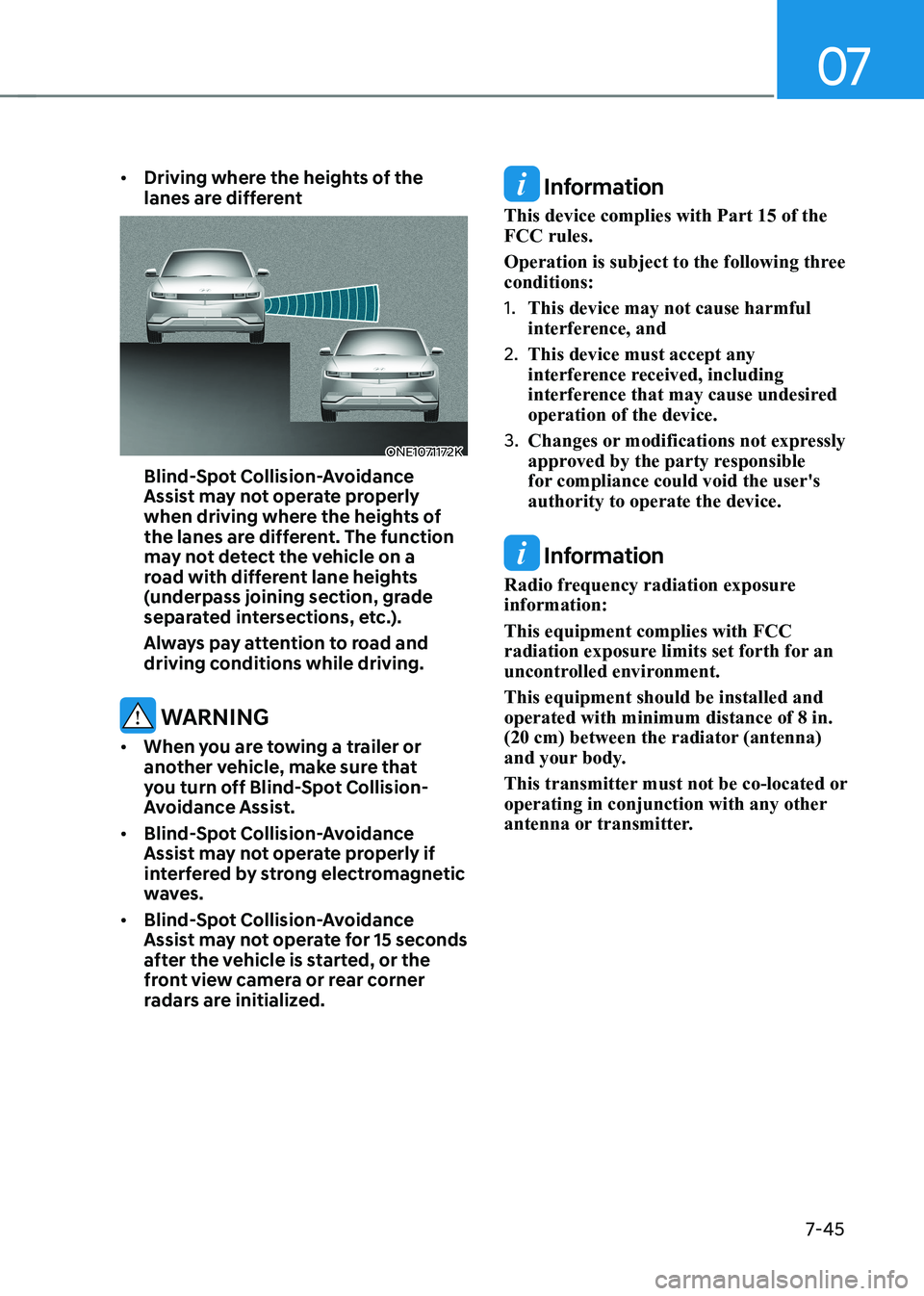
Driving where the heights of the
lanes are different
ONE1071172K
Blind-Spot Collision-Avoidance
Assist may not operate properly
when driving where the heights of
the lanes are different. The function
may not detect the vehicle on a
road with different lane heights
(underpass joining section, grade
separated intersections, etc.).
Always pay attention to road and
driving conditions while driving.
WARNING
• When you are towing a trailer or
another vehicle, make sure that
you turn off Blind-Spot Collision-
Avoidance Assist.
• Blind-Spot Collision-Avoidance
Assist may not operate properly if
interfered by strong electromagnetic
waves.
• Blind-Spot Collision-Avoidance
Assist may not operate for 15 seconds
after the vehicle is started, or the
front view camera or rear corner
radars are initialized.
Information
This device complies with Part 15 of the FCC rules.
Operation is subject to the following three conditions: 1. This device may not cause harmful
interference, and
2. This device must accept any
interference received, including
interference that may cause undesired operation of the device.
3. Changes or modifications not expressly
approved by the party responsible
for compliance could void the user's authority to operate the device.
Information
Radio frequency radiation exposure information: This equipment complies with FCC
radiation exposure limits set forth for an
uncontrolled environment. This equipment should be installed and operated with minimum distance of 8 in.
(20 cm) between the radiator (antenna)
and your body.
This transmitter must not be co-located or
operating in conjunction with any other
antenna or transmitter.
Page 458 of 680
Driver Assistance System
7-56
Intelligent Speed Limit Assist uses
information from the detected road sign
and navigation system to inform the
driver of the speed limit of the current
road. Also, Intelligent Speed Limit Assist
helps the driver to maintain within the
speed limit of the road.
CAUTION
• Intelligent Speed Limit Assist may
not operate properly if the function is
used in other countries.
• Update your navigation regularly to
ensure that Intelligent Speed Limit
Assist works properly.
Detecting sensor
ONE1071002K
[1]: Front view camera
Refer to the picture above for the
detailed location of the detecting sensor.
CAUTION
For more details on the precautions
of the front view camera, refer to
“Forward Collision-Avoidance Assist
(FCA)” section in this chapter.
Information
If the navigation system is available, the
information from the navigation system is
used along with the road sign information
detected by the front view camera.
Intelligent Speed Limit Assist
Settings
Setting features
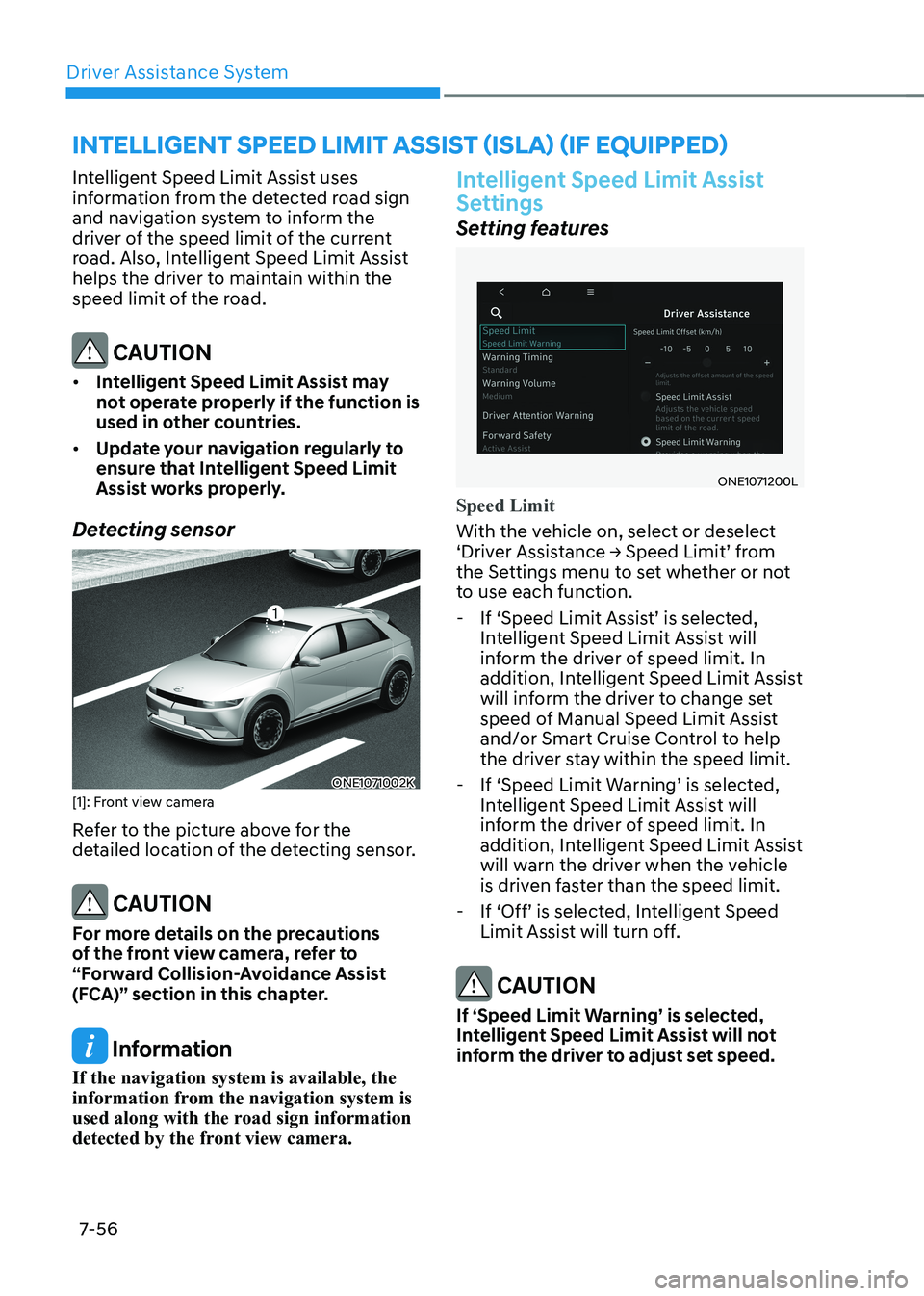
ONE1071200L
Speed Limit
With the vehicle on, select or deselect
‘Driver Assistance → Speed Limit’ from
the Settings menu to set whether or not
to use each function. - If ‘Speed Limit Assist’ is selected, Intelligent Speed Limit Assist will
inform the driver of speed limit. In
addition, Intelligent Speed Limit Assist
will inform the driver to change set
speed of Manual Speed Limit Assist
and/or Smart Cruise Control to help
the driver stay within the speed limit.
- If ‘Speed Limit Warning’ is selected, Intelligent Speed Limit Assist will
inform the driver of speed limit. In
addition, Intelligent Speed Limit Assist
will warn the driver when the vehicle
is driven faster than the speed limit.
- If ‘Off’ is selected, Intelligent Speed Limit Assist will turn off.
CAUTION
If ‘Speed Limit Warning’ is selected,
Intelligent Speed Limit Assist will not
inform the driver to adjust set speed.
INTELLIGENT SPEED LIMIT ASSIST (ISLA) (IF EQUIPPED)
Page 462 of 680
Driver Assistance System
7-60
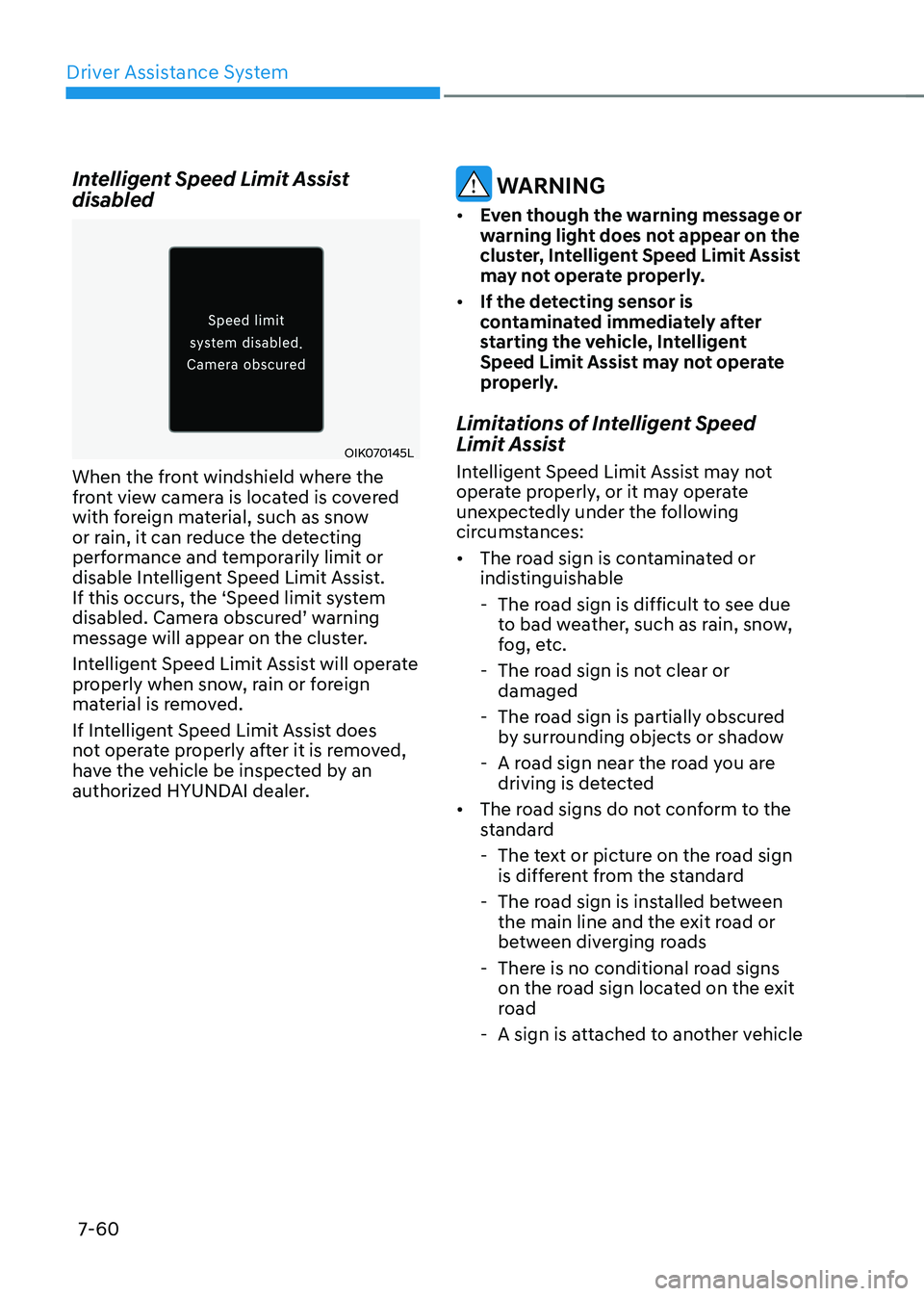
Intelligent Speed Limit Assist disabled
OIK070145L
When the front windshield where the
front view camera is located is covered
with foreign material, such as snow
or rain, it can reduce the detecting
performance and temporarily limit or
disable Intelligent Speed Limit Assist.
If this occurs, the ‘Speed limit system
disabled. Camera obscured’ warning
message will appear on the cluster.
Intelligent Speed Limit Assist will operate
properly when snow, rain or foreign
material is removed.
If Intelligent Speed Limit Assist does
not operate properly after it is removed,
have the vehicle be inspected by an
authorized HYUNDAI dealer.
WARNING
• Even though the warning message or
warning light does not appear on the
cluster, Intelligent Speed Limit Assist
may not operate properly.
• If the detecting sensor is
contaminated immediately after
starting the vehicle, Intelligent
Speed Limit Assist may not operate
properly.
Limitations of Intelligent Speed
Limit Assist
Intelligent Speed Limit Assist may not
operate properly, or it may operate
unexpectedly under the following
circumstances: • The road sign is contaminated or
indistinguishable
- The road sign is difficult to see due to bad weather, such as rain, snow,
fog, etc.
- The road sign is not clear or damaged
- The road sign is partially obscured by surrounding objects or shadow
- A road sign near the road you are driving is detected
• The road signs do not conform to the
standard
- The text or picture on the road sign is different from the standard
- The road sign is installed between the main line and the exit road or
between diverging roads
- There is no conditional road signs on the road sign located on the exit
road
- A sign is attached to another vehicle
Page 463 of 680
07
7-61
•
The distance between the vehicle and
the road signs is too far
• The vehicle encounters illuminant
road signs
• Intelligent Speed Limit Assist
incorrectly recognizes numbers in the
street signals or other signs as the speed limit
• The minimum speed limit sign is on
the road
• The brightness changes suddenly, for
example when entering or exiting a tunnel or passing under a bridge
• Headlamps are not used or the
brightness of the headlamps are weak
at night or in the tunnel
• Road signs are difficult to recognize
due to the reflection of sunlight, street
lights, or oncoming vehicles
• The navigation information or GPS
information contain errors.
• The driver does not follow the guide
of the navigation.
• The driver is driving a new road that is
not in the navigation system yet.
• The field of view of the front view
camera is obstructed by sun glare
• Driving on a road that is sharply
curved or continuously curved
• Driving through speed bumps, or
driving up and down or left to right on
steep inclines
• The vehicle is shaking heavily
• There is an error in the navigation map
information or GPS information
• The driver is not driving along the
navigation guide route
• Driving on a newly opened road
Information
For more details on the limitations of the
front view camera, refer to “Forward
Collision-Avoidance Assist (FCA)” section
in this chapter.
WARNING
• Intelligent Speed Limit Assist is a
supplemental function that helps the
driver to comply with the speed limit
on the road, and may not display the
correct speed limit or control the
driving speed properly.
• Always set the vehicle speed to the
speed limit in your country.
Page 464 of 680
Driver Assistance System
7-62
Basic function
Driver Attention Warning can help
determine the driver's attention level
by analyzing driving pattern and driving
time while vehicle is driven. Driver
Attention Warning will recommend a
break when the driver’s attention level
falls below a certain level.
Leading vehicle departure alert function
Leading Vehicle Departure Alert function
will inform the driver when a detected
vehicle in front departs from a stop.
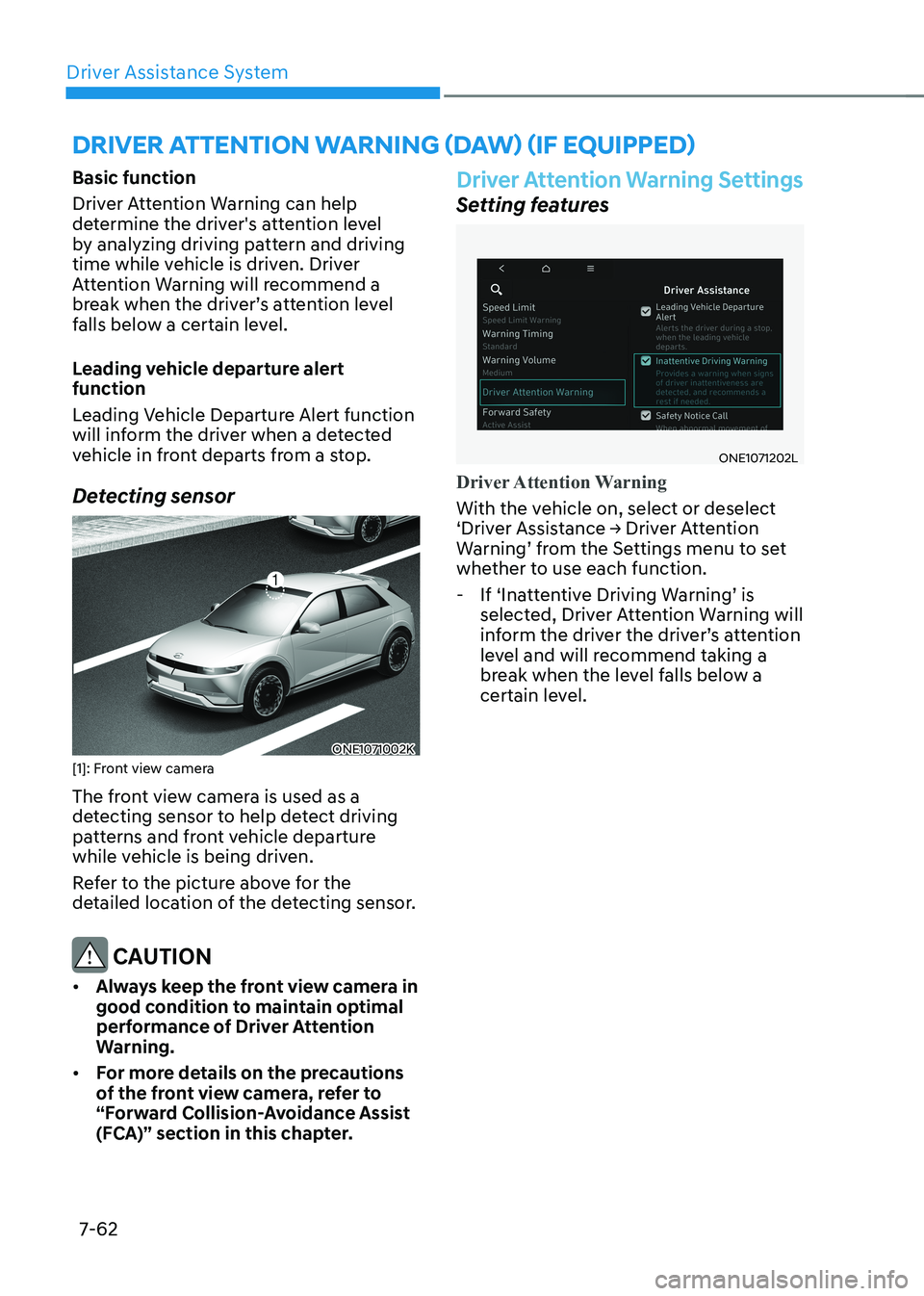
Detecting sensor
ONE1071002K
[1]: Front view camera
The front view camera is used as a
detecting sensor to help detect driving
patterns and front vehicle departure
while vehicle is being driven.
Refer to the picture above for the
detailed location of the detecting sensor.
CAUTION
• Always keep the front view camera in
good condition to maintain optimal
performance of Driver Attention
Warning.
• For more details on the precautions
of the front view camera, refer to
“Forward Collision-Avoidance Assist
(FCA)” section in this chapter.
Driver Attention Warning Settings
Setting features
ONE1071202L
Driver Attention Warning
With the vehicle on, select or deselect
‘Driver Assistance → Driver Attention
Warning’ from the Settings menu to set
whether to use each function.
- If ‘Inattentive Driving Warning’ is selected, Driver Attention Warning will
inform the driver the driver’s attention
level and will recommend taking a
break when the level falls below a
certain level.
DRIVER ATTENTION WARNING (DAW) (IF EQUIPPED)