climate HYUNDAI IONIQ 5 2023 User Guide
[x] Cancel search | Manufacturer: HYUNDAI, Model Year: 2023, Model line: IONIQ 5, Model: HYUNDAI IONIQ 5 2023Pages: 680, PDF Size: 48.22 MB
Page 165 of 680
04
4 -7
ONE1Q011011
When the remaining battery is lower than
10 % on the SOC gauge, the warning light (
) turns ON to alert you of the battery
level.
When the warning light (
) turns ON,
the vehicle can drive an additional 18 ~
25 miles (30 ~ 40 km) depending on the
driving speed, heater/air conditioner,
weather, driving style, and other factors.
Charging is required.
NOTICE
The output is limited as the remaining
battery is low.
When the Power Down Indicator Light
is on, the vehicle may be limited to
a certain speed, it may be difficult
to climb hills, or the vehicle may be
pushed back, so charge it immediately. Outside temperature gauge
ONE1041014N
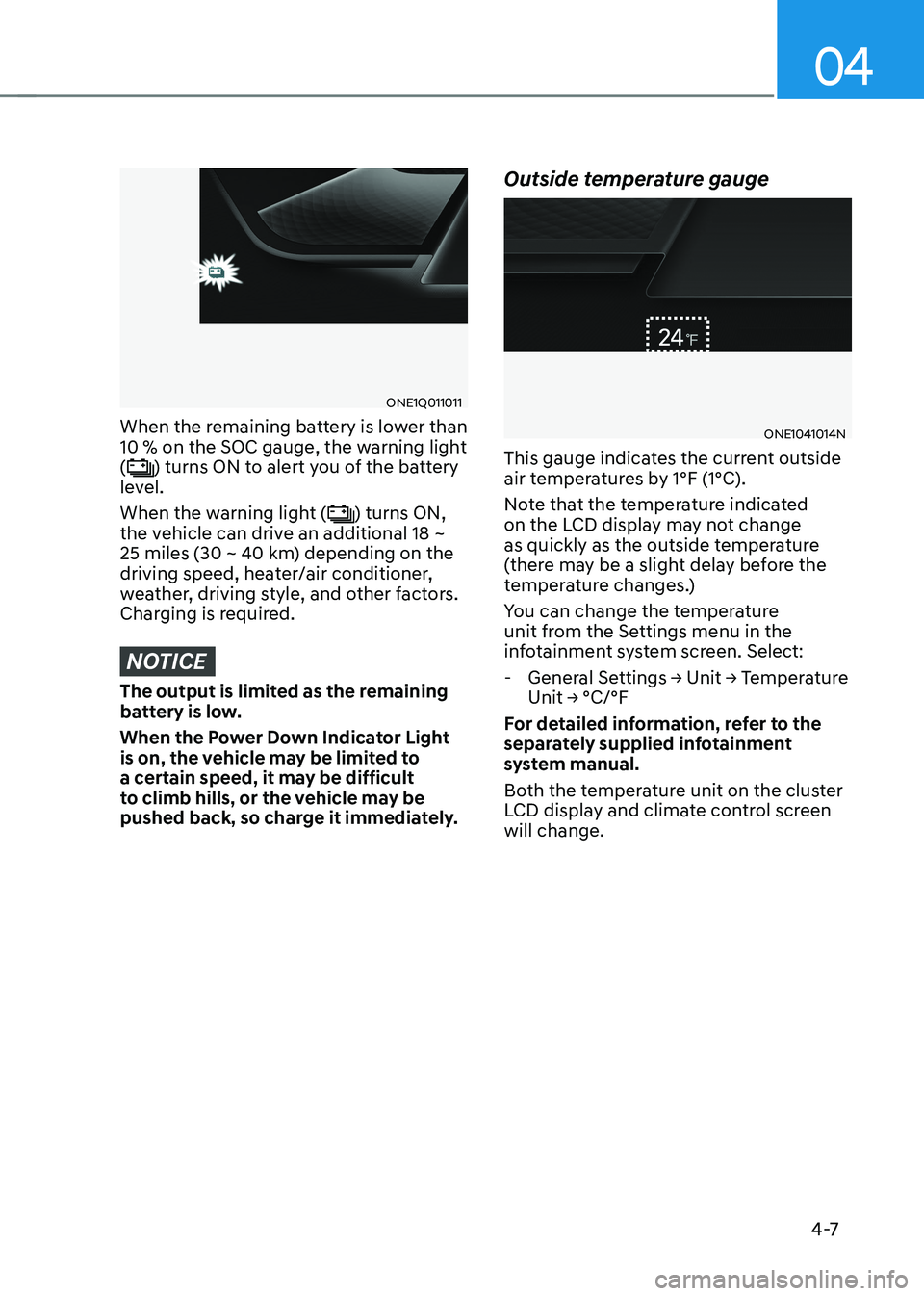
This gauge indicates the current outside
air temperatures by 1°F (1°C).
Note that the temperature indicated
on the LCD display may not change
as quickly as the outside temperature
(there may be a slight delay before the
temperature changes.)
You can change the temperature
unit from the Settings menu in the
infotainment system screen. Select:
- General Settings → Unit → Temperature Unit → °C/°F
For detailed information, refer to the
separately supplied infotainment
system manual.
Both the temperature unit on the cluster
LCD display and climate control screen will change.
Page 192 of 680
Instrument Cluster
4-34
Vehicle settings (infotainment system)
Vehicle Settings in the infotainment
system provides user options for a
variety of settings including door lock/
unlock features, convenience features,
driver assistance settings, etc.
Vehicle Settings menu - Driver Assistance
- Drive Mode
- EV
- Head-Up Display
- Cluster
- Climate
- Seat
- Lights
- Door
- Convenience
The information provided may differ
depending on which features are
applicable to your vehicle.
WARNING
Do not operate the Vehicle Settings
while driving. This may cause
distraction resulting in an accident.
Setting Your Vehicle
ONE1041051K
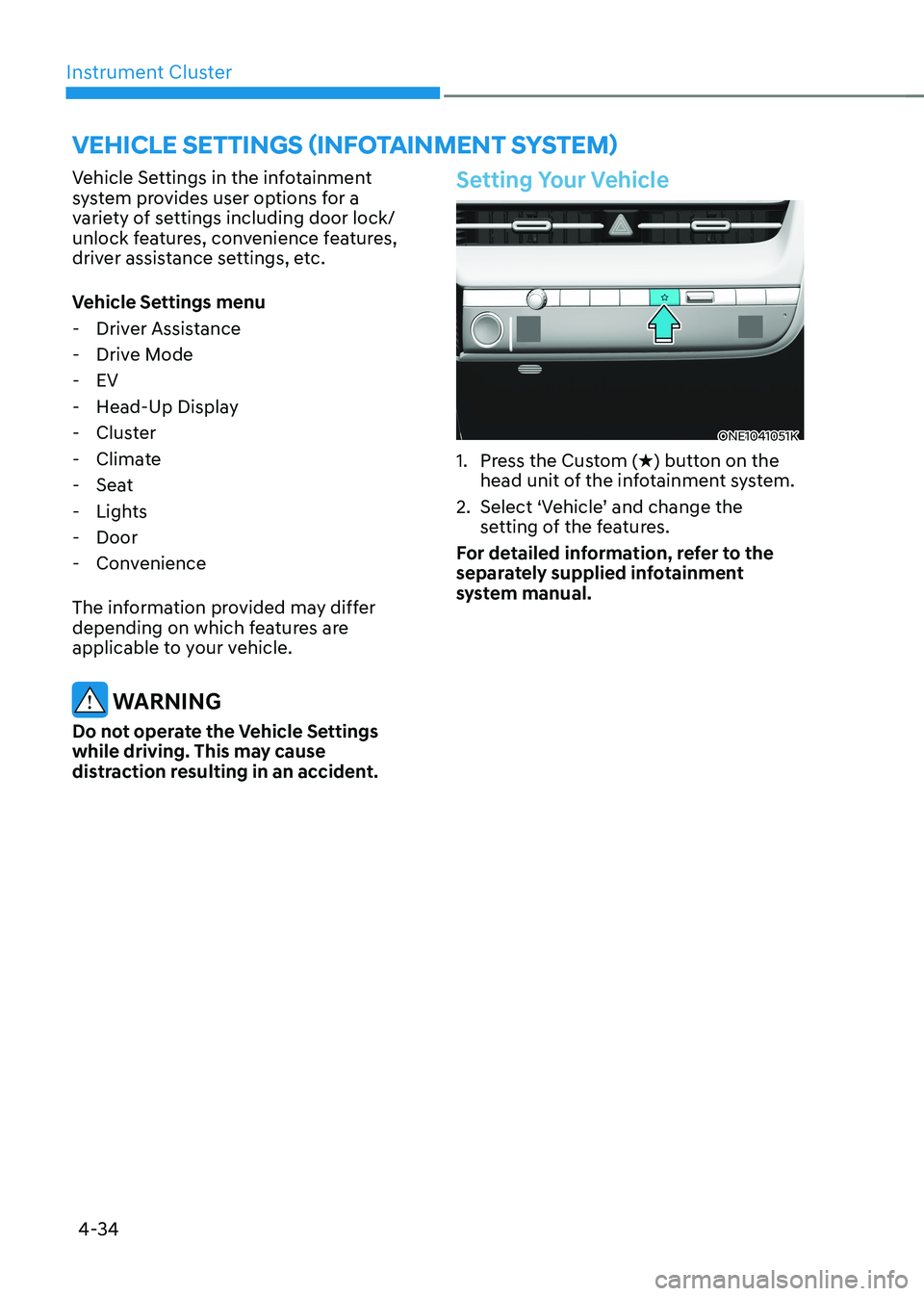
1. Press the Custom ( H) button on the
head unit of the infotainment system.
2. Select ‘Vehicle’ and change the setting of the features.
For detailed information, refer to the
separately supplied infotainment
system manual.
Page 194 of 680
5
Exterior Features ............................................................................................. 5-70
Hood ............................................................................................................................ 5-70
Front trunk ................................................................................................................... 5-71
Power Liftgate ............................................................................................................ 5-72
Smart Liftgate ............................................................................................................. 5-78
Electric Charging Door .................................................................................... 5-81
Augmented Reality HUD ................................................................................ 5-82
Head-up display Settings .......................................................................................... 5-82
Head-up display Information .................................................................................... 5-83
Precautions while Using the Head-up display ........................................................5-84
Lighting ............................................................................................................ 5-85
Exterior Lights ............................................................................................................ 5-85
Interior Lights ............................................................................................................ 5-89
High Beam Assist (HBA) ................................................................................ 5-93
High Beam Assist Settings ......................................................................................... 5-93
High Beam Assist Operation ..................................................................................... 5-94
High Beam Assist Malfunction and Limitations .......................................................5-95
Wipers and Washers ....................................................................................... 5-96
Front Windshield Wipers .......................................................................................... 5-96
Front Windshield Washers ........................................................................................ 5-98
Automatic Climate Control System ............................................................... 5-99
Climate ...................................................................................................................... 5-100
Automatic Temperature Control Mode ................................................................... 5-100
Manual Temperature Control Mode ........................................................................ 5-102
System Operation ...................................................................................................... 5-110
System Maintenance ................................................................................................. 5-111
Windshield Defrosting and Defogging ..........................................................5-113
To Defog Inside Windshield ...................................................................................... 5-113
To Defrost Outside Windshield ................................................................................. 5-114
Defogging Logic ........................................................................................................ 5-114
Rear Window Defroster............................................................................................. 5-115
Climate Control Additional Features ............................................................. 5-116
Auto Defogging System ............................................................................................ 5-116
Auto Dehumidify ....................................................................................................... 5-117
Recirculating Air When Washer Fluid Is Used .........................................................5-118
Auto. Controls That Use Climate Control Settings (for driver’s seat) ....................5-118
Smart ventilation ....................................................................................................... 5-118
Page 225 of 680
05
5-33
NOTICE
• If the door is locked/unlocked
multiple times in rapid succession
with the smart key, door lock button
or door lock switch, the system
may stop operating temporarily in
order to protect the circuit. Also,
the “Approach unlock” system may
not operate. Try operation after a
sufficient time in case the system
does not operate due to multiple
operations.
• “Approach unlock” system is not
operated continuously. Retry after a
certain period of time when all the
doors are closed.
Information
• In cold and wet climates, door lock
and door mechanisms may not work
properly due to freezing conditions.
• If the door is locked/unlocked multiple
times in rapid succession with either
the vehicle key or door lock switch, the system may stop operating temporarily
in order to protect the circuit and
prevent damage to system components.
• When washing the vehicle
- Self car wash
Keep the door locked with the outside
door handle closed.
To keep the door unlocked, push
back the outside door handle by
hand. This function prevents the door
handle from being damaged, and the
door handle pops out again when the
unlock button is pressed.
- Auto car wash
Keep the door locked with the outside
door handle closed. If the Smart Key is not in the vehicle, turn off the vehicle and stay the Smart Key away at least 2 m (78
in.) from the vehicle to prevent the
outside door handle operates.
Digatal key (if equipped)
Refer to ‘HYUNDAI digital key’ of this
chapter to lock or unlock the door from
outside vehicle with digital key.
Pull the outside door handle to open the
door after unlocking the door. Push the
door to close.
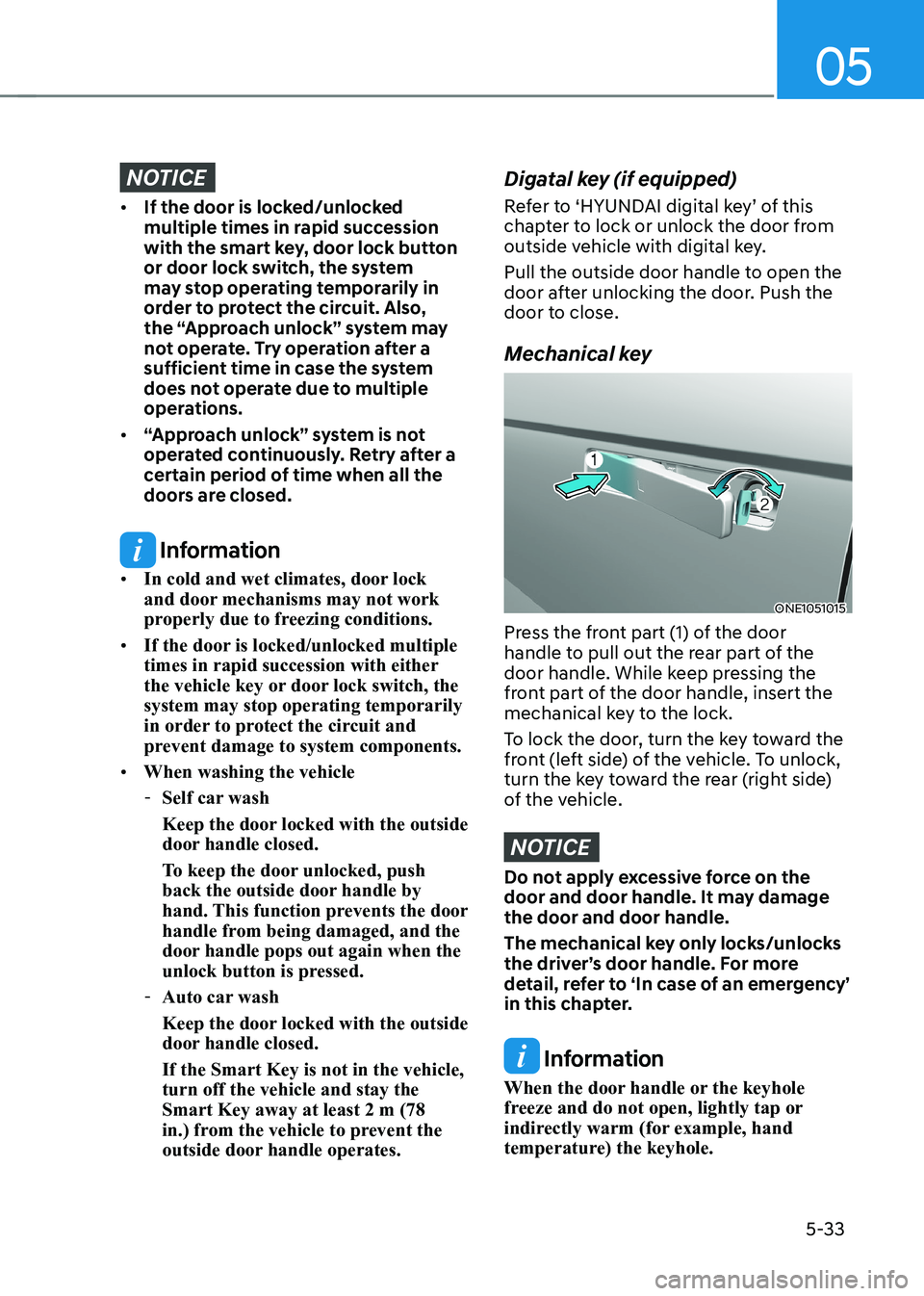
Mechanical key
ONE1051015
Press the front part (1) of the door
handle to pull out the rear part of the
door handle. While keep pressing the
front part of the door handle, insert the
mechanical key to the lock.
To lock the door, turn the key toward the
front (left side) of the vehicle. To unlock,
turn the key toward the rear (right side)
of the vehicle.
NOTICE
Do not apply excessive force on the
door and door handle. It may damage the door and door handle.
The mechanical key only locks/unlocks
the driver’s door handle. For more
detail, refer to ‘In case of an emergency’
in this chapter.
Information
When the door handle or the keyhole
freeze and do not open, lightly tap or
indirectly warm (for example, hand
temperature) the keyhole.
Page 238 of 680
Convenience Features
5-46
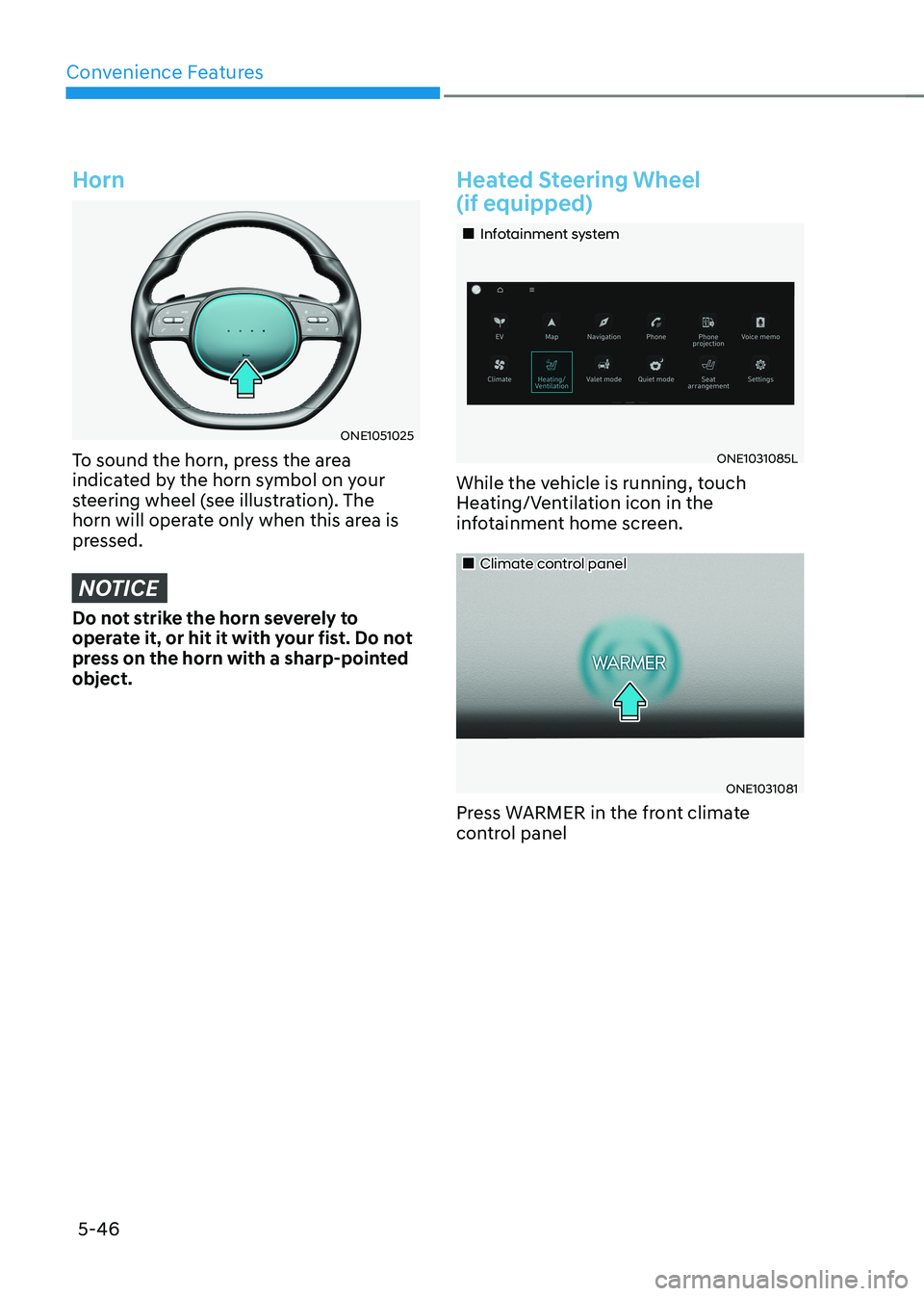
Horn
ONE1051025
To sound the horn, press the area
indicated by the horn symbol on your
steering wheel (see illustration). The
horn will operate only when this area is
pressed.
NOTICE
Do not strike the horn severely to
operate it, or hit it with your fist. Do not
press on the horn with a sharp-pointed object.
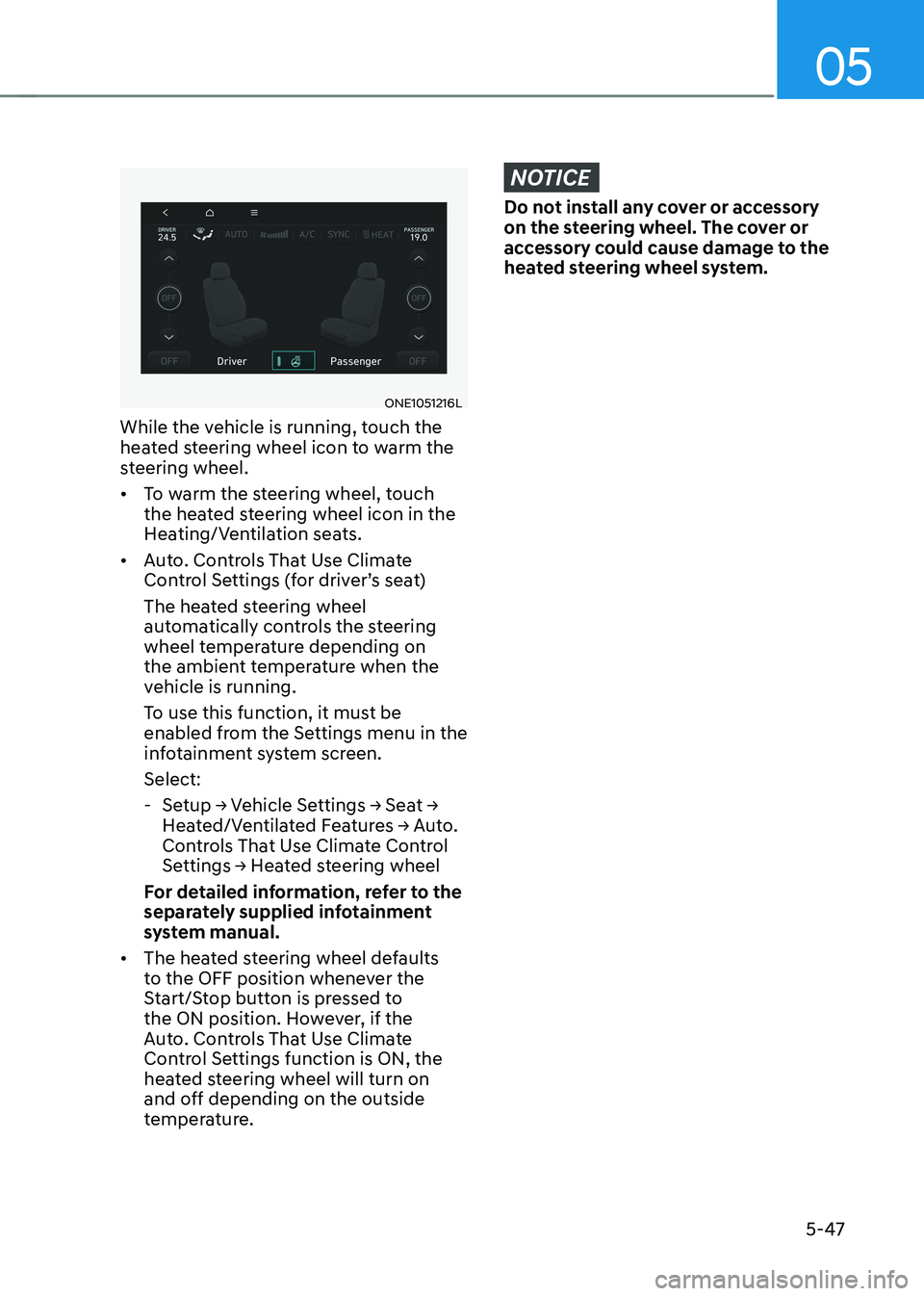
Heated Steering Wheel (if equipped)
„„Infotainment system
ONE1031085L
While the vehicle is running, touch
Heating/Ventilation icon in the
infotainment home screen.
„„Climate control panel
ONE1031081
Press WARMER in the front climate
control panel
Page 239 of 680
05
5-47
ONE1051216L
While the vehicle is running, touch the
heated steering wheel icon to warm the
steering wheel. • To warm the steering wheel, touch
the heated steering wheel icon in the
Heating/Ventilation seats.
• Auto. Controls That Use Climate
Control Settings (for driver’s seat)
The heated steering wheel
automatically controls the steering
wheel temperature depending on
the ambient temperature when the
vehicle is running.
To use this function, it must be
enabled from the Settings menu in the
infotainment system screen. Select:
- Setup → Vehicle Settings → Seat →
Heated/Ventilated Features → Auto.
Controls That Use Climate Control
Settings → Heated steering wheel
For detailed information, refer to the
separately supplied infotainment
system manual.
• The heated steering wheel defaults
to the OFF position whenever the
Start/Stop button is pressed to
the ON position. However, if the
Auto. Controls That Use Climate
Control Settings function is ON, the
heated steering wheel will turn on
and off depending on the outside
temperature.
NOTICE
Do not install any cover or accessory
on the steering wheel. The cover or
accessory could cause damage to the
heated steering wheel system.
Page 267 of 680
05
5-75
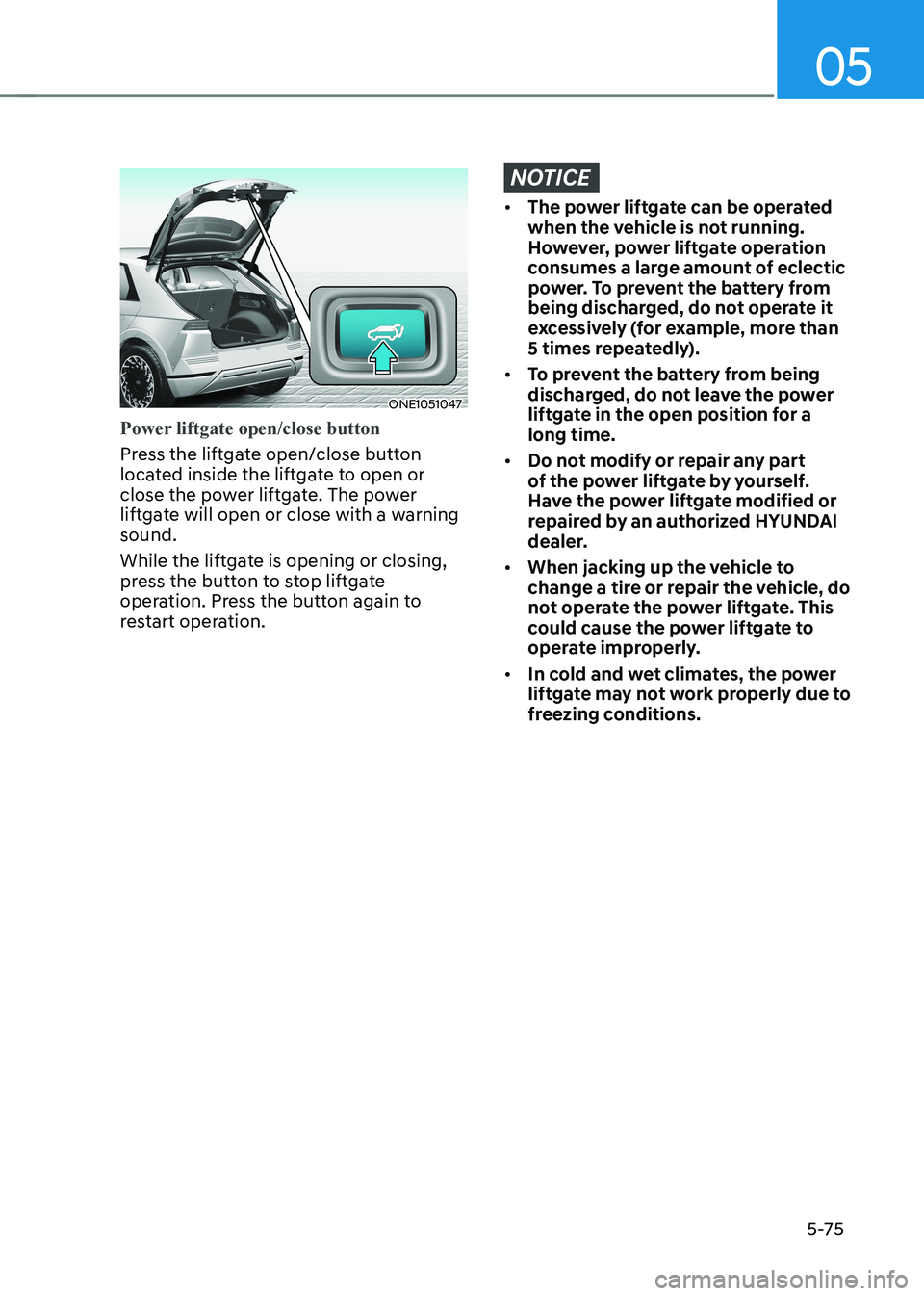
ONE1051047
Power liftgate open/close button
Press the liftgate open/close button
located inside the liftgate to open or
close the power liftgate. The power
liftgate will open or close with a warning sound.
While the liftgate is opening or closing,
press the button to stop liftgate
operation. Press the button again to
restart operation.
NOTICE
• The power liftgate can be operated
when the vehicle is not running.
However, power liftgate operation
consumes a large amount of eclectic
power. To prevent the battery from
being discharged, do not operate it
excessively (for example, more than
5 times repeatedly).
• To prevent the battery from being
discharged, do not leave the power
liftgate in the open position for a long time.
• Do not modify or repair any part
of the power liftgate by yourself.
Have the power liftgate modified or
repaired by an authorized HYUNDAI
dealer.
• When jacking up the vehicle to
change a tire or repair the vehicle, do
not operate the power liftgate. This
could cause the power liftgate to
operate improperly.
• In cold and wet climates, the power
liftgate may not work properly due to
freezing conditions.
Page 290 of 680
Convenience Features
5-98
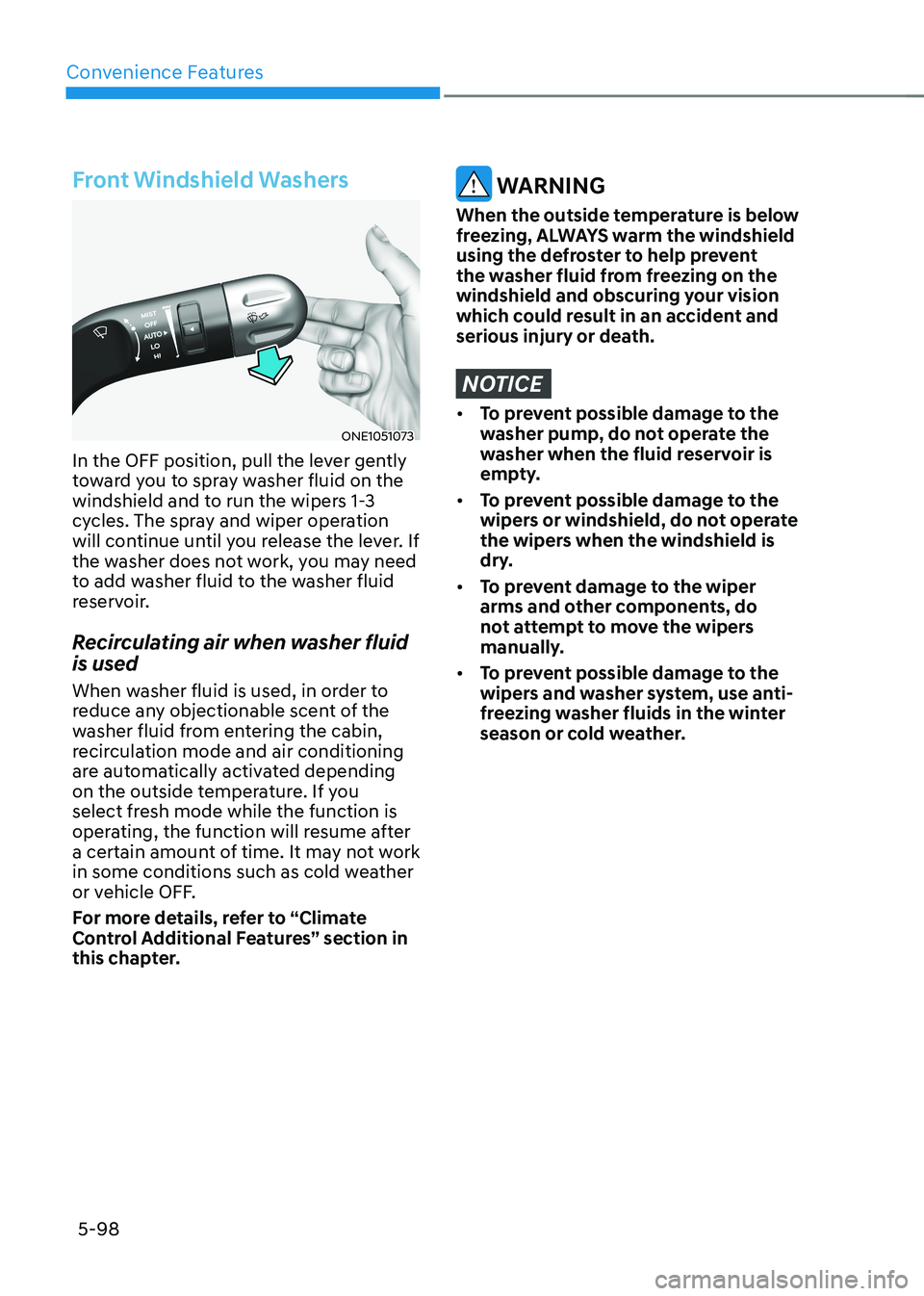
Front Windshield Washers
ONE1051073
In the OFF position, pull the lever gently
toward you to spray washer fluid on the
windshield and to run the wipers 1-3
cycles. The spray and wiper operation
will continue until you release the lever. If
the washer does not work, you may need
to add washer fluid to the washer fluid
reservoir.
Recirculating air when washer fluid is used
When washer fluid is used, in order to
reduce any objectionable scent of the
washer fluid from entering the cabin,
recirculation mode and air conditioning
are automatically activated depending
on the outside temperature. If you
select fresh mode while the function is
operating, the function will resume after
a certain amount of time. It may not work
in some conditions such as cold weather
or vehicle OFF.
For more details, refer to “Climate
Control Additional Features” section in
this chapter.
WARNING
When the outside temperature is below
freezing, ALWAYS warm the windshield
using the defroster to help prevent
the washer fluid from freezing on the
windshield and obscuring your vision
which could result in an accident and
serious injury or death.
NOTICE
• To prevent possible damage to the
washer pump, do not operate the
washer when the fluid reservoir is
empty.
• To prevent possible damage to the
wipers or windshield, do not operate
the wipers when the windshield is
dry.
• To prevent damage to the wiper
arms and other components, do
not attempt to move the wipers
manually.
• To prevent possible damage to the
wipers and washer system, use anti-
freezing washer fluids in the winter
season or cold weather.
Page 291 of 680
05
5-99
Information
Use a clean soft microfiber cloth to gently wipe any finger prints off the touch screen.
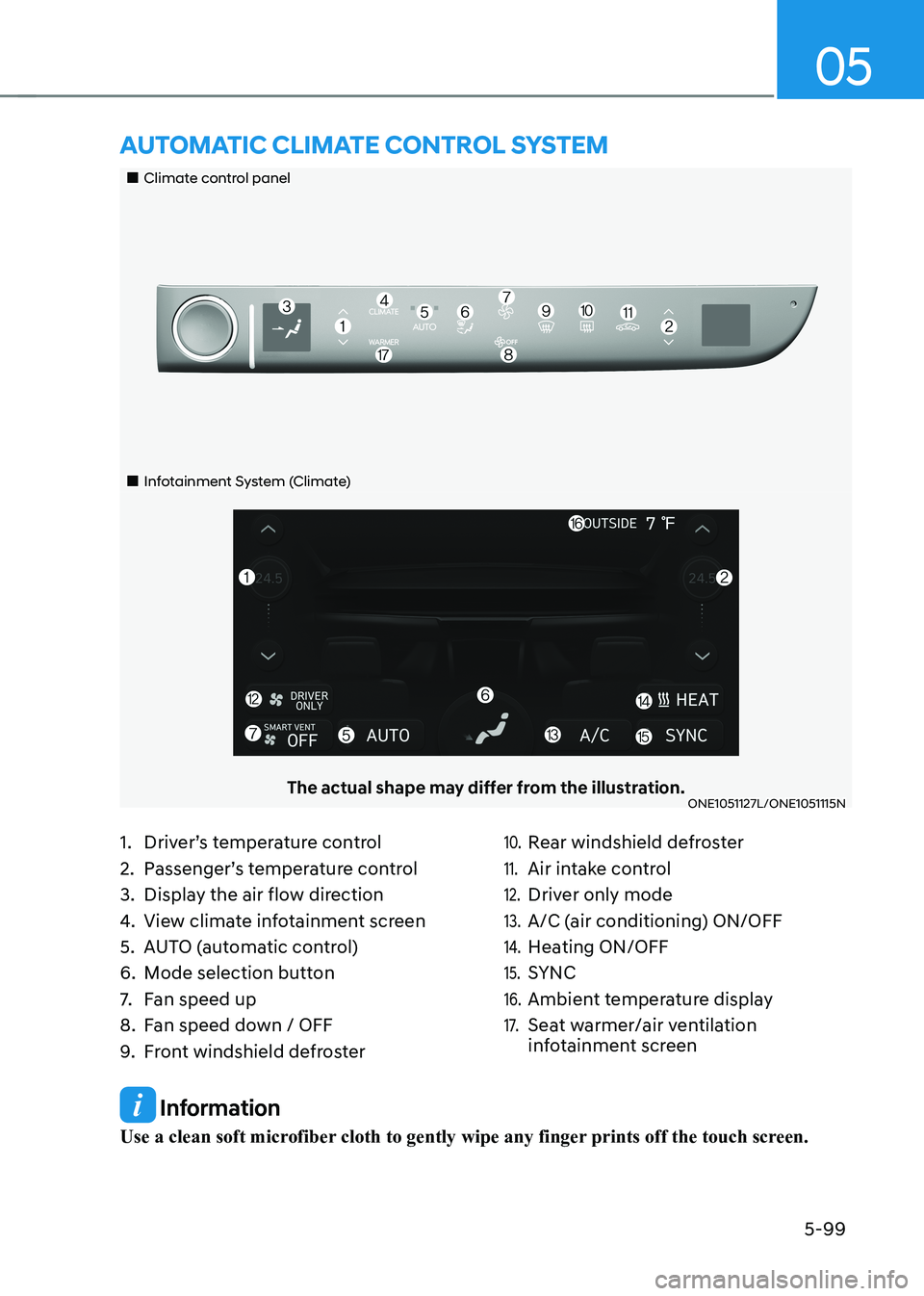
„„Climate control panel
„„Infotainment System (Climate)
The actual shape may differ from the illustration.ONE1051127L/ONE1051115N
aUTomaTIc clImaTe conTrol sysTem
1. Driver’s temperature control
2. Passenger’s temperature control
3. Display the air flow direction
4. View climate infotainment screen
5. AUTO (automatic control)
6. Mode selection button
7. Fan speed up
8. Fan speed down / OFF
9. Front windshield defroster10. Rear windshield defroster
11. Air intake control
12. Driver only mode
13. A/C (air conditioning) ON/OFF
14. Heating ON/OFF
15. SYNC
16. Ambient temperature display
17. Seat warmer/air ventilation
infotainment screen
Page 292 of 680
Convenience Features
5-100
Climate
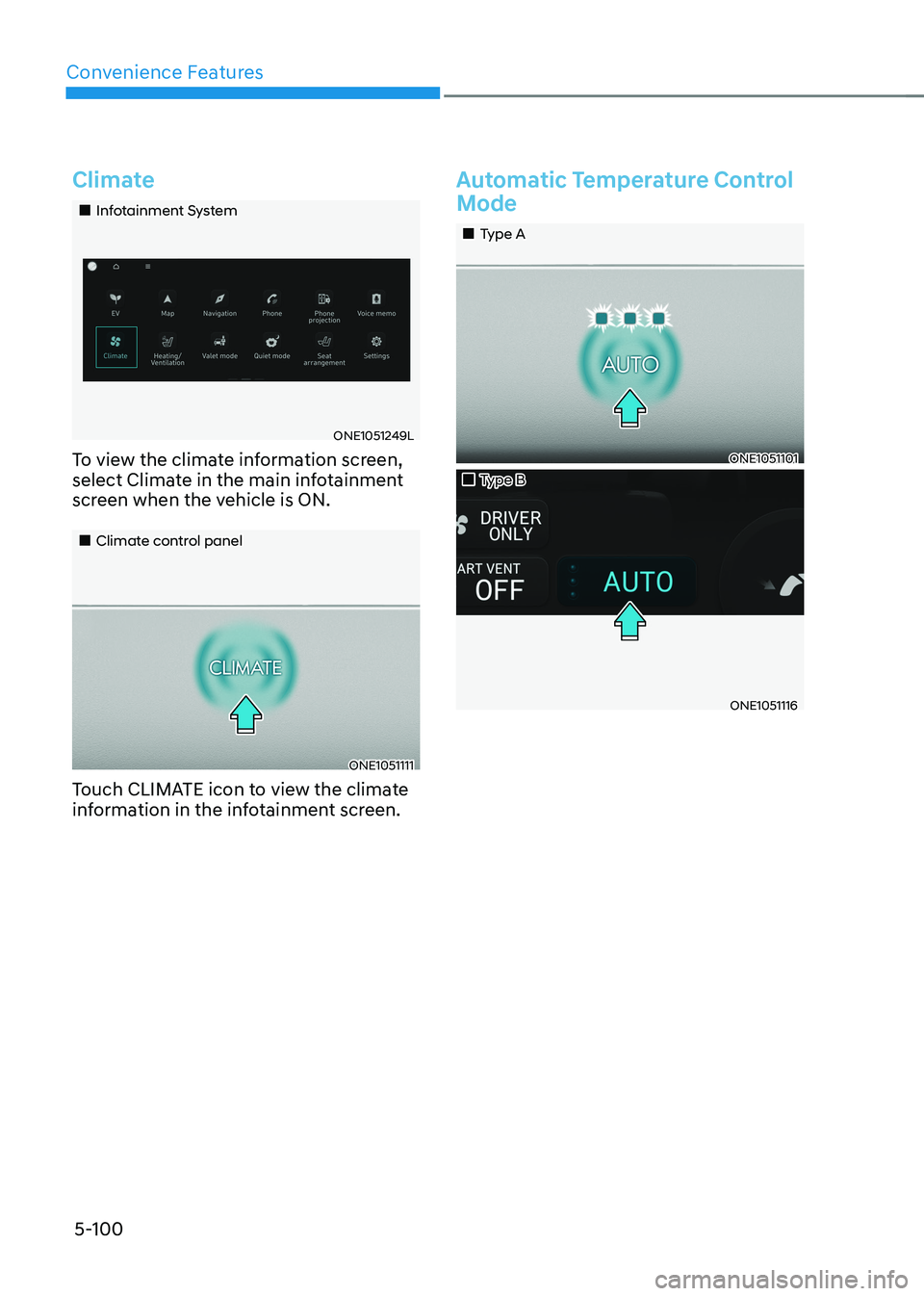
„„Infotainment System
ONE1051249L
To view the climate information screen,
select Climate in the main infotainment
screen when the vehicle is ON.
„„Climate control panel
ONE1051111
Touch CLIMATE icon to view the climate
information in the infotainment screen.
Automatic Temperature Control
Mode
„„Type A
ONE1051101
„„Type B
ONE1051116