driver only HYUNDAI IONIQ 5 2023 Owners Manual
[x] Cancel search | Manufacturer: HYUNDAI, Model Year: 2023, Model line: IONIQ 5, Model: HYUNDAI IONIQ 5 2023Pages: 680, PDF Size: 48.22 MB
Page 11 of 680
Foreword / Electric Vehicle System Overview
1-6
VeHiCle data ColleCtion and eVent data reCorderS
This vehicle is equipped with an event data recorder (EDR). The main purpose of
an EDR is to record, in certain crash or near crash-like situations, such as an air bag
deployment or hitting a road obstacle, data that will assist in understanding how a
vehicle’s systems performed. The EDR is designed to record data related to vehicle
dynamics and safety systems for a short period of time, typically 30 seconds or less.
The EDR in this vehicle is designed to record such data as: • How various systems in your vehicle were operating;
• Whether or not the driver and passenger safety belts were buckled/ fastened;
• How far (if at all) the driver was depressing the accelerator and/or brake pedal; and,
• How fast the vehicle was traveling.
These data can help provide a better understanding of the circumstances in which
crashes and injuries occur. NOTE: EDR data are recorded by your vehicle only if a non-
trivial crash situation occurs; no data are recorded by the EDR under normal driving
conditions and no personal data (for example, name, gender, age, and crash location)
are recorded. However, other parties, such as law enforcement, could combine the
EDR data with the type of personally identifying data routinely acquired during a crash
investigation.
To read data recorded by an EDR, special equipment is required, and access to the
vehicle or the EDR is needed. In addition to the vehicle manufacturer, other parties,
such as law enforcement, that have the special equipment, can read the information if
they have access to the vehicle or the EDR.
Page 40 of 680
01
1-35
ONE1Q011041
6. Check if the charging indicator light (
) of the high voltage battery in
the instrument cluster is turned ON.
Charging is not active when the
charging indicator light (
) is OFF.
When the charging connector is not
connected properly, reconnect the
charging cable to charge it again.
During cold weather, DC charging
may not be available to prevent high
voltage battery degradation.
Information
To control the temperature of the high voltage battery while charging, the
air conditioner is used to cool down the battery which may generate noise
from operation of the air conditioner
compressor and cooling fan.
Also, the air conditioner’s performance
may be degraded during summer due to
operation of the cooling system for the
high voltage battery.
Information
Even though charging is possible with
the Start/Stop button in the ON/START
position, for you safety, start charging when the Start/Stop button is in the
OFF position and the vehicle shifted to P
(Park). After charging has started, you can use electrical components such as the
radio by pressing the Start/Stop button to
the ACC or ON position.
During charging, the gear cannot be
shifted from P (Park) to any other gear.
ONE1Q011059E
7. After charging has started, the
estimated charging time is displayed
on the instrument cluster for about 1
minute.
If you open the driver seat door while
charging, the estimated charging time
is also displayed on the instrument
cluster for about 1 minute.
Information
• Depending on the condition and
durability of the high voltage battery,
charger specifications, and ambient
temperature, the time required for
charging the battery may vary.
• In rare cases, you might hear high
frequency noise (very little beep sound)
outside the car when charging with
400V fast charger that is deteriorated
or has long communication delay.
The high frequency noise can be
generated only when the car tries to
reduce its own electromagnetic waves to keep fast charging as possible.
So there is no need to worry about this little noise, because it is the intentional
operation of the car that does not
affect any charging performance or the vehicle itself at all.
Page 57 of 680
Foreword / Electric Vehicle System Overview
1-52
•
Distance to empty that is displayed
on the instrument cluster after
completing a recharge may vary
significantly depending on previous
operating patterns.
When previous driving patterns
include high speed driving, resulting
in the high voltage battery using more
electricity than usual, the estimated
distance to empty is reduced. When
the high voltage battery uses little
electricity in ECO mode, the estimated
distance to empty increases.
• Distance to empty may depend on
many factors such as the charge
amount of the high voltage battery,
weather, temperature, durability of
the battery, geographical features,
and driving style.
• Natural degradation may occur with
the high voltage battery depending
on the number of years the vehicle is
used. This may reduce the distance to
empty.
When destination is set
When the destination is set, the distance
to empty may change. The distance
to empty is recalculated using the
information of the destination. However,
the distance to empty may vary
significantly based on traffic conditions,
driving habits, and condition of the
vehicle.
Tips for Improving Distance to
Empty
• If you operate the air conditioner /
heater too much, the driving battery
uses too much electricity. This
may reduce the distance to empty.
Therefore, it is recommended that
you set the cabin temperature to
22°C AUTO. This setting that has
been certified by various assessment
tests to maintain optimal energy
consumption rates while keeping the
temperature fresh.
Turn OFF the heater and air
conditioner if you do not need them.
• When the heater or air conditioning
system is on the energy consumption
is reduced if recirculation mode is
selected instead of selecting the fresh
mode. The fresh mode requires large
amount of energy consumption as
the outside air has to be re-heated or cooled.
• When using the heater or air
conditioning system use the DRIVER
ONLY or scheduled air conditioner/
heater function.
• Depress and hold the accelerator
pedal to maintain speed and drive
economically.
• Gradually depress and release the
accelerator pedal when accelerating
or decelerating.
• Always maintain specified tire
pressures.
• Do not use unnecessary electrical
components while driving.
• Do not load unnecessary items in the
vehicle.
• Do not mount parts that may increase
air resistance.
Page 89 of 680
Seats & Safety System
3-2
You will find many safety precautions
and recommendations throughout this
section, and throughout this manual.
The safety precautions in this section are
among the most important.
Always Wear Your Seat Belt
A seat belt is your best protection in all
types of accidents. Air bags are designed
to supplement seat belts, not to replace
them. So even though your vehicle is
equipped with air bags, ALWAYS make
sure you and your passengers wear your
seat belts, and wear them properly.
Restrain All Children
All children under age 13 should ride
in your vehicle properly restrained in a
rear seat, not the front seat. Infants and
small children should be restrained in
an appropriate Child Restraint System.
Larger children should use a booster
seat with the lap/shoulder belt until they
can use the seat belt properly without a
booster seat.
Air Bag Hazards
While air bags can save lives, they can
also cause serious or fatal injuries to
occupants who sit too close to them, or
who are not properly restrained. Infants,
young children, and short adults are at
the greatest risk of being injured by an
inflating air bag. Follow all instructions
and warnings in this manual.
Driver Distraction
Driver distraction presents a serious and
potentially deadly danger, especially for
inexperienced drivers. Safety should be
the first concern when behind the wheel
and drivers need to be aware of the wide
array of potential distractions, such as
drowsiness, reaching for objects, eating,
personal grooming, other passengers, and using mobile phones.
Drivers can become distracted when
they take their eyes and attention off
the road or their hands off the wheel to
focus on activities other than driving.
To reduce your risk of distraction and an
accident: •
Set up your mobile devices (for
example, MP3 players, phones,
navigation units, etc.) ONLY when
your vehicle is parked or safely
stopped.
• ONLY use your mobile device when
allowed by laws and conditions permit
safe use. NEVER text or email while
driving. Most countries have laws
prohibiting drivers from texting. Some
countries and cities also prohibit
drivers from using handheld phones.
• NEVER let the use of a mobile device
distract you from driving. You have a
responsibility to your passengers and
others on the road to always drive
safely, with your hands on the wheel
as well as your eyes and attention on
the road.
Control Your Speed
Excessive speed is a major factor in crash
injuries and deaths. Generally, the higher
the speed, the greater the risk, but
serious injuries can also occur at lower
speeds. Never drive faster than is safe
for current conditions, regardless of the
maximum speed posted.
Keep Your Vehicle In Safe Condition
Having a tire blowout or a mechanical
failure can be extremely hazardous. To
reduce the possibility of such problems,
check your tire pressures and condition
frequently, and perform all regularly
scheduled maintenance.
Important safety precautIons
Page 137 of 680
Seats & Safety System
3-50
The vehicles are equipped with a Supplemental Air Bag System for the driver’s seat and
front passenger’s seats.
The front air bags are designed to supplement the three-point seat belts. For these air
bags to provide protection, the seat belts must be worn at all times when driving.
You can be severely injured or killed in an accident if you are not wearing a seat belt.
Air bags are designed to supplement seat belts, but do not replace them. Also, air bags
are not designed to deploy in every collision. In some accidents, the seat belts are the
only restraint protecting you.
WARNING
AIR BAG SAFETY PRECAUTIONS
ALWAYS use seat belts Child Restraint Systems - every trip, every time, everyone!
Even with air bags, you can be seriously injured or killed in a collision if you are
improperly belted or not wearing your seat belt when the air bag inflates.
NEVER place a child in any Child Restraint System or booster seat in the front
passenger seat, unless the air bag is deactivated.
An inflating air bag could forcefully strike the infant or child causing serious or fatal injuries.
ABC - Always Buckle Children under age 13 in the back seat. It is the safest place
for children of any age to ride. If a child age 13 or older must be seated in the front
seat, he or she must be properly belted and the seat should be moved as far back as possible.
All occupants should sit upright with the seatback in an upright position, centered
on the seat cushion with their seat belt on, legs comfortably extended and their feet
on the floor until the vehicle is parked and the vehicle is turned off. If an occupant
is out of position during an accident, the rapidly deploying air bag may forcefully
contact the occupant causing serious or fatal injuries.
You and your passengers should never sit or lean unnecessarily close to the air bags
or lean against the door or center console.
Move your seat as far back as possible from front air bags, while still maintaining
control of the vehicle. The U.S. National Highway Traffic Safety Administration
(NHTSA) recommends that drivers allow at least 10 inches (25 cm) between the
center of the steering wheel and the chest.
Page 142 of 680
03
3-55
The SRSCM (Supplemental Restraint
System Control Module) continually
monitors all SRS components while the
Start/Stop button is ON to determine if a
crash impact is severe enough to require
air bag deployment or pre-tensioner seat
belt deployment.
SRS warning light
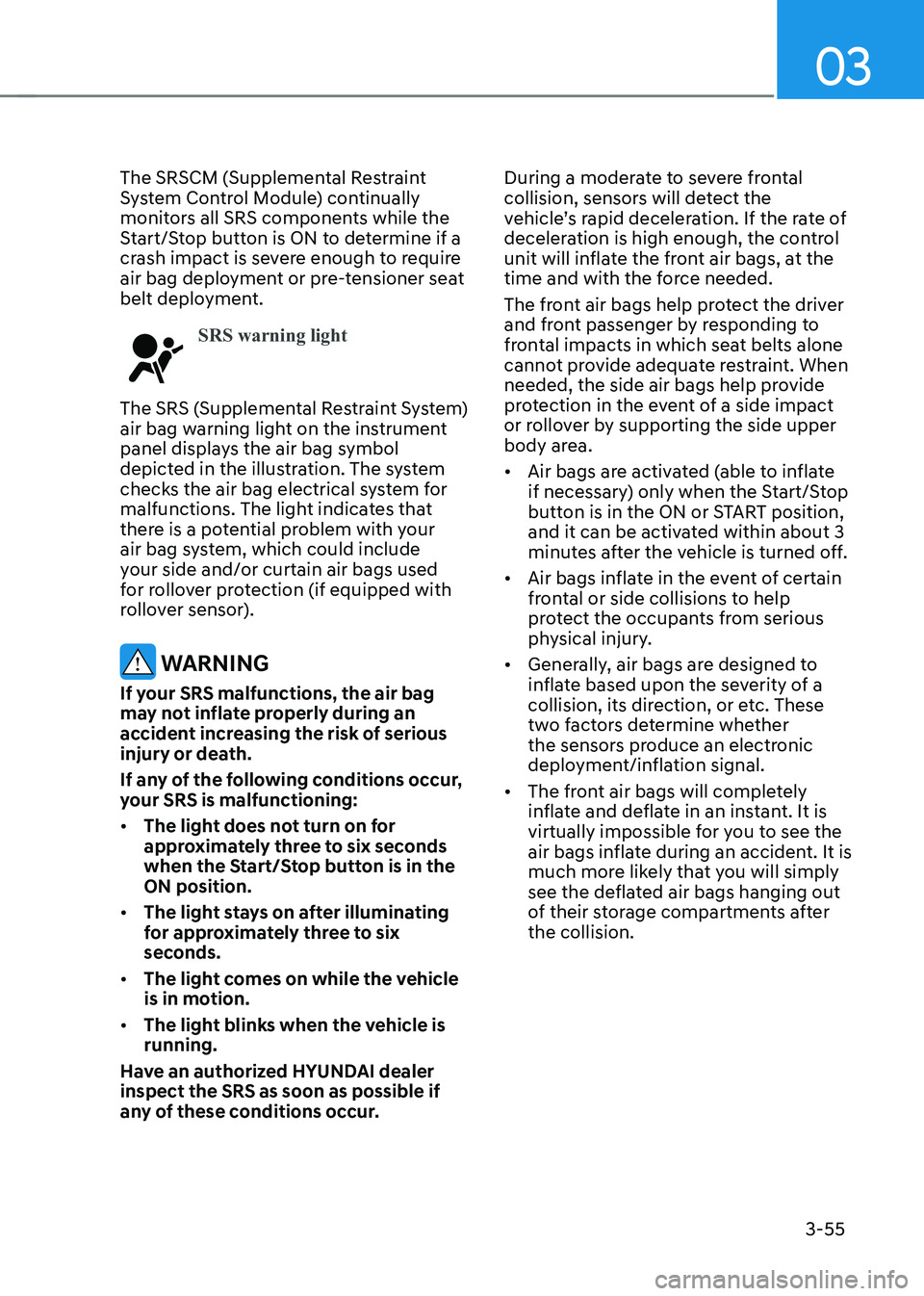
The SRS (Supplemental Restraint System)
air bag warning light on the instrument
panel displays the air bag symbol
depicted in the illustration. The system
checks the air bag electrical system for
malfunctions. The light indicates that
there is a potential problem with your
air bag system, which could include
your side and/or curtain air bags used
for rollover protection (if equipped with
rollover sensor).
WARNING
If your SRS malfunctions, the air bag
may not inflate properly during an
accident increasing the risk of serious
injury or death.
If any of the following conditions occur,
your SRS is malfunctioning: • The light does not turn on for
approximately three to six seconds
when the Start/Stop button is in the ON position.
• The light stays on after illuminating
for approximately three to six
seconds.
• The light comes on while the vehicle
is in motion.
• The light blinks when the vehicle is running.
Have an authorized HYUNDAI dealer inspect the SRS as soon as possible if
any of these conditions occur. During a moderate to severe frontal
collision, sensors will detect the
vehicle’s rapid deceleration. If the rate of
deceleration is high enough, the control
unit will inflate the front air bags, at the
time and with the force needed.
The front air bags help protect the driver
and front passenger by responding to
frontal impacts in which seat belts alone
cannot provide adequate restraint. When
needed, the side air bags help provide
protection in the event of a side impact
or rollover by supporting the side upper
body area. •
Air bags are activated (able to inflate
if necessary) only when the Start/Stop
button is in the ON or START position,
and it can be activated within about 3
minutes after the vehicle is turned off.
• Air bags inflate in the event of certain
frontal or side collisions to help
protect the occupants from serious
physical injury.
• Generally, air bags are designed to
inflate based upon the severity of a
collision, its direction, or etc. These
two factors determine whether
the sensors produce an electronic
deployment/inflation signal.
• The front air bags will completely
inflate and deflate in an instant. It is
virtually impossible for you to see the
air bags inflate during an accident. It is
much more likely that you will simply
see the deflated air bags hanging out
of their storage compartments after the collision.
Page 145 of 680
Seats & Safety System
3-58
What to Expect After an Air Bag
Inflates
After a frontal or side air bag inflates, it
will deflate very quickly. Air bag inflation
will not prevent the driver from seeing
out of the windshield or being able
to steer. Curtain air bags may remain
partially inflated for some time after they
deploy.
WARNING
After an air bag inflates, take the
following precautions: • Open your windows and doors as
soon as possible after impact to
reduce prolonged exposure to the
smoke and powder released by the
inflating air bag.
• Do not touch the air bag storage
area’s internal components
immediately after an air bag has
inflated. The parts that come into
contact with an inflating air bag may
be very hot.
• Always wash exposed skin areas
thoroughly with cold water and mild soap.
• Have an authorized HYUNDAI dealer
replaced the air bag immediately
after deployment. Air bags are
designed to be used only once. Noise and smoke from inflating air bag
When the air bags inflate, they make a
loud noise and may produce smoke and
powder in the air inside of the vehicle.
This is normal and is a result of the
ignition of the air bag inflator. After the
air bag inflates, you may feel substantial
discomfort in breathing because of the
contact of your chest with both the seat
belt and the air bag, as well as from
breathing the smoke and powder. The
powder may aggravate asthma for some
people. If you experience breathing
problems after an air bag deployment,
seek medical attention immediately.
Though the smoke and powder are
nontoxic, they may cause irritation to
the skin, eyes, nose, throat, etc. If this is
the case, wash and rinse with cold water
immediately and seek medical attention
if the symptoms persist.
Page 200 of 680
Convenience Features
5-8
When you set the Two Press Unlock function
1. Make sure you have the smart key in your possession.
2. Touch the touch sensor on the door handle(engraved part) or press the
Door Unlock button (2) on the smart
key. The driver’s door handle will
pop out and the driver’s door will be
unlocked.
3. Touch the touch sensor on the door handle(engraved part) or press the
Door Unlock button (2) on the smart
key within 4 seconds again. All door
handles will pop out and the doors will
be unlocked and the hazard warning
lights will blink twice and the chime will sound.
4. After unlocking the doors, the doors
will automatically re-lock after 30 seconds unless a door is opened. Two Press Unlock Feature
The priority for unlocking the driver door
only, or unlocking all the doors with
one press may be adjusted in the User
Settings menu in the LCD cluster display.
The Two Press Unlock feature, when
enabled, will require the user to press
the door unlock button once for driver
door only and twice for unlocking all the
doors.
Select or Deselect the Two Press Unlock
Feature in the User Settings menu in the
LCD cluster display. The option can be
found under the following menu:
USER SETTINGS → DOOR →TWO PRESS
UNLOCK
The Two Press Unlock Feature can also
be enabled or disabled by pressing
the door lock and unlock buttons
simultaneously on the Key FOB:
Press and hold both the DOOR LOCK
button and the DOOR UNLOCK button
simultaneously until the hazard warning
lights blink.
This will enable or disable the Two Press
Unlock feature. Repeat this procedure to enable/disable the mode again.
Page 212 of 680
Convenience Features
5-20
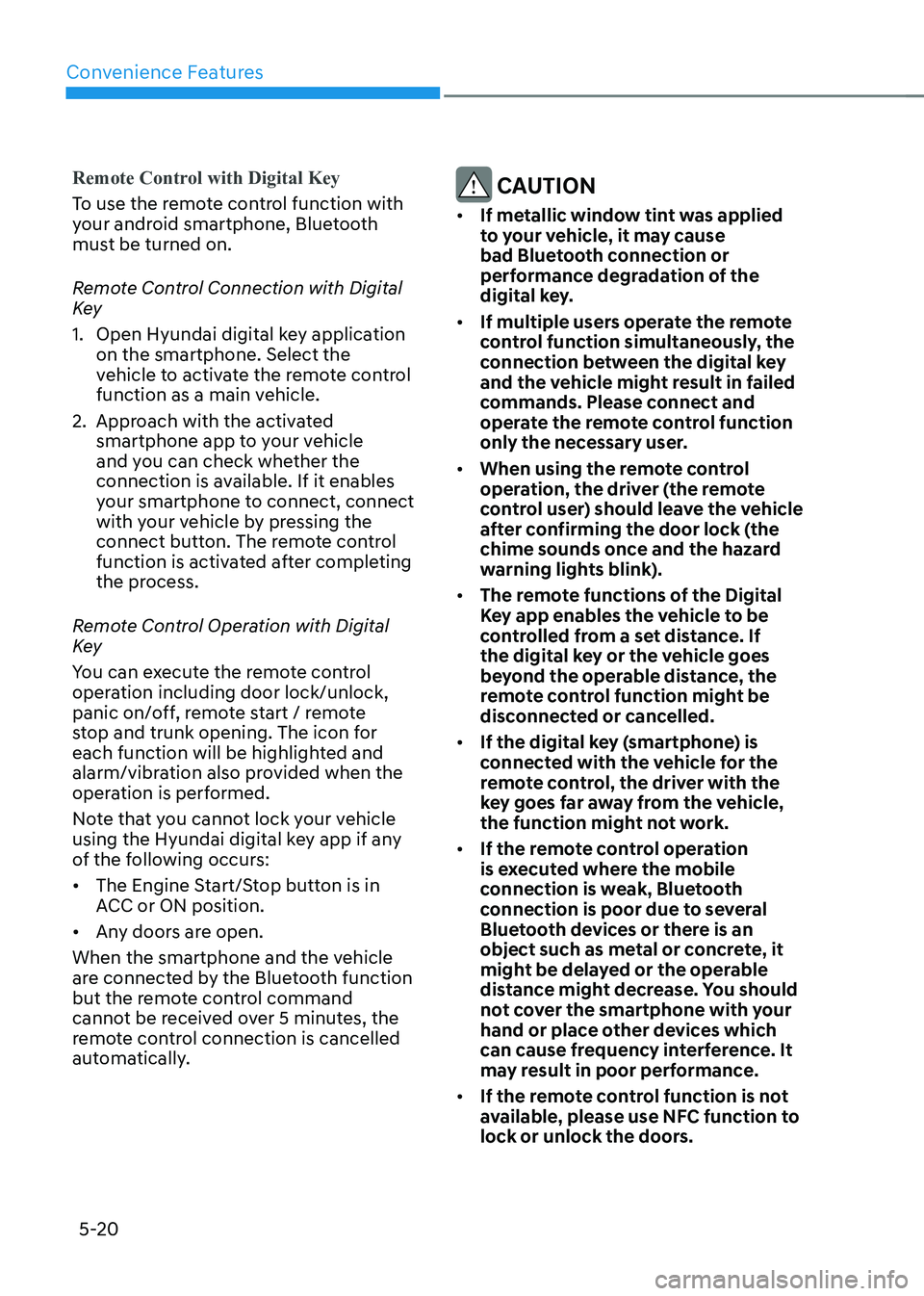
Remote Control with Digital Key
To use the remote control function with
your android smartphone, Bluetooth
must be turned on.
Remote Control Connection with Digital
Key
1. Open Hyundai digital key application on the smartphone. Select the
vehicle to activate the remote control
function as a main vehicle.
2. Approach with the activated smartphone app to your vehicle
and you can check whether the
connection is available. If it enables
your smartphone to connect, connect
with your vehicle by pressing the
connect button. The remote control
function is activated after completing
the process.
Remote Control Operation with Digital
Key
You can execute the remote control
operation including door lock/unlock,
panic on/off, remote start / remote
stop and trunk opening. The icon for
each function will be highlighted and
alarm/vibration also provided when the
operation is performed.
Note that you cannot lock your vehicle
using the Hyundai digital key app if any
of the following occurs: • The Engine Start/Stop button is in
ACC or ON position.
• Any doors are open.
When the smartphone and the vehicle
are connected by the Bluetooth function
but the remote control command
cannot be received over 5 minutes, the
remote control connection is cancelled
automatically. CAUTION
• If metallic window tint was applied
to your vehicle, it may cause
bad Bluetooth connection or
performance degradation of the
digital key.
• If multiple users operate the remote
control function simultaneously, the
connection between the digital key
and the vehicle might result in failed
commands. Please connect and
operate the remote control function
only the necessary user.
• When using the remote control
operation, the driver (the remote
control user) should leave the vehicle
after confirming the door lock (the
chime sounds once and the hazard
warning lights blink).
• The remote functions of the Digital
Key app enables the vehicle to be
controlled from a set distance. If
the digital key or the vehicle goes
beyond the operable distance, the
remote control function might be
disconnected or cancelled.
• If the digital key (smartphone) is
connected with the vehicle for the
remote control, the driver with the
key goes far away from the vehicle,
the function might not work.
• If the remote control operation
is executed where the mobile
connection is weak, Bluetooth
connection is poor due to several
Bluetooth devices or there is an
object such as metal or concrete, it
might be delayed or the operable
distance might decrease. You should
not cover the smartphone with your
hand or place other devices which
can cause frequency interference. It
may result in poor performance.
• If the remote control function is not
available, please use NFC function to
lock or unlock the doors.
Page 220 of 680
Convenience Features
5-28
Profile unlink
1. Select Digital Key information on
infotainment Vehicle Settings menu. It
is possible to unlink only if the profile
is interconnected.
2. Profile unlink is completed with a message.
Information
If you connect both Driver 1 and Driver 2 with a single smartphone, the smartphone
digital key always works as Driver 1.
If you unlink the Driver 1, personalization
function will operate as Driver 2.
PRECAUTION for vehicle profile link and unlink
When you link or unlink the profile of
digital key, you should be careful of the
following. • Profile link is possible to use with the
digital key. (Infotainment Vehicle
Settings Mode → Digital Key → Enable
Digital Keys)
• Profile link information remains even
when you set the digital key function disable.
• Only the smart phone with digital key
app enables you to link your profile.
(Impossible to link with NFC card)
• Profile link works only when the
smart phone and the digital key are
registered to the vehicle. The smart
phone with another vehicle’s digital
key cannot link profile.
• If you remove the smart phone
from the wireless charger before
completing the profile link, it does not
work.
• To unlink the profile, the smart phone
does not need to be on the wireless
charger.
Vehicle personalization operation
The personalization function linked with
digital key works as following conditions: • Contact the driver’s door handle with
the profile linked smart phone to lock
or unlock the doors (Personalization
does not operate when locking or
unlocking the front passenger door.)
• Remote door unlock with the profile
linked smartphone digital key app.
The profile linked with digital key can be
changed manually in the infotainment
system setup screen.
Precaution for digital key profile link and unlink
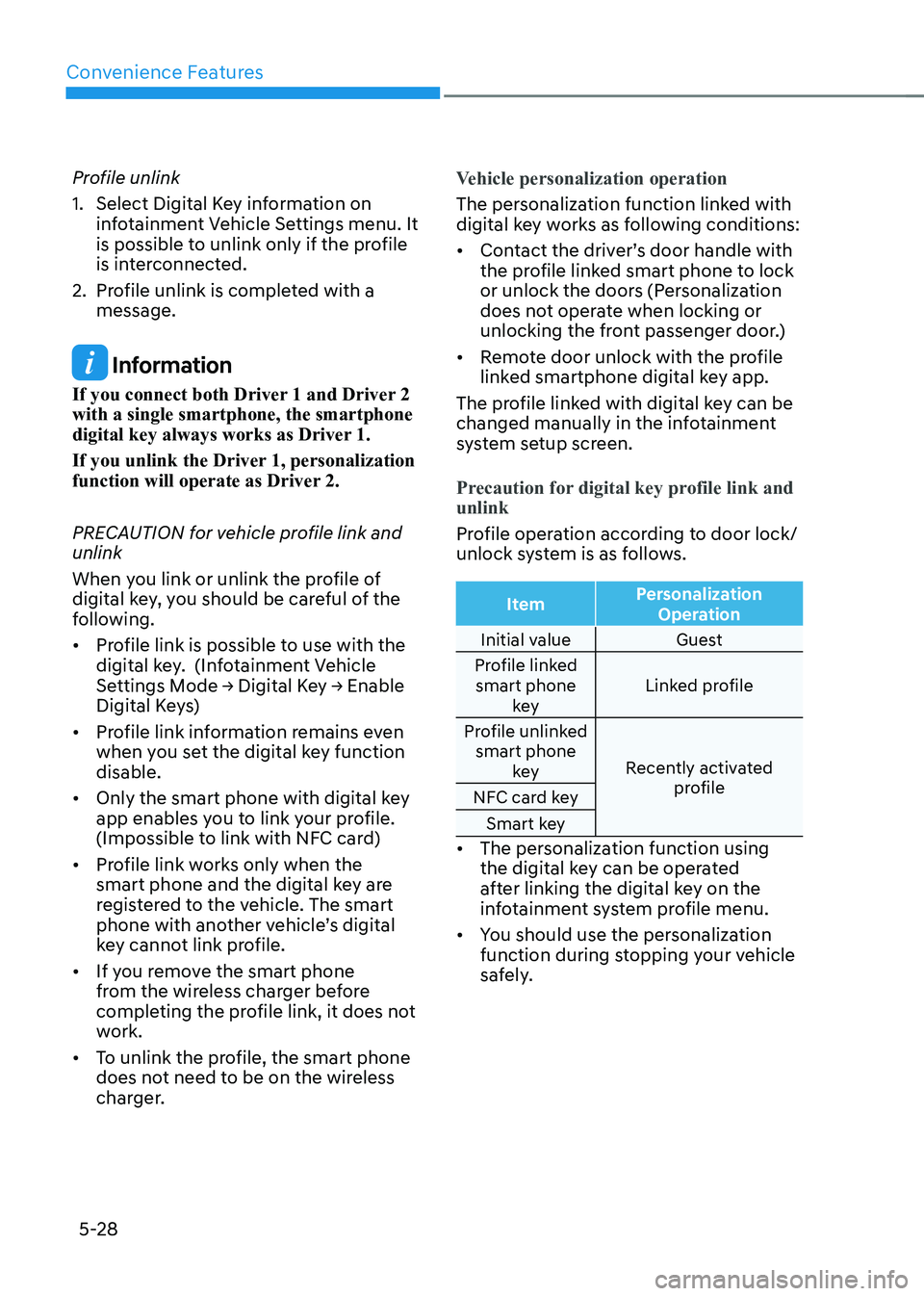
Profile operation according to door lock/
unlock system is as follows.
Item Personalization
Operation
Initial value Guest
Profile linked smart phone key Linked profile
Profile unlinked smart phone key Recently activated
profile
NFC card key
Smart key
• The personalization function using
the digital key can be operated
after linking the digital key on the
infotainment system profile menu.
• You should use the personalization
function during stopping your vehicle
safely.