brake Hyundai Ioniq Hybrid 2017 Repair Manual
[x] Cancel search | Manufacturer: HYUNDAI, Model Year: 2017, Model line: Ioniq Hybrid, Model: Hyundai Ioniq Hybrid 2017Pages: 553, PDF Size: 59.51 MB
Page 364 of 553
5-80
Driving your vehicle
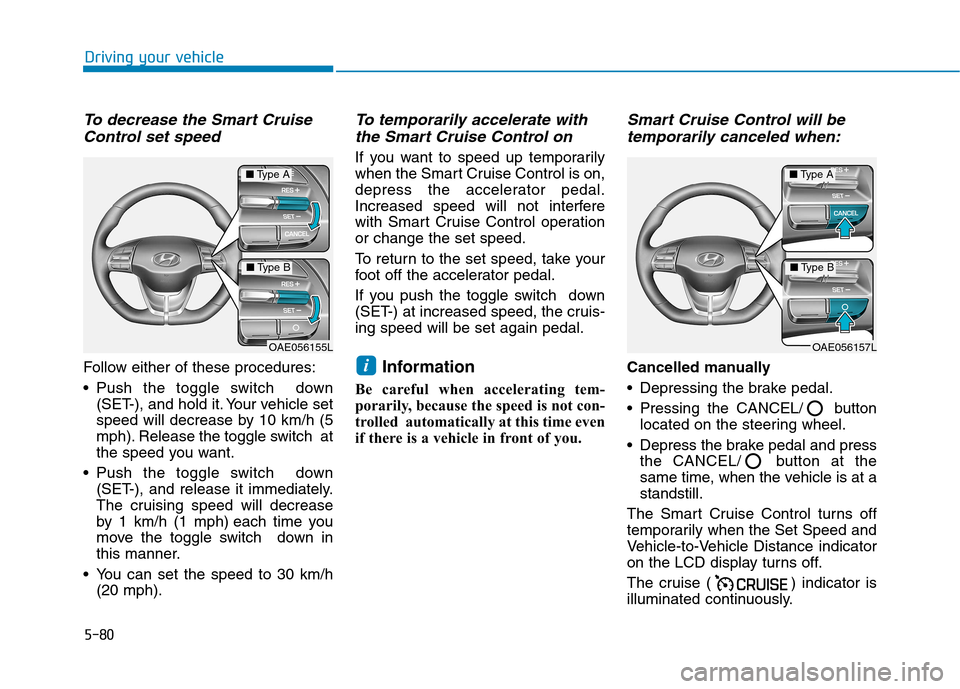
To decrease the Smart CruiseControl set speed
Follow either of these procedures:
Push the toggle switch down (SET-), and hold it. Your vehicle set
speed will decrease by 10 km/h (5
mph). Release the toggle switch at
the speed you want.
Push the toggle switch down (SET-), and release it immediately.
The cruising speed will decrease
by 1 km/h (1 mph) each time you
move the toggle switch down in
this manner.
You can set the speed to 30 km/h (20 mph).
To temporarily accelerate with
the Smart Cruise Control on
If you want to speed up temporarily
when the Smart Cruise Control is on,
depress the accelerator pedal.
Increased speed will not interfere
with Smart Cruise Control operationor change the set speed.
To return to the set speed, take your
foot off the accelerator pedal.
If you push the toggle switch down
(SET-) at increased speed, the cruis-ing speed will be set again pedal.
Information
Be careful when accelerating tem-
porarily, because the speed is not con-
trolled automatically at this time even
if there is a vehicle in front of you.
Smart Cruise Control will be temporarily canceled when:
Cancelled manually
Depressing the brake pedal.
Pressing the CANCEL/ button located on the steering wheel.
Depress the brake pedal and press the CANCEL/ button at the
same time, when the vehicle is at astandstill.
The Smart Cruise Control turns off
temporarily when the Set Speed and
Vehicle-to-Vehicle Distance indicator
on the LCD display turns off.
The cruise ( ) indicator is
illuminated continuously.i
OAE056157L
■ Type A
■Type B
OAE056155L
■Type A
■Type B
Page 365 of 553
5-81
Driving your vehicle
5
Cancelled automatically
The driver's door is opened.
The shift lever is shifted to N(Neutral), R (Reverse) or P (Park).
The parking brake is applied.
The vehicle speed is under 10 km/h (5 mph).
The vehicle speed is over 190 km/h (120 mph).
The ESC (Electronic Stability Control), TCS (Traction Control
System) or ABS is operating.
The ESC is turned off.
The sensor or the cover is dirty or blocked with foreign matter.
The accelerator pedal is continu- ously depressed for more than one
minute.
The SCC system has malfunc- tioned.
The engine performance is abnor- mal.
The AEB is activated. Each of these actions will cancel
the Smart Cruise Control opera-
tion. The Set Speed and Vehicle-to-
Vehicle Distance on the LCD dis-
play will go off.
In a condition the Smart Cruise Control is cancelled automatically,
the Smart Cruise Control will not
resume even though the RES+ or
SET- toggle switch is pushed.
Information
If the Smart Cruise Control is can-
celled by other than the reasons men-
tioned, we recommend that the system
be checked by an authorized
HYUNDAI dealer.
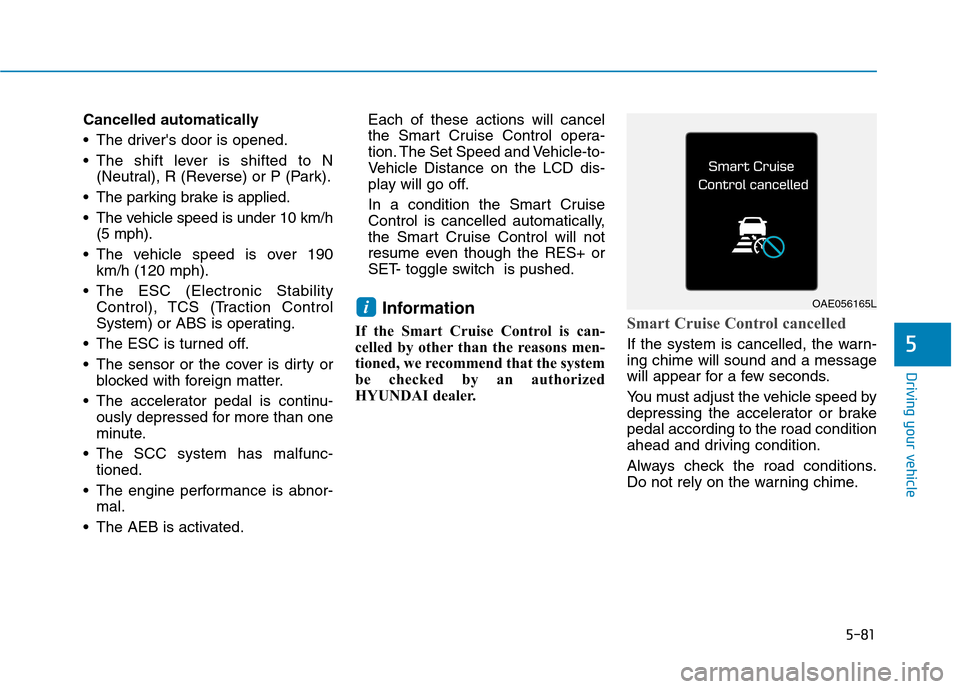
Smart Cruise Control cancelled
If the system is cancelled, the warn- ing chime will sound and a message
will appear for a few seconds.
You must adjust the vehicle speed by
depressing the accelerator or brakepedal according to the road condition
ahead and driving condition.
Always check the road conditions.
Do not rely on the warning chime.
iOAE056165L
Page 367 of 553
5-83
Driving your vehicle
5
Smart Cruise Control Vehicle-
to-Vehicle Distance
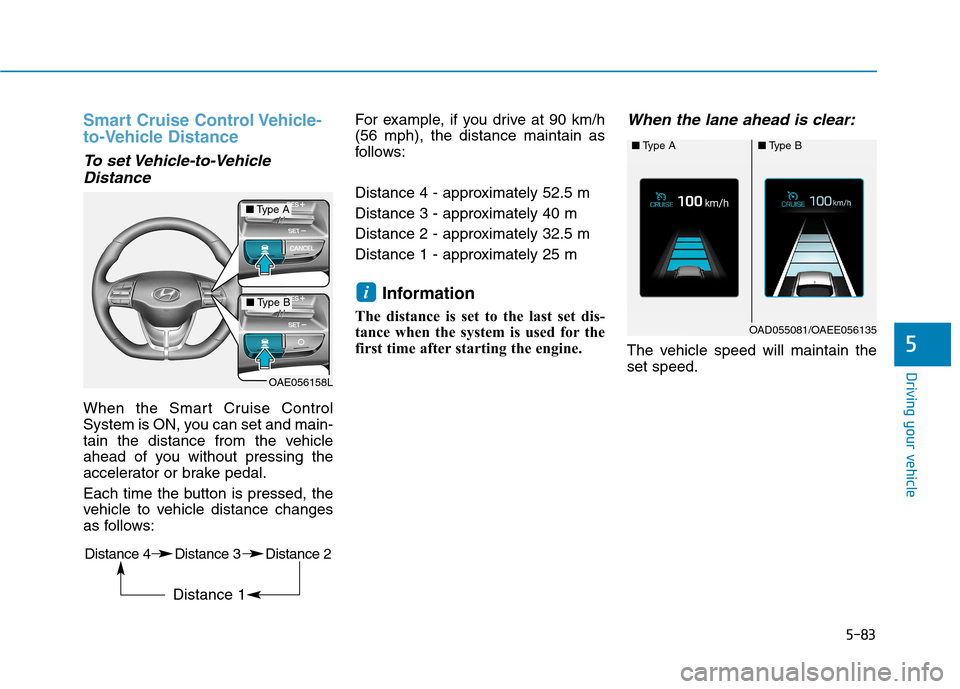
To set Vehicle-to-VehicleDistance
When the Smart Cruise Control
System is ON, you can set and main-
tain the distance from the vehicle
ahead of you without pressing the
accelerator or brake pedal.
Each time the button is pressed, the
vehicle to vehicle distance changes
as follows: For example, if you drive at 90 km/h(56 mph), the distance maintain as
follows:
Distance 4 - approximately 52.5 m
Distance 3 - approximately 40 m
Distance 2 - approximately 32.5 m
Distance 1 - approximately 25 m
Information
The distance is set to the last set dis-
tance when the system is used for the
first time after starting the engine.
When the lane ahead is clear:
The vehicle speed will maintain theset speed.
i
■ Type A■Type B
OAD055081/OAEE056135
OAE056158L
■Type A
■Type B
Distance 4 Distance 3 Distance 2 Distance 1
Page 368 of 553
5-84
Driving your vehicle
When using the Smart Cruise
Control System:
The warning chime sounds
and the Vehicle-to Vehicle
Distance indicator blinks if
the vehicle is unable to main-tain the selected distance
from the vehicle ahead.
If the warning chime sounds, depress the accelerator or
brake pedal to actively adjust
the vehicle speed, and the dis-
tance to the vehicle ahead.
Even if the warning chime is
not activated, always payattention to the driving condi-
tions to prevent dangerous
situations from occurring.
WARNING
OAD055063
■Type A
Distance 4Distance 3
OAD055059/OAD055060/OAD055061/OAD055062
■Type B
Distance 4Distance 3
Distance 1Distance 2OAEE056136/OAEE056137/OAEE056138/OAEE056139Distance 1Distance 2
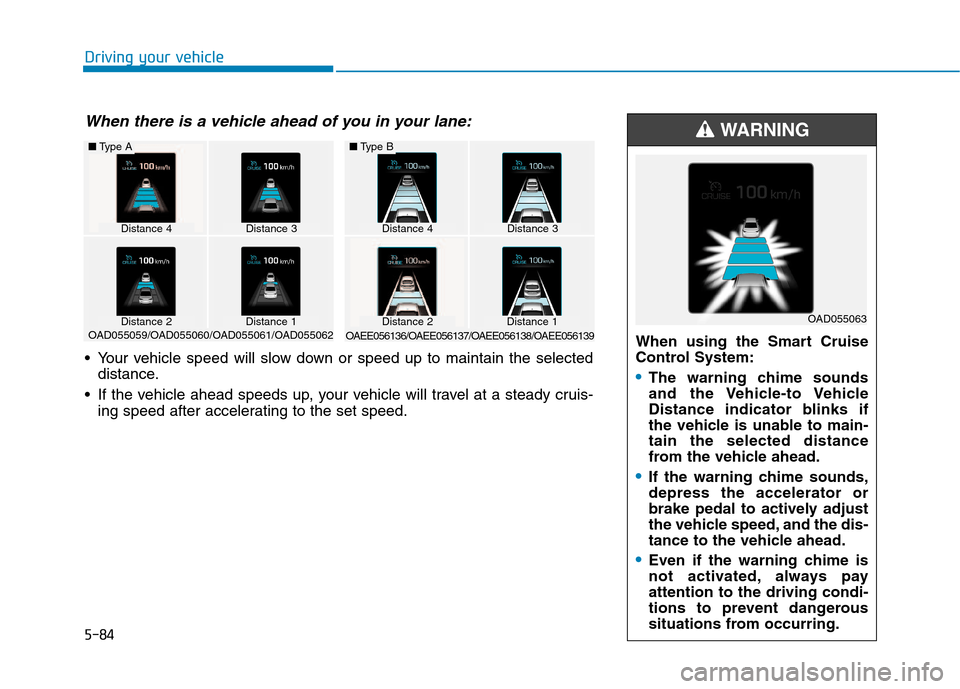
When there is a vehicle ahead of you in your lane:
Your vehicle speed will slow down or speed up to maintain the selected
distance.
If the vehicle ahead speeds up, your vehicle will travel at a steady cruis- ing speed after accelerating to the set speed.
Page 369 of 553
5-85
Driving your vehicle
5
Sensor to detect distance to
the vehicle ahead
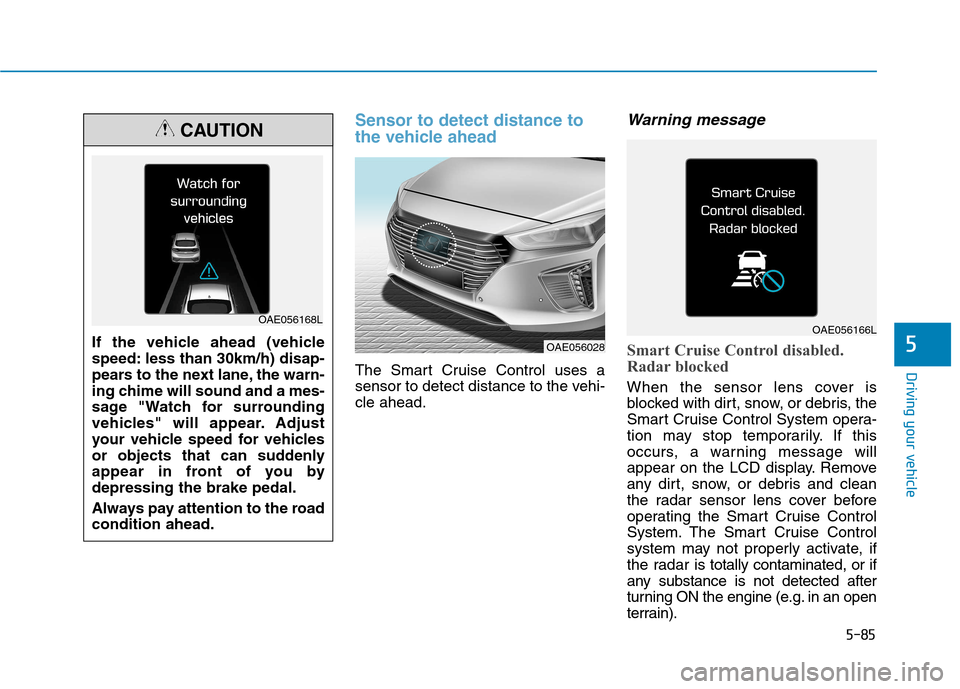
The Smart Cruise Control uses a
sensor to detect distance to the vehi-cle ahead.
Warning message
Smart Cruise Control disabled.
Radar blocked
When the sensor lens cover is
blocked with dirt, snow, or debris, the
Smart Cruise Control System opera-
tion may stop temporarily. If this
occurs, a warning message will
appear on the LCD display. Remove
any dirt, snow, or debris and clean
the radar sensor lens cover before
operating the Smart Cruise Control
System. The Smart Cruise Control
system may not properly activate, if
the radar is totally contaminated, or if
any substance is not detected after
turning ON the engine (e.g. in an open
terrain).
If the vehicle ahead (vehicle
speed: less than 30km/h) disap-
pears to the next lane, the warn-
ing chime will sound and a mes-
sage "Watch for surrounding
vehicles" will appear. Adjust
your vehicle speed for vehicles
or objects that can suddenly
appear in front of you bydepressing the brake pedal.
Always pay attention to the road condition ahead.
CAUTION
OAE056168L
OAE056028
OAE056166L
Page 371 of 553
5-87
Driving your vehicle
5
Limitations of the system
The Smart Cruise Control System
may have limits to its ability to detect
distance to the vehicle ahead due to
road and traffic conditions.
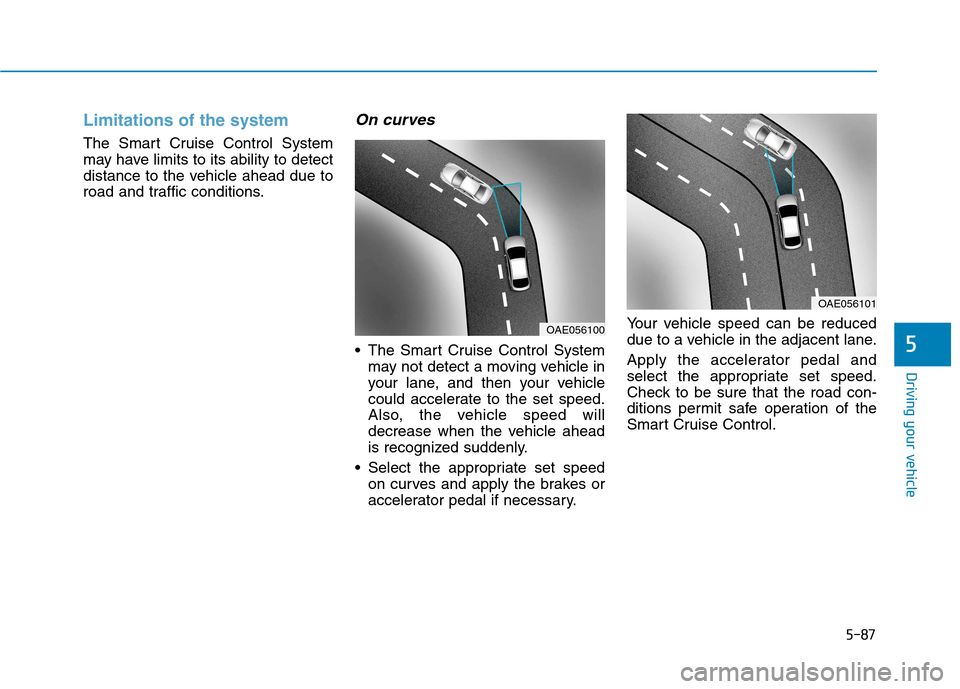
On curves
The Smart Cruise Control Systemmay not detect a moving vehicle in
your lane, and then your vehicle
could accelerate to the set speed.
Also, the vehicle speed will
decrease when the vehicle ahead
is recognized suddenly.
Select the appropriate set speed on curves and apply the brakes or
accelerator pedal if necessary. Your vehicle speed can be reduced
due to a vehicle in the adjacent lane.
Apply the accelerator pedal and
select the appropriate set speed.
Check to be sure that the road con-
ditions permit safe operation of the
Smart Cruise Control.
OAE056101
OAE056100
Page 372 of 553
5-88
Driving your vehicle
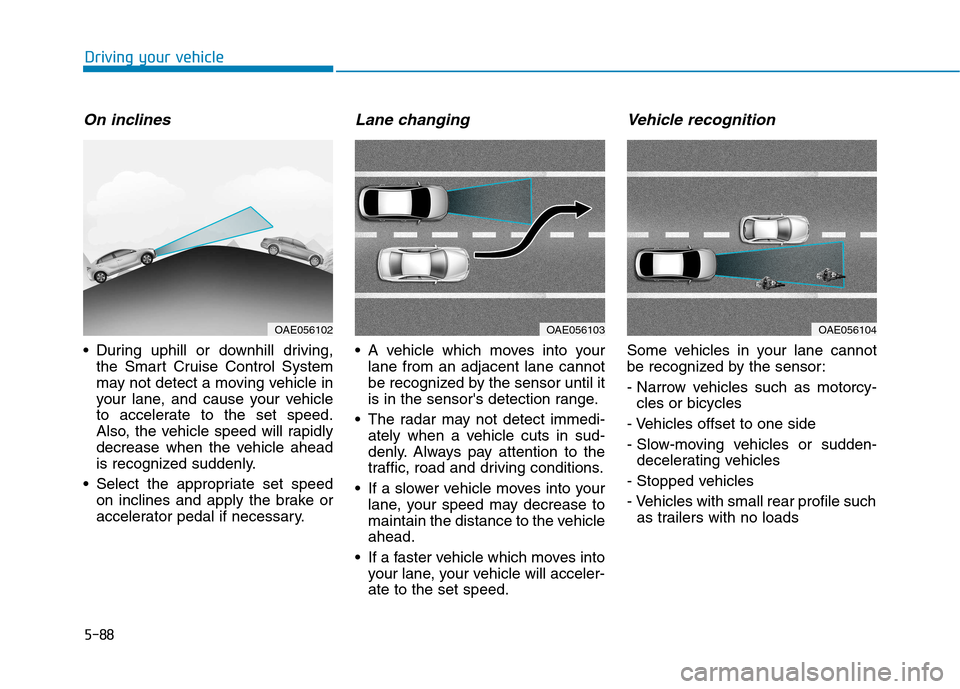
On inclines
During uphill or downhill driving,the Smart Cruise Control System
may not detect a moving vehicle in
your lane, and cause your vehicle
to accelerate to the set speed.
Also, the vehicle speed will rapidly
decrease when the vehicle ahead
is recognized suddenly.
Select the appropriate set speed on inclines and apply the brake or
accelerator pedal if necessary.
Lane changing
A vehicle which moves into yourlane from an adjacent lane cannot
be recognized by the sensor until it
is in the sensor's detection range.
The radar may not detect immedi- ately when a vehicle cuts in sud-
denly. Always pay attention to the
traffic, road and driving conditions.
If a slower vehicle moves into your lane, your speed may decrease to
maintain the distance to the vehicleahead.
If a faster vehicle which moves into your lane, your vehicle will acceler-ate to the set speed.
Vehicle recognition
Some vehicles in your lane cannot
be recognized by the sensor:
- Narrow vehicles such as motorcy-cles or bicycles
- Vehicles offset to one side
- Slow-moving vehicles or sudden- decelerating vehicles
- Stopped vehicles
- Vehicles with small rear profile such as trailers with no loads
OAE056104OAE056103OAE056102
Page 373 of 553
5-89
Driving your vehicle
5
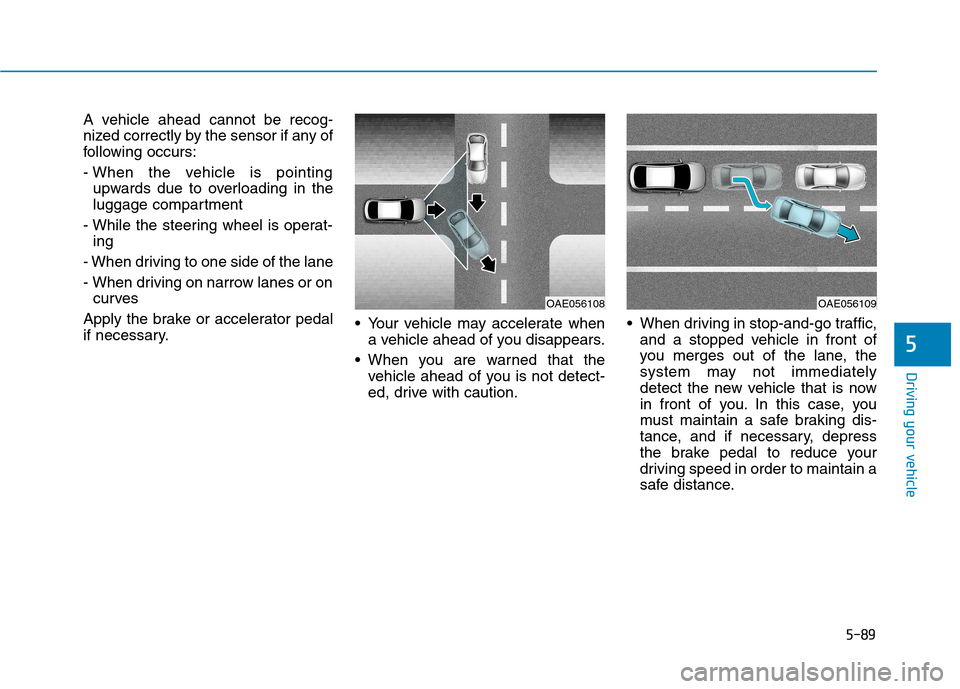
A vehicle ahead cannot be recog-
nized correctly by the sensor if any of
following occurs:
- When the vehicle is pointingupwards due to overloading in the
luggage compartment
- While the steering wheel is operat- ing
- When driving to one side of the lane
- When driving on narrow lanes or on curves
Apply the brake or accelerator pedal
if necessary. Your vehicle may accelerate when
a vehicle ahead of you disappears.
When you are warned that the vehicle ahead of you is not detect-
ed, drive with caution. When driving in stop-and-go traffic,
and a stopped vehicle in front of
you merges out of the lane, the
system may not immediately
detect the new vehicle that is now
in front of you. In this case, you
must maintain a safe braking dis-
tance, and if necessary, depress
the brake pedal to reduce your
driving speed in order to maintain a
safe distance.
OAE056109OAE056108
Page 374 of 553
5-90
Driving your vehicle
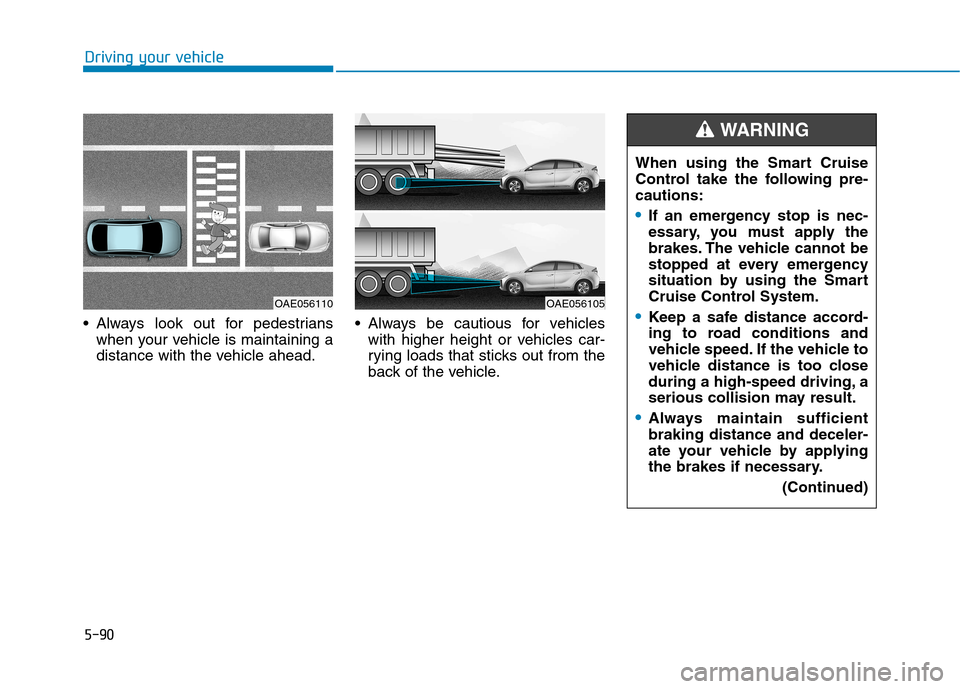
Always look out for pedestrianswhen your vehicle is maintaining a
distance with the vehicle ahead. Always be cautious for vehicles
with higher height or vehicles car-
rying loads that sticks out from the
back of the vehicle. When using the Smart Cruise
Control take the following pre-cautions:
If an emergency stop is nec-
essary, you must apply the
brakes. The vehicle cannot be
stopped at every emergency
situation by using the Smart
Cruise Control System.
Keep a safe distance accord-
ing to road conditions and
vehicle speed. If the vehicle to
vehicle distance is too close
during a high-speed driving, a
serious collision may result.
Always maintain sufficient braking distance and deceler-
ate your vehicle by applying
the brakes if necessary.
(Continued)
WARNING
OAE056105OAE056110
Page 377 of 553
5-93
Driving your vehicle
5
Information
The ESC system (if equipped) must be
turned OFF before rocking the vehi-
cle.
If you are still stuck after rocking
the vehicle a few times, have the
vehicle pulled out by a tow vehicle
to avoid engine overheating, pos-
sible damage to the transmission,
and tire damage. See "Towing" in
chapter 6.Smooth cornering
Avoid braking or gear changing in
corners, especially when roads are
wet. Ideally, corners should always
be taken under gentle acceleration.
Driving at night
Night driving presents more hazards
than driving in the daylight. Here are
some important tips to remember:
Slow down and keep more dis- tance between you and other vehi-
cles, as it may be more difficult tosee at night, especially in areas
where there may not be any street
lights.
Adjust your mirrors to reduce the glare from other driver's head-
lamps.
Keep your headlamps clean and properly aimed. Dirty or improperly
aimed headlamps will make it
much more difficult to see at night.
Avoid staring directly at the head- lamps of oncoming vehicles. You
could be temporarily blinded, and it
will take several seconds for your
eyes to readjust to the darkness.
Driving in the rain
Rain and wet roads can make driving
dangerous. Here are a few things to
consider when driving in the rain or
on slick pavement:
Slow down and allow extra follow-ing distance. A heavy rainfall
makes it harder to see and increas-es the distance needed to stop
your vehicle.
Turn OFF your Cruise Control. (if equipped)
Replace your windshield wiper blades when they show signs ofstreaking or missing areas on thewindshield.
Be sure your tires have enough tread. If your tires do not have
enough tread, making a quick stop
on wet pavement can cause a skid
and possibly lead to an accident.
See "Tire Tread" in chapter 7 .
Turn on your headlamps to make it easier for others to see you.
Driving too fast through large pud- dles can affect your brakes. If you
must go through puddles, try to
drive through them slowly.
NOTICE
i