door lock Hyundai Ioniq Plug-in Hybrid 2019 - RHD (UK, Australia) Owner's Guide
[x] Cancel search | Manufacturer: HYUNDAI, Model Year: 2019, Model line: Ioniq Plug-in Hybrid, Model: Hyundai Ioniq Plug-in Hybrid 2019Pages: 599, PDF Size: 17.32 MB
Page 158 of 599
3-12
D
DO
O O
OR
R
L
L O
O C
CK
K S
S
Convenient features of your vehicle
Operating door locks from
outside the vehicle
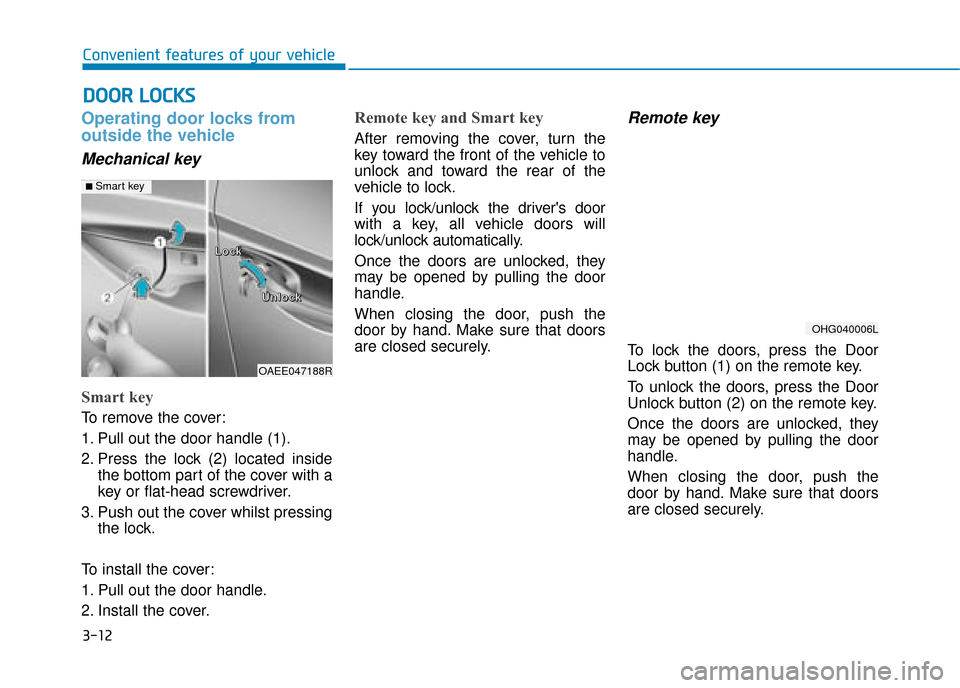
Mechanical key
Smart key
To remove the cover:
1. Pull out the door handle (1).
2. Press the lock (2) located inside
the bottom part of the cover with a
key or flat-head screwdriver.
3. Push out the cover whilst pressing the lock.
To install the cover:
1. Pull out the door handle.
2. Install the cover.
Remote key and Smart key
After removing the cover, turn the
key toward the front of the vehicle to
unlock and toward the rear of the
vehicle to lock.
If you lock/unlock the driver's door
with a key, all vehicle doors will
lock/unlock automatically.
Once the doors are unlocked, they
may be opened by pulling the door
handle.
When closing the door, push the
door by hand. Make sure that doors
are closed securely.
Remote key
To lock the doors, press the Door
Lock button (1) on the remote key.
To unlock the doors, press the Door
Unlock button (2) on the remote key.
Once the doors are unlocked, they
may be opened by pulling the door
handle.
When closing the door, push the
door by hand. Make sure that doors
are closed securely.
OHG040006L
OAEE047188R
L
L
L
L
o
o
o
o
c
c
c
c
k
k
k
k
U
U
U
U
n
n
n
n
l
l
l
l
o
o
o
o
c
c
c
c
k
k
k
k
■ Smart key
Page 159 of 599
3-13
Convenient features of your vehicle
3
Information
• In cold and wet climates, door lockand door mechanisms may not work
properly due to freezing conditions.
• If the door is locked/unlocked multi- ple times in rapid succession with
either the vehicle key or door lock
switch, the system may stop operat-
ing temporarily in order to protect
the circuit and prevent damage to
system components.
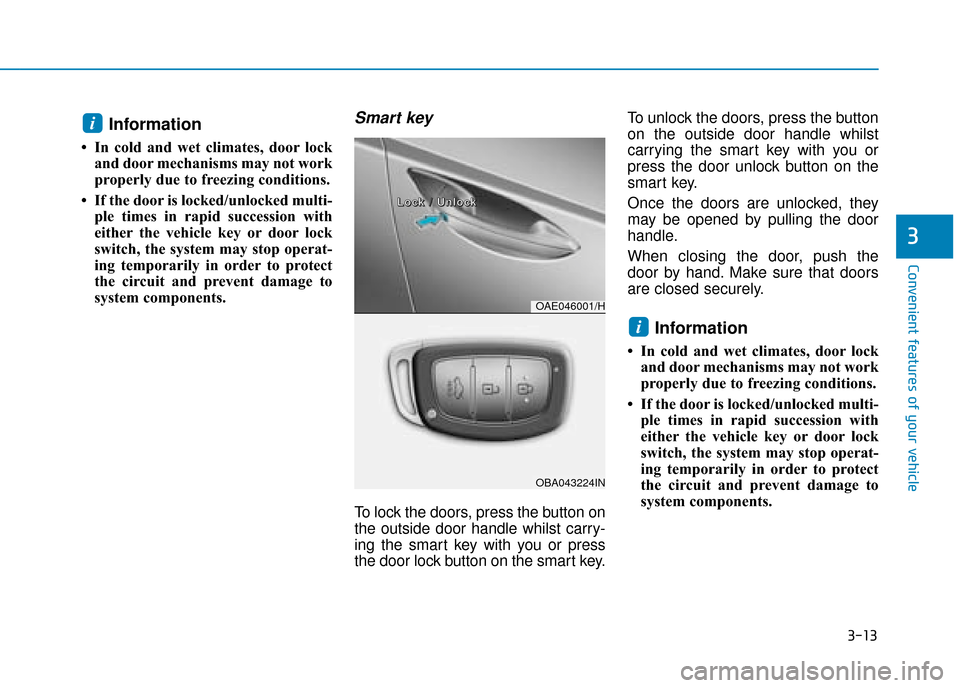
Smart key
To lock the doors, press the button on
the outside door handle whilst carry-
ing the smart key with you or press
the door lock button on the smart key. To unlock the doors, press the button
on the outside door handle whilst
carrying the smart key with you or
press the door unlock button on the
smart key.
Once the doors are unlocked, they
may be opened by pulling the door
handle.
When closing the door, push the
door by hand. Make sure that doors
are closed securely.
Information
• In cold and wet climates, door lock
and door mechanisms may not work
properly due to freezing conditions.
• If the door is locked/unlocked multi- ple times in rapid succession with
either the vehicle key or door lock
switch, the system may stop operat-
ing temporarily in order to protect
the circuit and prevent damage to
system components.
i
i
OAE046001/H
OBA043224IN
L
L
L
L
o
o
o
o
c
c
c
c
k
k
k
k
/
/
/
/
U
U
U
U
n
n
n
n
l
l
l
l
o
o
o
o
c
c
c
c
k
k
k
k
Page 160 of 599
3-14
Convenient features of your vehicle
Operating door locks from
inside the vehicle
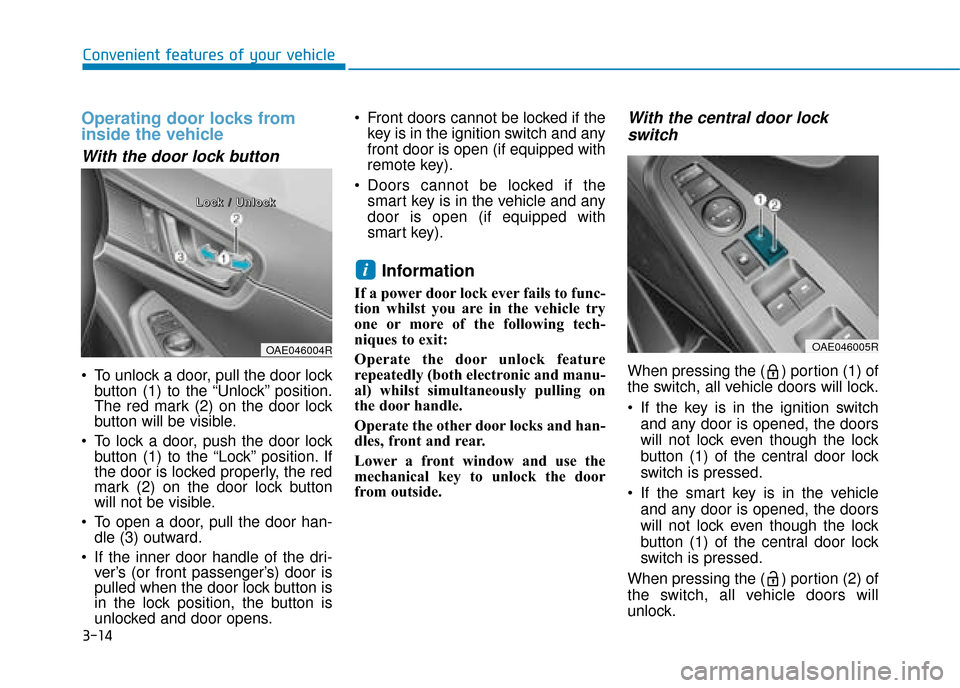
With the door lock button
To unlock a door, pull the door lockbutton (1) to the “Unlock” position.
The red mark (2) on the door lock
button will be visible.
To lock a door, push the door lock button (1) to the “Lock” position. If
the door is locked properly, the red
mark (2) on the door lock button
will not be visible.
To open a door, pull the door han- dle (3) outward.
If the inner door handle of the dri- ver’s (or front passenger’s) door is
pulled when the door lock button is
in the lock position, the button is
unlocked and door opens. Front doors cannot be locked if the
key is in the ignition switch and any
front door is open (if equipped with
remote key).
Doors cannot be locked if the smart key is in the vehicle and any
door is open (if equipped with
smart key).
Information
If a power door lock ever fails to func-
tion whilst you are in the vehicle try
one or more of the following tech-
niques to exit:
Operate the door unlock feature
repeatedly (both electronic and manu-
al) whilst simultaneously pulling on
the door handle.
Operate the other door locks and han-
dles, front and rear.
Lower a front window and use the
mechanical key to unlock the door
from outside.
With the central door lock
switch
When pressing the ( ) portion (1) of
the switch, all vehicle doors will lock.
If the key is in the ignition switch
and any door is opened, the doors
will not lock even though the lock
button (1) of the central door lock
switch is pressed.
If the smart key is in the vehicle and any door is opened, the doors
will not lock even though the lock
button (1) of the central door lock
switch is pressed.
When pressing the ( ) portion (2) of
the switch, all vehicle doors will
unlock.
i
OAE046005ROAE046004R
L
L
L
L
o
o
o
o
c
c
c
c
k
k
k
k
/
/
/
/
U
U
U
U
n
n
n
n
l
l
l
l
o
o
o
o
c
c
c
c
k
k
k
k
Page 161 of 599
3-15
Convenient features of your vehicle
3
Deadlocks (if equipped)
Some vehicles are equipped with a
deadlock system. Deadlocks prevent
opening of a door from either inside
or outside the vehicle once the dead-
locks have been activated providing
an additional measure of vehicle
security.
To lock the vehicle using the dead-
lock function, the doors must be
locked by using the remote key or
smart key. To unlock the vehicle, the
remote key or smart key must be
used again.
The doors should always be
fully closed and locked whilst
the vehicle is in motion. If the
doors are unlocked, the risk of
being thrown from the vehicle
in a crash is increased.
Do not pull the inner door han-
dle of driver's or passenger's
door whilst the vehicle is mov-
ing.
WARNING
Do not leave children or animals
unattended in your vehicle. An
enclosed vehicle can become
extremely hot, causing death or
serious injury to unattended
children or animals who cannot
escape the vehicle. Children
might operate features of the
vehicle that could injure them,
or they could encounter other
harm, possibly from someone
gaining entry to the vehicle.
WARNING
Always secure your vehicle
Leaving your vehicle unlocked
can allow theft or entry into the
vehicle.
To secure your vehicle, whilst
depressing the brake, move the
shift lever to the P (Park) posi-
tion, engage the parking brake,
and place the ignition switch in
the LOCK/OFF position, close
all windows, lock all doors, and
always take the key with you.
WARNING
Opening a door when something
is approaching may cause dam-
age or injury. Be careful when
opening doors and watch for
vehicles, motorcycles, bicycles
or pedestrians approaching the
vehicle in the path of the door.
WARNING
If you stay in the vehicle for a
long time whilst the weather is
very hot or cold, there are risks
of injuries or danger to life. Do
not lock the vehicle from the out-
side when someone is in the
vehicle.
WARNING
Page 162 of 599
3-16
Convenient features of your vehicle
Auto door lock/unlock features
Impact sensing door unlocksystem (if equipped)
All doors will be automatically
unlocked when an impact causes the
air bags to deploy.
Speed sensing door lock system
(if equipped)
All doors will be automatically locked
when vehicle speed exceeds 15
km/h (9 mph).
You can activate or deactivate the
Auto Door Lock/Unlock features from
the User Settings Mode on the LCD
display. For more information, refer
to "LCD Display" in this chapter.
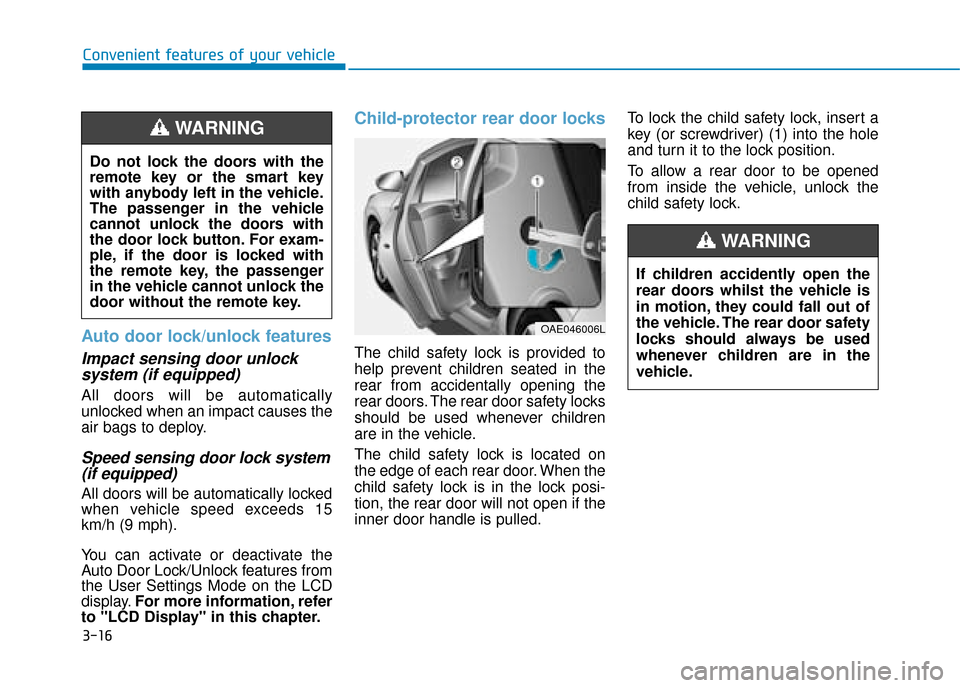
Child-protector rear door locks
The child safety lock is provided to
help prevent children seated in the
rear from accidentally opening the
rear doors. The rear door safety locks
should be used whenever children
are in the vehicle.
The child safety lock is located on
the edge of each rear door. When the
child safety lock is in the lock posi-
tion, the rear door will not open if the
inner door handle is pulled. To lock the child safety lock, insert a
key (or screwdriver) (1) into the hole
and turn it to the lock position.
To allow a rear door to be opened
from inside the vehicle, unlock the
child safety lock.
OAE046006L
If children accidently open the
rear doors whilst the vehicle is
in motion, they could fall out of
the vehicle. The rear door safety
locks should always be used
whenever children are in the
vehicle.
WARNING
Do not lock the doors with the
remote key or the smart key
with anybody left in the vehicle.
The passenger in the vehicle
cannot unlock the doors with
the door lock button. For exam-
ple, if the door is locked with
the remote key, the passenger
in the vehicle cannot unlock the
door without the remote key.
WARNING
Page 163 of 599
3-17
Convenient features of your vehicle
This system helps to protect your
vehicle and valuables. The horn will
sound and the hazard warning lights
will blink continuously if any of the
following occur:
- A door is opened without using theremote key or smart key.
- The tailgate is opened without using the remote key or smart key.
- The engine bonnet is opened.
The alarm continues for 30 seconds,
then the system resets. To turn off
the alarm, unlock the doors with the
remote key or smart key.
The Theft Alarm System automati-
cally sets 30 seconds after you lock
the doors and the tailgate. For the
system to activate, you must lock the
doors and the tailgate from outside
the vehicle with the remote key or
smart key or by pressing the button
on the outside of the door handles
with the smart key in your posses-
sion.
The hazard warning lights will blink
once to indicate the system is
armed. Once the security system is set, open-
ing any door, the tailgate, or the bon-
net without using the remote key or
smart key will cause the alarm to acti-
vate.
The Theft Alarm System will not set if
the bonnet, the tailgate, or any door
is not fully closed. If the system will
not set, check the bonnet, the tail-
gate, or the doors are fully closed.
Do not attempt to alter this system or
add other devices to it.
Information
• Do not lock the doors until all pas-
sengers have left the vehicle. If the
remaining passenger leaves the
vehicle when the system is armed,
the alarm will be activated.
• If the vehicle is not disarmed with the remote key or smart key, open
the doors by using the mechanical
key and place the ignition switch in
the ON position (for remote key) or
start the engine (for smart key) and
wait for 30 seconds.
• When the system is disarmed but a door or tailgate is not opened within
30 seconds, the system will be
rearmed.
Information
Vehicles equipped with a theft alarm
system will have a label attached to
the vehicle with the following words:
1. WARNING
2. SECURITY SYSTEM
ii
T TH
H E
EF
FT
T -
-A
A L
LA
A R
RM
M
S
S Y
Y S
ST
T E
EM
M
3
OJC040170
Page 172 of 599
3-26
Convenient features of your vehicle
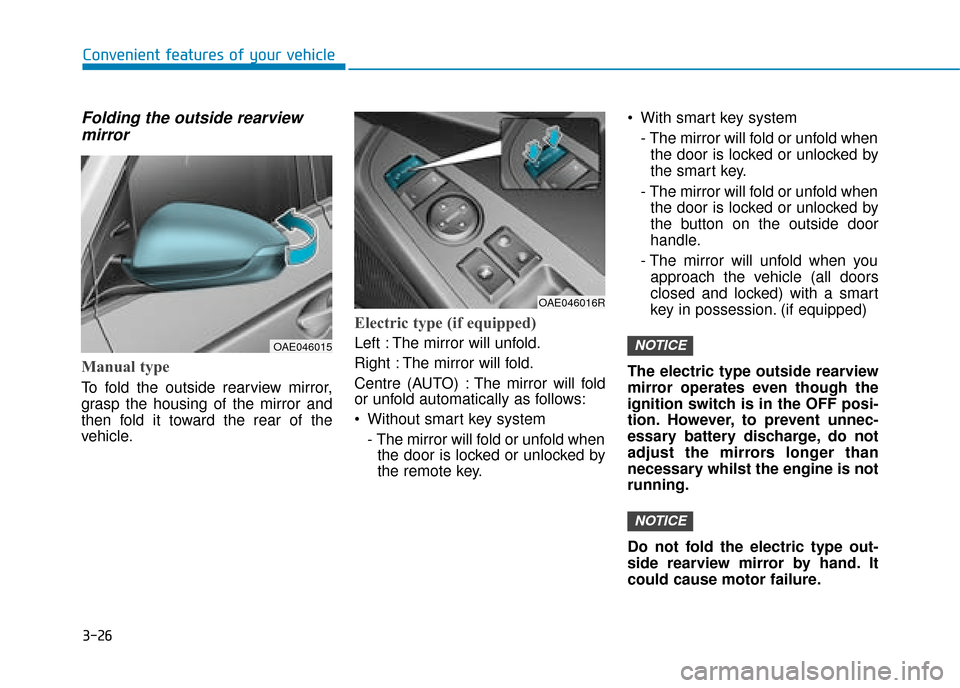
Folding the outside rearviewmirror
Manual type
To fold the outside rearview mirror,
grasp the housing of the mirror and
then fold it toward the rear of the
vehicle.
Electric type (if equipped)
Left : The mirror will unfold.
Right : The mirror will fold.
Centre (AUTO) : The mirror will fold
or unfold automatically as follows:
Without smart key system
- The mirror will fold or unfold whenthe door is locked or unlocked by
the remote key. With smart key system
- The mirror will fold or unfold whenthe door is locked or unlocked by
the smart key.
- The mirror will fold or unfold when the door is locked or unlocked by
the button on the outside door
handle.
- The mirror will unfold when you approach the vehicle (all doors
closed and locked) with a smart
key in possession. (if equipped)
The electric type outside rearview
mirror operates even though the
ignition switch is in the OFF posi-
tion. However, to prevent unnec-
essary battery discharge, do not
adjust the mirrors longer than
necessary whilst the engine is not
running.
Do not fold the electric type out-
side rearview mirror by hand. It
could cause motor failure.
NOTICE
NOTICEOAE046015
OAE046016R
Page 173 of 599
3-27
Convenient features of your vehicle
3
Power windows (if equipped)
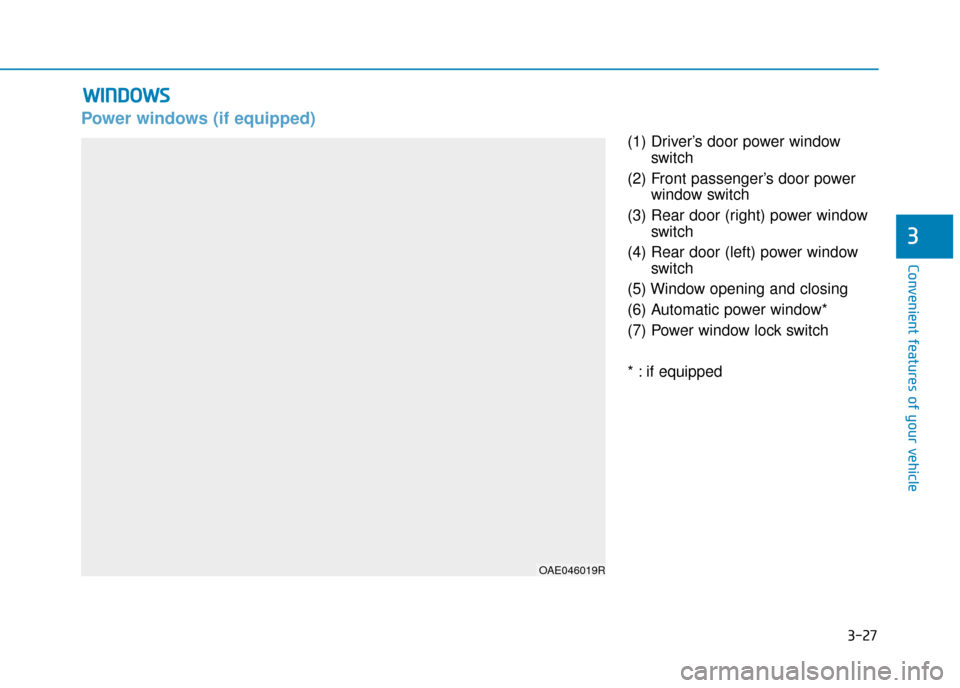
(1) Driver’s door power windowswitch
(2) Front passenger’s door power window switch
(3) Rear door (right) power window switch
(4) Rear door (left) power window switch
(5) Window opening and closing
(6) Automatic power window*
(7) Power window lock switch
* : if equipped
W W I
IN
N D
DO
O W
W S
S
OAE046019R
Page 174 of 599
3-28
Convenient features of your vehicle
The ignition switch must be in the ON
position to be able to raise or lower
the windows. Each door has a Power
Window switch to control that door's
window. The driver has a Power
Window Lock switch which can block
the operation of passenger windows.
The power windows will operate for
approximately 30 seconds after the
ignition switch is placed in the ACC
or OFF position. However, if the front
doors are opened, the Power
Windows will not operate even within
the 30 second period.
Information
• In cold and wet climates, power win- dows may not work properly due to
freezing conditions.
• Whilst driving with the rear win- dows down or with the sunroof (if
equipped) opened (or partially
opened), your vehicle may demon-
strate a wind buffeting or pulsation
noise. This noise is normal and can
be reduced or eliminated by taking
the following actions. If the noise
occurs with one or both of the rear
windows down, partially lower both
front windows approximately one
inch. If you experience the noise
with the sunroof open, slightly close
the sunroof.
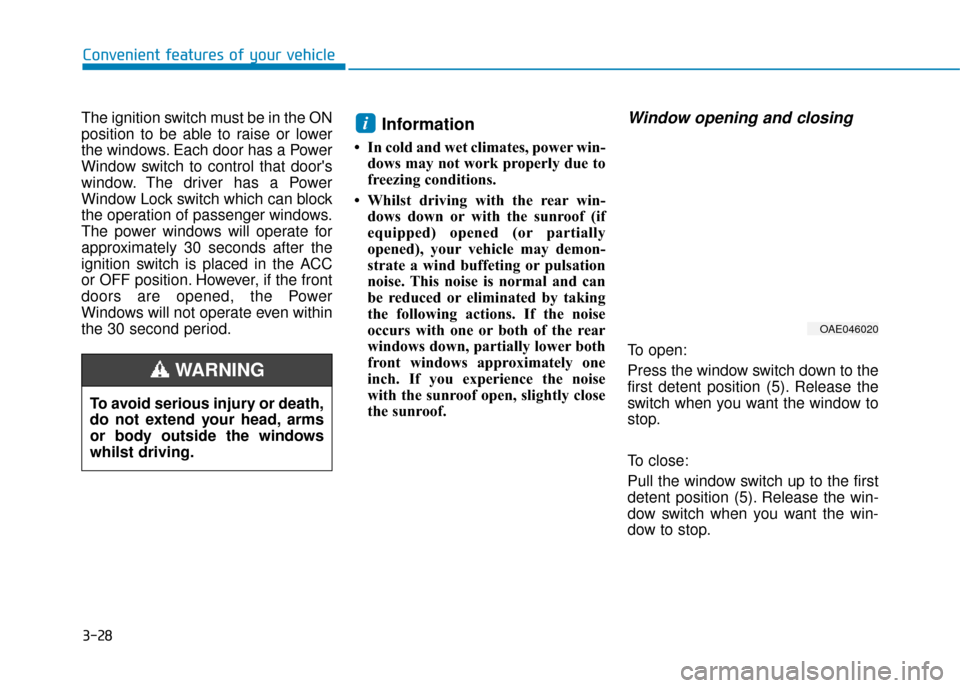
Window opening and closing
To open:
Press the window switch down to the
first detent position (5). Release the
switch when you want the window to
stop.
To close:
Pull the window switch up to the first
detent position (5). Release the win-
dow switch when you want the win-
dow to stop.
i
To avoid serious injury or death,
do not extend your head, arms
or body outside the windows
whilst driving.
WARNING
OAE046020
Page 176 of 599
3-30
Convenient features of your vehicle
Information
The automatic reverse feature is only
active when the “Auto Up” feature is
used by fully pulling up the switch to
the second detent.
Do not install any accessories on
the windows. The automatic
reverse feature may not operate.
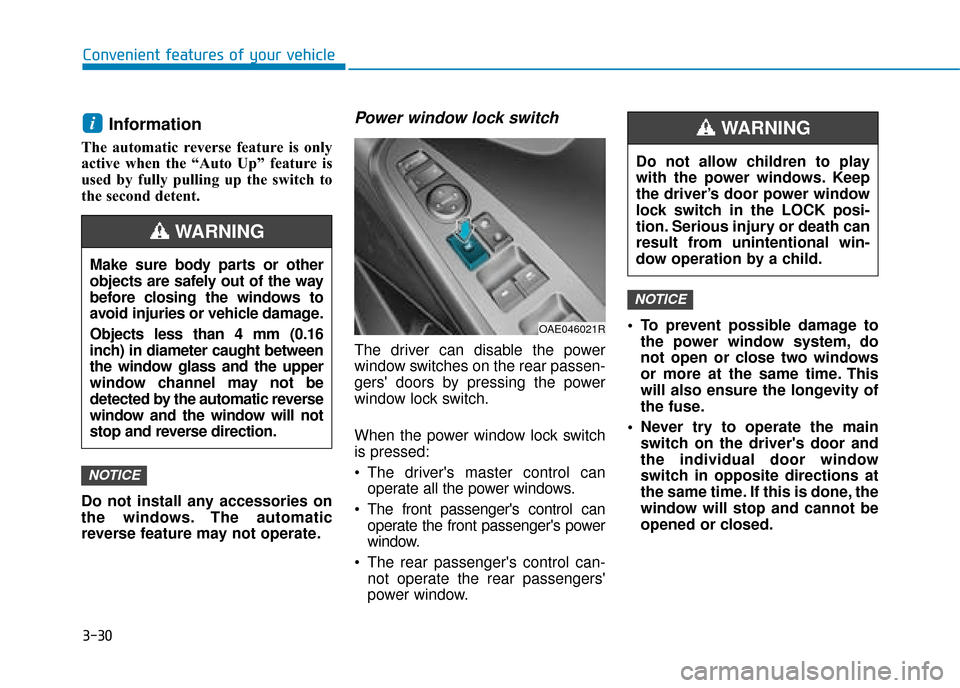
Power window lock switch
The driver can disable the power
window switches on the rear passen-
gers' doors by pressing the power
window lock switch.
When the power window lock switch
is pressed:
The driver's master control canoperate all the power windows.
The front passenger's control can operate the front passenger's power
window.
The rear passenger's control can- not operate the rear passengers'
power window. To prevent possible damage to
the power window system, do
not open or close two windows
or more at the same time. This
will also ensure the longevity of
the fuse.
Never try to operate the main switch on the driver's door and
the individual door window
switch in opposite directions at
the same time. If this is done, the
window will stop and cannot be
opened or closed.
NOTICE
NOTICE
i
Make sure body parts or other
objects are safely out of the way
before closing the windows to
avoid injuries or vehicle damage.
Objects less than 4 mm (0.16
inch) in diameter caught between
the window glass and the upper
window channel may not be
detected by the automatic reverse
window and the window will not
stop and reverse direction.
WARNING
Do not allow children to play
with the power windows. Keep
the driver’s door power window
lock switch in the LOCK posi-
tion. Serious injury or death can
result from unintentional win-
dow operation by a child.
WARNING
OAE046021R