door lock Hyundai Ioniq Plug-in Hybrid 2019 - RHD (UK, Australia) Service Manual
[x] Cancel search | Manufacturer: HYUNDAI, Model Year: 2019, Model line: Ioniq Plug-in Hybrid, Model: Hyundai Ioniq Plug-in Hybrid 2019Pages: 599, PDF Size: 17.32 MB
Page 259 of 599
3-113
Convenient features of your vehicle
3
Listed below are examples of appro-
priate switch settings for varying
loads. For loading conditions other
than those listed, adjust the switch
position to the most similar situation.Automatic type
It automatically adjusts the head-
lamp beam level according to the
number of passengers and loading
weight in the luggage area.
It also adjusts to the appropriate head-
lamp beam level for various situations.
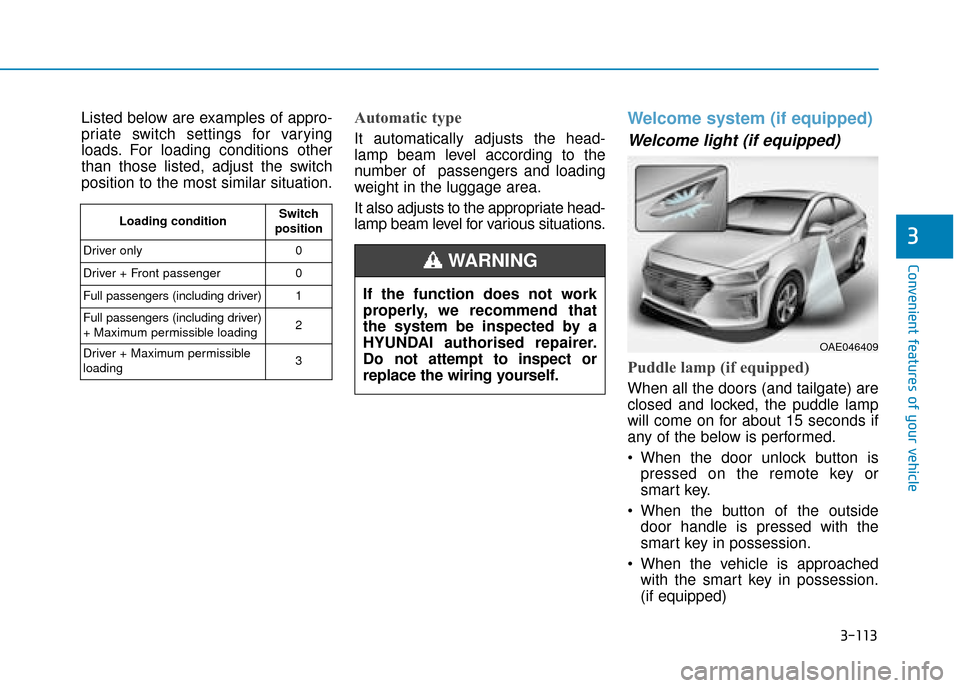
Welcome system (if equipped)
Welcome light (if equipped)
Puddle lamp (if equipped)
When all the doors (and tailgate) are
closed and locked, the puddle lamp
will come on for about 15 seconds if
any of the below is performed.
When the door unlock button ispressed on the remote key or
smart key.
When the button of the outside door handle is pressed with the
smart key in possession.
When the vehicle is approached with the smart key in possession.
(if equipped)
Loading condition Switch
position
Driver only 0
Driver + Front passenger 0
Full passengers (including driver) 1
Full passengers (including driver)
+ Maximum permissible loading 2
Driver + Maximum permissible
loading 3
If the function does not work
properly, we recommend that
the system be inspected by a
HYUNDAI authorised repairer.
Do not attempt to inspect or
replace the wiring yourself.
WARNING
OAE046409
Page 260 of 599
3-114
Convenient features of your vehicle
Also, if the outside rearview mirror
folding switch is in the AUTO position,
the outside rearview mirror will unfold
automatically.
Door handle lamp (if equipped)
When all the doors (and tailgate) are
closed and locked, the door handle
lamp will come on for about 15 sec-
onds if any of the below is performed.
When the door unlock button is pressed on the remote key or smart
key.
When the button of the outside door handle is pressed with the smart
key in possession.
When the vehicle is approached with the smart key in possession.
Headlamp and Position lamp
When the headlamp (lamp switch in
the headlamp or AUTO position) is
on and all doors (and tailgate) are
locked and closed, the position lamp
and headlamp will come on for 15
seconds if/or any of the below is per-
formed.
When the door unlock button ispressed on the remote key or smart
key.
At this time, if you press the door lock
or unlock button, the position lamp and
headlamp will turn off immediately.
You can activate or deactivate the
Welcome Light from the User
Settings Mode on the LCD display.
For more information, refer to
"LCD Display" in this chapter.
Interior lamp
When the interior lamp switch is in
the DOOR position and all doors (and
tailgate) are closed and locked, the
room lamp will come on for 30 sec-
onds if any of the below is performed.
When the door unlock button is pressed on the remote key or
smart key.
When the button of the outside door handle is pressed.
At this time, if you press the door lock
or unlock button, the room lamp will
turn off immediately.
Page 261 of 599
3-115
Convenient features of your vehicle
3
Interior lights
Do not use the interior lights for
extended periods when the engine
is turned off or the battery will dis-
charge.
Interior lamp AUTO cut
The interior lamps will automatically
go off approximately 20 minutes after
the engine is turned off and the
doors are closed. If a door is opened,
the lamp will go off 40 minutes after
the engine is turned off. If the doors
are locked by the remote key or
smart key and the vehicle enters the
armed stage of the theft alarm sys-
tem, the lamps will go off five sec-
onds later.
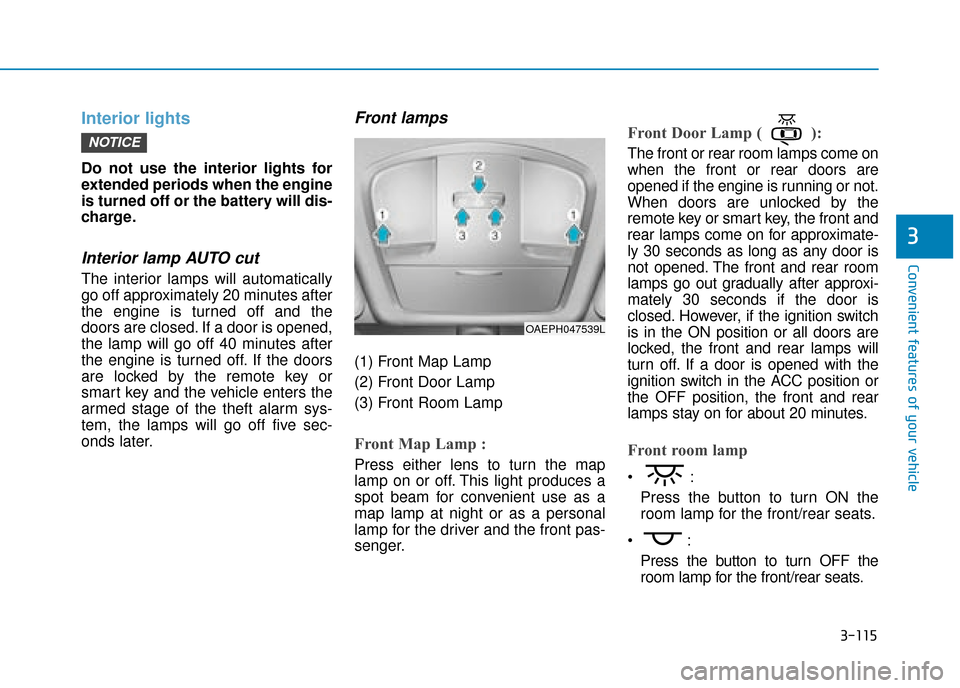
Front lamps
(1) Front Map Lamp
(2) Front Door Lamp
(3) Front Room Lamp
Front Map Lamp :
Press either lens to turn the map
lamp on or off. This light produces a
spot beam for convenient use as a
map lamp at night or as a personal
lamp for the driver and the front pas-
senger.
Front Door Lamp ( ):
The front or rear room lamps come on
when the front or rear doors are
opened if the engine is running or not.
When doors are unlocked by the
remote key or smart key, the front and
rear lamps come on for approximate-
ly 30 seconds as long as any door is
not opened. The front and rear room
lamps go out gradually after approxi-
mately 30 seconds if the door is
closed. However, if the ignition switch
is in the ON position or all doors are
locked, the front and rear lamps will
turn off. If a door is opened with the
ignition switch in the ACC position or
the OFF position, the front and rear
lamps stay on for about 20 minutes.
Front room lamp
Press the button to turn ON the
room lamp for the front/rear seats.
Press the button to turn OFF the
room lamp for the front/rear seats.
NOTICE
OAEPH047539L
Page 263 of 599
3-117
Convenient features of your vehicle
3
Vanity mirror lamp
Push the switch to turn the light on or
off.
: The lamp will turn on if thisbutton is pressed.
: The lamp will turn off if this button is pressed.
Always have the switch in the off
position when the vanity mirror
lamp is not in use. If the sunvisor
is closed without the lamp off, it
may discharge the battery or dam-
age the sunvisor.
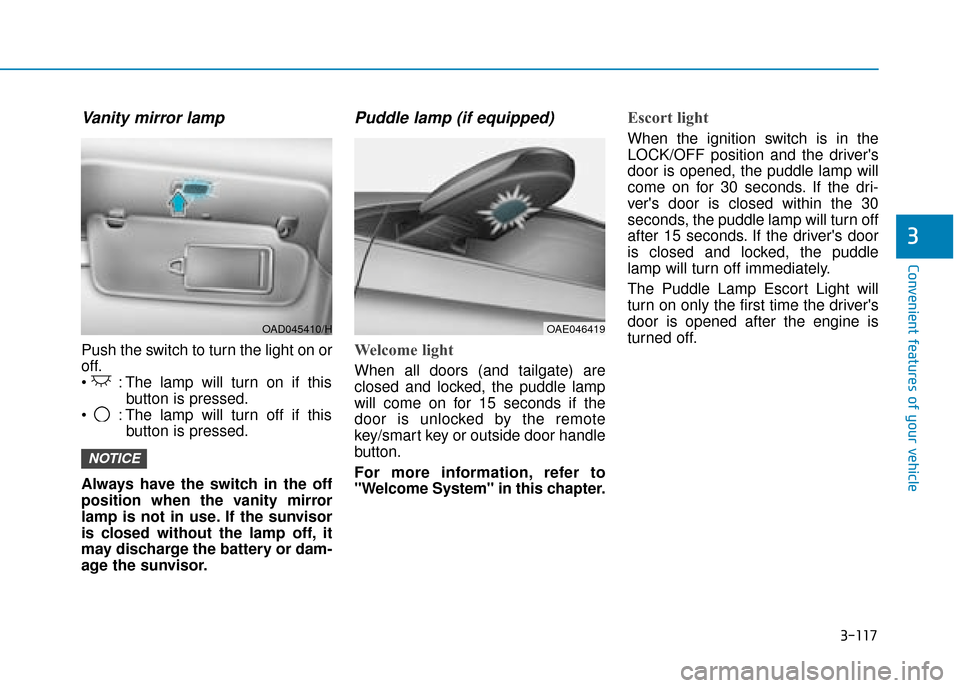
Puddle lamp (if equipped)
Welcome light
When all doors (and tailgate) are
closed and locked, the puddle lamp
will come on for 15 seconds if the
door is unlocked by the remote
key/smart key or outside door handle
button.
For more information, refer to
"Welcome System" in this chapter.
Escort light
When the ignition switch is in the
LOCK/OFF position and the driver's
door is opened, the puddle lamp will
come on for 30 seconds. If the dri-
ver's door is closed within the 30
seconds, the puddle lamp will turn off
after 15 seconds. If the driver's door
is closed and locked, the puddle
lamp will turn off immediately.
The Puddle Lamp Escort Light will
turn on only the first time the driver's
door is opened after the engine is
turned off.
NOTICE
OAD045410/HOAE046419
Page 294 of 599
3-148
Convenient features of your vehicle
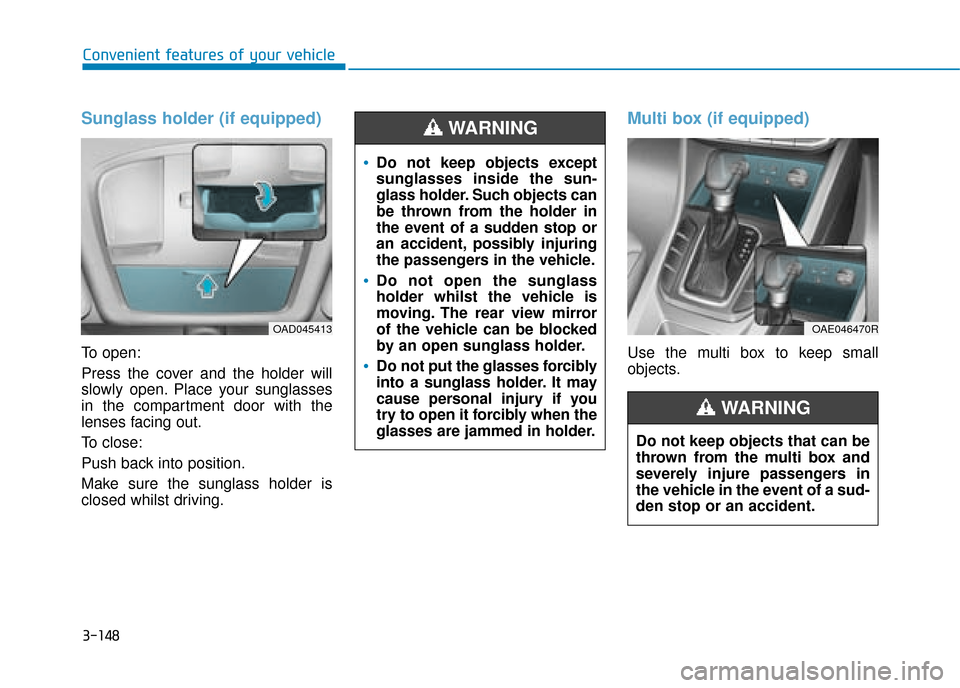
Sunglass holder (if equipped)
To open:
Press the cover and the holder will
slowly open. Place your sunglasses
in the compartment door with the
lenses facing out.
To close:
Push back into position.
Make sure the sunglass holder is
closed whilst driving.
Multi box (if equipped)
Use the multi box to keep small
objects.
OAD045413
Do not keep objects except
sunglasses inside the sun-
glass holder. Such objects can
be thrown from the holder in
the event of a sudden stop or
an accident, possibly injuring
the passengers in the vehicle.
Do not open the sunglass
holder whilst the vehicle is
moving. The rear view mirror
of the vehicle can be blocked
by an open sunglass holder.
Do not put the glasses forcibly
into a sunglass holder. It may
cause personal injury if you
try to open it forcibly when the
glasses are jammed in holder.
WARNING
OAE046470R
Do not keep objects that can be
thrown from the multi box and
severely injure passengers in
the vehicle in the event of a sud-
den stop or an accident.
WARNING
Page 298 of 599
3-152
Convenient features of your vehicle
Wireless mobile phone charg-
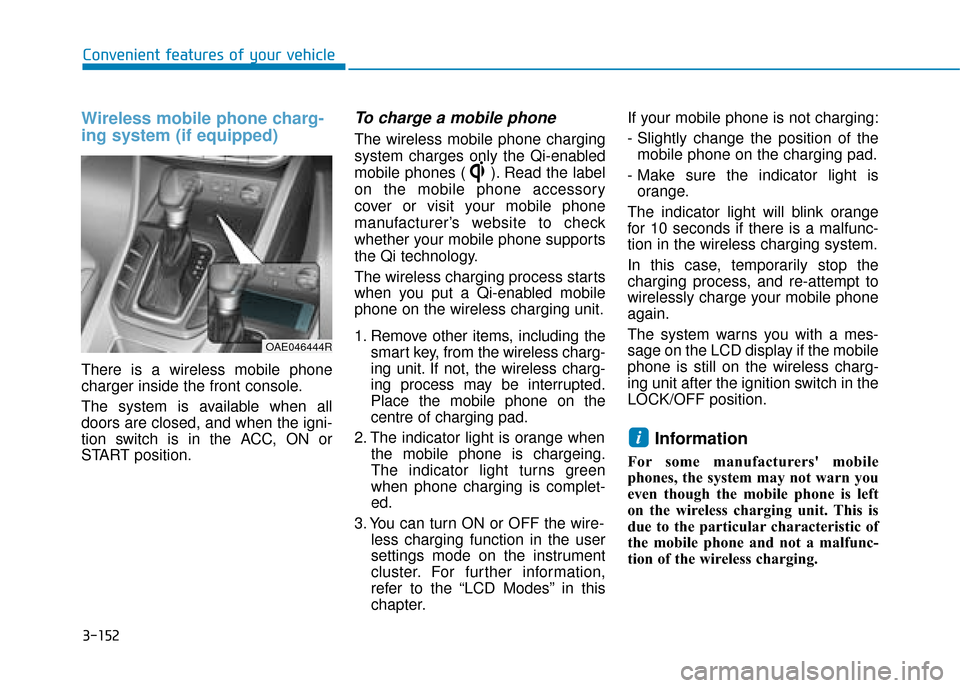
ing system (if equipped)
There is a wireless mobile phone
charger inside the front console.
The system is available when all
doors are closed, and when the igni-
tion switch is in the ACC, ON or
START position.
To charge a mobile phone
The wireless mobile phone charging
system charges only the Qi-enabled
mobile phones ( ). Read the label
on the mobile phone accessory
cover or visit your mobile phone
manufacturer’s website to check
whether your mobile phone supports
the Qi technology.
The wireless charging process starts
when you put a Qi-enabled mobile
phone on the wireless charging unit.
1. Remove other items, including thesmart key, from the wireless charg-
ing unit. If not, the wireless charg-
ing process may be interrupted.
Place the mobile phone on the
centre of charging pad.
2. The indicator light is orange when the mobile phone is chargeing.
The indicator light turns green
when phone charging is complet-
ed.
3. You can turn ON or OFF the wire- less charging function in the user
settings mode on the instrument
cluster. For further information,
refer to the “LCD Modes” in this
chapter. If your mobile phone is not charging:
- Slightly change the position of the
mobile phone on the charging pad.
- Make sure the indicator light is orange.
The indicator light will blink orange
for 10 seconds if there is a malfunc-
tion in the wireless charging system.
In this case, temporarily stop the
charging process, and re-attempt to
wirelessly charge your mobile phone
again.
The system warns you with a mes-
sage on the LCD display if the mobile
phone is still on the wireless charg-
ing unit after the ignition switch in the
LOCK/OFF position.
Information
For some manufacturers' mobile
phones, the system may not warn you
even though the mobile phone is left
on the wireless charging unit. This is
due to the particular characteristic of
the mobile phone and not a malfunc-
tion of the wireless charging.
i
OAE046444R
Page 299 of 599
3-153
Convenient features of your vehicle
3
The wireless mobile phonecharging system may not sup-
port certain mobile phones,
which are not verified for the Qi
specification ( ).
When placing your mobile phone on the charging mat,
position the phone in the middle
of the mat for optimal charging
performance. If your mobile
phone is off to the side, the
charging rate may be less and in
some cases the mobile phone
may experience higher heat con-
duction.
In some cases, the wireless charging may stop temporarily
when the Smart Key is used,
either when starting the vehicle
or locking/unlocking the doors,
etc.
When charging certain mobile phones, the charging indicator
may not change to green when
the mobile phone is fully
charged. The wireless charging process
may temporarily stop, when tem-
perature abnormally increases
inside the wireless mobile
phone charging system. The
wireless charging process
restarts, when temperature falls
to a certain level.
The wireless charging process may temporarily stop when
there is any metallic item, such
as a coin, between the wireless
mobile phone charging system
and a mobile phone.
For certain mobile phones with their own protection, the wire-
less charging speed may
decrease and the wireless
charging may stop.
If the mobile phone has a thick cover, the wireless charging may
not be possible.
If the mobile phone is not com- pletely contacting the charging
pad, wireless charging may not
operate properly. Some magnetic items like credit
cards, phone cards or rail tickets
may be damaged if left with the
mobile phone during the charg-
ing process.
If the mobile phone without the wireless charging function or
the metallic items are placed on
the charging pad, it may cause
slight noise. This noise does not
affect the mobile phone and the
vehicle, because this noise is an
operating sound during deter-
mining the item on the charging
pad.
If the ignition switch is in the OFF position, the charging also
stops.
NOTICE
Page 348 of 599
5-4
Driving your vehicle
Before entering the vehicle
• Be sure all windows, outside mir-ror(s), and outside lights are clean
and unobstructed.
Remove frost, snow, or ice.
Visually check the tyres for uneven wear and damage.
Check under the vehicle for any sign of leaks.
Be sure there are no obstacles behind you if you intend to back up.
Before starting
Make sure the bonnet, the boot,and the doors are securely closed
and locked.
Adjust the position of the seat and steering wheel.
Adjust the inside and outside rearview mirrors.
Verify all the lights work.
Fasten your seat belt. Check that all passengers have fastened their
seat belts.
Check the gauges and indicators in the instrument panel and the mes-
sages on the instrument display
when the ignition switch is in the
ON position.
Check that any items you are car- rying are stored properly or fas-
tened down securely.
B BE
EF
FO
O R
RE
E
D
D R
RI
IV
V I
IN
N G
G
To reduce the risk of SERIOUS
INJURY or DEATH, take the fol-
lowing precautions:
•ALWAYS wear your seat belt.
All passengers must be prop-
erly belted whenever the vehi-
cle is moving. For more infor-
mation, refer to "Seat Belts" in
chapter 2.
Always drive defensively.
Assume other drivers or pedes-
trians may be careless and
make mistakes.
Stay focused on the task of
driving. Driver distraction can
cause accidents.
Leave plenty of space between
you and the vehicle in front of
you.
WARNING
Page 350 of 599
5-6
Driving your vehicle
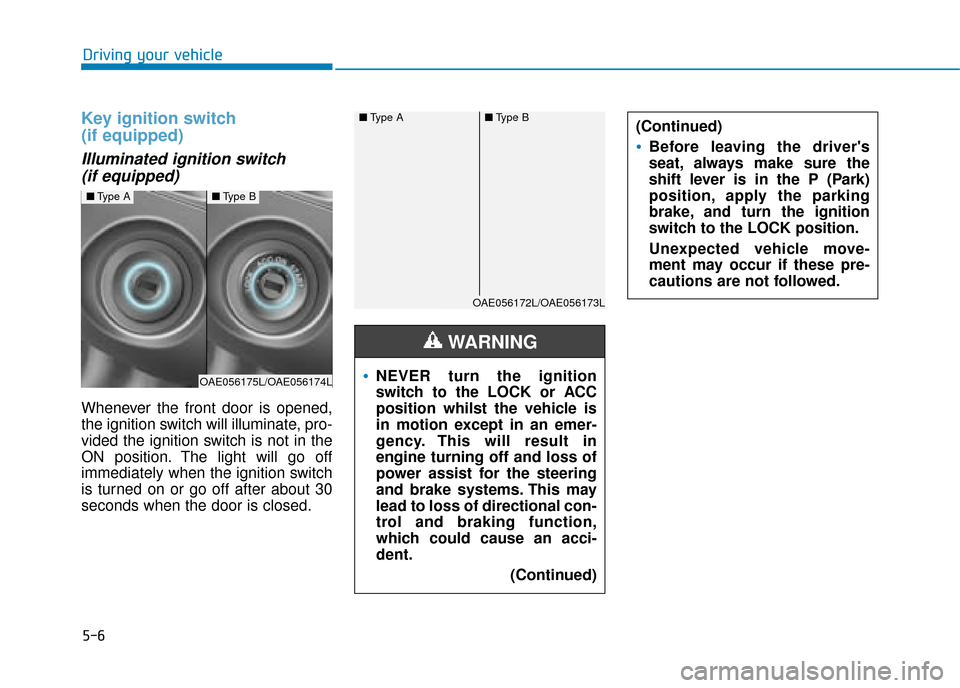
Key ignition switch
(if equipped)
Illuminated ignition switch (if equipped)
Whenever the front door is opened,
the ignition switch will illuminate, pro-
vided the ignition switch is not in the
ON position. The light will go off
immediately when the ignition switch
is turned on or go off after about 30
seconds when the door is closed.
NEVER turn the ignition
switch to the LOCK or ACC
position whilst the vehicle is
in motion except in an emer-
gency. This will result in
engine turning off and loss of
power assist for the steering
and brake systems. This may
lead to loss of directional con-
trol and braking function,
which could cause an acci-
dent.
(Continued)
WARNING
(Continued)
Before leaving the driver's
seat, always make sure the
shift lever is in the P (Park)
position, apply the parking
brake, and turn the ignition
switch to the LOCK position.
Unexpected vehicle move-
ment may occur if these pre-
cautions are not followed.
■Type A■Type B
OAE056172L/OAE056173L
■Type A■Type B
OAE056175L/OAE056174L
Page 354 of 599
5-10
Driving your vehicle
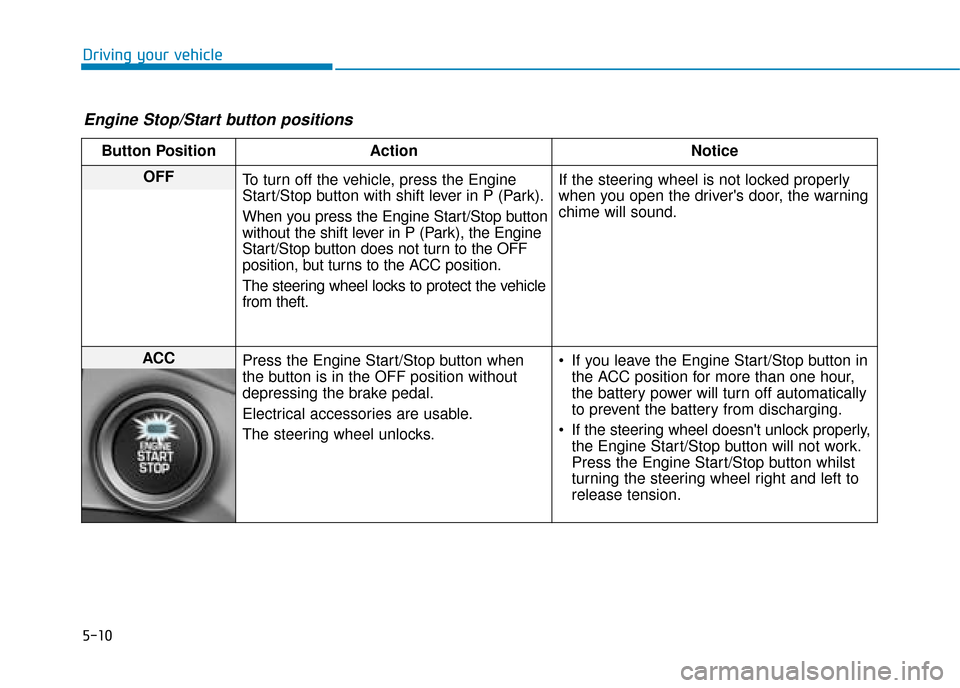
Engine Stop/Start button positions
Button PositionAction Notice
OFF
To turn off the vehicle, press the Engine
Start/Stop button with shift lever in P (Park).
When you press the Engine Start/Stop button
without the shift lever in P (Park), the Engine
Start/Stop button does not turn to the OFF
position, but turns to the ACC position.
The steering wheel locks to protect the vehicle
from theft. If the steering wheel is not locked properly
when you open the driver's door, the warning
chime will sound.
ACC
Press the Engine Start/Stop button when
the button is in the OFF position without
depressing the brake pedal.
Electrical accessories are usable.
The steering wheel unlocks. If you leave the Engine Start/Stop button in
the ACC position for more than one hour,
the battery power will turn off automatically
to prevent the battery from discharging.
If the steering wheel doesn't unlock properly, the Engine Start/Stop button will not work.
Press the Engine Start/Stop button whilst
turning the steering wheel right and left to
release tension.