display HYUNDAI IX20 2011 User Guide
[x] Cancel search | Manufacturer: HYUNDAI, Model Year: 2011, Model line: IX20, Model: HYUNDAI IX20 2011Pages: 420, PDF Size: 20.53 MB
Page 144 of 420
Features of your vehicle
66
4
✽✽
NOTICE
This system can only sense objects with- in the range and location of the sensors;
it can not detect objects in other areas
where sensors are not installed. Also,
small or slim objects, such as poles orobjects located between sensors may notbe detected by the sensors.Always visually check behind the vehi-cle when backing up.
Be sure to inform any drivers of the
vehicle that may be unfamiliar with the
system regarding the systems capabili-ties and limitations.Self-diagnosis
When you shift the gear to the R
(Reverse) position and if one or more of
the below occurs you may have a mal-
function in the rear parking assist sys-tem.
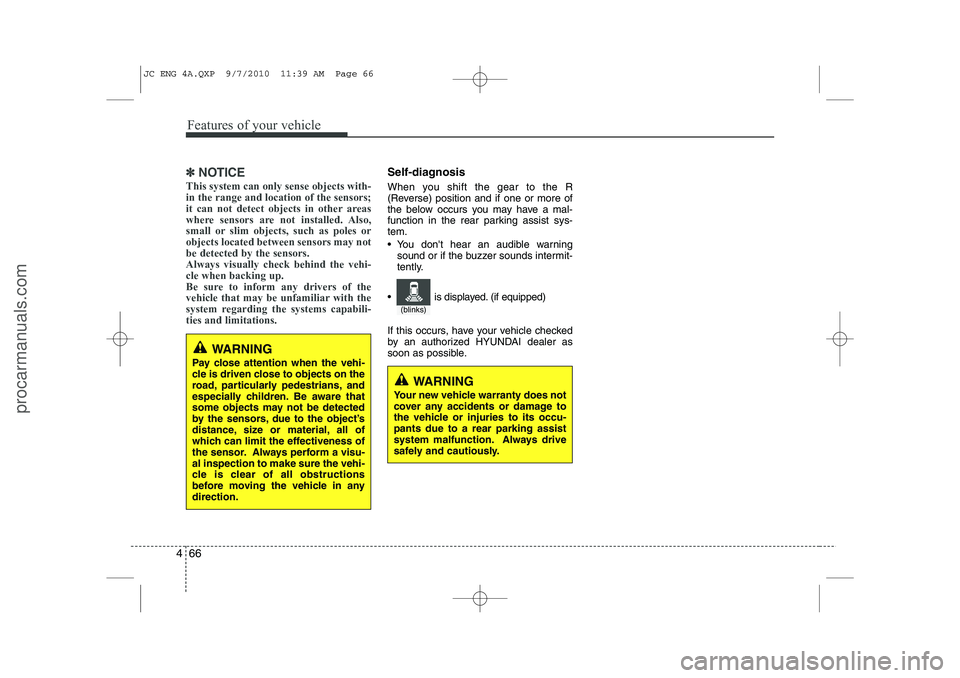
You don't hear an audible warning sound or if the buzzer sounds intermit-
tently.
If this occurs, have your vehicle checked
by an authorized HYUNDAI dealer as
soon as possible.
WARNING
Pay close attention when the vehi-
cle is driven close to objects on the
road, particularly pedestrians, and
especially children. Be aware that
some objects may not be detected
by the sensors, due to the object’s
distance, size or material, all of
which can limit the effectiveness of
the sensor. Always perform a visu-al inspection to make sure the vehi-
cle is clear of all obstructions
before moving the vehicle in anydirection.
WARNING
Your new vehicle warranty does not
cover any accidents or damage to
the vehicle or injuries to its occu-pants due to a rear parking assist
system malfunction. Always drive
safely and cautiously.
(blinks)
is displayed. (if equipped)
JC ENG 4A.QXP 9/7/2010 11:39 AM Page 66
procarmanuals.com
Page 145 of 420
467
Features of your vehicle
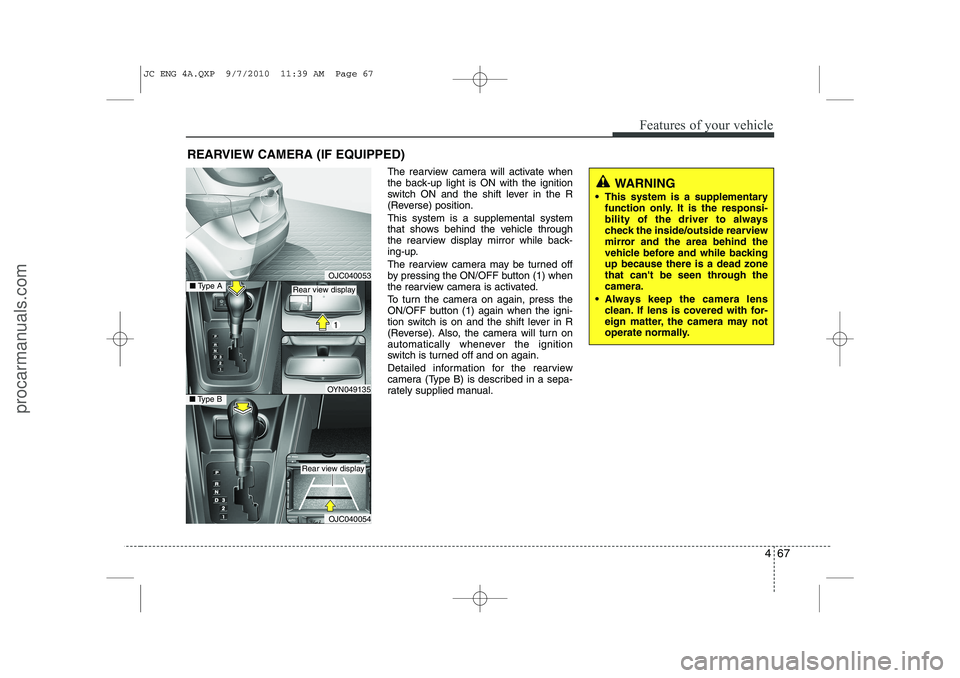
REARVIEW CAMERA (IF EQUIPPED)The rearview camera will activate when
the back-up light is ON with the ignition
switch ON and the shift lever in the R
(Reverse) position. This system is a supplemental system
that shows behind the vehicle through
the rearview display mirror while back-
ing-up.
The rearview camera may be turned off
by pressing the ON/OFF button (1) when
the rearview camera is activated.
To turn the camera on again, press the
ON/OFF button (1) again when the igni-
tion switch is on and the shift lever in R
(Reverse). Also, the camera will turn on
automatically whenever the ignition
switch is turned off and on again.
Detailed information for the rearview
camera (Type B) is described in a sepa-
rately supplied manual.
WARNING
This system is a supplementary function only. It is the responsi-
bility of the driver to always
check the inside/outside rearview
mirror and the area behind the
vehicle before and while backingup because there is a dead zone
that can't be seen through thecamera.
Always keep the camera lens clean. If lens is covered with for-
eign matter, the camera may not
operate normally.
OJC040053
OJC040054
■Type BOYN049135
■ Type ARear view display
Rear view display
JC ENG 4A.QXP 9/7/2010 11:39 AM Page 67
procarmanuals.com
Page 168 of 420
Features of your vehicle
90
4
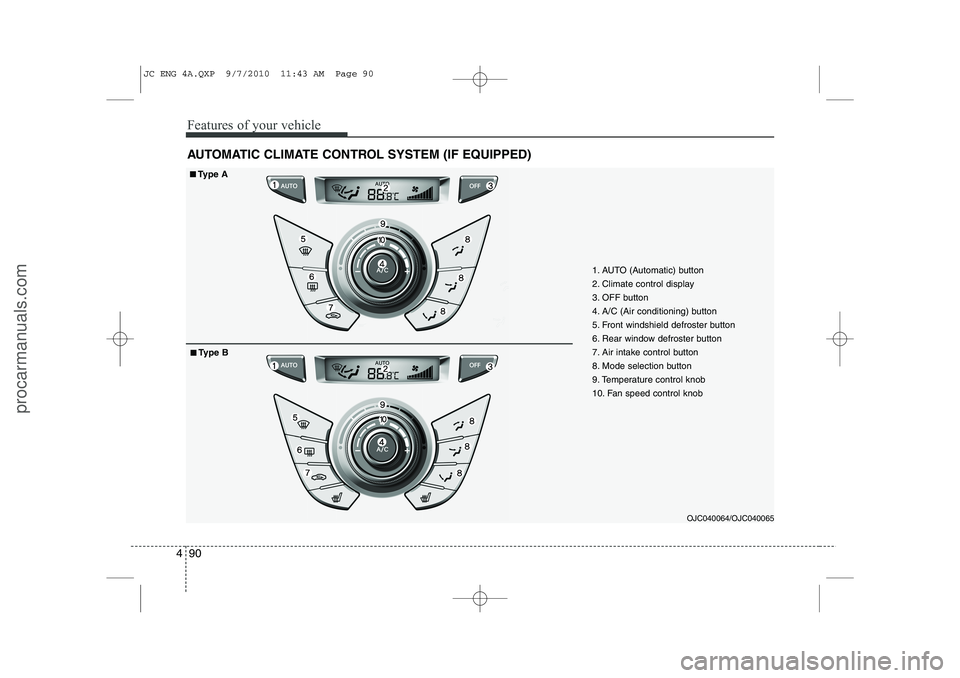
AUTOMATIC CLIMATE CONTROL SYSTEM (IF EQUIPPED)
OJC040064/OJC040065
1. AUTO (Automatic) button
2. Climate control display
3. OFF button
4. A/C (Air conditioning) button
5. Front windshield defroster button
6. Rear window defroster button
7. Air intake control button
8. Mode selection button
9. Temperature control knob
10. Fan speed control knob
■■Type A
■
■ Type B
JC ENG 4A.QXP 9/7/2010 11:43 AM Page 90
procarmanuals.com
Page 169 of 420
491
Features of your vehicle
Automatic heating and air condi- tioning The automatic climate control system is
controlled by simply setting the desired
temperature.
The Full Automatic Temperature Control
(FATC) system automatically controls the
heating and cooling system as follows:
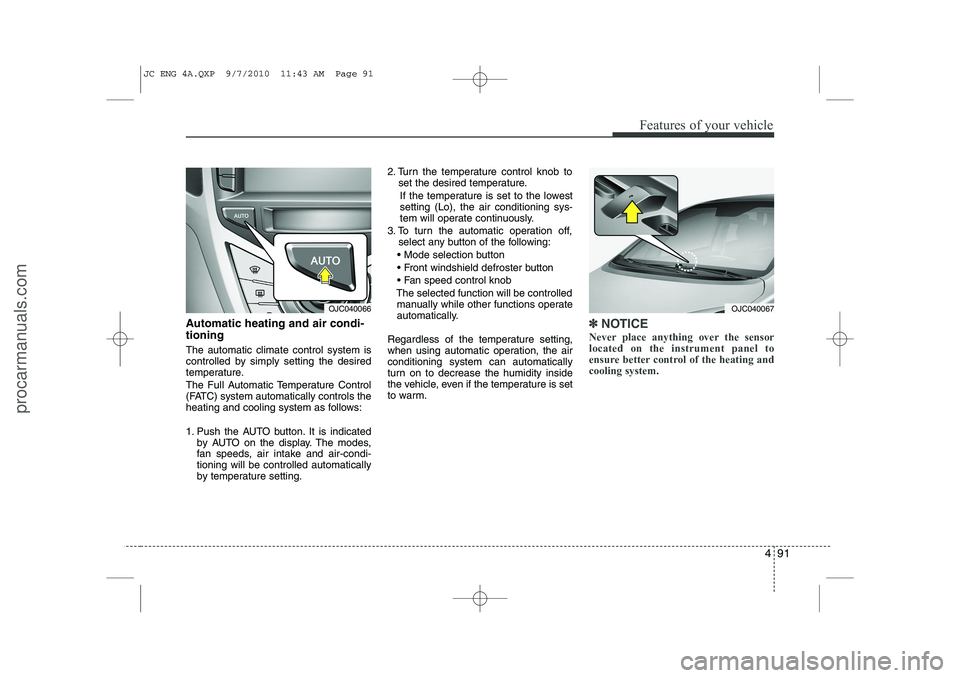
1. Push the AUTO button. It is indicatedby AUTO on the display. The modes,
fan speeds, air intake and air-condi-tioning will be controlled automatically
by temperature setting. 2. Turn the temperature control knob to
set the desired temperature.
If the temperature is set to the lowestsetting (Lo), the air conditioning sys-
tem will operate continuously.
3. To turn the automatic operation off, select any button of the following:
Mode selection button
Front windshield defroster button
Fan speed control knob
The selected function will be controlled manually while other functions operate
automatically.
Regardless of the temperature setting,
when using automatic operation, the airconditioning system can automatically
turn on to decrease the humidity inside
the vehicle, even if the temperature is set
to warm.✽✽ NOTICE
Never place anything over the sensor located on the instrument panel to
ensure better control of the heating andcooling system.
OJC040067OJC040066
JC ENG 4A.QXP 9/7/2010 11:43 AM Page 91
procarmanuals.com
Page 172 of 420
Features of your vehicle
94
4
Temperature conversion
If the battery has been discharged or dis-
connected, the temperature mode dis-
play will reset to Centigrade.
This is normal condition. You can switch
the temperature mode between
Centigrade to Fahrenheit as follows:
While pressing the AUTO button, press
the OFF button for 3 seconds or more.
The display will change from Centigrade
to Fahrenheit, or from Fahrenheit to
Centigrade.
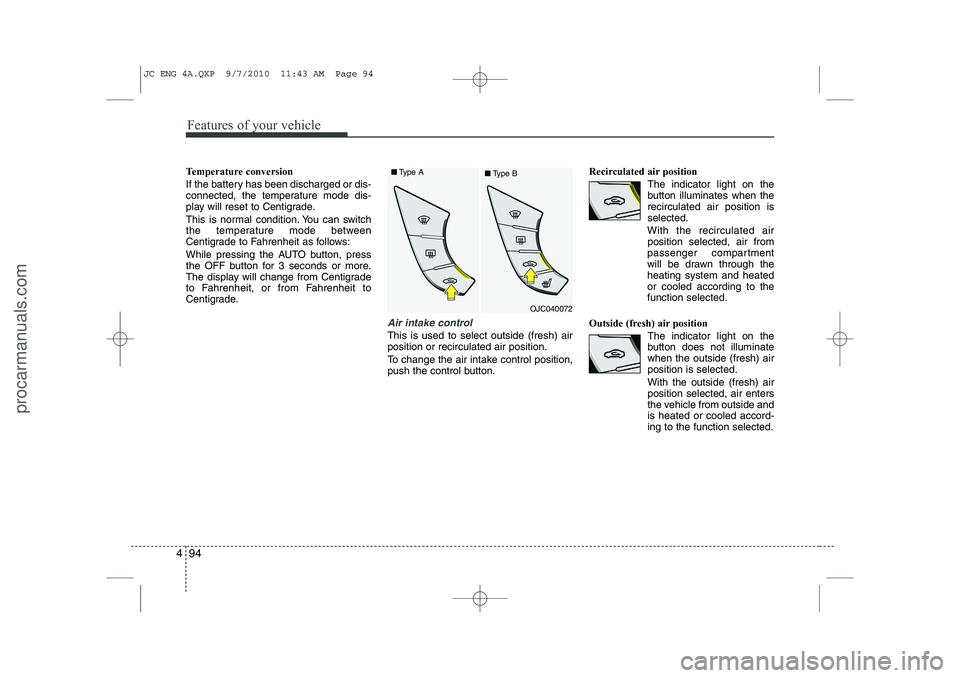
Air intake control
This is used to select outside (fresh) air position or recirculated air position.
To change the air intake control position,
push the control button. Recirculated air position
The indicator light on the
button illuminates when therecirculated air position isselected.
With the recirculated air position selected, air from
passenger compartment
will be drawn through theheating system and heatedor cooled according to thefunction selected.
Outside (fresh) air position The indicator light on the
button does not illuminatewhen the outside (fresh) airposition is selected. With the outside (fresh) air position selected, air enters
the vehicle from outside andis heated or cooled accord-ing to the function selected.
OJC040072
■
Type A
■Type B
JC ENG 4A.QXP 9/7/2010 11:43 AM Page 94
procarmanuals.com
Page 181 of 420
4 103
Features of your vehicle
INTERIOR FEATURES
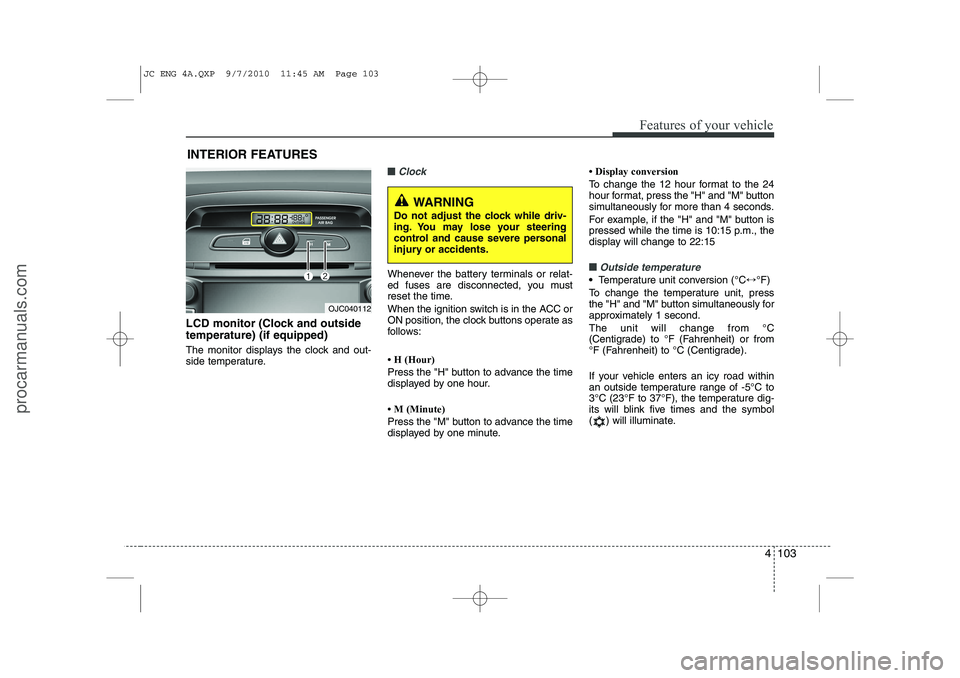
LCD monitor (Clock and outside temperature) (if equipped)
The monitor displays the clock and out-
side temperature.
■■Clock
Whenever the battery terminals or relat-
ed fuses are disconnected, you must
reset the time.
When the ignition switch is in the ACC or
ON position, the clock buttons operate as
follows:
Page 195 of 420
4 117
Features of your vehicle
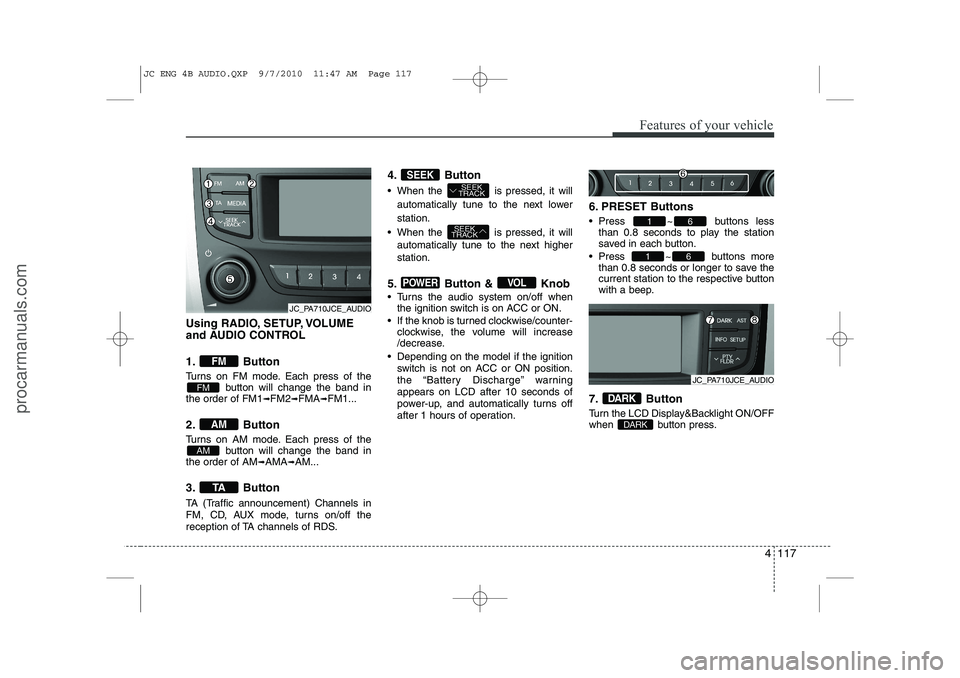
Using RADIO, SETUP, VOLUME
and AUDIO CONTROL
1. Button
Turns on FM mode. Each press of thebutton will change the band in
the order of FM1 ➟FM2 ➟FMA ➟FM1...
2. Button
Turns on AM mode. Each press of the button will change the band in
the order of AM ➟AMA ➟AM...
3. Button
TA (Traffic announcement) Channels in
FM, CD, AUX mode, turns on/off the
reception of TA channels of RDS. 4. Button
When the is pressed, it will
automatically tune to the next lower station.
When the is pressed, it will automatically tune to the next higher station.
5. Button & Knob
Turns the audio system on/off when the ignition switch is on ACC or ON.
If the knob is turned clockwise/counter- clockwise, the volume will increase
/decrease.
Depending on the model if the ignition switch is not on ACC or ON position.
the “Battery Discharge” warningappears on LCD after 10 seconds of
power-up, and automatically turns off
after 1 hours of operation. 6. PRESET Buttons
Press ~ buttons
less
than 0.8 seconds to play the station
saved in each button.
Press ~ buttons more
than 0.8 seconds or longer to save the
current station to the respective button
with a beep.
7. Button
Turn the LCD Display&Backlight ON/OFF
when button press.
DARK
DARK
61
61
VOLPOWER
SEEK
TRACK
SEEK
TRACKSEEK
TA
AM
AM
FM
FM
JC_PA710JCE_AUDIO
JC_PA710JCE_AUDIO
JC ENG 4B AUDIO.QXP 9/7/2010 11:47 AM Page 117
procarmanuals.com
Page 196 of 420
Features of your vehicle
118
4
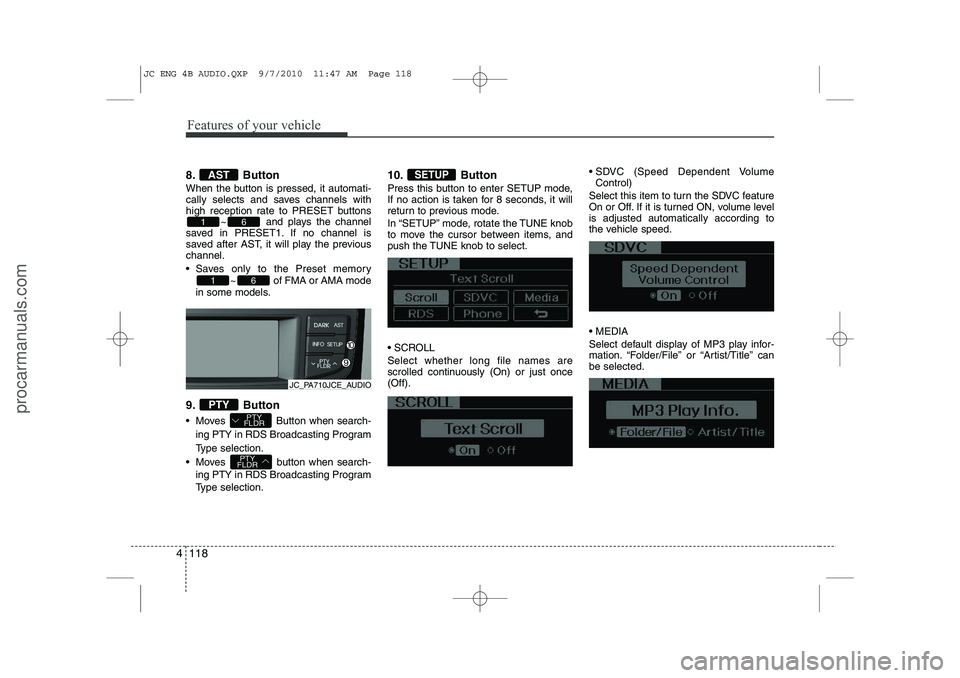
8. Button
When the button is pressed, it automati-
cally selects and saves channels with
high reception rate to PRESET buttons
~ and plays the channel
saved in PRESET1. If no channel is
saved after AST, it will play the previouschannel.
Saves only to the Preset memory
~ of FMA or AMA mode
in some models.
9. Button
Moves Button when search- ing PTY in RDS Broadcasting Program
Type selection.
Moves button when search- ing PTY in RDS Broadcasting Program
Type selection. 10. Button
Press this button to enter SETUP mode,
If no action is taken for 8 seconds, it will
return to previous mode.
In “SETUP” mode, rotate the TUNE knob
to move the cursor between items, and
push the TUNE knob to select.
SCROLL Select whether long file names are
scrolled continuously (On) or just once(Off).
SDVC (Speed Dependent Volume
Control)
Select this item to turn the SDVC feature
On or Off. If it is turned ON, volume levelis adjusted automatically according to
the vehicle speed. MEDIA
Select default display of MP3 play infor-
mation. “Folder/File” or “Artist/Title” canbe selected.SETUP
PTY
FLDR
PTY
FLDRPTY
61
61
AST
JC_PA710JCE_AUDIO
JC ENG 4B AUDIO.QXP 9/7/2010 11:47 AM Page 118
procarmanuals.com
Page 198 of 420
Features of your vehicle
120
4
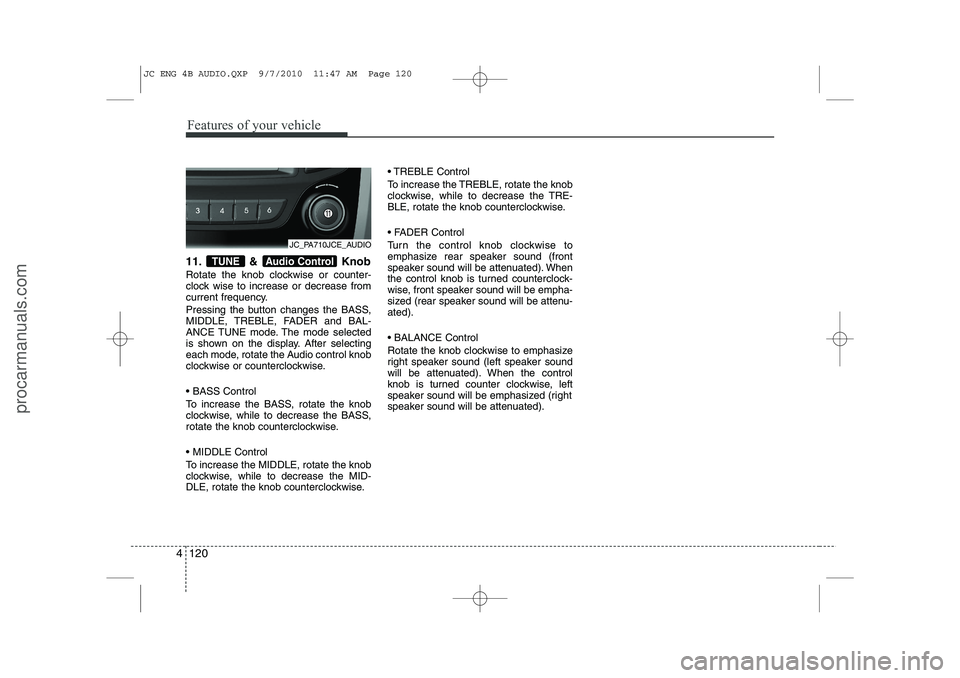
11. & Knob
Rotate the knob clockwise or counter-
clock wise to increase or decrease from
current frequency.
Pressing the button changes the BASS,
MIDDLE, TREBLE, FADER and BAL-
ANCE TUNE mode. The mode selected
is shown on the display. After selecting
each mode, rotate the Audio control knob
clockwise or counterclockwise. BASS Control
To increase the BASS, rotate the knob
clockwise, while to decrease the BASS,
rotate the knob counterclockwise. MIDDLE Control
To increase the MIDDLE, rotate the knob
clockwise, while to decrease the MID-
DLE, rotate the knob counterclockwise. TREBLE Control
To increase the TREBLE, rotate the knob
clockwise, while to decrease the TRE-
BLE, rotate the knob counterclockwise.
FADER Control
Turn the control knob clockwise to
emphasize rear speaker sound (front
speaker sound will be attenuated). When
the control knob is turned counterclock-
wise, front speaker sound will be empha-
sized (rear speaker sound will be attenu-ated). BALANCE Control
Rotate the knob clockwise to emphasize
right speaker sound (left speaker sound
will be attenuated). When the control
knob is turned counter clockwise, left
speaker sound will be emphasized (right
speaker sound will be attenuated).Audio ControlTUNE
JC_PA710JCE_AUDIO
JC ENG 4B AUDIO.QXP 9/7/2010 11:47 AM Page 120
procarmanuals.com
Page 199 of 420
4 121
Features of your vehicle
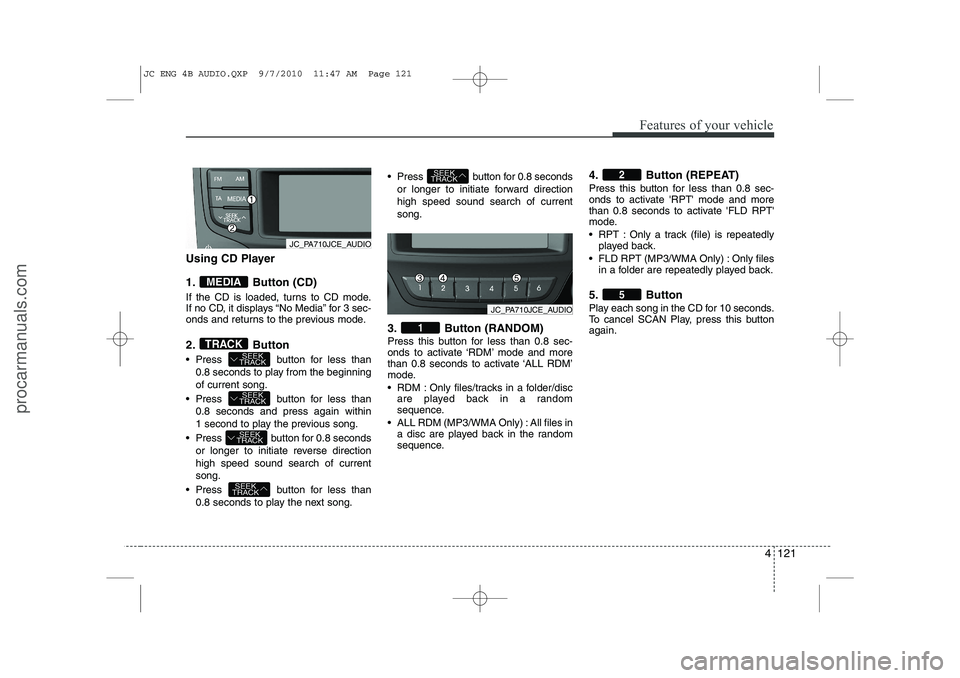
Using CD Player
1. Button (CD)
If the CD is loaded, turns to CD mode.
If no CD, it displays “No Media” for 3 sec-
onds and returns to the previous mode.
2. Button
Press button for less than0.8 seconds to play from the beginning of current song.
Press button for less than 0.8 seconds and press again within
1 second to play the previous song.
Press button for 0.8 seconds or longer to initiate reverse directionhigh speed sound search of currentsong.
Press button for less than 0.8 seconds to play the next song. Press button for 0.8 seconds
or longer to initiate forward directionhigh speed sound search of currentsong.
3. Button (RANDOM)
Press this button for less than 0.8 sec-
onds to activate ‘RDM’ mode and more
than 0.8 seconds to activate ‘ALL RDM’
mode.
RDM : Only files/tracks in a folder/disc are played back in a random
sequence.
ALL RDM (MP3/WMA Only) : All files in a disc are played back in the random
sequence. 4. Button (REPEAT)
Press this button for less than 0.8 sec-
onds to activate 'RPT' mode and more
than 0.8 seconds to activate 'FLD RPT'
mode.
RPT : Only a track (file) is repeatedly
played back.
FLD RPT (MP3/WMA Only) : Only files in a folder are repeatedly played back.
5. Button
Play each song in the CD for 10 seconds.
To cancel SCAN Play, press this buttonagain.
5
2
1
SEEK
TRACK
SEEK
TRACK
SEEK
TRACK
SEEK
TRACK
SEEK
TRACKTRACK
MEDIA
JC_PA710JCE_AUDIO
JC_PA710JCE_AUDIO
JC ENG 4B AUDIO.QXP 9/7/2010 11:47 AM Page 121
procarmanuals.com