sensor HYUNDAI IX20 2017 User Guide
[x] Cancel search | Manufacturer: HYUNDAI, Model Year: 2017, Model line: IX20, Model: HYUNDAI IX20 2017Pages: 456, PDF Size: 9.46 MB
Page 114 of 456
Features of your vehicle
36
4
Inside rearview mirror
Adjust the rearview mirror so that the
center view through the rear window is
seen. Make this adjustment before you
start driving.
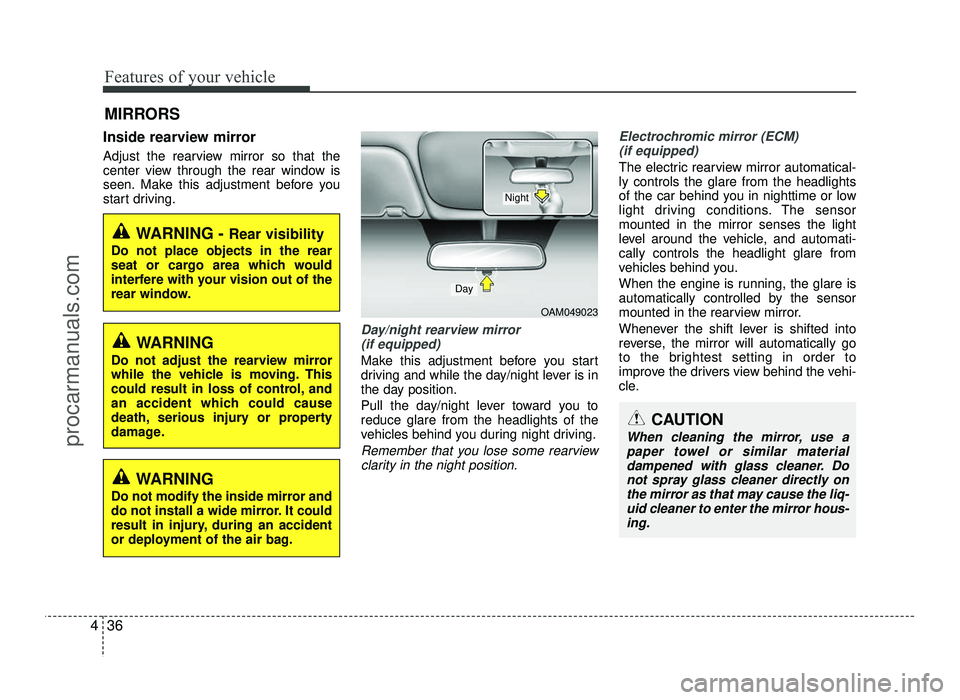
Day/night rearview mirror
(if equipped)
Make this adjustment before you start
driving and while the day/night lever is in
the day position.
Pull the day/night lever toward you to reduce glare from the headlights of the
vehicles behind you during night driving.
Remember that you lose some rearview clarity in the night position.
Electrochromic mirror (ECM)
(if equipped)
The electric rearview mirror automatical- ly controls the glare from the headlights
of the car behind you in nighttime or low
light driving conditions. The sensormounted in the mirror senses the light
level around the vehicle, and automati-cally controls the headlight glare from
vehicles behind you.
When the engine is running, the glare is
automatically controlled by the sensor
mounted in the rearview mirror.
Whenever the shift lever is shifted into
reverse, the mirror will automatically go
to the brightest setting in order to
improve the drivers view behind the vehi-
cle.
MIRRORS
OAM049023
CAUTION
When cleaning the mirror, use a
paper towel or similar material
dampened with glass cleaner. Donot spray glass cleaner directly on
the mirror as that may cause the liq-uid cleaner to enter the mirror hous-
ing.
Day
Night
WARNING - Rear visibility
Do not place objects in the rear
seat or cargo area which would
interfere with your vision out of the
rear window.
WARNING
Do not adjust the rearview mirror
while the vehicle is moving. This
could result in loss of control, and
an accident which could cause
death, serious injury or property
damage.
WARNING
Do not modify the inside mirror and
do not install a wide mirror. It could
result in injury, during an accident
or deployment of the air bag.
procarmanuals.com
Page 115 of 456
437
Features of your vehicle
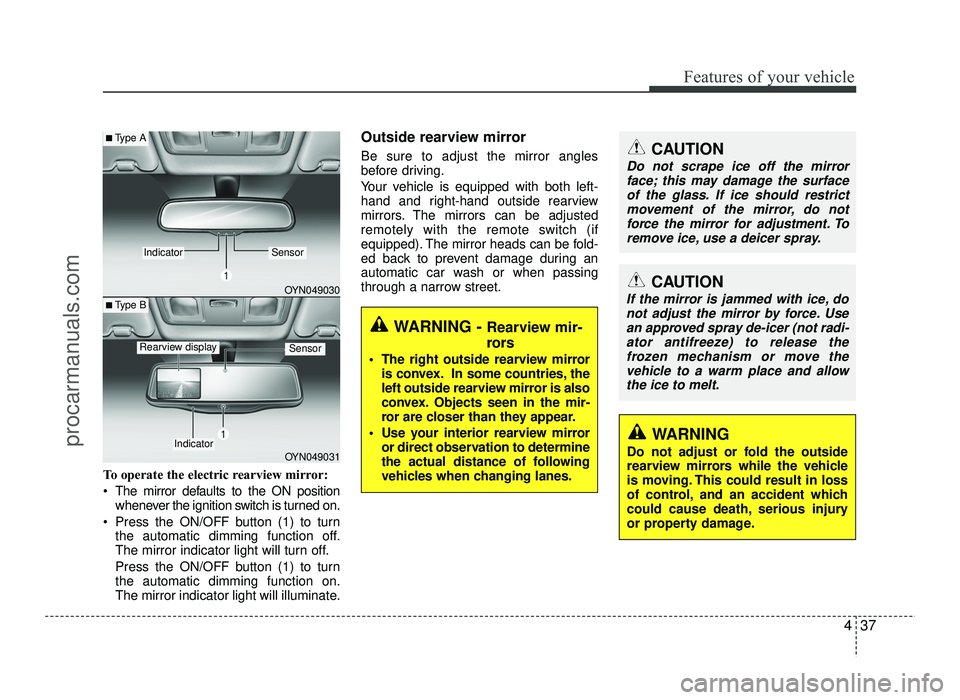
To operate the electric rearview mirror:
The mirror defaults to the ON positionwhenever the ignition switch is turned on.
Press the ON/OFF button (1) to turn the automatic dimming function off.
The mirror indicator light will turn off.
Press the ON/OFF button (1) to turn the automatic dimming function on.
The mirror indicator light will illuminate. Outside rearview mirror Be sure to adjust the mirror angles
before driving.
Your vehicle is equipped with both left-
hand and right-hand outside rearview
mirrors. The mirrors can be adjusted
remotely with the remote switch (if
equipped). The mirror heads can be fold-
ed back to prevent damage during an
automatic car wash or when passing
through a narrow street.
WARNING -
Rearview mir-
rors
The right outside rearview mirror is convex. In some countries, the
left outside rearview mirror is also
convex. Objects seen in the mir-
ror are closer than they appear.
Use your interior rearview mirror or direct observation to determine
the actual distance of following
vehicles when changing lanes.
OYN049030
OYN049031
■Type A
■ Type B
IndicatorSensor
Indicator
SensorRearview display
CAUTION
Do not scrape ice off the mirror
face; this may damage the surfaceof the glass. If ice should restrict
movement of the mirror, do not force the mirror for adjustment. Toremove ice, use a deicer spray.
CAUTION
If the mirror is jammed with ice, do
not adjust the mirror by force. Use an approved spray de-icer (not radi-
ator antifreeze) to release the frozen mechanism or move thevehicle to a warm place and allow
the ice to melt.
WARNING
Do not adjust or fold the outside
rearview mirrors while the vehicle
is moving. This could result in loss
of control, and an accident which
could cause death, serious injury
or property damage.
procarmanuals.com
Page 142 of 456
Features of your vehicle
64
4
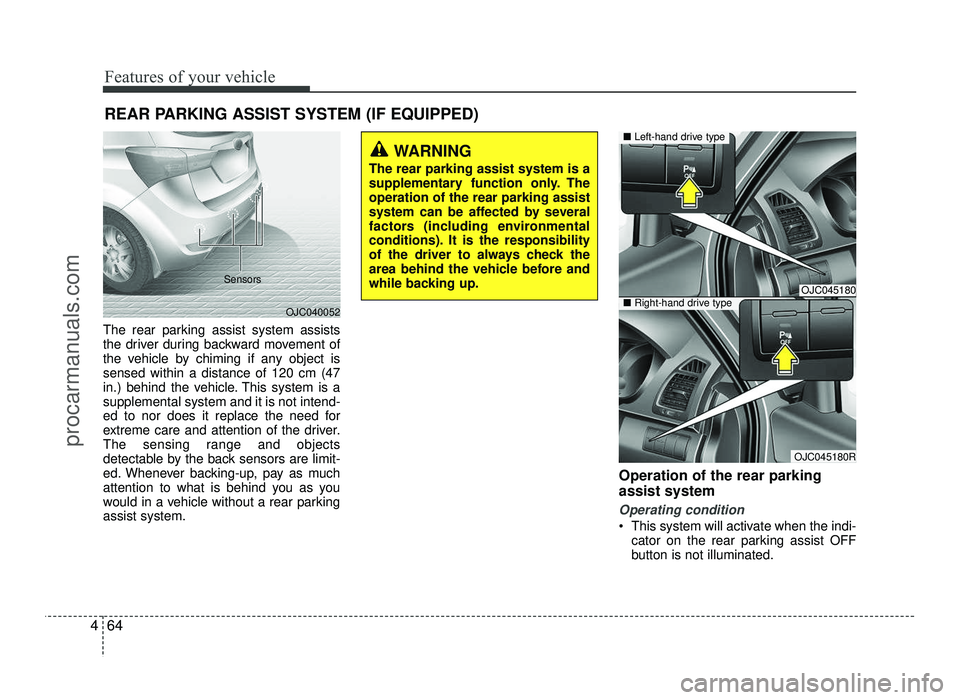
The rear parking assist system assists
the driver during backward movement of
the vehicle by chiming if any object issensed within a distance of 120 cm (47
in.) behind the vehicle. This system is asupplemental system and it is not intend-
ed to nor does it replace the need for
extreme care and attention of the driver.
The sensing range and objects
detectable by the back sensors are limit-
ed. Whenever backing-up, pay as much
attention to what is behind you as you
would in a vehicle without a rear parkingassist system. Operation of the rear parking assist system
Operating condition
This system will activate when the indi-
cator on the rear parking assist OFF
button is not illuminated.
REAR PARKING ASSIST SYSTEM (IF EQUIPPED)
WARNING
The rear parking assist system is a
supplementary function only. Theoperation of the rear parking assist
system can be affected by several
factors (including environmental
conditions). It is the responsibility
of the driver to always check the
area behind the vehicle before and
while backing up.
OJC040052
Sensors
OJC045180
OJC045180R
■
Left-hand drive type
■Right-hand drive type
procarmanuals.com
Page 143 of 456
465
Features of your vehicle
If you desire to deactivate the rear
parking assist system, press the rear
parking assist OFF button again. (The
indicator on the button will illuminate.)
To turn the system on, press the button
again. (The indicator on the button will
go off.)
This system will activate when backing up with the ignition switch ON.
If the vehicle is moving at a speed over
5 km/h (3 mph), the system may not be
activated correctly.
The sensing distance while the rear parking assist system is in operation is
approximately 120 cm (47 in.).
When more than two objects are sensed at the same time, the closest
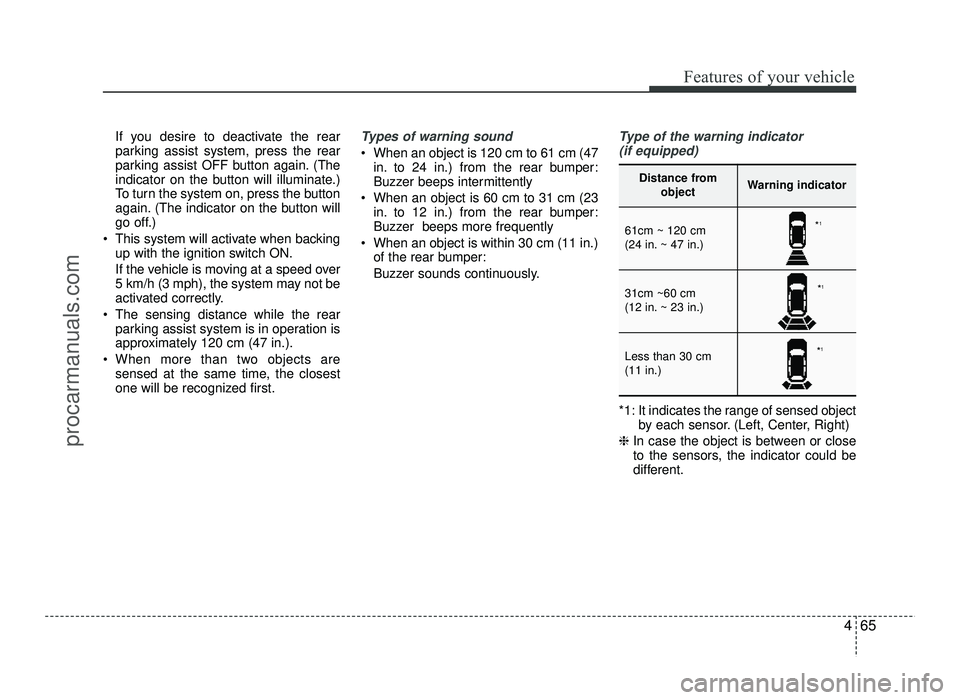
one will be recognized first.Types of warning sound
When an object is 120 cm to 61 cm (47in. to 24 in.) from the rear bumper:
Buzzer beeps intermittently
When an object is 60 cm to 31 cm (23 in. to 12 in.) from the rear bumper:
Buzzer beeps more frequently
When an object is within 30 cm (11 in.) of the rear bumper:
Buzzer sounds continuously.
Type of the warning indicator
(if equipped)
*1: It indicates the range of sensed object by each sensor. (Left, Center, Right)
❈ In case the object is between or close
to the sensors, the indicator could be
different.
Distance from
objectWarning indicator
61cm ~ 120 cm
(24 in. ~ 47 in.)
31cm ~60 cm
(12 in. ~ 23 in.)
Less than 30 cm (11 in.)
*1
* 1
* 1
procarmanuals.com
Page 144 of 456
Features of your vehicle
66
4
Non-operational conditions of rear parking assist system
The rear parking assist system may
not operate properly when:
1. Moisture is frozen to the sensor. (It will
operate normally when the moisture has been cleared.)
2. The sensor is covered with foreign matter, such as snow or water, or the
sensor cover is blocked. (It will operate
normally when the material is removed
or the sensor is no longer blocked.)
3. Driving on uneven road surfaces (unpaved roads, gravel, bumps, gradi-ent).
4. Objects generating excessive noise (vehicle horns, loud motorcycle
engines, or truck air brakes) are within
range of the sensor.
5. Heavy rain or water spray exists.
6. Wireless transmitters or mobile phones are within range of the sensor.
7. Trailer towing. The detecting range may decrease when:
1. The sensor is stained with foreign mat-
ter such as snow or water. (The sens-
ing range will return to normal when
removed.)
2. Outside air temperature is extremely hot or cold.
The following objects may not be rec-
ognized by the sensor:
1. Sharp or slim objects such as ropes, chains or small poles.
2. Objects which tend to absorb the sen- sor frequency such as clothes, spongy
material or snow.
3. Undetectable objects smaller than 1 m (40 in.) and narrower than 14 cm (6 in.)
in diameter. Rear parking assist system pre- cautions
The rear parking assist system may
not sound sequentially depending on the speed and shapes of the objectsdetected.
The rear parking assist system may malfunction if the vehicle bumperheight or sensor installation has been
modified or damaged. Any non-factory
installed equipment or accessories
may also interfere with the sensor per-
formance.
The sensor may not recognize objects less than 40 cm (15 in.) from the sen-
sor, or it may sense an incorrect dis-
tance. Use caution.
When the sensor is frozen or stained with snow, dirt, or water, the sensor
may be inoperative until the stains are
removed using a soft cloth.
Do not push, scratch or strike the sen- sor. Sensor damage could occur.
procarmanuals.com
Page 145 of 456
467
Features of your vehicle
✽✽NOTICE
This system can only sense objects with-
in the range and location of the sensors;
it can not detect objects in other areas
where sensors are not installed. Also,
small or slim objects, such as poles or
objects located between sensors may not
be detected by the sensors.
Always visually check behind the vehi-
cle when backing up.
Be sure to inform any drivers of the
vehicle that may be unfamiliar with the
system regarding the systems capabili-
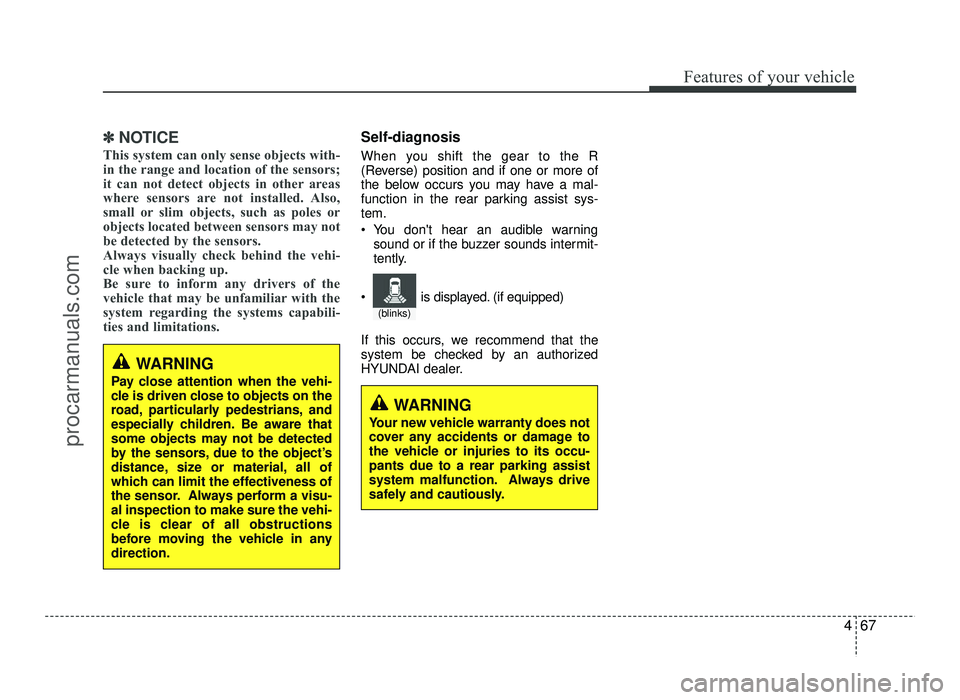
ties and limitations.Self-diagnosis
When you shift the gear to the R
(Reverse) position and if one or more of
the below occurs you may have a mal-
function in the rear parking assist sys-tem.
You don't hear an audible warning sound or if the buzzer sounds intermit-
tently.
If this occurs, we recommend that the
system be checked by an authorized
HYUNDAI dealer.
WARNING
Pay close attention when the vehi-
cle is driven close to objects on the
road, particularly pedestrians, and
especially children. Be aware that
some objects may not be detected
by the sensors, due to the object’s
distance, size or material, all of
which can limit the effectiveness of
the sensor. Always perform a visu-al inspection to make sure the vehi-
cle is clear of all obstructions
before moving the vehicle in anydirection.
WARNING
Your new vehicle warranty does not
cover any accidents or damage to
the vehicle or injuries to its occu-pants due to a rear parking assist
system malfunction. Always drive
safely and cautiously.
(blinks)
is displayed. (if equipped)
procarmanuals.com
Page 150 of 456
Features of your vehicle
72
4
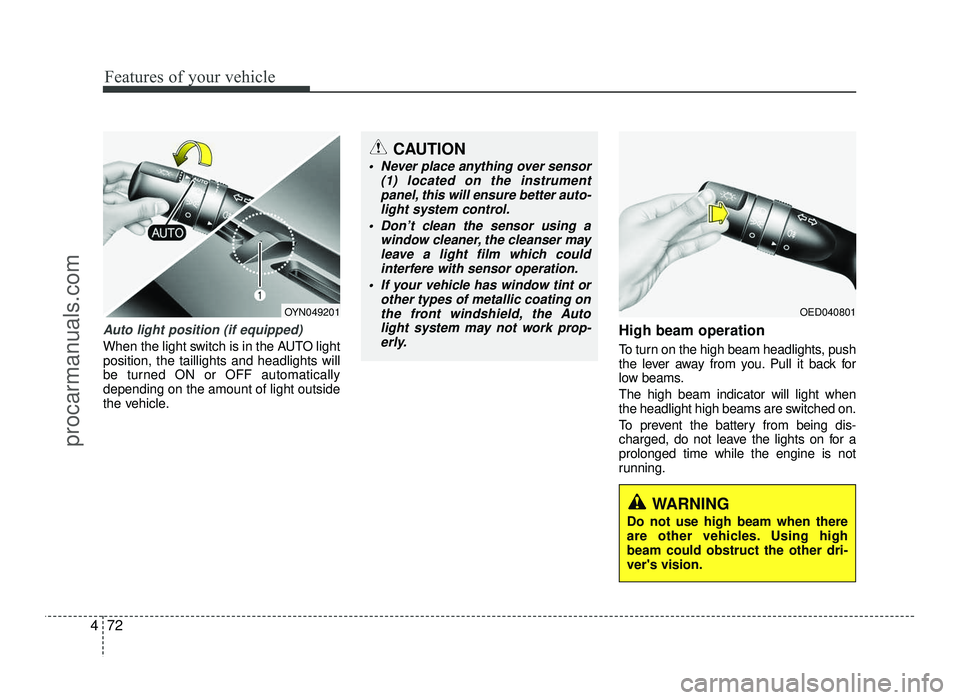
Auto light position (if equipped)
When the light switch is in the AUTO light position, the taillights and headlights will
be turned ON or OFF automaticallydepending on the amount of light outside
the vehicle. High beam operation
To turn on the high beam headlights, push
the lever away from you. Pull it back for
low beams. The high beam indicator will light when
the headlight high beams are switched on.
To prevent the battery from being dis-
charged, do not leave the lights on for aprolonged time while the engine is not
running.
OED040801
CAUTION
Never place anything over sensor
(1) located on the instrumentpanel, this will ensure better auto-
light system control.
Don’t clean the sensor using a window cleaner, the cleanser may
leave a light film which couldinterfere with sensor operation.
If your vehicle has window tint or other types of metallic coating onthe front windshield, the Auto
light system may not work prop-erly.
OYN049201
WARNING
Do not use high beam when there
are other vehicles. Using highbeam could obstruct the other dri-ver's vision.
procarmanuals.com
Page 155 of 456
477
Features of your vehicle
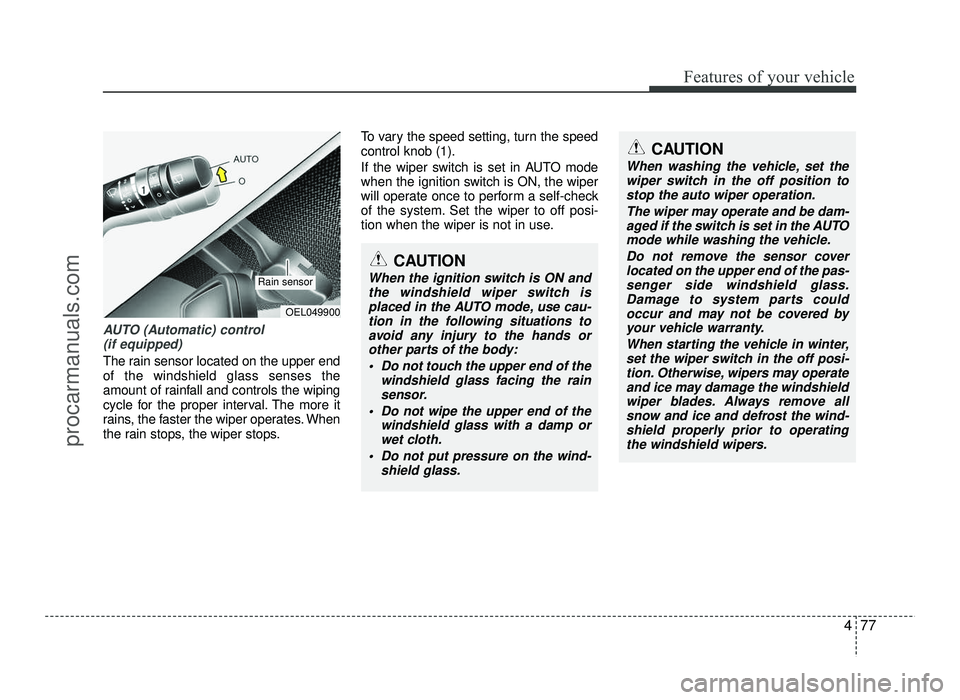
AUTO (Automatic) control (if equipped)
The rain sensor located on the upper end of the windshield glass senses the
amount of rainfall and controls the wiping
cycle for the proper interval. The more it
rains, the faster the wiper operates. When
the rain stops, the wiper stops. To vary the speed setting, turn the speedcontrol knob (1).
If the wiper switch is set in AUTO mode
when the ignition switch is ON, the wiper
will operate once to perform a self-check
of the system. Set the wiper to off posi-
tion when the wiper is not in use.
CAUTION
When the ignition switch is ON and
the windshield wiper switch is placed in the AUTO mode, use cau-
tion in the following situations to avoid any injury to the hands or
other parts of the body:
Do not touch the upper end of the windshield glass facing the rain
sensor.
Do not wipe the upper end of the windshield glass with a damp or
wet cloth.
Do not put pressure on the wind- shield glass.
OEL049900
Rain sensor
CAUTION
When washing the vehicle, set the
wiper switch in the off position tostop the auto wiper operation.
The wiper may operate and be dam-aged if the switch is set in the AUTOmode while washing the vehicle.
Do not remove the sensor coverlocated on the upper end of the pas- senger side windshield glass.
Damage to system parts couldoccur and may not be covered by
your vehicle warranty.
When starting the vehicle in winter,set the wiper switch in the off posi-
tion. Otherwise, wipers may operateand ice may damage the windshield
wiper blades. Always remove allsnow and ice and defrost the wind-shield properly prior to operating
the windshield wipers.
procarmanuals.com
Page 170 of 456
Features of your vehicle
92
4
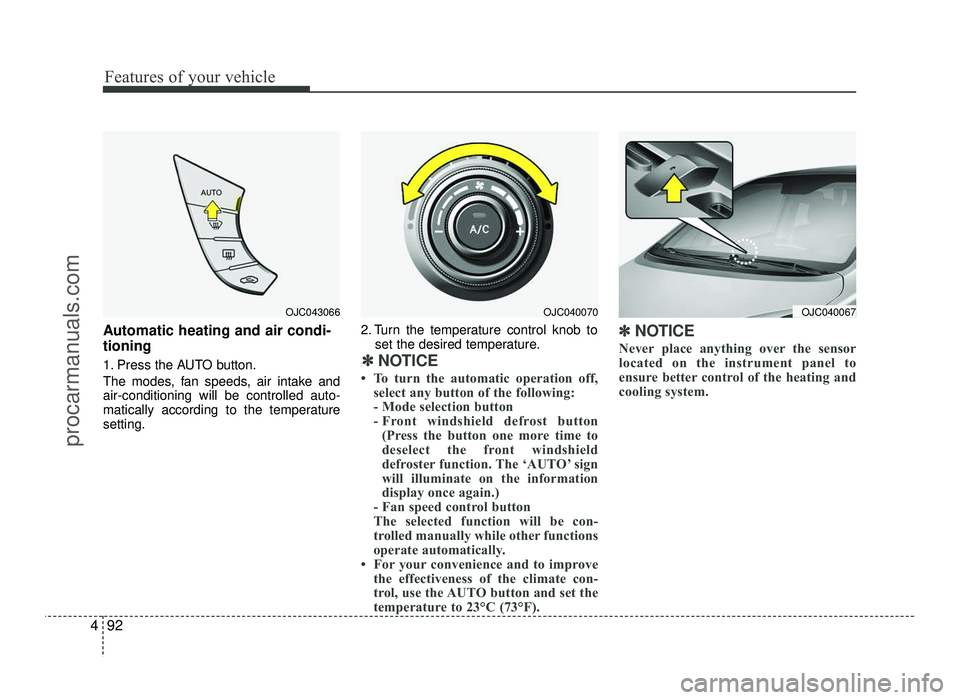
Automatic heating and air condi- tioning
1. Press the AUTO button.
The modes, fan speeds, air intake and air-conditioning will be controlled auto-
matically according to the temperaturesetting. 2. Turn the temperature control knob to
set the desired temperature.
:
✽✽ NOTICE
To turn the automatic operation off, select any button of the following:
- Mode selection button
- Front windshield defrost button (Press the button one more time to
deselect the front windshield
defroster function. The ‘AUTO’ sign
will illuminate on the information
display once again.)
- Fan speed control button
The selected function will be con-
trolled manually while other functions
operate automatically.
For your convenience and to improve the effectiveness of the climate con-
trol, use the AUTO button and set the
temperature to 23°C (73°F). ✽
✽
NOTICE
Never place anything over the sensor
located on the instrument panel to
ensure better control of the heating and
cooling system.
OJC043066OJC040070OJC040067
procarmanuals.com
Page 249 of 456
Driving your vehicle
18
5
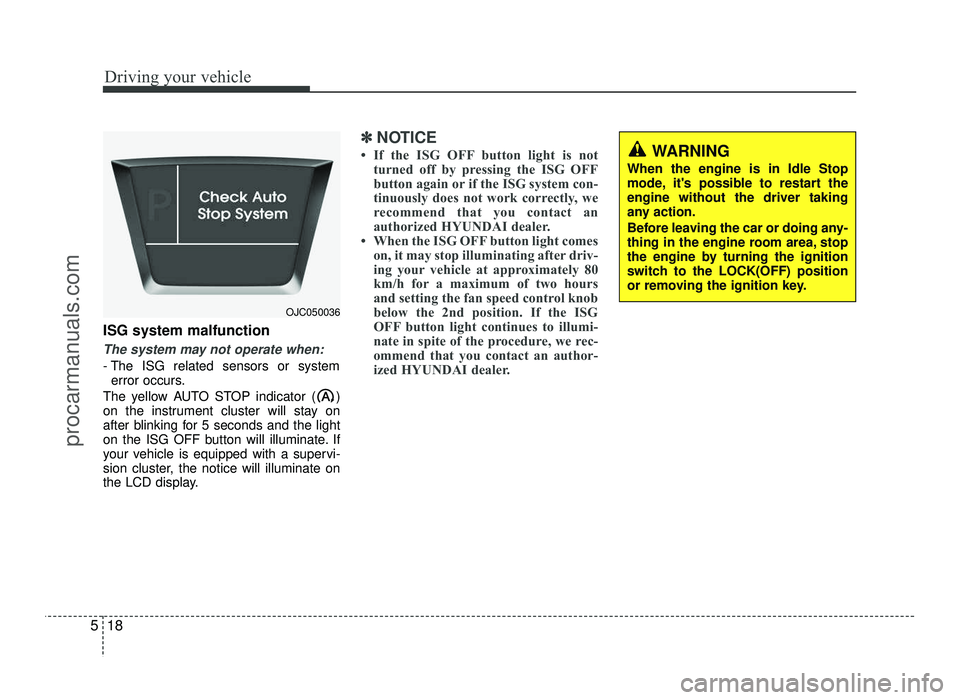
ISG system malfunction
The system may not operate when:
- The ISG related sensors or system
error occurs.
The yellow AUTO STOP indicator ( )
on the instrument cluster will stay on
after blinking for 5 seconds and the light
on the ISG OFF button will illuminate. If
your vehicle is equipped with a supervi-
sion cluster, the notice will illuminate on
the LCD display.
✽✽ NOTICE
If the ISG OFF button light is not turned off by pressing the ISG OFF
button again or if the ISG system con-
tinuously does not work correctly, we
recommend that you contact an
authorized HYUNDAI dealer.
When the ISG OFF button light comes on, it may stop illuminating after driv-
ing your vehicle at approximately 80
km/h for a maximum of two hours
and setting the fan speed control knob
below the 2nd position. If the ISG
OFF button light continues to illumi-
nate in spite of the procedure, we rec-
ommend that you contact an author-
ized HYUNDAI dealer.WARNING
When the engine is in Idle Stop
mode, it's possible to restart theengine without the driver taking
any action.
Before leaving the car or doing any-
thing in the engine room area, stop
the engine by turning the ignition
switch to the LOCK(OFF) position
or removing the ignition key.
OJC050036
procarmanuals.com