key HYUNDAI IX20 2017 Workshop Manual
[x] Cancel search | Manufacturer: HYUNDAI, Model Year: 2017, Model line: IX20, Model: HYUNDAI IX20 2017Pages: 456, PDF Size: 9.46 MB
Page 224 of 456
Features of your vehicle
146
4
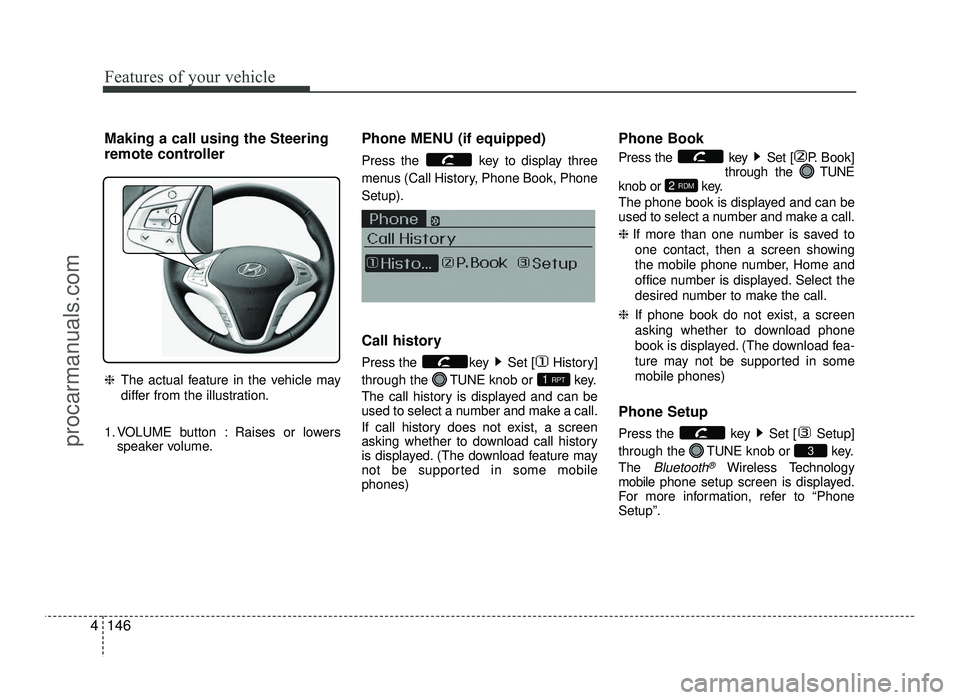
Making a call using the Steering
remote controller ❈ The actual feature in the vehicle may
differ from the illustration.
1. VOLUME button : Raises or lowers speaker volume. Phone MENU (if equipped)
Press the key to display three
menus (Call History, Phone Book, PhoneSetup).
Call history
Press the key Set [ History] through the
TUNEknob or key.
The call history is displayed and can be
used to select a number and make a call.
If call history does not exist, a screen
asking whether to download call history
is displayed. (The download feature may
not be supported in some mobilephones) Phone Book
Press the key Set [ P. Book]
through the TUNE
knob or key.
The phone book is displayed and can be
used to select a number and make a call. ❈ If more than one number is saved to
one contact, then a screen showing
the mobile phone number, Home and
office number is displayed. Select the
desired number to make the call.
❈ If phone book do not exist, a screen
asking whether to download phone
book is displayed. (The download fea-
ture may not be supported in somemobile phones)
Phone Setup
Press the key Set [ Setup] through the TUNEknob or key.
The
Bluetooth®Wireless Technology
mobile phone setup screen is displayed.
For more information, refer to “Phone Setup”.
3
2 RDM
1 RPT
procarmanuals.com
Page 225 of 456
4147
Features of your vehicle
VOICE COMMAND (if equipped)
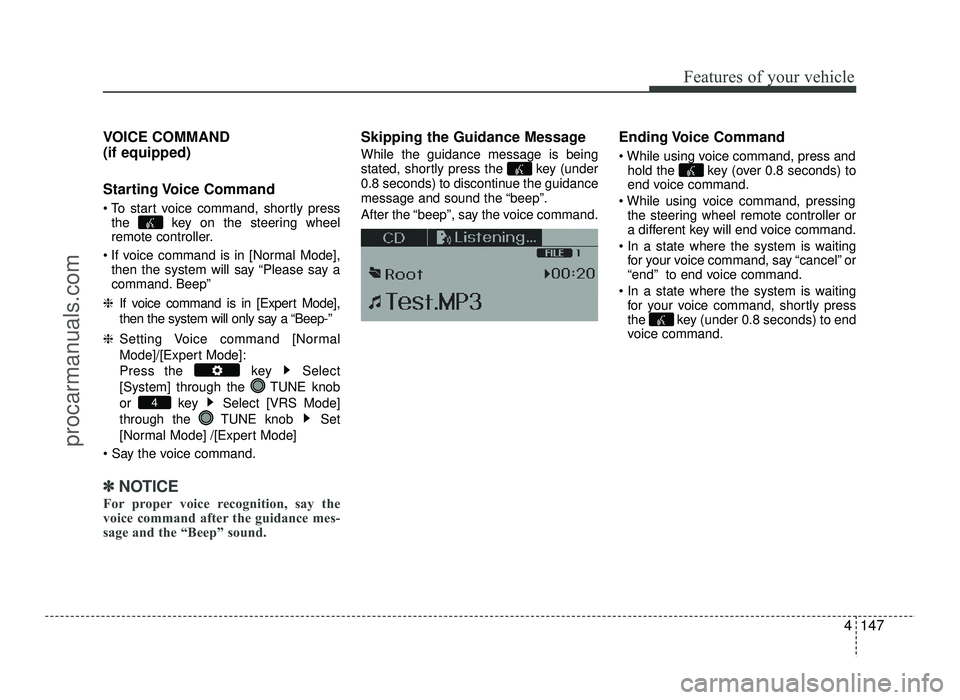
Starting Voice Command
To start voice command, shortly pressthe key on the steering wheel
remote controller.
If voice command is in [Normal Mode], then the system will say “Please say a
command. Beep”
❈ If voice command is in [Expert Mode],
then the system will only say a “Beep-”
❈ Setting Voice command [Normal
Mode]/[Expert Mode]:
Press the key Select
[System] through the TUNE knob
or key Select [VRS Mode]
through the TUNE knob Set
[Normal Mode] /[Expert Mode]
✽✽ NOTICE
For proper voice recognition, say the
voice command after the guidance mes-
sage and the “Beep” sound.
Skipping the Guidance Message While the guidance message is being
stated, shortly press the key (under
0.8 seconds) to discontinue the guidance
message and sound the “beep”.
After the “beep”, say the voice command. Ending Voice Command
hold the key (over 0.8 seconds) to
end voice command.
the steering wheel remote controller or
a different key will end voice command.
for your voice command, say “cancel” or
“end” to end voice command.
for your voice command, shortly press
the key (under 0.8 seconds) to end
voice command.
4
procarmanuals.com
Page 226 of 456
Features of your vehicle
148
4
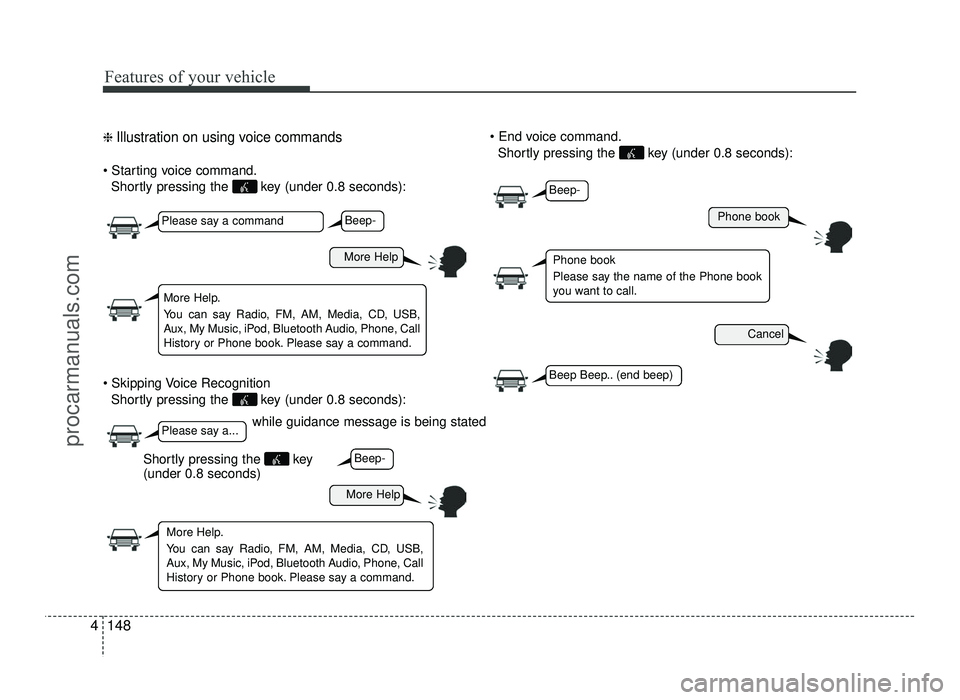
❈ Illustration on using voice commands
Shortly pressing the key (under 0.8 seconds):
Shortly pressing the key (under 0.8 seconds):
Shortly pressing the key (under 0.8 seconds):
while guidance message is being stated
More Help
Phone book
Cancel
More Help
Please say a command
Please say a...
More Help.
You can say Radio, FM, AM, Media, CD, USB,
Aux, My Music, iPod, Bluetooth Audio, Phone, Call
History or Phone book. Please say a command.
Phone book
Please say the name of the Phone book
you want to call.
More Help.
You can say Radio, FM, AM, Media, CD, USB,
Aux, My Music, iPod, Bluetooth Audio, Phone, Call
History or Phone book. Please say a command.
Beep-
Beep-
Beep-
Beep Beep.. (end beep)
Shortly pressing the key (under 0.8 seconds)
procarmanuals.com
Page 232 of 456
5
Before driving / 5-3
Key positions / 5-5
Engine start/stop button / 5-9
ISG (Idle stop and go) system / 5-15
Manual transaxle / 5-19
Automatic transaxle / 5-22
Brake system / 5-28
Cruise control system / 5-38
Speed limit control system / 5-43
Economical operation / 5-45
Special driving conditions / 5-47
Winter driving / 5-53
Trailer towing / 5-57
Vehicle weight / 5-65
Driving your vehicle
procarmanuals.com
Page 236 of 456
55
Driving your vehicle
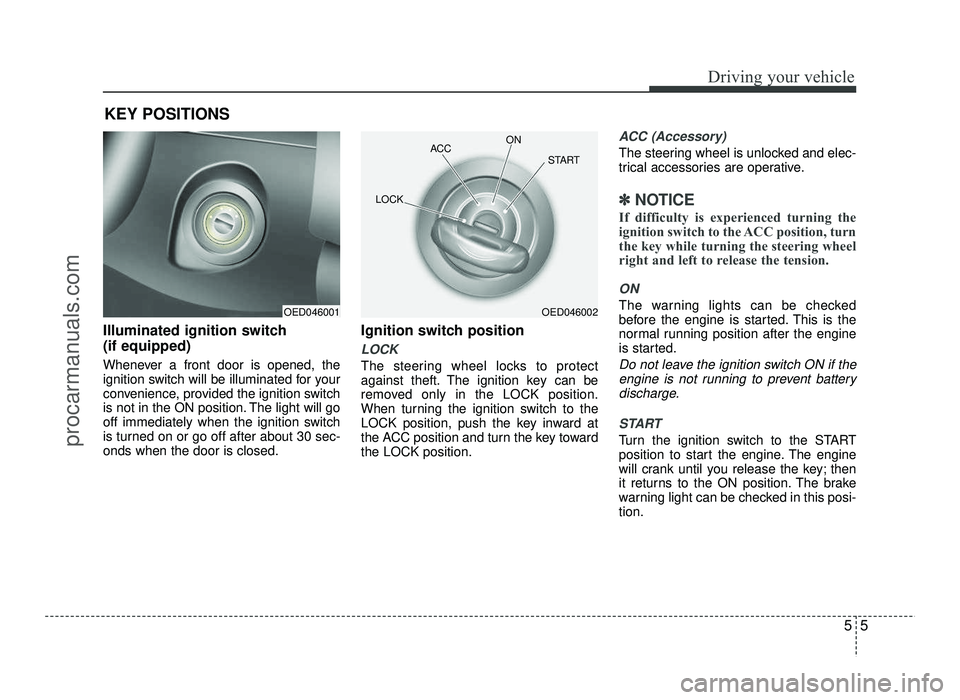
Illuminated ignition switch (if equipped)
Whenever a front door is opened, the
ignition switch will be illuminated for your
convenience, provided the ignition switch
is not in the ON position. The light will go
off immediately when the ignition switch
is turned on or go off after about 30 sec-onds when the door is closed.Ignition switch position
LOCK
The steering wheel locks to protect
against theft. The ignition key can be
removed only in the LOCK position.
When turning the ignition switch to the
LOCK position, push the key inward at
the ACC position and turn the key towardthe LOCK position.
ACC (Accessory)
The steering wheel is unlocked and elec-
trical accessories are operative.
✽✽
NOTICE
If difficulty is experienced turning the
ignition switch to the ACC position, turn
the key while turning the steering wheel
right and left to release the tension.
ON
The warning lights can be checked
before the engine is started. This is the
normal running position after the engine
is started.
Do not leave the ignition switch ON if the engine is not running to prevent battery
discharge.
START
Turn the ignition switch to the START
position to start the engine. The engine
will crank until you release the key; then
it returns to the ON position. The brake
warning light can be checked in this posi-tion.
KEY POSITIONS
OED046001OED046002
ACC
ON
START
LOCK
procarmanuals.com
Page 238 of 456
57
Driving your vehicle
Starting the gasoline engine
1. Make sure the parking brake isapplied.
2. Manual Transaxle - Depress the
clutch pedal fully and leave the shift
lever at Neutral. Keep the clutch pedal
and brake pedal depressed while turn-
ing the ignition switch to the start posi-tion.
Automatic Transaxle - Place the
transaxle shift lever in P (Park).
Depress the brake pedal fully.
You can also start the engine when
the shift lever is in the N (Neutral)position.
3. Turn the ignition switch to START and hold it there until the engine starts (a
maximum of 10 seconds), then
release the key.
It should be started without depressing
the accelerator.
4. Do not wait for the engine to warm up while the vehicle remains stationary.
Start driving at moderate engine speeds.
(Steep accelerating and decelerating
should be avoided.)
Starting the diesel engine
To start the diesel engine when the engine is cold, it has to be pre-heated
before starting the engine and then have
to be warmed up before starting to drive.
1. Make sure the parking brake is applied.
2. Manual Transaxle - Depress the
clutch pedal fully and leave the shift
lever at Neutral. Keep the clutch pedal
and brake pedal depressed while turn-
ing the ignition switch to the start posi-tion.
Automatic Transaxle - Place the
transaxle shift lever in P(park).
Depress the brake pedal fully.
You can also start the engine when the
shift lever is in the N(neutral) position.
CAUTION
If the engine stalls while you are inmotion, do not attempt to move theshift lever to the P (Park) position. If
traffic and road conditions permit, you may put the shift lever in the N(Neutral) position while the vehicle
is still moving and turn the ignition switch to the START position in an
attempt to restart the engine.
CAUTION
Do not engage the starter for more than 10 seconds. If the enginestalls or fails to start, wait 5 to 10seconds before re-engaging the
starter. Improper use of the starter may damage it.
Do not turn the ignition switch to the START position with theengine running. It may damage
the starter.
procarmanuals.com
Page 239 of 456
Driving your vehicle
8
5
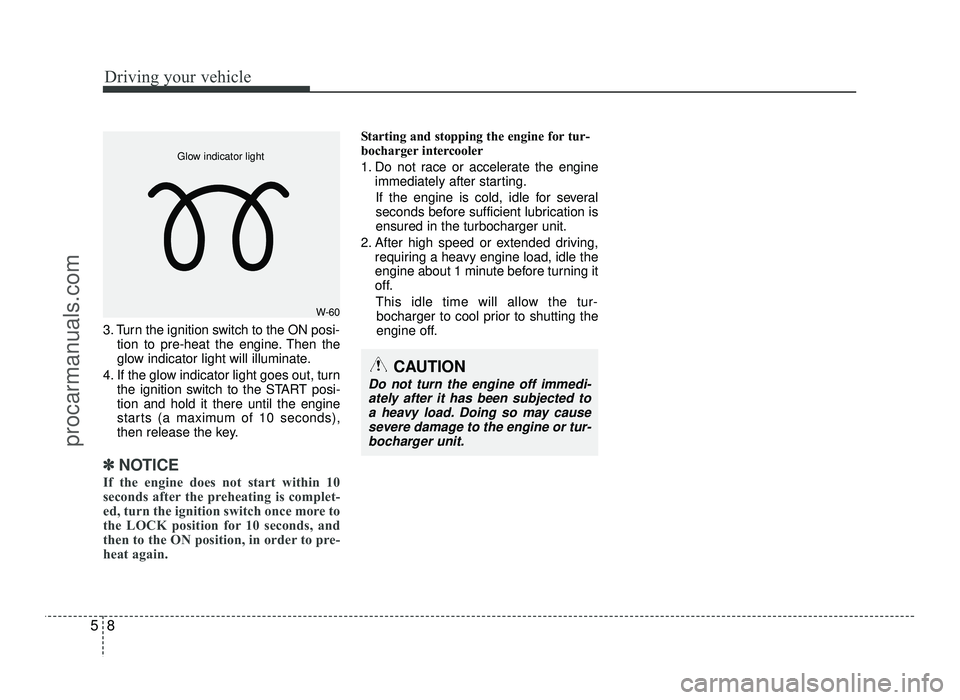
3. Turn the ignition switch to the ON posi-
tion to pre-heat the engine. Then the
glow indicator light will illuminate.
4. If the glow indicator light goes out, turn the ignition switch to the START posi-tion and hold it there until the engine
starts (a maximum of 10 seconds),
then release the key.
✽✽
NOTICE
If the engine does not start within 10
seconds after the preheating is complet-
ed, turn the ignition switch once more to
the LOCK position for 10 seconds, and
then to the ON position, in order to pre-
heat again.
Starting and stopping the engine for tur-
bocharger intercooler
1. Do not race or accelerate the engine immediately after starting.
If the engine is cold, idle for several
seconds before sufficient lubrication isensured in the turbocharger unit.
2. After high speed or extended driving, requiring a heavy engine load, idle the
engine about 1 minute before turning it
off.
This idle time will allow the tur- bocharger to cool prior to shutting the
engine off.
W-60
Glow indicator light
CAUTION
Do not turn the engine off immedi-
ately after it has been subjected toa heavy load. Doing so may cause
severe damage to the engine or tur-bocharger unit.
procarmanuals.com
Page 243 of 456
Driving your vehicle
12
5
Starting the engine
✽✽
NOTICE - Kick down mecha- nism (if equipped)
If your vehicle is equipped with a kick
down mechanism in the accelerator
pedal, it prevents you from driving at
full throttle unintentionally by making
the driver require increased effort to
depress the accelerator pedal. However,
if you depress the pedal more than
approximately 80%, the vehicle can be
at full throttle and the accelerator pedal
will be easier to depress. This is not a
malfunction but a normal condition.
Starting the gasoline engine (if equipped)
1. Carry the smart key or leave it inside the vehicle.
2. Make sure the parking brake is firmly applied
3. Manual Transaxle - Depress the
clutch pedal fully and shift the
transaxle into Neutral. Keep the clutch
pedal and brake pedal depressed
while starting the engine.
Automatic Transaxle - Place the
transaxle shift lever in P (Park).
Depress the brake pedal fully.
You can also start the engine when
the shift lever is in the N (Neutral)
position.
4. Press the ENGINE START/STOP but- ton.
It should be started without depressing
the accelerator.
5. Do not wait for the engine to warm up while the vehicle remains stationary.
Start driving at moderate engine speeds.
(Steep accelerating and decelerating
should be avoided.)
Starting the diesel engine (if equipped)
To start the diesel engine when the engine is cold, it has to be pre-heated
before starting the engine and then have
to be warmed up before starting to drive.
1. Make sure the parking brake is applied.
2. Manual Transaxle - Depress the
clutch pedal fully and shift the
transaxle into Neutral. Keep the clutch
pedal and brake pedal depressed
while pressing the ENGINE START/
STOP button to the START position.
Automatic Transaxle - Place the
transaxle shift lever in P (Park).
Depress the brake pedal fully.
You can also start the engine when the
shift lever is in the N (Neutral) position.
WARNING
Always wear appropriate shoes when operating your vehicle.
Unsuitable shoes (high heels, ski
boots,etc.) may interfere with
your ability to use the brake and
accelerator pedal, and the clutch(if equipped).
Do not start the vehicle with the accelerator pedal depressed. The
vehicle can move and lead to anaccident.
Wait until the engine rpm is nor- mal. The vehicle may suddenly
move if the brake pedal isreleased when the rpm is high.
procarmanuals.com
Page 244 of 456
513
Driving your vehicle
3. Press the ENGINE START/STOP but-ton while depressing the brake pedal.
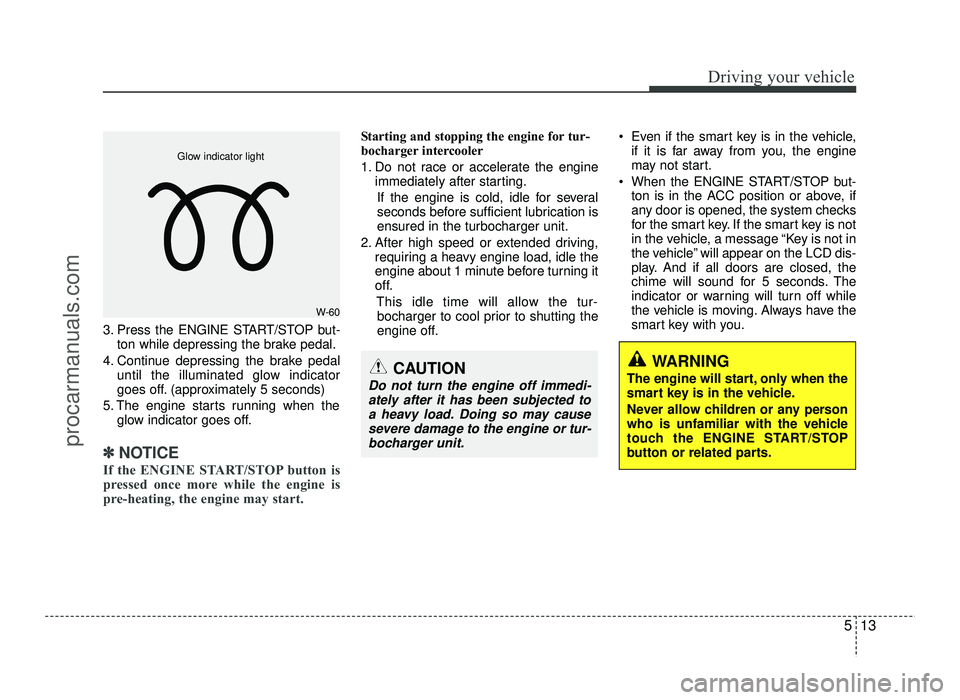
4. Continue depressing the brake pedal until the illuminated glow indicator
goes off. (approximately 5 seconds)
5. The engine starts running when the glow indicator goes off.
✽✽
NOTICE
If the ENGINE START/STOP button is
pressed once more while the engine is
pre-heating, the engine may start.
Starting and stopping the engine for tur-
bocharger intercooler
1. Do not race or accelerate the engine immediately after starting.
If the engine is cold, idle for several
seconds before sufficient lubrication isensured in the turbocharger unit.
2. After high speed or extended driving, requiring a heavy engine load, idle the
engine about 1 minute before turning it
off.
This idle time will allow the tur-bocharger to cool prior to shutting the
engine off. Even if the smart key is in the vehicle,
if it is far away from you, the engine
may not start.
When the ENGINE START/STOP but- ton is in the ACC position or above, if
any door is opened, the system checks
for the smart key. If the smart key is not
in the vehicle, a message “Key is not in
the vehicle” will appear on the LCD dis-
play. And if all doors are closed, the
chime will sound for 5 seconds. The
indicator or warning will turn off while
the vehicle is moving. Always have the
smart key with you.
WARNING
The engine will start, only when the
smart key is in the vehicle.
Never allow children or any person
who is unfamiliar with the vehicle
touch the ENGINE START/STOP
button or related parts.
W-60
Glow indicator light
CAUTION
Do not turn the engine off immedi-
ately after it has been subjected to
a heavy load. Doing so may causesevere damage to the engine or tur-
bocharger unit.
procarmanuals.com
Page 245 of 456
Driving your vehicle
14
5
✽✽
NOTICE
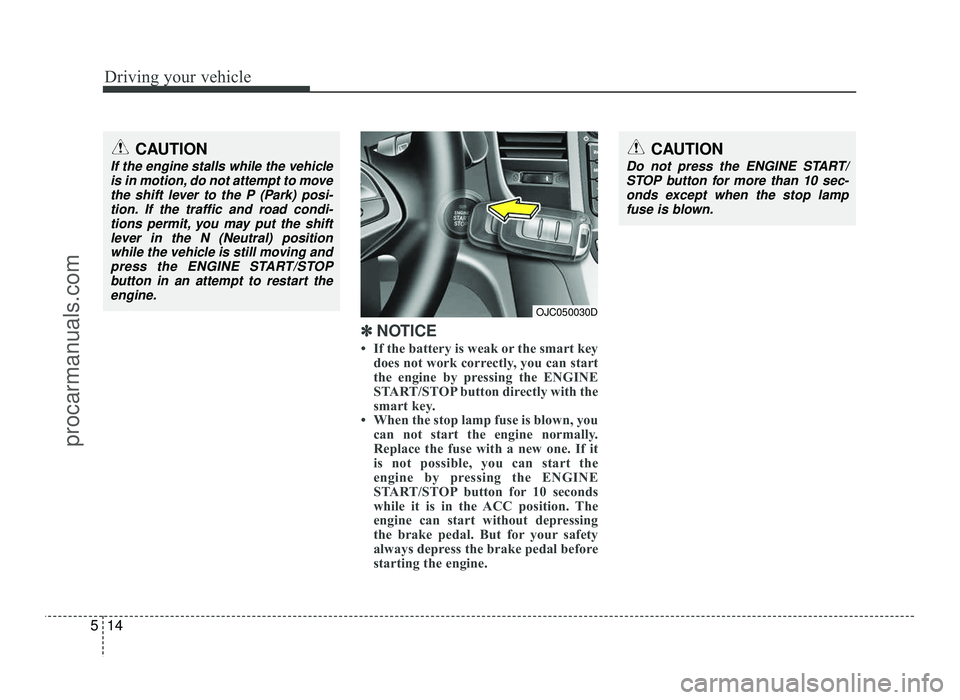
If the battery is weak or the smart key does not work correctly, you can start
the engine by pressing the ENGINE
START/STOP button directly with the
smart key.
When the stop lamp fuse is blown, you can not start the engine normally.
Replace the fuse with a new one. If it
is not possible, you can start the
engine by pressing the ENGINE
START/STOP button for 10 seconds
while it is in the ACC position. The
engine can start without depressing
the brake pedal. But for your safety
always depress the brake pedal before
starting the engine.
CAUTION
Do not press the ENGINE START/
STOP button for more than 10 sec-onds except when the stop lamp
fuse is blown.
OJC050030D
CAUTION
If the engine stalls while the vehicle is in motion, do not attempt to movethe shift lever to the P (Park) posi-
tion. If the traffic and road condi-tions permit, you may put the shiftlever in the N (Neutral) position
while the vehicle is still moving andpress the ENGINE START/STOP
button in an attempt to restart the engine.
procarmanuals.com