reset HYUNDAI IX20 2017 Owners Manual
[x] Cancel search | Manufacturer: HYUNDAI, Model Year: 2017, Model line: IX20, Model: HYUNDAI IX20 2017Pages: 456, PDF Size: 9.46 MB
Page 21 of 456
Safety features of your vehicle
4
3
(Continued)
To avoid the possibility of burns,
do not remove the carpet in the
cargo area. Emission control
devices beneath this floor gener-ate high temperatures.WARNING - Rear seatbacks
The rear seatback must be securely latched. If not, passen-
gers and objects could be thrown
forward resulting in serious
injury or death in the event of a
sudden stop or collision.
Luggage and other cargo should be laid flat in the cargo area. If
objects are large, heavy, or must
be piled, they must be secured.
Under no circumstances should
cargo be piled higher than the
seatbacks. Failure to follow thesewarnings could result in serious
injury or death in the event of a
sudden stop, collision or rollover.
No passenger should ride in the cargo area or sit or lie on folded
seatbacks while the vehicle is
moving. All passengers must be
properly seated in seats and
restrained properly while riding.
When resetting the seatback to the upright position, make sure it
is securely latched by pushing it
forward and backwards.
(Continued)
WARNING
After adjusting the seat, always
check that it is securely locked into
place by attempting to move the
seat forward or backward without
using the lock release lever.
Sudden or unexpected movement
of the driver's seat could cause you
to lose control of the vehicle result-ing in an accident.
WARNING
Do not adjust the seat while wear- ing seat belts. Moving the seat
cushion forward may cause
strong pressure on the abdomen.
Use extreme caution so that hands or other objects are not
caught in the seat mechanisms
while the seat is moving.
Do not put a cigarette lighter on the floor or seat. When you oper-
ate the seat, gas may gush out of
the lighter and cause fire.
Use extreme caution when pick- ing small objects trapped underthe seats or between the seat and
the center console. Your hands
might be cut or injured by the
sharp edges of the seat mecha-nism.
If there are occupants in the rear seats, be careful while adjusting
the front seat position.
procarmanuals.com
Page 99 of 456
421
Features of your vehicle
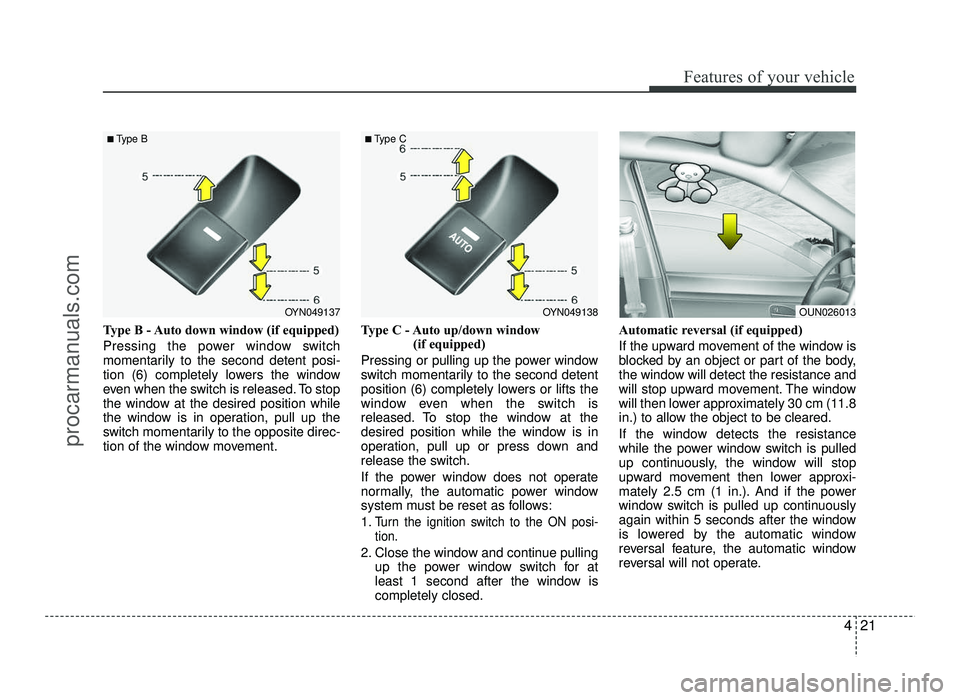
Type B - Auto down window (if equipped)
Pressing the power window switch
momentarily to the second detent posi-
tion (6) completely lowers the window
even when the switch is released. To stop
the window at the desired position while
the window is in operation, pull up the
switch momentarily to the opposite direc-
tion of the window movement.Type C - Auto up/down window
(if equipped)
Pressing or pulling up the power window
switch momentarily to the second detent
position (6) completely lowers or lifts the
window even when the switch is
released. To stop the window at the
desired position while the window is in
operation, pull up or press down and
release the switch.
If the power window does not operate
normally, the automatic power window
system must be reset as follows: 1.
Turn the ignition switch to the ON posi- tion.
2. Close the window and continue pulling up the power window switch for at
least 1 second after the window iscompletely closed. Automatic reversal (if equipped)
If the upward movement of the window is
blocked by an object or part of the body,
the window will detect the resistance and
will stop upward movement. The window
will then lower approximately 30 cm (11.8
in.) to allow the object to be cleared.
If the window detects the resistance
while the power window switch is pulled
up continuously, the window will stop
upward movement then lower approxi-
mately 2.5 cm (1 in.). And if the power
window switch is pulled up continuously
again within 5 seconds after the window
is lowered by the automatic window
reversal feature, the automatic window
reversal will not operate.
OYN049137
■
Type BOYN049138
■
Type COUN026013
procarmanuals.com
Page 100 of 456
Features of your vehicle
22
4
✽✽
NOTICE
The automatic reverse feature for the
window is only active when the “auto
up” feature is used by fully pulling up
the switch. The automatic reverse fea-
ture will not operate if the window is
raised using the halfway position on the
power window switch.
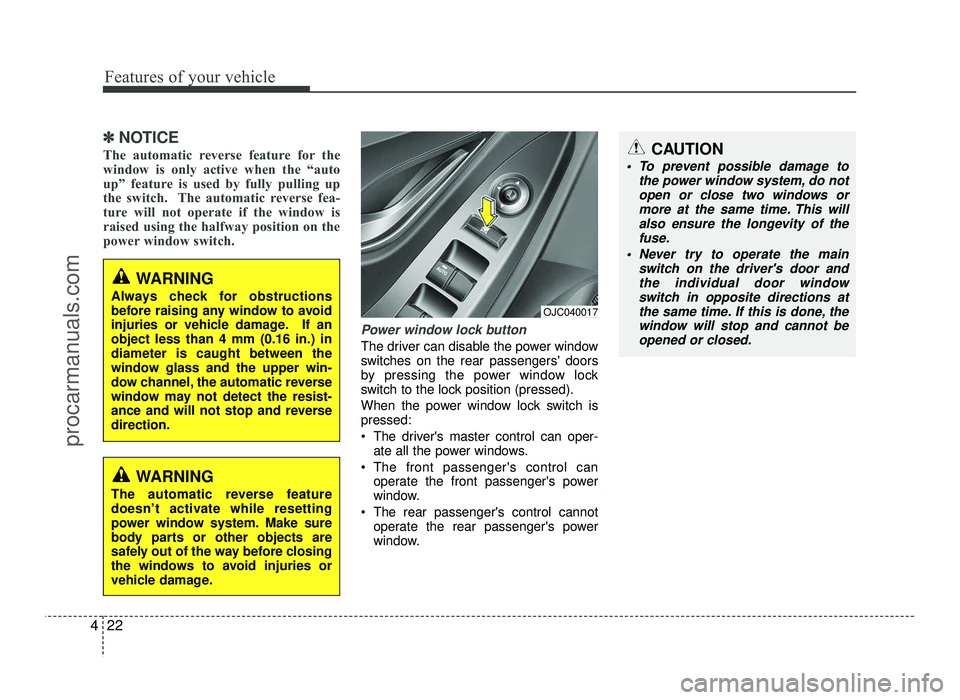
Power window lock button
The driver can disable the power window
switches on the rear passengers' doors
by pressing the power window lock
switch to the lock position (pressed).
When the power window lock switch is pressed:
The driver's master control can oper- ate all the power windows.
The front passenger's control can operate the front passenger's power
window.
The rear passenger's control cannot operate the rear passenger's power
window.
CAUTION
To prevent possible damage to
the power window system, do notopen or close two windows or
more at the same time. This will also ensure the longevity of thefuse.
Never try to operate the main switch on the driver's door and
the individual door windowswitch in opposite directions atthe same time. If this is done, the
window will stop and cannot beopened or closed.
WARNING
Always check for obstructions
before raising any window to avoid
injuries or vehicle damage. If anobject less than 4 mm (0.16 in.) indiameter is caught between the
window glass and the upper win-
dow channel, the automatic reverse
window may not detect the resist-
ance and will not stop and reversedirection.
WARNING
The automatic reverse feature
doesn’t activate while resetting
power window system. Make sure
body parts or other objects are
safely out of the way before closing
the windows to avoid injuries or
vehicle damage.
OJC040017
procarmanuals.com
Page 110 of 456
Features of your vehicle
32
4
✽✽
NOTICE
After washing the vehicle or after a rain,
be sure to wipe off the water on the sun-
roof before operating the sunroof.
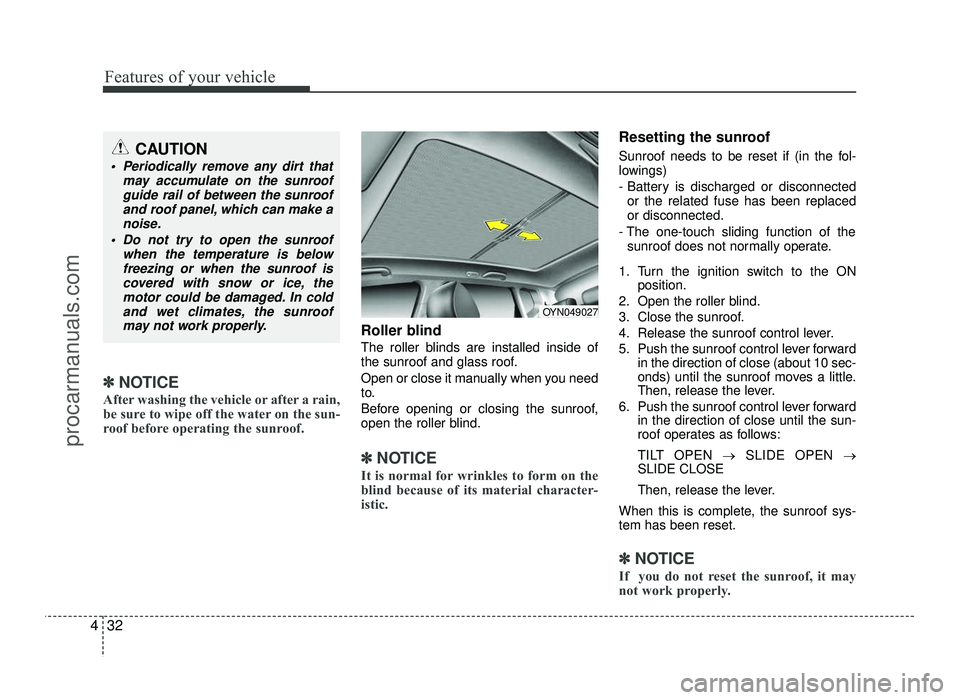
Roller blind
The roller blinds are installed inside of
the sunroof and glass roof.
Open or close it manually when you need
to.
Before opening or closing the sunroof,
open the roller blind.
✽✽ NOTICE
It is normal for wrinkles to form on the
blind because of its material character-
istic.
Resetting the sunroof
Sunroof needs to be reset if (in the fol-
lowings)
- Battery is discharged or disconnected or the related fuse has been replaced or disconnected.
- The one-touch sliding function of the sunroof does not normally operate.
1. Turn the ignition switch to the ON position.
2. Open the roller blind.
3. Close the sunroof.
4. Release the sunroof control lever.
5. Push the sunroof control lever forward in the direction of close (about 10 sec-
onds) until the sunroof moves a little.
Then, release the lever.
6. Push the sunroof control lever forward in the direction of close until the sun-
roof operates as follows:
TILT OPEN →SLIDE OPEN →
SLIDE CLOSE
Then, release the lever.
When this is complete, the sunroof sys- tem has been reset.
✽✽ NOTICE
If you do not reset the sunroof, it may
not work properly.
OYN049027
CAUTION
Periodically remove any dirt that may accumulate on the sunroofguide rail of between the sunroof
and roof panel, which can make anoise.
Do not try to open the sunroof when the temperature is belowfreezing or when the sunroof is
covered with snow or ice, themotor could be damaged. In coldand wet climates, the sunroof
may not work properly.
procarmanuals.com
Page 123 of 456
445
Features of your vehicle
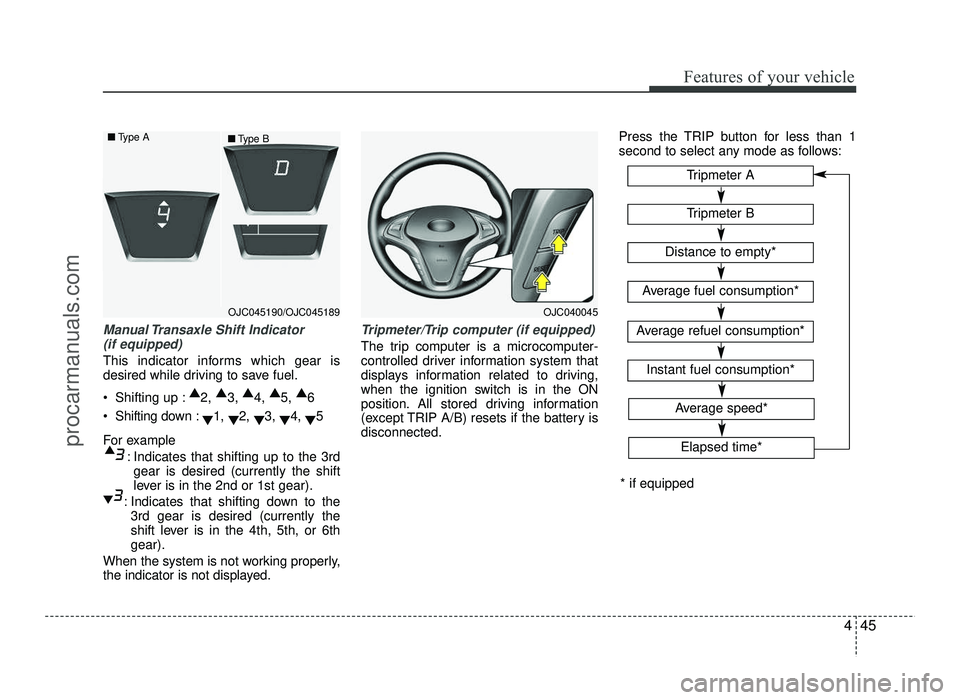
Manual Transaxle Shift Indicator (if equipped)
This indicator informs which gear is
desired while driving to save fuel.
Shifting up : ▲
2, ▲
3, ▲
4, ▲
5, ▲
6
Shifting down : ▼1,
▼2,
▼3,
▼4,
▼5
For example : Indicates that shifting up to the 3rdgear is desired (currently the shift
lever is in the 2nd or 1st gear).
: Indicates that shifting down to the 3rd gear is desired (currently the
shift lever is in the 4th, 5th, or 6thgear).
When the system is not working properly,
the indicator is not displayed.
Tripmeter/Trip computer (if equipped)
The trip computer is a microcomputer-
controlled driver information system that
displays information related to driving,
when the ignition switch is in the ON
position. All stored driving information
(except TRIP A/B) resets if the battery isdisconnected. Press the TRIP button for less than 1
second to select any mode as follows:
OJC040045
Tripmeter B
Instant fuel consumption*
Tripmeter A
Distance to empty*
Average fuel consumption*
Average refuel consumption*
* if equipped
Elapsed time*
Average speed*
OJC045190/OJC045189
■
Type A
■Type B
procarmanuals.com
Page 124 of 456
Features of your vehicle
46
4
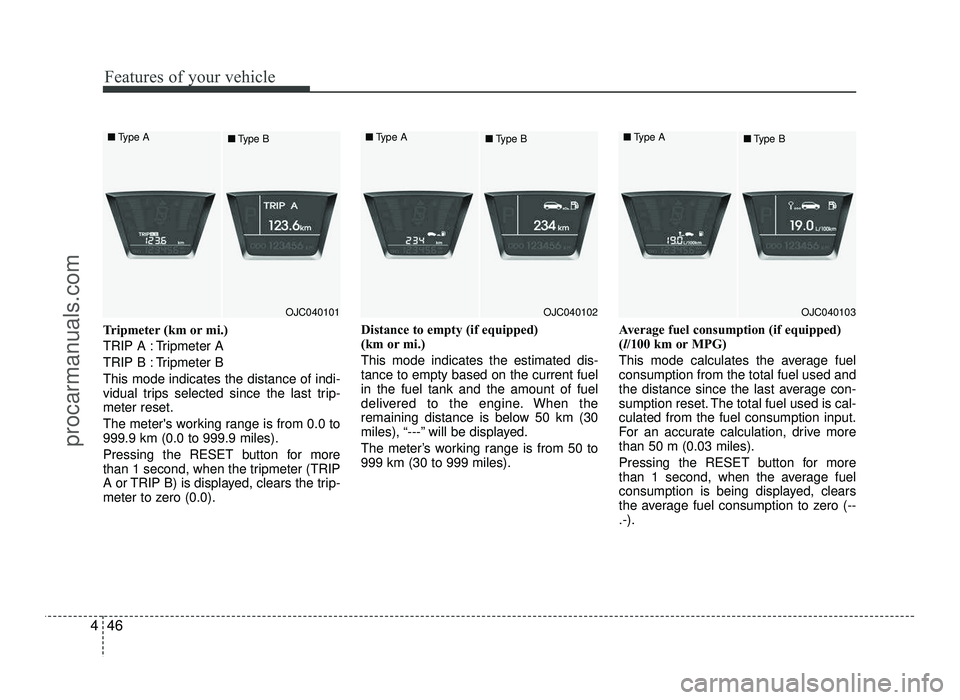
Tripmeter (km or mi.)
TRIP A : Tripmeter A
TRIP B : Tripmeter BThis mode indicates the distance of indi-
vidual trips selected since the last trip-meter reset.
The meter's working range is from 0.0 to 999.9 km (0.0 to 999.9 miles).
Pressing the RESET button for more
than 1 second, when the tripmeter (TRIP
A or TRIP B) is displayed, clears the trip-
meter to zero (0.0). Distance to empty (if equipped)
(km or mi.) This mode indicates the estimated dis- tance to empty based on the current fuelin the fuel tank and the amount of fuel
delivered to the engine. When the
remaining distance is below 50 km (30
miles), “---” will be displayed.
The meter’s working range is from 50 to 999 km (30 to 999 miles).
Average fuel consumption (if equipped)(
l/100 km or MPG)
This mode calculates the average fuelconsumption from the total fuel used and
the distance since the last average con-
sumption reset. The total fuel used is cal-culated from the fuel consumption input.
For an accurate calculation, drive morethan 50 m (0.03 miles).
Pressing the RESET button for more
than 1 second, when the average fuel
consumption is being displayed, clears
the average fuel consumption to zero (--.-).
OJC040101
■
Type A
■Type BOJC040102
■
Type A
■Type BOJC040103
■
Type A
■Type B
procarmanuals.com
Page 125 of 456
447
Features of your vehicle
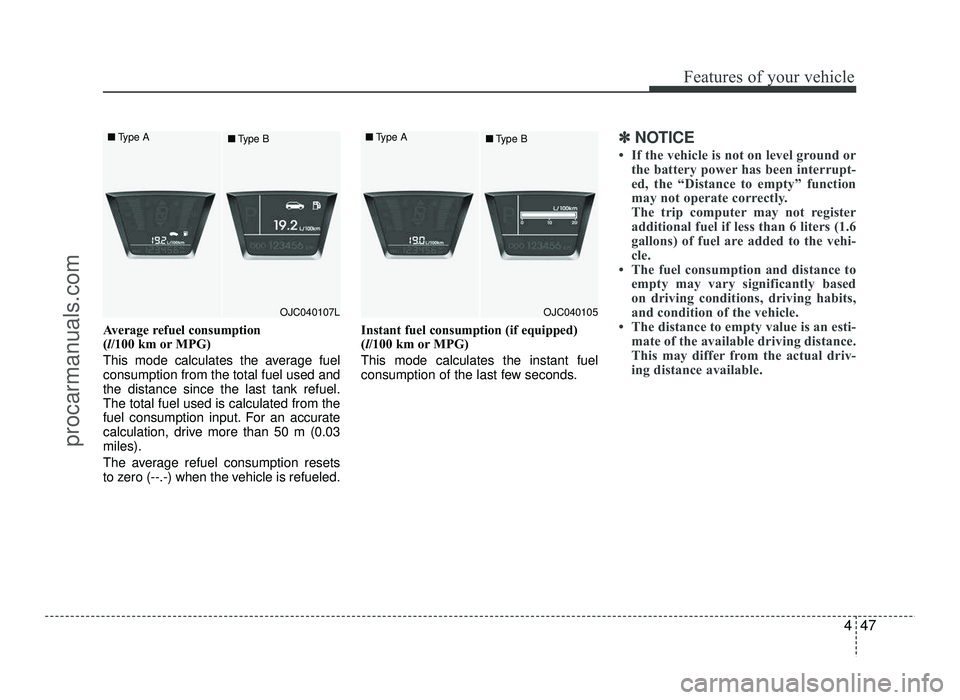
Average refuel consumption (l/100 km or MPG)
This mode calculates the average fuelconsumption from the total fuel used andthe distance since the last tank refuel.The total fuel used is calculated from the
fuel consumption input. For an accurate
calculation, drive more than 50 m (0.03miles).
The average refuel consumption resets
to zero (--.-) when the vehicle is refueled. Instant fuel consumption (if equipped)(
l/100 km or MPG)
This mode calculates the instant fuel
consumption of the last few seconds.
✽✽ NOTICE
If the vehicle is not on level ground or the battery power has been interrupt-
ed, the “Distance to empty” function
may not operate correctly.
The trip computer may not register
additional fuel if less than 6 liters (1.6
gallons) of fuel are added to the vehi-
cle.
The fuel consumption and distance to empty may vary significantly based
on driving conditions, driving habits,
and condition of the vehicle.
The distance to empty value is an esti- mate of the available driving distance.
This may differ from the actual driv-
ing distance available.
OJC040105
■
Type A
■Type BOJC040107L
■
Type A
■Type B
procarmanuals.com
Page 126 of 456
Features of your vehicle
48
4
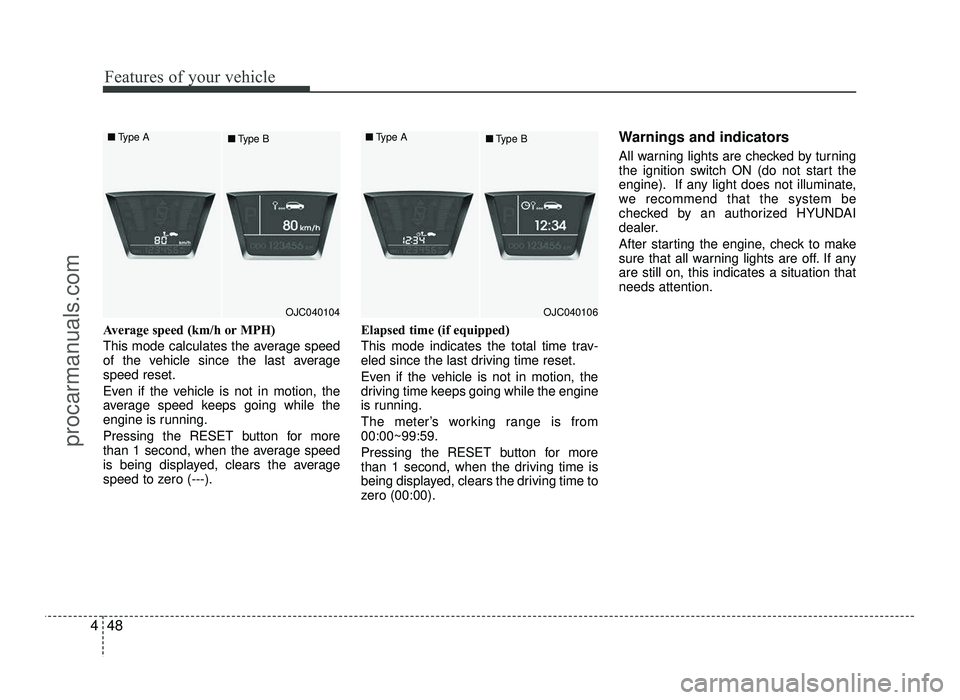
Average speed (km/h or MPH)
This mode calculates the average speed
of the vehicle since the last averagespeed reset.
Even if the vehicle is not in motion, the
average speed keeps going while the
engine is running.
Pressing the RESET button for more
than 1 second, when the average speed
is being displayed, clears the average
speed to zero (---). Elapsed time (if equipped)
This mode indicates the total time trav-
eled since the last driving time reset.
Even if the vehicle is not in motion, the
driving time keeps going while the engine
is running.
The meter’s working range is from 00:00~99:59.
Pressing the RESET button for more
than 1 second, when the driving time is
being displayed, clears the driving time to
zero (00:00). Warnings and indicators
All warning lights are checked by turning
the ignition switch ON (do not start the
engine). If any light does not illuminate,
we recommend that the system be
checked by an authorized HYUNDAI
dealer.
After starting the engine, check to make
sure that all warning lights are off. If anyare still on, this indicates a situation thatneeds attention.
OJC040104
■
Type A
■Type BOJC040106
■
Type A
■Type B
procarmanuals.com
Page 170 of 456
Features of your vehicle
92
4
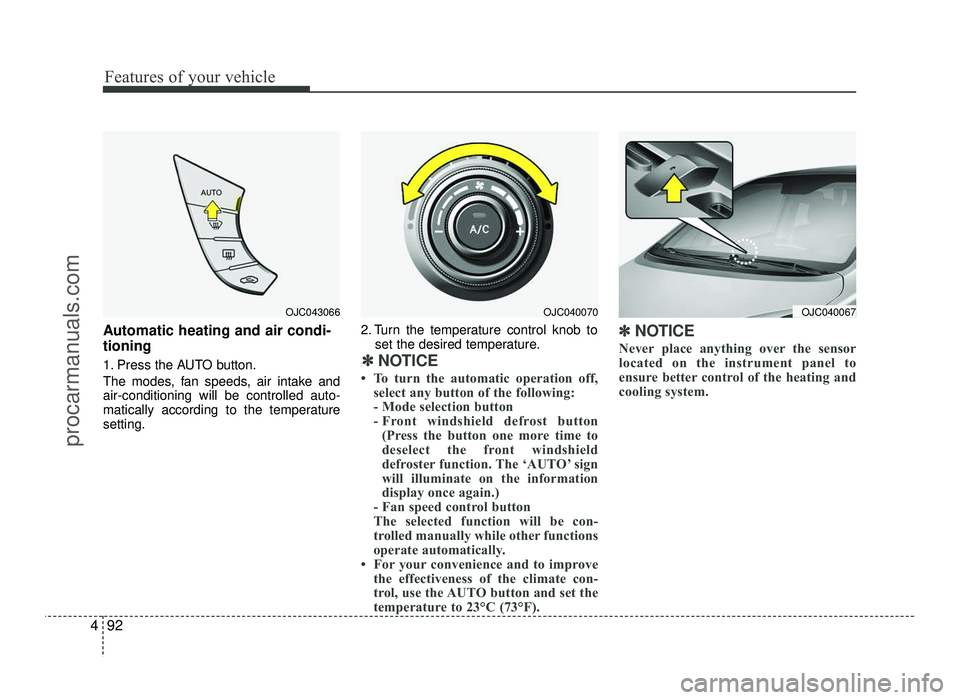
Automatic heating and air condi- tioning
1. Press the AUTO button.
The modes, fan speeds, air intake and air-conditioning will be controlled auto-
matically according to the temperaturesetting. 2. Turn the temperature control knob to
set the desired temperature.
:
✽✽ NOTICE
To turn the automatic operation off, select any button of the following:
- Mode selection button
- Front windshield defrost button (Press the button one more time to
deselect the front windshield
defroster function. The ‘AUTO’ sign
will illuminate on the information
display once again.)
- Fan speed control button
The selected function will be con-
trolled manually while other functions
operate automatically.
For your convenience and to improve the effectiveness of the climate con-
trol, use the AUTO button and set the
temperature to 23°C (73°F). ✽
✽
NOTICE
Never place anything over the sensor
located on the instrument panel to
ensure better control of the heating and
cooling system.
OJC043066OJC040070OJC040067
procarmanuals.com
Page 173 of 456
495
Features of your vehicle
Temperature conversion
If the battery has been discharged or dis-
connected, the temperature mode dis-
play will reset to Centigrade.
This is normal condition. You can switch
the temperature mode between
Centigrade to Fahrenheit as follows:
While pressing the AUTO button, press
the OFF button for 3 seconds or more.
The display will change from Centigrade
to Fahrenheit, or from Fahrenheit to
Centigrade.
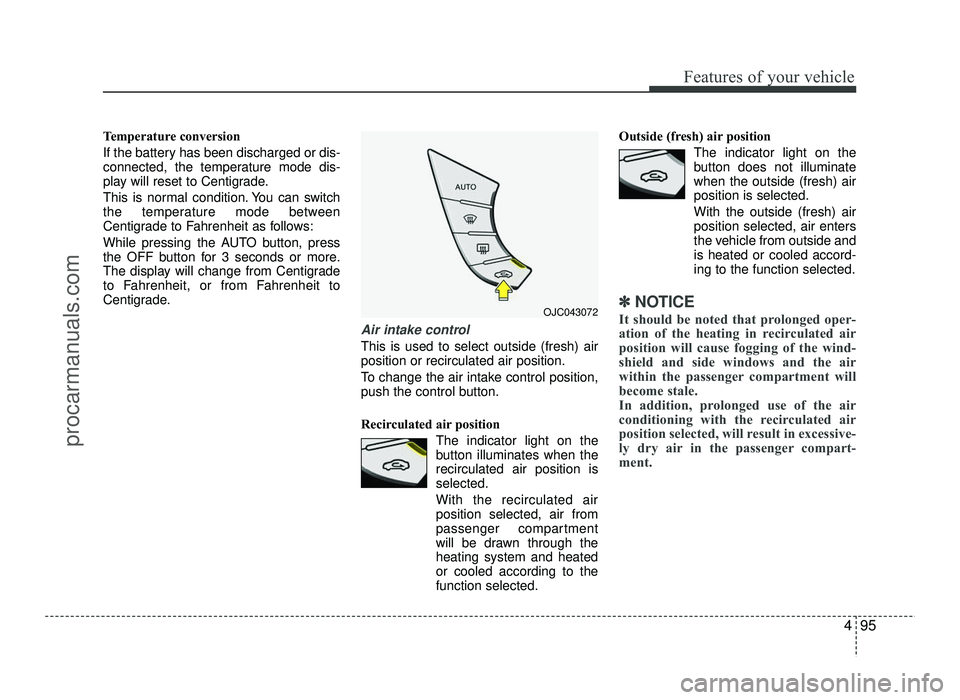
Air intake control
This is used to select outside (fresh) air position or recirculated air position.
To change the air intake control position,
push the control button.
Recirculated air positionThe indicator light on the
button illuminates when therecirculated air position isselected.
With the recirculated air position selected, air from
passenger compartment
will be drawn through theheating system and heatedor cooled according to thefunction selected. Outside (fresh) air position
The indicator light on the
button does not illuminatewhen the outside (fresh) airposition is selected. With the outside (fresh) air position selected, air enters
the vehicle from outside andis heated or cooled accord-ing to the function selected.
✽✽NOTICE
It should be noted that prolonged oper-
ation of the heating in recirculated air
position will cause fogging of the wind-
shield and side windows and the air
within the passenger compartment will
become stale.
In addition, prolonged use of the air
conditioning with the recirculated air
position selected, will result in excessive-
ly dry air in the passenger compart-
ment. OJC043072
procarmanuals.com