Driver HYUNDAI IX35 2011 Owners Manual
[x] Cancel search | Manufacturer: HYUNDAI, Model Year: 2011, Model line: IX35, Model: HYUNDAI IX35 2011Pages: 560, PDF Size: 28.31 MB
Page 484 of 560
Features of your vehicle
72
4
LIGHTING
Battery saver function
The purpose of this feature is to pre-
vent the battery from being dis-
charged. The system automatically
turns off the parking lights when the
driver removes the ignition key and
opens the driver- side door.
With this feature, the parking lights will be turned off automatically if the driver
parks on the side of road at night.
If necessary, to keep the lights on
when the ignition key is removed, per-
form the following :
1) Open the driver-side door.
2) Turn the parking lights OFF and ON
again using the light switch on the
steering column. Headlight escort function (if equipped)
If you turn the ignition switch to the ACC or OFF position with the headlights ON,the headlights (and/or tail lights) remain
on for about 20 minutes. However, if the
driver’s door is opened and closed, the
headlights are turned off after 30 sec-
onds.
The headlights can be turned off by
pressing the lock button on the transmit-
ter (or smart key) twice or turning the
light switch to the OFF or Auto position.
However, if you turn the light switch to the
Auto position when it is dark outside, the
headlights will not be turned off.
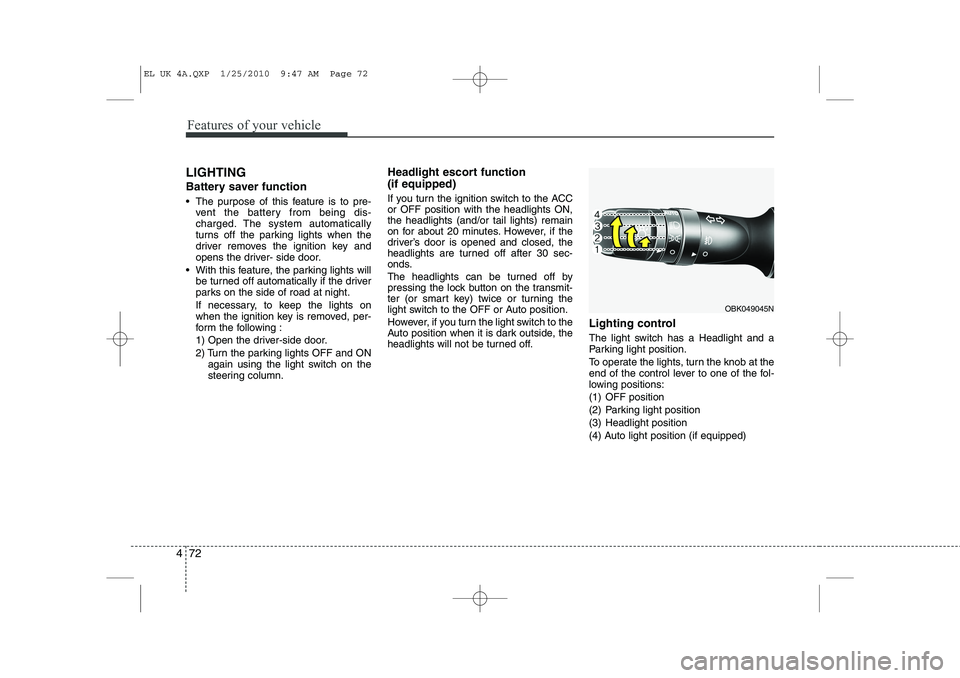
Lighting control
The light switch has a Headlight and a
Parking light position.
To operate the lights, turn the knob at the
end of the control lever to one of the fol-
lowing positions:
(1) OFF position
(2) Parking light position
(3) Headlight position
(4) Auto light position (if equipped)
OBK049045N
EL UK 4A.QXP 1/25/2010 9:47 AM Page 72
Page 489 of 560
477
Features of your vehicle
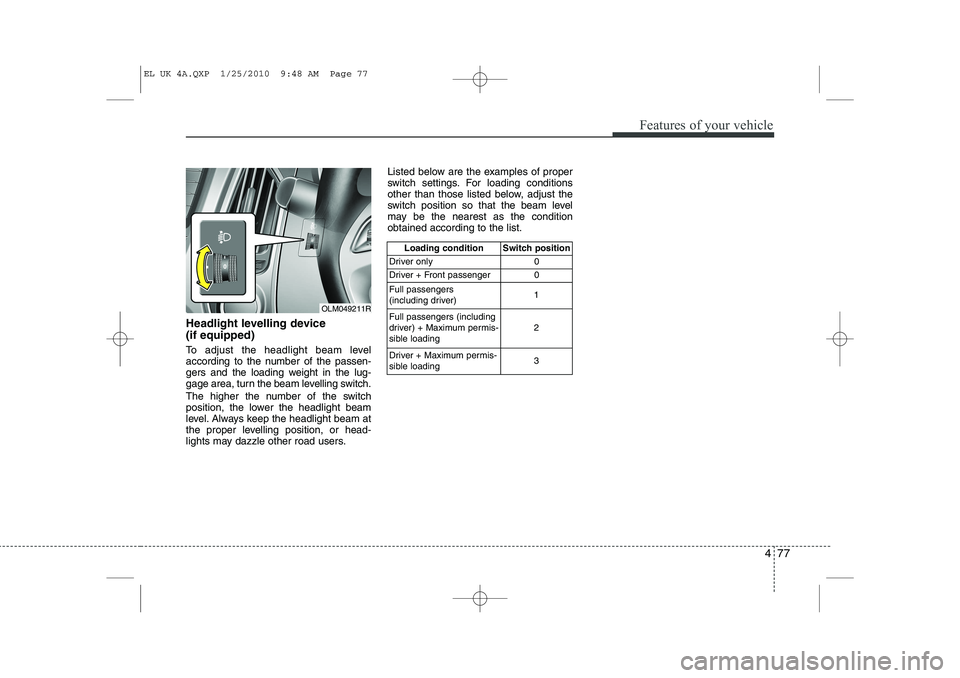
Headlight levelling device (if equipped)
To adjust the headlight beam level
according to the number of the passen-
gers and the loading weight in the lug-
gage area, turn the beam levelling switch.
The higher the number of the switch
position, the lower the headlight beam
level. Always keep the headlight beam at
the proper levelling position, or head-
lights may dazzle other road users.Listed below are the examples of proper
switch settings. For loading conditions
other than those listed below, adjust the
switch position so that the beam level
may be the nearest as the conditionobtained according to the list.
Loading condition Switch position
Driver only 0
Driver + Front passenger 0 Full passengers
(including driver) 1
Full passengers (including
driver) + Maximum permis-
sible loading 2
Driver + Maximum permis-
sible loading 3
OLM049211R
EL UK 4A.QXP 1/25/2010 9:48 AM Page 77
Page 492 of 560
Features of your vehicle
80
4
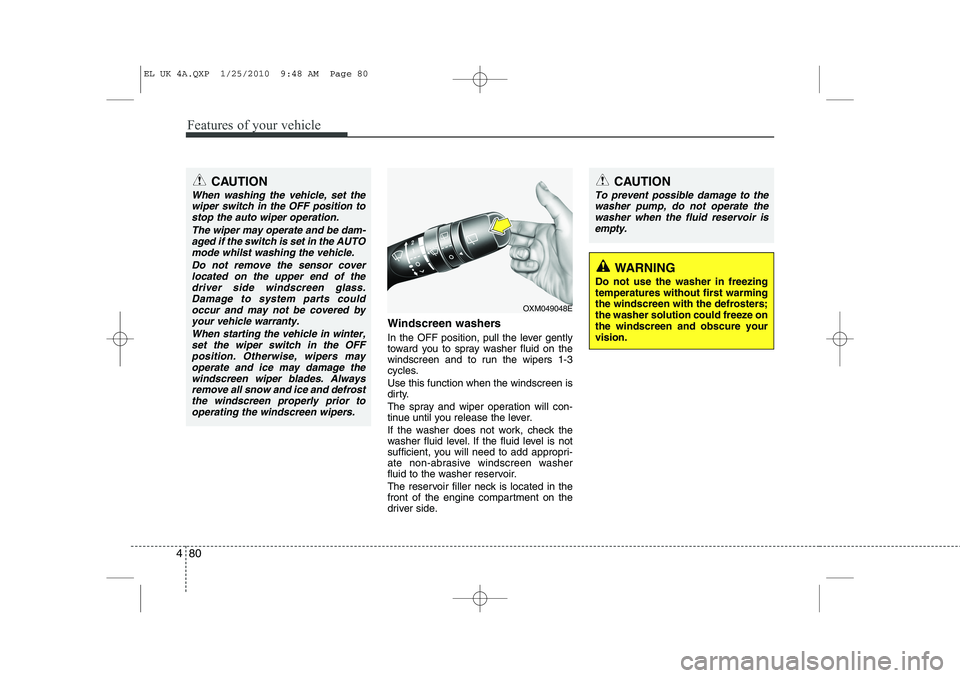
Windscreen washers
In the OFF position, pull the lever gently
toward you to spray washer fluid on the
windscreen and to run the wipers 1-3
cycles. Use this function when the windscreen is
dirty.
The spray and wiper operation will con-
tinue until you release the lever.
If the washer does not work, check the
washer fluid level. If the fluid level is not
sufficient, you will need to add appropri-
ate non-abrasive windscreen washer
fluid to the washer reservoir.
The reservoir filler neck is located in the
front of the engine compartment on the
driver side.
CAUTION
To prevent possible damage to the
washer pump, do not operate the
washer when the fluid reservoir isempty.
WARNING
Do not use the washer in freezing temperatures without first warmingthe windscreen with the defrosters;the washer solution could freeze onthe windscreen and obscure yourvision.
CAUTION
When washing the vehicle, set the wiper switch in the OFF position to
stop the auto wiper operation.
The wiper may operate and be dam-aged if the switch is set in the AUTOmode whilst washing the vehicle.
Do not remove the sensor coverlocated on the upper end of thedriver side windscreen glass. Damage to system parts couldoccur and may not be covered by
your vehicle warranty.
When starting the vehicle in winter,set the wiper switch in the OFFposition. Otherwise, wipers may
operate and ice may damage thewindscreen wiper blades. Always remove all snow and ice and defrostthe windscreen properly prior to
operating the windscreen wipers.
OXM049048E
EL UK 4A.QXP 1/25/2010 9:48 AM Page 80
Page 505 of 560
493
Features of your vehicle
Operation Tips
To keep dust or unpleasant fumes fromentering the vehicle through the venti-
lation system, temporarily set the air
intake control to the recirculated air
position. Be sure to return the control
to the fresh air position when the irrita-
tion has passed to keep fresh air in the
vehicle. This will help keep the driver
alert and comfortable.
Air for the heating/cooling system is drawn in through the grilles just ahead
of the windscreen. Care should be
taken that these are not blocked by
leaves, snow, ice or other obstructions.
To prevent interior fog on the wind- screen, set the air intake control to the
fresh air position and fan speed to the
desired position, turn on the air condi-tioning system, and adjust the temper-
ature control to desired temperature.Air conditioning (if equipped)
All HYUNDAI Air Conditioning Systems
are filled with environmentally friendly
R-134a refrigerant which does not dam-
age to the ozone layer.
1. Start the engine. Push the air condi- tioning button.
2. Set the mode to the position.
3. Set the air intake control to the outside air or recirculated air position.
4. Adjust the fan speed control and tem- perature control to maintain maximum
comfort.
When maximum cooling is desired, set the temperature control to the extremeleft position (press the MAX A/C posi-
tion selection button (if equipped)) then
set the fan speed control to the highestspeed.✽✽ NOTICE
Page 508 of 560
Features of your vehicle
96
4
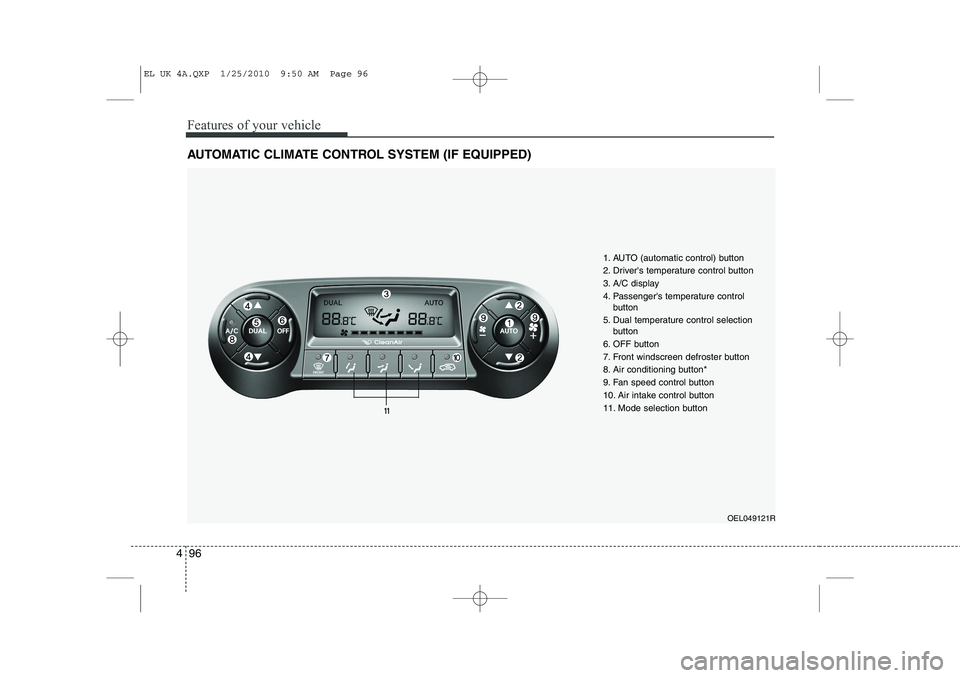
AUTOMATIC CLIMATE CONTROL SYSTEM (IF EQUIPPED)
OEL049121R
1. AUTO (automatic control) button
2. Driver's temperature control button
3. A/C display
4. Passenger's temperature control
button
5. Dual temperature control selection button
6. OFF button
7. Front windscreen defroster button
8. Air conditioning button*
9. Fan speed control button
10. Air intake control button
11. Mode selection button
EL UK 4A.QXP 1/25/2010 9:50 AM Page 96
Page 512 of 560
Features of your vehicle
100
4
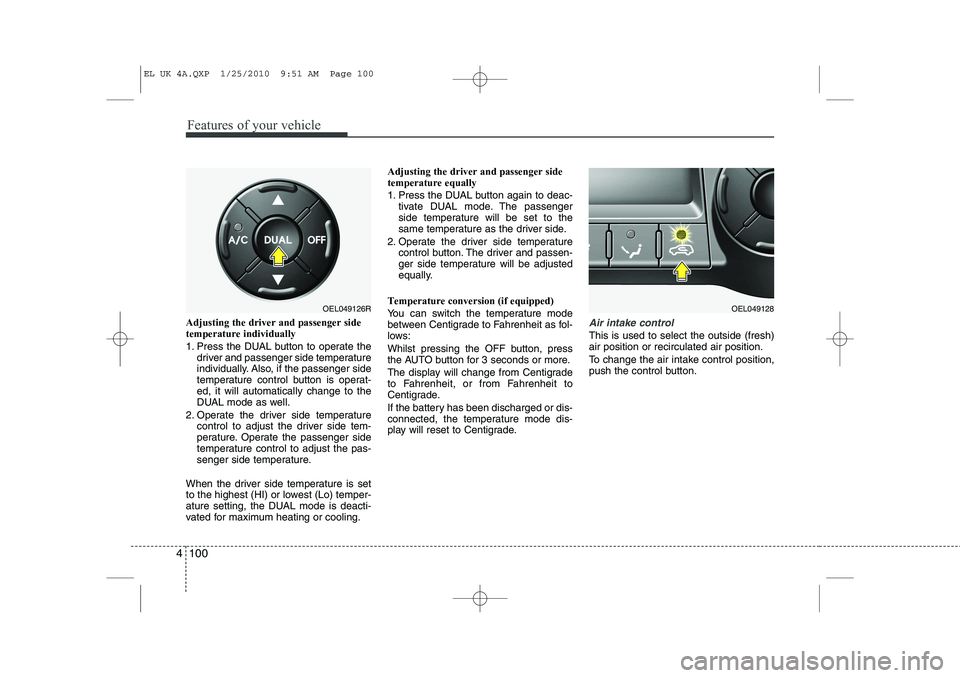
Adjusting the driver and passenger side temperature individually
1. Press the DUAL button to operate the
driver and passenger side temperature
individually. Also, if the passenger side
temperature control button is operat-ed, it will automatically change to the
DUAL mode as well.
2. Operate the driver side temperature control to adjust the driver side tem-
perature. Operate the passenger side
temperature control to adjust the pas-
senger side temperature.
When the driver side temperature is set
to the highest (HI) or lowest (Lo) temper-
ature setting, the DUAL mode is deacti-
vated for maximum heating or cooling. Adjusting the driver and passenger sidetemperature equally
1. Press the DUAL button again to deac-
tivate DUAL mode. The passenger
side temperature will be set to the
same temperature as the driver side.
2. Operate the driver side temperature control button. The driver and passen-
ger side temperature will be adjusted
equally.
Temperature conversion (if equipped)
You can switch the temperature mode
between Centigrade to Fahrenheit as fol-
lows:
Whilst pressing the OFF button, press
the AUTO button for 3 seconds or more.
The display will change from Centigrade
to Fahrenheit, or from Fahrenheit to
Centigrade.
If the battery has been discharged or dis-
connected, the temperature mode dis-
play will reset to Centigrade.Air intake control
This is used to select the outside (fresh) air position or recirculated air position.
To change the air intake control position,
push the control button.
OEL049126ROEL049128
EL UK 4A.QXP 1/25/2010 9:51 AM Page 100
Page 518 of 560
Features of your vehicle
106
4
These compartments can be used to
store small items required by the driver
or passengers.
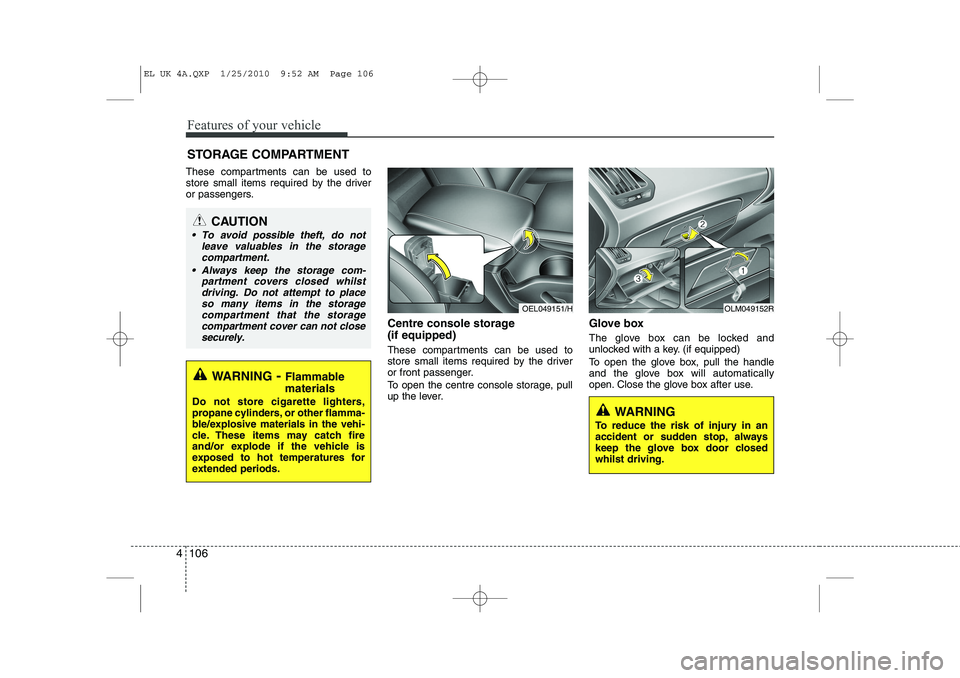
Centre console storage (if equipped)
These compartments can be used to
store small items required by the driver
or front passenger.
To open the centre console storage, pull
up the lever.Glove box
The glove box can be locked and
unlocked with a key. (if equipped)
To open the glove box, pull the handle
and the glove box will automatically
open. Close the glove box after use.
STORAGE COMPARTMENT
WARNING
- Flammable
materials
Do not store cigarette lighters,
propane cylinders, or other flamma-
ble/explosive materials in the vehi-
cle. These items may catch fire
and/or explode if the vehicle is
exposed to hot temperatures for
extended periods.
CAUTION
To avoid possible theft, do not leave valuables in the storagecompartment.
Always keep the storage com- partment covers closed whilstdriving. Do not attempt to place so many items in the storagecompartment that the storage
compartment cover can not close securely.
OEL049151/HOLM049152R
WARNING
To reduce the risk of injury in an
accident or sudden stop, always
keep the glove box door closedwhilst driving.
EL UK 4A.QXP 1/25/2010 9:52 AM Page 106
Page 521 of 560
4 109
Features of your vehicle
Cup holderCups or small beverage cans may be
placed in the cup holders.Sunvisor
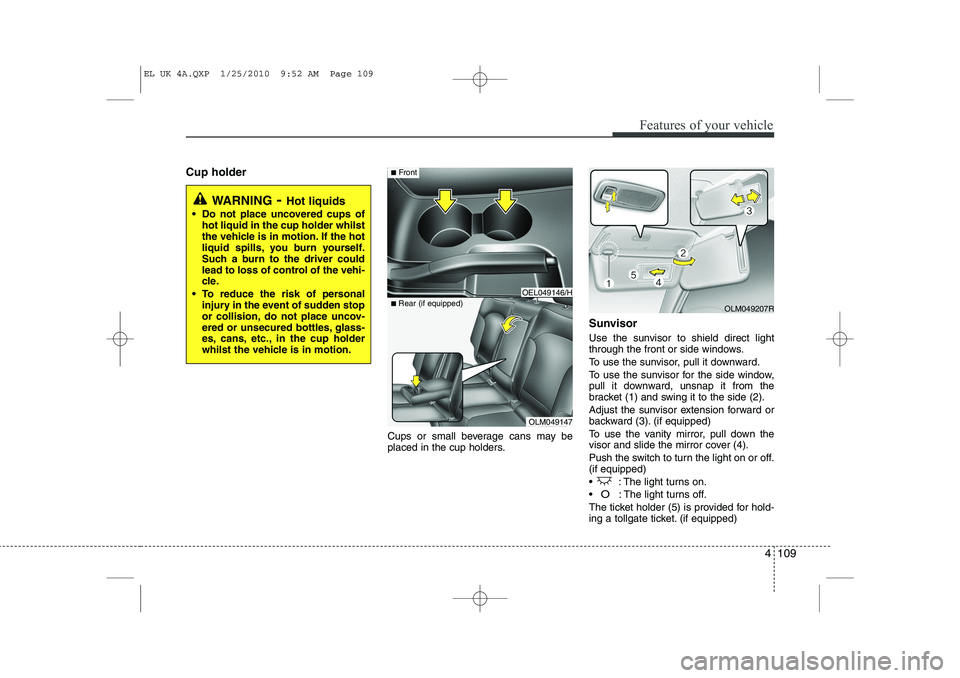
Use the sunvisor to shield direct light
through the front or side windows.
To use the sunvisor, pull it downward.
To use the sunvisor for the side window,
pull it downward, unsnap it from the
bracket (1) and swing it to the side (2).
Adjust the sunvisor extension forward or
backward (3). (if equipped)
To use the vanity mirror, pull down the
visor and slide the mirror cover (4).
Push the switch to turn the light on or off. (if equipped)
: The light turns on.
O: The light turns off.
The ticket holder (5) is provided for hold-
ing a tollgate ticket. (if equipped)
WARNING - Hot liquids
Do not place uncovered cups of hot liquid in the cup holder whilst
the vehicle is in motion. If the hot
liquid spills, you burn yourself.
Such a burn to the driver could
lead to loss of control of the vehi-
cle.
To reduce the risk of personal injury in the event of sudden stop
or collision, do not place uncov-
ered or unsecured bottles, glass-
es, cans, etc., in the cup holder
whilst the vehicle is in motion.
OLM049147
■
Rear (if equipped)
OEL049146/H
■Front
OLM049207R
EL UK 4A.QXP 1/25/2010 9:52 AM Page 109
Page 549 of 560
4 137
Features of your vehicle
In case the iPod exclusive cable is con-
nected to the multiple terminal on the left
hand side of the driver's seat. When the
iPod is connected, the 'iPod' icon will be
displayed on the top left corner of the dis-
play screen.
1. INFO Selection Button
Displays the information of the file cur-
rently played in the order of Title ➟Artist
➟ Album... (Displays no information if the
file has no song information.)
2. Track Moving Button
Press the [ SEEK(TRACK)] button for less than 0.8 second to play from the beginning of the song currently
played. Press the button for less than0.8 second and press it again within 1
seconds to move and play the previous
track. Press the button for 0.8 second
or longer to play the song in reverse
direction in fast speed.
Press the [SEEK(TRACK) ] button for less than 0.8 second to move to the
next track. Press the button for 0.8 sec-
ond or longer to play the song in for-
ward direction in fast speed. 3. RANDOM Playback Button
Press the button for less than 0.8 second
to activate or deactivate the random play-
back of the songs within the current cat-
egory. Press the button for longer than
0.8 second to randomly play all songs in
the entire album of the iPod.
Press the button once again to cancel
the mode.
4. REPEAT Button
Repeats the song currently played.
5. iPod(AUX) Selection Button
If iPod is connected, it switches to the
iPod mode from the CD mode to play the
song files stored in the iPod. If no CD and
auxiliary device is not connected, it dis-
plays "NO Media" for 3 seconds and
returns to the previous mode.
6. PRESET 6(MENU) Button
MENU(preset6) you will be able to
search through the lower category of the
selected category. The order of iPod's
category is SONG, ALBUMES,
ARTISTS, GENRES, and iPod. 7. Search/ENTER Button
When you turn the button clockwise, it
will display the songs(category) next to
the song currently played(category in the
same level).
Also, when you turn the button counter-
clockwise, it will display the songs(cate-
gory) before the song currently played
(category in the same level).
If you want to listen to the song displayed
in the song category, press the button,then it will skip to the selected song and
play.
EL UK 4B AUDIO.QXP 1/12/2010 4:01 PM Page 137