audio HYUNDAI IX35 2014 Owners Manual
[x] Cancel search | Manufacturer: HYUNDAI, Model Year: 2014, Model line: IX35, Model: HYUNDAI IX35 2014Pages: 1534, PDF Size: 39.76 MB
Page 1243 of 1534
Features of your vehicle
172
4
Random
While song (file) is playing (RDM) key
Audio CD, My Music mode: RDM on screen
Random (Shortly pressing the key ):
Plays all songs in random order.
MP3 CD, USB mode: FLD.RDM on screen
Folder Random (Shortly pressing the key): Plays all files within the current
folder in random order.
MP3 CD, USB mode: RDM on screen
Random (pressing twice): Plays all files in random order.
iPod
®mode: RDM on screen
Random (press the key) : Plays all files in random order.
❈ Press the key again to turn off
random. Changing Song/File
While song (file) is playing key
Shortly pressing the key: Plays the cur-
rent song from the beginning.
❈ If the key is pressed
again within 1 second, the previ-
ous song is played.
Pressing and holding the key (over 0.8 seconds): Rewinds the song.
While song (file) is playing key
Shortly pressing the key: Plays the next song.
Pressing and holding the key (over 0.8 seconds): Fast forwards the song. Scan
While song (file) is playing key
Pressing and holding the key (over 0.8
seconds) : Scans all songs for 10 sec-
onds starting from the next song.
❈ Pressing and holding the key
again to turn off.
TA
SCAN
TA
SCAN
SEEK
TRACK
SEEK
TRACK
SEEK
TRACK
2
RDM
2
RDM
EL(FL) UK 4B AUDIO.QXP 7/15/2013 10:21 AM Page 172
Page 1244 of 1534
4 173
Features of your vehicle
Folder Search : MP3 CD, USB Mode
While file is playing (Folder
Up) key
Searches the next folder.
While file is playing (Folder
Down) key
Searches the parent folder. ❈ If a folder is selected by pressing the
TUNE knob, the first file within the
selected folder will be played.
Searching Songs (File)
Turning TUNE knob : Searches for songs (files)
Pressing TUNE knob : Plays select- ed song (file). MENU : Audio CD
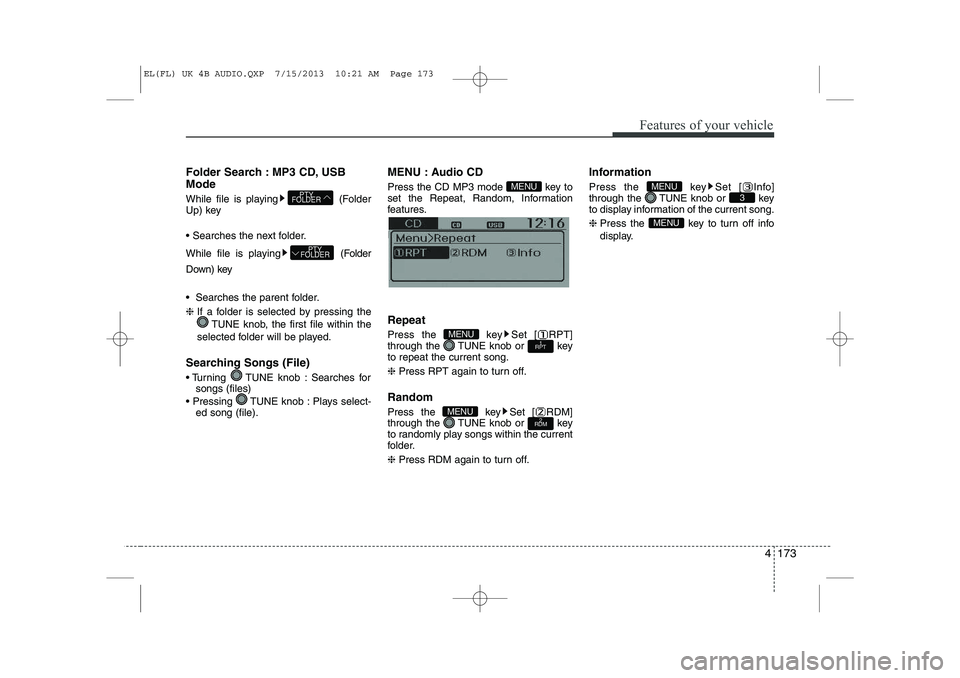
Press the CD MP3 mode key to
set the Repeat, Random, Information
features.
Information features. Repeat
Press the key Set [ RPT]
through the TUNE knob or keyto repeat the current song. ❈
Press RPT again to turn off.
Random
Press the key Set [ RDM]
through the TUNE knob or key
to randomly play songs within the current
folder. ❈ Press RDM again to turn off. Information
Press the key Set [ Info]
through the TUNE knob or key
to display information of the current song. ❈
Press the key to turn off info
display.
MENU
3MENU
2
RDMMENU
1
RPTMENU
MENU
PTY
FOLDER
PTY
FOLDER
EL(FL) UK 4B AUDIO.QXP 7/15/2013 10:21 AM Page 173
Page 1245 of 1534
Features of your vehicle
174
4
MENU : MP3 CD / USB
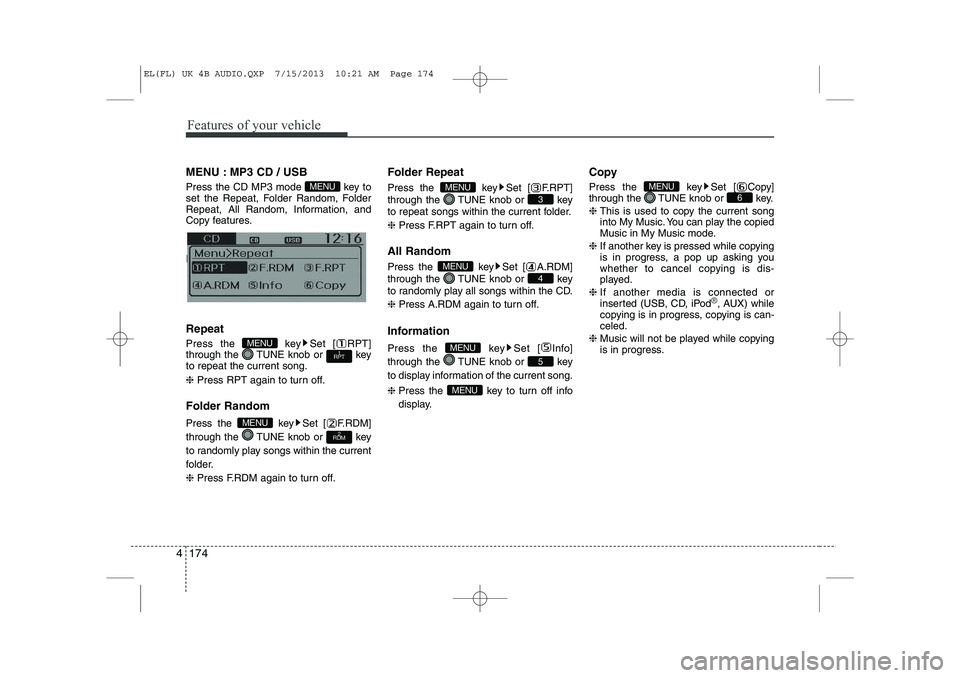
Press the CD MP3 mode key to
set the Repeat, Folder Random, Folder
Repeat, All Random, Information, and
Copy features.
Information, and Copy features. Repeat
Press the key Set [ RPT]
through the TUNE knob or keyto repeat the current song. ❈ Press RPT again to turn off.
Folder Random
Press the key Set [ F.RDM]
through the TUNE knob or key
to randomly play songs within the current
folder. ❈ Press F.RDM again to turn off. Folder Repeat
Press the key Set [ F.RPT]
through the TUNE knob or key
to repeat songs within the current folder. ❈
Press F.RPT again to turn off.
All Random
Press the key Set [ A.RDM]
through the TUNE knob or key
to randomly play all songs within the CD. ❈ Press A.RDM again to turn off.
Information
Press the key Set [ Info]
through the TUNE knob or key
to display information of the current song. ❈ Press the key to turn off info
display. Copy
Press the key Set [ Copy]
through the TUNE knob or key. ❈
This is used to copy the current song
into My Music. You can play the copied
Music in My Music mode.
❈ If another key is pressed while copying
is in progress, a pop up asking you
whether to cancel copying is dis-
played.
❈ If another media is connected or
inserted (USB, CD, iPod
®, AUX) while
copying is in progress, copying is can- celed.
❈ Music will not be played while copying
is in progress.
6MENU
MENU
5
MENU
4
MENU
3
MENU
2
RDMMENU
1
RPTMENU
MENU
EL(FL) UK 4B AUDIO.QXP 7/15/2013 10:21 AM Page 174
Page 1246 of 1534
![HYUNDAI IX35 2014 Owners Manual 4 175
Features of your vehicle
MENU : iPod®
In iPod®mode, press the key to set
the Repeat, Random, Information and
Search features. Repeat
Press the key Set [ RPT]
through the TUNE knob or ke](/img/35/56237/w960_56237-1245.png "HYUNDAI IX35 2014 Owners Manual 4 175
Features of your vehicle
MENU : iPod®
In iPod®mode, press the key to set
the Repeat, Random, Information and
Search features. Repeat
Press the key Set [ RPT]
through the TUNE knob or ke")
4 175
Features of your vehicle
MENU : iPod®
In iPod®mode, press the key to set
the Repeat, Random, Information and
Search features. Repeat
Press the key Set [ RPT]
through the TUNE knob or keyto repeat the current song. ❈ Press RPT again to turn repeat off. Random
Press the key Set [ RDM]
through the TUNE knob or key.
Plays all songs within the currently play-
ing category in random order. ❈
Press RDM again to turn off.
Information
Press the key Set [ Info]
through the TUNE knob or key.
Displays information of the current song.❈ Press the key to turn off info
display. Search
Press the key Set [ Search]
through the TUNE knob or key.
Displays iPod
®category list.
❈ Searching iPod®category is
key pressed, move to parent category.MENU
4MENU
MENU
3MENU
2
RDMMENU
1
RPTMENU
MENU
EL(FL) UK 4B AUDIO.QXP 7/15/2013 10:21 AM Page 175
Page 1247 of 1534
Features of your vehicle
176
4
MENU : My Music Mode (if equipped)
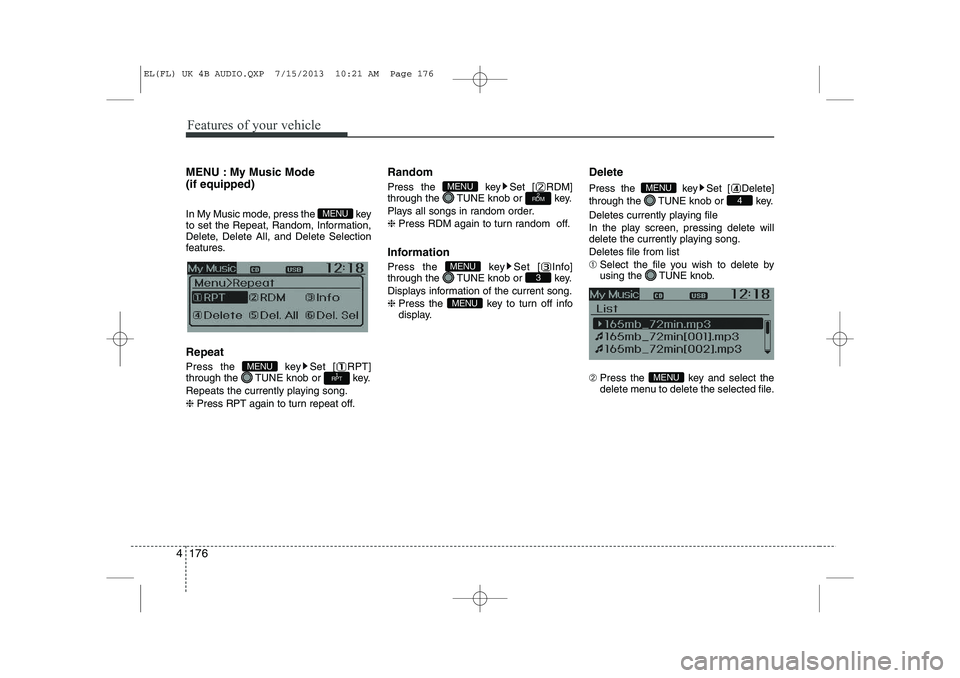
In My Music mode, press the key
to set the Repeat, Random, Information,
Delete, Delete All, and Delete Selection
features. Repeat
Press the key Set [ RPT]
through the TUNE knob or key.
Repeats the currently playing song.❈ Press RPT again to turn repeat off. Random
Press the key Set [ RDM]
through the TUNE knob or key.
Plays all songs in random order.❈
Press RDM again to turn random off.
Information
Press the key Set [ Info]
through the TUNE knob or key.
Displays information of the current song.❈ Press the key to turn off info
display. Delete
Press the key Set [ Delete]
through the TUNE knob or key.
Deletes currently playing file
In the play screen, pressing delete will
delete the currently playing song. Deletes file from list➀
Select the file you wish to delete by
using the TUNE knob.
➁ Press the key and select the
delete menu to delete the selected file.
MENU
4
MENU
MENU
3MENU
2
RDMMENU
1
RPTMENU
MENU
EL(FL) UK 4B AUDIO.QXP 7/15/2013 10:21 AM Page 176
Page 1249 of 1534
Features of your vehicle
178
4
Bluetooth®Wireless
Technology AUDIO (if equipped) What is
Bluetooth®Wireless
Technology?
Bluetooth®Wireless Technology allows
devices to be connected in a short dis-
tance, including hands-free devices,
stereo headsets, wireless remote con-
trollers, etc. For more information, visitthe
Bluetooth®Wireless Technology
website at
www.Bluetooth.com
Before using Bluetooth®Wireless
Technology audio features
Bluetooth®Wireless Technology audio
may not be supported depending on
the compatibility of your
Bluetooth®
Wireless Technology mobile phone.
In order to use
Bluetooth®Wireless
Technology audio, you must first pairand connect the
Bluetooth®Wireless
Technology mobile phone. The
Bluetooth®word mark and logos
are registered trademarks owned by
Bluetooth®SIG, Inc. and any use of
such marks is under license. Other
trademarks and trade names are those
of their respective owners. A
Bluetooth®
enabled cell phone is required to useBluetooth®Wireless Technology
Bluetooth®Wireless Technology audio
can be used only when the [Audio
Streaming] of Phone is turned On.
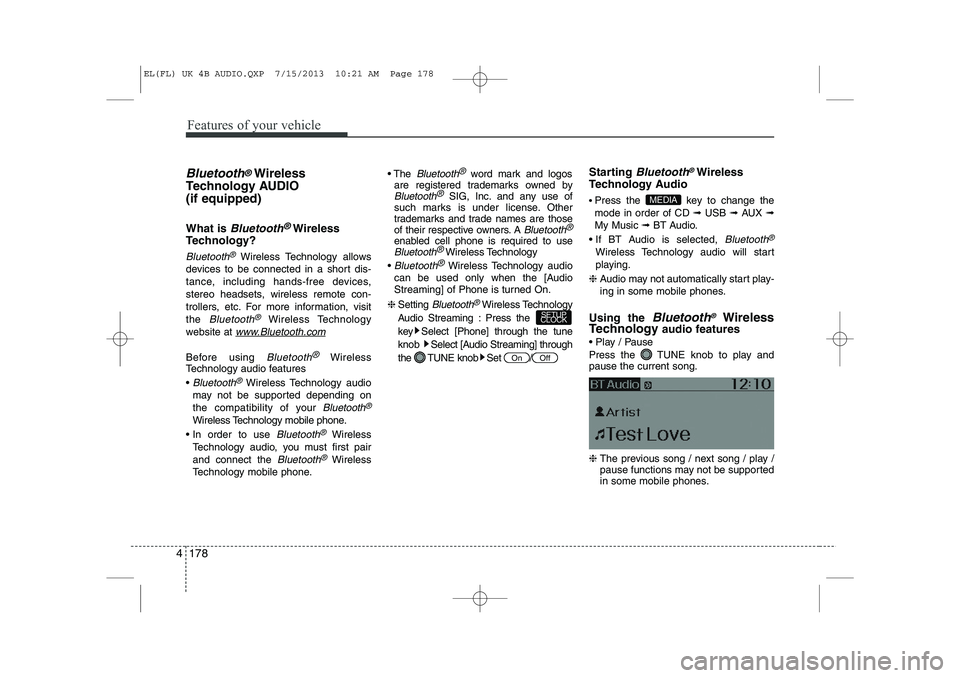
❈ Setting
Bluetooth®Wireless Technology
Audio Streaming : Press the
key Select [Phone] through the tuneknob Select [Audio Streaming] through
the TUNE knob Set / Starting
Bluetooth®Wireless
Technology Audio Press the key to change the mode in order of CD ➟ USB ➟ AUX ➟
My Music ➟ BT Audio.
If BT Audio is selected,
Bluetooth®
Wireless Technology audio will start
playing.
❈ Audio may not automatically start play-
ing in some mobile phones.
Using the
Bluetooth®Wireless
Technology audio features
Play / Pause
Press the TUNE knob to play and pause the current song. ❈ The previous song / next song / play /
pause functions may not be supported
in some mobile phones.
MEDIA
OffOn
SETUP
CLOCK
EL(FL) UK 4B AUDIO.QXP 7/15/2013 10:21 AM Page 178
Page 1250 of 1534
4 179
Features of your vehicle
PHONE (if equipped)
Before using the
Bluetooth®Wireless
Technologyphone features
In order to use
Bluetooth®Wireless
Technology
phone, you must first pair
and connect the
Bluetooth®Wireless
Technology
mobile phone.
If the mobile phone is not paired or con- nected, it is not possible to enter Phone
mode. Once a phone is paired or con-nected, the guidance screen will be dis-
played.
If Priority is set upon vehicle ignition (IGN/ACC ON), the
Bluetooth®Wireless
Technology
phone will be automatically
connected. Even if you are outside, the
Bluetooth®Wireless Technologyphone will
be automatically connected once you are
in the vicinity of the vehicle. If you do not
want automatic
Bluetooth®Wireless
Technology
phone connection, set the
Bluetooth®Wireless Technologypower to
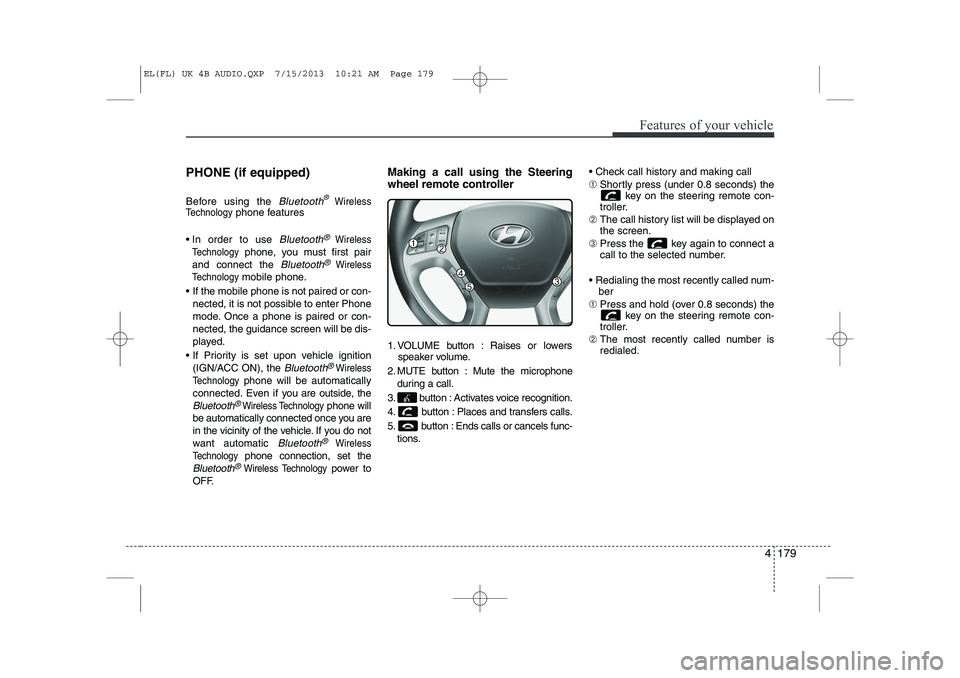
OFF. Making a call using the Steering
wheel remote controller
1. VOLUME button : Raises or lowers
speaker volume.
2. MUTE button : Mute the microphone during a call.
3. button : Activates voice recognition.
4. button : Places and transfers calls.
5. button : Ends calls or cancels func- tions. Check call history and making call ➀
Shortly press (under 0.8 seconds) the
key on the steering remote con-
troller.
➁ The call history list will be displayed on the screen.
➂ Press the key again to connect a
call to the selected number.
Redialing the most recently called num- ber
➀ Press and hold (over 0.8 seconds) the
key on the steering remote con-
troller.
➁ The most recently called number isredialed.
EL(FL) UK 4B AUDIO.QXP 7/15/2013 10:21 AM Page 179
Page 1251 of 1534
![HYUNDAI IX35 2014 Owners Manual Features of your vehicle
180
4
Phone MENU
Press the key to display three
menus (Call History, Phone Book, PhoneSetup).
Call history
Press the key Set [ History]
through the TUNE knob or key.](/img/35/56237/w960_56237-1250.png "HYUNDAI IX35 2014 Owners Manual Features of your vehicle
180
4
Phone MENU
Press the key to display three
menus (Call History, Phone Book, PhoneSetup).
Call history
Press the key Set [ History]
through the TUNE knob or key.")
Features of your vehicle
180
4
Phone MENU
Press the key to display three
menus (Call History, Phone Book, PhoneSetup).
Call history
Press the key Set [ History]
through the TUNE knob or key.
The call history is displayed and can be
used to select a number and make a call.
If call history does not exist, a screen
asking whether to download call history
is displayed. (The download feature may
not be supported in some mobilephones) Phone Book
Press the key Set [ P. Book]
through the TUNE knob or key.
The phone book is displayed and can be
used to select a number and make a call. ❈
If more than one number is saved to
one contact, then a screen showing
the mobile phone number, Home and
office number is displayed. Select the
desired number to make the call.
❈ If phone book do not exist, a screen
asking whether to download phone
book is displayed. (The download fea-
ture may not be supported in somemobile phones) Phone Setup
Press the key Set [ Setup]
through the TUNE knob or key. The
Bluetooth®Wireless Technology
mobile phone setup screen is displayed.
For more information, refer to “PhoneSetup”.
3
PHONE2
RDMPHONE
1
RPTPHONE
PHONE
EL(FL) UK 4B AUDIO.QXP 7/15/2013 10:21 AM Page 180
Page 1255 of 1534
Features of your vehicle
184
4
VOICE COMMAND (if equipped)
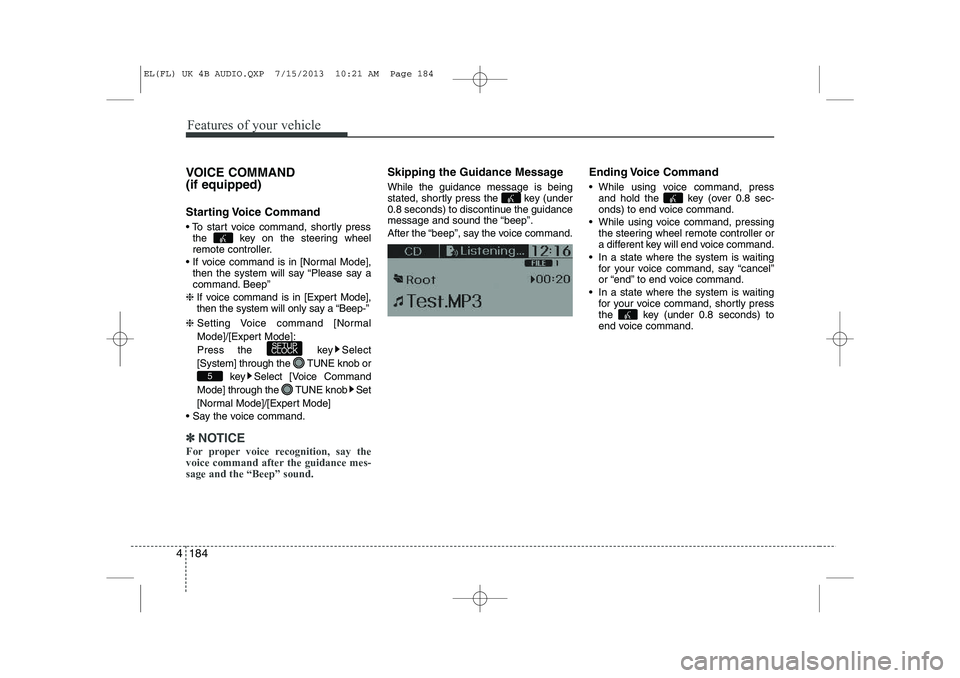
Starting Voice Command
To start voice command, shortly press
the key on the steering wheel
remote controller.
If voice command is in [Normal Mode], then the system will say “Please say a
command. Beep”
❈ If voice command is in [Expert Mode],
then the system will only say a “Beep-”
❈ Setting Voice command [Normal
Mode]/[Expert Mode]:
Press the key Select
[System] through the TUNE knob or
key Select [Voice Command
Mode] through the TUNE knob Set
[Normal Mode]/[Expert Mode]
Say the voice command.
✽✽ NOTICE
For proper voice recognition, say the
voice command after the guidance mes-sage and the “Beep” sound.
Skipping the Guidance Message While the guidance message is being
stated, shortly press the key (under
0.8 seconds) to discontinue the guidance
message and sound the “beep”.
After the “beep”, say the voice command. Ending Voice Command
While using voice command, press
and hold the key (over 0.8 sec-
onds) to end voice command.
While using voice command, pressing the steering wheel remote controller or
a different key will end voice command.
In a state where the system is waiting for your voice command, say “cancel”
or “end” to end voice command.
In a state where the system is waiting for your voice command, shortly press
the key (under 0.8 seconds) to
end voice command.
5
SETUP
CLOCK
EL(FL) UK 4B AUDIO.QXP 7/15/2013 10:21 AM Page 184
Page 1256 of 1534
4 185
Features of your vehicle
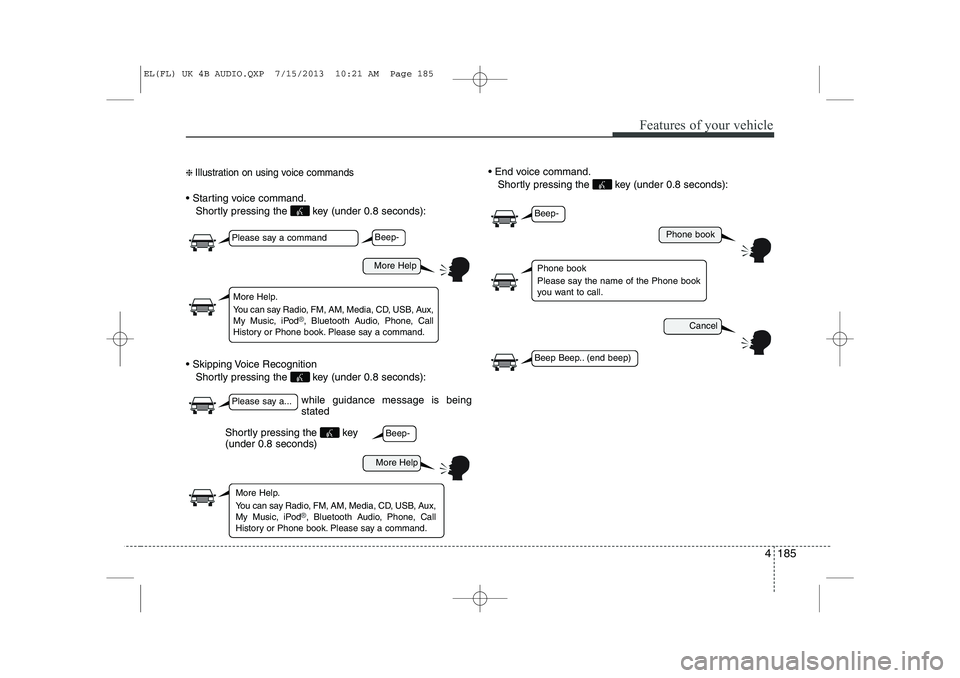
❈ Illustration on using voice commands
Starting voice command.
Shortly pressing the key (under 0.8 seconds):
Skipping Voice Recognition Shortly pressing the key (under 0.8 seconds): End voice command.
Shortly pressing the key (under 0.8 seconds):
while guidance message is being stated
More Help
Phone book
Cancel
More Help
Please say a command
Please say a...
More Help.
You can say Radio, FM, AM, Media, CD, USB, Aux,
My Music, iPod
®, Bluetooth A udio, Phone, Call
History or Phone book. Please say a command.
Phone book
Please say the name of the Phone book
you want to call.
More Help.
You can say Radio, FM, AM, Media, CD, USB, Aux,
My Music, iPod
®, Bluetooth A udio, Phone, Call
History or Phone book. Please say a command.
Beep-
Beep-
Beep-
Beep Beep.. (end beep)
Shortly pressing the key (under 0.8 seconds)
EL(FL) UK 4B AUDIO.QXP 7/15/2013 10:21 AM Page 185