air condition HYUNDAI IX35 2014 Owner's Manual
[x] Cancel search | Manufacturer: HYUNDAI, Model Year: 2014, Model line: IX35, Model: HYUNDAI IX35 2014Pages: 1534, PDF Size: 39.76 MB
Page 187 of 1534
4 115
Features of your vehicle
Manual heating and air condition- ing The heating and cooling system can be
controlled manually by pressing buttons
or turning knob(s) other than the AUTO
button. In this case, the system workssequentially according to the order of
buttons or knob(s) selected.
1. Start the engine.
2. Set the mode to the desired position.For improving the effectiveness of heating and cooling;- Heating: - Cooling:
3. Set the temperature control to the desired position.
4. Set the air intake control to the outside (fresh) air position.
5. Set the fan speed control to the desired speed.
6. If air conditioning is desired, turn the air conditioning system on.
Press the AUTO button in order to con-
vert to full automatic control of the sys-tem.
Mode selection
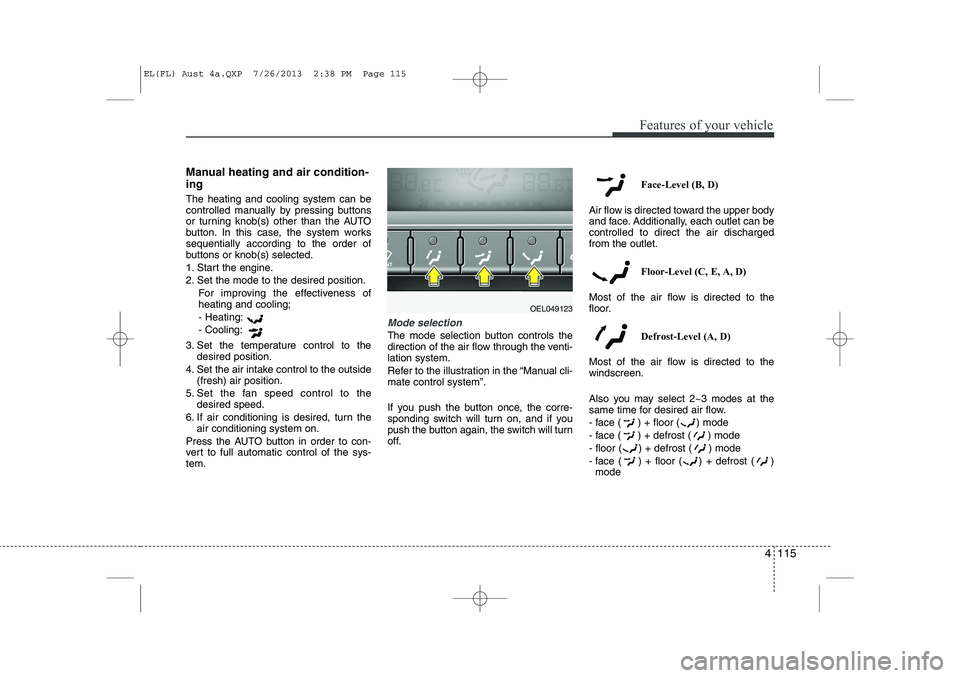
The mode selection button controls the
direction of the air flow through the venti-lation system.
Refer to the illustration in the “Manual cli- mate control system”.
If you push the button once, the corre-
sponding switch will turn on, and if you
push the button again, the switch will turn
off. Face-Level (B, D)
Air flow is directed toward the upper body
and face. Additionally, each outlet can becontrolled to direct the air dischargedfrom the outlet.
Floor-Level (C, E, A, D)
Most of the air flow is directed to the
floor.
Defrost-Level (A, D)
Most of the air flow is directed to thewindscreen.
Also you may select 2~3 modes at the
same time for desired air flow.
- face ( ) + floor ( ) mode
- face ( ) + defrost ( ) mode
- floor ( ) + defrost ( ) mode
- face ( ) + floor ( ) + defrost ( ) mode
OEL049123
EL(FL) Aust 4a.QXP 7/26/2013 2:38 PM Page 115
Page 188 of 1534
Features of your vehicle
116
4
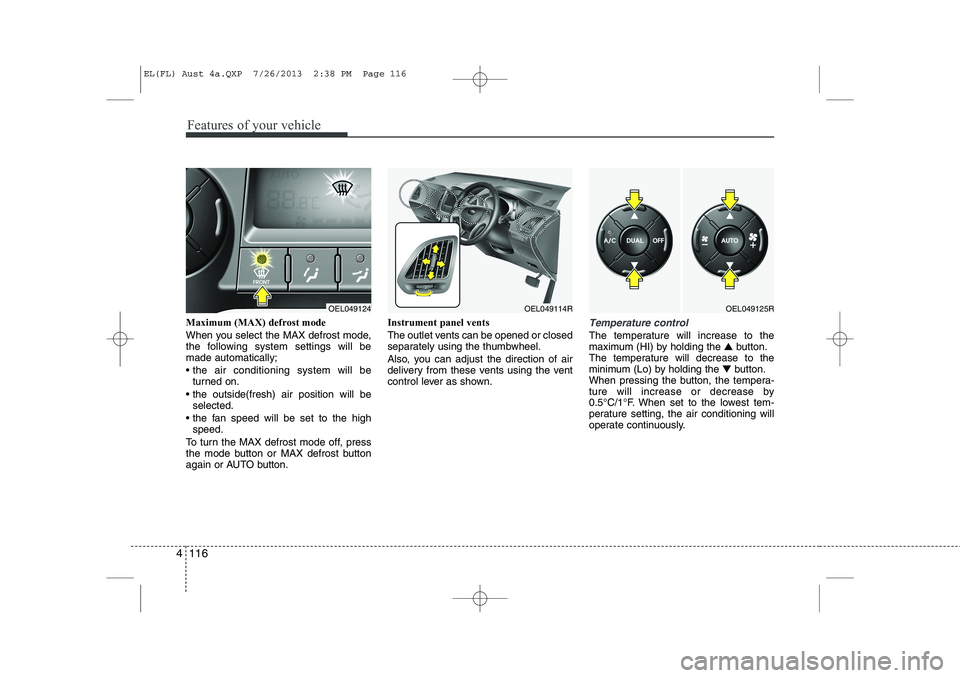
Maximum (MAX) defrost mode
When you select the MAX defrost mode,
the following system settings will bemade automatically;
the air conditioning system will be
turned on.
the outside(fresh) air position will be selected.
the fan speed will be set to the high speed.
To turn the MAX defrost mode off, press
the mode button or MAX defrost button
again or AUTO button. Instrument panel vents
The outlet vents can be opened or closed
separately using the thumbwheel.
Also, you can adjust the direction of air
delivery from these vents using the vent
control lever as shown.Temperature control
The temperature will increase to the
maximum (HI) by holding the
▲button.
The temperature will decrease to the
minimum (Lo) by holding the ▼button.
When pressing the button, the tempera-
ture will increase or decrease by
0.5°C/1°F. When set to the lowest tem-
perature setting, the air conditioning will
operate continuously.
OEL049124OEL049114ROEL049125R
EL(FL) Aust 4a.QXP 7/26/2013 2:38 PM Page 116
Page 190 of 1534
Features of your vehicle
118
4
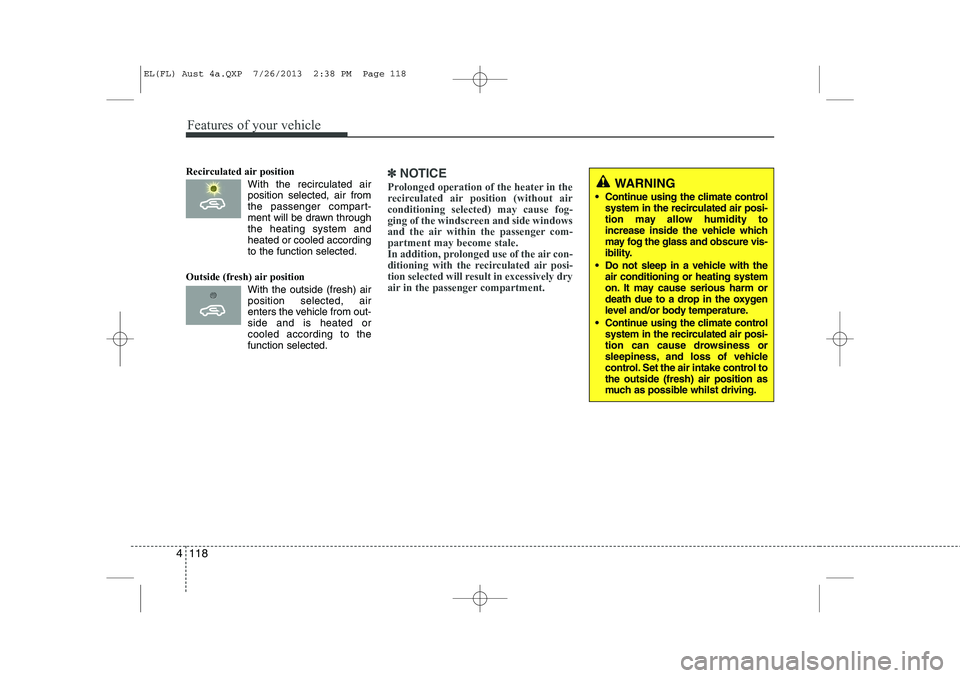
Recirculated air position
With the recirculated airposition selected, air from
the passenger compart-
ment will be drawn throughthe heating system andheated or cooled according
to the function selected.
Outside (fresh) air position With the outside (fresh) airposition selected, air
enters the vehicle from out-side and is heated orcooled according to the
function selected.✽✽ NOTICE
Prolonged operation of the heater in the
recirculated air position (without airconditioning selected) may cause fog-
ging of the windscreen and side windows
and the air within the passenger com-partment may become stale.
In addition, prolonged use of the air con-
ditioning with the recirculated air posi-
tion selected will result in excessively dry
air in the passenger compartment.WARNING
Continue using the climate control system in the recirculated air posi-
tion may allow humidity to
increase inside the vehicle which
may fog the glass and obscure vis-
ibility.
Do not sleep in a vehicle with the air conditioning or heating system
on. It may cause serious harm or
death due to a drop in the oxygen
level and/or body temperature.
Continue using the climate control system in the recirculated air posi-
tion can cause drowsiness or
sleepiness, and loss of vehicle
control. Set the air intake control tothe outside (fresh) air position as
much as possible whilst driving.
EL(FL) Aust 4a.QXP 7/26/2013 2:38 PM Page 118
Page 191 of 1534

4 119
Features of your vehicle
Fan speed control
The fan speed can be set to the desired
speed by operating the fan speed control
button.
To change the fan speed, press ( +) the
switch for higher speed, or push (- ) the
switch for lower speed. To turn the
fan speed control off, press the front
blower OFF button.
Air conditioning
Press the A/C button to turn the air con- ditioning system on (indicator light willilluminate).
Press the button again to turn the air
conditioning system off.
OFF mode
Press the front blower OFF button to turn off the front air climate control system.
However, you can still operate the air
intake buttons as long as the ignition
switch is in the ON position.
OEL049129ROEL049130ROEL049131R
EL(FL) Aust 4a.QXP 7/26/2013 2:38 PM Page 119
Page 192 of 1534
Features of your vehicle
120
4
For maximum defrosting, set the tem-
perature control to the extreme
right/hot position and the fan speedcontrol to the highest speed.
If warm air to the floor is desired whilst defrosting or defogging, set the modeto the floor-defrost position.
Before driving, clear all snow and ice from the windscreen, rear window, out-
side rear view mirrors, and all side win-
dows.
Clear all snow and ice from the bonnet and air inlet in the cowl grill to improveheater and defroster efficiency and to
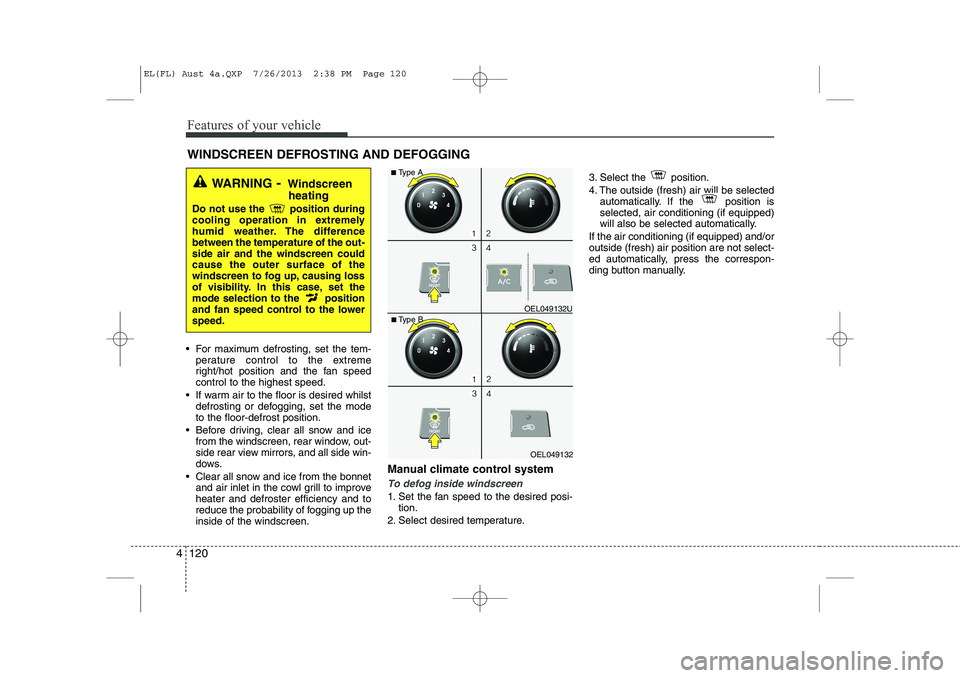
reduce the probability of fogging up theinside of the windscreen. Manual climate control system
To defog inside windscreen
1. Set the fan speed to the desired posi-
tion.
2. Select desired temperature. 3. Select the position.
4. The outside (fresh) air will be selected
automatically. If the position is selected, air conditioning (if equipped)
will also be selected automatically.
If the air conditioning (if equipped) and/oroutside (fresh) air position are not select-
ed automatically, press the correspon-
ding button manually.
WINDSCREEN DEFROSTING AND DEFOGGING
WARNING - Windscreen
heating
Do not use the position during
cooling operation in extremely
humid weather. The differencebetween the temperature of the out-side air and the windscreen couldcause the outer surface of the
windscreen to fog up, causing loss
of visibility. In this case, set the
mode selection to the position
and fan speed control to the lowerspeed.
OEL049132
■
Type B OEL049132U
■
Type A
EL(FL) Aust 4a.QXP 7/26/2013 2:38 PM Page 120
Page 193 of 1534
4 121
Features of your vehicle
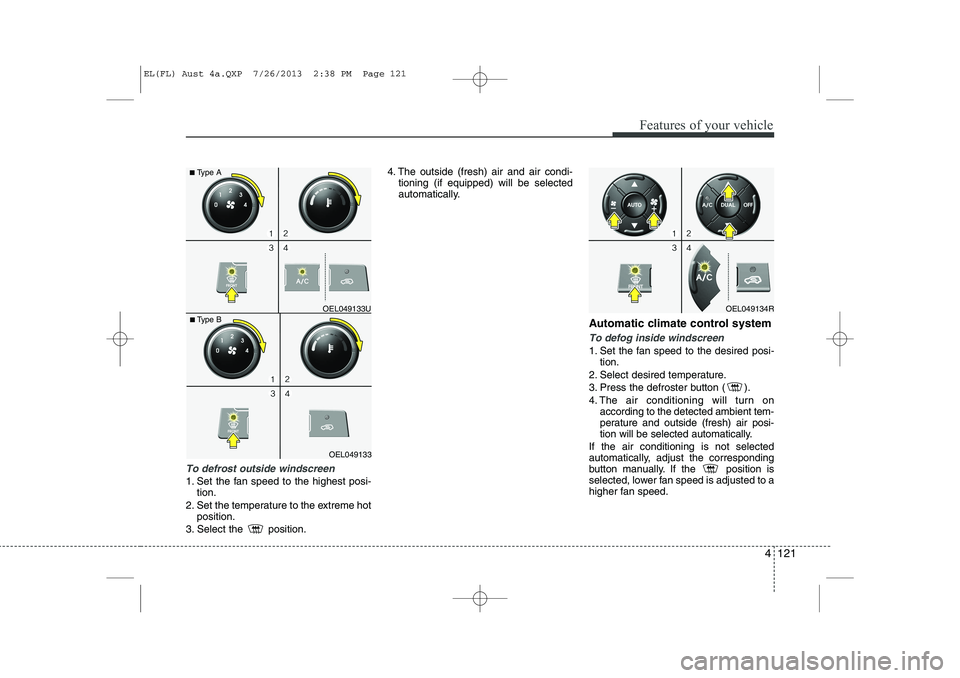
To defrost outside windscreen
1. Set the fan speed to the highest posi-tion.
2. Set the temperature to the extreme hot position.
3. Select the position. 4. The outside (fresh) air and air condi-
tioning (if equipped) will be selected
automatically.
Automatic climate control system
To defog inside windscreen
1. Set the fan speed to the desired posi-tion.
2. Select desired temperature.
3. Press the defroster button ( ).
4. The air conditioning will turn on according to the detected ambient tem-
perature and outside (fresh) air posi-
tion will be selected automatically.
If the air conditioning is not selected
automatically, adjust the corresponding
button manually. If the position is
selected, lower fan speed is adjusted to a
higher fan speed.
OEL049133
■
Type B OEL049133U
■
Type A
OEL049134R
EL(FL) Aust 4a.QXP 7/26/2013 2:38 PM Page 121
Page 194 of 1534
Features of your vehicle
122
4
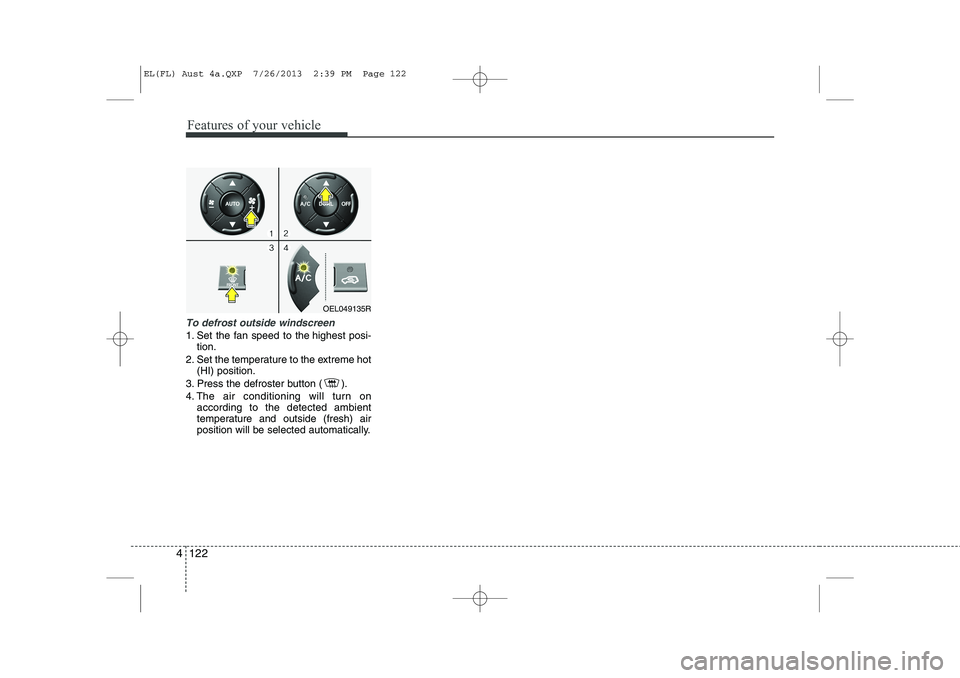
To defrost outside windscreen
1. Set the fan speed to the highest posi-
tion.
2. Set the temperature to the extreme hot (HI) position.
3. Press the defroster button ( ).
4. The air conditioning will turn on according to the detected ambient
temperature and outside (fresh) air
position will be selected automatically.
OEL049135R
EL(FL) Aust 4a.QXP 7/26/2013 2:39 PM Page 122
Page 196 of 1534
Features of your vehicle
124
4
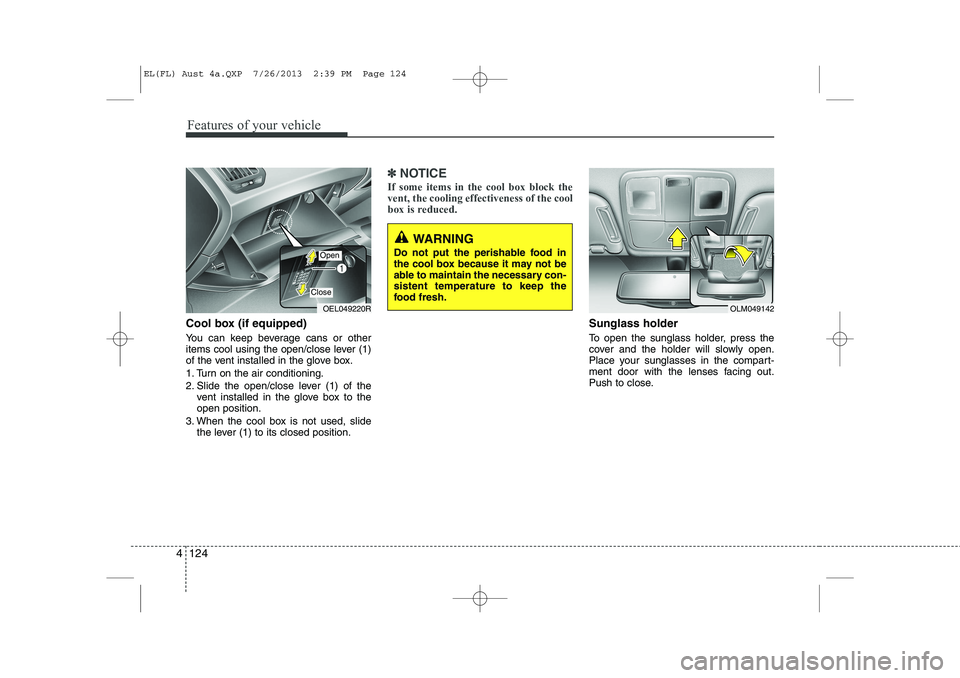
Cool box (if equipped)
You can keep beverage cans or other
items cool using the open/close lever (1)
of the vent installed in the glove box.
1. Turn on the air conditioning.
2. Slide the open/close lever (1) of the
vent installed in the glove box to the open position.
3. When the cool box is not used, slide the lever (1) to its closed position.
✽✽ NOTICE
If some items in the cool box block the vent, the cooling effectiveness of the cool
box is reduced.
Sunglass holder
To open the sunglass holder, press the
cover and the holder will slowly open.
Place your sunglasses in the compart-
ment door with the lenses facing out.
Push to close.
WARNING
Do not put the perishable food in
the cool box because it may not be
able to maintain the necessary con-sistent temperature to keep the
food fresh.
OLM049142OEL049220R
Close
Open
EL(FL) Aust 4a.QXP 7/26/2013 2:39 PM Page 124
Page 200 of 1534
Features of your vehicle
128
4
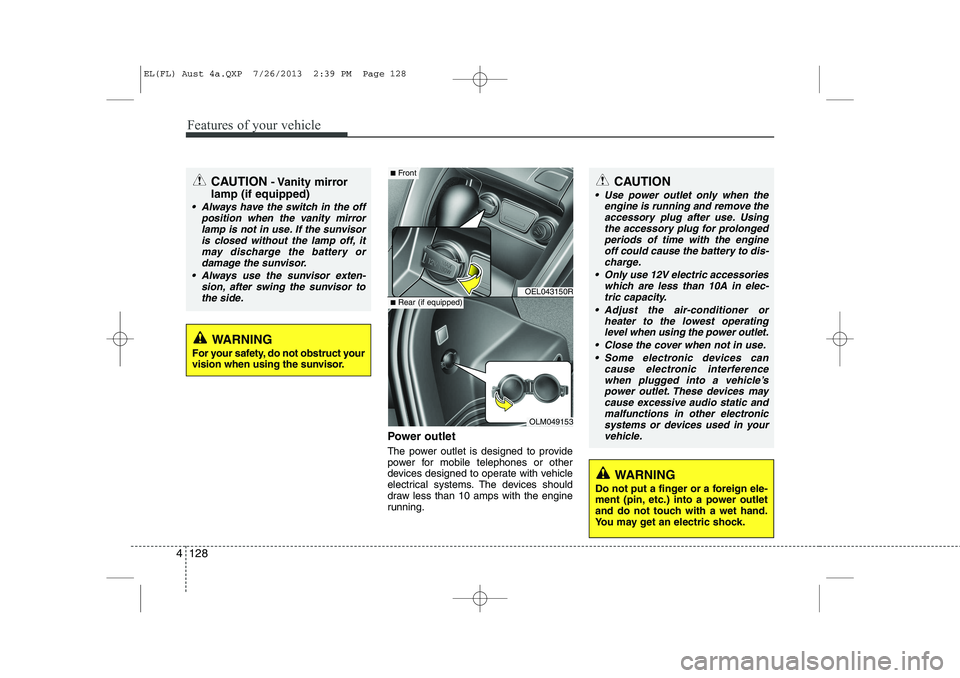
Power outlet
The power outlet is designed to provide
power for mobile telephones or other
devices designed to operate with vehicle
electrical systems. The devices should
draw less than 10 amps with the engine
running.
CAUTION - Vanity mirror
lamp (if equipped)
Always have the switch in the off position when the vanity mirror
lamp is not in use. If the sunvisoris closed without the lamp off, itmay discharge the battery or damage the sunvisor.
Always use the sunvisor exten- sion, after swing the sunvisor tothe side.
OEL043150R
OLM049153
■ Front
■Rear (if equipped)
CAUTION
Use power outlet only when the
engine is running and remove the
accessory plug after use. Using the accessory plug for prolongedperiods of time with the engineoff could cause the battery to dis-
charge.
Only use 12V electric accessories which are less than 10A in elec-tric capacity.
Adjust the air-conditioner or heater to the lowest operatinglevel when using the power outlet.
Close the cover when not in use. Some electronic devices can cause electronic interference
when plugged into a vehicle’s power outlet. These devices maycause excessive audio static and malfunctions in other electronic
systems or devices used in yourvehicle.
WARNING
Do not put a finger or a foreign ele-
ment (pin, etc.) into a power outlet
and do not touch with a wet hand.
You may get an electric shock.
WARNING
For your safety, do not obstruct your
vision when using the sunvisor.
EL(FL) Aust 4a.QXP 7/26/2013 2:39 PM Page 128
Page 255 of 1534
Driving your vehicle
50
5
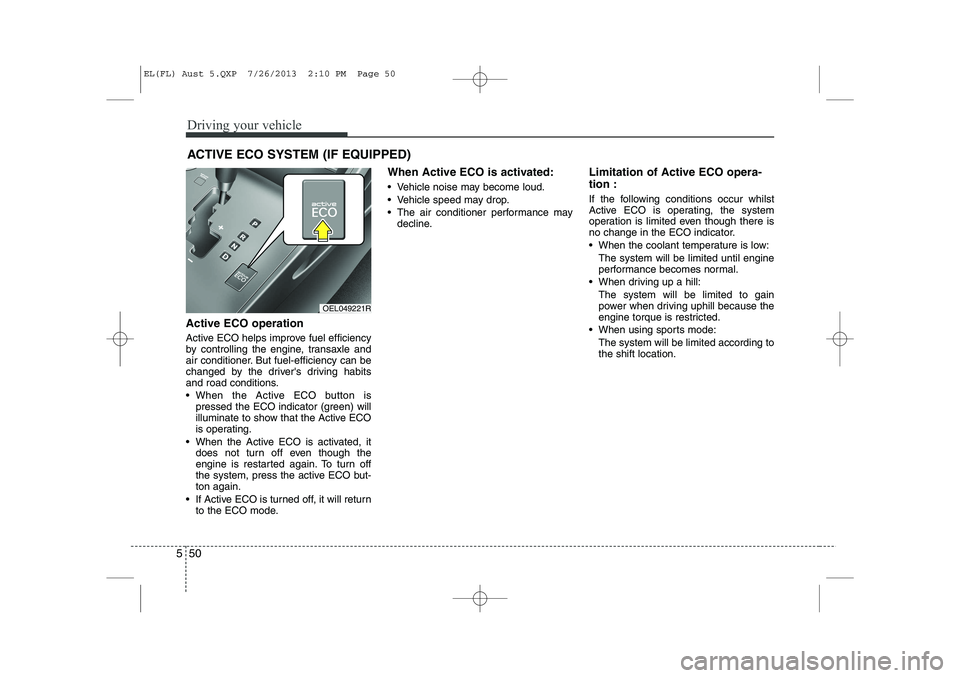
Active ECO operation
Active ECO helps improve fuel efficiency
by controlling the engine, transaxle and
air conditioner. But fuel-efficiency can be
changed by the driver's driving habits
and road conditions.
When the Active ECO button is
pressed the ECO indicator (green) will
illuminate to show that the Active ECO
is operating.
When the Active ECO is activated, it does not turn off even though the
engine is restarted again. To turn off
the system, press the active ECO but-ton again.
If Active ECO is turned off, it will return to the ECO mode. When Active ECO is activated:
Vehicle noise may become loud.
Vehicle speed may drop.
The air conditioner performance may
decline. Limitation of Active ECO opera- tion :
If the following conditions occur whilst
Active ECO is operating, the system
operation is limited even though there is
no change in the ECO indicator.
When the coolant temperature is low:
The system will be limited until engine
performance becomes normal.
When driving up a hill: The system will be limited to gain
power when driving uphill because the
engine torque is restricted.
When using sports mode: The system will be limited according tothe shift location.
ACTIVE ECO SYSTEM (IF EQUIPPED)
OEL049221R
EL(FL) Aust 5.QXP 7/26/2013 2:10 PM Page 50