ESP HYUNDAI IX35 2014 Repair Manual
[x] Cancel search | Manufacturer: HYUNDAI, Model Year: 2014, Model line: IX35, Model: HYUNDAI IX35 2014Pages: 1534, PDF Size: 39.76 MB
Page 569 of 1534
479
Features of your vehicle
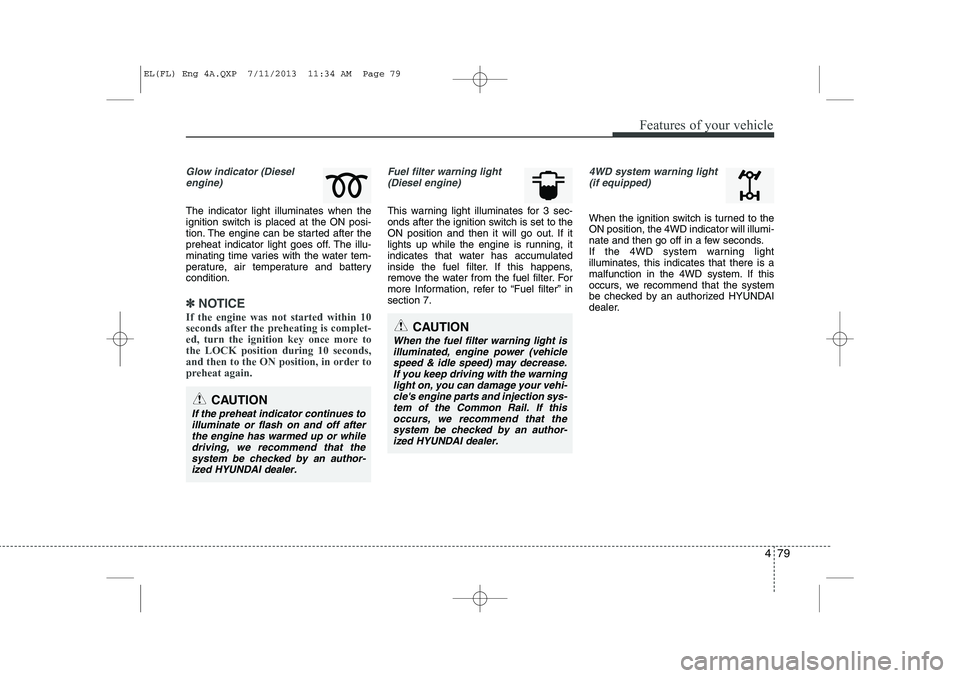
Glow indicator (Dieselengine)
The indicator light illuminates when the
ignition switch is placed at the ON posi-
tion. The engine can be started after the
preheat indicator light goes off. The illu-
minating time varies with the water tem-
perature, air temperature and batterycondition.
✽✽ NOTICE
If the engine was not started within 10
seconds after the preheating is complet-
ed, turn the ignition key once more tothe LOCK position during 10 seconds,
and then to the ON position, in order to
preheat again.
Fuel filter warning light (Diesel engine)
This warning light illuminates for 3 sec-
onds after the ignition switch is set to the
ON position and then it will go out. If it
lights up while the engine is running, it
indicates that water has accumulated
inside the fuel filter. If this happens,
remove the water from the fuel filter. For
more Information, refer to “Fuel filter” insection 7.
4WD system warning light (if equipped)
When the ignition switch is turned to the ON position, the 4WD indicator will illumi-
nate and then go off in a few seconds.
If the 4WD system warning light
illuminates, this indicates that there is a
malfunction in the 4WD system. If this
occurs, we recommend that the system
be checked by an authorized HYUNDAI
dealer.
CAUTION
When the fuel filter warning light is
illuminated, engine power (vehiclespeed & idle speed) may decrease. If you keep driving with the warning
light on, you can damage your vehi- cle's engine parts and injection sys-tem of the Common Rail. If this occurs, we recommend that thesystem be checked by an author-
ized HYUNDAI dealer.
CAUTION
If the preheat indicator continues to illuminate or flash on and off after
the engine has warmed up or whiledriving, we recommend that thesystem be checked by an author- ized HYUNDAI dealer.
EL(FL) Eng 4A.QXP 7/11/2013 11:34 AM Page 79
Page 571 of 1534
481
Features of your vehicle
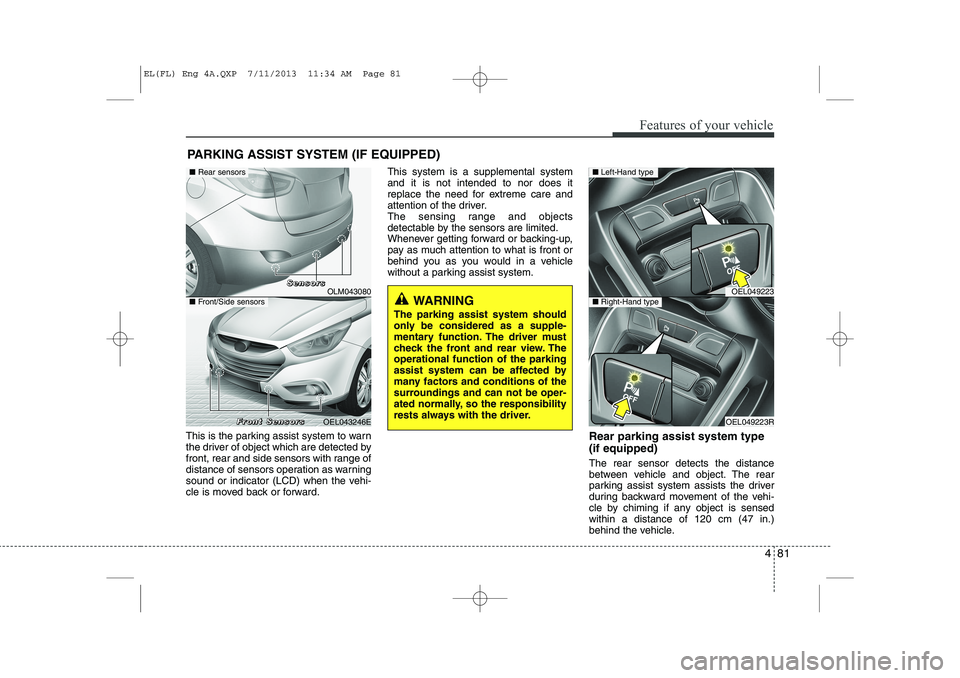
This is the parking assist system to warn
the driver of object which are detected by
front, rear and side sensors with range of
distance of sensors operation as warning
sound or indicator (LCD) when the vehi-
cle is moved back or forward.This system is a supplemental systemand it is not intended to nor does it
replace the need for extreme care and
attention of the driver.
The sensing range and objects
detectable by the sensors are limited.
Whenever getting forward or backing-up,
pay as much attention to what is front or
behind you as you would in a vehicle
without a parking assist system.
Rear parking assist system type (if equipped) The rear sensor detects the distance
between vehicle and object. The rear
parking assist system assists the driver
during backward movement of the vehi-
cle by chiming if any object is sensedwithin a distance of 120 cm (47 in.)
behind the vehicle.
PARKING ASSIST SYSTEM (IF EQUIPPED)
WARNING
The parking assist system should
only be considered as a supple-
mentary function. The driver must
check the front and rear view. Theoperational function of the parking
assist system can be affected by
many factors and conditions of the
surroundings and can not be oper-
ated normally, so the responsibility
rests always with the driver.OLM043080
OEL043246E
■ Rear sensors
■Front/Side sensors
SSSSeeeennnnssssoooorrrrssss
FFFFrrrroooonnnntttt SSSSeeeennnnssssoooorrrrssss
OEL049223
OEL049223R
■ Left-Hand type
■Right-Hand type
EL(FL) Eng 4A.QXP 7/11/2013 11:34 AM Page 81
Page 572 of 1534
Features of your vehicle
82
4
This system is a supplemental system and it is not intended to nor does it
replace the need for extreme care and
attention of the driver. The sensing range
and objects detectable by the back sen-
sors are limited. Whenever backing-up,
pay as much attention to what is behind
you as you would in a vehicle without a
rear parking assist system.Operating condition
This system will activate when backing
up with the ignition switch ON.
If the vehicle is moving at a speed over
10 km/h (6 mph), the system may not
be activated correctly.
This system will activate when the indi- cator on the rear parking assist OFF
button is not illuminated. If you desire
to deactivate the rear parking assist
system, press the rear parking assist
OFF button again. (The indicator on
the button will illuminate.) To turn the
system on, press the button again.
(The indicator on the button will go off.)
The sensing distance while the rear parking assist system is in operation is
approximately 120 cm (47 in.).
When more than two objects are sensed at the same time, the closest
one will be recognized first.
Types of warning sound
When an object is 120 cm to 61 cm(47.2 in. to 24 in.) from the rear bumper:
Buzzer beeps intermittently.
When an object is 60 cm to 31 cm (23.6 in. to 12.2 in.) from the rear bumper:
Buzzer beeps more frequently.
When an object is within 30 cm (11.8 in.) of the rear bumper:
Buzzer sounds continuously.
WARNING
The rear parking assist system is a
supplementary function only. Theoperation of the rear parking assist
system can be affected by several
factors (including environmental
conditions). It is the responsibility
of the driver to always check the
area behind the vehicle before and
while backing up.
EL(FL) Eng 4A.QXP 7/11/2013 11:34 AM Page 82
Page 574 of 1534
Features of your vehicle
84
4
✽✽
NOTICE
This system can only sense objects with- in the range and location of the sensors;
It can not detect objects in other areas
where sensors are not installed. Also,
small or slim objects, such as poles orobjects located between sensors may notbe detected by the sensors.Always visually check behind the vehi-cle when backing up.
Be sure to inform any drivers of the
vehicle that may be unfamiliar with the
system regarding the systems capabili-ties and limitations.Self-diagnosis
If you don’t hear an audible warning
sound or if the buzzer sounds intermit-tently when shifting the gear to the R
(Reverse) position, this may indicate a
malfunction in the rear parking assist
system. If this occurs, we recommend
that the system be checked by an author-
ized HYUNDAI dealer.WARNING
Pay close attention when the vehi-
cle is driven close to objects on the
road, particularly pedestrians, and
especially children. Be aware that
some objects may not be detected
by the sensors, due to the object’s
distance, size or material, all of
which can limit the effectiveness of
the sensor. Always perform a visu-al inspection to make sure the vehi-
cle is clear of all obstructions
before moving the vehicle in anydirection.
WARNING
Your new vehicle warranty does not
cover any accidents or damage to
the vehicle or injuries to its occu-pants due to a rear parking assist
system malfunction. Always drive
safely and cautiously.* 1
* 1
EL(FL) Eng 4A.QXP 7/11/2013 11:34 AM Page 84
Page 576 of 1534
Features of your vehicle
86
4
Self-diagnosis
When the front/rear parking assist sys-
tem has a malfunction, if you operate the
system, the warning sound sounds 3
times. In this time, the indicator on switch
will blink and the warning on the cluster
will blink. However, the warning regardingobject will not sound.
In this time, we recommend that the sys-
tem be checked by an authorized
HYUNDAI dealer.WARNING
Pay close attention when the vehi-
cle is driven close to objects on the
road, particularly pedestrians, and
especially children. Be aware that
some objects may not be detected
by the sensors, due to the object's
distance, size or material, all of
which can limit the effectiveness of
the sensor. Always perform a visual
inspection to make sure the vehicle
is clear of all obstructions before
moving the vehicle in any direction.CAUTION
This system can only sense objects within the range and loca-
tion of the sensors;
It can not detect objects in otherareas where sensors are notinstalled. Also, small or slim
objects, such as poles or objects located between sensors may notbe detected by the sensors.
Always visually check front orbehind the vehicle when getting
forward or backing up.
Be sure to inform any drivers of the vehicle that may be unfamiliarwith the system regarding the
systems capabilities and limita-tions.
WARNING
Your new vehicle warranty does not
cover any accidents or damage to
the vehicle or injuries to its occu-pants related to a parking assist
system. Always drive safely and
cautiously.
EL(FL) Eng 4A.QXP 7/11/2013 11:34 AM Page 86
Page 587 of 1534
497
Features of your vehicle
System malfunction warning
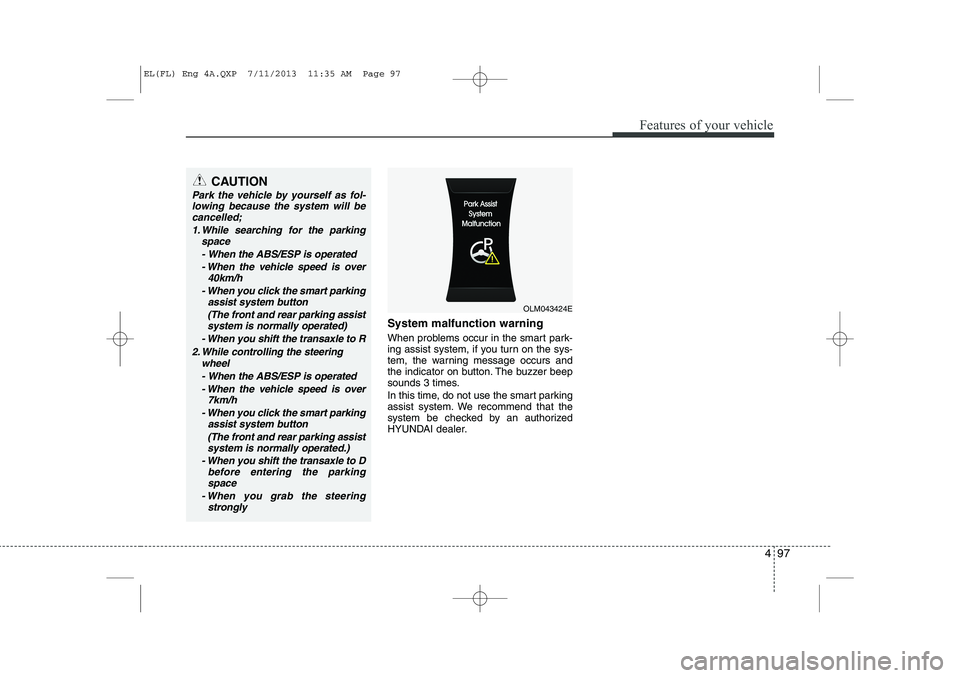
When problems occur in the smart park-
ing assist system, if you turn on the sys-
tem, the warning message occurs and
the indicator on button. The buzzer beep
sounds 3 times.
In this time, do not use the smart parking
assist system. We recommend that the
system be checked by an authorized
HYUNDAI dealer.
CAUTION
Park the vehicle by yourself as fol-lowing because the system will be
cancelled;
1. While searching for the parking space
- When the ABS/ESP is operated- When the vehicle speed is over 40km/h
- When you click the smart parking assist system button
(The front and rear parking assistsystem is normally operated)
- When you shift the transaxle to R
2. While controlling the steering wheel
- When the ABS/ESP is operated - When the vehicle speed is over 7km/h
- When you click the smart parking assist system button
(The front and rear parking assistsystem is normally operated.)
- When you shift the transaxle to D before entering the parkingspace
- When you grab the steering strongly
OLM043424E
EL(FL) Eng 4A.QXP 7/11/2013 11:35 AM Page 97
Page 588 of 1534
Features of your vehicle
98
4
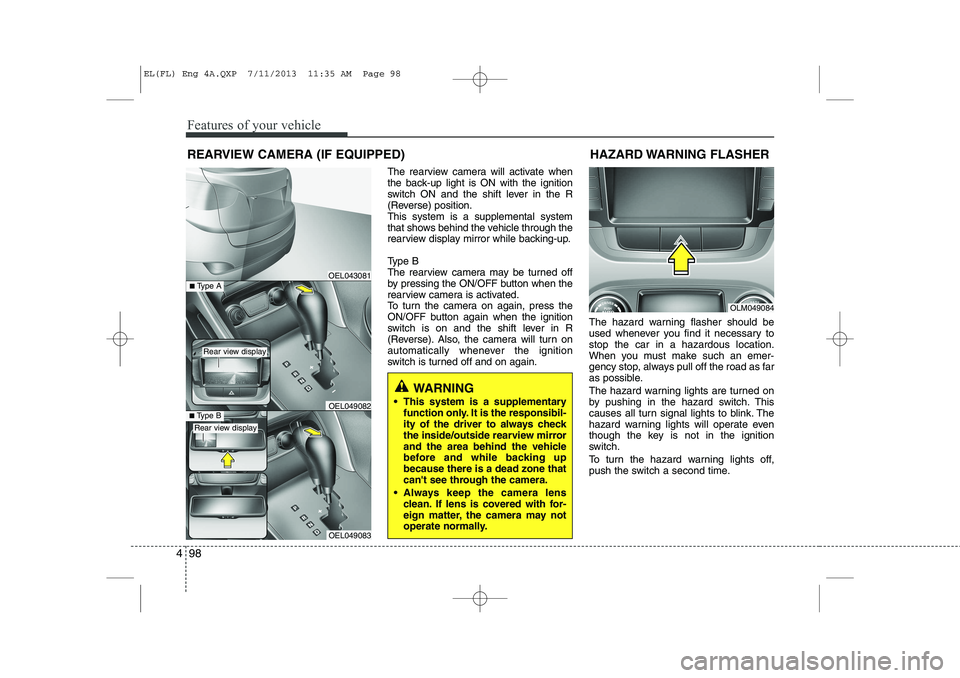
The rearview camera will activate when
the back-up light is ON with the ignition
switch ON and the shift lever in the R
(Reverse) position.This system is a supplemental system
that shows behind the vehicle through the
rearview display mirror while backing-up.
Type B
The rearview camera may be turned off
by pressing the ON/OFF button when the
rearview camera is activated.
To turn the camera on again, press the
ON/OFF button again when the ignition
switch is on and the shift lever in R
(Reverse). Also, the camera will turn on
automatically whenever the ignition
switch is turned off and on again. The hazard warning flasher should be
used whenever you find it necessary tostop the car in a hazardous location.
When you must make such an emer-
gency stop, always pull off the road as far
as possible.
The hazard warning lights are turned on
by pushing in the hazard switch. This
causes all turn signal lights to blink. The
hazard warning lights will operate even
though the key is not in the ignition
switch.
To turn the hazard warning lights off,
push the switch a second time.
REARVIEW CAMERA (IF EQUIPPED)
WARNING
This system is a supplementary function only. It is the responsibil-
ity of the driver to always check
the inside/outside rearview mirror
and the area behind the vehicle
before and while backing upbecause there is a dead zone that
can't see through the camera.
Always keep the camera lens clean. If lens is covered with for-
eign matter, the camera may not
operate normally.
OEL043081
OLM049084
HAZARD WARNING FLASHER
OEL049083
■
Type BOEL049082
■Type A
Rear view display
Rear view display
EL(FL) Eng 4A.QXP 7/11/2013 11:35 AM Page 98
Page 594 of 1534
Features of your vehicle
104
4
Daytime running light (if equipped)
Daytime Running Lights (DRL) can make
it easier for others to see the front of your
vehicle during the day. DRL can be help-
ful in many different driving conditions,
and it is especially helpful after dawn and
before sunset.
The DRL system will make the head-
lights turn OFF when:
1. The parklight switch is ON.
2. Engine stops.
Headlight leveling device (if equipped)
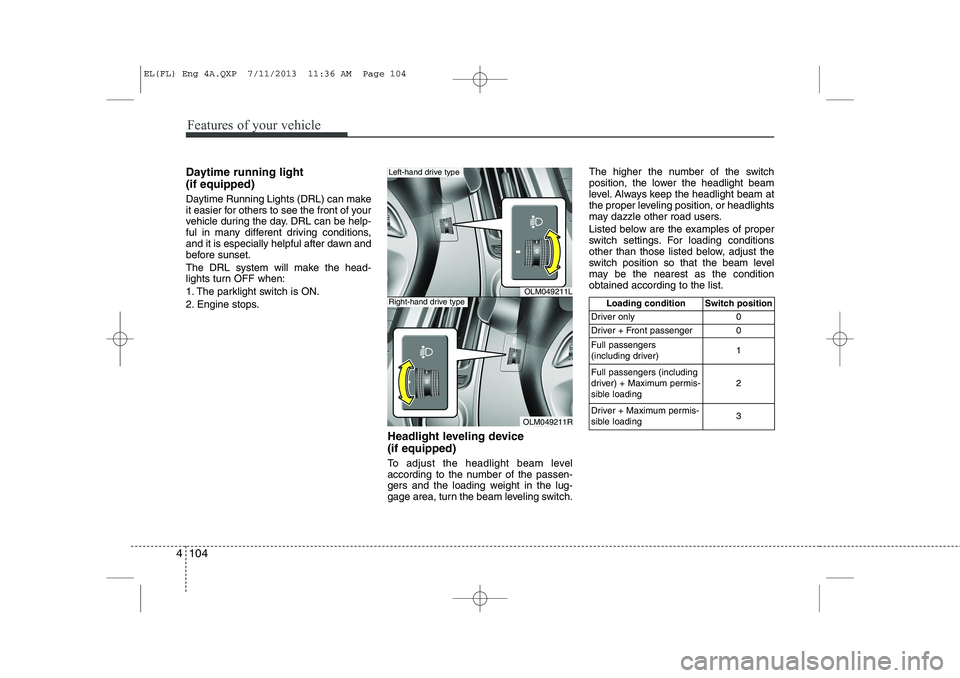
To adjust the headlight beam level
according to the number of the passen-
gers and the loading weight in the lug-
gage area, turn the beam leveling switch.The higher the number of the switch
position, the lower the headlight beam
level. Always keep the headlight beam at
the proper leveling position, or headlights
may dazzle other road users.
Listed below are the examples of proper
switch settings. For loading conditions
other than those listed below, adjust the
switch position so that the beam level
may be the nearest as the conditionobtained according to the list.
OLM049211L
OLM049211R
Left-hand drive type
Right-hand drive typeLoading condition Switch position
Driver only 0
Driver + Front passenger 0 Full passengers
(including driver) 1
Full passengers (including
driver) + Maximum permis-
sible loading 2
Driver + Maximum permis-
sible loading 3
EL(FL) Eng 4A.QXP 7/11/2013 11:36 AM Page 104
Page 622 of 1534
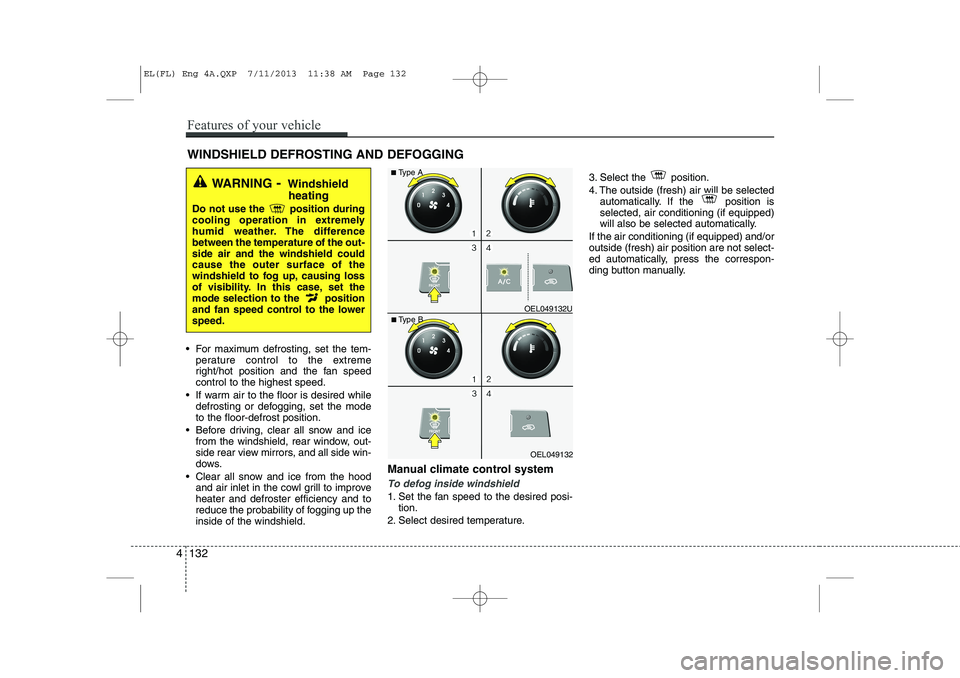
For maximum defrosting, set the tem-perature control to the extreme
right/hot position and the fan speedcontrol to the highest speed.
If warm air to the floor is desired while defrosting or defogging, set the modeto the floor-defrost position.
Before driving, clear all snow and ice from the windshield, rear window, out-
side rear view mirrors, and all side win-
dows.
Clear all snow and ice from the hood and air inlet in the cowl grill to improveheater and defroster efficiency and to
reduce the probability of fogging up theinside of the windshield. Manual climate control system
To defog inside windshield
1. Set the fan speed to the desired posi-
tion.
2. Select desired temperature. 3. Select the position.
4. The outside (fresh) air will be selected
automatically. If the position is selected, air conditioning (if equipped)
will also be selected automatically.
If the air conditioning (if equipped) and/oroutside (fresh) air position are not select-
ed automatically, press the correspon-
ding button manually.
WINDSHIELD DEFROSTING AND DEFOGGING
WARNING - Windshield
heating
Do not use the position during
cooling operation in extremely
humid weather. The differencebetween the temperature of the out-side air and the windshield couldcause the outer surface of the
windshield to fog up, causing loss
of visibility. In this case, set the
mode selection to the position
and fan speed control to the lowerspeed.
OEL049132
■
Type B OEL049132U
■
Type A
4 132
Features of your vehicle
EL(FL) Eng 4A.QXP 7/11/2013 11:38 AM Page 132
Page 624 of 1534
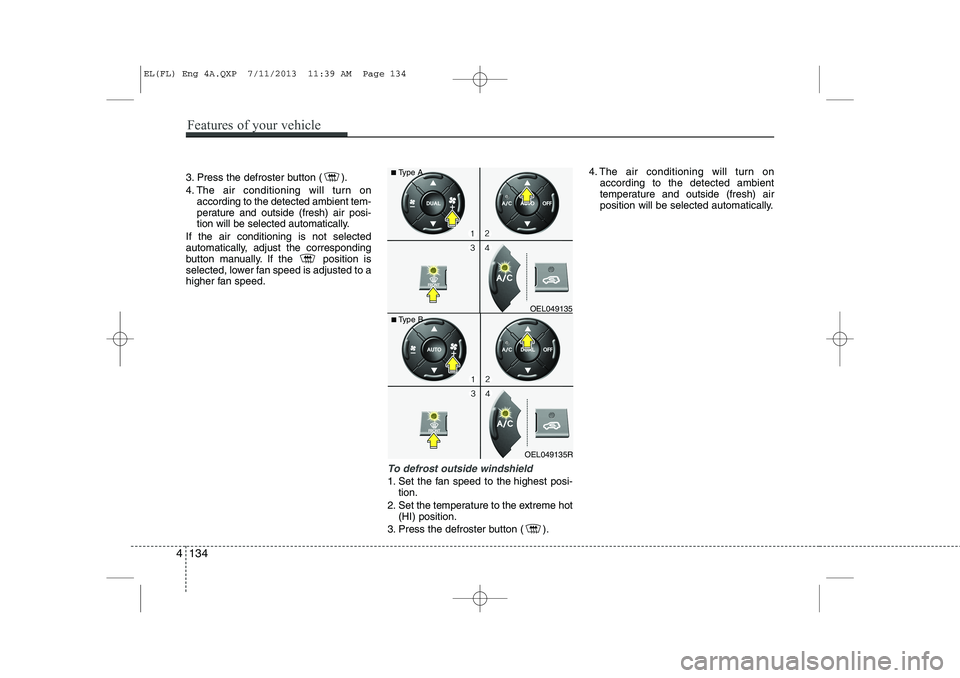
3. Press the defroster button ( ).
4. The air conditioning will turn onaccording to the detected ambient tem-
perature and outside (fresh) air posi-
tion will be selected automatically.
If the air conditioning is not selected
automatically, adjust the corresponding
button manually. If the position is
selected, lower fan speed is adjusted to a
higher fan speed.
To defrost outside windshield
1. Set the fan speed to the highest posi- tion.
2. Set the temperature to the extreme hot (HI) position.
3. Press the defroster button ( ). 4. The air conditioning will turn on
according to the detected ambient
temperature and outside (fresh) air
position will be selected automatically.
OEL049135R
■
Type B OEL049135
■
Type A
4 134
Features of your vehicle
EL(FL) Eng 4A.QXP 7/11/2013 11:39 AM Page 134